剪影 - 视频剪辑 & 卡点影集制作

剪影 - 视频剪辑 & 卡点影集制作

ダウンロード: App Store
Spark by MWM logo
ロゴ: 剪影 - 视频剪辑 & 卡点影集制作

シルエット - Silhouette: プロレベルのエフェクトでバイラル動画編集をマスター

TikTokやReelsであなたの美的センスをレベルアップ。簡単なビートシンクから、映画のようなフィルター、ユニークなミラーリングツールまで、フォロワーが喜ぶハイエンドなコンテンツを作成しましょう。

ダウンロード: App Store

開発元

Shanghai Jian Ji Software Technology Co., Ltd

カテゴリ

Photo & Video

ダウンロード

3M+

ユーザー評価

4.8/5

評価数

52K+

対応言語

5

創造性へのレンズ

このインターフェースを利用する 3M+ 人のユーザー.

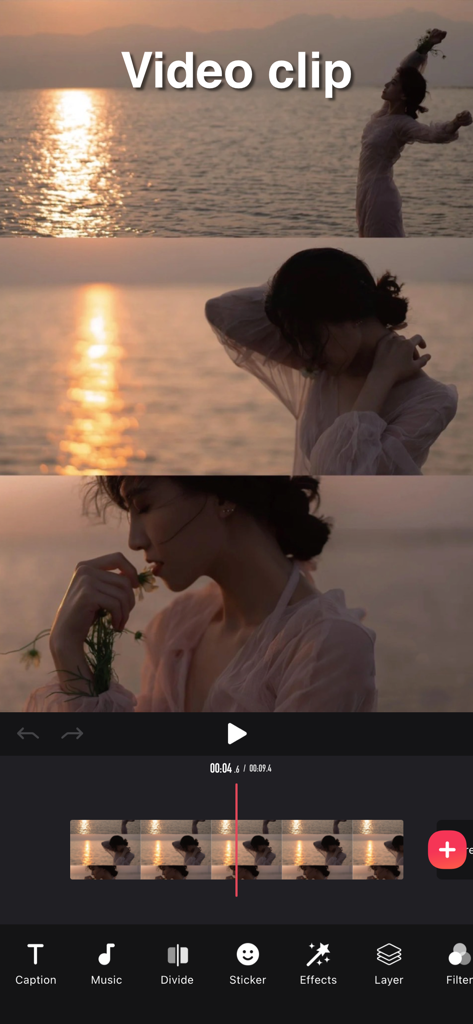
Silhouetteビデオ編集アプリのインターフェース。タイムラインと音楽やフィルターなどのツールを使用してビデオクリップが編集されている様子を示しています。

Silhouetteビデオ編集アプリのインターフェース。タイムラインと音楽やフィルターなどのツールを使用してビデオクリップが編集されている様子を示しています。

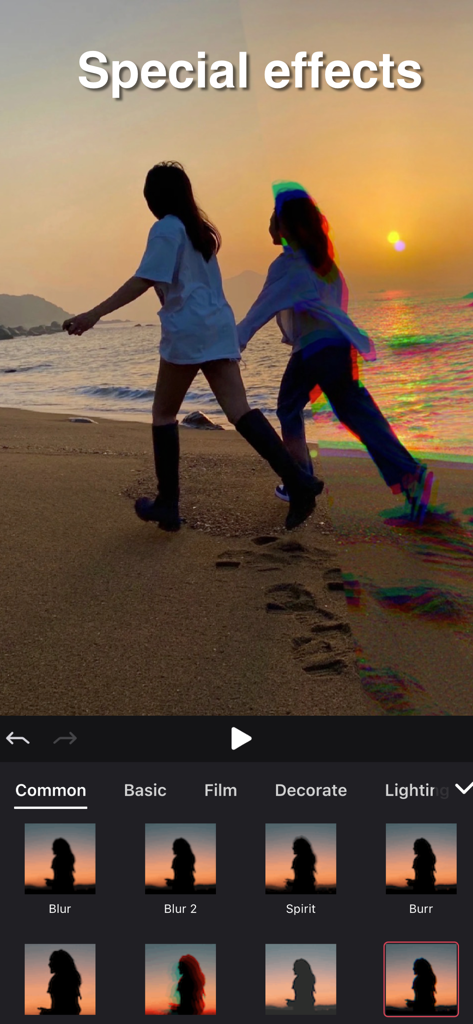
Silhouetteビデオ編集アプリのインターフェース。ビーチの夕日のビデオにSpiritやBurrなどの特殊効果が適用されている様子を示しています。

Silhouetteビデオ編集アプリのインターフェース。ビーチの夕日のビデオにSpiritやBurrなどの特殊効果が適用されている様子を示しています。

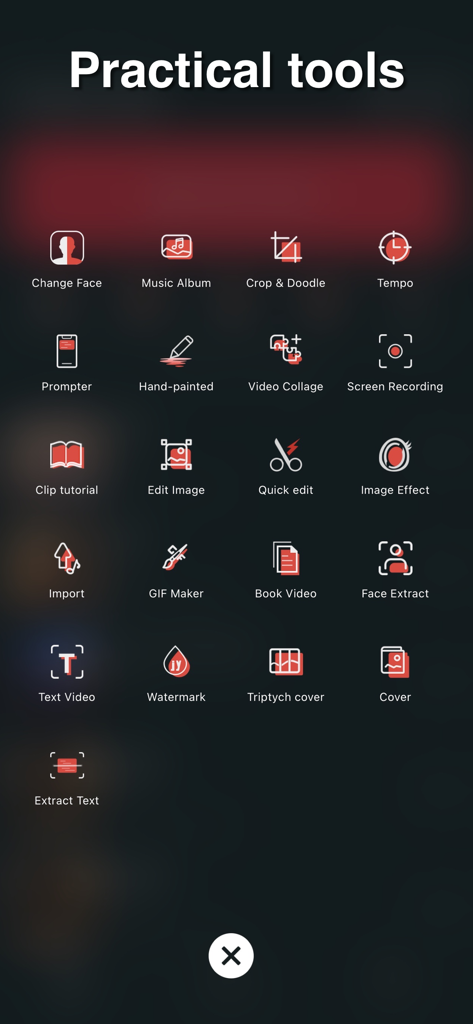
Silhouetteビデオエディターアプリ内のメニュー表示。「Practical tools」というタイトルで、GIF Maker、Video Collageなどのアイコンが表示されています。

Silhouetteビデオエディターアプリ内のメニュー表示。「Practical tools」というタイトルで、GIF Maker、Video Collageなどのアイコンが表示されています。

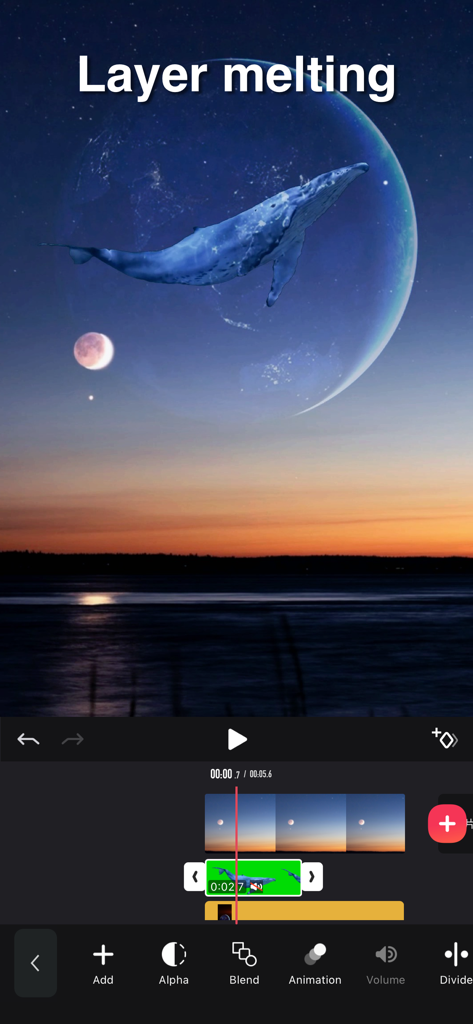
モバイルビデオ編集インターフェース。レイヤーが溶けるエフェクトと、月と夕日の風景の上に重ねられたクジラを表示しています。

モバイルビデオ編集インターフェース。レイヤーが溶けるエフェクトと、月と夕日の風景の上に重ねられたクジラを表示しています。

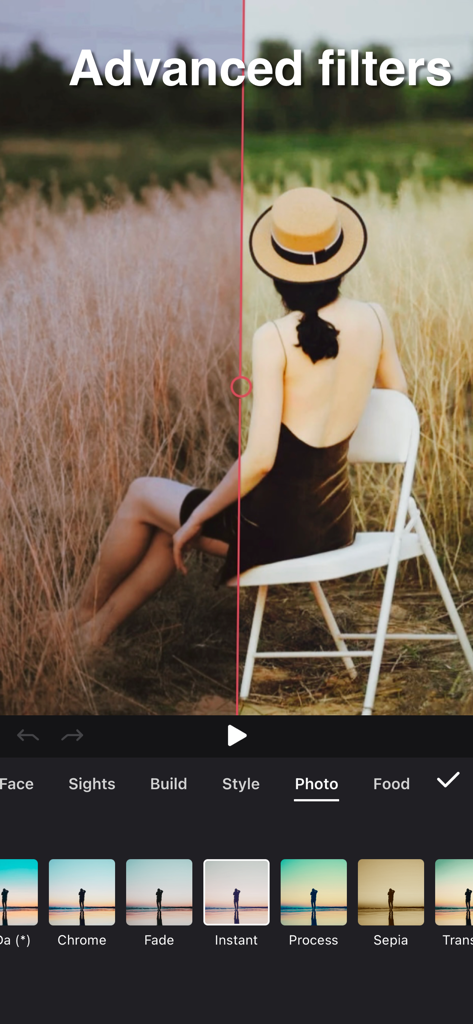
Silhouetteビデオ編集アプリの高度なフィルターの分割画面比較。

Silhouetteビデオ編集アプリの高度なフィルターの分割画面比較。

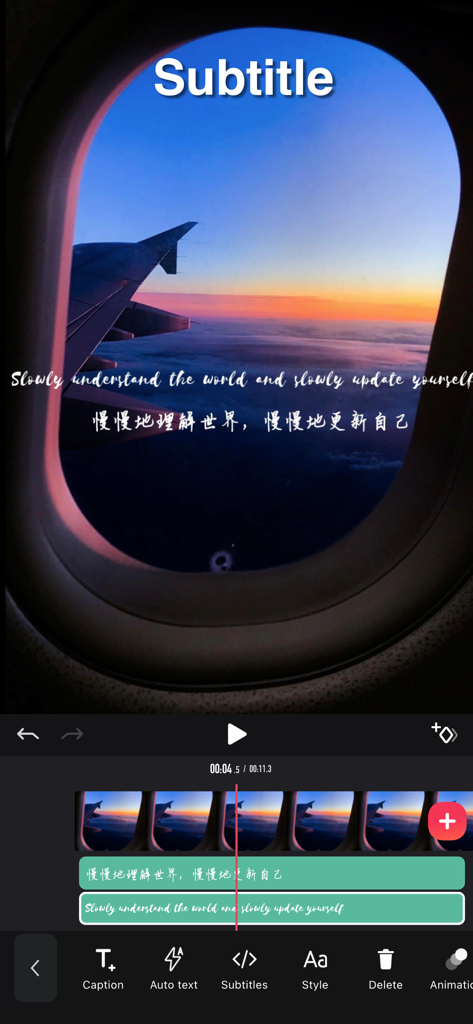
モバイルビデオ編集画面。映画のような飛行機の夕日のビデオの上に、多層の英語と中国語の字幕が追加されている様子を示しています。

モバイルビデオ編集画面。映画のような飛行機の夕日のビデオの上に、多層の英語と中国語の字幕が追加されている様子を示しています。

ソーシャルゲームをレベルアップ

このアプリを際立たせるツール、 3M+ 人のユーザーが選択.

🎵

簡単なビートシンク

音楽に合わせてトランジションを自動的に配置するツールでリズムをマスターし、完璧なバイラルフローを実現しましょう。

映画のようなフィルター&エフェクト

美的フィルターとプロフェッショナルなステッカーの巨大なライブラリにアクセスして、あなたのVlogに洗練されたハイエンドなルックを与えましょう。

🚀

バイラル対応ユーティリティ

オーディオ抽出、ミラーリング、9分割グリッドなどの限定ツールをアンロックして、混雑したアルゴリズムで際立ちましょう。

世界中のユーザーに愛されています

Trusted by 3M+ 人がこのアプリを愛用しています.

"

"たくさんの編集アプリを試しましたが、Silhouetteは私のReelsにとってゲームチェンジャーです。ビートシンクツールは文字通り救世主です。技術的なスキルなしで、数秒でプロフェッショナルに見えるトランジションを作成できます。フィルターは私のVlogに、フォロワーが愛する完璧な映画のような美しさを与えてくれます!"

Chloe V.
"

"これは私のTikTok成長のための秘密兵器です。9分割ミラーやオーディオ抽出ツールのような機能により、バイラルトレンドが廃れる前に簡単に飛びつくことができます。内蔵エディターよりもはるかに強力で、マルチレイヤー字幕は驚くほど素晴らしいです。"

Marcus J.

レビュー分析

ユーザーレビューの分析.

感情スコア

30%
ネガティブ

概要

Many users praise the app for its intuitive interface, ease of use, and simple operations, with some highlighting its efficiency compared to other editing software and its basic free functionalities. However, a significant portion of feedback is highly negative, primarily criticizing the aggressive VIP paywall which restricts essential features such as video export, extended editing duration, and access to various effects or audio, often leading to unexpected charges and frustration. Common complaints also include critical bugs and stability issues like app crashes, auto-save failures resulting in lost work, subtitle synchronization problems, and video loading difficulties. Specifically, some users reported a degraded experience and new bugs, including issues with subtitle display and video quality, after a recent update.

主なテーマ

VIP & Pricing(20)
App Stability & Bugs(9)
Overall Satisfaction(9)
Feature Limitations(6)
Ease of Use(5)

アプリについて

について知っておくべきこと 剪影 - 视频剪辑 & 卡点影集制作.

説明

Video Tools - Powerful video editing tool, Instagram, Youtube video. Features: Video clip: - Video clip, beginning/end/middle etc. fixed duration - Merge, copy, split multiple videos and add transitional animation Video filter: - Diverse filters options, support photo retouch - Video subtitles: - Multi-layer subtitles available, subtitle display time adjustable, plenty of fonts Video collage: - multiple video can be pasted together like stickers, and the masterpiece is born easily. Video dubbing: - you can extract dubbing from the album video and apply it to your created video - provide rich music to create colourful video Video watermark: - very handy for adding personalized video watermarks to video Video stickers: - A wide selection of interesting video stickers for use. - Video mirroring: - Still having headache for 9-square in TikTok APP? Simply steps here can achieve this effect Video in the same frame - Easy making same-frame effect - Proportion, direction adjustable Video speed adjustment - Slow motion, 0.2 time slowest - Fast motion, up to 4 times faster Video playback - Easy step for playback Video border and background - Add border or photos - Borders can be synchronized as blurry as video - Adapted to all social media APP ratios Video screen snipping - Image video snipping available, doodle the video and image - Advanced editing such as brightness, blur etc. available [Automatic renewal of Pro membership] --Pro membership benefits: Unlock all VIP functions --Subscription period: 1 month (Pro members have continuous monthly subscription products), 12 months (Pro members have continuous annual subscription products). If required, we also offer one-time paid services in addition to existing subscription plans. --Subscription price: subject to iAP application information, for example, continuous monthly subscription product is $6.99 per month, continuous annual subscription product is $36.99 per year. --Payment: After the user confirms the purchase and makes the payment, it will be credited to the iTunes account. --Cancel renewal: If you need to cancel the renewal, please manually turn off the automatic renewal function in iTunes/Apple ID settings management 24 hours before the expiration of the current subscription period. --Renewal: The Apple iTunes account will be deducted within 24 hours before expiration. After the deduction is successful, the subscription period will be extended by one subscription period. -- Free trial for annual membership: If you renew or cancel the renewal during the free trial period, the free trial rights will not be recovered from the user. The user can continue the trial until the end of the trial period. --Privacy Policy: https://jianyingeditor.cn/privacy/privacy-new.html --User Agreement: https://jianyingeditor.cn/privacy/agreement-new.html Feel free to contact us: jianyinghelper@163.com Your problems or suggestions are important to us!

最新バージョン

5.11.19

サイズ

185.4 MB

リリース日

2019年4月1日

フィードを制覇する準備はできましたか?

Silhouetteを使用して、完璧なビートシンク、トレンドのトランジション、美的エフェクトをマスターしている300万人以上のクリエイターに参加しましょう。あなたの次のバイラル動画はここから始まります。

ダウンロード: App Store
FAQ

よくある質問

について知っておくべきこと 剪影 - 视频剪辑 & 卡点影集制作

剪影アプリで利用できる主な動画編集機能は何ですか?

剪影アプリは、切り取り、結合、分割、フィルター、字幕、音楽、透かし、ステッカーの追加、速度調整など、豊富な動画編集機能を提供しています。マルチレイヤー編集にも対応しています。

剪影 - Video Tools アプリで動画コラージュを作成できますか?

はい、剪影 - Video Tools アプリでは動画コラージュを作成できます。複数の動画をステッカーのように貼り合わせて、アプリ内で直接1つの傑作を形成できます。

剪影アプリのProメンバーシップの料金はいくらですか?

剪影アプリのProメンバーシップは、継続的な月額サブスクリプションが月額$6.99、継続的な年額サブスクリプションが年額$36.99です(iAP情報によります)。

剪影Proメンバーシップの自動更新をキャンセルするにはどうすればよいですか?

剪影アプリのProメンバーシップの更新をキャンセルするには、現在のサブスクリプション期間が満了する少なくとも24時間前に、iTunes/Apple IDの設定管理で手動で自動更新機能をオフにしてください。

剪影動画編集アプリでは、動画の再生速度を調整できますか?

はい、剪影動画編集アプリは動画速度の調整に対応しています。ユーザーは最も遅い0.2倍速から最も速い4倍速まで設定できます。

剪影 - Video Editor & Music Clips は高度な動画フィルターを提供していますか?

はい、剪影 - Video Editor & Music Clips は、写真のレタッチに対応した多様で高度な動画フィルターを提供しており、アプリのインターフェースに示されているように、写真やフードなどのカテゴリが含まれています。

剪影アプリでマルチレイヤー動画編集を行うことはできますか?

はい、剪影アプリはマルチレイヤー動画編集に対応しています。レイヤーのブレンド、アニメーション、個々のレイヤーの音量調整などの機能が含まれており、複雑な動画プロジェクトを強化します。

剪影 - Video Editor & Music Clips アプリのプライバシーポリシーはどこで見つけられますか?

剪影 - Video Editor & Music Clips アプリのプライバシーポリシーは、https://jianyingeditor.cn/privacy/privacy-new.html でご覧いただけます。このリンクはデータ処理に関する詳細を提供します。