YouCut - AI Video Editor

YouCut - AI Video Editor

ダウンロード: App Store
Spark by MWM logo
ロゴ: YouCut - AI Video Editor

YouCut - AI動画編集アプリ: 透かしなしでプロ級コンテンツを作成

AI自動キャプション、4Kエクスポート、プロツールで、TikTok、Reels、YouTube向け動画を簡単に編集。透かしやバナー広告なしで、純粋な創造性を発揮しましょう。

ダウンロード: App Store

開発元

SHANTANU PTE. LTD.

カテゴリ

Photo & Video

ダウンロード

4M+

ユーザー評価

4.8/5

評価数

196K+

対応言語

18

スタジオ体験

このインターフェースを利用する 4M+ 人のユーザー.

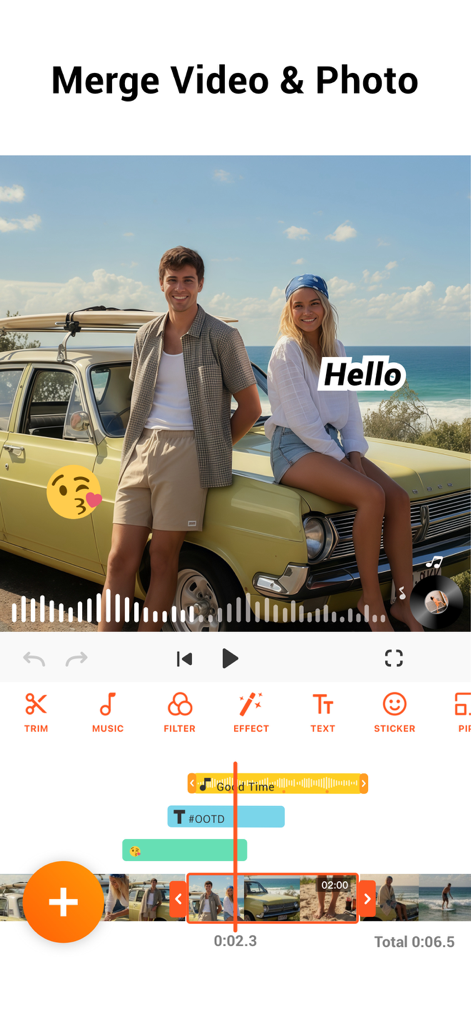
YouCutアプリのインターフェース。動画と写真の結合、音楽とテキストオーバーレイの表示

YouCutアプリのインターフェース。動画と写真の結合、音楽とテキストオーバーレイの表示

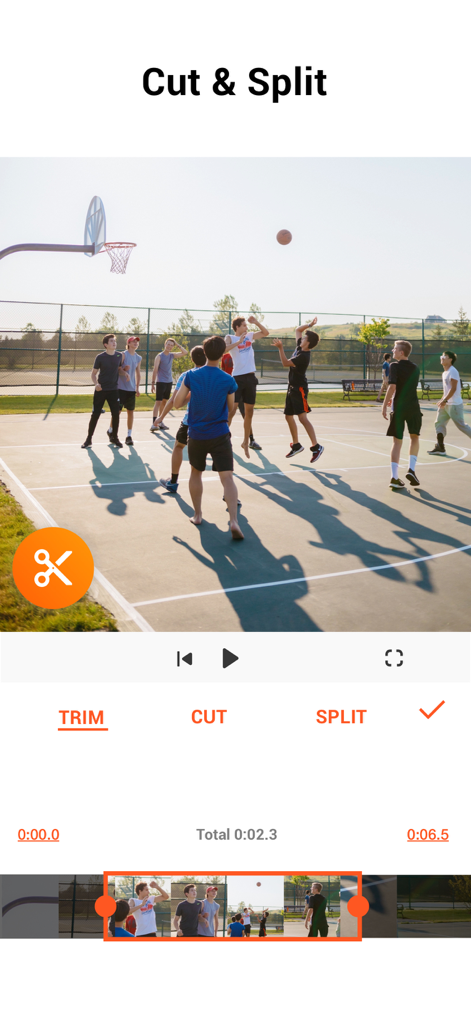
YouCutモバイルアプリの画面。バスケットボールのクリップの動画カットと分割オプションを表示

YouCutモバイルアプリの画面。バスケットボールのクリップの動画カットと分割オプションを表示

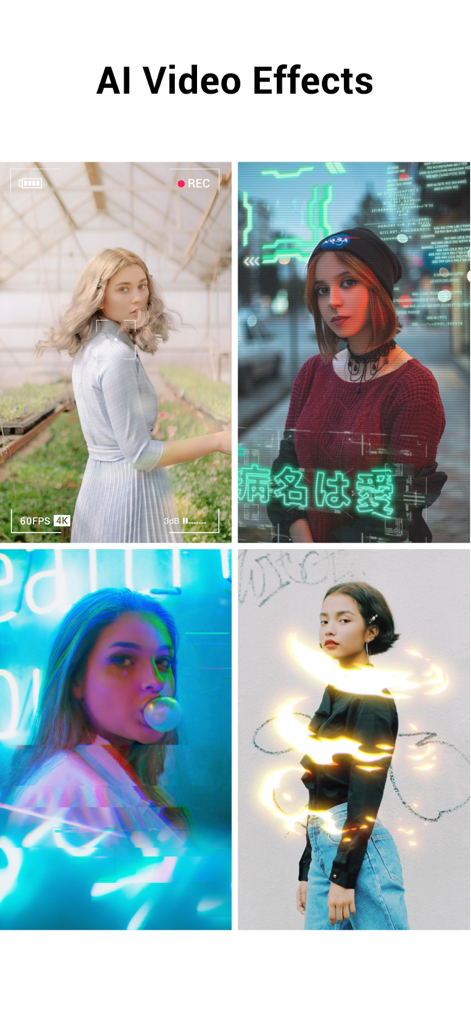
サイバーパンクオーバーレイやネオンライトトレイルなどのAIエフェクトを示す4つの異なるビデオクリップのコラージュ

サイバーパンクオーバーレイやネオンライトトレイルなどのAIエフェクトを示す4つの異なるビデオクリップのコラージュ

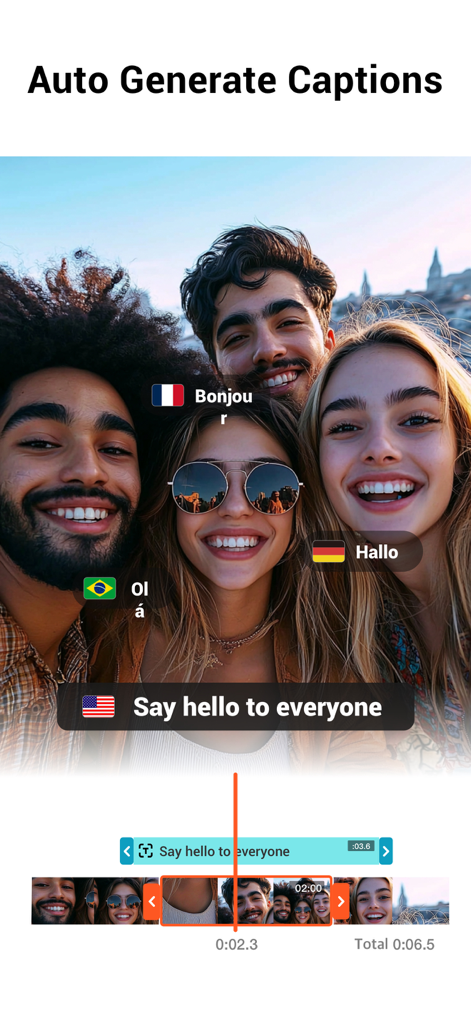
YouCutアプリで複数の言語の自動生成キャプションを示すグループビデオ

YouCutアプリで複数の言語の自動生成キャプションを示すグループビデオ

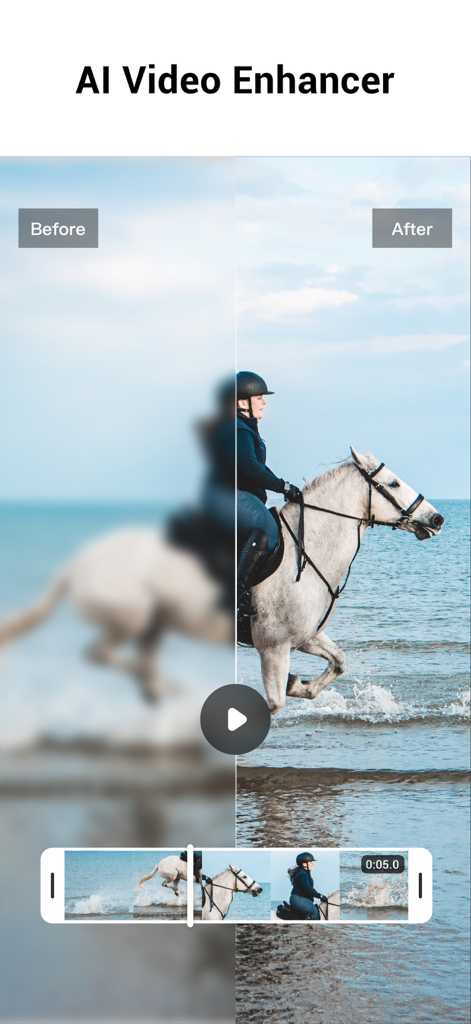
YouCut AI Video Enhancer機能を使用して、ぼやけたビデオがHD品質に復元されたビフォーアフター比較

YouCut AI Video Enhancer機能を使用して、ぼやけたビデオがHD品質に復元されたビフォーアフター比較

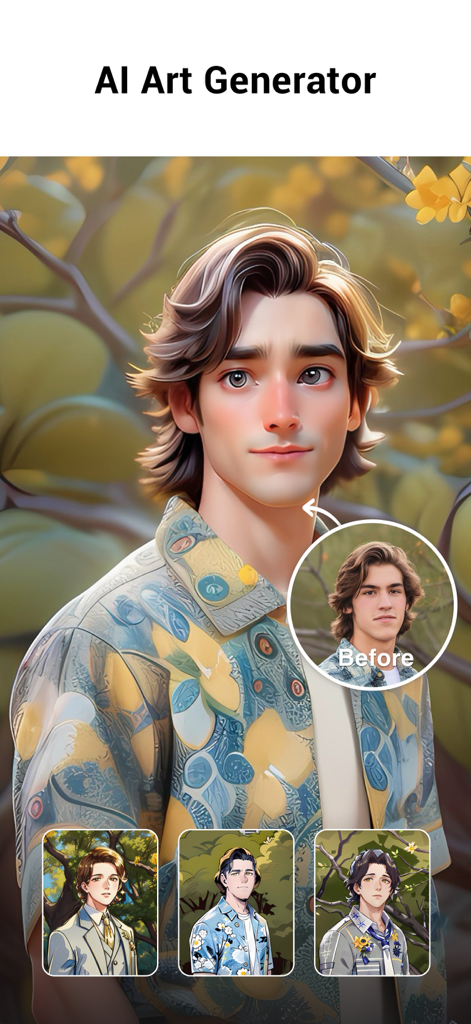
YouCut AI Art Generator機能。リアルな写真を様式化された漫画アバターに変換して表示

YouCut AI Art Generator機能。リアルな写真を様式化された漫画アバターに変換して表示

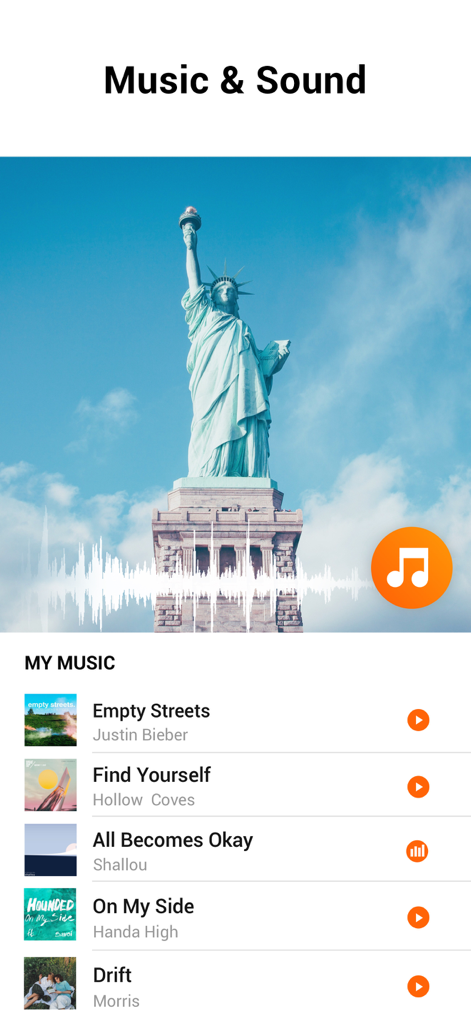
YouCut AI Video Editorのインターフェース。ビデオ用の音楽とサウンドライブラリを表示

YouCut AI Video Editorのインターフェース。ビデオ用の音楽とサウンドライブラリを表示

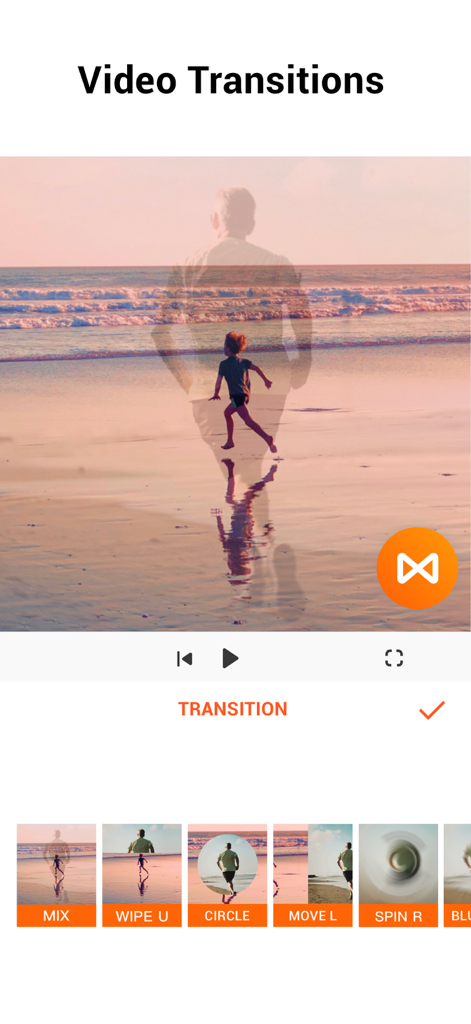
YouCutモバイルアプリのインターフェース。さまざまなビデオトランジションエフェクトを表示

YouCutモバイルアプリのインターフェース。さまざまなビデオトランジションエフェクトを表示

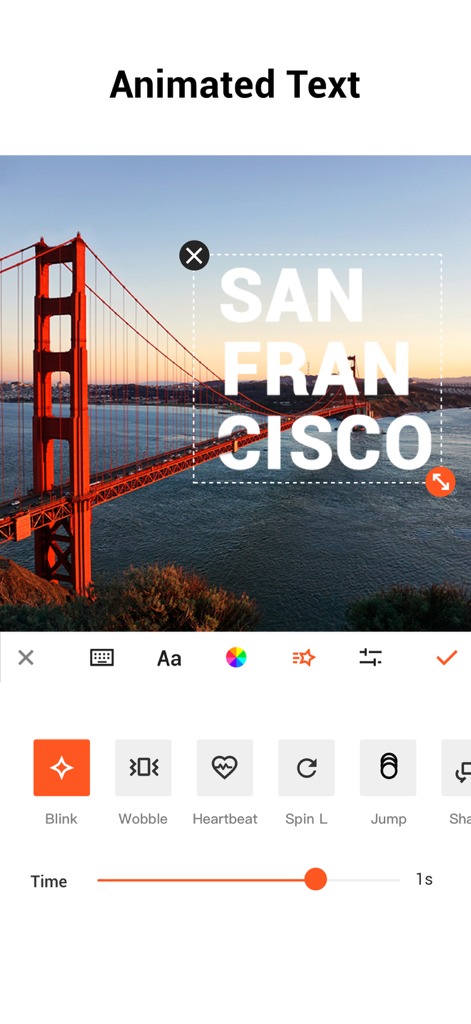
YouCutアプリのインターフェース。モバイルビデオ編集用のアニメーションテキストオプションを表示

YouCutアプリのインターフェース。モバイルビデオ編集用のアニメーションテキストオプションを表示

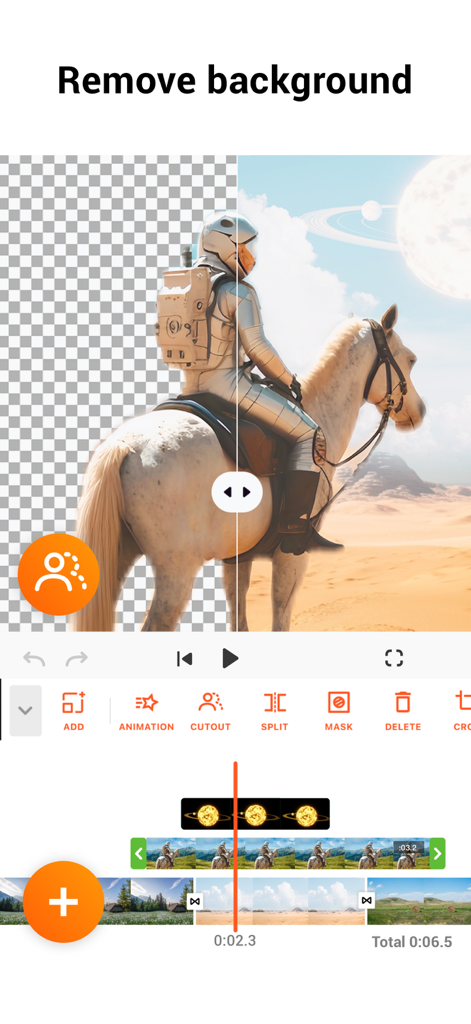
YouCut AI video editor background removal tool interface

YouCut AI video editor background removal tool interface

プロ級コンテンツを簡単に

このアプリを際立たせるツール、 4M+ 人のユーザーが選択.

AIによる生産性向上

自動生成キャプション、ワンタップ背景除去、AI動画強化で、手作業の時間を数時間節約できます。

🚫

透かしなし、制限なし

あなたのブランドをプロフェッショナルに保ちましょう。邪魔なロゴやしつこい広告なしで、鮮やかな4K解像度で動画をエクスポートできます。

🎬

プロ級のクリエイティブコントロール

直感的なモバイルタイムラインで、シネマティックなスピードランプ、正確なキーフレームアニメーション、マルチレイヤーPIP編集をマスターしましょう。

世界中のユーザーに愛されています

Trusted by 4M+ 人がこのアプリを愛用しています.

"

"AI自動キャプションは、私のTikTok動画を劇的に変えてくれました。以前は手作業で文字を入力するのに何時間も費やしていましたが、今では数秒で驚くほどの精度で完了します。さらに、エクスポート時に透かしがないことで、他のアプリと比較して私のコンテンツがはるかにプロフェッショナルに見えます。"

Chloe V.、ライフスタイルクリエイター
"

"私はブティックのソーシャルメディアをすべてiPhoneから運営しており、YouCutは外出先でデスクトップレベルのパワーを提供してくれる唯一のツールです。キーフレームアニメーションと4Kサポートのおかげで、実際に売上を伸ばすハイエンドな商品紹介動画を作成できます。迅速で直感的、そして価格に見合う価値があります。"

Marcus J.、小規模ビジネスオーナー

アプリについて

について知っておくべきこと YouCut - AI Video Editor.

説明

YouCut as an AI [Video Editor] & [Video Maker] for YouTube and other social media, features a unique timeline design that makes video editing easier and more efficient. Easy to edit videos with music, AI effects, captions, emoji, text to speech, etc. [Easy & No Watermark] Edit videos like a pro. Whether you want to make photo videos or share moments with friends, YouCut is the best video editing app with all features you need. Features: [Powerful Video Editor and Movie Maker] YouCut as one of top AI video editor apps, provide you with AI Avatar, AI Captions, AI Enhance, AI Cutout, etc. You can zoom in/out timeline for precisely editing. No banner ads. [AI Video Editor] AI Video Enhance - Restore blurry videos and photos to HD. Auto Captions - Generate accurate captions for social media. [Video Speed Control] Fast/slow motion video (Adjust video speed from 0.2× to 100×), Edit video and adjust speed with video filters and effects. [Photo Slideshow Maker] Music video editor with photos, professional video combiner, merge photos to create slideshow. Make video collage easily with Picture-in-Picture (PIP), keyframe. Combine videos with photos, add custom photo cover, auto captions for video, edit videos with music like a pro. [No Watermark] As music video editor and full screen video maker for YouTube, YouCut never add Watermark to your video. There is no banner ads on the screen, unlike other video editing apps. [Add Music to Video] It is a pro TikTok editor and YouTube intro maker that meets all your needs. 1. 100+ music and built-in sound effects. 2. Edit videos with your music. 3. Extract music from video. [Video Filters & AI Effects] Add movie style video filters and AI effects to video. Best Movie maker to enhance quality without watermark. [Video Color Adjust] Adjust video brightness, contrast, saturation, etc. Custom video filters and effects. Best movie cutter and AI captions generator for videos. [Change Video Background] 1. Change background color of your video, blur background. 2. Remove background with AI in a tap. [Keyframe] Add motion to clips by keyframe. [Video Compressor] 1. HD video maker & TikTok editor. 2. YouCut - AI video editor and video maker support resolution up to 4K. [Share Video] Directly share video to YouTube, Instagram, TikTok…to get hundreds of 'likes'! AI Art Generator, Photo Slideshow, Add music, materials, captions for video, Apply transition effects, Apply FX video filters, Rotate video, Share to YouTube... Fast/Slow motion video editor without losing video quality! If you have any question about YouCut (pro video editor, video cutter & video enhancer, photo slideshow maker), please email us at: youcut.ios@inshot.com For more tutorials, subscribe us on YouTube @YouCutApp [YouCut Pro Unlimited Subscription] - With an YouCut Pro Unlimited subscription, you have access to all features and paid editing materials. - YouCut Pro Unlimited subscription is billed annually. In addition, a one-time payment will be offered if needed, which is not one of the subscription plan. - Payment will be charged to iTunes Account at confirmation of purchase. - Subscription automatically renews unless auto-renew is turned off at least 24-hours before the end of the current period. - Account will be charged for renewal within 24-hours prior to the end of the current period, and identify the cost of the renewal. - Subscriptions may be managed by the user and auto renewal may be turned off by going to the user's Account Settings after purchase. - Any unused portion of a free trial period, if offered, will be forfeited when the user purchases a subscription to that publication, where applicable. [Terms of Use] https://inshot.cc/terms/terms_youcut.pdf [Privacy Policy] https://inshot.cc/terms/privacy_youcut.pdf [Disclaimer] YouCut is not affiliated, associated, sponsored, endorsed by, or in any way officially connected with YouTube, Instagram, TikTok, Facebook.

最新バージョン

1.26.1

サイズ

136.0 MB

リリース日

2022年7月17日

バイラルヒットを狙いませんか?今すぐ透かしなし動画を作成しましょう。

YouCutのAI搭載ツールを使い、TikTokやYouTube向けのプロ級コンテンツを制作する400万人以上のクリエイターに加わりましょう。透かしやバナー広告なしで、純粋な創造性を4Kで。

ダウンロード: App Store
FAQ

よくある質問

について知っておくべきこと YouCut - AI Video Editor

YouCutは、ソーシャルメディア向け動画編集において、ユーザーをどのように支援しますか?

YouCutは、YouTubeおよびその他のソーシャルメディアプラットフォーム向けのAI動画エディターおよびメーカーとして機能します。効率的な動画編集のために、音楽、AIエフェクト、キャプション、絵文字、テキスト読み上げなどのツールを提供しています。

YouCutは、編集済みの動画にウォーターマークを追加しますか?

いいえ、YouCutは動画にウォーターマークを追加しません。ウォーターマークなしの編集を提供し、ユーザーはブランド表示なしで動画を作成および共有できます。

YouCutは、ぼやけた動画や写真をHD品質に向上させることができますか?

はい、YouCutにはAI動画向上ツールが搭載されています。この機能は、ぼやけた動画や写真を復元し、高解像度品質に変換します。

YouCutには、動画編集用のAI機能がどのようなものがありますか?

YouCutには、AIアバター、AIキャプション、AI向上、AI切り抜きなど、いくつかのAI機能が統合されています。これらのツールは、ユーザーにとって複雑な編集タスクを効率化します。

YouCutで動画の速度を調整するにはどうすればよいですか?

YouCutは動画速度調整機能を提供しており、ユーザーは動画の速度を0.2倍から100倍まで調整できます。この機能は、早送りおよびスローモーションエフェクトの両方をサポートしています。

YouCutは、動画の自動キャプション生成を提供していますか?

はい、YouCutは自動キャプション機能を提供しています。動画の正確なキャプションを生成し、ソーシャルメディアプラットフォームのコンテンツのアクセシビリティを高めます。

YouCutを使用して、動画や写真の背景を削除することは可能ですか?

はい、YouCutではAIを使用してワンタップで背景を削除できます。背景色を変更したり、ぼかしたりするオプションも提供しています。

YouCut Pro Unlimitedのサブスクリプションオプションにはどのようなものがありますか?

YouCut Pro Unlimitedでは、すべての機能と有料素材にアクセスするための年間サブスクリプションを提供しています。買い切り型の支払いオプションも利用可能です。

ユーザーはYouCutアプリ内で動画から音楽を抽出できますか?

はい、YouCutでは動画から直接音楽を抽出できます。この機能は、包括的な音楽編集機能の一部です。

YouCutでサポートされている最大動画解像度はどのくらいですか?

YouCut - AI動画エディター&動画メーカーは、最大4Kの解像度をサポートしています。これにより、さまざまなプラットフォームで高品質な動画出力を保証します。

YouCutにはAIアートジェネレーター機能が含まれていますか?

はい、YouCutにはAIアートジェネレーターが含まれています。この機能は、写真をさまざまな芸術的なスタイルに変換します。

YouCutの利用規約とプライバシーポリシーはどこで見つけられますか?

YouCutの利用規約とプライバシーポリシーは、アプリの説明に記載されている直接リンクからアクセスできます。