Videoshop - Video Editor

Videoshop - Video Editor

ダウンロード: App Storeダウンロード: Google Play
Spark by MWM logo
ロゴ: Videoshop - Video Editor

Videoshop - 動画編集アプリ:ソーシャルのスピードでプロレベルのコンテンツを作成

1200万人以上のクリエイターが利用する究極のモバイルスタジオで、カット、音楽追加、バイラルエフェクト適用。TikTokのトレンドからプロのVlogまで、あなたのストーリーを数秒で編集し、即座に共有しましょう。

ダウンロード: App Store

開発元

Jajijujejo Inc.

カテゴリ

Photo & Video

ダウンロード

12M+

ユーザー評価

4.9/5

評価数

420K+

対応言語

8

スタジオ内部

このインターフェースを利用する 12M+ 人のユーザー.

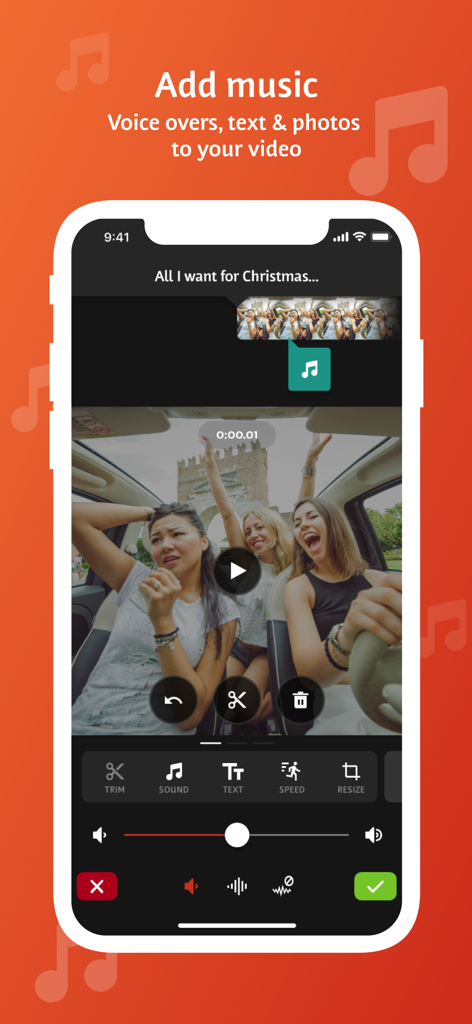
Videoshopアプリのインターフェース。動画クリップに音楽、ボイスオーバー、テキストを追加するツールが表示されています。

Videoshopアプリのインターフェース。動画クリップに音楽、ボイスオーバー、テキストを追加するツールが表示されています。

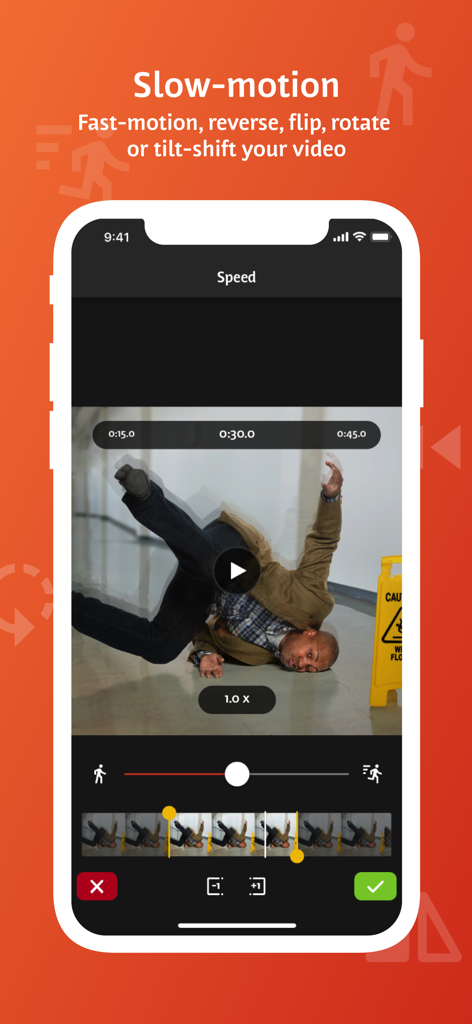
Videoshopモバイルアプリのインターフェース。スローモーションと動画速度調整機能が表示されています。

Videoshopモバイルアプリのインターフェース。スローモーションと動画速度調整機能が表示されています。

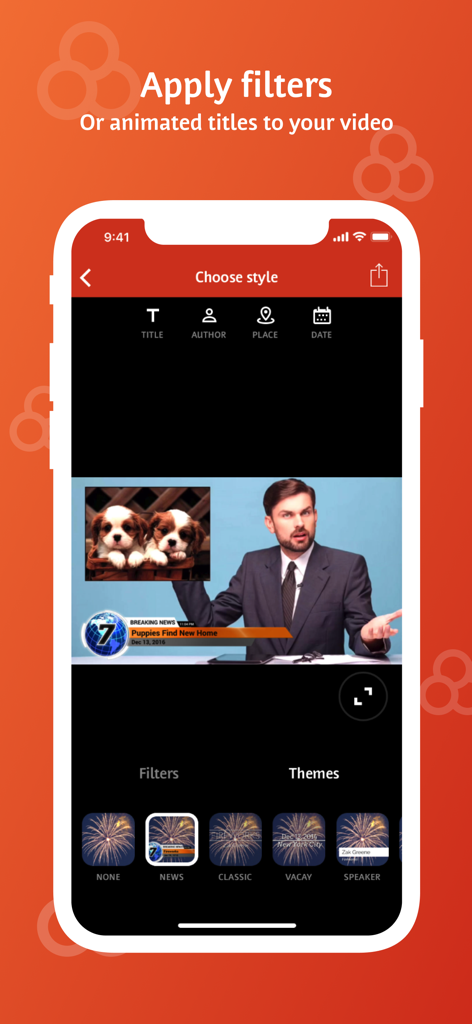
Videoshopアプリのインターフェース。モバイル動画編集用の、アニメーションタイトルとニューステーマのオプションが表示されています。

Videoshopアプリのインターフェース。モバイル動画編集用の、アニメーションタイトルとニューステーマのオプションが表示されています。

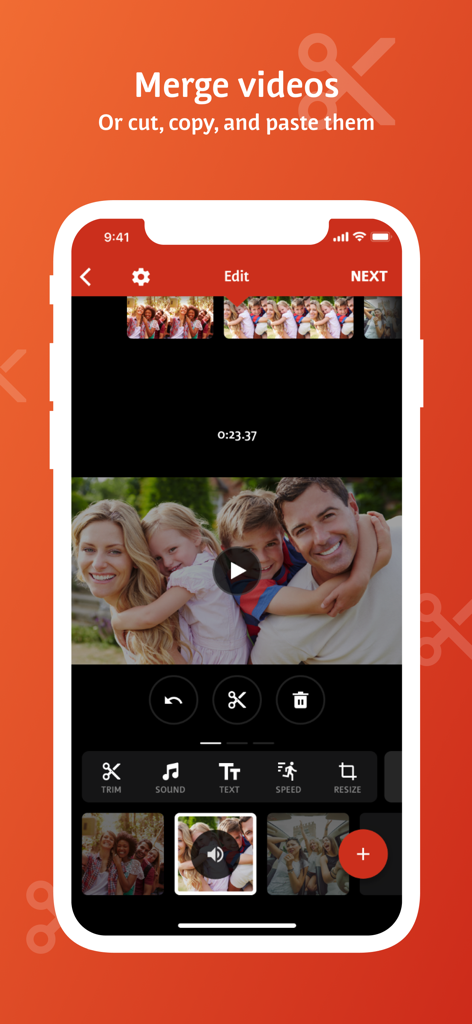
モバイル動画編集アプリのインターフェース。動画クリップを結合、カット、ペーストするオプションが表示されています。

モバイル動画編集アプリのインターフェース。動画クリップを結合、カット、ペーストするオプションが表示されています。

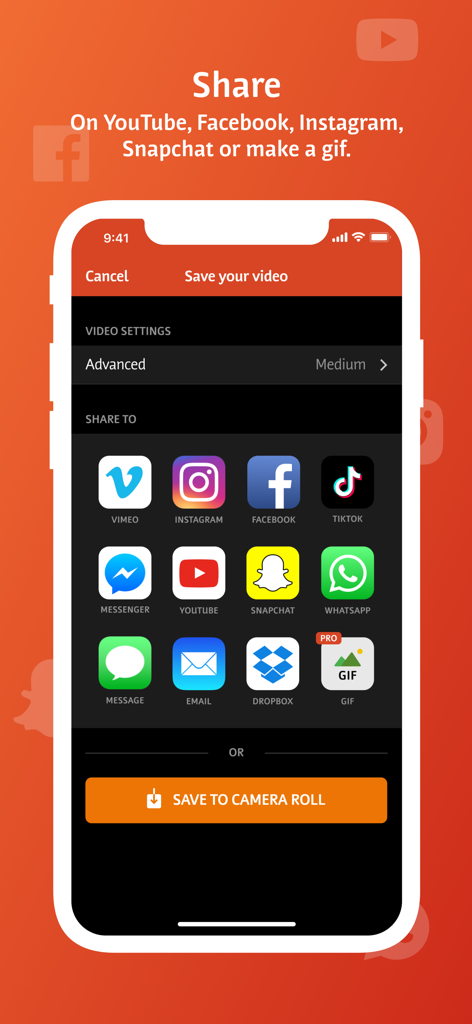
Videoshopアプリの共有画面。TikTok、Instagram、YouTubeなどのソーシャルメディアプラットフォームのアイコンが表示されています。

Videoshopアプリの共有画面。TikTok、Instagram、YouTubeなどのソーシャルメディアプラットフォームのアイコンが表示されています。

バイラルになるために必要なすべて

このアプリを際立たせるツール、 12M+ 人のユーザーが選択.

高速・流れるような編集

移動中に編集・投稿する必要があるクリエイターのために設計された直感的なジェスチャーで、カット、結合、速度調整を行います。

🎬

バイラル対応エフェクト

クロマキー(グリーンバック)、リップシンク、ストップモーション機能で、あらゆるトレンドをマスターし、コンテンツを際立たせましょう。

📐

マルチプラットフォーム対応

ワンタップでTikTok、Reels、YouTubeに最適なサイズに動画をリサイズ・スケーリングし、お気に入りのソーシャルアプリにエクスポートできます。

世界中のユーザーに愛されています

Trusted by 12M+ 人がこのアプリを愛用しています.

"

"正直、Videoshopは私のTikTok動画の救世主です。以前はグリーンバックとリップシンクを正しく行うために3つの異なるアプリを切り替えていましたが、今ではすべてここで完結します。リサイズツールは、同じ動画をReelsとShortsに違和感なく投稿するために不可欠です。非常に高速で、実際に使うのが楽しいです。"

Chloe R.
"

"中小企業経営者として、複雑なデスクトップソフトウェアに時間をかける余裕はありません。Videoshopは、ケン・バーンズ効果とスムーズなトランジションで、私の製品動画に高級感を与えてくれます。数分でナレーションと独自の音楽ライブラリを追加できるのが気に入っています。長年使い続けている唯一の編集アプリです。"

Marcus J.

アプリについて

について知っておくべきこと Videoshop - Video Editor.

説明

Videoshop is a FREE and easy video editor with fast editing tools, filters and many other effects for personalizing your videos. FEATURES 1. Trim: Cut out any unwanted moments. You can also split your videos into multiple clips. 2. Music: Add from your iPod library or Buy Clips from the Videomall. 3. Sound effects: Choose from audience noises, ambience, laughter, etc. 4. Slow motion (or fast motion): Adjust video or audio speed to slow or fast. 5. Adjust Display: Change Brightness, Contrast, Saturation, etc. 6. Merger: Combine multiple clips into one. 7. Text: Type your own text with color and various fonts. 8. Voice overs: Record your own voice over the video. 9. Animated titles: Introduce your videos with animated titles. 10. Filters: Select from several filters to enhance your videos. 11. Transitions: Choose from many transitions to animate between video clips. 12. Photos: Create slideshows easily. 13. Stop Motion: Create claymation videos with stop motion recording. 14. Resize: Rescale your video within the video frame. 15. Reverse: Playback videos in reverse. 16. Copy: Create duplicate video clips. 17. Tilt Shift: Add depth to your videos. 18. Rotate: Rotate your videos in 90 degree angles. 19. Undo: Undo any slippery editing mistakes. 20. Stickers: Pin stickers to your videos for added fun! 21. Impose: Add video over video for layered effect! Picture in picture! Pip! 22. Ken Burns: Add movement and focus to your photos and videos 23. Freeze: Screen capture any moment in the video 24. Distort: Apply illusionary effects to your video 25. Lip Sync: Sing and dub to your favorite songs. Lip sync for your life! 26. Flip: Flip and rotate your videos for legibility. 27. Share directly to Snapchat, Instagram, Facebook, YouTube, Vimeo, Dropbox, Whatsapp or by E-mail. 28. Snippets: Bite-sized video clips to expression emotions 29. Chroma: Green screen features and fun backgrounds for your selfies! Note: Videoshop is compatible with iPhone and iPad videos only. Using videos from other platforms may cause instability or crashes. Also, adding an enormous amount of content and effects may overwork your phone's processing power so be modest! Publishers and Business Development can reach us at joe@videoshop.net Marketing and Advertising can reach us at marketing@videoshop.net Unlimited Access Subscription -You can subscribe for unlimited access to all features and content offered for purchase within Videoshop. -Subscriptions are billed monthly or annually at the rate selected depending on the subscription plan. Alternatively, a one time payment plan is available (this is not a subscription). -Payment will be charged to iTunes Account at confirmation of purchase. -Subscription automatically renews unless auto-renew is turned off at least 24-hours before the end of the current period -Account will be charged for renewal within 24-hours prior to the end of the current period, and cost depends on your chosen package. -Subscriptions may be managed by the user and auto-renewal may be turned off by going to the user's Account Settings after purchase. -Any unused portion of a free trial period, if offered, will be forfeited when the user purchases a subscription to that publication, where applicable -Terms of use: https://videoshop.net/terms-of-use -Privacy policy: https://videoshop.net/privacy-policy -Apple Terms: https://www.apple.com/legal/internet-services/itunes/dev/stdeula/

最新バージョン

84.5.6

サイズ

190.2 MB

リリース日

2013年6月6日

魔法を生み出す1200万人のクリエイターに加わろう

今すぐVideoshopをダウンロードして、TikTok、Reels、YouTube向けにインパクトのあるコンテンツを数秒で作成しましょう。

ダウンロード: App Storeダウンロード: Google Play
FAQ

よくある質問

について知っておくべきこと Videoshop - Video Editor

Videoshop - Video Editor とは何ですか?

Videoshop - Video Editor は、無料かつ簡単なビデオ編集アプリケーションです。パーソナライズされたビデオのための、高速編集ツール、フィルター、およびさまざまなエフェクトを提供します。

Videoshop - Video Editor でビデオに音楽を追加できますか?

はい、Videoshop - Video Editor では、iPod ライブラリから音楽を追加したり、Videomall からクリップを購入したりして、ビデオに音楽を追加できます。

Videoshop - Video Editor はスローモーションエフェクトをサポートしていますか?

はい、Videoshop - Video Editor はスローモーションをサポートしています。ユーザーはビデオまたはオーディオの速度を調整して、スローモーションと早送りの両方のエフェクトを作成できます。

Videoshop - Video Editor で利用可能な共有オプションは何ですか?

Videoshop - Video Editor では、Snapchat、Instagram、Facebook、YouTube、Vimeo、Dropbox、WhatsApp、または E-mail を介した直接共有が可能です。GIF を作成することもできます。

Videoshop - Video Editor は無料で使用できますか?

はい、Videoshop - Video Editor は無料のアプリケーションです。追加機能やコンテンツのためのオプションの無制限アクセスサブスクリプションも提供しています。

Videoshop - Video Editor で複数のビデオクリップを結合できますか?

はい、Videoshop - Video Editor では、複数のビデオクリップを 1 つの結合されたビデオにマージできます。クリップのカットやコピーもサポートしています。

Videoshop - Video Editor はアニメーションタイトルとフィルターを提供していますか?

はい、Videoshop - Video Editor は、ビデオを紹介するためのアニメーションタイトルと、ビデオの外観を強化するためのフィルターの選択肢を提供しています。

Videoshop - Video Editor の無制限アクセスサブスクリプションはどのように機能しますか?

無制限アクセスサブスクリプションは、すべての機能とコンテンツへのアクセスを提供します。毎月または毎年請求され、1 回限りの支払いも利用できます。支払いは iTunes アカウントに請求されます。

Videoshop - Video Editor のサブスクリプションを管理するにはどうすればよいですか?

ユーザーは、購入後にアカウント設定を通じて Videoshop - Video Editor のサブスクリプションを管理し、自動更新をオフにすることができます。

Videoshop - Video Editor はすべてのビデオタイプと互換性がありますか?

いいえ、Videoshop - Video Editor は iPhone および iPad のビデオとのみ互換性があります。他のプラットフォームからのビデオを使用すると、不安定になったりクラッシュしたりする可能性があります。

Videoshop - Video Editor を使用してビデオにテキストを追加できますか?

はい、Videoshop - Video Editor では、ユーザーは独自のテキストを入力し、色を選択し、さまざまなフォントから選択してビデオに追加できます。

Videoshop - Video Editor はグリーンバック機能(クロマキー)をサポートしていますか?

はい、Videoshop - Video Editor にはクロマ機能が含まれており、グリーンバック機能とセルフィー用の楽しい背景を提供します。