au editor - audio cutter

au editor - audio cutter

ダウンロード: App Store
Spark by MWM logo
ロゴ: au editor - audio cutter
au editor - audio cutter: プロフェッショナルAIマルチトラックスタジオ

AIボーカル分離、ノイズリダクション、スタジオ品質のミキシングツールで創造性を解き放ちましょう。ミュージシャン、ポッドキャスター、コンテンツクリエイターのための究極のモバイルワークスペースです。

開発元

龙刚 李

カテゴリ

Music

ダウンロード

180K+

ユーザー評価

4.7/5

評価数

500

対応言語

12

あなたのポケットスタジオ

このインターフェースを利用する 180K+ 人のユーザー.

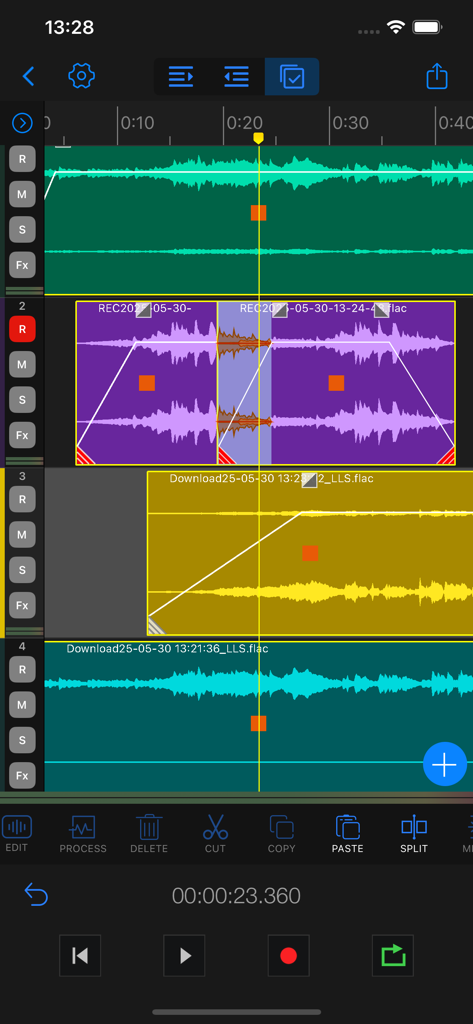
Au Editorのマルチトラックタイムラインビュー。波形編集とオーディオツールが表示されています。

Au Editorのマルチトラックタイムラインビュー。波形編集とオーディオツールが表示されています。

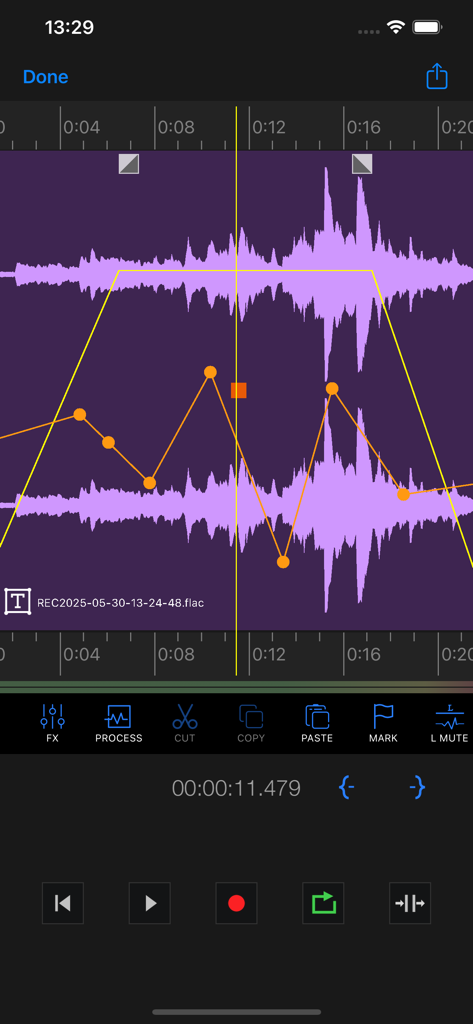
Au Editorのインターフェース。オーディオ波形とボリュームエンベロープの調整が表示されています。

Au Editorのインターフェース。オーディオ波形とボリュームエンベロープの調整が表示されています。

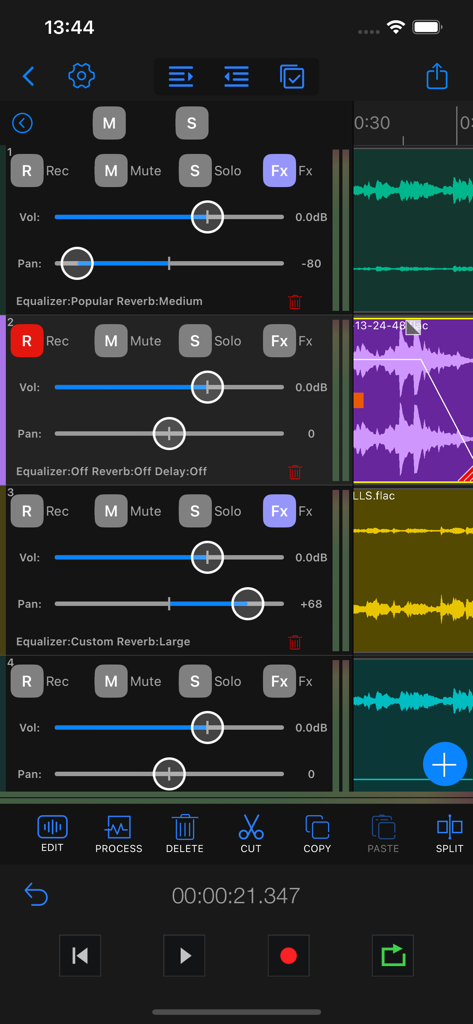
Au Editorアプリのマルチトラックインターフェースのスクリーンショット。複数の録音トラックのボリュームスライダー、パンコントロール、オーディオエフェクトが表示されています。

Au Editorアプリのマルチトラックインターフェースのスクリーンショット。複数の録音トラックのボリュームスライダー、パンコントロール、オーディオエフェクトが表示されています。

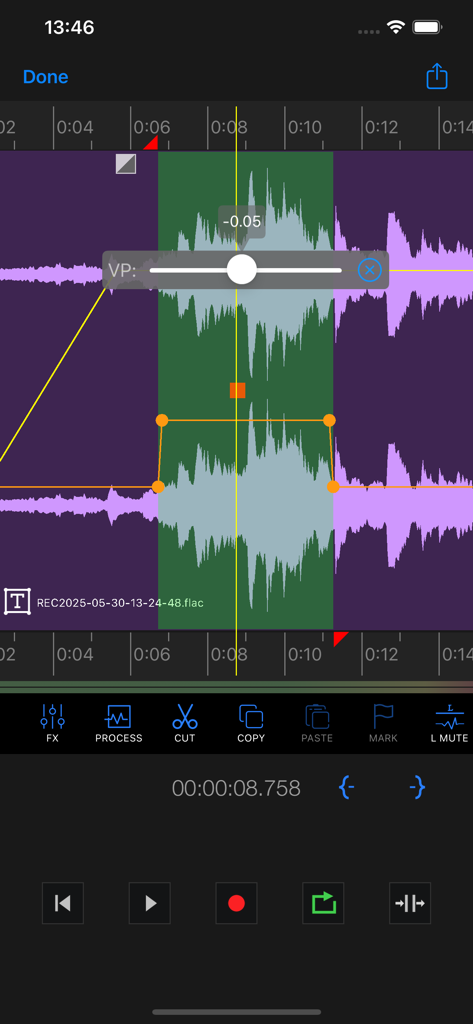
Au Editorのスマートフォンインターフェース。ボリュームコントロールとトランスポートツールを備えたマルチトラック波形編集が表示されています。

Au Editorのスマートフォンインターフェース。ボリュームコントロールとトランスポートツールを備えたマルチトラック波形編集が表示されています。

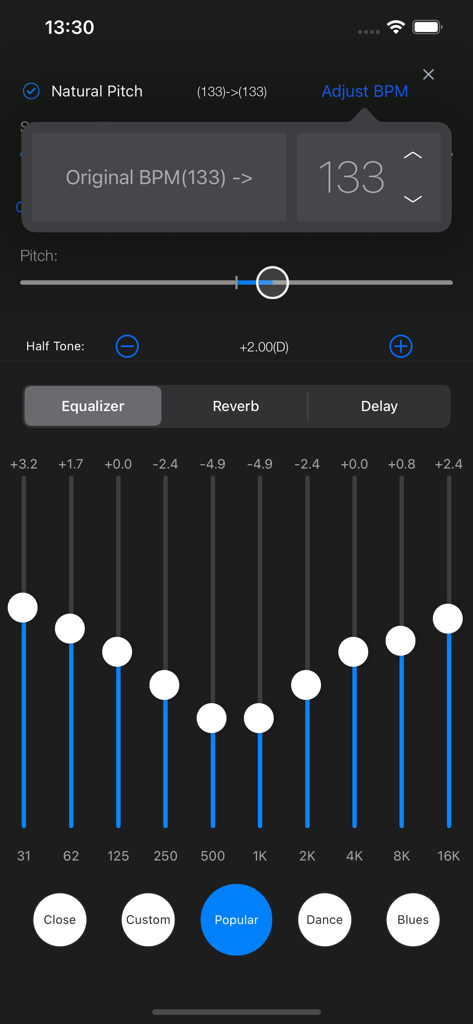
Au Editorのモバイルインターフェース。プロフェッショナルオーディオ編集用の10バンドイコライザーとピッチ調整ツールが表示されています。

Au Editorのモバイルインターフェース。プロフェッショナルオーディオ編集用の10バンドイコライザーとピッチ調整ツールが表示されています。

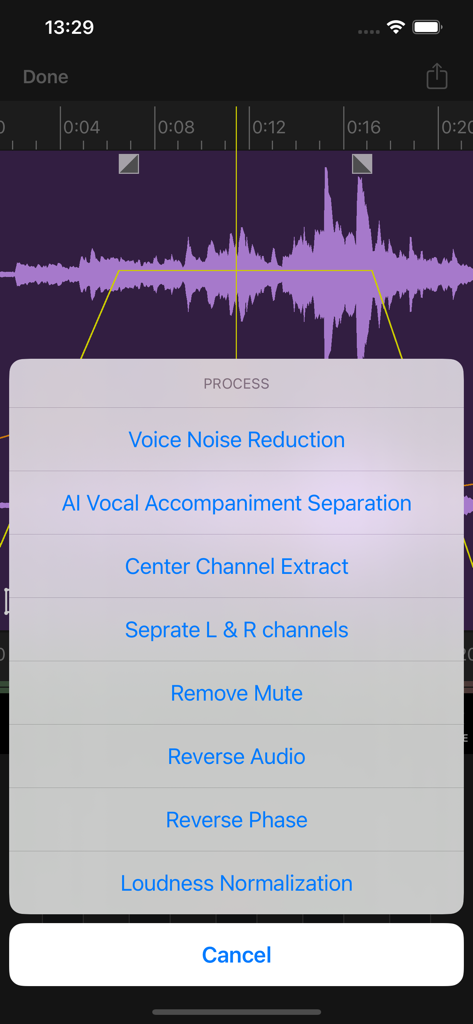
Au Editorアプリのオーディオ処理メニュー。AIボーカル分離とノイズリダクションのオプションが表示されています。

Au Editorアプリのオーディオ処理メニュー。AIボーカル分離とノイズリダクションのオプションが表示されています。

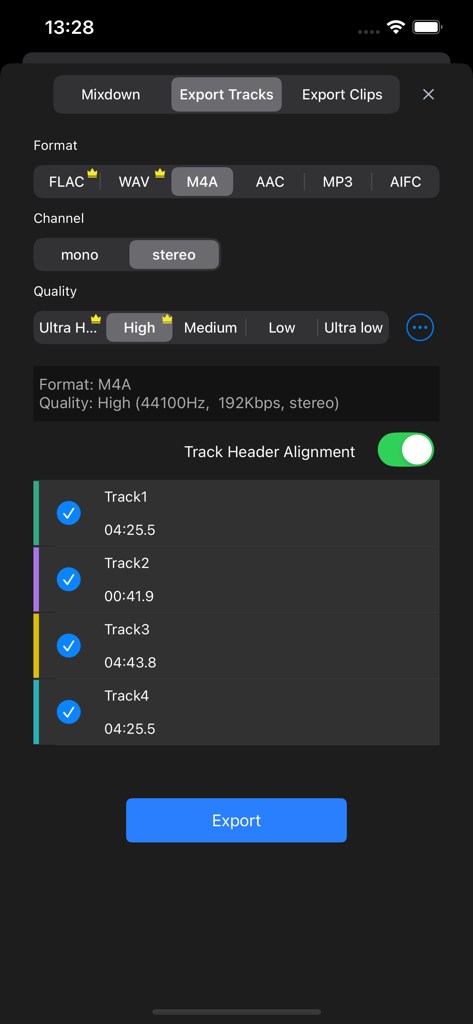
Au Editorアプリでのオーディオトラックのエクスポート設定画面。フォーマット、品質、チャンネル選択オプションが表示されています。

Au Editorアプリでのオーディオトラックのエクスポート設定画面。フォーマット、品質、チャンネル選択オプションが表示されています。

ポケットに入るプロフェッショナルスタジオ

このアプリを際立たせるツール、 180K+ 人のユーザーが選択.

🤖

AIパワーのマジック

高度なAIでボーカルを瞬時に分離したり、伴奏を除去したりできます。バイラルリミックスやカバーソング作成に最適なツールです。

🎚️

プロマルチトラックミキシング

モバイルファーストプロダクションに最適化されたインターフェースを使用して、デスクトップレベルの精度で複数のオーディオトラックをレイヤー化、配置、ブレンドします。

🎙️

スタジオ品質の磨き上げ

ワンタップノイズリダクションでノイズの多い録音をクリーンアップし、リバーブ、EQ、ピッチシフトなどのプロフェッショナルエフェクトを適用してサウンドを際立たせます。

世界中のユーザーに愛されています

Trusted by 180K+ 人がこのアプリを愛用しています.

"

"コンテンツクリエイターとして、私は数多くのオーディオアプリを試してきましたが、Au Editorは別格です。AIボーカル分離は魔法のようで、どんなトラックからでも数秒でボーカルを剥がして、TikTok用のカスタムマッシュアップを作成できます。ノイズリダクションは、屋外でのvlogを風の音で台無しにされるのを救ってくれました。まさにポケットに入るプロフェッショナルスタジオです。"

Jordan Miller
"

"私は音楽制作にはすべてiPadを使用しており、Au Editorはマルチトラック編集の定番となりました。ボリュームエンベロープの精度と内蔵メトロノームにより、トラックをレイヤー化してクリーンなミックスを得ることが非常に簡単です。ロスレスFLACで直接クラウドストレージにエクスポートできるのは、私のワークフローにとって大きなプラスです。"

Alex Rivera

アプリについて

について知っておくべきこと au editor - audio cutter.

説明

Au Editor is a powerful iOS multi-track audio editing application designed for audio producers, music creators, and recording professionals. Whether you're creating music, editing sound effects, producing podcasts, or in need of precise audio editing tools, Au Editor is your perfect choice. Multi-track Audio Editing: Easily import, arrange, and edit multiple audio tracks using an intuitive interface, blending diverse sound elements seamlessly. Various Audio Import Options: Au Editor supports various audio import methods, whether you need to extract audio from videos, download audio from the internet, or use local audio files, ensuring you can effortlessly access the materials you need. AI Voice and Accompaniment Separation: Leveraging advanced AI technology, Au Editor can automatically separate vocals and accompaniment, allowing you to edit them separately or create remixes. Center Channel Extraction: A classic vocal and accompaniment separation algorithm that provides excellent results for remixing. Accompaniment Recording: Au Editor introduces the accompaniment recording feature, enabling you to record while playing back tracks, creating unique music and soundscapes. Fade In and Out: Add fade-in and fade-out effects to achieve smooth audio transitions and eliminate abrupt starts and ends. Left/Right Channel Separation: Separate the left and right channels of stereo audio, offering more creative options for sound design and mixing. Channel Editing and Balancing: Easily edit and balance channels within Au Editor to ensure each sound element is harmoniously aligned. Noise Reduction: Reduce background noise, enhance recording clarity, and make your audio sound exceptional. Volume Envelopes: Use volume envelope adjustments for precise control over volume curves on tracks, achieving smooth audio mixing and volume adjustments. Sound Effects Editing: Au Editor provides a rich set of sound effects editing tools, including pitch shifting, speed adjustments, reverb, chorus, delay, and equalization, enabling you to enhance and creatively process your audio. Multiple Audio Format Support: Au Editor supports various audio formats, including WAV, AAC, FLAC, M4A, MP3, AIFC, ensuring compatibility with a wide range of audio files. Multiple Audio Quality Export: Choose the appropriate audio quality settings for export, with Au Editor supporting various quality options to meet your project requirements. Built-in Metronome: Au Editor features a built-in metronome, helping you maintain precise control over the rhythm and beats of your music, making it easy to create perfect musical compositions. Versatile Export Options: Au Editor offers a wide range of export options, including batch export of audio clips, exporting tracks, mixing exports, exporting individual audio blocks, and exporting selected ranges. This saves you time and boosts your workflow efficiency. ---------------------------------------------------------------------- Upgrade Advanced Edition Subscription period: ● One Week ● One Month ● One Year - Payment will be charged to your iTunes account at confirmation of purchase. - Subscriptions will automatically renew unless auto-renew is turned off at least 24 hours before the end of current period. - Your account will be charged according to you plan fo renewal within 24 hours prior to the end of the current period. - You can manage or turn off auto-renew in your Apple ID account settings at any time after purchase. - The fee for the selected subscription will be deducted within 24 hours prior to the end of the free trial. If you do not need to purchase, please cancel your subscription at least 24 hours after the trial ends, otherwise your charges may be deducted. Term of Use: http://www.iruomu.com/newstudio/termofuse.html Privacy Policy: http://www.iruomu.com/newstudio/privacy.html

最新バージョン

1.13.8

サイズ

204.2 MB

リリース日

2023年9月8日

プロフェッショナルスタジオを、どこへでも。

iPhoneでスタジオ品質のオーディオを直接制作するために、AI搭載のマルチトラックツールを使用している18万人以上のクリエイターに参加しましょう。

ダウンロード: App Store