Audio Editor: Video to Audio

Audio Editor: Video to Audio

ダウンロード: App Store
Spark by MWM logo
ロゴ: Audio Editor: Video to Audio

Audio Editor: Video to Audio: ポケットの中のプロフェッショナルサウンドスタジオ

AI搭載のノイズリダクション、ボーカル分離、精密編集でコンテンツをレベルアップ。ビデオから高品質オーディオを抽出し、TikTok、Reels、ポッドキャスト向けにサウンドを数秒で調整します。

ダウンロード: App Store

開発元

文 夏

カテゴリ

Music

ダウンロード

549K+

ユーザー評価

4.7/5

評価数

4K+

対応言語

9

スタジオレベルの精度を一目で確認

このインターフェースを利用する 549K+ 人のユーザー.

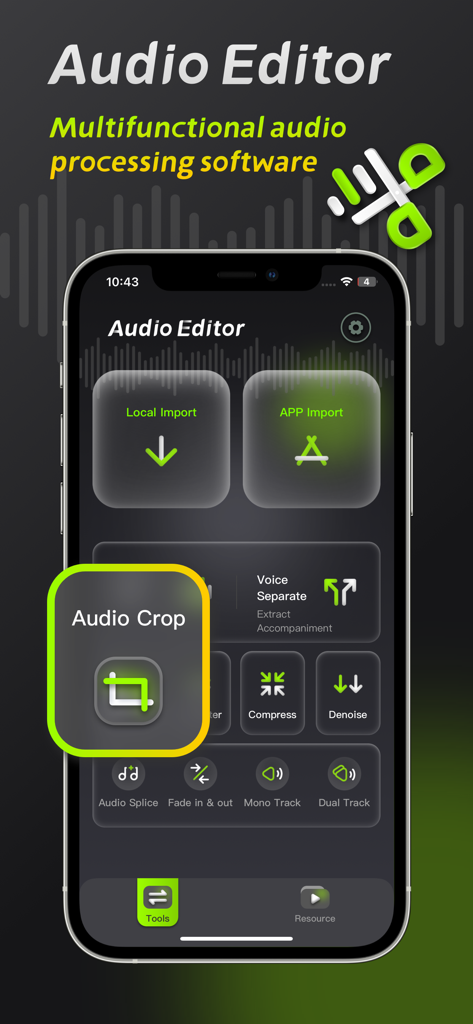
Audio Editorモバイルアプリのインターフェース。オーディオクロップツールとプロフェッショナルオーディオ処理機能に焦点を当てています。

Audio Editorモバイルアプリのインターフェース。オーディオクロップツールとプロフェッショナルオーディオ処理機能に焦点を当てています。

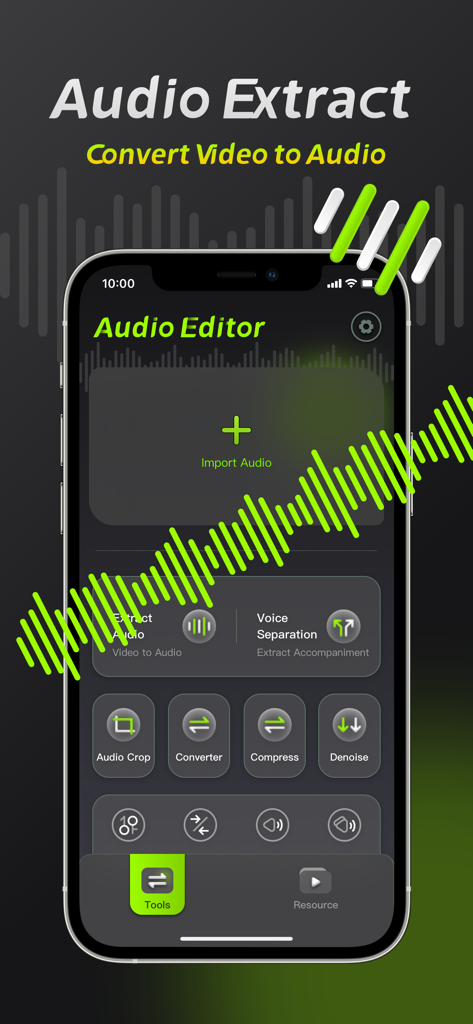
Audio Editorのビデオからオーディオへの抽出およびボイス分離ツールを示すモバイルアプリのインターフェース。

Audio Editorのビデオからオーディオへの抽出およびボイス分離ツールを示すモバイルアプリのインターフェース。

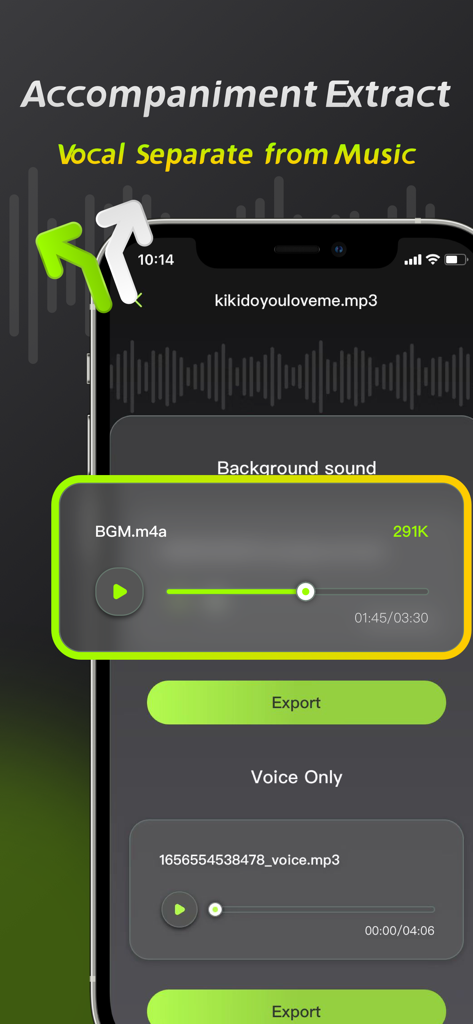
Audio Editorアプリのインターフェース。ボーカル分離および伴奏抽出機能を示しています。

Audio Editorアプリのインターフェース。ボーカル分離および伴奏抽出機能を示しています。

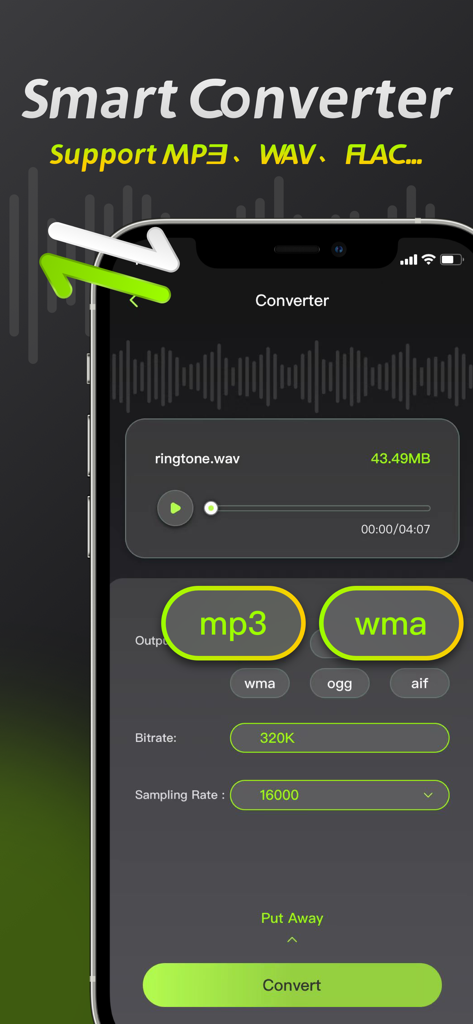
Audio Editorアプリのインターフェース。MP3やWAVなどのファイル形式を変更するためのスマートコンバーター機能を示しています。

Audio Editorアプリのインターフェース。MP3やWAVなどのファイル形式を変更するためのスマートコンバーター機能を示しています。

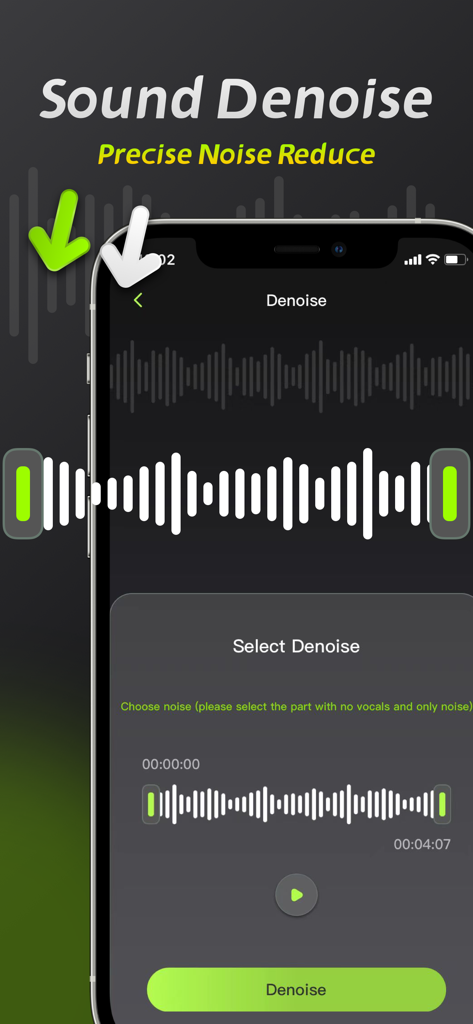
スマートフォン画面。Audio Editorアプリのサウンドノイズ除去機能と波形選択インターフェースを示しています。

スマートフォン画面。Audio Editorアプリのサウンドノイズ除去機能と波形選択インターフェースを示しています。

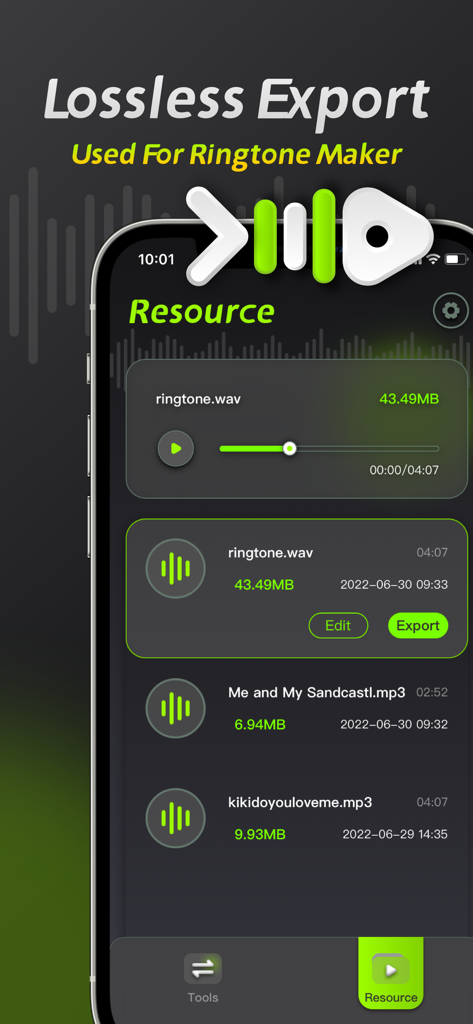
Audio Editorアプリのインターフェースのスクリーンショット。ロスレスエクスポートオプションと着信音作成用のオーディオリソースリストを示しています。

Audio Editorアプリのインターフェースのスクリーンショット。ロスレスエクスポートオプションと着信音作成用のオーディオリソースリストを示しています。

ポケットの中のプロフェッショナルオーディオスタジオ

このアプリを際立たせるツール、 549K+ 人のユーザーが選択.

🪄

ワンクリックAIノイズリダクション

録音から風の音、交通音、バックグラウンドノイズを瞬時に除去し、Vlogにクリアなオーディオを提供します。

🎤

AIボーカル&ミュージック分離

ロスレス精度でボーカルまたはバッキングトラックを分離します。リミックス、アカペラ、カラオケトラックの作成に最適なツールです。

🎞️

プログレードビデオ抽出

あらゆるビデオを高解像度オーディオフォーマット(MP3やWAVなど)に変換します。ソーシャルメディアからのクリップを高精度ビットレートで抽出します。

世界中のユーザーに愛されています

Trusted by 549K+ 人がこのアプリを愛用しています.

"

"フルタイムのTikTokクリエイターとして、騒がしい都会の環境で撮影することがよくあります。このアプリのノイズリダクションはゲームチェンジャーです。iPhoneで数秒でオーディオをクリーンアップしてくれます。ボーカル分離機能は、ビデオクリップからクリーンなボイスオーバーを作成するのにも驚くほど役立ちます。"

Marcus J.
"

"私は音楽学生で、毎日の練習セッションでこのアプリを使っています。ボーカルと伴奏を分離する能力は非常に正確で、ファイルの変換と圧縮をiPadで直接行えるため、時間を大幅に節約できます。ポケットの中のプロフェッショナルグレードのツールです。"

Elena S.

レビュー分析

ユーザーレビューの分析.

感情スコア

33%
ネガティブ

概要

This app receives mixed feedback, with many users appreciating its ease of use, intuitive interface, and comprehensive audio editing functionalities such as cutting, splicing, and multi-format support. However, a significant number of users express strong dissatisfaction with the app's subscription model, citing unexpected auto-renewals, additional fees even after purchasing a membership, and expensive weekly plans. Major complaints also revolve around the poor quality of core features like noise reduction and voice separation, often resulting in distorted audio or complete loss of sound. Furthermore, users reported various performance issues, including crashes, inability to export processed files, and features not working as advertised, leading to a perception of the app being a "scam."

主なテーマ

Subscription Model & Hidden Fees(24)
Noise Reduction Quality(10)
Ease of Use & Interface(7)
General Performance Issues(7)
Audio Editing Functionality(4)
Voice Separation Quality(3)
Customer Service(1)

アプリについて

について知っておくべきこと Audio Editor: Video to Audio.

説明

Audio Editing is an audio processing tool that can achieve audio noise reduction, audio cropping, and vocal separation, allowing you to easily perform professional audio processing on mobile phones and iPads. 【Audio Noise Reduction】 Reduce noise interference in the audio and restore clear audio with one click. 【Vocal Separation】 Supports the separation of vocals and accompaniment in the audio, lossless export. 【Audio extraction】 Convert video to audio, extract video sound with high precision. 【Format conversion】 ●Support conversion of multiple audio formats, mp3, wav, flac, wma, ogg, aiff ●Support manual adjustment of bit rate and sampling rate 【Audio Compression】 Compress audio files with multiple options and one-click to free up phone memory. 【Audio clipping】 Manually adjust and trim the audio range, and support pinch-to-zoom time axis for precise and professional trimming. Member subscription service: 1. Payment: Weekly subscription, monthly subscription, annual subscription, the user debits the payment through the iTunes account, and the user pays after confirming the purchase. 2. Renewal: The user's iTunes account will be charged within 24 hours before expiration, and the corresponding subscription cycle will be added. 3. Cancel the renewal: To cancel the renewal, enter the App Store" and click "App ID", enter the "Account Settings" page, click "Subscription", and choose to cancel the subscription. 4. Privacy Agreement: http://static.yuanfengo.com/html/privacy/10165191112815517292_ios.html?appName=Audio Editor 5. Terms of use: http://static.yuanfengo.com/html/paymentagreement/general_en.html

最新バージョン

1.1.8

サイズ

77.2 MB

リリース日

2022年7月7日

サウンドをレベルアップする準備はできましたか?

549,000人以上のクリエイターが、プログレードのノイズリダクションとボーカル分離を使用してコンテンツを完成させています。iPhoneから、どこでもプロのように編集を始めましょう。

ダウンロード: App Store