Authenticator App ℗

Authenticator App ℗

ダウンロード: App Store
Spark by MWM logo
ロゴ: Authenticator App ℗

Authenticator App ℗:プログレードの2FAとパスワード管理でデジタルワールドを保護

オンラインアイデンティティを保護するための最も安全で直感的な方法。暗号化されたiCloudバックアップにより、iPhone、iPad、Apple Watch間でシームレスに同期し、完全な安心感とロックアウトリスクゼロを実現します。

開発元

RHO DEVELOPERS LLC

カテゴリ

Productivity

ダウンロード

303K+

ユーザー評価

4.5/5

評価数

700

対応言語

7

一目でわかるセキュリティ

このインターフェースを利用する 303K+ 人のユーザー.

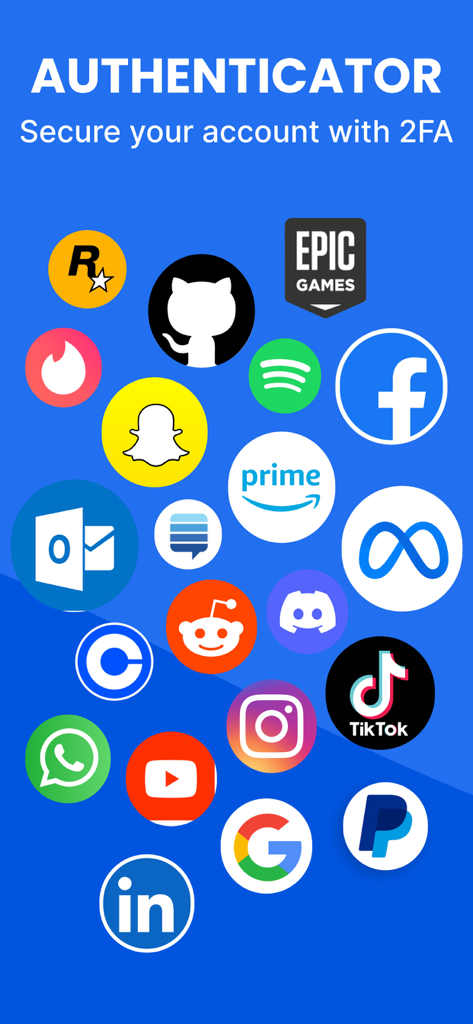
Facebook、Google、TikTokなどの人気プラットフォームのアイコンのコラージュ。Authenticatorアプリが二要素認証をサポートしています。

Facebook、Google、TikTokなどの人気プラットフォームのアイコンのコラージュ。Authenticatorアプリが二要素認証をサポートしています。

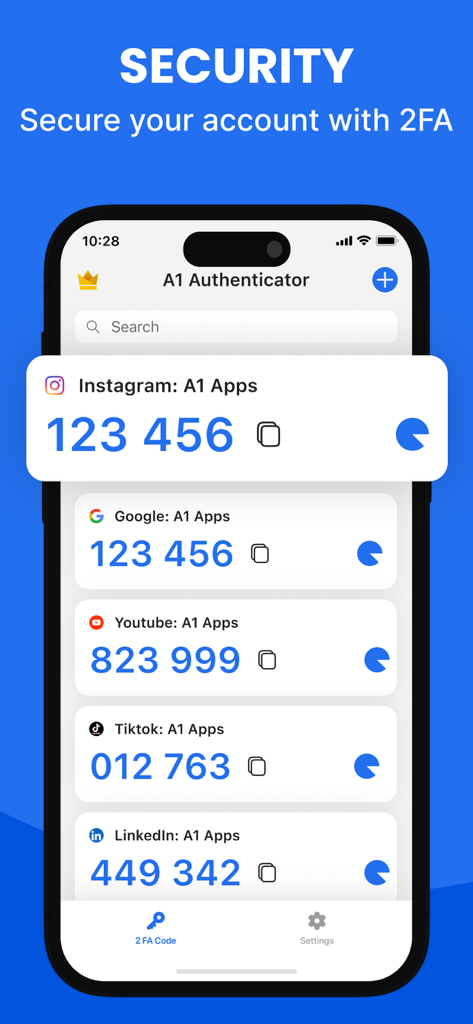
Instagram、Google、TikTokなどのアカウントのさまざまな2FA認証コードを表示するスマートフォンの画面。

Instagram、Google、TikTokなどのアカウントのさまざまな2FA認証コードを表示するスマートフォンの画面。

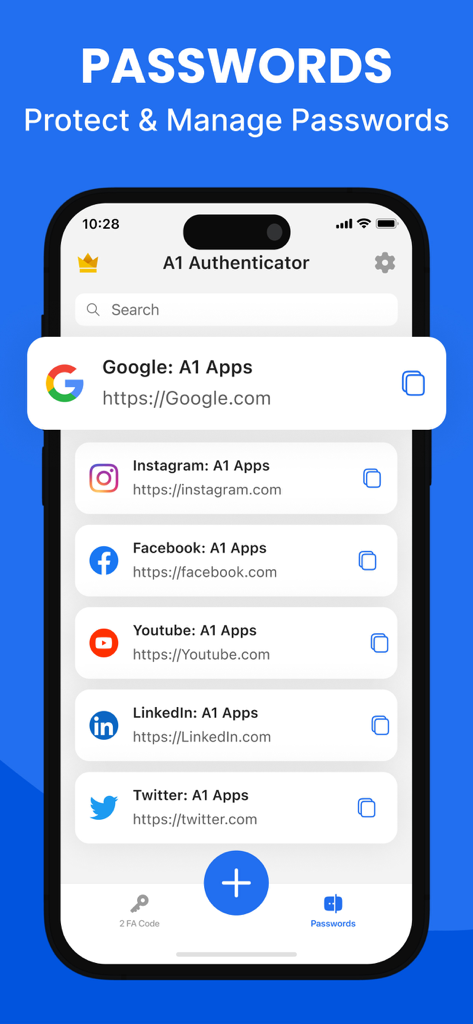
Authenticator Appのパスワード管理機能を表示するスマートフォンのディスプレイ。保存されたソーシャルメディアアカウントのリストが表示されます。

Authenticator Appのパスワード管理機能を表示するスマートフォンのディスプレイ。保存されたソーシャルメディアアカウントのリストが表示されます。

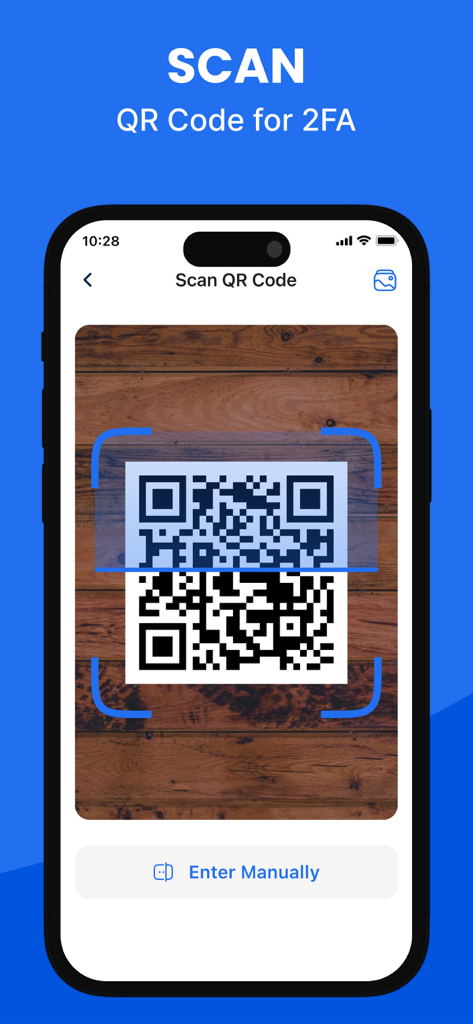
Authenticator Appで二要素認証設定用のQRコードをスキャンするiPhone。

Authenticator Appで二要素認証設定用のQRコードをスキャンするiPhone。

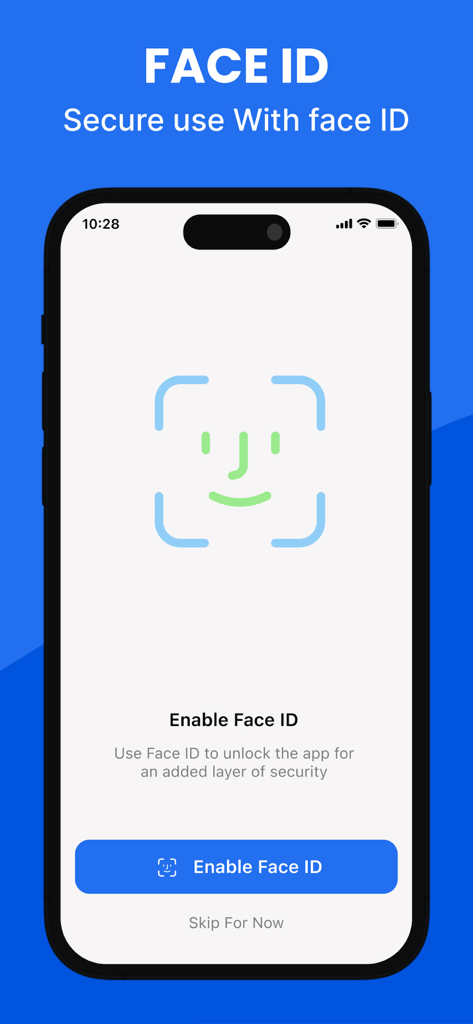
Authenticator AppのFace ID生体認証セキュリティ設定画面

Authenticator AppのFace ID生体認証セキュリティ設定画面

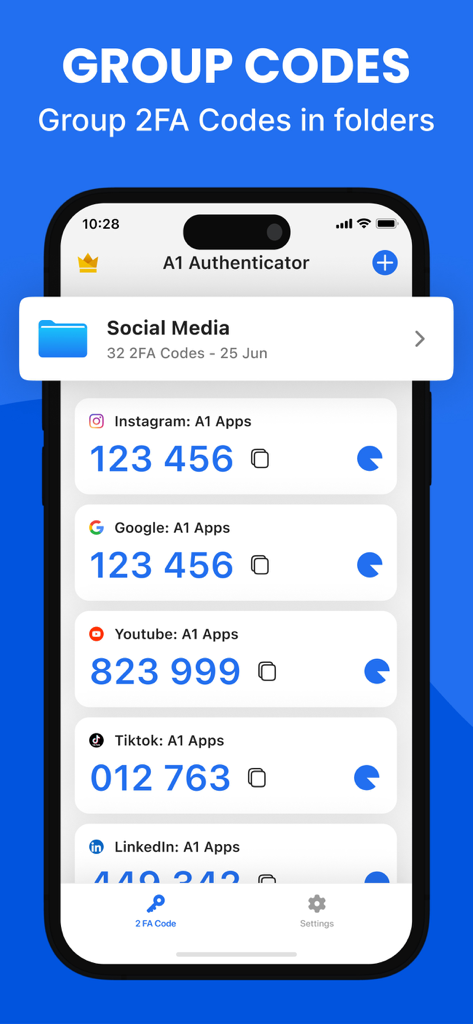
Authenticator Appのスクリーンショット。ソーシャルメディア用のフォルダに整理された2FAコードが表示されます。

Authenticator Appのスクリーンショット。ソーシャルメディア用のフォルダに整理された2FAコードが表示されます。

あなたのために簡略化されたフォートノックスセキュリティ

このアプリを際立たせるツール、 303K+ 人のユーザーが選択.

どこでも瞬時にアクセス

ホーム画面ウィジェットまたはApple Watchを使用して、瞬時に認証します。電話を探す手間を省き、プロフェッショナルなワークフローを維持します。

☁️

ゼロ知識iCloud同期

アクセスを失う心配はもうありません。2FAキーはエンドツーエンドで暗号化され、プライベートiCloudに自動バックアップされるため、デバイスのアップグレードが容易になります。

📂

オールインワンセキュリティハブ

複数のアプリは不要です。整理されたフォルダに複雑なパスワードと2FAコードを管理し、FaceIDと軍事レベルの暗号化で保護します。

世界中のユーザーに愛されています

Trusted by 303K+ 人がこのアプリを愛用しています.

"

"ついに、携帯を交換するときにパニックにならない認証アプリが登場しました!iCloudバックアップとApple Watchサポートは、私のワークフローにとってゲームチェンジャーです。仕事をやめずに手首からコードを取得できます。これまで使用した中で最もシームレスなセキュリティツールです。"

Sarah J.、クリエイティブディレクター
"

"仕事用と個人用のアカウントをフォルダに整理できるのが気に入っています。カスタムアイコンのおかげで、正しいコードを瞬時に見つけられます。さらに、暗号化された1つのアプリにパスワードマネージャーと2FAがあることで、デジタルライフが完全に整理されました。FaceID保護は私に真の安心感を与えてくれます。"

David L.、ソフトウェアエンジニア

アプリについて

について知っておくべきこと Authenticator App ℗.

説明

Authenticator App – Secure Accounts and Passwords Authenticator App helps you protect your accounts from unauthorized access by adding an extra layer of security through two-factor and multi-factor authentication. Easily manage your 2FA codes, passwords, and login credentials with a user-friendly, encrypted system built for security and privacy. Secure & Private All of your data in Authenticator App is always encrypted locally and in iCloud, ensuring that only you can access it. Our end-to-end encryption means that not even we can see your codes or passwords. Built-in Password Manager Authenticator App is more than just a 2FA authenticator. Store and manage all your passwords in one secure place. Get instant alerts for leaked credentials and breaches, along with detailed password health reports to keep your accounts safe and organized. 2FA Encrypted Backup Automatically back up your 2FA codes, secret keys, and passwords to iCloud with secure encryption. Easily restore access when switching devices or sync across multiple devices for seamless access. Sync Across Devices Keep your authentication codes and passwords synchronized across all your devices. Once linked to your online accounts, the app securely shares your data across iPhone, iPad, and other supported devices. Import From Other Apps Switching to Authenticator App is simple. Import your 2FA codes from apps like Microsoft Authenticator or Google Authenticator using QR code scanning or CSV file upload — all in just one tap. Export Anytime Need a backup? Easily export all your 2FA codes and accounts from Authenticator App via QR code or CSV file. Your data, your control. Quick Access with Home Screen Widget View and copy your 2FA codes instantly from your device’s Home Screen using the Authenticator App widget — enabling faster, one-tap authentication without opening the app. Apple Watch Support Access your 2FA codes directly on your Apple Watch. Whether you’re logging in on your computer or phone, your watch gives you instant access to your authentication codes without reaching for another device. A seamless way to stay secure on the go. Organize with Folders Create folders to categorize your 2FA accounts and passwords. Easily manage, move, and sort your data with a simple drag-and-drop interface. Custom Icons Quickly recognize your accounts by assigning custom or auto-detected service icons. Authenticator App automatically fetches icons for easy identification. App Lock & Biometric Security Protect your app with a 4-digit PIN, Face ID, or Touch ID. Enable auto-lock after inactivity to ensure only you can access your authenticator codes and password manager securely. Supports All Major Services Compatible with thousands of platforms including Google, Facebook, Instagram, Amazon, Microsoft, Twitter, Dropbox, Reddit, PayPal, Zoom, Uber, and more. Download Authenticator App Today Take control of your online security and protect your digital life with the most secure and user-friendly Authenticator App-2FA & Password Manager. Start now and keep your accounts safe from unauthorised access. Privacy Policy: https://sites.google.com/a1apps.co/privacypolicy-aiauthenticator/home Terms of Use: https://blog.a1apps.co/terms-of-use-a1-authenticator/

最新バージョン

1.1.26

サイズ

175.9 MB

リリース日

2024年7月10日

絶対的な信頼感でデジタルライフを保護

軍事レベルの暗号化とAppleスタイルのシンプルさを完璧に調和させます。30万人以上のプロフェッショナルに加わり、アカウントのロックアウトやパスワード忘れの心配から解放されます。

ダウンロード: App Store
FAQ

よくある質問

について知っておくべきこと Authenticator App ℗

Authenticator App ℗とは何ですか?

Authenticator App ℗は、二要素認証と多要素認証でアカウントを保護します。ユーザーフレンドリーで暗号化されたプライバシー重視のシステムを使用して、2FAコード、パスワード、ログイン認証情報を安全に管理します。

Authenticator App ℗は安全でプライベートですか?

はい、Authenticator App ℗は、エンドツーエンド暗号化を使用して、すべてのデータをローカルおよびiCloudに暗号化します。これにより、あなただけがコードとパスワードにアクセスでき、完全なプライバシーとセキュリティが保証されます。

Authenticator App ℗にはパスワードマネージャーが含まれていますか?

はい、Authenticator App ℗には組み込みのパスワードマネージャーが搭載されています。すべてのパスワードを保存および管理し、漏洩した認証情報のアラートを提供し、アカウントの安全性を高めるためのパスワード健全性レポートを提供します。

Authenticator App ℗は2FAコードをバックアップできますか?

はい、Authenticator App ℗は、iCloudに2FAコード、シークレットキー、パスワードを安全な暗号化で自動的にバックアップします。これにより、簡単に復元でき、複数のデバイスでシームレスにアクセスできます。

Authenticator App ℗はデバイス間で同期しますか?

はい、Authenticator App ℗は、認証コードとパスワードをすべてのデバイス間で同期します。オンラインアカウントがリンクされると、データはiPhone、iPad、その他のサポートされているデバイス間で安全に共有されます。

Authenticator App ℗に2FAコードをインポートするにはどうすればよいですか?

ユーザーは、Microsoft AuthenticatorやGoogle Authenticatorなどの他のアプリからAuthenticator App ℗に2FAコードをインポートできます。これは、QRコードのスキャンまたはCSVファイルのアップロードをワンタップで簡単に行えます。

Authenticator App ℗から2FAコードをエクスポートできますか?

はい、Authenticator App ℗では、すべての2FAコードとアカウントをエクスポートできます。これは、QRコードまたはCSVファイル経由で行うことができ、完全なデータ制御とバックアップ機能を提供します。

Authenticator App ℗にはホーム画面ウィジェットがありますか?

はい、Authenticator App ℗にはホーム画面ウィジェットがあります。これにより、アプリを開くことなく、デバイスのホーム画面から直接2FAコードを即座に表示およびコピーでき、より高速なワンタップ認証が可能になります。

Authenticator App ℗はApple Watchと互換性がありますか?

はい、Authenticator App ℗はApple Watchをサポートしています。ユーザーはウォッチで直接2FAコードにアクセスでき、別のデバイスを取得することなく、即座に認証にアクセスできます。

Authenticator App ℗でアカウントを整理するにはどうすればよいですか?

Authenticator App ℗では、2FAアカウントとパスワードをフォルダに整理できます。簡単なドラッグアンドドロップインターフェイスを備えており、データを効率的に管理、移動、ソートできます。

Authenticator App ℗はアカウントにカスタムアイコンをサポートしていますか?

はい、Authenticator App ℗はカスタムアイコンをサポートし、サービスアイコンを自動的に取得します。この機能は、アプリ内での管理を合理化するために、アカウントの迅速な認識を支援します。

Authenticator App ℗はアプリケーション自体をどのように保護しますか?

Authenticator App ℗は、4桁のPIN、Face ID、またはTouch IDでアクセスを保護します。また、非アクティブ後の自動ロックも含まれており、承認されたユーザーのみがコードとパスワードマネージャーにアクセスできるようにします。

Authenticator App ℗はどのサービスで2FAをサポートしていますか?

Authenticator App ℗は、数千のプラットフォームで2FAをサポートしています。これらには、Google、Facebook、Instagram、Amazon、Microsoft、Twitter、Dropbox、Reddit、PayPal、Zoom、Uberなどの主要なサービスが含まれます。