Authenticator ·

Authenticator ·

ダウンロード: App Storeダウンロード: Google Play
Spark by MWM logo
ロゴ: Authenticator ·

Authenticator · デジタルライフのためのオールインワンセキュリティスイート

暗号化された2FAトークン、強力なパスワードマネージャー、内蔵VPNでアカウントを保護しましょう。すべてのAppleデバイスでシームレスな同期とプロフェッショナルグレードのプライバシーを体験してください。

開発元

SMM service, s.r.o.

カテゴリ

Utilities

ダウンロード

9M+

ユーザー評価

4.7/5

評価数

48K+

対応言語

10

指先でセキュリティ

このインターフェースを利用する 9M+ 人のユーザー.

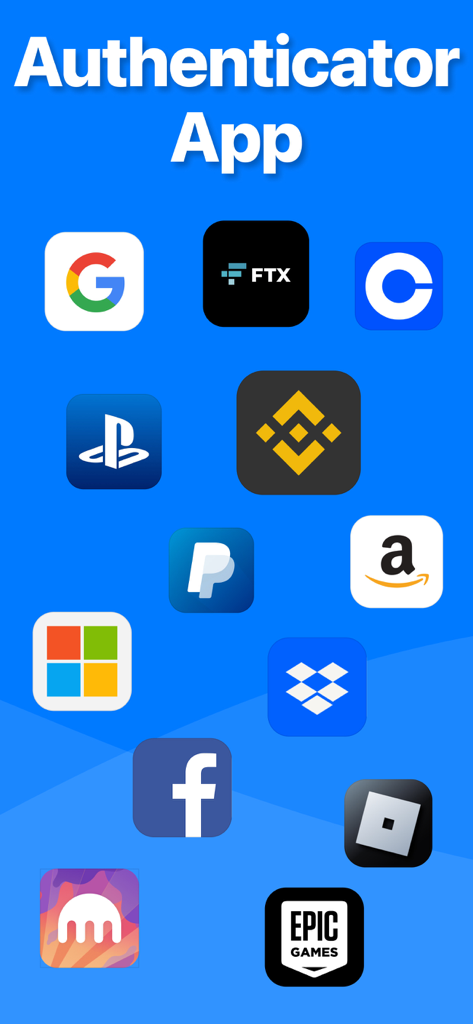
AuthenticatorアプリにGoogle、Facebook、Amazonなどのサポートされているサービスのアイコンが表示されています

AuthenticatorアプリにGoogle、Facebook、Amazonなどのサポートされているサービスのアイコンが表示されています

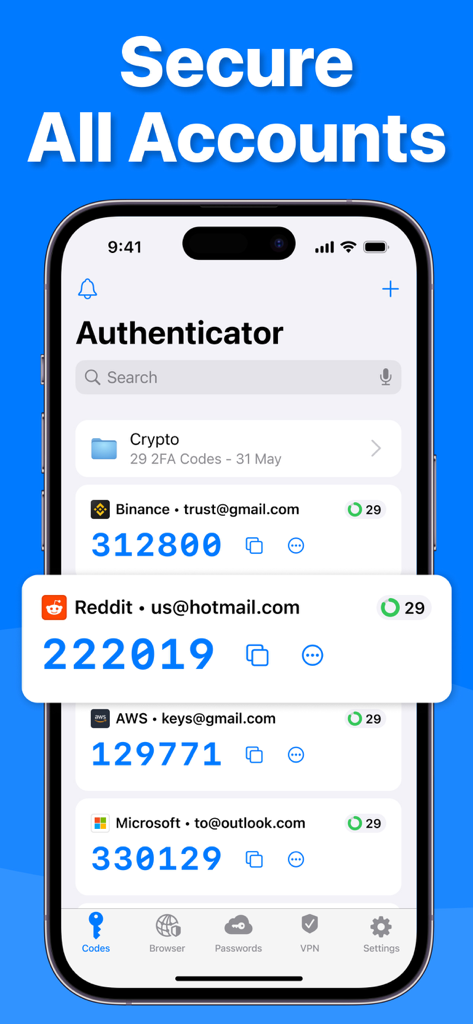
iPhone上のAuthenticatorアプリのインターフェースに、複数のアカウントの二要素認証コードが表示されています

iPhone上のAuthenticatorアプリのインターフェースに、複数のアカウントの二要素認証コードが表示されています

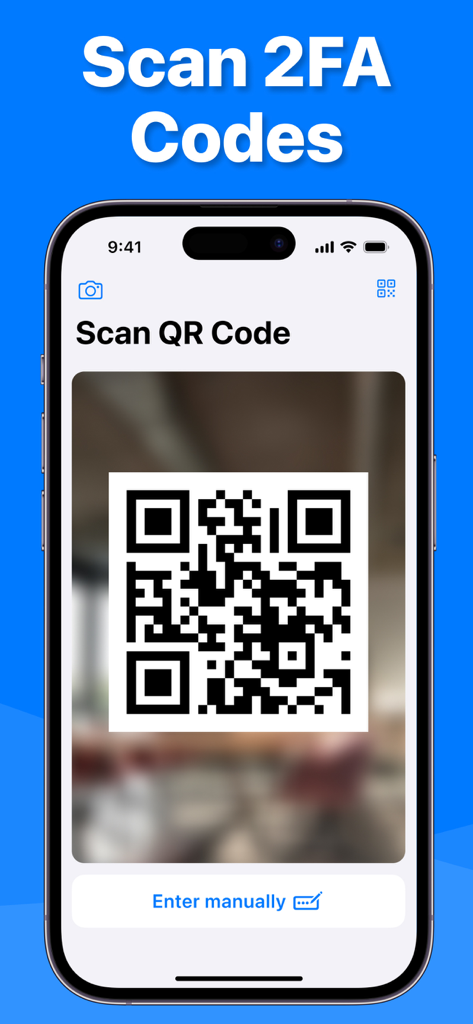
Authenticatorアプリが二要素認証のQRコードをスキャンしています

Authenticatorアプリが二要素認証のQRコードをスキャンしています

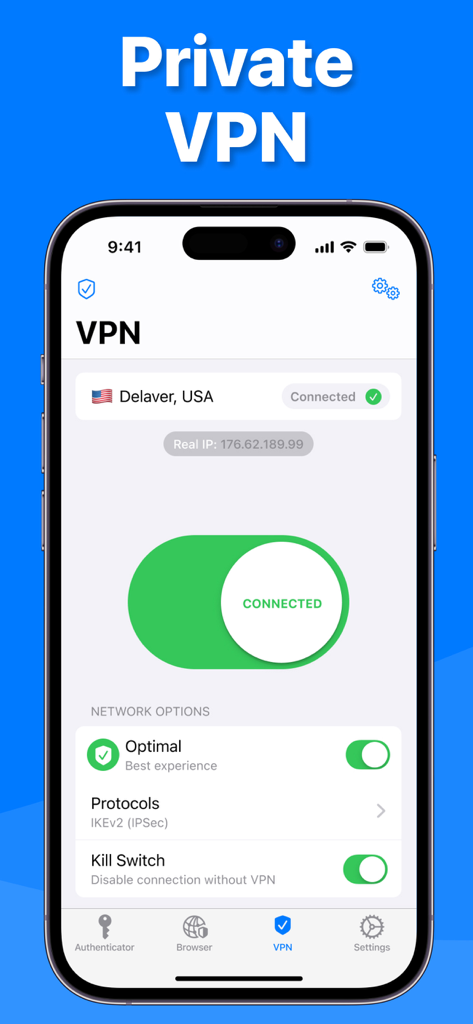
AuthenticatorアプリのプライベートVPNインターフェースに、米国サーバーへの安全な接続が表示されています。

AuthenticatorアプリのプライベートVPNインターフェースに、米国サーバーへの安全な接続が表示されています。

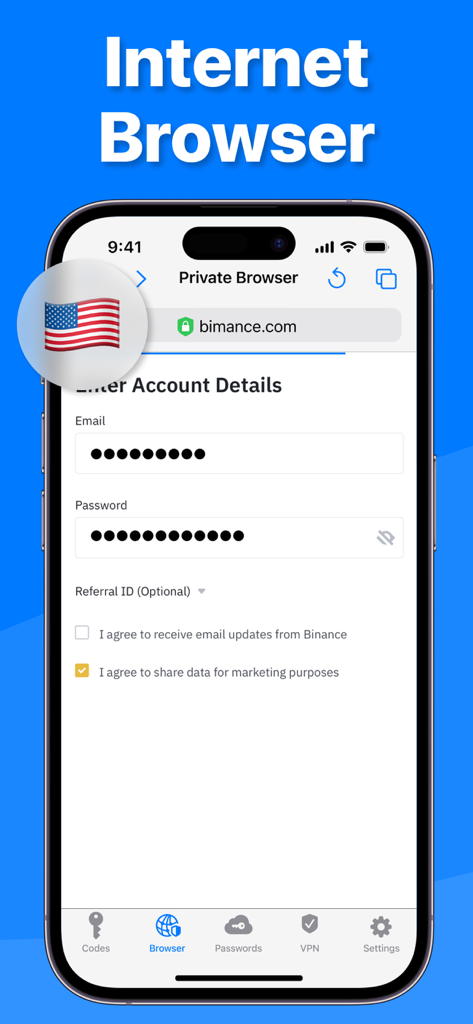
Authenticatorアプリのプライベートインターネットブラウザ機能のインターフェースに、安全なログイン画面が表示されています。

Authenticatorアプリのプライベートインターネットブラウザ機能のインターフェースに、安全なログイン画面が表示されています。

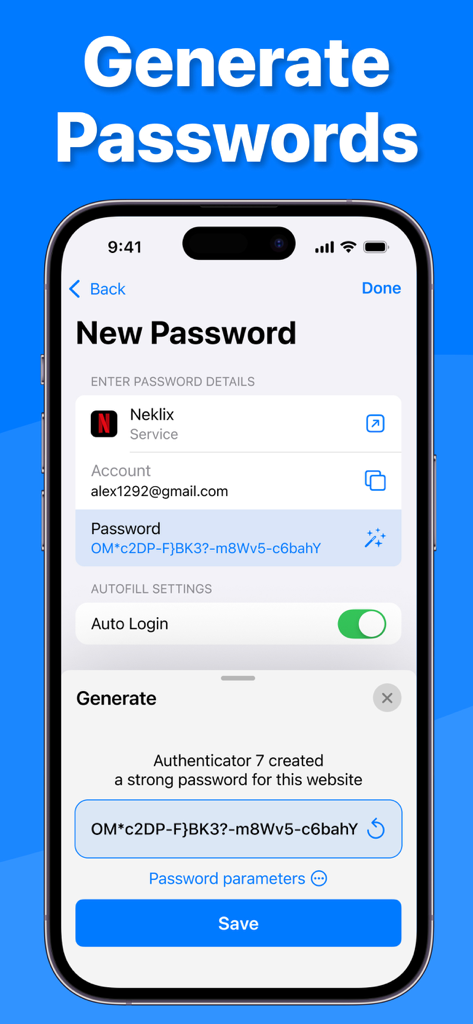
Authenticator 7アプリのスクリーンショット。自動ログインとアカウント詳細を備えた安全なパスワードの生成を示しています

Authenticator 7アプリのスクリーンショット。自動ログインとアカウント詳細を備えた安全なパスワードの生成を示しています

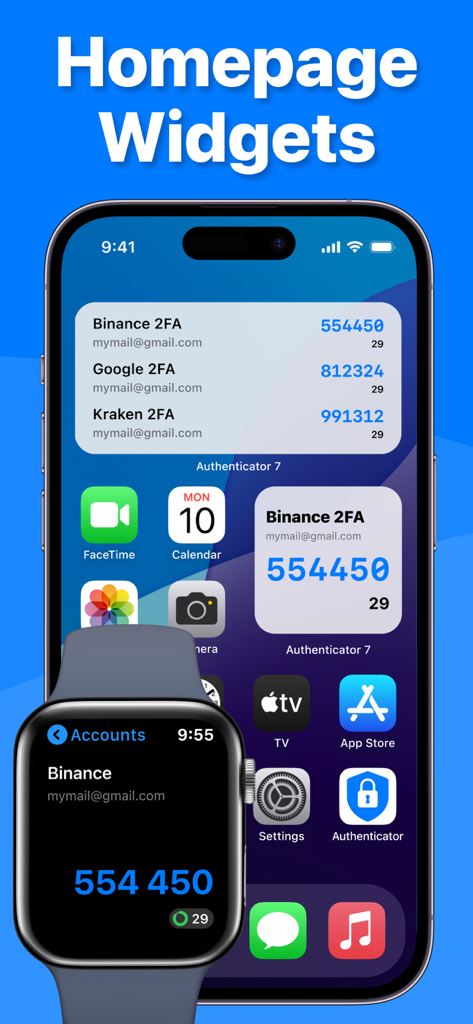
iPhoneとApple Watch上のAuthenticatorアプリのウィジェットに、二要素認証コードが表示されています

iPhoneとApple Watch上のAuthenticatorアプリのウィジェットに、二要素認証コードが表示されています

デジタルアイデンティティのための妥協のないセキュリティ

このアプリを際立たせるツール、 9M+ 人のユーザーが選択.

🔄

自動クラウド同期とバックアップ

アカウントへのアクセスを失うことはありません。トークンとパスワードは完全に暗号化され、セキュアなiCloudバックアップを通じて、Appleエコシステム全体で同期されます。

🛡️

プロアクティブな脅威保護

統合されたパスワード漏洩レポート、高エントロピーパスワードジェネレーター、公共Wi-Fiでの安全なブラウジングのための内蔵VPNで、ハッカーの一歩先を行きましょう。

シームレスなプロフェッショナルワークフロー

Apple Watch経由で2FAコードに即座にアクセスし、スマートフォルダーとカスタムサービスアイコンで大規模なアカウントポートフォリオを整理された状態に保ちましょう。

世界中のユーザーに愛されています

Trusted by 9M+ 人がこのアプリを愛用しています.

"

"ついに、Appleエコシステムに完璧にフィットする認証アプリが登場しました。iPhone、Mac、Apple Watch間の同期は完璧です。ラップトップで作業中に手首から2FAコードを取得できるようになったことで、ワークフローが完全に変わりました。これまで使用した中で最も洗練されたセキュリティアプリです。"

James Reed
"

"何十ものアカウントを管理するビジネスオーナーとして、私は2FAコードで溺れていました。Authenticator 7のフォルダーとカスタムアイコンのおかげで、すべてが見つけやすくなりました。さらに、バックアップがiCloudで暗号化されていることを知っていると、完全に安心できます。これは単なる認証アプリではありません。完全なセキュリティスイートです。"

Sarah Jenkins

アプリについて

について知っておくべきこと Authenticator ·.

説明

Authenticator 7 - Store and generate secure 2FA (two-factor authentication) tokens for your online accounts on your device. The Authenticator 7 helps you protect your account from hackers by adding an additional layer of security. Secure & Private: All data stored in Authenticator is always encrypted, even when it's stored in iCloud, to ensure that you are the only one who can access your data. 2FA Secured Backup: Safe and secure encrypted iCloud backups for all your 2FA codes, passwords, and secret keys. You can easily restore access to your keys on a new device or use our app on multiple devices with automatic cross-device synchronization. Synchronization Across all Devices: With Authenticator, all your tokens will automatically synchronize across all Apple devices. Once configured with an online account, the application works efficiently on various mobile devices and allows you to log in from several devices at once. Import from other apps: You can export all your 2FA keys from any other external app and import them into our app in one tap. Just scan the QR code from the other 2FA app with our app or use CSV file import to import an unlimited amount of 2FA codes to our app. Export from our app: You can easily export all 2FA codes from our app in just a single tap. Export them as a CSV file or QR code. Watch Faces App: Get access to all your 2FA codes from your Apple Watch. Folders: Create multiple folders for your 2FA codes to categorize them in a convenient way. You can move codes with the drag-and-drop feature. Custom Icons: Add custom or system icons to any of your 2FA codes to better recognize them on the list with many codes. The application automatically recognizes the service icon (favicon). Password Manager: Store all your passwords in one secure storage. Get automatic password leaks protection and security reports for leaked passwords. Get a push if your password is leaked in some data leak. Password generator: Generate a strong password with multiple security settings and smart password creation tips. Set up the password length and use unique symbols and numbers. App PIN lock: Set up a 4-digit PIN to protect your app from other people and set up an auto-lock feature for the app to automatically lock the app with a PIN after exiting the app. Authorize with Face/Touch ID: Confirm your identity with the application using Face/Touch ID and generate one-time tokens required to log in to your online accounts. All Popular Services: Manually tested on 10,000+ most popular services. We support the most popular services including Google, Facebook, Twitter, Instagram, LinkedIn, Amazon, Microsoft, Dropbox, PayPal, eBay, Snapchat, Pinterest, Reddit, Yahoo, Shopify, Slack, Zoom, Airbnb, Uber and much more! Private browser: Fast and secure browser with no history, logs or cookies, allowing you to browse the web without leaving any traces. It also includes bookmarking and tabbed browsing for a convenient and personalized browsing experience. VPN: Secure and private internet connection by encrypting your online traffic and masking your IP address. With servers located in various countries, you can browse the internet anonymously and access restricted content from anywhere. Our VPN also blocks unwanted ads and malicious websites to protect you from cyber threats. Plus, our no-logs policy ensures that your online activity stays private. The VPN module is easy to use, with a simple one-tap connection and automatic server selection. Whether you're on public Wi-Fi or just want to keep your online activity private, our VPN module has got you covered. Privacy Policy: https://www.team2swift.com/privacy-authenticator/ Terms of Use: https://www.team2swift.com/terms-authenticator/ For any questions or requests, please use our customer support form at: https://www.team2swift.com/support/

最新バージョン

1.7.32

サイズ

114.3 MB

リリース日

2022年2月17日

ワンタップでデジタルワールドを保護

当社のオールインワン2FA、暗号化されたパスワードマネージャー、プライベートVPNスイートでアカウントを保護している900万人以上のプロフェッショナルに加わりましょう。

ダウンロード: App Storeダウンロード: Google Play
FAQ

よくある質問

について知っておくべきこと Authenticator ·

Authenticator · とは何ですか?

Authenticator · は、オンラインアカウントのセキュアな二要素認証(2FA)トークンを保存および生成するために設計されたアプリです。パスワードマネージャー、プライベートブラウザ、VPNも含まれています。

Authenticator · は 2FA コードの iCloud バックアップをサポートしていますか?

はい、Authenticator · は、すべての 2FA コード、パスワード、およびシークレットキーのセキュアな暗号化された iCloud バックアップを提供します。これにより、新しいデバイスへの復元が容易になります。

Authenticator · は複数のデバイス間で 2FA トークンを同期できますか?

はい、Authenticator · は、すべての Apple デバイス間で 2FA トークンを自動的に同期します。ユーザーは複数のデバイスから同時にログインできます。

Authenticator · に 2FA キーをインポートするにはどうすればよいですか?

ユーザーは、別の 2FA アプリから QR コードをスキャンするか、Authenticator · アプリ内の CSV ファイルインポートオプションを使用して 2FA キーをインポートできます。

Authenticator · はパスワードマネージャー機能を提供していますか?

はい、Authenticator · にはパスワードマネージャーが含まれています。パスワードを安全に保存し、自動的な漏洩保護、セキュリティレポート、漏洩したパスワードのプッシュ通知を提供します。

Authenticator · にはプライベートWebブラウザが含まれていますか?

はい、Authenticator · には、高速で安全なプライベートブラウザが搭載されています。履歴、ログ、Cookieなしで動作し、ブックマークとタブブラウジングをサポートしています。

Authenticator · はどのような VPN 機能を提供していますか?

Authenticator · VPN は、セキュアなインターネット接続を提供し、トラフィックを暗号化し、IP アドレスをマスクし、広告や悪意のある Web サイトをブロックし、ノーログポリシーに従います。

Authenticator · は強力なパスワードを生成できますか?

はい、Authenticator · にはパスワードジェネレーターがあります。複数のセキュリティ設定とスマートヒントを備えた強力なパスワードを生成し、長さと文字タイプのカスタマイズを可能にします。

Authenticator · は PIN または生体認証でアプリを保護しますか?

はい、Authenticator · では 4 桁の PIN ロックと自動ロック機能の設定が可能です。また、ワンタイムトークンを生成するために、ID 確認のために Face/Touch ID もサポートしています。

Apple Watch で Authenticator · の 2FA コードにアクセスできますか?

はい、Authenticator · は Watch Faces App を提供しています。これにより、ユーザーは Apple Watch から直接すべての 2FA コードにアクセスできます。