Clip Studio Paint for iPhone

Clip Studio Paint for iPhone

ダウンロード: App Storeダウンロード: Google Play
Spark by MWM logo
ロゴ: Clip Studio Paint for iPhone

ポケットの中のプロ用ペイントツール、CLIP STUDIO PAINT

3Dモデルで人体の構造をマスターし、数千種類のプロブラシにアクセスして、外出先でも業界標準のイラストを作成できます。無料で始めて、あなたの傑作をすべてのデバイスで同期しましょう。

ダウンロード: App Store

開発元

CELSYS,Inc.

カテゴリ

Graphics & Design

ダウンロード

2M+

ユーザー評価

4.2/5

評価数

8K+

対応言語

11

あなたのスタジオを、どこへでも

このインターフェースを利用する 2M+ 人のユーザー.

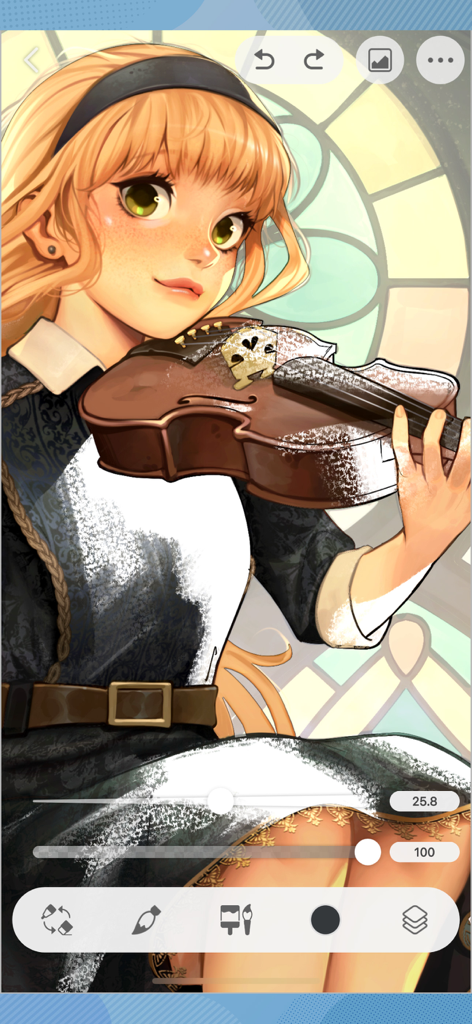
バイオリンを持ったアニメの女の子のデジタルイラスト。CLIP STUDIO PAINT iPhoneアプリのインターフェースが表示されています。

バイオリンを持ったアニメの女の子のデジタルイラスト。CLIP STUDIO PAINT iPhoneアプリのインターフェースが表示されています。

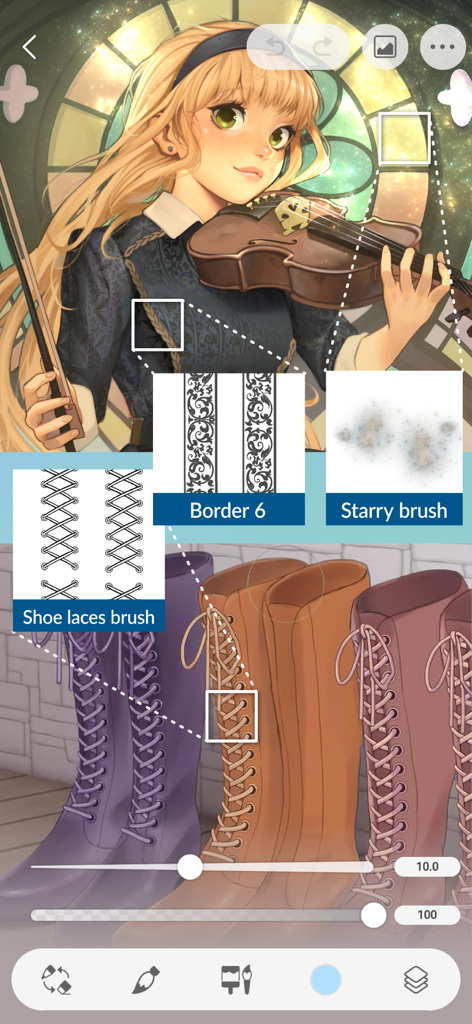
カスタムの靴紐ボーダーブラシと星形ブラシを使用したCLIP STUDIO PAINT for iPhoneのデジタルイラスト。

カスタムの靴紐ボーダーブラシと星形ブラシを使用したCLIP STUDIO PAINT for iPhoneのデジタルイラスト。

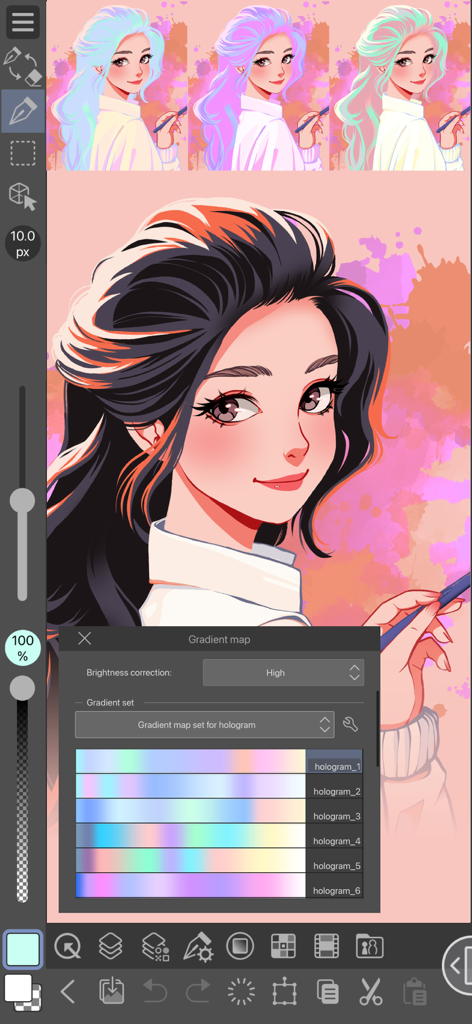
CLIP STUDIO PAINT for iPhoneの女の子のデジタルイラスト。グラデーションマップツールが開いており、さまざまなホログラムカラーセットが表示されています。

CLIP STUDIO PAINT for iPhoneの女の子のデジタルイラスト。グラデーションマップツールが開いており、さまざまなホログラムカラーセットが表示されています。

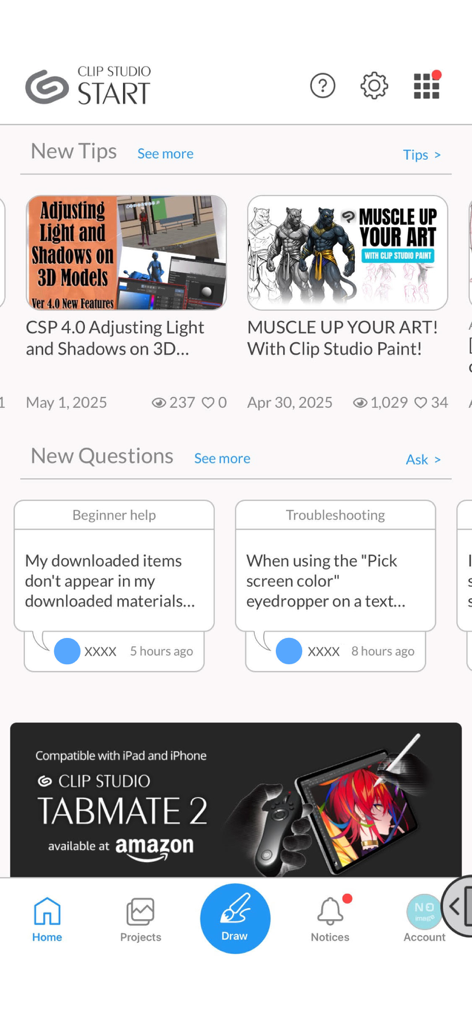
アートチュートリアル、コミュニティQ&A、ナビゲーションバーを表示するCLIP STUDIOスタートホーム画面。

アートチュートリアル、コミュニティQ&A、ナビゲーションバーを表示するCLIP STUDIOスタートホーム画面。

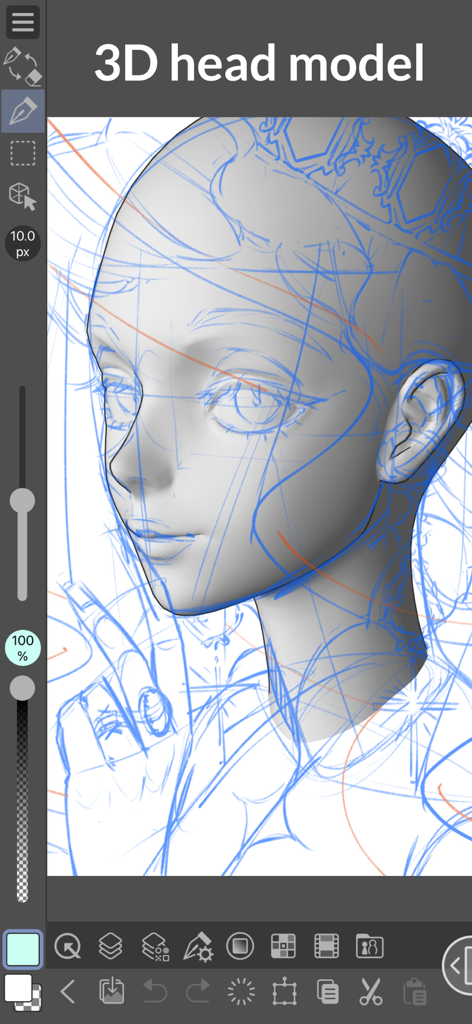
iPhoneのCLIP STUDIO PAINTでの描画に使用される3Dヘッドモデルの資料。

iPhoneのCLIP STUDIO PAINTでの描画に使用される3Dヘッドモデルの資料。

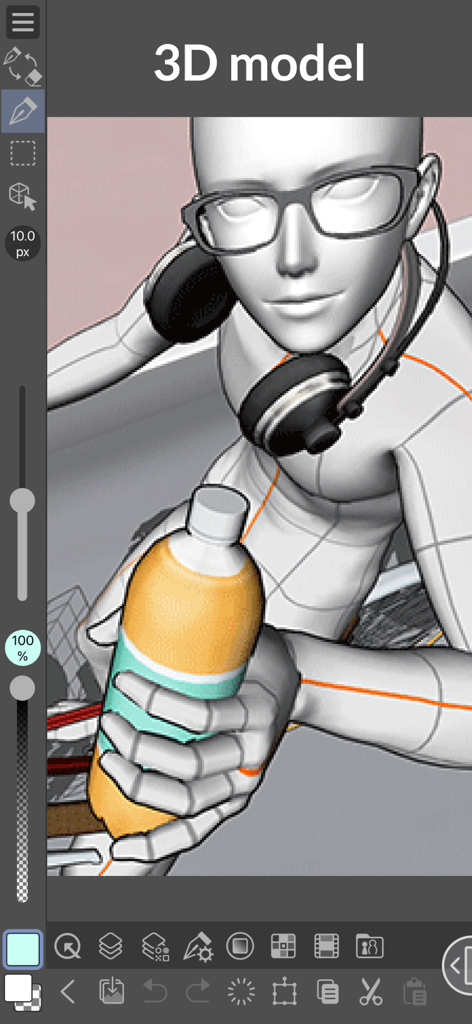
メガネとヘッドホンをかけ、ボトルを持っている3Dキャラクターモデル。CLIP STUDIO PAINT for iPhoneに表示されています。

メガネとヘッドホンをかけ、ボトルを持っている3Dキャラクターモデル。CLIP STUDIO PAINT for iPhoneに表示されています。

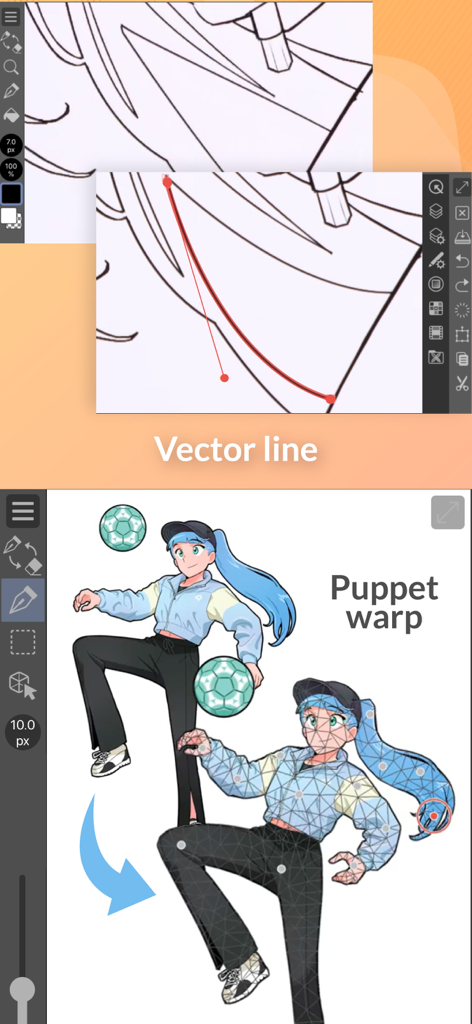
ベクター線編集とパペットワープポーズ機能のデモンストレーション。CLIP STUDIO PAINT for iPhoneのインターフェース。

ベクター線編集とパペットワープポーズ機能のデモンストレーション。CLIP STUDIO PAINT for iPhoneのインターフェース。

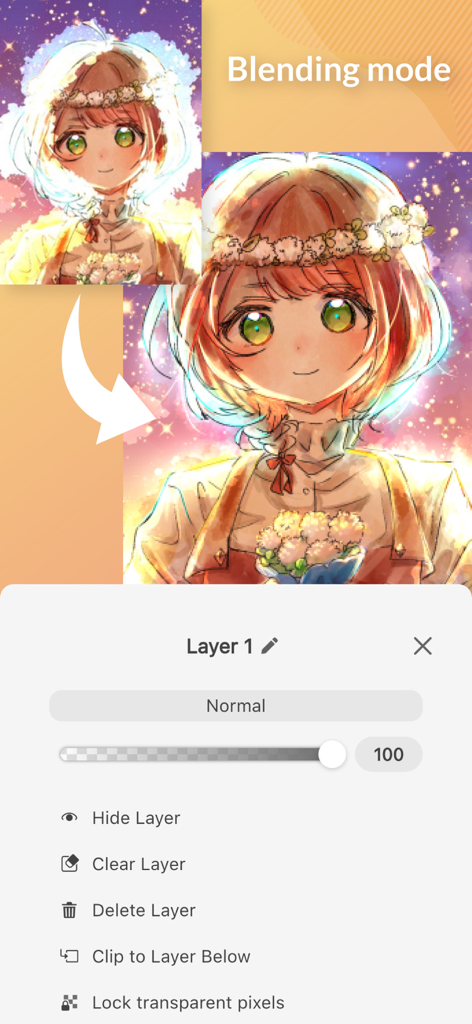
レイヤーのブレンドモード設定とアニメキャラクターのアートを表示するCLIP STUDIO PAINT for iPhoneのインターフェース。

レイヤーのブレンドモード設定とアニメキャラクターのアートを表示するCLIP STUDIO PAINT for iPhoneのインターフェース。

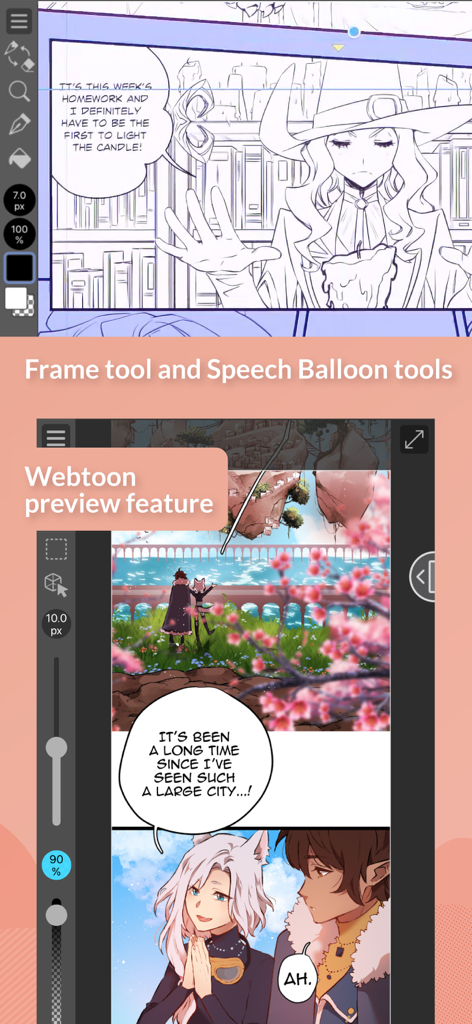
コマ枠ツールとWebtoonプレビューモードを表示するCLIP STUDIO PAINT for iPhone。

コマ枠ツールとWebtoonプレビューモードを表示するCLIP STUDIO PAINT for iPhone。

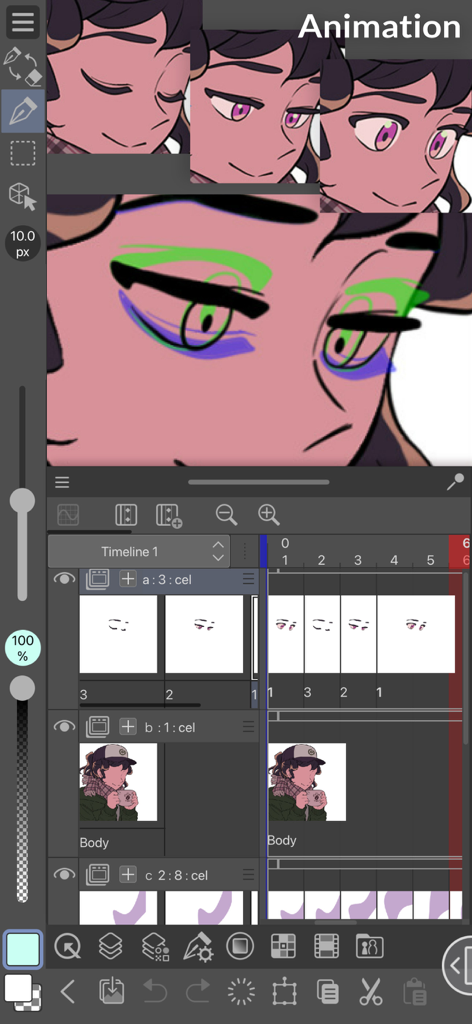
キャラクターとタイムラインを表示するCLIP STUDIO PAINT for iPhoneのアニメーションインターフェース。

キャラクターとタイムラインを表示するCLIP STUDIO PAINT for iPhoneのアニメーションインターフェース。

あなたのポータブル・プロフェッショナル・スタジオ

このアプリを際立たせるツール、 2M+ 人のユーザーが選択.

👤

3Dモデルで完璧な人体を

人体の構造に悩む必要はありません。カスタマイズ可能な3Dモデルをポーズさせて、キャンバス上で常に正しい視点とプロポーションを得ましょう。

🎨

無限のブラシと素材ライブラリ

コミュニティが作成した数千種類のブラシと素材にアクセスできます。プロレベルのテクスチャで、本物の油絵、インク、水彩の質感を再現しましょう。

📖

マンガ・Webtoon制作のためのフルツールキット

マンガ制作者のグローバルスタンダード。コマ枠、ふきだし、トーンを瞬時に追加して、スケッチを連載作品に変えましょう。

世界中のユーザーに愛されています

Trusted by 2M+ 人がこのアプリを愛用しています.

"

"フリーランスのイラストレーターとして、デスクから離れているときでもプロ仕様のツールが必要です。iPhoneアプリの3D描画フィギュアは、外出先で人体の構造を正確に描くための救世主であり、クラウド同期により後でPCでコミッションを仕上げるのがとても簡単です。ポケットの中にデスクトップ版の完全な体験があります。"

Maya R.、フリーランスアーティスト
"

"現在、初のWebコミックを連載中で、このアプリが私のワークフローを完全に変えました。通勤中にコマを描き、特殊なコミックツールを使ってふきだしを追加できます。毎月30時間の無料利用により、サブスクリプションを契約する前に機能に惚れ込むことができました。"

Jordan T.、Webtoonクリエイター

アプリについて

について知っておくべきこと Clip Studio Paint for iPhone.

説明

Draw with unlimited features for free for 30 hours monthly with no ads! Now with new, powerful features! Clip Studio Paint makes drawing a piece of cake, in any style! Whether you are a beginner or a pro, Clip Studio Paint will improve every aspect of your art experience, while helping you grow as an artist. Unlimited amount of brushes at your fingertips to recreate any style - Use brushes with the same textures as real art materials - Adjust details such as brush shape and paper quality to your liking - Make unique colors with realistic color mixing, like traditional paints - Draw with transparency to erase, so no need to switch brushes Countless artist-made materials - Level up your art with free materials, for backgrounds and more - Discover community-made brushes from creators worldwide - Add details with materials like frills and more Coloring made easy - Easily color even with line gaps using the magnetic lasso tool - Lock transparency to paint over layers without affecting other areas - Set light source and shadow position with Shading Assist - Instantly reference and apply colors from an image to your art using Color Match - Enhance your art with filters like Chromatic Aberration, Retro Film, Pencil, and more Learn alongside other creators - Loads of official tutorials and creator tips available - Watch tutorials on the Clip Studio Paint YouTube channel, for step-by-step advice - Ask questions on the Clip Studio Ask community Create the perfect reference with 3D models - Use 3D drawing figures to help out your anatomy - Customize character face and body models with beginner-friendly tools - Attach 3D objects like hats and shoes to characters for more specific references - Use 3D shapes to draw perspective - Use snap to quickly place objects on your canvas Adjust after you draw - Liquify to make adjustments to the balance of your illustrations - Mesh Transformation allows you to transform to different shapes - Change up the poses of your character drawings with Puppet warp - Non-destructive color adjustment layers to get your art just right - Gradient maps give color to your grayscale illustrations Stress-free layer features - Assign colors and make multiple columns of layers to browse them at a glance - Enjoy the freedom of masking and clipping on multiple layers to edit and move your work - Add various effects to apply to the layer in a non-destructive way The ultimate comic creation app - All the tools you need for comic creation, from sketches to finishing touches - Panel frames, speech balloons, text, effect lines, and screen tones in an instant - Make high-resolution print data (6 GB+ memory recommended) - Manage multi-page projects Professional animation, on any device - Use all the same tools as animation studios - Unique features allow you to draw your frames as you like - Enjoy a pencil and paper look and feel, but digitally - Expand your drawings to 4K resolution without losing quality by saving it as vector data ●Grade features ・FREE: 30 hours/month ・PRO: All the tools you need to create stunning illustrations & short animations ・EX: All the above + multi-page functionality for comic/manga artists and unlimited animation frames *Clip Studio account needed to buy a plan. ● Target Devices and Specifications ・Minimum free storage space: 3GB, 4GB recommended ・Recommended display size: 5.5"+ Please see the following for supported devices. https://support.clip-studio.com/en-us/faq/articles/20200154 You can use the app fully for free for up to 30 hours each month. After this free period has ended, please purchase a plan to: - Save your canvas - Export your data in various file formats on iPhone and more Smartphone plan: PRO: US$0.99 per month, get an annual plan for up to 5 months' worth of savings! EX: US$2.49 per month, get an annual plan for up to 5 months' worth of savings! Clip Studio Paint End User License Agreement https://www.celsys.com/en/information/csp/

最新バージョン

4.2.5

サイズ

539.8 MB

リリース日

2019年12月4日

プロのスタジオを、どこへでも

200万人以上のクリエイターに参加して、世界で最も強力なアートツールを毎月30時間無料で利用しましょう。広告なし、純粋な創造性だけをiPhoneで。

ダウンロード: App Storeダウンロード: Google Play
FAQ

よくある質問

について知っておくべきこと Clip Studio Paint for iPhone

Is Clip Studio Paint for iPhone free to use?

はい、Clip Studio Paint for iPhoneは、広告なしで毎月30時間の無料利用が可能です。この期間を過ぎると、キャンバスの保存やデータの書き出しにはプランの購入が必要になります。

What features are available in Clip Studio Paint for iPhone?

Clip Studio Paint for iPhoneは、豊富な描画ツール、無制限のブラシ、影付けアシストなどの彩色機能、3Dモデル参照、アニメーションツール、包括的な漫画制作機能を提供します。

Can I create comics on Clip Studio Paint for iPhone?

はい、Clip Studio Paint for iPhoneは究極の漫画制作アプリです。コマ枠、ふきだし、テキスト、効果線、トーン、複数ページプロジェクト管理などの機能が含まれています。

What are the different plans for Clip Studio Paint for iPhone?

Clip Studio Paint for iPhoneには、FREE(月30時間)、PRO(イラスト・短編アニメーション向け)、EX(PRO機能に加え、複数ページ漫画・無制限アニメフレームに対応)のプランがあります。

How much does Clip Studio Paint PRO for iPhone cost?

Clip Studio Paint PRO for iPhoneプランは、月額0.99米ドルです。年間プランも利用可能で、最大5ヶ月分の割引が適用されます。

Does Clip Studio Paint for iPhone support 3D models for drawing?

はい、Clip Studio Paint for iPhoneは3Dモデルをサポートしています。ユーザーは、人体構造のために3D描画フィギュアを使用したり、キャラクターモデルをカスタマイズしたり、オブジェクトを配置したり、遠近法のために3D形状を使用したりできます。

What happens after the free usage period in Clip Studio Paint for iPhone?

Clip Studio Paint for iPhoneの月間30時間の無料利用期間が終了すると、キャンバスを保存したり、さまざまなファイル形式でデータを書き出したりするには、プランを購入する必要があります。

Can Clip Studio Paint for iPhone help with coloring my art?

はい、Clip Studio Paint for iPhoneは彩色を容易にします。線画の隙間を埋めるマグネティックな選択範囲、透明度ロック、影付けアシスト、画像からのカラーマッチング、さまざまな強化フィルターなどの機能があります。

What are the minimum storage requirements for Clip Studio Paint for iPhone?

Clip Studio Paint for iPhoneには、最低3GBの空き容量が必要で、最適なパフォーマンスのためには4GBが推奨されます。

Can I use Clip Studio Paint for iPhone to create animations?

はい、Clip Studio Paint for iPhoneではプロのアニメーション作成が可能です。アニメスタジオに似たツールや独自のフレーム描画機能を提供し、ベクターデータとして4K解像度での書き出しもサポートしています。