iProject Viewer

iProject Viewer

ダウンロード: App Store
Spark by MWM logo
ロゴ: iProject Viewer

iProject Viewer: プロフェッショナルなMicrosoft Project管理を外出先で

高精細なガントチャートでMPPファイルを開き、編集、保存できます。プロジェクトマネージャーがオフィスから現場まで、常に管理を維持するための完全なモバイルソリューションです。

ダウンロード: App Store

開発元

Viewer Central Inc

カテゴリ

Business

ダウンロード

129K+

ユーザー評価

3.4/5

評価数

100

対応言語

1

プロジェクトの精度を可視化

このインターフェースを利用する 129K+ 人のユーザー.

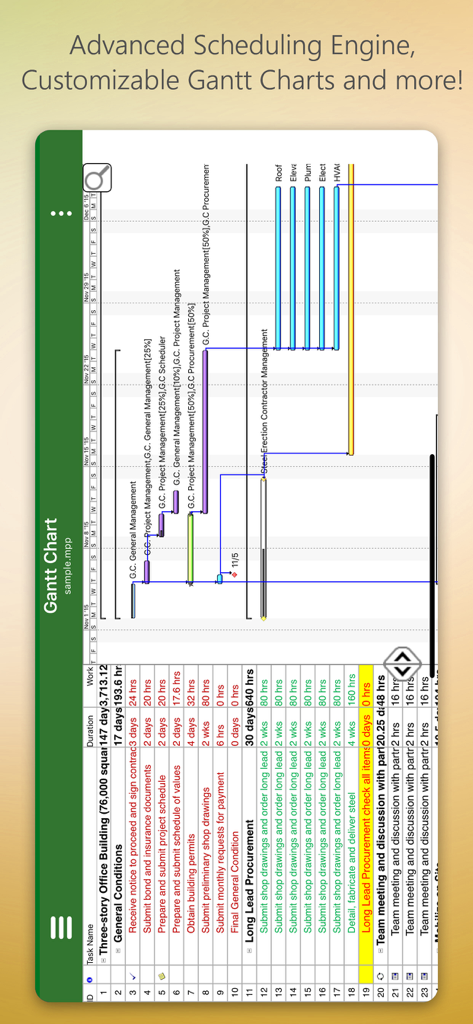
iProject Viewerの詳細なガントチャートが表示されたモバイルインターフェース。建設計画用。

iProject Viewerの詳細なガントチャートが表示されたモバイルインターフェース。建設計画用。

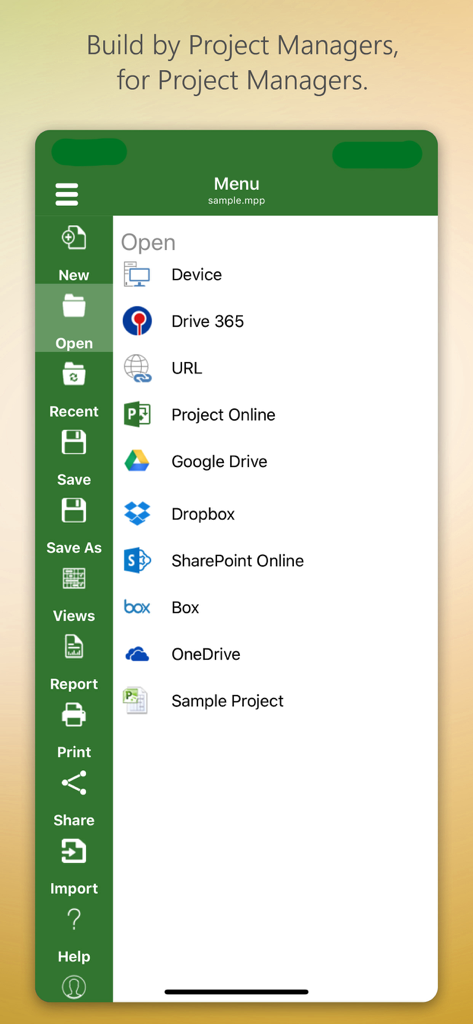
iProject Viewerアプリのメニュー画面。Google DriveやSharePointなどのクラウドストレージからのプロジェクトファイルを開くオプションが表示されます。

iProject Viewerアプリのメニュー画面。Google DriveやSharePointなどのクラウドストレージからのプロジェクトファイルを開くオプションが表示されます。

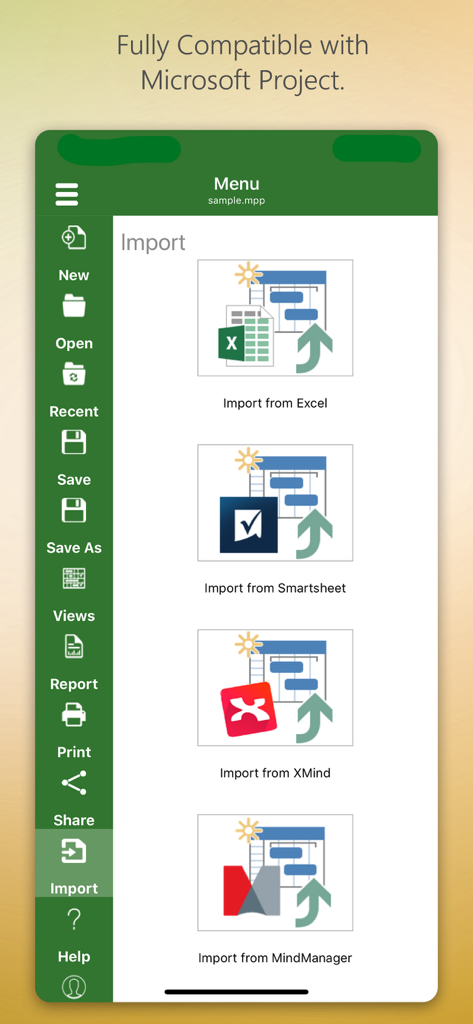
iProject Viewerアプリのインターフェース。Excel、Smartsheet、XMind、MindManagerからのインポートオプションが表示されます。

iProject Viewerアプリのインターフェース。Excel、Smartsheet、XMind、MindManagerからのインポートオプションが表示されます。

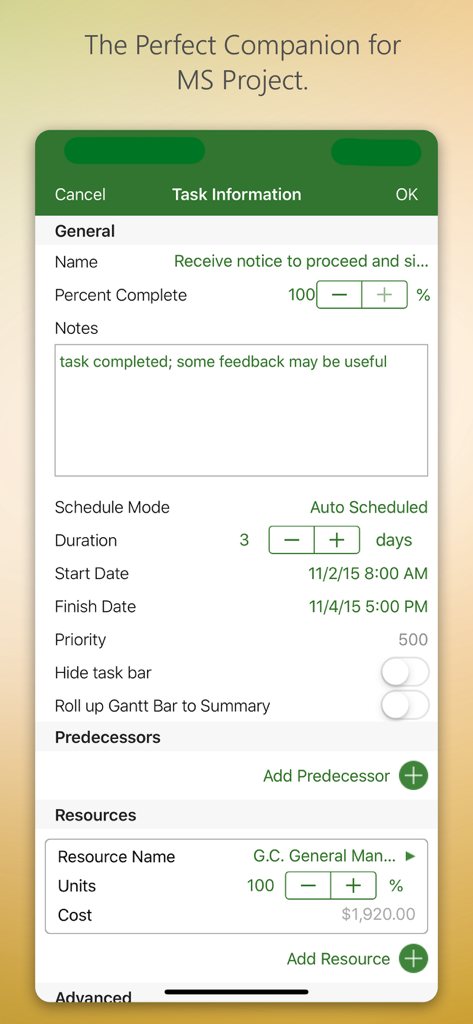
iProject Viewerアプリのインターフェース。タスク情報とリソース管理が表示されます。

iProject Viewerアプリのインターフェース。タスク情報とリソース管理が表示されます。

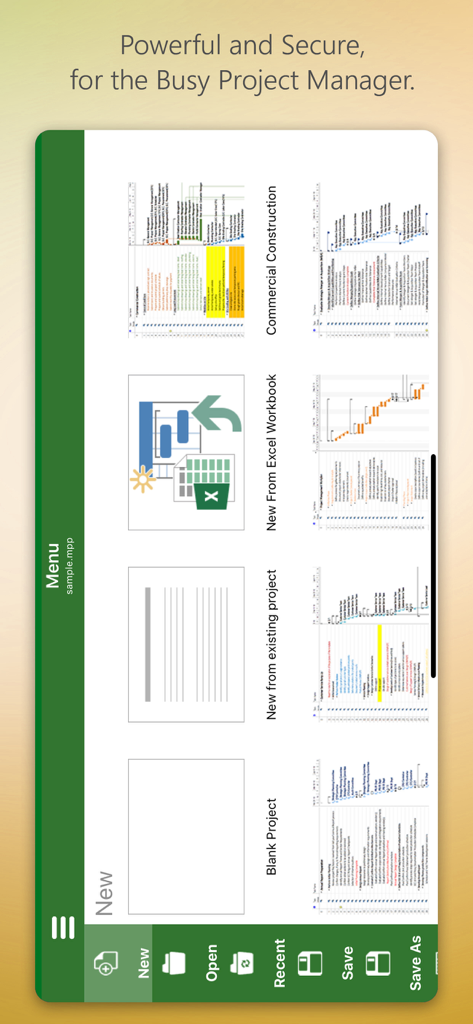
iProject Viewerアプリのメニュー画面。テンプレートまたはゼロから新規プロジェクトを作成するオプションが表示されます。

iProject Viewerアプリのメニュー画面。テンプレートまたはゼロから新規プロジェクトを作成するオプションが表示されます。

どこでもプロジェクトタイムラインをマスター

このアプリを際立たせるツール、 129K+ 人のユーザーが選択.

📊

高精細ガントチャート

クリアなビジュアライゼーションを体験してください。タスク、依存関係、リソースがMicrosoft Projectに表示される通りに正確に表示されるため、クリティカルパスの詳細を見逃すことはありません。

☁️

エンタープライズクラウド連携

SharePoint、OneDrive、Boxから.mppファイルに安全にアクセスできます。手動でのファイル転送なしに、既存の企業インフラストラクチャとシームレスに同期できます。

🏗️

現場対応の編集機能

現場で重要なスケジュール更新を行えます。iPad上で直接ガントチャートを作成または編集し、ネイティブMPP形式で変更を保存できるため、真のモバイルワークステーションとして機能します。

世界中のユーザーに愛されています

Trusted by 129K+ 人がこのアプリを愛用しています.

"

"ついに、面倒なことなく外出先でMS Projectファイルにアクセスできるようになりました。現場でiPadから直接ガントチャートを閲覧・編集できることで、建設ワークフロー全体が効率化されました。OneDriveとの連携も完璧で、現場のプロジェクトマネージャーにとって不可欠なツールです。"

Mark Thompson, Construction Superintendent
"

"常に会議に出席しているPMPプロフェッショナルとして、携帯電話でMPPファイルを参照できることは画期的です。レンダリングは鮮明で、インターフェースはデスクトップ版に慣れている人にとって非常に直感的です。これまで使用した中で、複雑なプロジェクトスケジュールを管理するための最も信頼性の高いモバイルソリューションです。"

Elena Rodriguez, Senior IT Project Manager

レビュー分析

ユーザーレビューの分析.

感情スコア

31%
ネガティブ

概要

This app receives a mixed to largely negative reception, primarily valued by users for its ability to open and view Microsoft Project (.MPP) files directly on iOS devices, which many find useful. However, a significant portion of feedback highlights severe issues including frequent crashes, unreliable saving, and difficulties with various cloud integrations like OneDrive and Dropbox. Users are also highly critical of the expensive subscription model, the app's often clunky user interface, and its limited editing capabilities, often functioning more as a viewer than a full-fledged project management tool. While a few users appreciate responsive developer support, many feel it's not worth the high annual cost given its stability and feature shortcomings.

主なテーマ

Crashes and Bugs(13)
MPP File Viewing(10)
Cloud Integration(9)
User Interface(7)
Subscription Model(6)
Editing Limitations(4)
Customer Support(1)

アプリについて

について知っておくべきこと iProject Viewer.

説明

New!! Create Gantt charts and edit/save existing MS Project Plans in MPP file format! Housatonic’s Project Viewer 365 for iOS allows you to open MS Project Plans from cloud locations like Google Drive. Dropbox, OneDrive, SharePoint Online, Box, Basecamp, URL Links and email attachments.

 Housatonic Project Viewer 365 for iOS is compatible with Microsoft Project (MPP file format) 2016, 2013, 2010, 2007, 2003 and earlier versions. The interface is intuitive making Project Viewer simple for the end users.

 Now Microsoft Project Plans look better than ever on your iOS. Free view-only MS Project views like Gantt chart, Task Sheet and Resource Sheet are available along with basic project plan sorting, filters, zooming and time scale viewing capabilities.

 Additional features can be enabled by subscribing to in-app-purchase packages: In-App Option 1: Advanced View Only Enable advanced sorting capabilities, apply additional filter options, customize time scale 
Access additional project views like Calendar View, Resource and Task Usage, View Network Diagram
 View Multiple Project Reports and Print Project Info to PDF or Paper
 This in-app purchase option is offered on a yearly (1 year) basis for a price of $19.99 USD per year. In-App Option 2: Standard Editor Create new Gantt charts and modify existing project schedules in the same intuitive way as MS Project. Save and Share your plans (MPP files) from any storage or cloud location on any iOS device. Works with, or as an alternative to Microsoft Project. This in-app purchase option is offered on a yearly (1 year) basis for a price of $129.99 USD per year. Payment will be charged to iTunes Account at confirmation of purchase Subscription automatically renews unless auto-renew is turned off at least 24-hours before the end of the current period Account will be charged for renewal within 24-hours prior to the end of the current period, and identify the cost of the renewal Subscriptions may be managed by the user and auto-renewal may be turned off by going to the user's Account Settings after purchase No cancellation of the current subscription is allowed during active subscription period Any unused portion of a free trial period, if offered, will be forfeited when the user purchases a subscription to that publication, where applicable Terms and Conditions: http://housatonic.com/terms.html Privacy Policy: http://housatonic.com/privacy.html

最新バージョン

25.14

サイズ

94.4 MB

リリース日

2011年9月16日

MS Projectファイルを現場へ持ち出そう

デスクに戻るまで待つ必要はありません。業界をリードするMPPビューア・エディタで、iPhoneまたはiPadから直接ガントチャートを開き、編集、共有できます。

ダウンロード: App Store