Project Plan 365

Project Plan 365

ダウンロード: App Store
Spark by MWM logo
ロゴ: Project Plan 365

Project Plan 365:iPadおよびiPhone向けのプロフェッショナルMicrosoft Projectソリューション

MS ProjectでおなじみのインターフェースでMPPファイルを表示、編集、作成できます。学習曲線なしで、現場から直接ガントチャート、クリティカルパス、リソース使用状況を管理できます。

ダウンロード: App Store

開発元

Viewer Central Inc

カテゴリ

Productivity

ダウンロード

136K+

ユーザー評価

3.4/5

評価数

200

対応言語

1

デスクトップのパワー、モバイルの自由

このインターフェースを利用する 136K+ 人のユーザー.

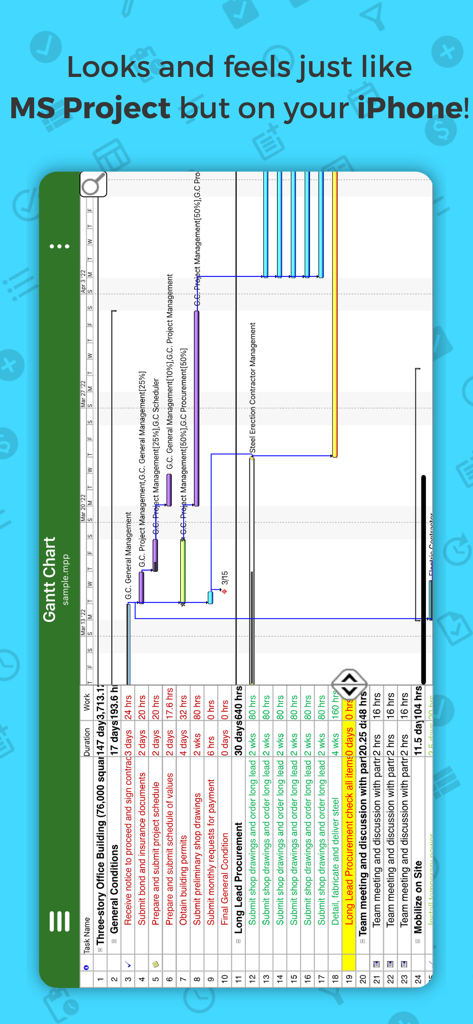
iPhone上のProject Plan 365ガントチャート

iPhone上のProject Plan 365ガントチャート

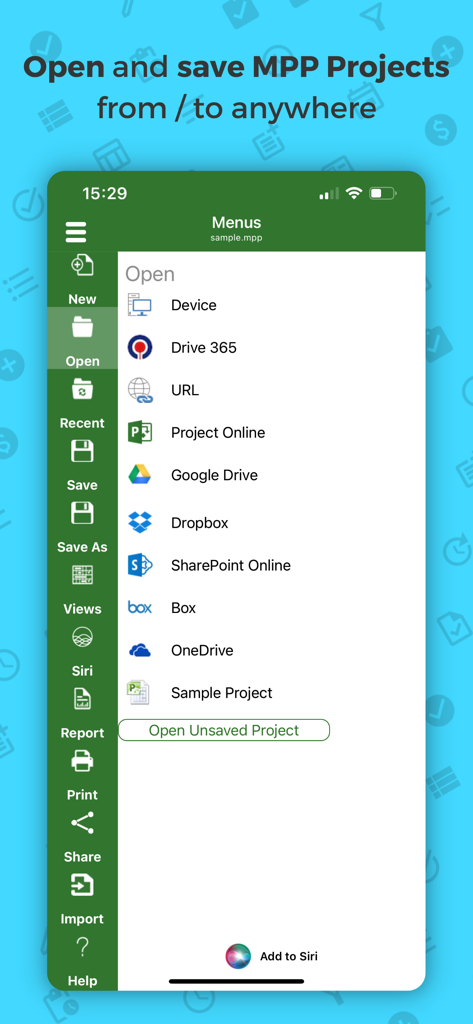
MPPプロジェクトファイルを開いたり保存したりするためのさまざまなクラウドストレージオプションが表示されているProject Plan 365モバイルアプリのインターフェース

MPPプロジェクトファイルを開いたり保存したりするためのさまざまなクラウドストレージオプションが表示されているProject Plan 365モバイルアプリのインターフェース

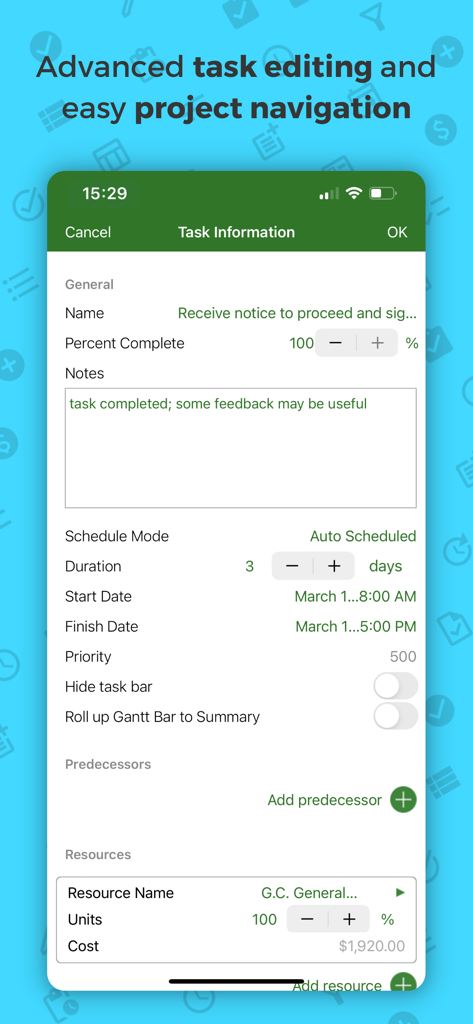
Project Plan 365モバイルアプリのタスク情報および高度な編集画面

Project Plan 365モバイルアプリのタスク情報および高度な編集画面

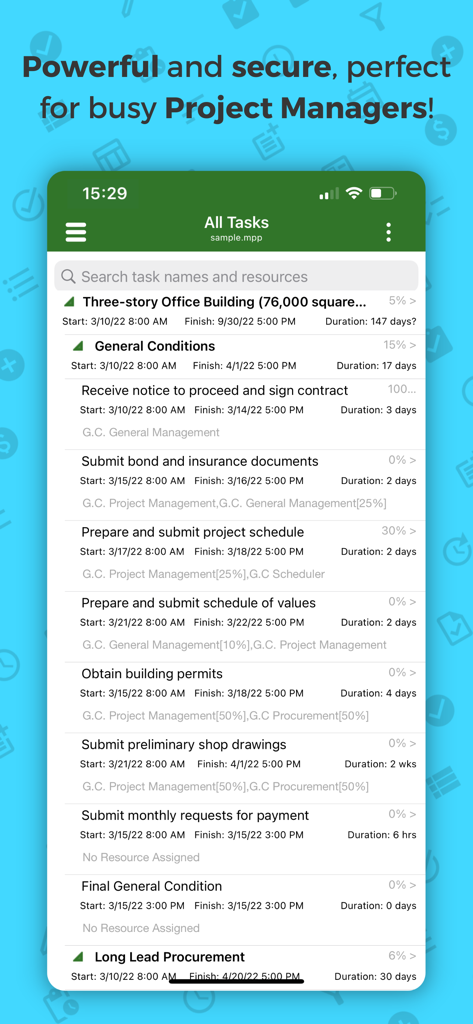
完了率とスケジュールを含む詳細なプロジェクトタスクリストを表示するProject Plan 365モバイルアプリ

完了率とスケジュールを含む詳細なプロジェクトタスクリストを表示するProject Plan 365モバイルアプリ

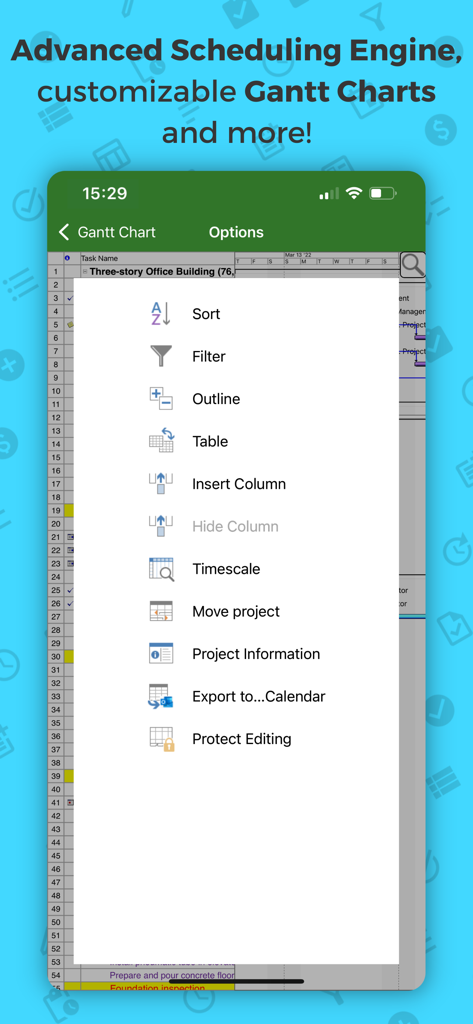
Project Plan 365の高度なスケジュールオプションとガントチャートメニュー

Project Plan 365の高度なスケジュールオプションとガントチャートメニュー

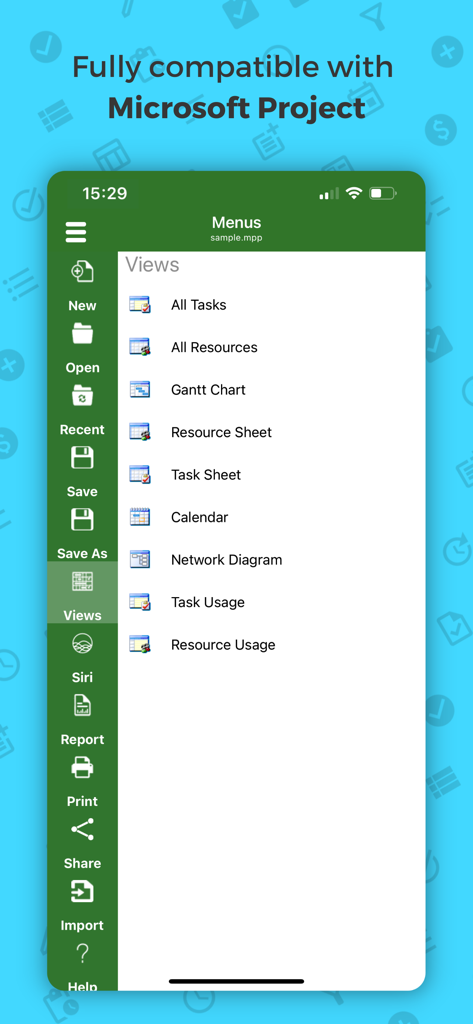
ガントチャートやネットワーク図などのプロジェクト管理ビューのメニューが表示されているProject Plan 365モバイルインターフェース

ガントチャートやネットワーク図などのプロジェクト管理ビューのメニューが表示されているProject Plan 365モバイルインターフェース

どこでもデスクトップグレードのプロジェクト管理

このアプリを際立たせるツール、 136K+ 人のユーザーが選択.

📂

完全なMPP互換性

フォーマットや重要なプロジェクトデータを失うことなく、Microsoft Projectファイル(2003-2021)をシームレスに開く、編集する、保存できます。

📊

高度なガントチャートとレポート

プロフェッショナルのパワーユーザー向けに最適化されたガントチャート、クリティカルパス情報、リソース使用状況ビューでタイムラインを分析します。

☁️

シームレスなクラウド統合

OneDrive、SharePoint、またはDropbox経由でプロジェクトをリアルタイムに同期し、現場とオフィスの間のギャップを埋めます。

世界中のユーザーに愛されています

Trusted by 136K+ 人がこのアプリを愛用しています.

"

"建設現場のリーダーとして、私は重い紙のロールや、一日の途中でバッテリーが切れるラップトップを持ち運んでいました。Project Plan 365ですべてが変わりました。チームのMPPファイルをiPadで直接開き、クリティカルパスを表示し、現場からタスクのステータスを更新できます。オフィスで使うデスクトップバージョンと全く同じですが、持ち運びが可能です。"

Marcus T.、シニアサイトマネージャー
"

"機能を省略しないiOS向けのプロフェッショナルグレードのプロジェクト管理ツールを見つけるのはほぼ不可能です。このアプリは本物です。複雑なリソース使用状況チャートやネットワーク図も完璧に処理します。OneDriveとSharePointとのシームレスな統合は、PCからiPhoneに移動しても遅れることがないことを意味します。生産性の向上に、その価値は十分にあります。"

Elena R.、ITプロジェクトコンサルタント

アプリについて

について知っておくべきこと Project Plan 365.

説明

Now Microsoft Project Plans (MPP) look better than ever on your IOS device! Project Plan 365 is an intuitive solution for project planning and project collaboration perfect for individual Project Managers and/or small teams working in fast-paced collaborative environments which may be across disparate geographic locations. Project Plan 365 looks and feels exactly like MS Project- you may think about PP365 as Microsoft Project for iPad/iPhone or MS Project for the Cloud! Project Plan 365 provides support for all MS Project standard views like Gantt Chart, Task Sheet, Network Diagram, Project Calendar, Task Usage, Resource Usage, Team Planner, etc. Project Plan 365 provides critical path info and all standard project reports, filters, time scale and other like MS Project sophisticated features. You can open and view MPP files from any cloud storage location like DropBox, OneDrive, Google Drive, Box, and SharePoint Online or from your local device Project Plan 365 is compatible with Microsoft Project (MPP file format) 2016, 2013, 2010, 2007, 2003 and earlier versions. The interface is intuitive making Project Viewer simple for the end users. In-App Option: Create New/Edit and Save in MPP File Format Create new Gantt Charts in MS Project MPP compatible formats or modify existing project schedules in the same intuitive way as Microsoft Project. Save and Share your plans (MPP files) from any storage or cloud location on any IOS device. Works with, or as an alternative to Microsoft Project. Try Project Plan 365 with full functionalities free for 1 month! Project Plan 365 subscription is offered on a yearly (1 year) basis for a price of $129.99 USD per year and works on any supported platform and devices. Purchase Project Plan 365 subscription once, use on all supported devices and platforms. Payment will be charged to iTunes Account at confirmation of purchase Subscription automatically renews unless auto-renew is turned off at least 24-hours before the end of the current period Account will be charged for renewal within 24-hours prior to the end of the current period, and identify the cost of the renewal Subscriptions may be managed by the user and auto-renewal may be turned off by going to the user's Account Settings after purchase No cancellation of the current subscription is allowed during active subscription period Terms and Conditions: https://www.projectplan365.com/about/terms.html Privacy Policy: https://www.projectplan365.com/about/privacy.html

最新バージョン

25.14

サイズ

94.3 MB

リリース日

2013年11月18日

MS ProjectのパワーをiPad & iPhoneに

使い慣れたインターフェースでMPPファイルを開き、編集し、共有できます。30日間の無料トライアルを開始して、オフィスまたは現場から複雑なプロジェクトのタイムラインを管理しましょう。

ダウンロード: App Store