QuickPlan Basic - Project Plan

QuickPlan Basic - Project Plan

ダウンロード: App Store
Spark by MWM logo
ロゴ: QuickPlan Basic - Project Plan

QuickPlan Basic - プロジェクト計画:ビジュアル戦略家向けのプロフェッショナルガントチャート

自然なジェスチャー、シームレスなMicrosoft Project統合、完全なプライバシーによりiPadでプロジェクトのタイムラインをマスターしましょう—サブスクリプションなし、サーバーなし、純粋な効率性だけです。

ダウンロード: App Store

開発元

皓 李

カテゴリ

Business

ダウンロード

102K+

ユーザー評価

4.6/5

評価数

400

対応言語

7

効率を可視化

このインターフェースを利用する 102K+ 人のユーザー.

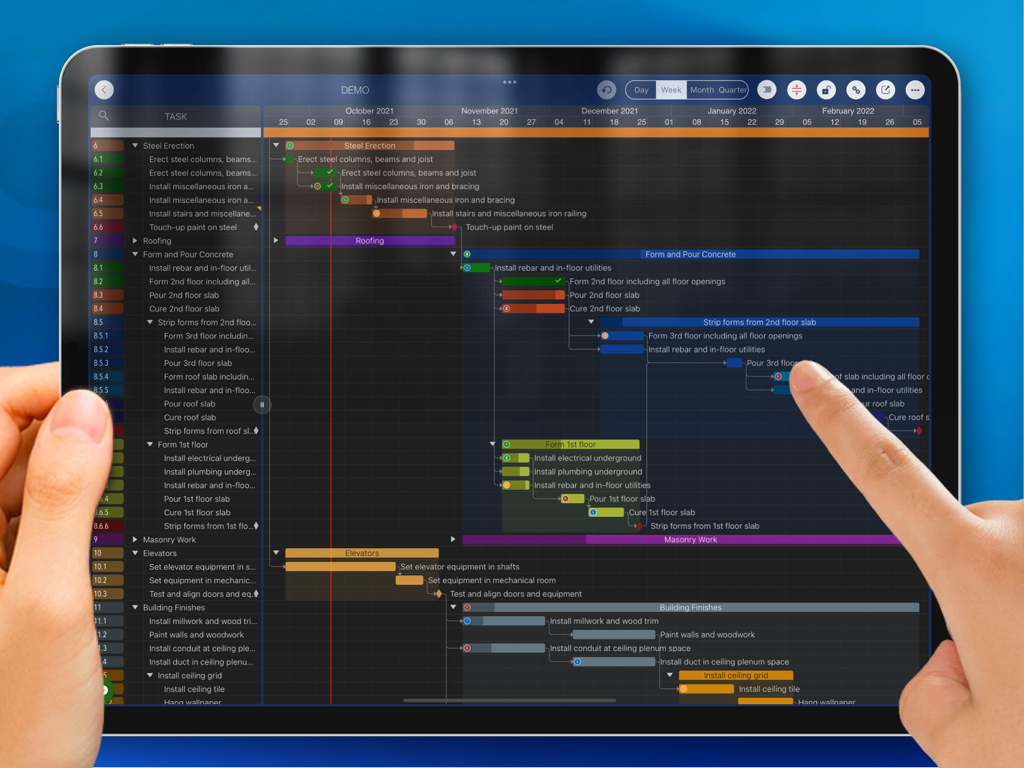
iPad上のQuickPlan Basicプロジェクト計画アプリで、詳細なガントチャートを管理するためにタッチジェスチャーを使用している人物。

iPad上のQuickPlan Basicプロジェクト計画アプリで、詳細なガントチャートを管理するためにタッチジェスチャーを使用している人物。

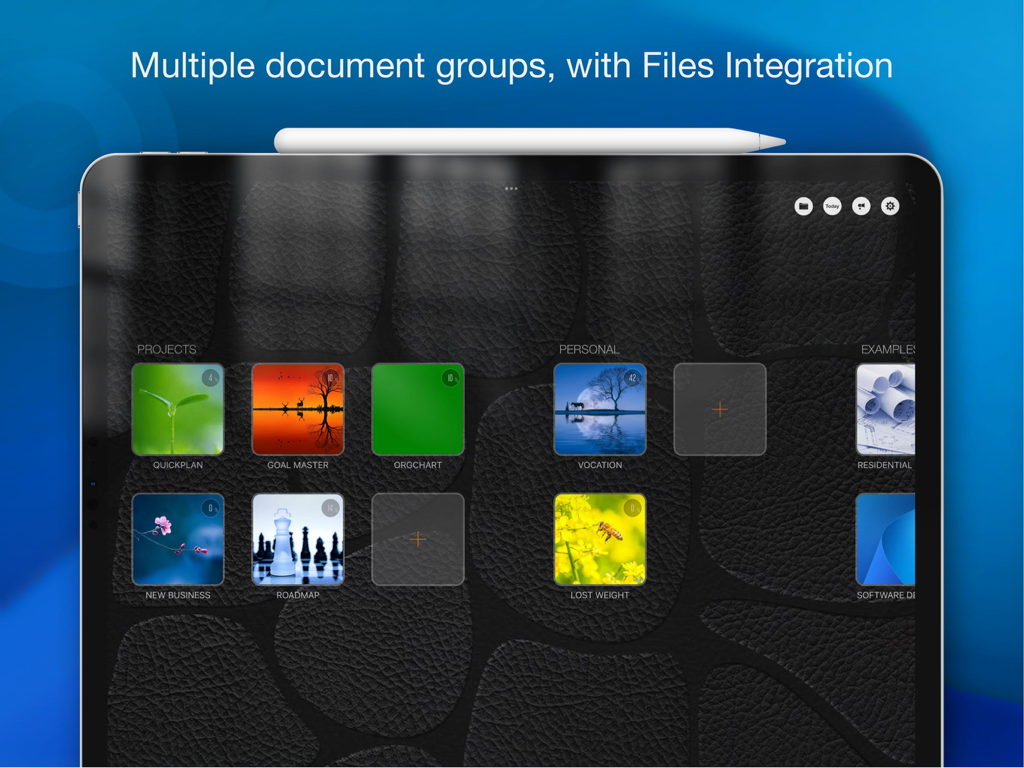
iPad上のQuickPlan Basicアプリダッシュボード。複数のプロジェクトドキュメントグループとファイル統合を表示。

iPad上のQuickPlan Basicアプリダッシュボード。複数のプロジェクトドキュメントグループとファイル統合を表示。

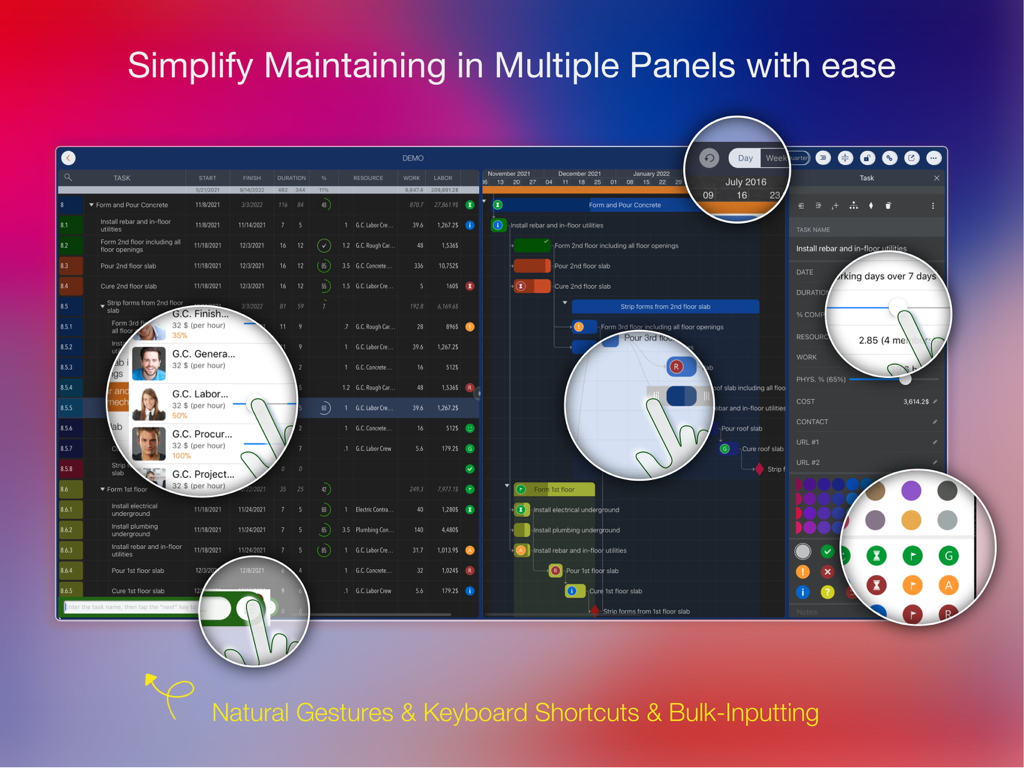
QuickPlan BasicプロジェクトマネージャーのiPadインターフェース。ガントチャートと自然なジェスチャーのハイライト付きの複数のタスクパネルを表示。

QuickPlan BasicプロジェクトマネージャーのiPadインターフェース。ガントチャートと自然なジェスチャーのハイライト付きの複数のタスクパネルを表示。

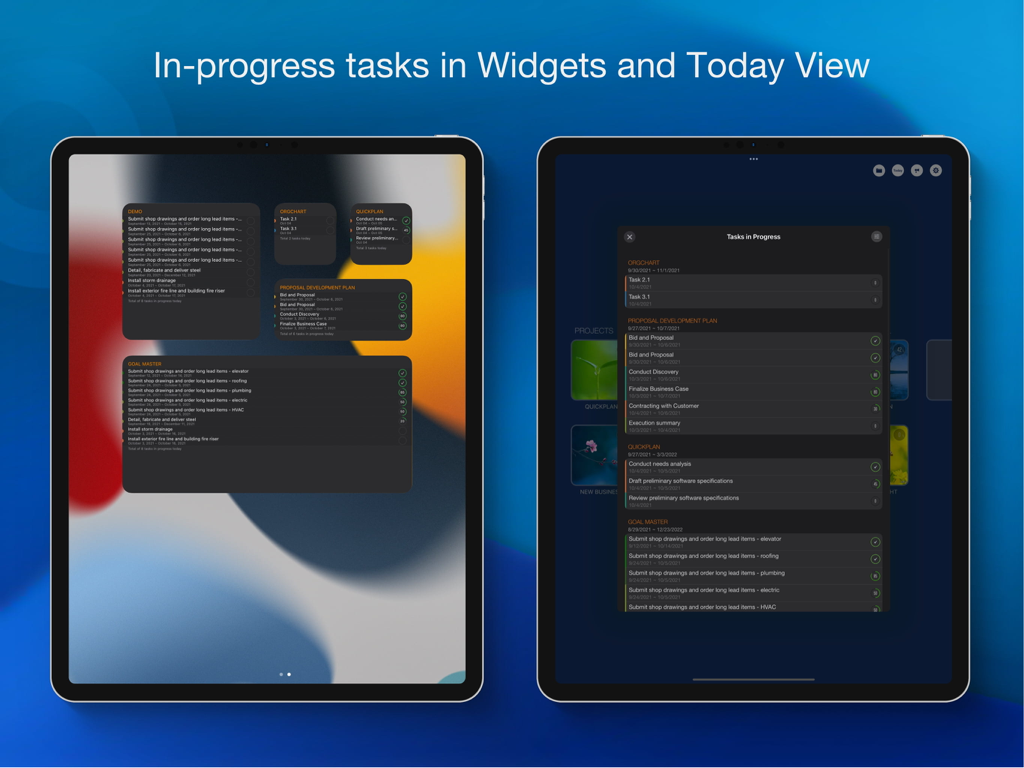
QuickPlanアプリがiPadウィジェットと今日の表示で進行中のプロジェクトタスクを表示。

QuickPlanアプリがiPadウィジェットと今日の表示で進行中のプロジェクトタスクを表示。

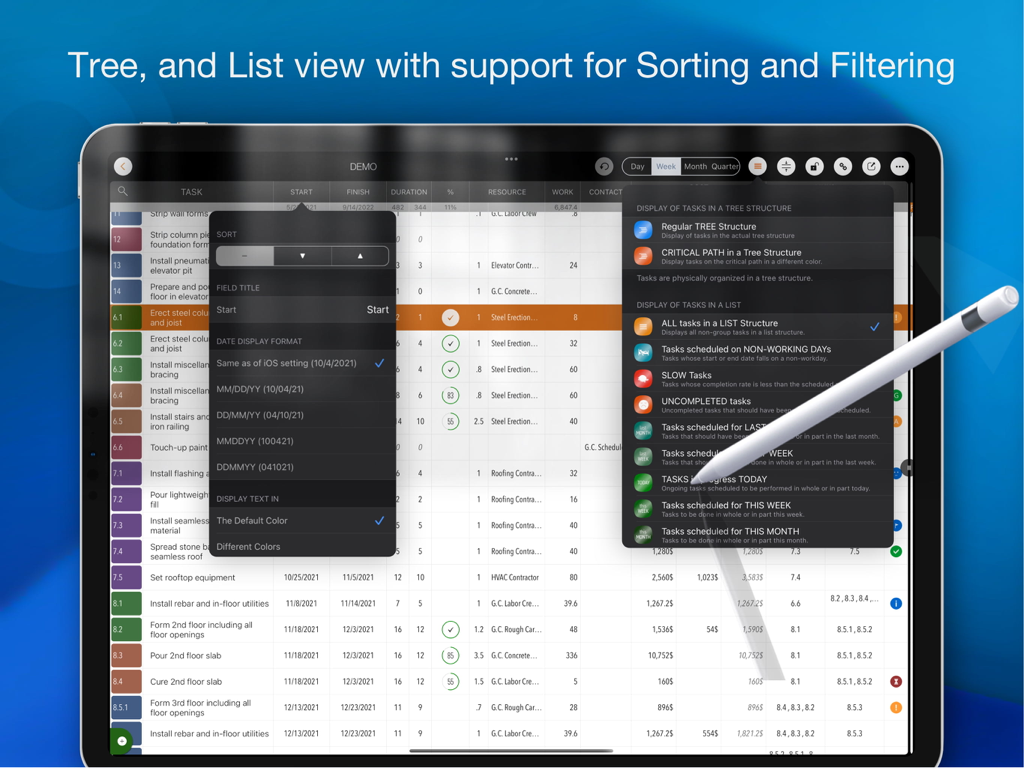
iPad上のQuickPlanプロジェクト管理アプリ。Apple Pencilを使用して、タスクリストの並べ替えとフィルタリングオプションを表示。

iPad上のQuickPlanプロジェクト管理アプリ。Apple Pencilを使用して、タスクリストの並べ替えとフィルタリングオプションを表示。

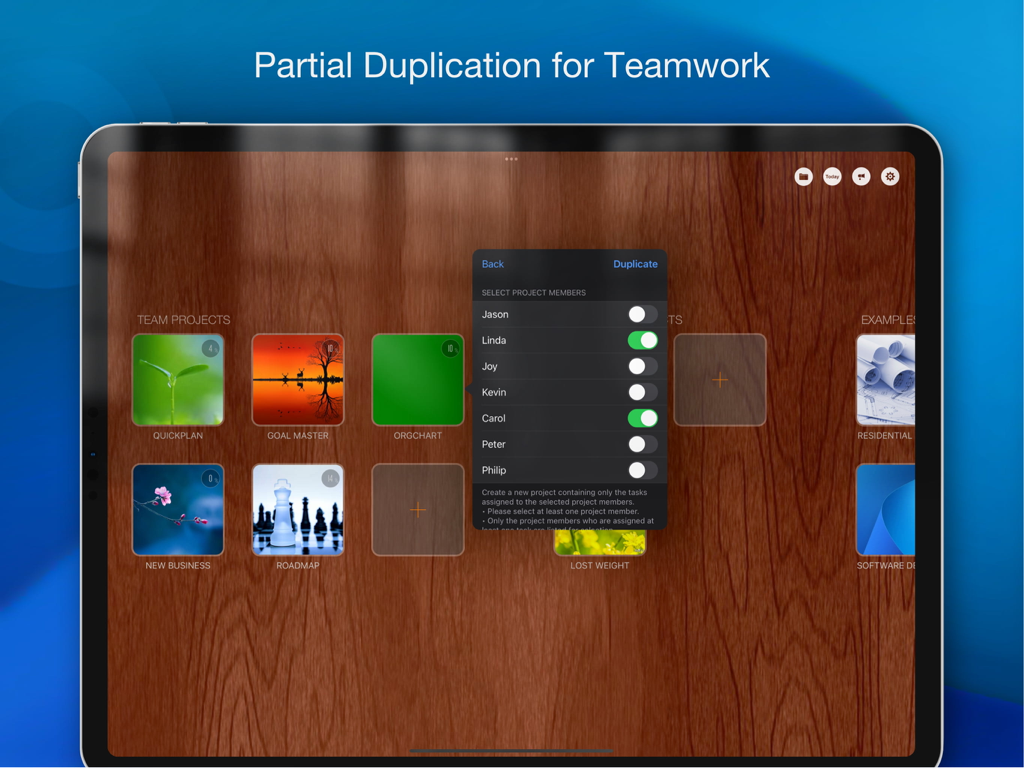
QuickPlanアプリで特定のチームメンバーを選択してプロジェクトを複製する機能を示すiPadインターフェース。

QuickPlanアプリで特定のチームメンバーを選択してプロジェクトを複製する機能を示すiPadインターフェース。

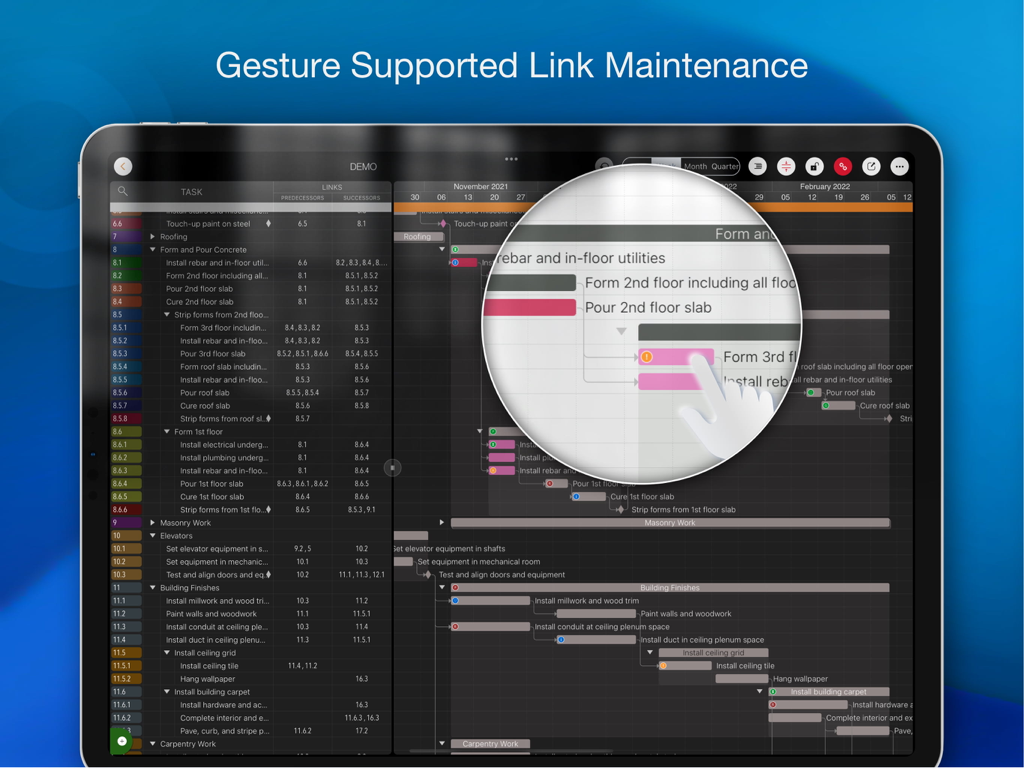
QuickPlanプロジェクト管理アプリのiPad画面。ガントチャート上のジェスチャー対応リンクメンテナンスを実演。

QuickPlanプロジェクト管理アプリのiPad画面。ガントチャート上のジェスチャー対応リンクメンテナンスを実演。

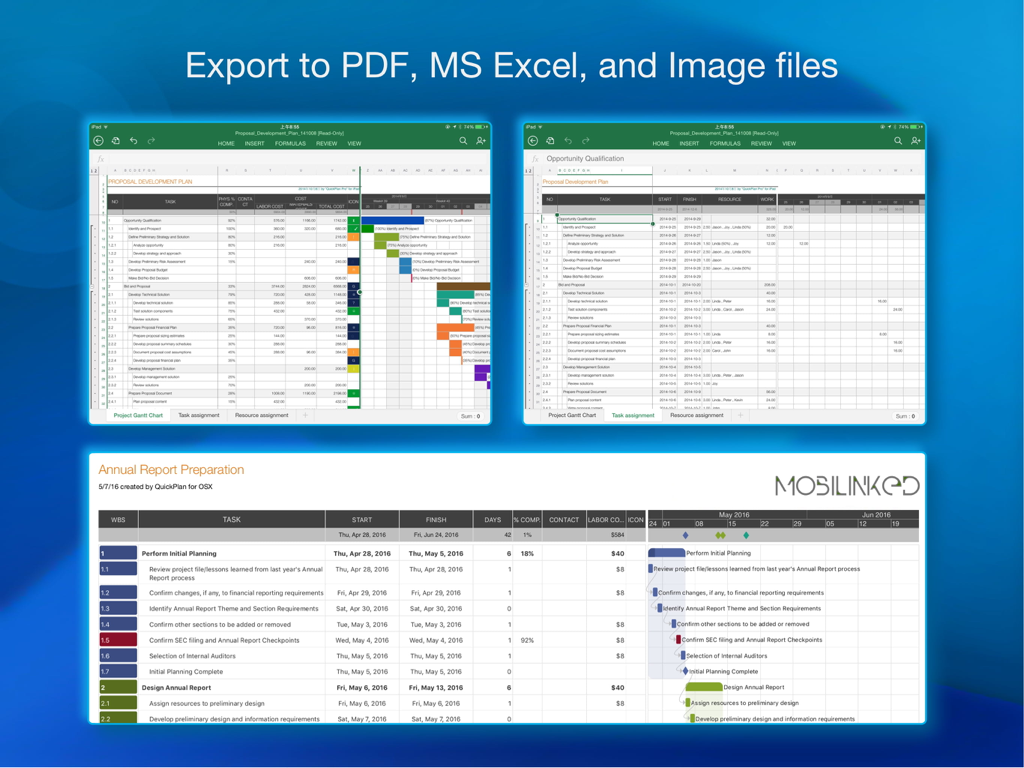
QuickPlan Basicプロジェクト計画のPDF、MS Excel、画像ファイルへのエクスポートオプションを示すiPadスクリーンショット。

QuickPlan Basicプロジェクト計画のPDF、MS Excel、画像ファイルへのエクスポートオプションを示すiPadスクリーンショット。

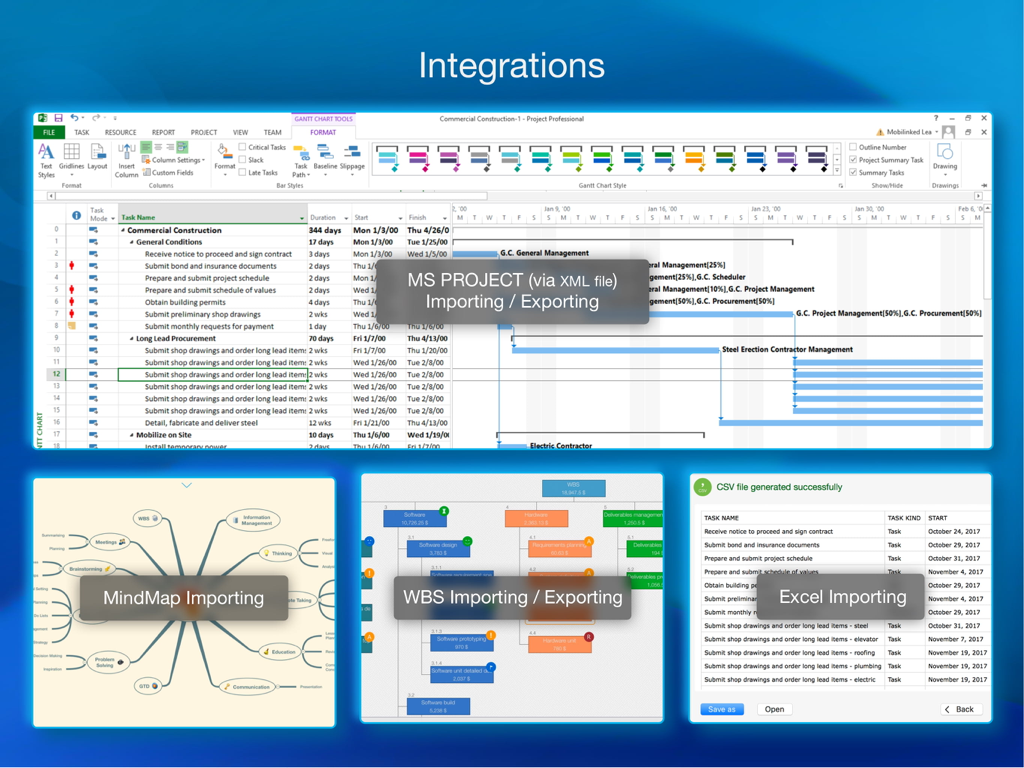
MS Project XML、MindMap、WBS、Excelのインポートおよびエクスポートオプションを示すQuickPlan統合の概要。

MS Project XML、MindMap、WBS、Excelのインポートおよびエクスポートオプションを示すQuickPlan統合の概要。

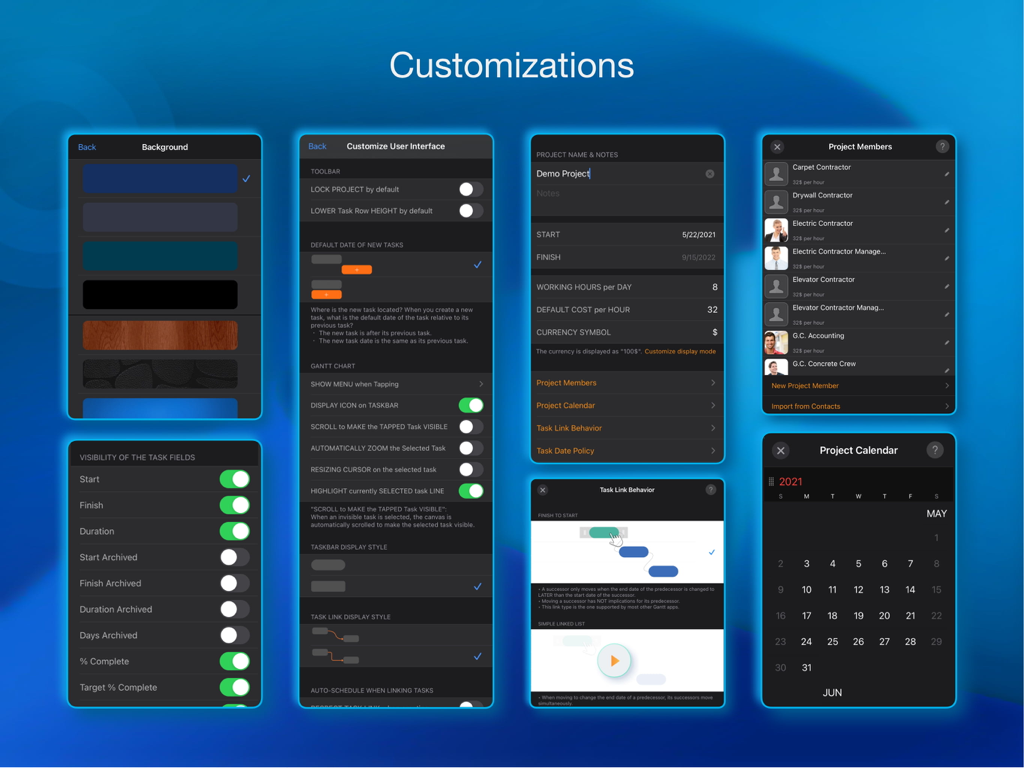
UI背景、プロジェクトメンバー、タスクの動作に関するさまざまなプロジェクト管理カスタマイズ設定を示すアプリ画面のコレクション。

UI背景、プロジェクトメンバー、タスクの動作に関するさまざまなプロジェクト管理カスタマイズ設定を示すアプリ画面のコレクション。

精密にタイムラインをマスターする

このアプリを際立たせるツール、 102K+ 人のユーザーが選択.

👆

触覚的なガント計画

煩雑なメニューはもう不要です。自然なジェスチャーを使って、チャート上で直接タスクを作成、リンク、移動できます。複雑なスケジューリングが直感的で流れるように感じられます。

📂

シームレスなOffice統合

現場とオフィスのギャップを埋めます。Microsoft Project、Excel、PDFと完全に互換性があり、チームがあらゆるプラットフォームで同期を保てるようにします。

🛡️

プライバシーとオフライン制御

あなたのデータ、あなたのルール。プロジェクトはローカルまたはプライベートなiCloud、Dropbox、OneDrive経由で保存—サードパーティサーバーや常時インターネット接続は不要です。

世界中のユーザーに愛されています

Trusted by 102K+ 人がこのアプリを愛用しています.

"

"ついに、現場で私が働くのと同じくらい一生懸命働くプロジェクトツールが登場しました。iPadの自然なジェスチャーだけで建設タイムラインを調整できるのは、まさにゲームチェンジャーです。移動中に依存関係を更新し、現場を離れる前にPDFレポートを foreman にAirDropできます。これにより、現場訪問のために重いラップトップを持ち運ぶ必要がなくなりました。"

James R.、シニアサイトスーパーインテンデント
"

"独立コンサルタントとして、プロフェッショナルに見え、迅速に行動する必要があります。QuickPlanを使えば、コーヒーミーティング中にリアルタイムでクライアントと複雑なプロジェクトロードマップをブレインストーミングできます。MS Projectのエクスポートは完璧で、サブスクリプションの面倒なしに企業のクライアントのシステムに統合できます。さらに、ローカルストレージのプライバシーはクライアントに安心感を与えます。"

Sarah L.、戦略ビジネスコンサルタント

アプリについて

について知っておくべきこと QuickPlan Basic - Project Plan.

説明

Project planning has never been easier. Project management with natural gestures on the Gantt chart, synchronization and sharing of projects across multiple devices and teams, and support for integration with Microsoft Project Plan. *** This is the BASIC edition with some in-app purchases. *** Get this edition if you only need the basic features for project planning. For all the features, get the **PRO** edition with a one-time payment by searching "QuickPlan, Project Gantt Chart" in App Store or visiting https://quickplan.app/getapps. ## PRIVACY FOCUSED Projects are saved locally on the device or in iCloud Drive, developer team does not have a server to store user-created data. With NATURAL GESTUREs on a clean and elegant interface, project management is more accessible, faster and more efficient than ever before. Visualize, manage and simplify projects flexibly and efficiently with Gantt charts, outline list and property editor, create tasks, organize your project calendar and resources, track status. It's easier than you think, with a minimum of effort and learning. QuickPlan app supports exporting projects to image, Excel, PDF, Microsoft Project and WBS files. AND to import projects from Microsoft Project, WBS and Mind-map files. The app supports synchronization of project plans between the same user's macOS and iOS devices and supports team collaboration via iCloud Drive. And it supports syncing and sharing via OneDrive and Dropbox. QuickPlan also supports duplicating projects by members for better teamwork. QuickPlan optimizes the best features of Microsoft Project Plan and brings them to iPad - without the complexity - providing users of all experience levels with an INTUITIVE and discoverable project management experience. ## EFFICIENT MAINTENANCE - Gestures for tasks: create, remove, move, indent and outdent, change order. - Gestures to zoom in and out, collapse and expand. - Keyboard shortcuts. - Batch input. - The most fluid Gantt chart app on a clean interface. ## STRONG PLANNING - Multiple Projects. - Supports duplication of the entire project and duplication by specific members. - Organize tasks into REAL task groups and sub-projects. - Task color, icon, contact, and required task fields. - Five levels of outline (plus sub-project, for a total of ten levels of outline). - Gesture-based management of task links. - Lock editing, row height. - Integration with the iOS Files app. - Manual and automatic project backup. - Project currency, charge rate, project resources, calendar, task date policy. ## TREE and LIST - Representation as a tree with support for displaying key paths. - Representation as a list with support for sorting and filtering. ## UI CUSTOMISATION - Customization of the task column title and visibility. - Style of the task bar. ## REPORTING - Export as image, PDF and Microsoft Excel (including three sheets). - With options to customize the output. ## SYNC - Sync projects between iOS and Mac devices via iCloud Drive, OneDrive and Dropbox. ## TEAM COLLABORATION - Sync between team members via iCloud Drive. ## INTEGRATION - Export and import Microsoft Project XML files. - Import and export SwiftApp WBS files. - Import from Microsoft Excel files. - Import from iThought Map files. ## SHARE - Supports Airdrop, OneDrive, Dropbox. ## TEAMWORK - Create a new project by exporting tasks for the selected project members. ## NOTIFICATION - Widget to track ongoing tasks (iOS 14 or later). - Today widget and Local Notification. The best project planning app for iPad. - Initialize, discuss, present and share your plan. - Export it to Microsoft Project Plan to work on it PC. - Strategic Planning. - Import MS Project XML file and reports, tracking. - Plan actions in meetings, confirm. - Guide employees.

最新バージョン

17.0

サイズ

99.5 MB

リリース日

2014年1月7日

どこでもプロジェクトを自在にコントロール

デスクトップソフトウェアの複雑さから解放され、iPad上で最も直感的なガントチャートを手に入れた100,000人以上のプロフェッショナルに加わりましょう。今すぐ無料で計画を始めましょう。

ダウンロード: App Store