Office Word Editor:Docs, Share

Office Word Editor:Docs, Share

ダウンロード: App Store
Spark by MWM logo
ロゴ: Office Word Editor:Docs, Share
Office Word Editor:ドキュメント、共有 – どこにいてもプロフェッショナルなドキュメント編集

強力な書式設定ツール、リアルタイムコラボレーション、シームレスなマルチクラウド統合により、オフラインでもiPhoneとiPadでワークフローをマスターしましょう。

ダウンロード: App Store

開発元

PixelRis Inc.

カテゴリ

Productivity

ダウンロード

124K+

ユーザー評価

4.2/5

評価数

100

対応言語

17

アクション中のモバイルオフィス

このインターフェースを利用する 124K+ 人のユーザー.

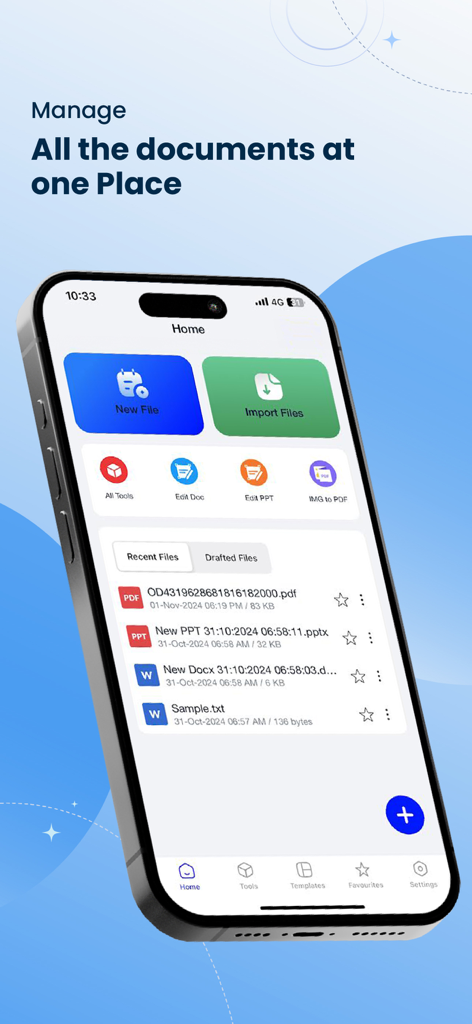
iPhoneでファイル管理と編集ツールを表示するOffice Word Editorアプリのホーム画面

iPhoneでファイル管理と編集ツールを表示するOffice Word Editorアプリのホーム画面

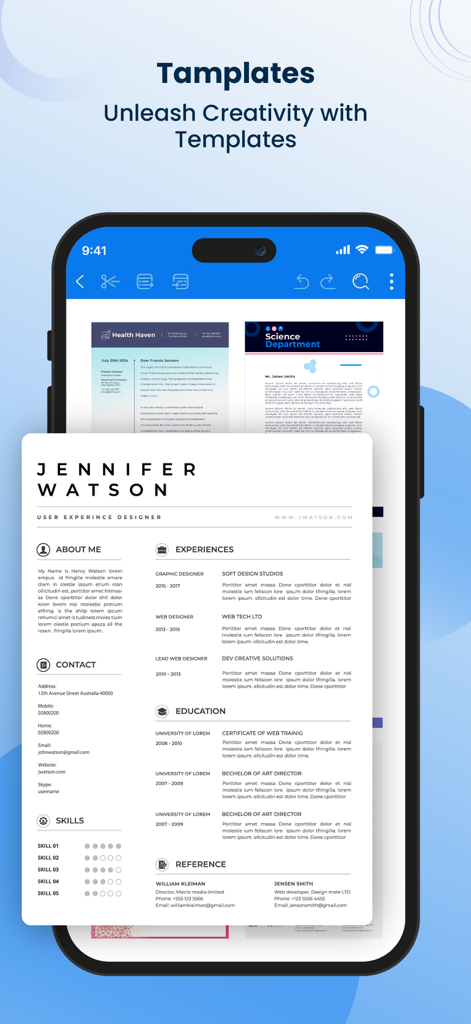
履歴書やニュースレターを含むプロフェッショナルなドキュメントテンプレートを表示するモバイルアプリインターフェイス。

履歴書やニュースレターを含むプロフェッショナルなドキュメントテンプレートを表示するモバイルアプリインターフェイス。

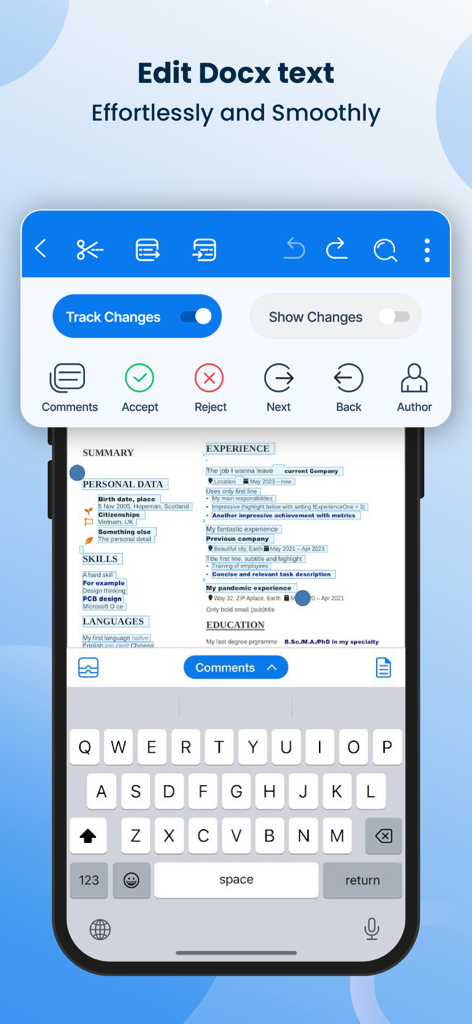
変更履歴とレビューツールを表示するWordドキュメント編集用のモバイルアプリインターフェイス

変更履歴とレビューツールを表示するWordドキュメント編集用のモバイルアプリインターフェイス

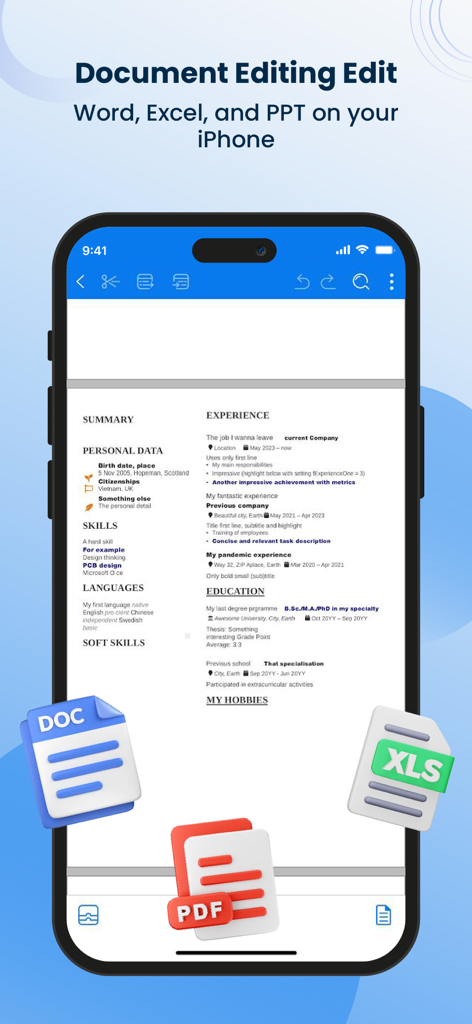
DOC、PDF、XLSファイルアイコンが表示されたOffice Word Editorアプリで編集中の履歴書を表示するiPhone画面。

DOC、PDF、XLSファイルアイコンが表示されたOffice Word Editorアプリで編集中の履歴書を表示するiPhone画面。

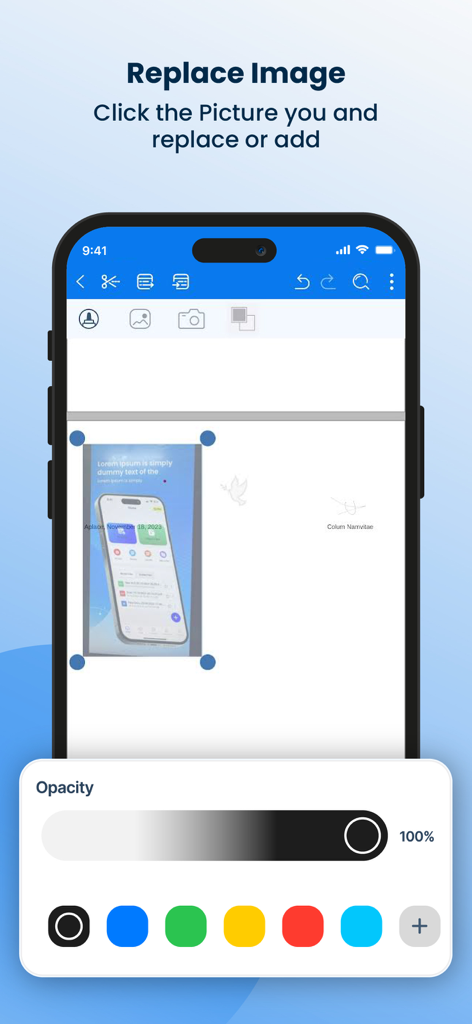
スマートフォンで画像の置換と透明度コントロールを表示するWordドキュメントエディターインターフェイス。

スマートフォンで画像の置換と透明度コントロールを表示するWordドキュメントエディターインターフェイス。

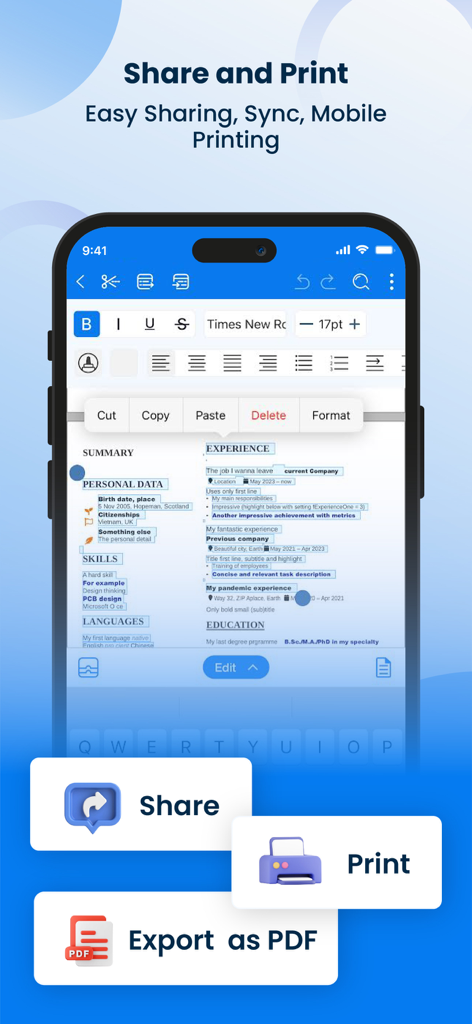
共有、印刷、PDFとしてのエクスポートボタンが表示されたドキュメント編集ツールを表示するOffice Word Editorアプリインターフェイス。

共有、印刷、PDFとしてのエクスポートボタンが表示されたドキュメント編集ツールを表示するOffice Word Editorアプリインターフェイス。

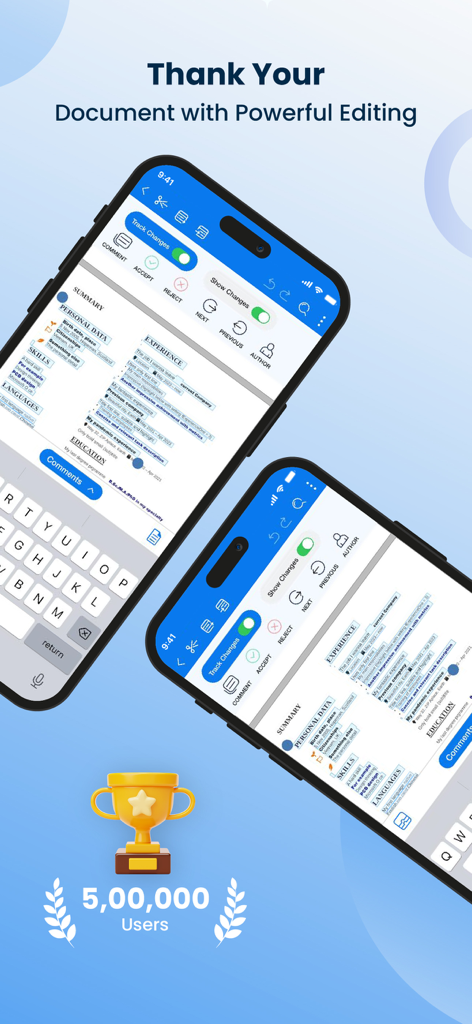
変更履歴機能付きのワード文書編集用のモバイルアプリインターフェイス

変更履歴機能付きのワード文書編集用のモバイルアプリインターフェイス

外出先でワークフローをマスター

このアプリを際立たせるツール、 124K+ 人のユーザーが選択.

🔄

シームレスなマルチクラウドアクセス

オフラインでも機能する直感的なインターフェイスで、iCloud、Google Drive、Dropbox間の作業を橋渡しします。

プロフェッショナルな書式設定ツール

モバイルデバイスでデスクトップレベルの精度を手に入れましょう。レイアウトを調整し、リッチスタイルを適用し、変更履歴を追跡して、プロジェクトを洗練された状態に保ちます。

📩

インスタントPDF&ファイルエクスポート

数秒でドキュメントを完成させましょう。PDF、DOCX、またはHTMLにエクスポートして、編集が完了した瞬間にメールやメッセージングアプリ経由でクライアント向けのファイルを送信できます。

世界中のユーザーに愛されています

Trusted by 124K+ 人がこのアプリを愛用しています.

"

"常に移動しているフリーランスのコンサルタントとして、このアプリはまさに私が求めていたものでした。すぐに開き、DropboxやiCloudとの統合もシームレスです。電車の中で提案書を磨き、数秒でPDFにエクスポートできます。デスクトップ中心の代替手段よりも大幅に高速で直感的です。"

Sarah J.
"

"大学ではすべてiPadで行っており、Word Editorはエッセイの主要なツールになりました。書式設定の精度は信じられないほどです。PCと同じように余白やスタイルを管理できます。さらに、オフラインモードは、飛行機内やWi-Fiが不安定な場所で課題を完了するためのゲームチェンジャーです。"

David L.

アプリについて

について知っておくべきこと Office Word Editor:Docs, Share.

説明

Word Editor is a powerful iOS app designed to provide a comprehensive editing experience for Word documents on your mobile device. With its intuitive interface and robust set of features, Word Editor allows you to seamlessly create, edit, and collaborate on Word documents anytime, anywhere. Whether you're a student, professional, or simply need to work on the go, Word Editor is your go-to solution for editing Word documents on iOS. Key Features: 1. Document Creation and Editing: Create new Word documents or import existing ones from cloud storage services like iCloud, Dropbox, or Google Drive. Edit text, format fonts, apply styles, and modify layouts effortlessly. 2. Rich Formatting Options: Take full control of your document's appearance with a wide range of formatting tools. Adjust font styles, sizes, colors, and apply bold, italic, underline, or strikethrough effects. Format paragraphs with alignment, indentation, and line spacing options. 3. Document Collaboration: Seamlessly collaborate with others by sharing documents via email, AirDrop, or cloud storage services. Enable real-time co-editing to work simultaneously with teammates and track changes for easy review. 4. Review and Comments: Add comments, annotations, and track changes within the document. Efficiently review and address feedback from collaborators, ensuring a smooth editing process. 5. Document Management: Organize your documents into folders, rename files, and easily search for specific documents using keywords or file names. Sort and filter documents based on creation date, modification date, or alphabetical order. 6. File Compatibility: Word Editor supports a wide range of Word document formats, ensuring compatibility with files created on various platforms. Open and edit DOC, DOCX, and RTF files seamlessly. 7. Offline Editing: Enjoy the flexibility to work on your documents even without an internet connection. Edit offline, and once you're back online, the app will automatically sync your changes. 9. File Export and Sharing: Export your edited documents as Word files, PDFs, or HTML. Share them via email, messaging apps, or save them to cloud storage for easy sharing and collaboration. Benefits: 1. Enhanced Mobility: Edit Word documents on the go using your iPhone or iPad, without the need for a computer. Stay productive and make edits whenever inspiration strikes. 2. Seamless Collaboration: Collaborate with colleagues, classmates, or clients in real-time, improving productivity and streamlining the editing process. 3. Convenient Editing Tools: Enjoy a feature-rich editing experience with a comprehensive set of formatting options, making it easy to create professional-looking documents on your iOS device. 4. Improved Organization: Keep your documents neatly organized, making it effortless to find and access specific files whenever you need them. 5. Compatibility and Flexibility: Work with various Word document formats, ensuring that you can seamlessly edit files created on different platforms and share them without compatibility issues. 6. Offline Access: Work on your documents even when you're offline, ensuring uninterrupted productivity, regardless of your internet connection. 7. Data Security: With cloud sync and backup, your documents are securely stored, preventing data loss and providing peace of mind. 3-DAY FREE TRIAL • Try out all paid features free for 3 days • Select a plan that best suits your needs • Cancel anytime without any obligations Yearly - Monthly plans at 499 Rs/Month & Yearly Plans at 2999 Rs/Year Subscription will be charged to your credit card through your App Store account. Your subscription will automatically renew unless canceled at least 24 hours before the end of the current period. Terms of use - https://sites.google.com/view/textmagnifier-termsofuse/home

最新バージョン

1.0.36

サイズ

233.7 MB

リリース日

2023年8月8日

どこでも生産性を向上させましょう

強力なモバイルオフィスに変身したiPhoneとiPadを利用する124,000人以上のプロフェッショナルや学生に参加しましょう。3日間の無料トライアルを開始して、シームレスな編集、オフラインアクセス、マルチクラウド統合の自由を体験してください。

ダウンロード: App Store
FAQ

よくある質問

について知っておくべきこと Office Word Editor:Docs, Share

Office Word Editor:Docs, Shareとは何ですか?

Office Word Editor:Docs, Shareは、Word文書を包括的に編集するためのiOSアプリです。モバイルデバイス上で直接Wordファイルを作成、編集、共同作業することができます。

Office Word Editor:Docs, Shareで新しいWord文書を作成できますか?

はい、Office Word Editor:Docs, Shareは新しいWord文書の作成をサポートしています。iCloud、Dropbox、Google Driveなどのクラウドストレージサービスから既存の文書をインポートすることもできます。

Office Word Editor:Docs, Shareはリアルタイム共同編集をサポートしていますか?

はい、Office Word Editor:Docs, Shareはリアルタイム共同編集を可能にします。文書を電子メールまたはクラウドサービス経由で共有することで、チームメンバーが行ったすべての変更を追跡しながら同時に共同作業することができます。

Office Word Editor:Docs, Shareと互換性のあるファイル形式は何ですか?

Office Word Editor:Docs, Shareは、幅広いWord文書形式をサポートしています。DOC、DOCX、RTFファイルをシームレスに開き、編集できるため、さまざまなプラットフォームとの互換性が保証されます。

Office Word Editor:Docs, Shareを使用して、インターネット接続なしで文書を編集できますか?

はい、Office Word Editor:Docs, Shareはオフライン編集を可能にします。インターネット接続がない状態でも文書を編集でき、接続が復旧するとアプリが自動的に変更を同期します。

Office Word Editor:Docs, Shareは無料トライアルを提供していますか?

はい、Office Word Editor:Docs, Shareは3日間の無料トライアルを提供しています。このトライアル期間中は、事前の義務なしにアプリケーションのすべての有料機能にアクセスして体験することができます。

Office Word Editor:Docs, Shareのサブスクリプション料金はいくらですか?

無料トライアルの後、Office Word Editor:Docs, Shareは、月額プランの場合は月額499ルピー、年額プランの場合は年額2999ルピーです。サブスクリプションはApp Storeアカウントを通じて請求されます。

Office Word Editor:Docs, Shareで変更を追跡したり、コメントを追加したりできますか?

はい、Office Word Editor:Docs, Shareには堅牢な文書レビューツールが含まれています。ユーザーは、文書内にコメント、注釈を追加したり、変更を追跡したりできるため、効率的なフィードバックと編集プロセスが可能になります。

Office Word Editor:Docs, ShareでファイルをPDFにエクスポートできますか?

はい、Office Word Editor:Docs, Shareを使用すると、文書をPDFとしてエクスポートできます。また、ファイルをWord文書またはHTMLとしてエクスポートし、電子メールまたはメッセージングアプリ経由で共有することもサポートしています。

Office Word Editor:Docs, Shareは文書テンプレートを提供していますか?

はい、Office Word Editor:Docs, Shareは文書テンプレートを提供しています。ユーザーはこれらのテンプレートにアクセスして、さまざまな目的に合わせたプロフェッショナルな文書を迅速に作成できます。