OrgChart - Organization Chart

OrgChart - Organization Chart

ダウンロード: App Store
Spark by MWM logo
ロゴ: OrgChart - Organization Chart
OrgChart: 描画の手間なく、組織図を楽々作成

手作業での線や図形の描画に時間を浪費するのはやめましょう。直感的なジェスチャーとシームレスなiCloud同期で、iPad上でプロフェッショナルなチーム構造を自動で作成、管理、エクスポートできます。

ダウンロード: App Store

開発元

皓 李

カテゴリ

Business

ダウンロード

127K+

ユーザー評価

4.6/5

評価数

1K+

対応言語

-

プロフェッショナルな明確さ、視覚化

このインターフェースを利用する 127K+ 人のユーザー.

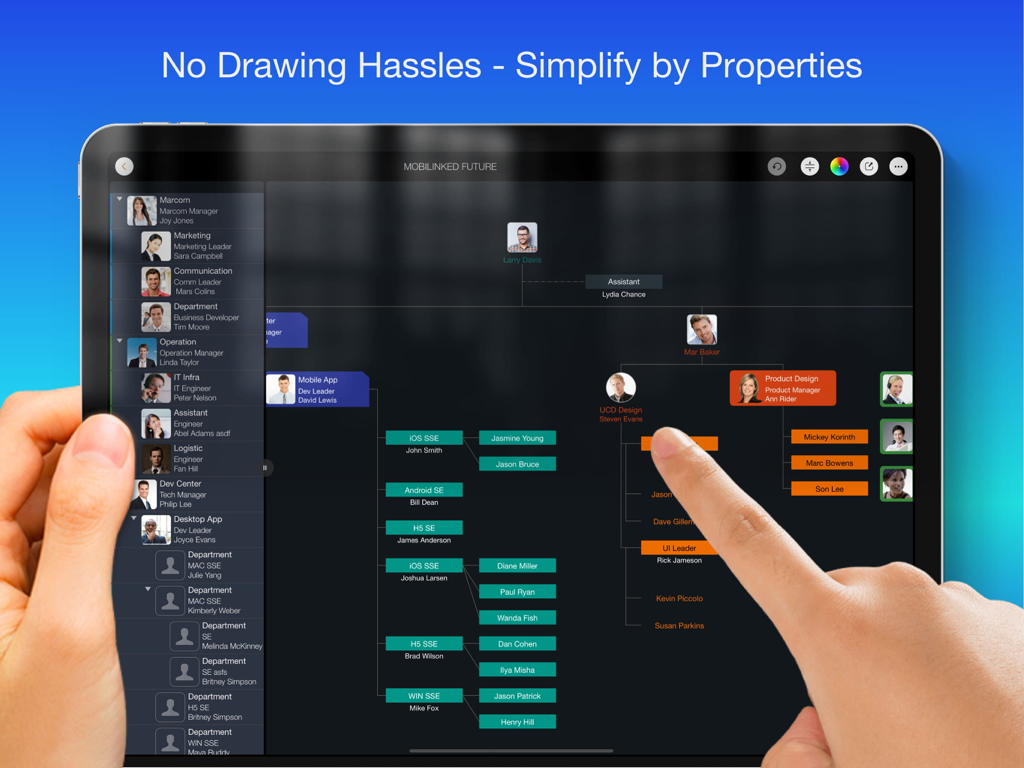
従業員の写真とカラフルな部署の枝を持つプロフェッショナルな組織図を表示するiPad画面

従業員の写真とカラフルな部署の枝を持つプロフェッショナルな組織図を表示するiPad画面

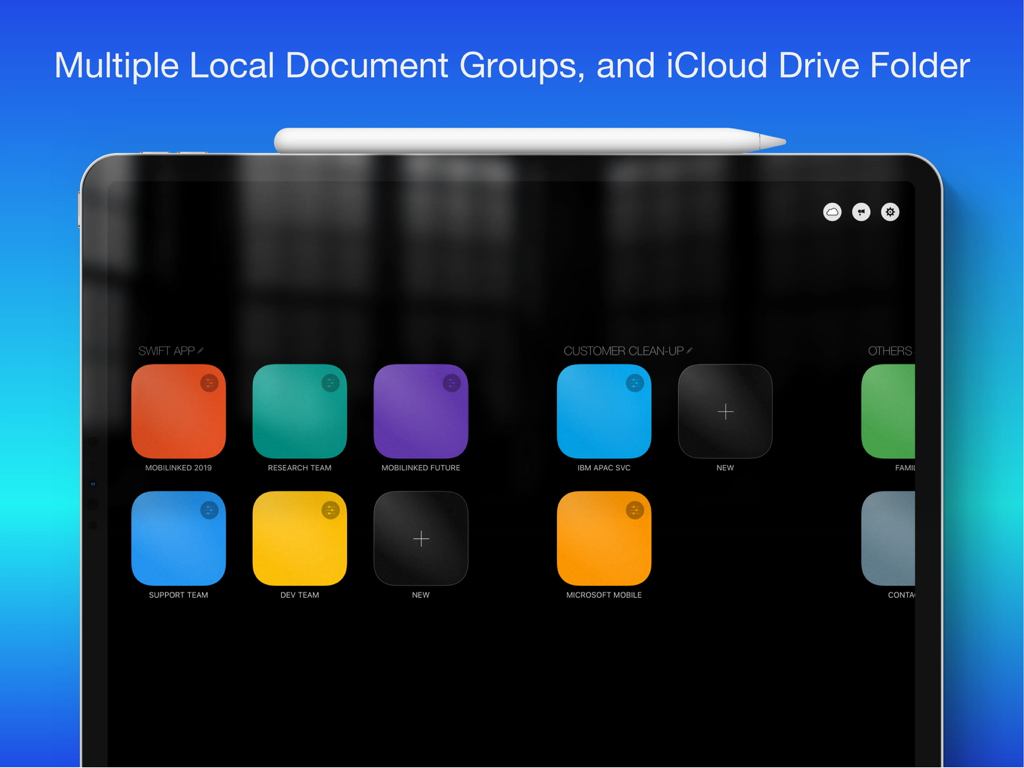
複数のドキュメントグループとiCloud Drive連携を示すOrgChart iPadアプリのダッシュボード

複数のドキュメントグループとiCloud Drive連携を示すOrgChart iPadアプリのダッシュボード

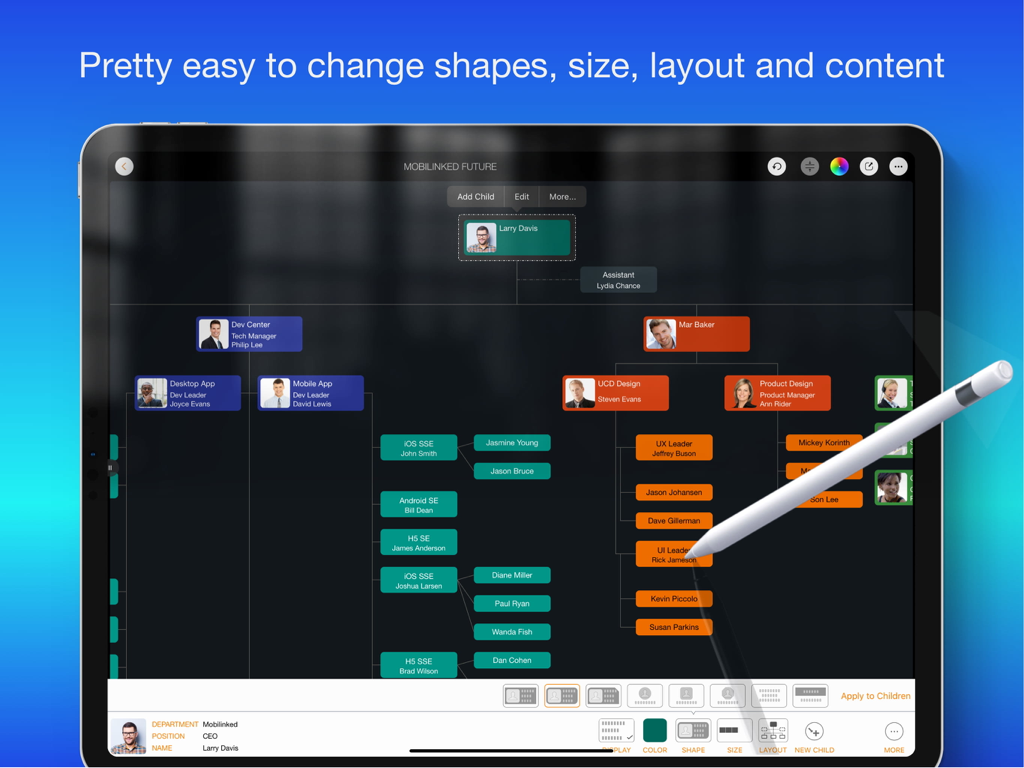
Apple Pencilで編集中のOrgChart iPadアプリのプロフェッショナルな組織図

Apple Pencilで編集中のOrgChart iPadアプリのプロフェッショナルな組織図

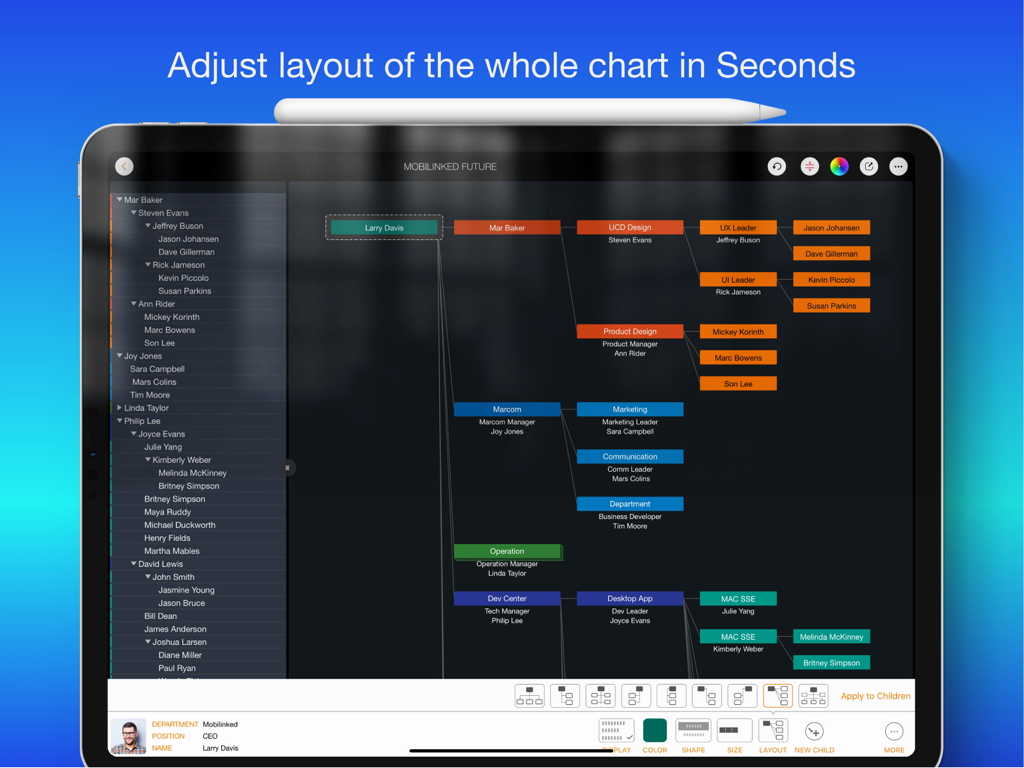
色分けされたボックスと下部にあるレイアウト調整メニューを備えたマルチレベルの組織図を示すiPad上のOrgChartアプリのスクリーンショット

色分けされたボックスと下部にあるレイアウト調整メニューを備えたマルチレベルの組織図を示すiPad上のOrgChartアプリのスクリーンショット

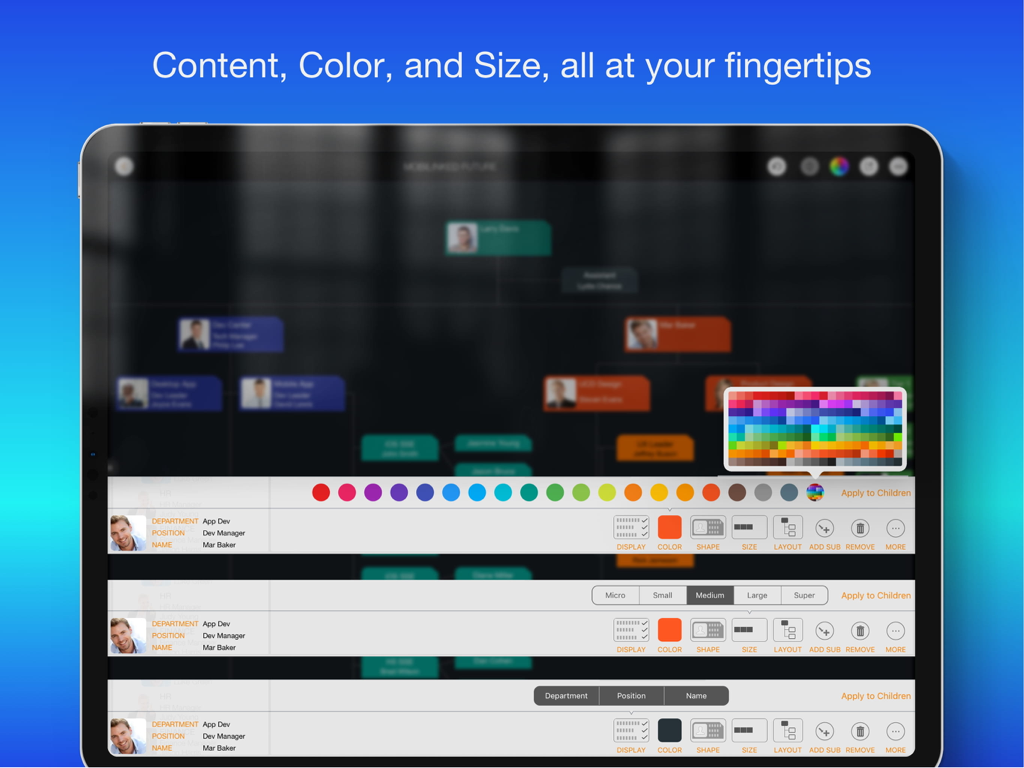
カラーパレットやユニットサイズ設定など、組織図のカスタマイズオプションを示すiPad画面

カラーパレットやユニットサイズ設定など、組織図のカスタマイズオプションを示すiPad画面

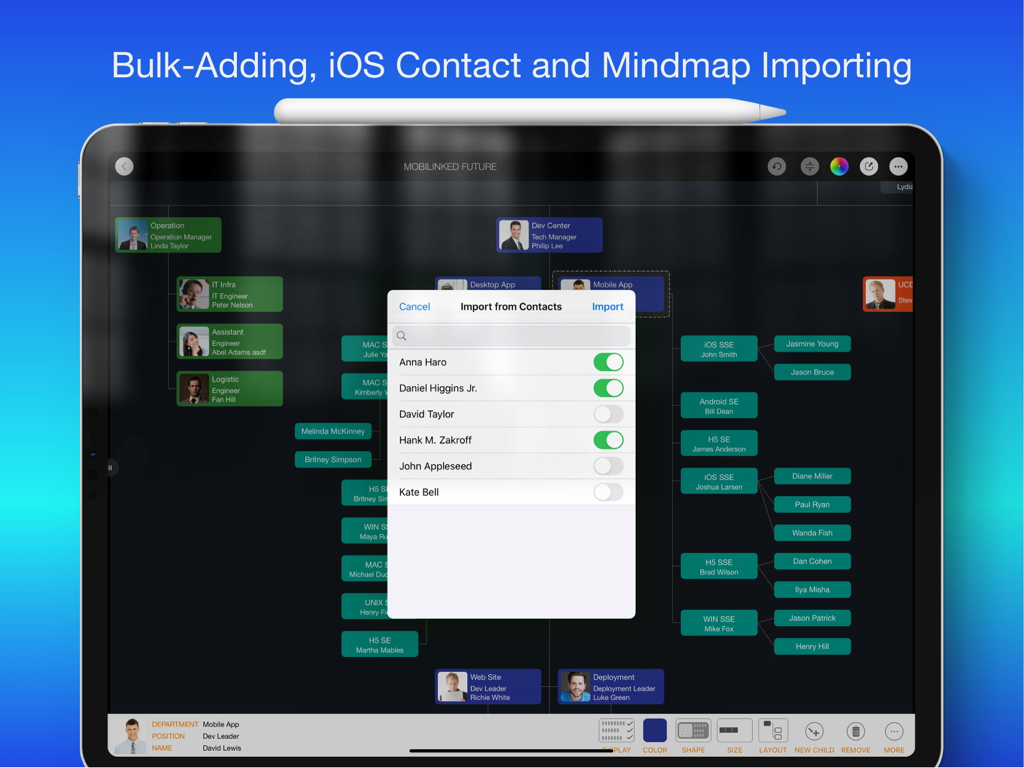
プロフェッショナルな組織図にiOS連絡先から人をインポートするためのポップアップを示すiPad上のOrgChartアプリのインターフェイス

プロフェッショナルな組織図にiOS連絡先から人をインポートするためのポップアップを示すiPad上のOrgChartアプリのインターフェイス

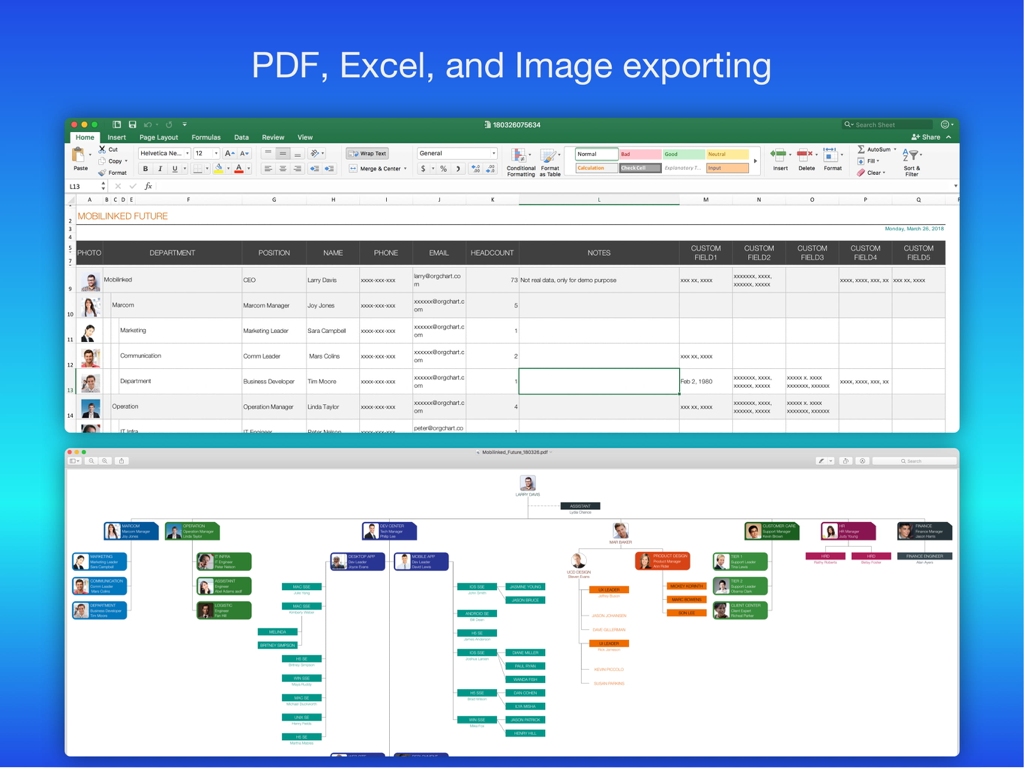
ExcelスプレッドシートとPDFビジュアルダイアグラムへのデータエクスポートオプションを示す組織図アプリ

ExcelスプレッドシートとPDFビジュアルダイアグラムへのデータエクスポートオプションを示す組織図アプリ

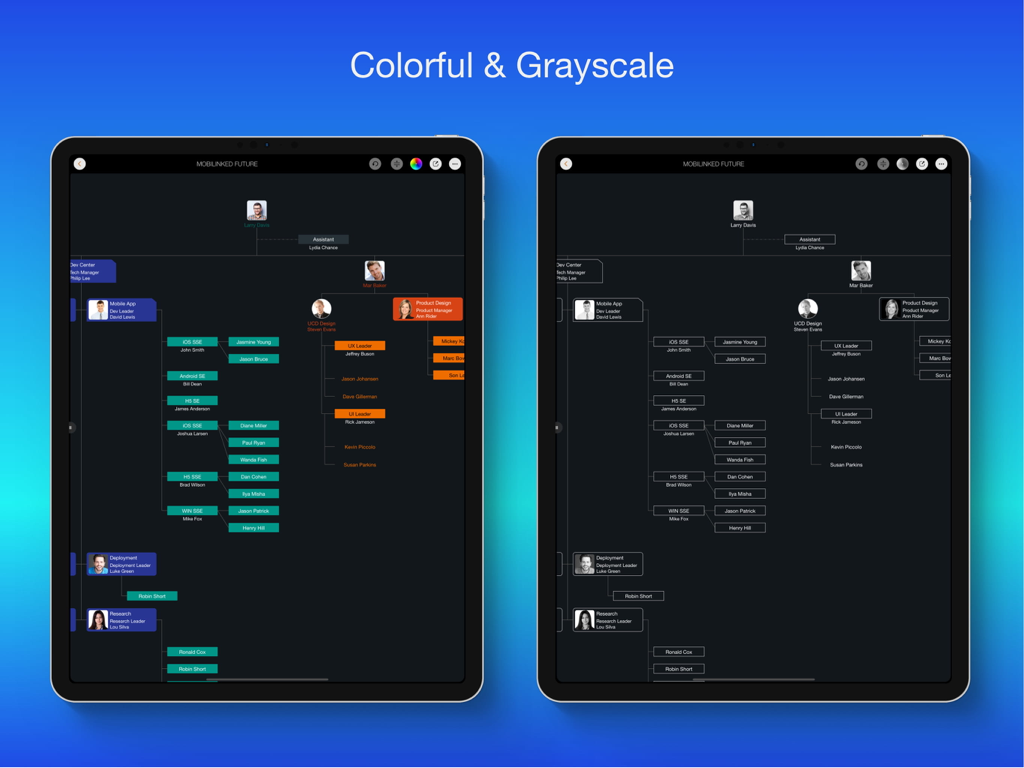
iPad画面でのカラフルな組織図とグレースケール組織図の比較

iPad画面でのカラフルな組織図とグレースケール組織図の比較

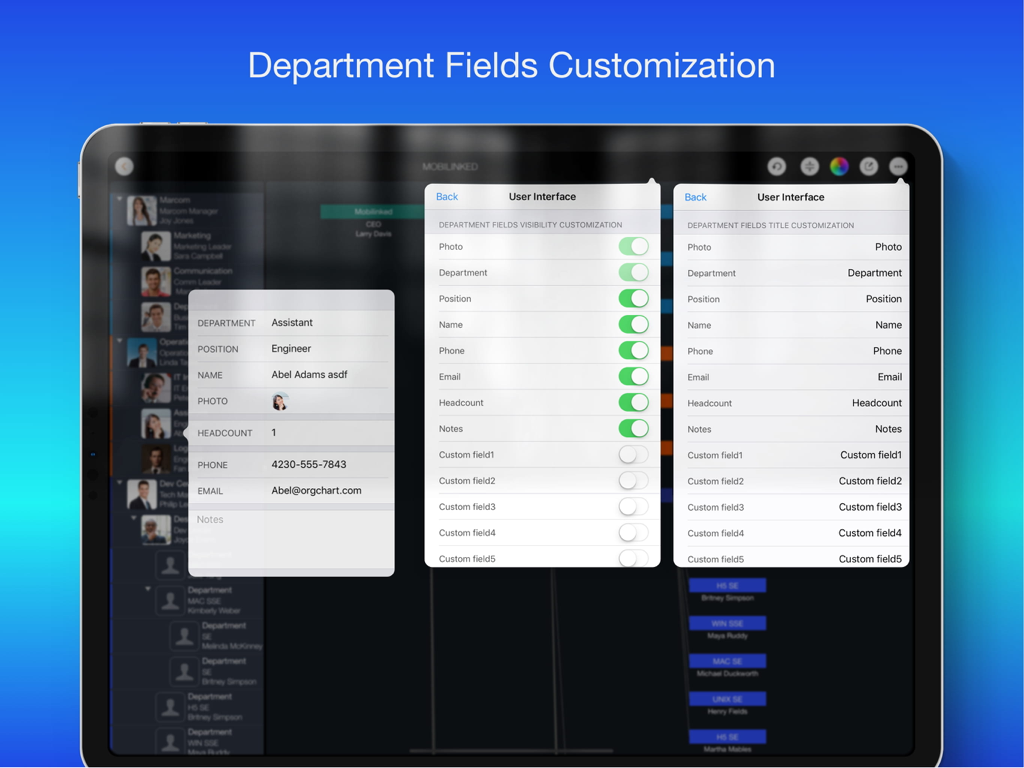
部署フィールドの表示とタイトルのカスタマイズ設定を示すOrgChart iPadアプリの画面

部署フィールドの表示とタイトルのカスタマイズ設定を示すOrgChart iPadアプリの画面

成功を、楽に可視化

このアプリを際立たせるツール、 127K+ 人のユーザーが選択.

🪄

自動レイアウト、描画不要

PowerPointの図形と格闘するのはやめましょう。データを入力するだけで、当社のエンジンが完璧に配置された組織構造を瞬時にレンダリングします。

📄

エグゼクティブ向けレポート

数秒でチャートをプロフェッショナルなPDF、Excel、または画像ファイルに変換できます。役員会議のプレゼンテーション、部門監査、または関係者へのアップデートに最適です。

📱

iPadファーストの生産性

自然なタッチジェスチャーを使用して複雑な階層を管理します。iCloud経由でデバイス間でデータを安全に同期し、機密性の高い人員情報をプライベートに保ちます。

世界中のユーザーに愛されています

Trusted by 127K+ 人がこのアプリを愛用しています.

"

"ついに、描画の趣味ではなく、会社を経営しなければならないことを理解してくれるアプリが登場しました!iPad Proでの簡単なジェスチャーで200人規模の組織全体の階層を更新できるのは、週次の取締役会レポートにとってまったくのゲームチェンジャーです。数時間かかる手作業が、数分で簡単な更新になります。"

Sarah Jenkins, Director of Operations
"

"OrgChartは、あらゆるプロジェクトリーダーにとって新鮮な空気です。以前は、チームメンバーが異動するたびにPowerPointで何時間も線やボックスと格闘していました。今では、スワイプするだけで階層を変更でき、アプリがレイアウトを完璧に処理してくれます。PDFエクスポートはプロフェッショナルで、すぐにプレゼンテーションに使用できます。"

Marcus Chen, Senior Project Manager

アプリについて

について知っておくべきこと OrgChart - Organization Chart.

説明

Please use OrgChartX: Search OrgChartX in App Store or visit https://orgchartx.mbl.app. OrgChartX is the modern, unified upgrade for iPhone, iPad, Mac & Vision Pro. This app stays for legacy users. Painless Organization Chart Creation - Simplify the maintenance, presentation, synchronization and sharing of organizational charts without having to deal with complicated drawings - OrgChart helps you render the shapes and place them in the right place automatically. ** NO DRAWING HASSLES ** With OrgChart, you don't have to waste time drawing shapes and connecting lines. OrgChart does it for you automatically. Just enter an element and customize its color, shape, size, text, and layout. OrgChart gives you an INTUITIVE and user-friendly interface to manage your org charts. ** TREE structure ONLY ** OrgChart is THE easy-to-use organizational chart app for iPad. Visualize, maintain and simplify organizational elements in a TREE structure. ## PRIVACY FOCUSED Your projects are stored on your device or in iCloud Drive, as you prefer. ## PRODUCTIVITY FOCUSED * Image, MS Excel and PDF export with options to customize the content. * Organizational charts can be synced between iOS and macOS devices via iCloud Drive. They can be shared as standalone files to other devices. * OrgChart supports sending people data directly to QuickPlan (https://itunes.apple.com/app/id621375878) as a project member. * Import from iOS contacts AND makes entering organization items easier, faster and more efficient. OrgChart is an innovative app that turns COMPLEXITY INTO SIMPLICITY. ## EFFICIENT MAINTENANCE - You do not need to draw manually anymore - you just need to set the visual styles of the elements. - Natural gestures to arrange parts, change element hierarchy, order, zoom, collapse, expand. - Bulk adding and importing iOS contacts. - The smoothest org chart app on a clean user interface. - Apply one visual style to all children. - In a clean user interface. ## STRONG MAINTENANCE - Multiple org charts organized in tile groups. - Maintain org charts in outline and diagram view. - Duplicate and import org charts. - Import an organizational unit from an iOS contact. - Batch input of organizational units. - Update unit properties - photo, unit name, job title, leader, phone, email, notes. - View organizational charts in color or black and white. - UNDO support. - Copy/paste support. - User interface customization options. ## FLEXIBILITY - Customization of title and visibility of department fields. - Visibility of department fields. - Color of department entries. - Nine layouts (customize where to place sub-items). - Eight shapes. - Size. - Three line styles. ## INTUITIVE - Pinch to zoom - Double tap to edit unit properties. - Long press to display the function menu. - Swipe left/right to change hierarchy. - Press and hold and swipe up/down to change the order and switch between groups. - Tap with two fingers to collapse/expand all groups together. ## REPORT - Export a full or partial org chart as an image, Excel, and PDF file (with PDF export options for PDF page size and zoom). - Export in color or black and white (automatic adjustment to current display color). ## SYNCHRONIZATION - Sync org charts between iOS and Mac devices via iCloud Drive. ## SHARE - Export org charts as .org files for sharing. - Share via email, airdrop, and third-party cloud apps. OrgChart is the best and only useful org chart app for Apple devices. ## USE CASES - Create an org chart for communication and presentation. - An option to manage personal contacts in a tree structure. - Change visual styles of existing org charts IN SECONDS, for different communication purposes. - Export a portion of a large org chart for presentation purposes. - Clean up the organization charts of customers and vendors. - Create a project team / new department / team. - Keep track of basic information of people in your team.

最新バージョン

5.12

サイズ

89.5 MB

リリース日

2014年4月10日

組織の階層をシンプルにする準備はできましたか?

手作業での描画の手間を省いた127,000人以上のリーダーに加わりましょう。今日、iPadとMacでプロフェッショナルなプレゼンテーション対応の組織図を作成できる、最も直感的でプライバシー重視のツールをダウンロードしてください。

ダウンロード: App Store