Parental Control App Kids360

Parental Control App Kids360

ダウンロード: App Storeダウンロード: Google Play
Spark by MWM logo
ロゴ: Parental Control App Kids360

Kids360:スクリーンタイムを健康的な習慣に変える

パワーゲームを終わらせ、子供たちが学習や運動を通してプレイ時間を獲得できるようにしましょう。アプリを管理し、GPS位置を追跡し、子供たちが実際に気に入るペアレンタルコントロールアプリでデジタルな安全を確保しましょう。

ダウンロード: App Store

開発元

ANKO SOLUTIONS LLC

カテゴリ

Utilities

ダウンロード

3M+

ユーザー評価

4.5/5

評価数

48K+

対応言語

31

バランスが機能している様子を見る

このインターフェースを利用する 3M+ 人のユーザー.

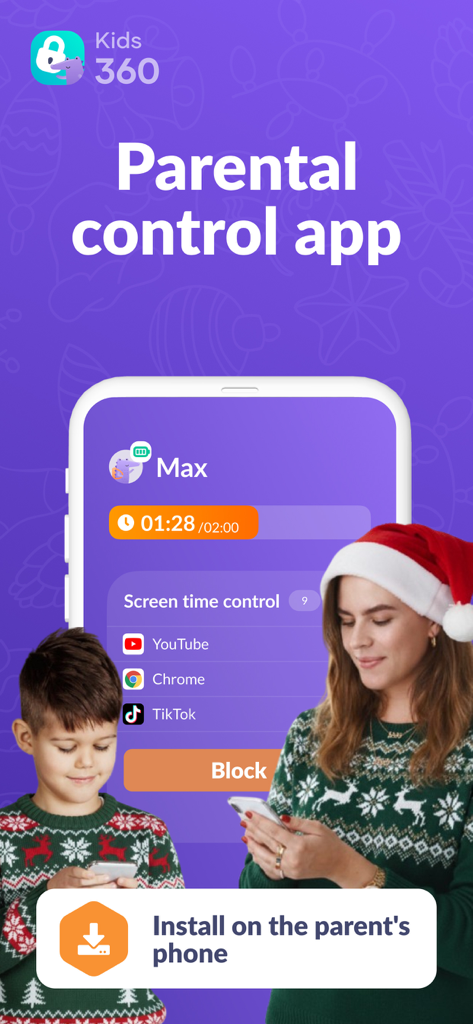
母親と息子がKids360ペアレンタルコントロールアプリを使用して、ホリデーシーズンのスクリーンタイムを管理している様子

母親と息子がKids360ペアレンタルコントロールアプリを使用して、ホリデーシーズンのスクリーンタイムを管理している様子

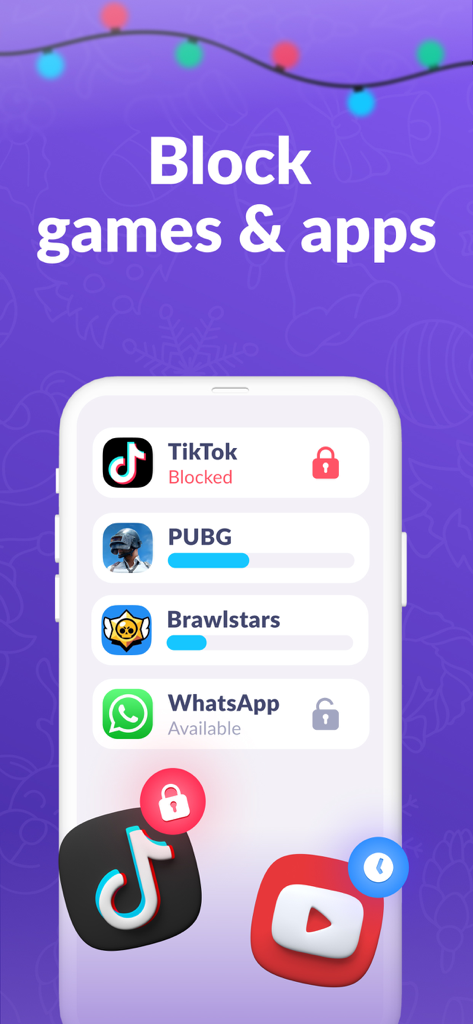
Kids360アプリのモバイルインターフェース。ブロックおよび制限されたゲームとソーシャルメディアアプリケーションのリストが表示されている。

Kids360アプリのモバイルインターフェース。ブロックおよび制限されたゲームとソーシャルメディアアプリケーションのリストが表示されている。

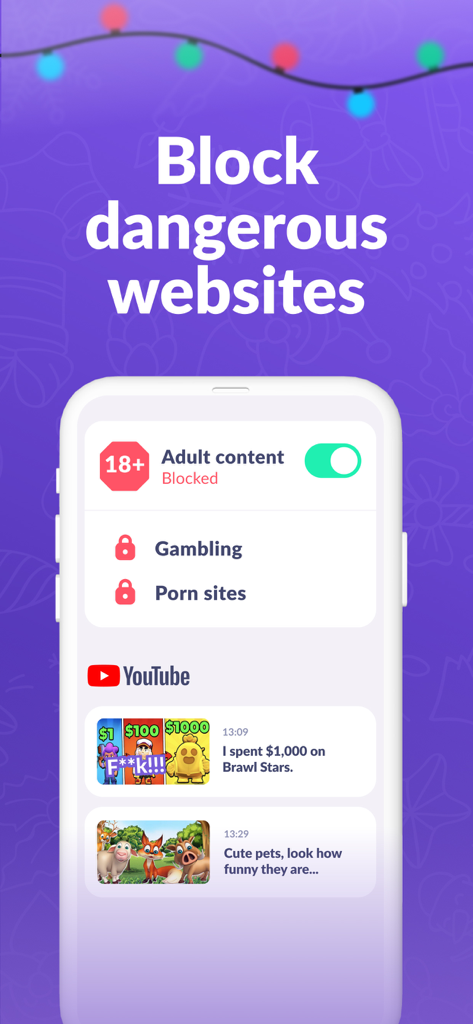
Kids360アプリのインターフェース。アダルトコンテンツをブロックし、子供のYouTube履歴を監視する方法を示している。

Kids360アプリのインターフェース。アダルトコンテンツをブロックし、子供のYouTube履歴を監視する方法を示している。

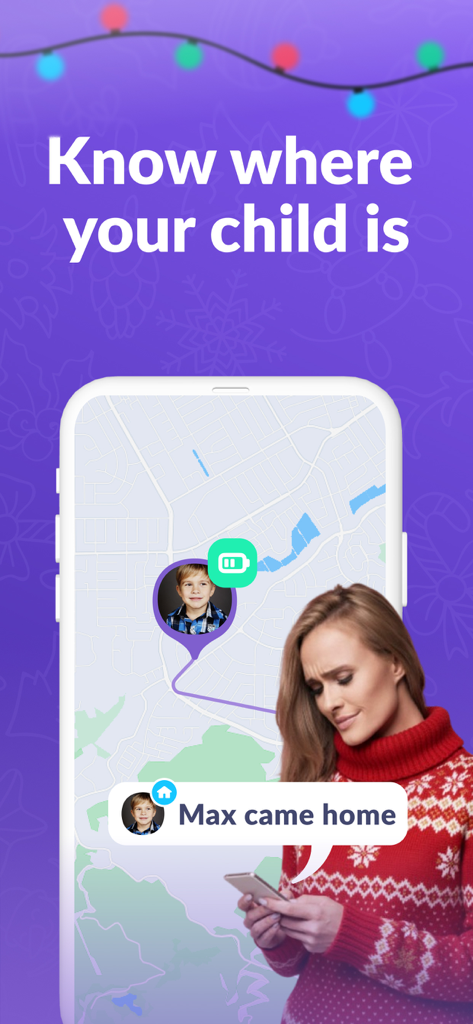
Kids360アプリのGPS追跡マップと、子供が家に到着したという通知が表示されているスマートフォンの画面

Kids360アプリのGPS追跡マップと、子供が家に到着したという通知が表示されているスマートフォンの画面

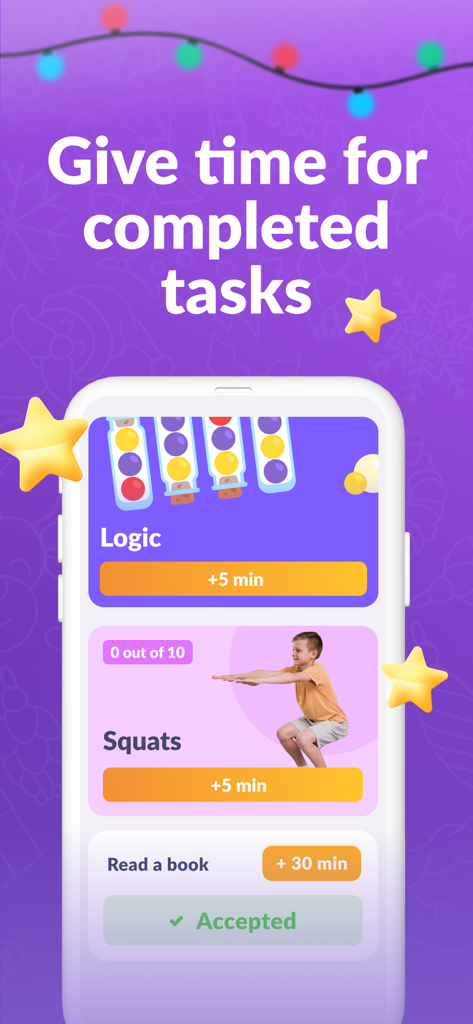
Kids360アプリのインターフェース。身体的および教育的なタスクに対するスクリーンタイムの報酬が表示されている。

Kids360アプリのインターフェース。身体的および教育的なタスクに対するスクリーンタイムの報酬が表示されている。

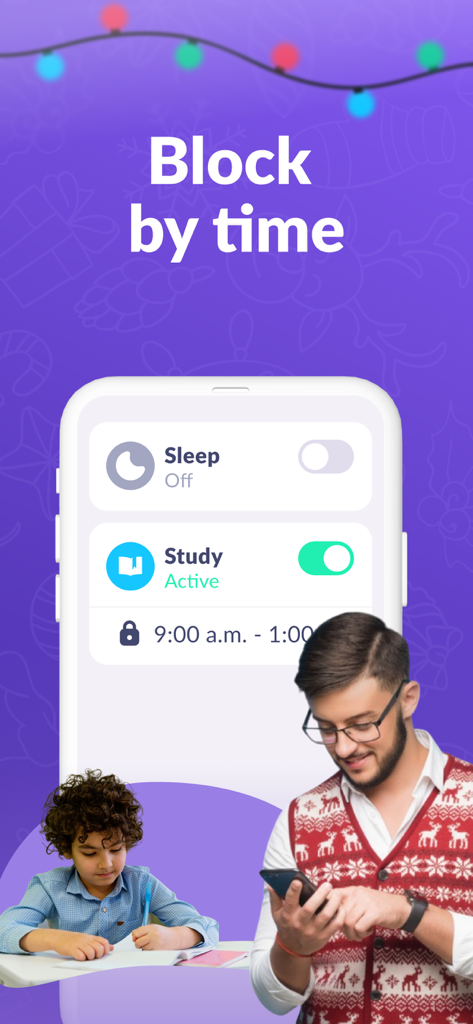
保護者がKids360アプリを使用して、子供が勉強している間にスクリーンタイムをスケジュールしている様子

保護者がKids360アプリを使用して、子供が勉強している間にスクリーンタイムをスケジュールしている様子

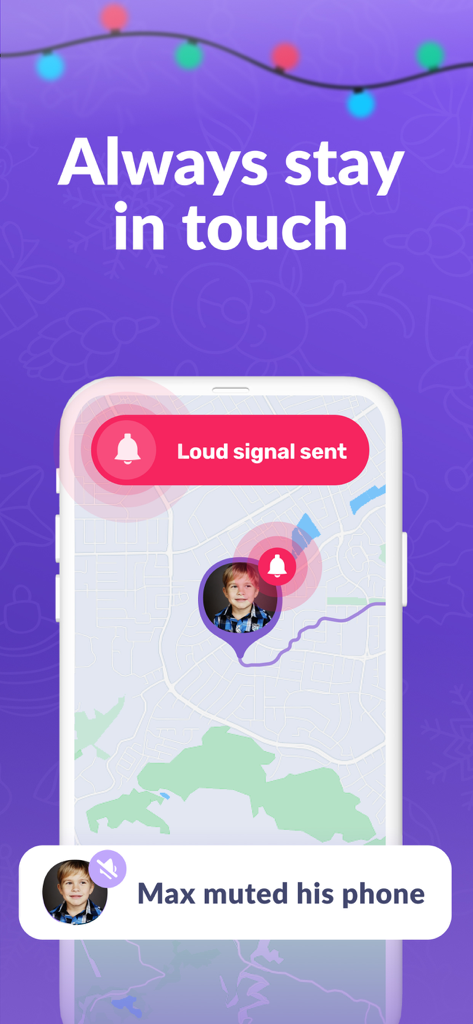
Kids360アプリのスマートフォンの画面。サイレントモードの子供の携帯電話にマップ上でラウドシグナルを送信している。

Kids360アプリのスマートフォンの画面。サイレントモードの子供の携帯電話にマップ上でラウドシグナルを送信している。

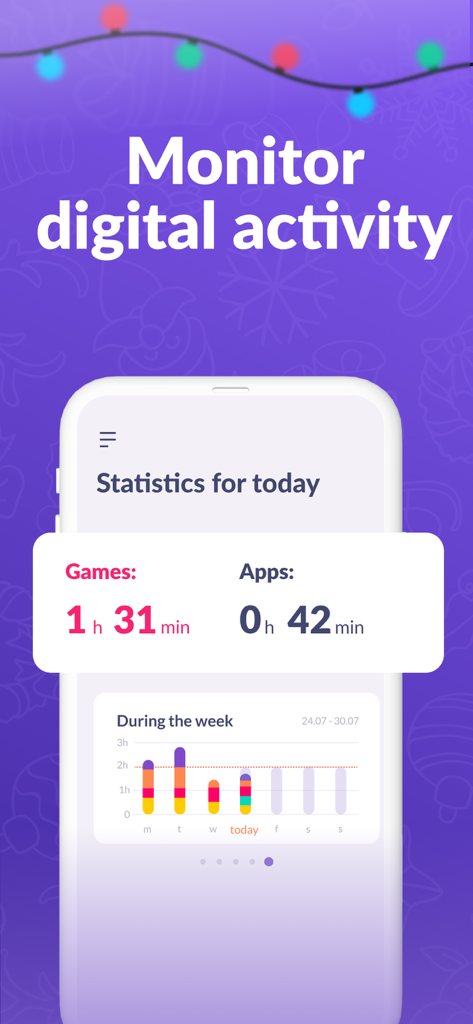
Kids360アプリのインターフェース。ゲームとアプリの毎日のおよび週次のスクリーンタイム統計が表示されている。

Kids360アプリのインターフェース。ゲームとアプリの毎日のおよび週次のスクリーンタイム統計が表示されている。

スクリーンタイムをポジティブな習慣に変える

このアプリを際立たせるツール、 3M+ 人のユーザーが選択.

🧠

獲得したプレイ時間

毎日の口論をインセンティブに置き換えましょう。子供たちは教育的なタスクや論理パズルを完了することでゲーム時間を獲得し、貴重な時間管理スキルを学びます。

🏃‍♂️

アクティブなスクリーン休憩

当社のAIモーション追跡技術は、身体活動に対して追加の電話時間で報い、子供たちがデジタルプレイ中もアクティブで健康的であることを保証します。

📍

常に接続を維持

リアルタイムのGPS位置を追跡し、「ラウドシグナル」を使用して、電話がサイレントモードになっていてもすぐに子供に連絡を取り、安心感を提供します。

世界中のユーザーに愛されています

Trusted by 3M+ 人がこのアプリを愛用しています.

"

"Kids360は私たちの日常を完全に変えました。私が電話を取り上げる「悪い親」になる代わりに、息子はスクワットをしたり数学のパズルを解いたりしてゲーム時間を稼いでいます。これは、彼に自分の時間を管理する方法を教え、アクティブに保つ最初のアプリです。リアルタイムのGPS追跡から得られる安心感も気に入っています。"

サラ・ジェンキンス
"

"いくつかのペアレンタルコントロールツールを試しましたが、これが断然最も直感的です。娘が電話をサイレントモードで置いたときに「ラウドシグナル」機能は救世主であり、教育的なタスクは彼女がソーシャルメディアに飛び込む前に生産的なことを学んでいることを保証します。単なる制限アプリではなく、家族のための協力的なツールのように感じられます。"

デビッド・ミラー

レビュー分析

ユーザーレビューの分析.

感情スコア

15%
ネガティブ

概要

The app receives overwhelmingly negative feedback from users, with many reporting that core parental control features, such as blocking apps, setting time limits, and tracking usage, do not function correctly or are easily bypassed by children. Users express frustration with billing practices, including unexpected charges, difficulty canceling subscriptions, and the app requiring payment for almost all functionalities. Furthermore, customers frequently complain about poor customer support and the app's inflexibility in managing specific applications. While a few users offered general positive remarks, the majority of reviews highlight significant performance and financial concerns.

主なテーマ

Core Functionality Issues(21)
Subscription and Billing Problems(18)
Child Bypass Methods(7)
Poor Customer Support(7)
Lack of Granular Control(7)
Positive User Experience(5)

アプリについて

について知っておくべきこと Parental Control App Kids360.

説明

Kids360 is the first parental control app that kids love. Easily manage your child's time on the phone and instill healthy habits through educational tasks. By completing tasks, your child earns time for games and learns to manage it wisely. Set time limits on the phone and block apps, track your child's GPS location on a map in real time, and ensure safety on the Internet. Install the Kids360 app on your phone and the Alli360 app on your child's phone. Control features that take care of your child's personal boundaries: Phone time limit - set a limit on the time your child can spend on the phone. App blocking - completely restrict access to unwanted apps if your child spends too much time on the phone. Daily schedules - select the time when games on your child's phone will be blocked - for example, during nap time or lessons. GPS geolocation – check your child’s location on the map in real time and always know where they are. Safe Internet – view browser history and YouTube views. Block dangerous sites and 18+ content on your child’s phone. Educational tasks – logical exercises, math problems and other educational games that help your child develop and get extra time on the phone. Physical exercises – artificial intelligence recognizes movements through the camera and records how many repetitions your child has done. Perform 10 squats or jumps – automatically get 10 minutes to play! Loud signal – send a loud call to your child’s phone, even if the child’s phone is on silent mode. The application cannot be installed secretly. Use is permitted only with the consent of the child. Personal data is stored in strict accordance with the law and GDPR policy. Install Alli360 on your child’s smartphone: the app will work on your child’s phone in app tracker mode and your child will not be able to delete it just like that. How to start using Kids360: • Install Kids360 on your phone. • Install Alli360 on your child’s phone and enter the code you see in Kids360. • Allow monitoring of your child’s smartphone in the Kids360 app. The Kids360 Parental Control app requests the following permissions: • Draw over other apps – to block apps when time is up. • Special access – to limit screen time. • Access to usage data – to collect statistics on app running time. • Autostart – to constantly run the tracker app on your child’s device. • Device administrator – to protect against unauthorized deletion and save the mode for children. If you have any technical issues, you can always contact the Kids360 24/7 support team by email at support@kids360.app. Always know how much time your children spend on social networks and set time limits on entertainment applications and games using parental controls If you have technical problems, you can always contact Kids360's 24/7 support team by email support@kids360.app Privacy policy: https://kids360.app/docs/privacy_policy_en.pdf Terms of Use (EULA): https://kids360.app/docs/term_of_use_en.pdf

最新バージョン

1.78.3

サイズ

215.5 MB

リリース日

2022年1月21日

スクリーンタイムをWin-Winに変える準備はできましたか?

Kids360を使用して、パワーゲームを健康的な習慣に置き換えている300万人以上の保護者の仲間入りをしましょう。今すぐダウンロードして、お子様の成長、活動、安全へのご褒美を始めましょう。

ダウンロード: App Storeダウンロード: Google Play
FAQ

よくある質問

について知っておくべきこと Parental Control App Kids360
Kids360アプリとは何ですか?

Kids360は、保護者が子供のスクリーンタイムを管理し、アプリをブロックし、位置情報を追跡し、インターネットの安全を確保するのに役立つペアレンタルコントロールアプリです。子供は、教育的および身体的なタスクを完了することで、追加のスクリーンタイムを獲得できます。

Kids360ペアレンタルコントロールアプリのインストールと使用方法を教えてください。

まず、お使いの携帯電話にKids360をインストールします。次に、お子様の携帯電話にAlli360をインストールし、Kids360に表示されるコードを入力します。最後に、Kids360アプリ内でスマートフォン監視を有効にします。

Kids360では、子供の携帯電話上の特定のアプリケーションをブロックできますか?

はい、Kids360では、保護者が不要なアプリへのアクセスを完全に制限できます。この機能は、子供が携帯電話に費やす時間が多すぎる場合のスクリーンタイム管理の一部です。

Kids360アプリを使用して子供のGPS位置を追跡できますか?

はい、Kids360はGPSジオロケーションを提供し、地図上で子供の位置をリアルタイムで確認できます。これにより、お子様の居場所を常に把握できます。

Kids360ペアレンタルコントロールアプリには、どのようなインターネット安全機能が含まれていますか?

Kids360は、ブラウザやYouTubeの履歴を表示するなど、安全なインターネット機能を提供します。また、危険なサイトや18歳以上のコンテンツをお子様の携帯電話でブロックします。

子供はKids360アプリを使って追加のスクリーンタイムを獲得できますか?

子供は、論理的演習や数学の問題などの教育的なタスクを完了することで、追加のスクリーンタイムを獲得できます。AIが動きを認識する身体的な運動を実行して、プレイタイムを獲得することもできます。

Kids360アプリをインストールするために子供の同意は必要ですか?

はい、Kids360はインストールに子供の同意を厳密に必要とします。アプリケーションは秘密裏にインストールすることはできず、個人データの保存はGDPRポリシーに準拠しています。

Kids360アプリは、携帯電話がサイレントモードの場合でも、大音量の信号を送信できますか?

はい、Kids360には大音量信号機能があります。お子様の携帯電話に大音量の通話を送信し、サイレントモードをオーバーライドして、いつでも連絡が取れるようにします。

Kids360ペアレンタルコントロールアプリは、どのような特定の権限を要求しますか?

Kids360は、「他のアプリの上に描画」(ブロック用)、「特別なアクセス」(スクリーンタイム制限用)、「使用状況データ」(統計用)、「自動起動」(トラッカー用)、「デバイス管理者」(削除からの保護用)などの権限を要求します。

Kids360は、子供の毎日のアプリ使用状況を監視し、統計情報を提供できますか?

はい、Kids360はデジタルアクティビティを監視し、ゲームやアプリの統計情報を提供します。日次および週次の使用状況の内訳を表示し、保護者がスクリーンタイムを追跡できるようにします。