Parental Control App: AirDroid

Parental Control App: AirDroid

ダウンロード: App Storeダウンロード: Google Play
Spark by MWM logo
ロゴ: Parental Control App: AirDroid

AirDroidペアレンタルコントロール:お子様の安全のための究極のデジタルガーディアン

リアルタイム画面ミラーリング、正確なGPS追跡、AI搭載コンテンツフィルタリングで子供たちを守りましょう。高度な安全ツールで、お子様がデジタル世界を探索している間、親は安心できます。

ダウンロード: App Store

開発元

SAND STUDIO CORPORATION LIMITED

カテゴリ

Lifestyle

ダウンロード

1M+

ユーザー評価

4.7/5

評価数

10K+

対応言語

15

一目でわかる安全

このインターフェースを利用する 1M+ 人のユーザー.

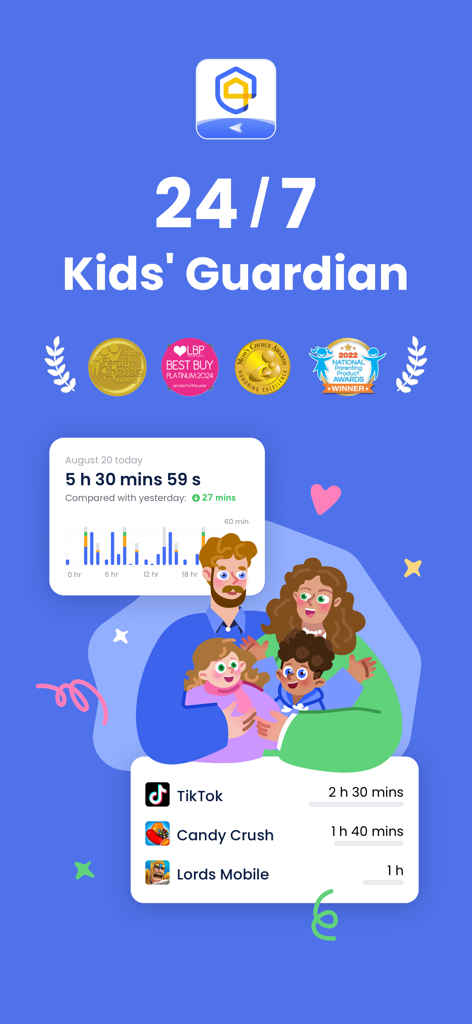
AirDroidペアレンタルコントロールダッシュボード、スクリーンタイム統計と特定のアプリ使用状況追跡を親向けに表示

AirDroidペアレンタルコントロールダッシュボード、スクリーンタイム統計と特定のアプリ使用状況追跡を親向けに表示

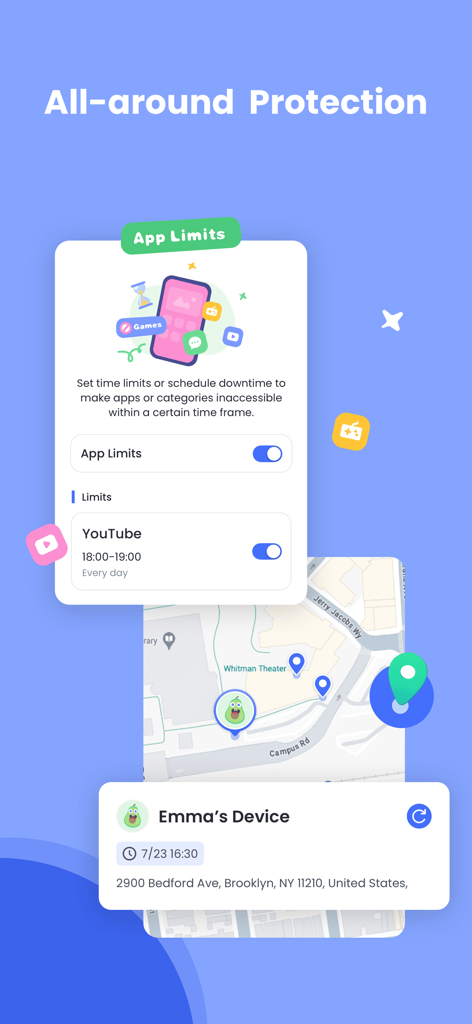
AirDroidペアレンタルコントロールインターフェース、YouTubeのアプリ時間制限と地図上のリアルタイムGPS位置情報追跡を表示

AirDroidペアレンタルコントロールインターフェース、YouTubeのアプリ時間制限と地図上のリアルタイムGPS位置情報追跡を表示

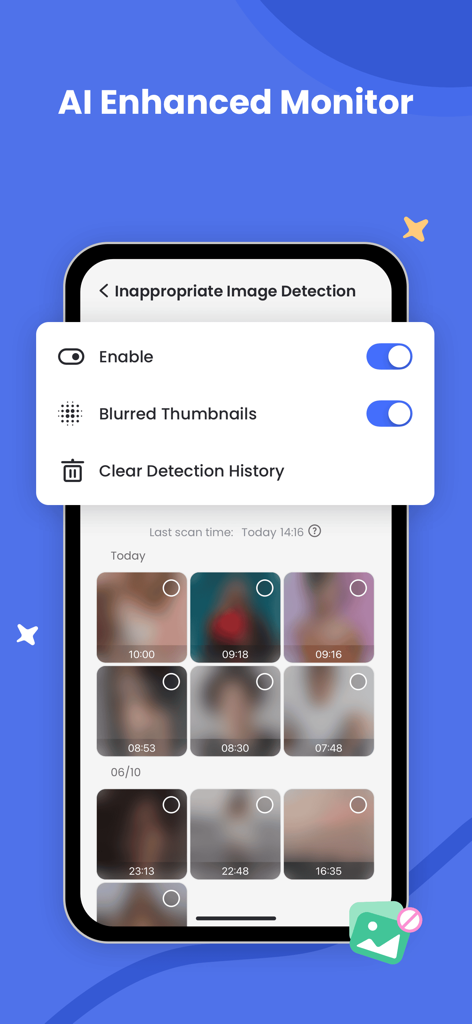
AirDroidペアレンタルコントロール画面、AIによる不適切画像検出とぼかされた写真サムネイルを表示

AirDroidペアレンタルコントロール画面、AIによる不適切画像検出とぼかされた写真サムネイルを表示

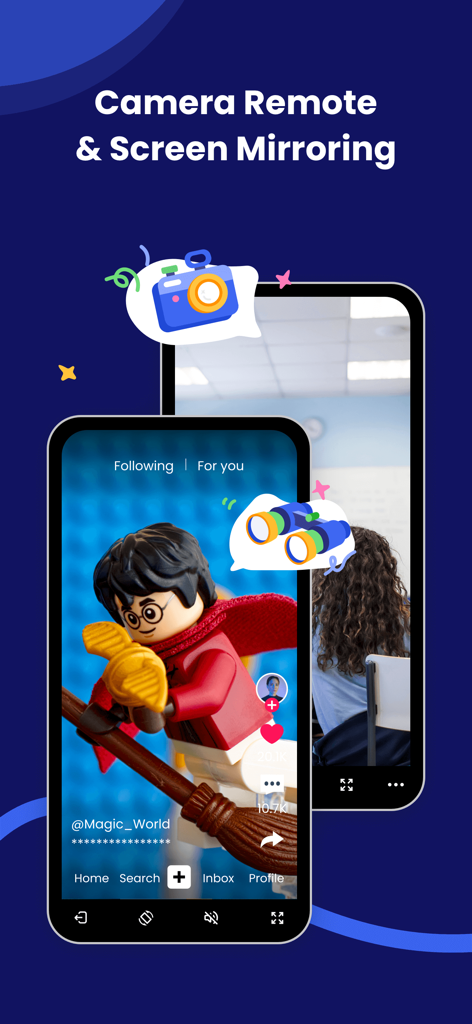
AirDroidアプリインターフェース、ペアレンタル監視のためのカメラリモートおよび画面ミラーリング機能を紹介

AirDroidアプリインターフェース、ペアレンタル監視のためのカメラリモートおよび画面ミラーリング機能を紹介

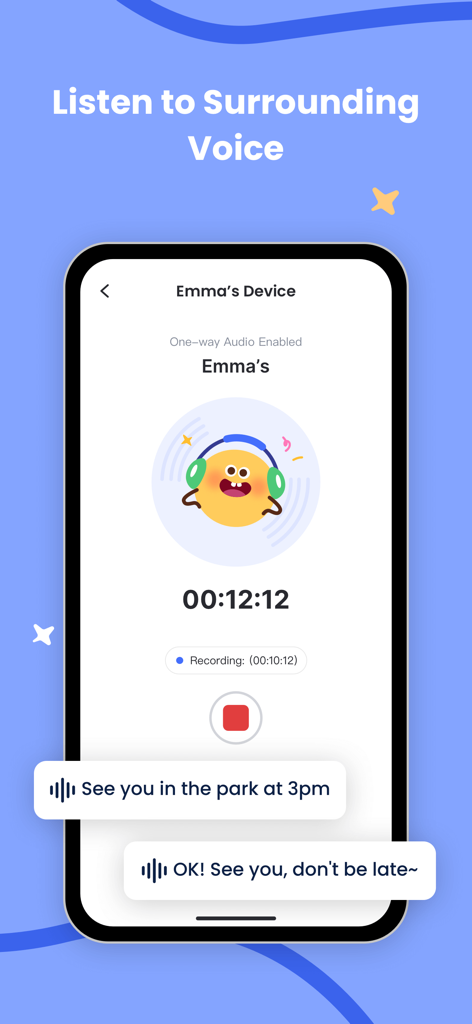
スマートフォン画面、録音タイマーとボイスメッセージバブル付きの子供の周囲の音を聞くAirDroidペアレンタルコントロール機能を表示

スマートフォン画面、録音タイマーとボイスメッセージバブル付きの子供の周囲の音を聞くAirDroidペアレンタルコントロール機能を表示

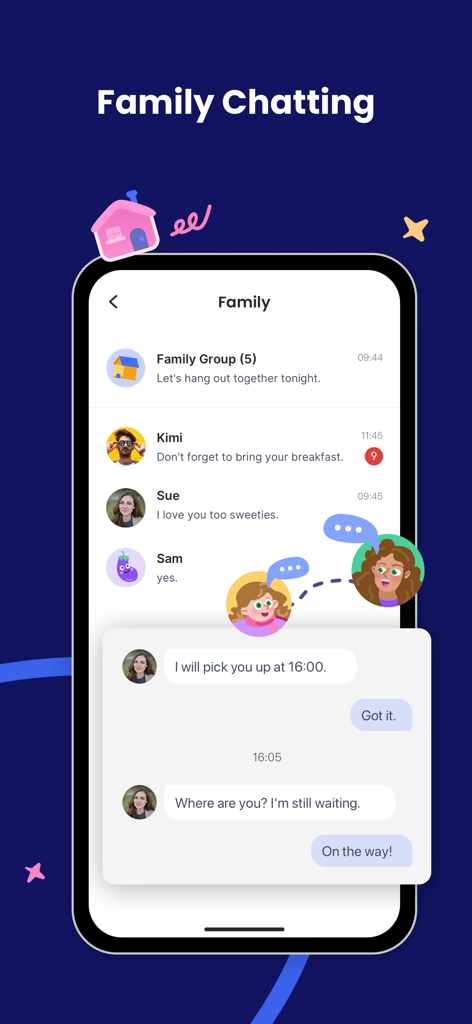
AirDroidペアレンタルコントロールアプリのインターフェース、親子間のメッセージが表示されるファミリーチャット機能を表示

AirDroidペアレンタルコントロールアプリのインターフェース、親子間のメッセージが表示されるファミリーチャット機能を表示

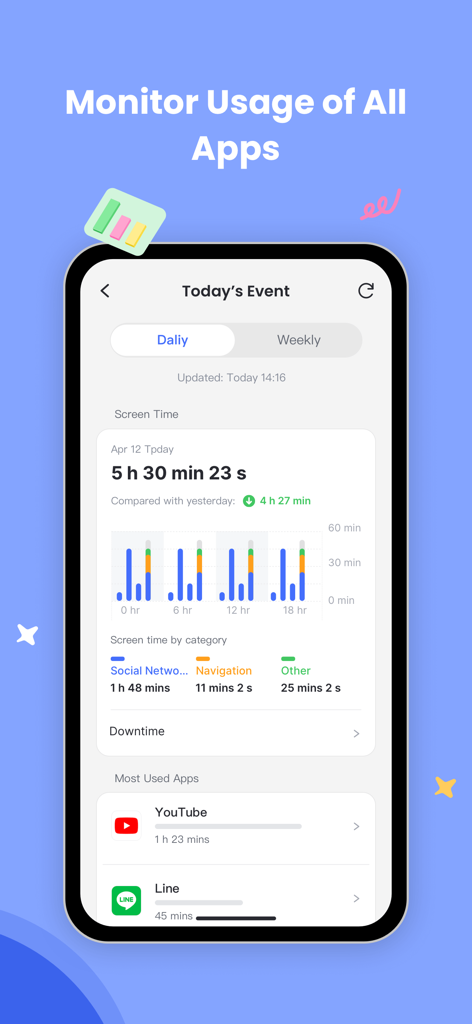
AirDroidペアレンタルコントロールアプリのスクリーンショット、毎日のスクリーンタイムと最も使用されたアプリの監視を表示

AirDroidペアレンタルコントロールアプリのスクリーンショット、毎日のスクリーンタイムと最も使用されたアプリの監視を表示

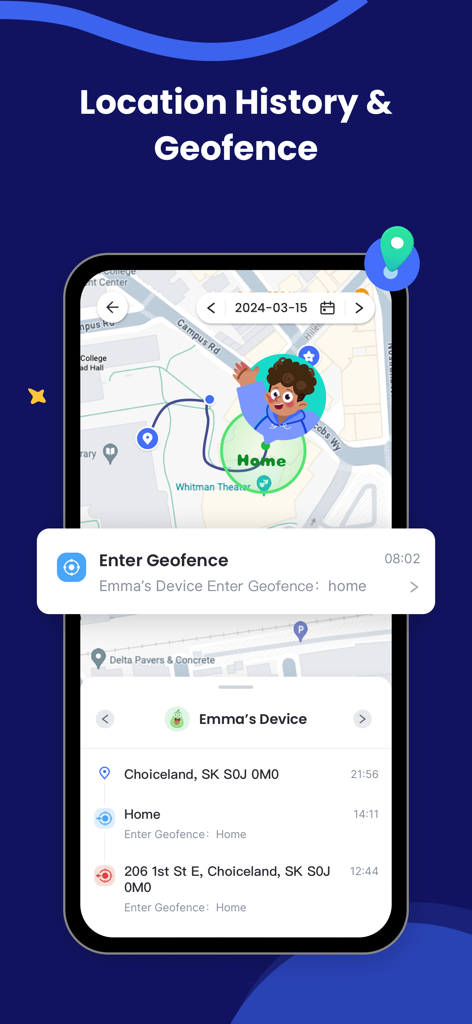
AirDroidペアレンタルコントロールアプリ、スマートフォン上の位置情報履歴とジオフェンスアラートを表示

AirDroidペアレンタルコントロールアプリ、スマートフォン上の位置情報履歴とジオフェンスアラートを表示

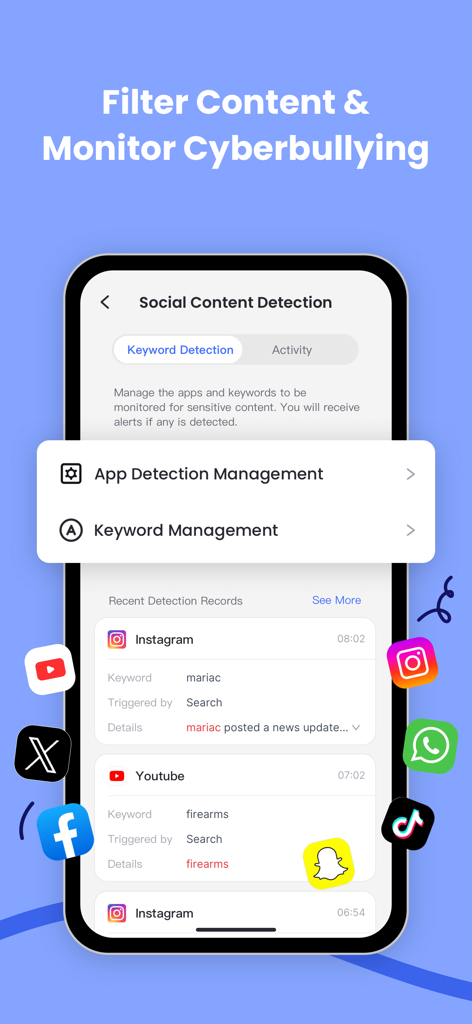
AirDroidアプリ画面、サイバーいじめ防止のためのソーシャルコンテンツ検出とキーワード監視を表示

AirDroidアプリ画面、サイバーいじめ防止のためのソーシャルコンテンツ検出とキーワード監視を表示

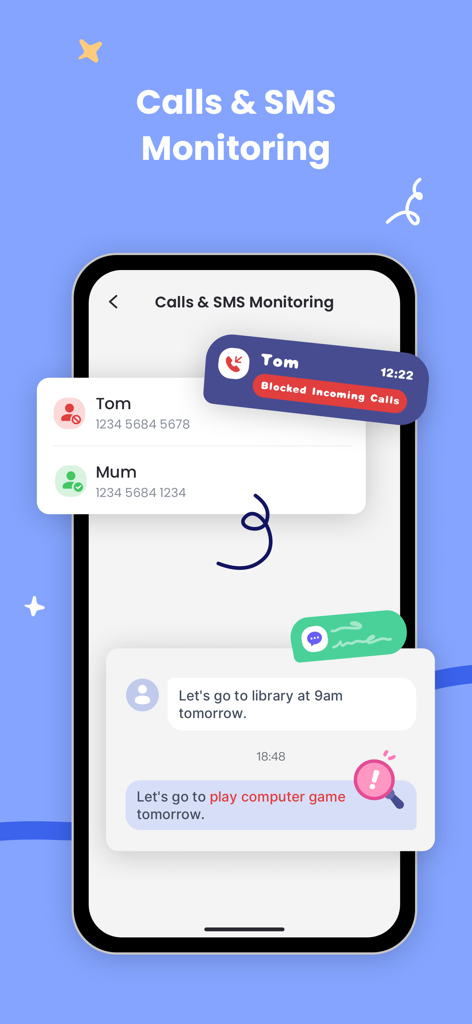
ペアレンタル監視のための通話ブロックとSMS監視機能を示すインターフェース

ペアレンタル監視のための通話ブロックとSMS監視機能を示すインターフェース

お子様のデジタルジャーニーのためのトータルプロテクション

このアプリを際立たせるツール、 1M+ 人のユーザーが選択.

📱

リアルタイム画面監視

お子様が見ているものを正確に把握しましょう。お子様のデバイス画面を即座にスマホにキャストし、アプリの使用状況を監視し、不適切なコンテンツに遭遇した場合に介入できます。

🛡️

ソーシャルメディアと安全アラート

サイバーいじめからお子様を守りましょう。Instagram、Snapchat、Messengerなどのアプリからの通知を同期し、ソーシャルインタラクションとデジタルウェルビーイングに関する情報を把握しましょう。

📍

ライブGPSとセーフゾーン

お子様が常に安全であることを確認しましょう。リアルタイムで位置情報を追跡し、カスタムジオフェンスを設定して、学校に到着したときや家を出たときに即座にアラートを受け取りましょう。

世界中のユーザーに愛されています

Trusted by 1M+ 人がこのアプリを愛用しています.

"

"AirDroidは、我が家のテクノロジーとの付き合い方を完全に変えました。学校の時間中にダウンタイムを設定することで、子供たちが学業に集中できるようになり、リアルタイムの画面キャスティングは、オンラインで安全であることを保証してくれるので安心です。これまでに見つけた中で最も包括的なペアレンタルツールです。"

Mark T.、二児の父
"

"息子が友達と出かけている間、ようやく安心して息ができるようになりました。ジオフェンスアラートは、彼がサッカーの練習に到着した瞬間に知らせてくれますし、通知を同期できることで、サイバーいじめが始まる前に彼を守ることができます。現代の親にとって不可欠なアプリです。"

Sarah J.、中学生の母

アプリについて

について知っておくべきこと Parental Control App: AirDroid.

説明

AirDroid Parental Control App is designed for your child's safety as a priority. With the high safety features provided by AirDroid Parental Control, you can easily contact your child when they are not around you or they can't respond to you on time. Find your child in a tap, extremely easy! The latest AI-enhanced content control system is now live, delivering more precise and intelligent filtering of inappropriate content. We're able to access iOS devices now, including features like: • Daily downtime and app limits are set by the Parent App. • Website and app usage monitoring on the child’s device. • App blocking like inappropriate browsers, games, and social apps on the child’s device • Website blocking and category blocking such as games, gambling, and lockout of unwanted content on the child’s device • Safe search and custom black-and-white list on the child’s device • Location tracking of the child's device • Advanced reporting provided to parents • Real-time alerts sent to parents A new family chat feature is online now: text & voice chat for group or one-on-one conversations. Stay connected! Online monitor, content filter, and anti-cyberbullying functions have been released, which could improve the performance of kids' safeguards and ensure your loved child is always under perfect protection built by you. What makes you choose AirDroid Parental Control: · Real-time monitoring - Cast your child's device screen to your phone in real-time to find out what apps they're using in school and the frequency of use to prevent them from getting addicted to their phone. · Sync app notification - Real-time sync function helps you to know more about your child's chat on social media like Facebook, Instagram, Messenger, etc. Help your child to stay far away from cyberbullying and online fraud. · Screen time - Set up a unique schedule for your child to limit their use time and prevent them from focusing on it while having class. · App blocker - Set up phone access permission to ensure your child can only access the permitted app, also you will get an alert when your child tries to install or delete apps. · GPS location tracker - With the high-accuracy location tracker, you can track your child's location on the map and see their historical route for the day. Ensure your child is safe and they won't visit any high-risk places. · Location alert - Custom Geofence to your child, you will receive alerts when they pass, just like a 24/7 guard to follow and protect your child. · Battery check - Monitor your child's device charging status, once the device's power is running low, a notification will be sent to their phone to remind them to charge their phone in time, always stay in touch! To activate AirDroid Parental Control would be super easy: 1. Install 'AirDroid Parental Control' on your phone. 2. Connect your kids' devices by the invited link or code. 3. Install 'AirDroid Kids' successfully. 4. Link your account with your kid's device, then it works. To use AirDroid Parental Control you will need to download the app onto each device you wish to control. AirDroid Parental Control app offers a 3-day free trial of all Premium features. When the trial ends, access to features requires a subscription, with discounts for longer commitments. The cost of a subscription will be debited from your iTunes account. The subscription will automatically be renewed at chosen intervals unless canceled more than 24 hours before the end of the subscription period. Subscription management is available in the settings of your iTunes account after purchase. Privacy Policy: https://kids.airdroid.info/#/Privacy Terms of Service: https://kids.airdroid.info/#/Eula Payment Terms: https://kids.airdroid.info/#/Payment Contact Us: support@airdroid.com

最新バージョン

2.7.0

サイズ

97.4 MB

リリース日

2022年6月7日

お子様のデジタルワールドを安全にする準備はできましたか?

100万人以上の親が信頼するAirDroidで安心を手に入れましょう。3日間の無料トライアルを今すぐ開始して、指先でリアルタイムの安全を体験してください。

ダウンロード: App Storeダウンロード: Google Play
FAQ

よくある質問

について知っておくべきこと Parental Control App: AirDroid
AirDroid Parental Controlは子供の安全のために設計されていますか?

はい、AirDroid Parental Controlは、高い安全機能を備えて子供の安全を最優先するように設計されており、子供とつながり、その場所を簡単に見つけることができます。

AirDroid Parental ControlはiOSデバイスでも動作しますか?

はい、AirDroid Parental ControlはiOSデバイスをサポートしています。ダウンタイム、アプリ制限、ウェブサイトブロック、位置情報追跡、iOSユーザー向けのリアルタイムアラートなどの機能が含まれています。

AirDroid Parental Controlにはどのような機能がありますか?

AirDroid Parental Controlには、リアルタイム画面監視、ソーシャルメディア通知同期、スクリーンタイム管理、アプリブロック、GPS追跡、ジオフェンシング、バッテリーチェックなどの機能があります。

AirDroid Parental Controlはアプリの使用とスクリーンタイムを制限できますか?

AirDroid Parental Controlでは、親はダウンタイムと特定のアプリ制限(例:特定の時間帯のYouTube使用制限)を設定して、スクリーンタイムを効果的に管理できます。

AirDroid Parental Controlは位置情報追跡を提供しますか?

はい、AirDroid Parental ControlにはGPS位置情報追跡が含まれており、親は地図上で子供のリアルタイムの位置を追跡し、その日の履歴ルートを表示できます。

AirDroid Parental ControlはコンテンツフィルタリングにAIを使用していますか?

はい、AirDroid Parental ControlはAI強化型のコンテンツ制御機能を備えており、不適切な画像の検出を含む、不適切なコンテンツの正確かつインテリジェントなフィルタリングを行います。

AirDroid Parental Controlにはファミリーチャット機能が含まれていますか?

はい、AirDroid Parental Controlには、グループまたは1対1のテキストおよび音声会話のためのファミリーチャット機能があり、家族がつながりを保つことができます。

デバイスでAirDroid Parental Controlをセットアップするにはどうすればよいですか?

AirDroid Parental Controlを有効にするには、お使いの携帯電話にアプリをインストールし、招待リンクまたはコードを通じて子供のデバイスを接続し、子供のデバイスに「AirDroid Kids」をインストールし、アカウントをリンクします。

AirDroid Parental Controlの無料トライアルはありますか?

はい、AirDroid Parental Controlは、すべてのプレミアム機能に対して3日間の無料トライアルを提供しています。トライアル期間終了後も機能にアクセスするにはサブスクリプションが必要です。

AirDroid Parental Controlはサイバーいじめ防止に役立ちますか?

AirDroid Parental Controlは、コンテンツを監視およびフィルタリングし、キーワードを検出し、ソーシャルメディアからアプリ通知を同期することで、サイバーいじめやオンライン詐欺の防止に役立ちます。