Photomator – Photo Editor

Photomator – Photo Editor

ダウンロード: App Store
Spark by MWM logo
ロゴ: Photomator – Photo Editor
Photomator: AI搭載のプロフェッショナル写真編集

iPhone、iPad、MacでデスクトップクラスのRAW編集を体験してください。インテリジェントなツール、シームレスなiCloud同期、そして現代のクリエイターのために設計された強力なAI機能であなたのショットを強化しましょう。

ダウンロード: App Store

開発元

Apple Inc.

カテゴリ

Photo & Video

ダウンロード

1M+

ユーザー評価

4.5/5

評価数

8K+

対応言語

11

再定義されたプロスタジオ

このインターフェースを利用する 1M+ 人のユーザー.

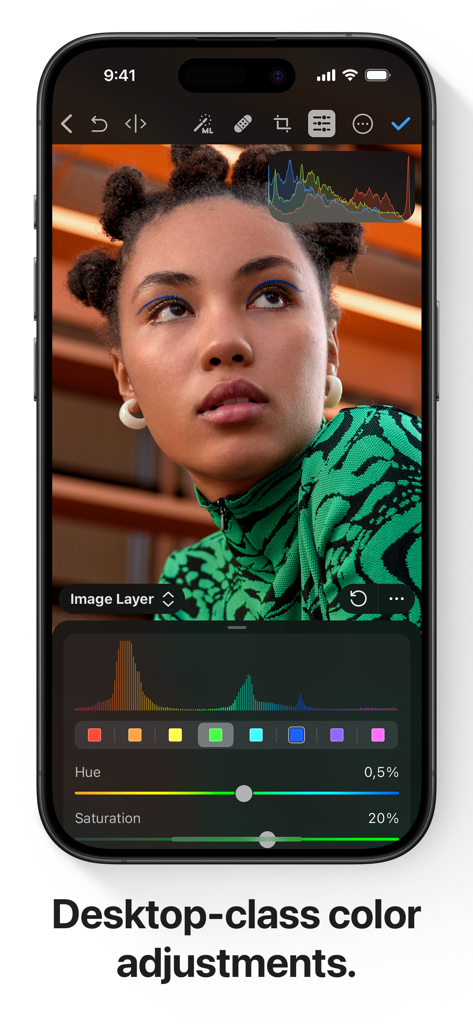
iPhone画面にPhotomatorのプロフェッショナルなカラー調整ツールとポートレートが表示されています。

iPhone画面にPhotomatorのプロフェッショナルなカラー調整ツールとポートレートが表示されています。

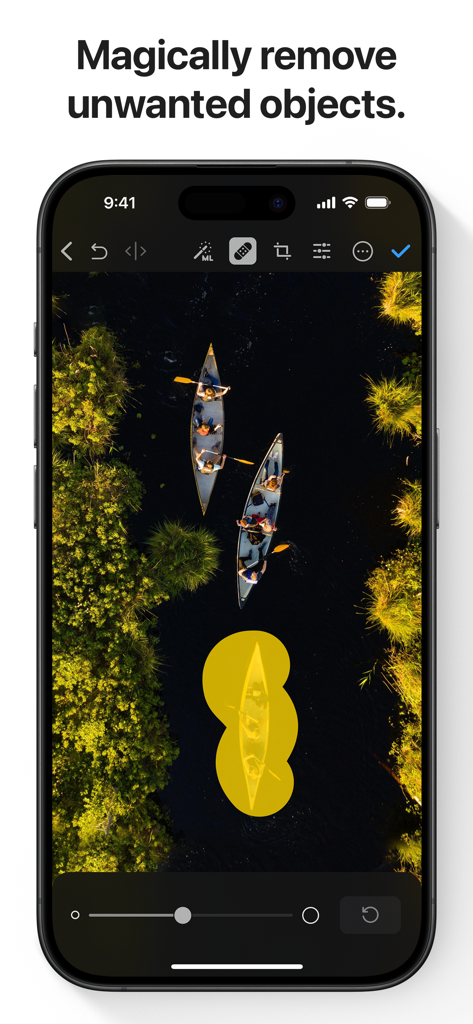
Photomatorアプリのスクリーンショットで、ボートの空撮写真に使用されているAI搭載オブジェクト除去ツールが表示されています。

Photomatorアプリのスクリーンショットで、ボートの空撮写真に使用されているAI搭載オブジェクト除去ツールが表示されています。

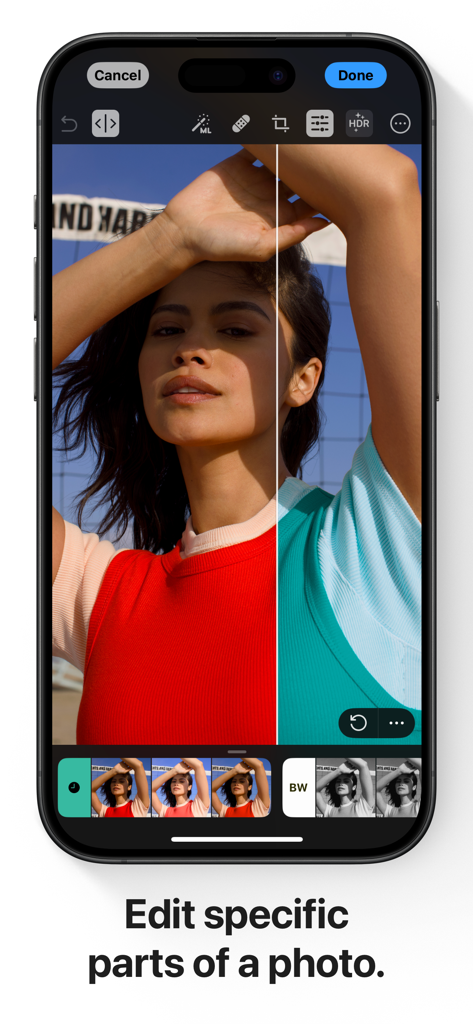
Photomatorアプリでの選択的カラー編集の分割ビューデモンストレーションを示すiPhone画面。

Photomatorアプリでの選択的カラー編集の分割ビューデモンストレーションを示すiPhone画面。

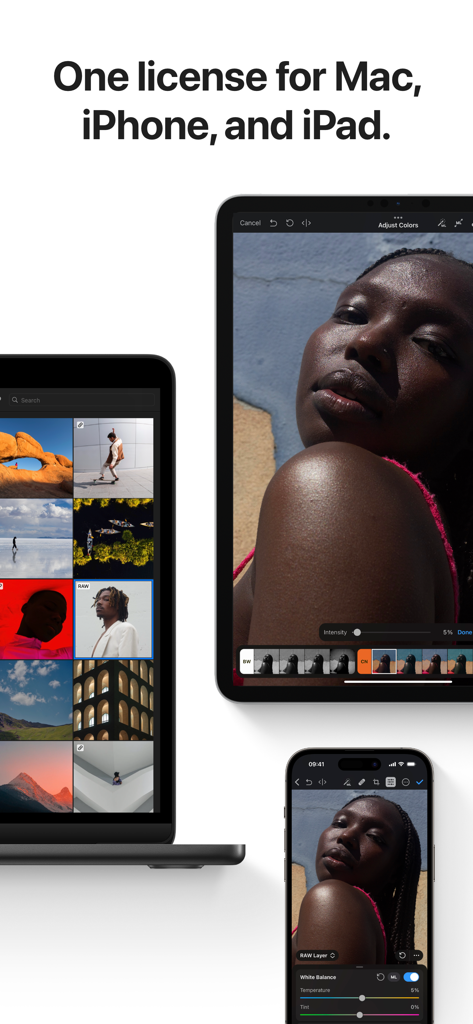
MacBook、iPad、iPhoneに表示されたPhotomatorアプリのインターフェイス。

MacBook、iPad、iPhoneに表示されたPhotomatorアプリのインターフェイス。

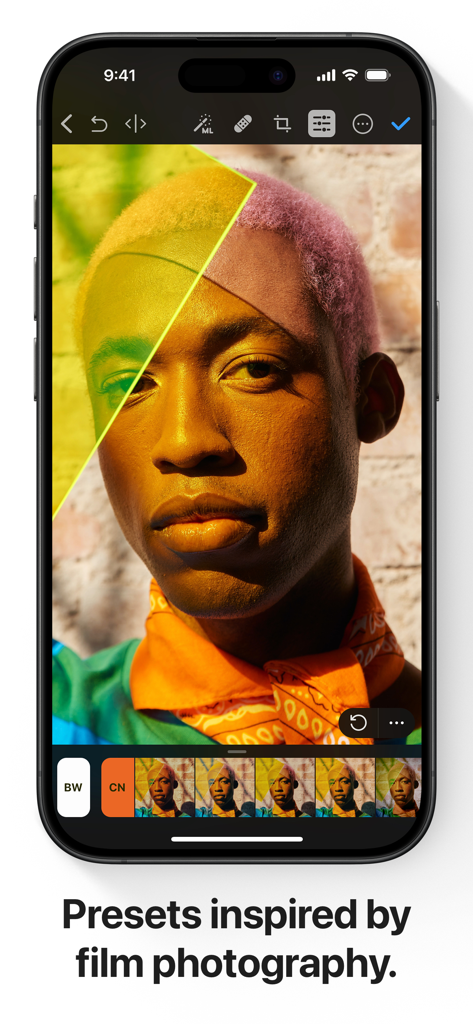
ポートレート編集用のプロフェッショナルなフィルム風プリセットを表示するiPhone上のPhotomatorアプリのインターフェイス。

ポートレート編集用のプロフェッショナルなフィルム風プリセットを表示するiPhone上のPhotomatorアプリのインターフェイス。

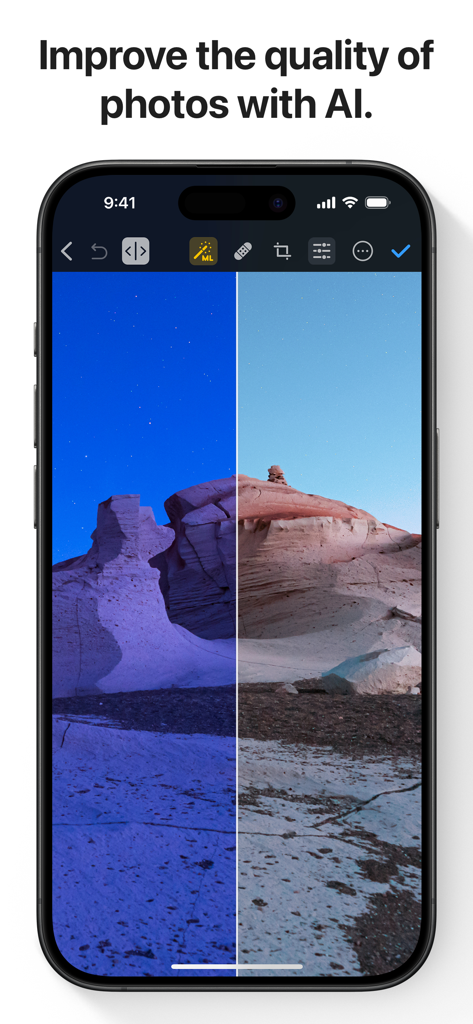
PhotomatorアプリでAIによって改善された砂漠の風景のビフォーアフター比較。

PhotomatorアプリでAIによって改善された砂漠の風景のビフォーアフター比較。

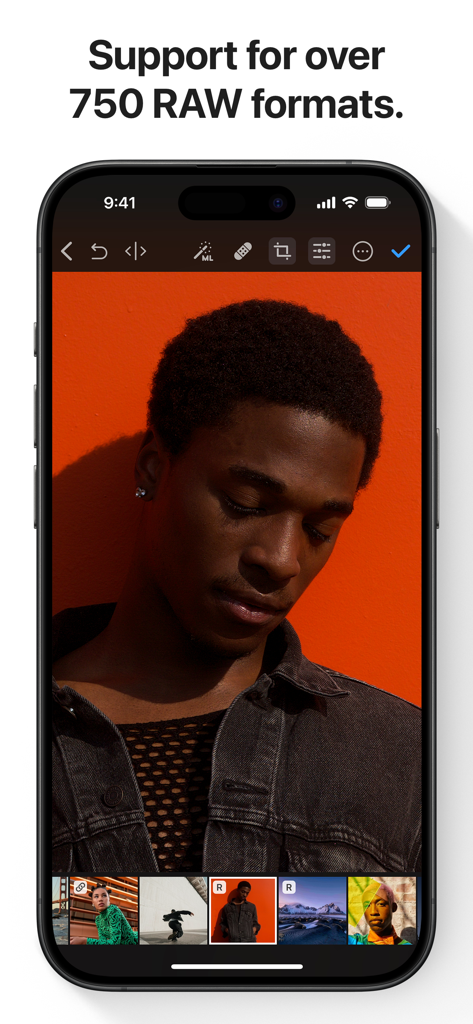
オレンジ色の背景のポートレートのRAW写真編集を表示するiPhone上のPhotomatorアプリ。

オレンジ色の背景のポートレートのRAW写真編集を表示するiPhone上のPhotomatorアプリ。

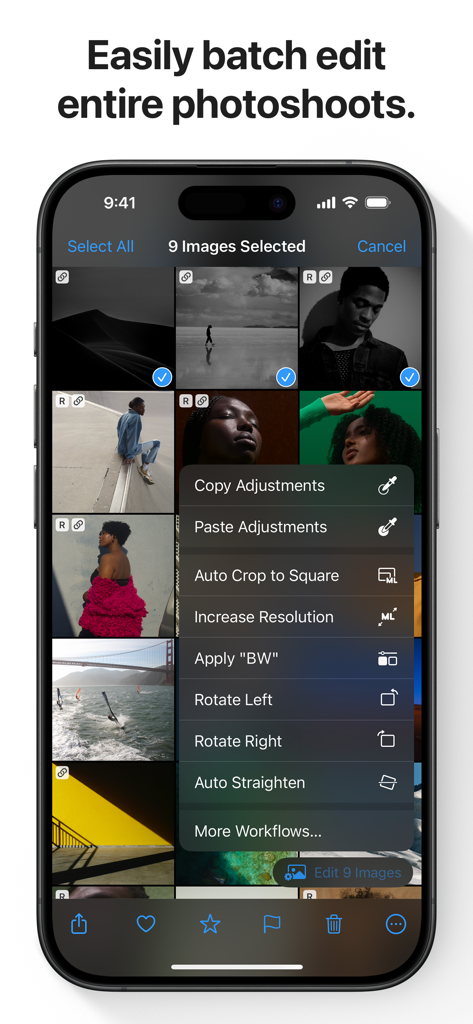
複数の選択された画像のバッチ写真編集オプションを表示するiPhone上のPhotomatorアプリのインターフェイス。

複数の選択された画像のバッチ写真編集オプションを表示するiPhone上のPhotomatorアプリのインターフェイス。

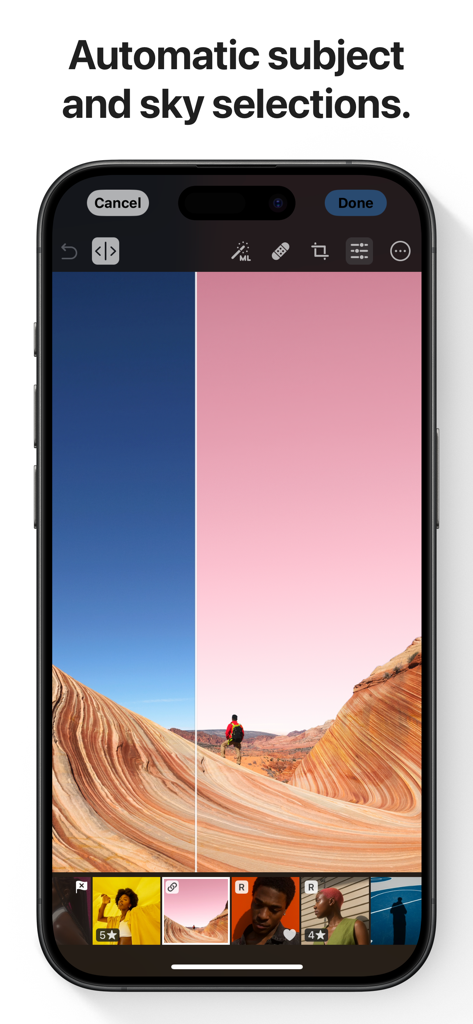
風景写真でAIによる自動空と被写体選択機能が表示されたスマートフォンにPhotomatorアプリが表示されています。

風景写真でAIによる自動空と被写体選択機能が表示されたスマートフォンにPhotomatorアプリが表示されています。

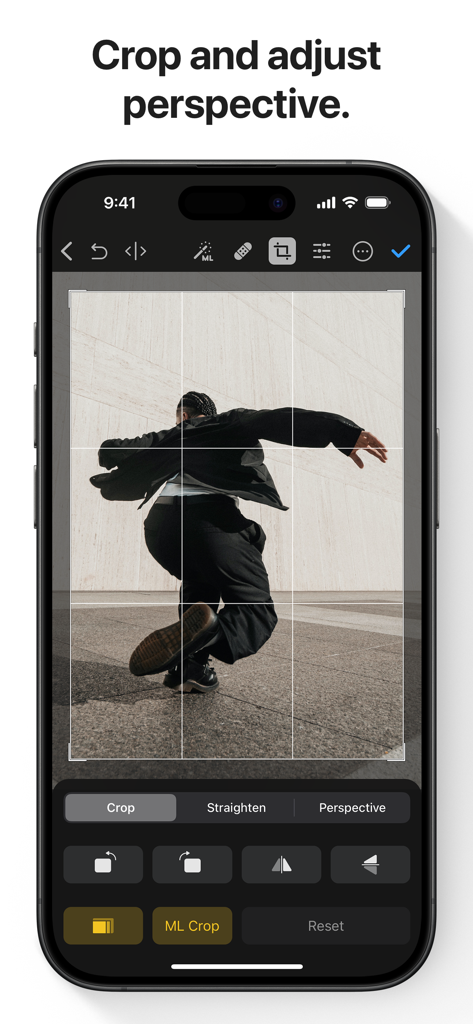
iPhone上のPhotomatorアプリのインターフェイスに、切り抜きと遠近法調整ツールが表示されています。

iPhone上のPhotomatorアプリのインターフェイスに、切り抜きと遠近法調整ツールが表示されています。

指先でプロフェッショナルなパワー

このアプリを際立たせるツール、 1M+ 人のユーザーが選択.

🪄

インテリジェントAI強化

2,000万枚のプロ写真でトレーニングされた機械学習により、解像度を即座にアップスケールし、ノイズを除去し、被写体を選択します。

💎

True RAW編集

Apple ProRAWを含む750以上のRAWフォーマットをフルサポートし、すべてのピクセルを完全に非破壊的に制御できます。

☁️

流れるようなクラウドワークフロー

編集はiPhone、iPad、Mac間で自動的に同期され、中断することなくどこでも、いつでも作成できます。

世界中のユーザーに愛されています

Trusted by 1M+ 人がこのアプリを愛用しています.

"

"Photomatorは私の旅行ワークフローを完全に変えました。iPad Proでデスクトップクラスの精度でSonyカメラからの重いRAWファイルを直接編集できるのは、ゲームチェンジャーです。AIスーパーレゾリューションとノイズ除去ツールは正直魔法のようで、使えないと思っていたショットを救ってくれました。"

Julian Rivers
"

"これまでにすべて の写真アプリを試しましたが、Photomatorは別格です。プロスタジオのパワーを持ちながら、Appleエコシステムのネイティブな一部のように感じられます。バッチ編集機能は、ブランドのコンテンツを処理する際に何時間も節約してくれます。AI被写体選択も信じられないほど正確です。"

Sarah Jenkins

アプリについて

について知っておくべきこと Photomator – Photo Editor.

説明

Photomator is the most powerful photo editing app ever designed for a mobile device. It includes an extensive collection of cutting-edge color adjustments, automatic selections powered by AI, support for over 750 RAW image formats, a magical Repair tool for removing unwanted objects, and many more powerful features, letting you enjoy pro photo editing anyplace, anytime. Everything you need to make your photos look incredible • Edit photos using a wide collection of powerful, nondestructive color adjustments • Quickly make precise subject, sky, and background selections in photos using AI, add gradient masks, and easily make selections using a brush • Effortlessly remove unwanted objects using an incredible object removal tool • Crop, straighten, rotate, and adjust the perspective of photos with an easy-to-use Crop tool • Instantly increase the resolution of photos using AI • Remove camera noise and image compression artifacts with the powerful Denoise feature • Magically remove color banding and increase color depth in photos with the AI-powered Smart Deband feature • Make your photos stand out with photographer-designed presets for landscape, black and white, and other photography styles • Easily copy and paste edits between photos or batch edit even hundreds of photographs at a time • Open and edit over 750 RAW image formats, including Apple ProRAW and compressed Fujifilm RAWs • Follow all the changes you make in the beautiful live histogram Tools powered by AI • Select the subject, sky, or background in a photo with just a tap • Improve the quality of photos by reducing camera noise with the AI-powered Denoise feature, intelligently upscale photos with Super Resolution, or magically remove color banding and increase color depth using Smart Deband • Automatically enhance shots using a machine learning algorithm trained on 20 million pro photos, or fine-tune individual adjustments, like White Balance, Selective Color, or Color Balance with a single tap • Intelligently crop photos using the AI-powered auto-cropping • Copy the look of any photo to another using the incredible Match Colors feature State-of-the-art color adjustments • Enjoy powerful tools for effortlessly adjusting the temperature, tint, exposure, contrast, brightness, hue, saturation, and vibrance in your photos • Recover incredible amounts of detail in the highlights and shadows of photos • Magically enhance fine details and structure in photos using powerful Clarity and Texture adjustments, or adjust textures in the highlights, midtones, and shadows separately • Selectively edit individual color ranges with Selective Color, or improve the balance of colors in the shadows, midtones, and highlights with Color Balance • Adjust lighting and colors with full precision using Levels and Curves adjustments • Mix the balance of the red, green, and blue color channels to create intense color effects in your images • Replace any color with any other using the Replace Color adjustment • Create beautiful black and whites even from your color photos • Use a range of additional adjustments, like Sharpen, Fade, Grain, Color Monochrome, Sepia, and Invert to make your photos stand out • Instantly change the look of photos with LUTs or export custom LUTs to use in other apps Compatibility • Automatically sync every change back to your Photos or Files browser • With the support for iCloud Drive, enjoy seamless edit syncing across Mac, iPhone, and iPad • Photomator is built from the ground up for iPhone and iPad with a native design that blends seamlessly with the sleek and modern look of iOS and iPadOS 18 • Photomator uses powerful Apple technologies like Metal, Core ML, and Core Image to deliver staggeringly fast performance, even when editing large RAW photos or batch editing multiple images at a time • Privacy policy: https://www.apple.com/legal/privacy/en-ww/

最新バージョン

3.4.12

サイズ

793.4 MB

リリース日

2019年4月9日

プロフェッショナルなパワー。モバイルの自由。

Appleのエコシステム全体でシームレスに同期され、AI駆動のツールを使用してRAWショットを傑作に変える、100万人以上のクリエイターに加わりましょう。

ダウンロード: App Store
FAQ

よくある質問

について知っておくべきこと Photomator – Photo Editor

Photomatorとは何ですか?

Photomatorは、モバイルデバイス向けに設計された強力な写真編集アプリです。最先端の色調整、AIを活用した選択機能、750を超えるRAW画像フォーマットのサポート、オブジェクト削除や写真品質向上ツールを備えています。

Photomatorは写真編集タスクにAIを使用していますか?

はい、Photomatorは自動的な被写体、空、背景の選択、ノイズリダクション(Denoise)、解像度向上(Super Resolution)、カラーバンディング除去(Smart Deband)、インテリジェントな自動トリミングにAIを利用しています。

PhotomatorはRAW画像フォーマットをサポートしていますか?

はい、Photomatorは750を超えるRAW画像フォーマットの開閉と編集をサポートしており、Apple ProRAWや圧縮された富士フイルムのRAWなども含まれ、包括的なプロフェッショナルな調整が可能です。

Photomatorは写真から不要なオブジェクトを削除できますか?

はい、Photomatorには魔法のような修復ツールが含まれており、ユーザーは写真から不要なオブジェクトを簡単に削除して、クリーンで焦点を絞った最終的な画像を作成できます。

PhotomatorはMac、iPhone、iPadで互換性がありますか?

はい、PhotomatorはiCloud Drive経由でMac、iPhone、iPad間でシームレスな編集同期を提供します。iOSおよびiPadOS 18用にネイティブに構築されており、一貫したユーザーエクスペリエンスを保証します。

Photomatorを使用して複数の写真を一括編集できますか?

はい、Photomatorでは、編集を写真間で簡単にコピー&ペーストしたり、一度に数百枚の写真を一括編集したりできるため、編集ワークフローを大幅にスピードアップできます。

Photomatorのプライバシーポリシーはどこで確認できますか?

Photomatorのプライバシーポリシーは、提供されているリンクhttps://www.apple.com/legal/privacy/en-ww/からアクセスできます。このリンクには、ユーザーデータの取り扱い方法が記載されています。

Photomatorで利用できる色調整ツールにはどのような種類がありますか?

Photomatorは、色温度、色合い、露出、コントラスト、明るさ、色相、彩度、鮮やかさ、明瞭度、テクスチャ、選択色、カラーバランス、レベル、カーブ、RGBチャンネルミキシングなど、豊富な色調整機能を提供します。

Photomatorには写真プリセットが含まれていますか?

はい、Photomatorには、風景や白黒などのスタイルに対応した、写真家がデザインしたさまざまなプリセットが含まれています。また、フィルム写真にインスパイアされたプリセットもあり、画像の美学を瞬時に変更できます。

Photomatorは自動写真強化機能を提供していますか?

はい、Photomatorは2000万枚のプロの写真でトレーニングされた機械学習アルゴリズムを使用して写真を自動的に強化できます。また、ワンタップでホワイトバランスなどの個々の調整を微調整することも可能です。