Screen Mirroring・Air Cast TV

Screen Mirroring・Air Cast TV

ダウンロード: App Store
Spark by MWM logo
ロゴ: Screen Mirroring・Air Cast TV
Screen Mirroring・Air Cast TV:iPhone画面をすぐに大画面へ

ゼロ遅延であらゆるスマートTVでビデオをストリーミングし、写真を共有し、ゲームをプレイします。ケーブルや追加のハードウェアは不要—家庭やオフィス向けのシームレスなワイヤレスキャストのみ。

ダウンロード: App Store

開発元

Dalma Innovation Solutions d.o.o.

カテゴリ

Utilities

ダウンロード

803K+

ユーザー評価

4.6/5

評価数

3K+

対応言語

1

大画面を体験する

このインターフェースを利用する 803K+ 人のユーザー.

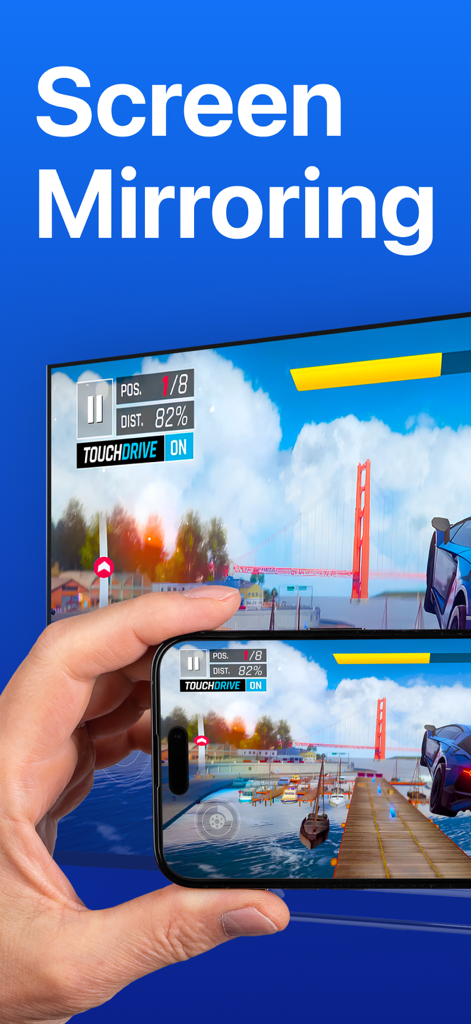
iPhoneが大画面のスマートTVにモバイルレースゲームをミラーリングしている様子

iPhoneが大画面のスマートTVにモバイルレースゲームをミラーリングしている様子

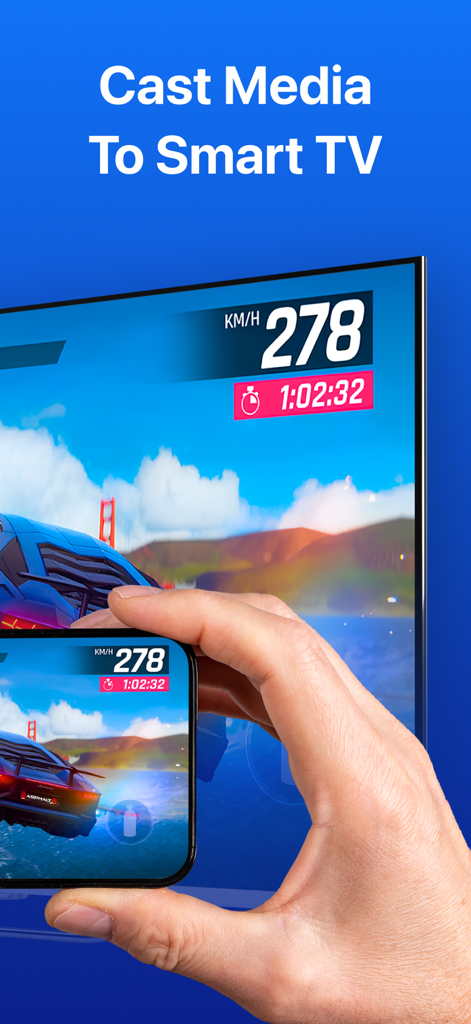
大画面のスマートTVにハイスピードカーレースゲームをミラーリングしているiPhoneを持つ手

大画面のスマートTVにハイスピードカーレースゲームをミラーリングしているiPhoneを持つ手

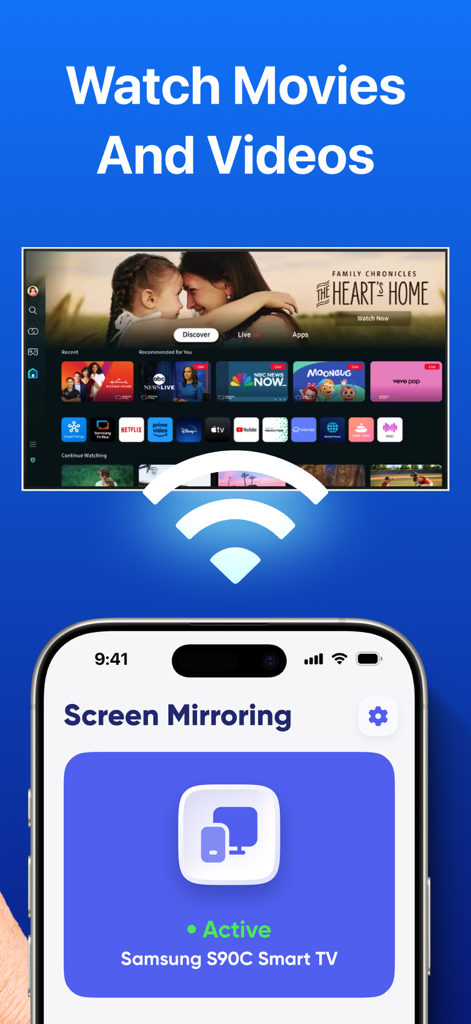
映画やビデオ視聴のためにSamsungスマートTVへのアクティブな接続を示すiPhone画面ミラーリングインターフェイス

映画やビデオ視聴のためにSamsungスマートTVへのアクティブな接続を示すiPhone画面ミラーリングインターフェイス

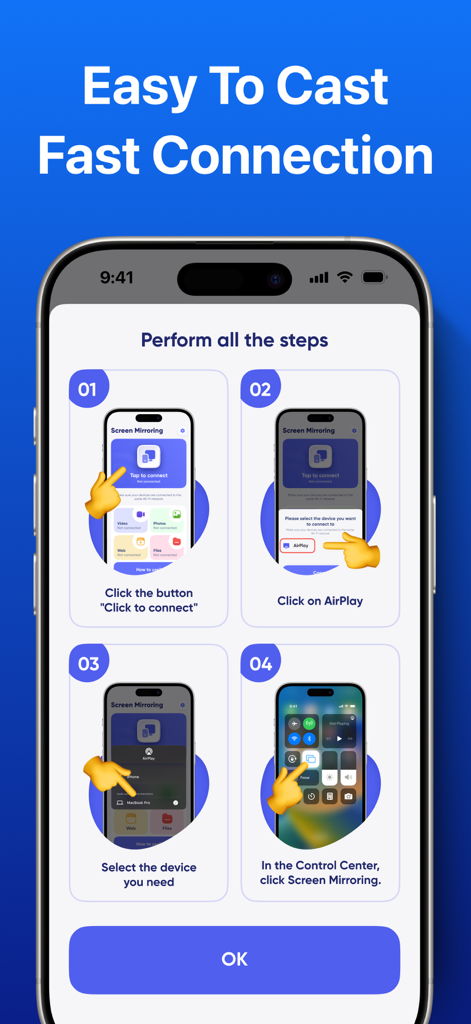
スマートTVへのiPhone接続方法を画面ミラーリングのために示す4ステップの指示ガイド

スマートTVへのiPhone接続方法を画面ミラーリングのために示す4ステップの指示ガイド

あなたの世界を大画面にストリーミング

このアプリを際立たせるツール、 803K+ 人のユーザーが選択.

📺

ユニバーサルTV互換性

エコシステム間のギャップを埋めます。Apple TVボックスなしで、iPhoneをSamsung、LG、Roku、Sony TVに即座に接続できます。

遅延のないリアルタイムキャスト

モバイルゲーム、ライブスポーツ、ソーシャルメディアに最適です。コンテンツを完全に同期させたまま、超低遅延ミラーリングをお楽しみください。

🧘

フィットネスから生産性まで

大画面でより良いフォームでワークアウトビデオを視聴したり、数秒で携帯電話からプロフェッショナルなプレゼンテーションをキャストしたりできます。

世界中のユーザーに愛されています

Trusted by 803K+ 人がこのアプリを愛用しています.

"

"朝のワークアウトに最適です!フィットネスアプリをiPhoneからSamsung TVに遅延なくキャストできるのが気に入っています。また、ケーブルやドングルを探すことなく、ホームオフィス会議中にスライドデッキをすばやく表示するのに役立ちました。"

Sarah M.
"

"ついに、私のRoku TVとシームレスに連携するアプリが登場しました!セットアップは信じられないほど迅速で、今では休暇の写真やTikTokを家族全員で大画面で共有できます。低遅延により、カジュアルなモバイルゲームでさえコンソール体験のように感じられます。"

Marcus J.

レビュー分析

ユーザーレビューの分析.

感情スコア

24%
ネガティブ

概要

The app receives overwhelmingly negative feedback, primarily due to its aggressive and often unauthorized subscription model. Users frequently report being charged immediately, even during supposed free trials or after cancellation, leading to significant frustration and financial loss. The app's core functionality, screen mirroring, is widely criticized for not working with various devices like LG, Samsung TVs, or PCs, and many users find it offers no additional value over standard AirPlay features. A common complaint is the high weekly subscription cost, coupled with a difficult or non-existent refund process.

主なテーマ

App functionality(23)
Unauthorized charges(19)
High subscription cost(9)
Refund process(9)
Misleading free trial(9)
Screen mirroring(1)

アプリについて

について知っておくべきこと Screen Mirroring・Air Cast TV.

説明

Screen Mirroring・Air Cast TV lets you effortlessly mirror your phone screen to your smart TV. Share videos, photos, games, and apps on the big screen with smooth and reliable wireless casting. KEY FEATURES: • Mirror your device screen in real-time • Stream videos, photos, and presentations to your TV • Compatible with major smart TV brands and devices • Easy connection via Wi-Fi, no cables needed • Supports audio and video playback with low latency • User-friendly interface for quick setup and control Expand your viewing experience by sharing your content on a larger display with Screen Mirroring・Air Cast TV. Simple, fast, and seamless screen casting at your fingertips. Payment will be charged to the credit card connected to your iTunes Account when you confirm the initial subscription purchase. Subscriptions automatically renew unless auto-renew is turned off at least 24-hours before the end of the current subscription period. Your account will be charged for renewal within 24-hours prior to the end of the current period, and the cost of the renewal will be identified. You may manage your subscription and auto-renewal may be turned off by going to your Account Settings after the purchase. Any unused portion of a free trial period, if offered, will be forfeited when you purchase a subscription, where applicable. Terms of Use & Privacy Policy: https://docs.google.com/document/d/1QBCpol4iEPXxao6cs4kGmW4jD1XOAU3gkhQDG3zrad0/edit?usp=sharing https://docs.google.com/document/d/1aD3kvHXl0bxTD6xxKbhyFaP-A-n_00I4ibS60vbRFmk/edit?usp=sharing

最新バージョン

1.8

サイズ

93.3 MB

リリース日

2023年5月24日

iPhoneを大画面で体験する準備はできましたか?

ケーブルを卒業した80万人以上のユーザーに加わりましょう。ゼロ遅延とインスタントセットアップで、お気に入りの映画、ゲーム、プレゼンテーションをあらゆるスマートTVにキャストします。

ダウンロード: App Store
FAQ

よくある質問

について知っておくべきこと Screen Mirroring・Air Cast TV

Screen Mirroring・Air Cast TVとは何ですか?

Screen Mirroring・Air Cast TVは、スマートテレビに携帯電話の画面をミラーリングするアプリケーションです。ビデオ、写真、ゲーム、アプリを大画面でワイヤレスに共有できます。

Screen Mirroring・Air Cast TVはどのようにテレビに接続しますか?

Screen Mirroring・Air Cast TVはWi-Fi経由でスマートテレビに接続します。ケーブル不要で、画面ミラーリングのための簡単でワイヤレスな接続方法を提供します。

Screen Mirroring・Air Cast TVでゲームをストリーミングできますか?

はい、Screen Mirroring・Air Cast TVでは、大画面でゲームを共有できます。リアルタイムでデバイスの画面をミラーリングし、低遅延でオーディオとビデオの再生をサポートします。

Screen Mirroring・Air Cast TVはさまざまなスマートテレビブランドと互換性がありますか?

はい、Screen Mirroring・Air Cast TVは主要なスマートテレビブランドやデバイスと互換性があります。これにより、ユーザーはさまざまなテレビモデルで視聴体験を拡張できます。

Screen Mirroring・Air Cast TVのサブスクリプションをキャンセルするにはどうすればよいですか?

購入後、アカウント設定でScreen Mirroring・Air Cast TVのサブスクリプションを管理し、自動更新をオフにすることができます。自動更新は、現在の期間が終了する少なくとも24時間前にオフにする必要があります。

Screen Mirroring・Air Cast TVは無料トライアルを提供していますか?

Screen Mirroring・Air Cast TVは無料トライアル期間を提供する場合があります。提供される場合、サブスクリプションを購入すると、この期間の未使用部分は失われます。

Screen Mirroring・Air Cast TVはセットアップが簡単ですか?

はい、Screen Mirroring・Air Cast TVは、迅速なセットアップと制御のために設計されたユーザーフレンドリーなインターフェースを備えています。シンプルで高速、シームレスな画面キャスティング体験を提供します。