Audio Editor:Music Editor

Audio Editor:Music Editor

다운로드: App Store
Spark by MWM logo
로고: Audio Editor:Music Editor

오디오 편집기: 음악 편집기 – 주머니 속 전문가급 스튜디오

멀티트랙 편집, 실시간 미리보기 및 고품질 내보내기로 창의력을 발휘하세요. 이동 중에 전문가 수준의 사운드를 필요로 하는 팟캐스터, 크리에이터 및 음악가에게 완벽합니다.

개발사

燕倩 费

카테고리

Utilities

다운로드

347K+

사용자 평점

4.5/5

총 평가 수

2K+

지원 언어

27

주머니 속 스튜디오 파워

이 인터페이스를 사용하는 347K+ 명의 사용자.

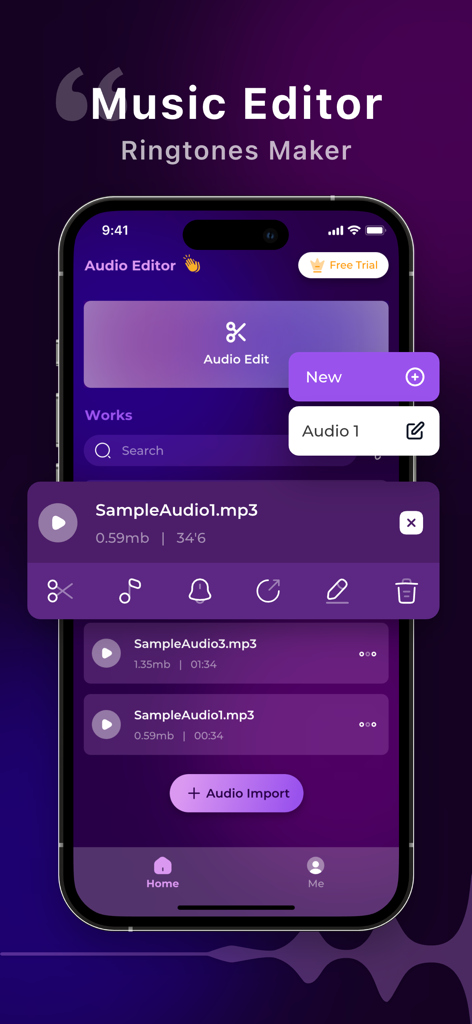
오디오 파일 관리 및 편집 도구를 보여주는 iPhone 화면의 Music Editor 앱 인터페이스

오디오 파일 관리 및 편집 도구를 보여주는 iPhone 화면의 Music Editor 앱 인터페이스

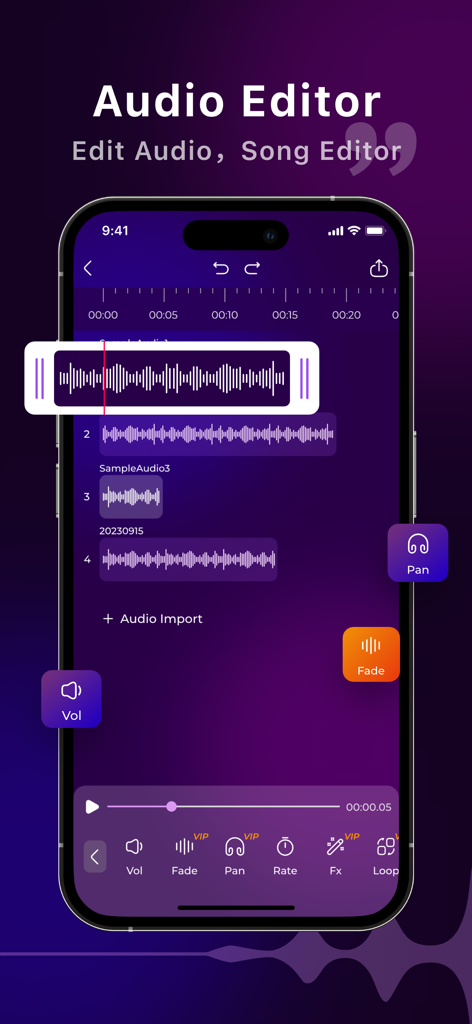
Audio Editor 앱의 멀티트랙 오디오 편집 인터페이스를 표시하는 스마트폰 화면

Audio Editor 앱의 멀티트랙 오디오 편집 인터페이스를 표시하는 스마트폰 화면

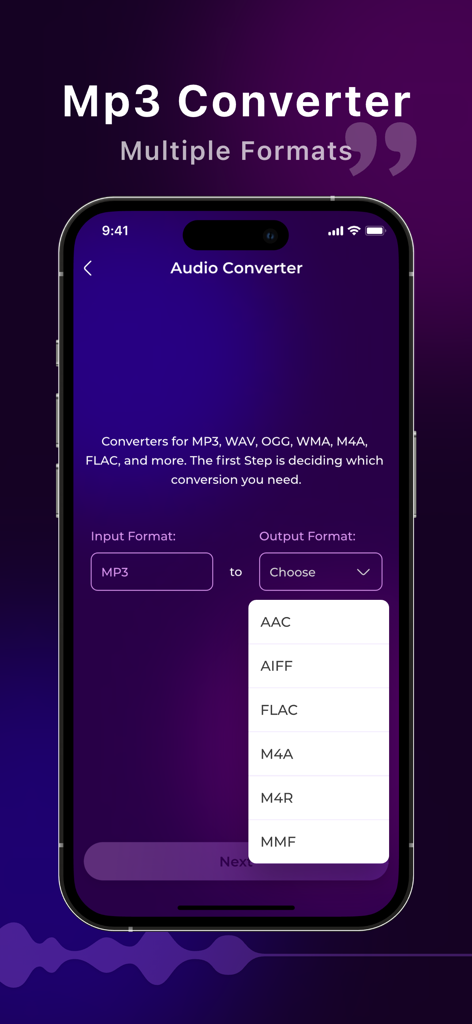
AAC 및 FLAC과 같은 여러 출력 형식을 보여주는 오디오 변환기 인터페이스

AAC 및 FLAC과 같은 여러 출력 형식을 보여주는 오디오 변환기 인터페이스

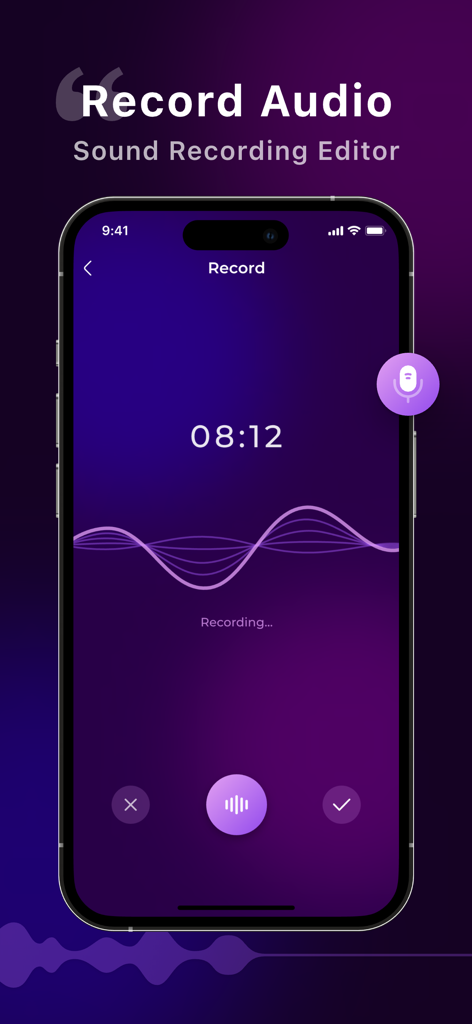
파형 및 타이머와 함께 라이브 음성 녹음을 보여주는 Audio Editor 앱 인터페이스

파형 및 타이머와 함께 라이브 음성 녹음을 보여주는 Audio Editor 앱 인터페이스

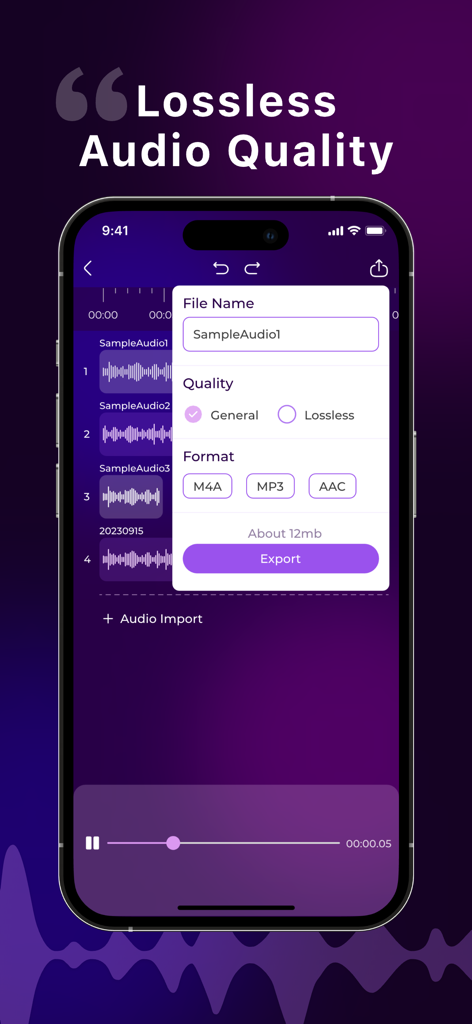
음악 편집기 앱 내에서 다양한 형식으로 무손실 오디오 품질에 대한 내보내기 옵션을 보여주는 모바일 화면

음악 편집기 앱 내에서 다양한 형식으로 무손실 오디오 품질에 대한 내보내기 옵션을 보여주는 모바일 화면

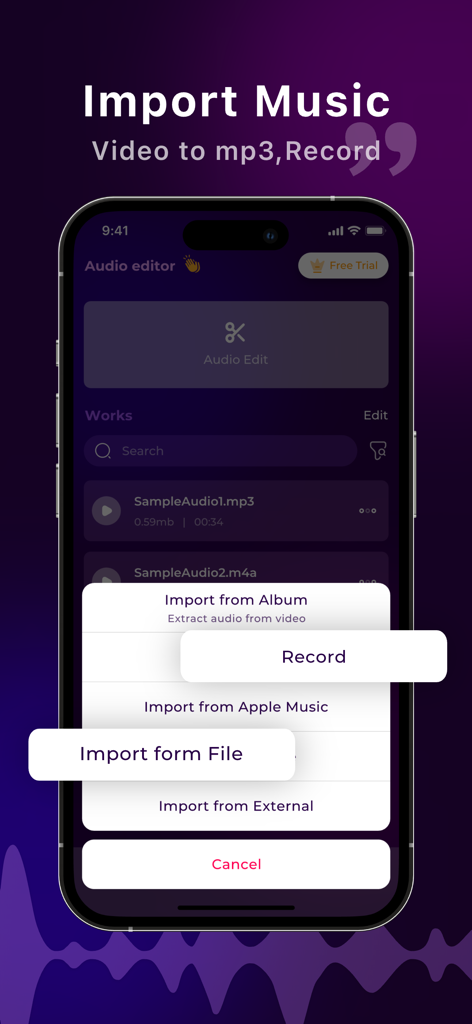
비디오 추출 및 녹음을 포함한 다양한 음악 가져오기 옵션을 보여주는 모바일 앱 화면

비디오 추출 및 녹음을 포함한 다양한 음악 가져오기 옵션을 보여주는 모바일 앱 화면

전문적인 사운드, 모바일의 단순함

이 앱을 돋보이게 하는 도구, 347K+ 명의 사용자가 선택.

🎚️

멀티트랙 레이어링

보컬, 음악 및 음향 효과를 완벽하게 혼합하여 iPhone에서 직접 전문가 수준의 믹스와 팟캐스트 에피소드를 만드세요.

✂️

정밀 스튜디오 도구

프레임 정확도로 자르고, 잘라내고, 병합하며 실시간 미리보기를 통해 오디오가 깔끔하고 오류 없이 완성되도록 하세요.

🔄

범용 형식 내보내기

프로젝트를 MP3, AAC 또는 고품질 무손실 WAV로 즉시 변환하고 내보내 모든 소셜 플랫폼의 요구 사항을 충족하세요.

전 세계 사용자들에게 사랑받는 앱

Trusted by 347K+ 명이 이 앱을 사랑합니다.

"

"전업 콘텐츠 크리에이터로서 Reels 및 TikTok을 위해 오디오를 즉석에서 편집해야 합니다. 이 앱은 정말 구세주입니다! 인터페이스가 너무 직관적이어서 녹음을 자르고 전문적인 페이드인을 몇 초 만에 추가할 수 있습니다. 빠른 소셜 미디어 편집을 위해 데스크톱 소프트웨어를 완전히 대체했습니다."

Sarah Jensen
"

"모바일 앱에 비해 멀티트랙 편집 기능이 놀랍도록 강력합니다. 통근 중에 팟캐스트 에피소드를 믹싱하는 데 사용하며 고품질 WAV 형식으로 내보낼 수 있다는 점은 오디오가 전문적으로 유지되도록 합니다. 모바일 우선 워크플로우를 찾는 모든 독립 크리에이터에게 완벽한 도구입니다."

Marcus Rivera

리뷰 분석

사용자 리뷰 인사이트.

감정 점수

19%
부정적

요약

The app generally receives overwhelmingly negative feedback from users, with many reporting that core features such as downloading, cutting, importing, and exporting audio either do not work correctly or are entirely unavailable, and some even experiencing data loss. A significant number of users express extreme frustration with the app's aggressive pricing model, including unexpected charges, constant demands for subscriptions, misleading "free" claims, and difficulty canceling trials or subscriptions. While a small number of users found the app useful for basic audio editing and praised its overall quality, the predominant sentiment points to a dysfunctional application plagued by paywalls and severe technical issues. Several users also noted the absence of basic functionalities like an undo option or a clear path to cancel their subscriptions.

주요 테마

Subscription & Pricing Issues(16)
Core Features Not Working(15)
Performance & Bugs(4)
Missing Features(4)
Overall Positive Experience(4)
Audio Editing Capability(2)

앱 소개

에 대해 알아야 할 모든 것 Audio Editor:Music Editor.

설명

Welcome to Audio Editor, A professional music editing tool. With powerful features and an intuitive interface, Audio Editor empowers you to unleash your creativity and take your audio projects to the next level. Whether you're a musician, podcaster, or audio enthusiast, Audio Editor offers a comprehensive suite of tools to convert audio formats, edit recordings, and apply professional-grade editing techniques with ease. Key Features: Versatile Audio Format Conversion: Seamlessly convert audio files between various formats, ensuring compatibility and flexibility for your projects. Robust Recording Editing: Edit recordings with precision using advanced tools such as trimming, cutting, merging, and adjusting audio levels. Professional-grade editing tools: Access a variety of editing features, including fade in/out, audio speed shifting, and more to enhance and perfect your audio projects.refine your audio projects. Intuitive User Interface: Navigate seamlessly through Audio Editor's user-friendly interface, designed to streamline your workflow and make audio editing effortless. Real-time Preview and Feedback: Preview edits in real-time and receive instant feedback on adjustments, allowing you to fine-tune your sound with precision and confidence. Multi-track Editing: Effortlessly edit multiple audio tracks simultaneously, enabling sophisticated layering and blending for professional-quality mixes. Flexible export options: Export your creations in a variety of formats, including M4A, MP3, AAC, and the high-quality lossless audio format WAV, ensuring compatibility with all your favorite platforms and devices. 【Subscription function service】 1. Subscription service: weekly subscription, lifetime subscription 2. Subscription price: subject to IAP application information 【Terms of Service】 1. User terms of service: https://docs.qq.com/doc/p/7c9539d4c99068ba086afeb04aaa157cca792322?u=ce33b6609320401eb8d466655dbd5bf1 2. Privacy Policy: https://docs.qq.com/doc/p/2ca3b4a8263e47a0d265f80d590b1ec50c3453e9?u=ce33b6609320401eb8d466655dbd5bf1 【Contact us】 liming20220808@163.com

최신 버전

1.0.9

크기

42.3 MB

출시일

2024년 5월 12일

이동 중에도 전문가처럼 들릴 준비가 되셨나요?

347,000명 이상의 크리에이터가 Audio Editor를 사용하여 iPhone에서 직접 스튜디오 품질의 오디오를 편집, 믹싱 및 마스터링하는 데 참여하세요. 지금 다운로드하고 다음 프로젝트를 시작하세요.

다운로드: App Store