Authenticator App - SafeAuth

Authenticator App - SafeAuth

다운로드: App Store다운로드: Google Play
Spark by MWM logo
로고: Authenticator App - SafeAuth

Authenticator App - SafeAuth: 올인원 2FA 보안 방패

1분 안에 Instagram, Coinbase, 업무 계정을 보호하세요. 안전하고 사용하기 쉬운 2단계 인증에 클라우드 백업 기능이 있어 계정에서 다시는 잠기지 않습니다.

다운로드: App Store

개발사

Brilliant App Limited

카테고리

Productivity

다운로드

3K+

사용자 평점

4.8/5

총 평가 수

0

지원 언어

9

한눈에 보는 보안

이 인터페이스를 사용하는 3K+ 명의 사용자.

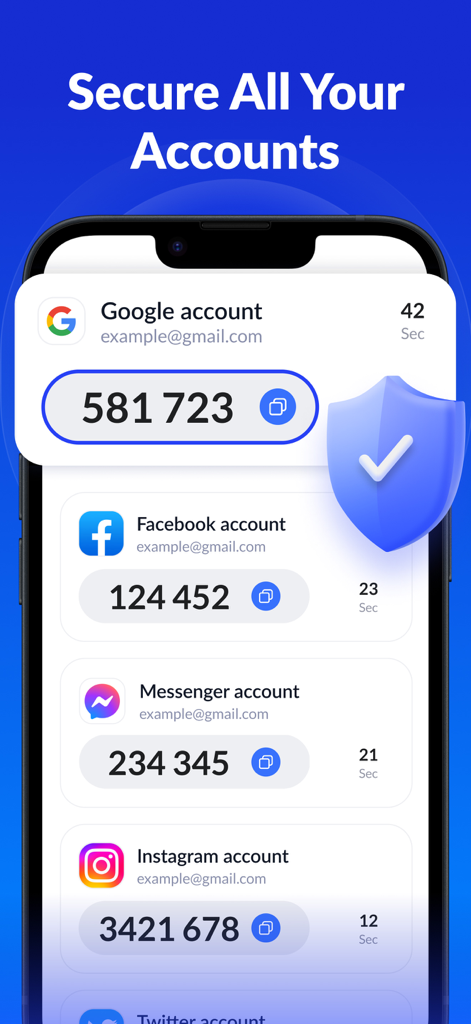
SafeAuth Authenticator 앱 인터페이스에 보호 보안 방패 아이콘과 함께 Google Facebook Messenger 및 Instagram에 대한 2FA 코드가 표시됨

SafeAuth Authenticator 앱 인터페이스에 보호 보안 방패 아이콘과 함께 Google Facebook Messenger 및 Instagram에 대한 2FA 코드가 표시됨

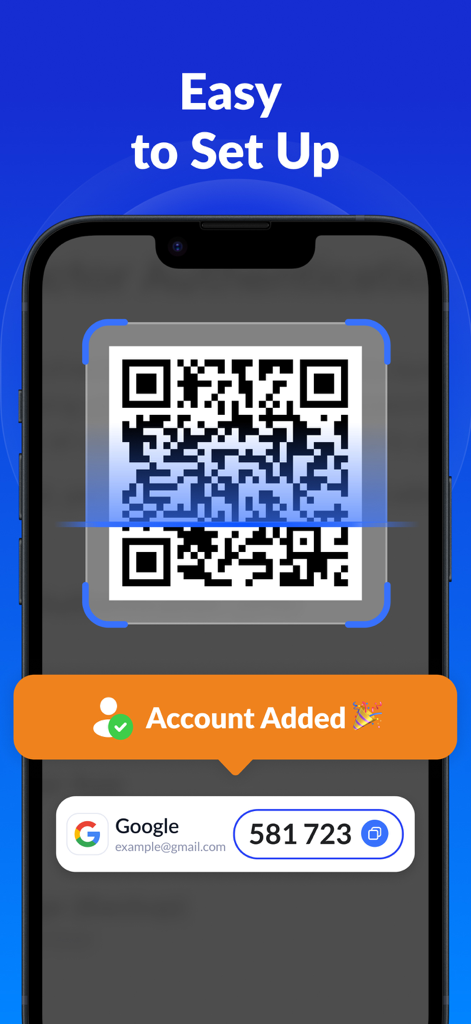
SafeAuth 인증기 앱 인터페이스에 쉬운 2FA 설정을 위한 QR 코드 스캔 방법 표시

SafeAuth 인증기 앱 인터페이스에 쉬운 2FA 설정을 위한 QR 코드 스캔 방법 표시

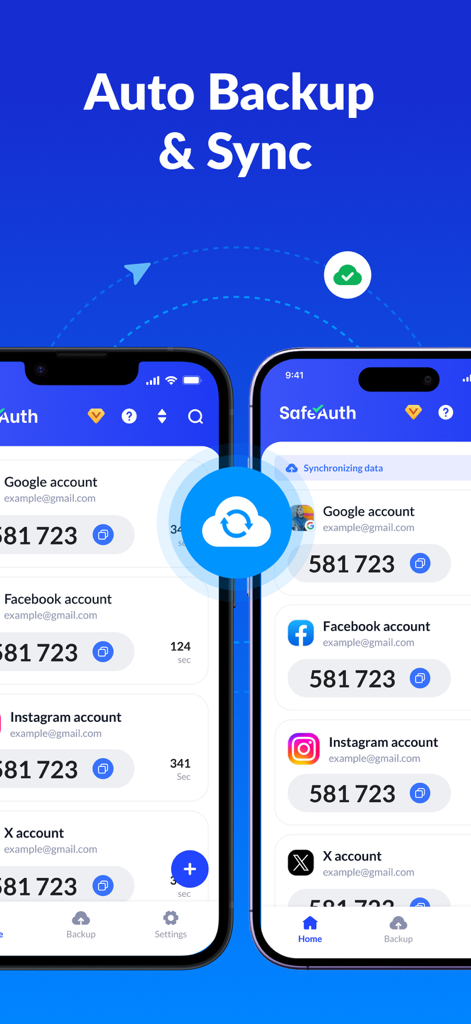
여러 2FA 계정에 대해 클라우드 백업 및 동기화 기능이 활성화된 SafeAuth 인증기 앱을 표시하는 두 대의 iPhone

여러 2FA 계정에 대해 클라우드 백업 및 동기화 기능이 활성화된 SafeAuth 인증기 앱을 표시하는 두 대의 iPhone

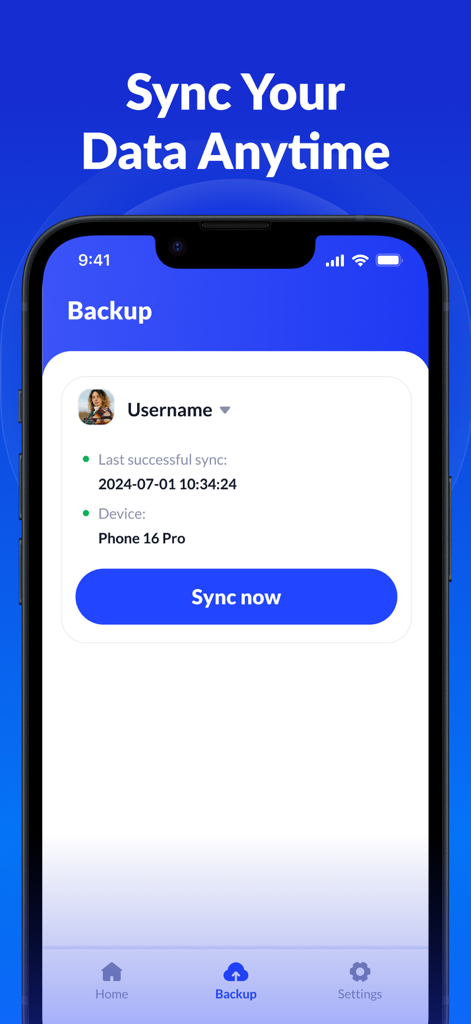
SafeAuth Authenticator 앱의 클라우드 백업 및 데이터 동기화 인터페이스

SafeAuth Authenticator 앱의 클라우드 백업 및 데이터 동기화 인터페이스

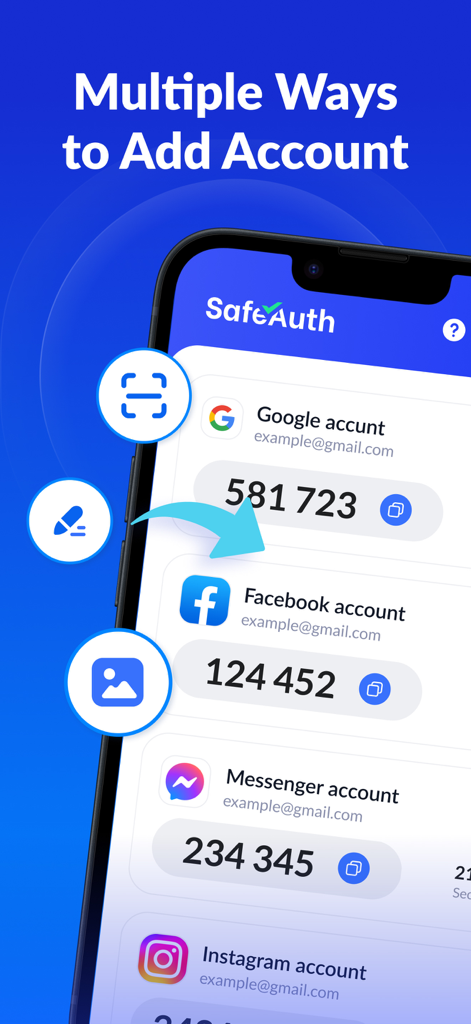
SafeAuth Authenticator 앱의 인터페이스에 새로운 2FA 계정을 추가하는 다양한 옵션 표시

SafeAuth Authenticator 앱의 인터페이스에 새로운 2FA 계정을 추가하는 다양한 옵션 표시

디지털 라이프를 위한 타협 없는 보안

이 앱을 돋보이게 하는 도구, 3K+ 명의 사용자가 선택.

☁️

다시는 접근을 잃지 마세요

2FA 토큰을 클라우드에 안전하게 백업하세요. 휴대폰을 업그레이드하거나 분실해도 계정은 안전하며 즉시 액세스할 수 있습니다.

🛡️

모든 것을 위한 하나의 앱

Coinbase, Tesla, Instagram, GitHub 및 수천 개의 서비스와 보편적으로 호환됩니다. 보안을 한 곳으로 중앙 집중화하세요.

60초 안에 설정 완료

기술 전문 지식이 필요하지 않습니다. 직관적인 QR 스캐너와 단계별 가이드를 사용하여 모든 계정에 2단계 인증을 즉시 추가하세요.

전 세계 사용자들에게 사랑받는 앱

Trusted by 3K+ 명이 이 앱을 사랑합니다.

"

"여러 암호화폐 지갑과 민감한 업무 계정을 관리하는 사람으로서 클라우드 백업 기능은 완전한 게임 체인저입니다. 최근 iPhone을 업그레이드했는데 모든 2FA 코드를 동기화하는 것이 매우 원활했습니다. 제가 디지털 자산을 위해 사용했던 것 중 가장 안정적이고 사용자 친화적인 인증기입니다."

Marcus T., 핀테크 분석가
"

"저는 2단계 인증이 어렵다고 생각했지만 SafeAuth의 안내 설정 덕분에 소셜 미디어 및 은행 계정을 안전하게 보호하는 것이 매우 쉬워졌습니다. 장치를 분실하더라도 클라우드 동기화 기능을 통해 액세스를 복구할 수 있다는 사실을 알게 되어 마음이 편안합니다. 간편함을 적극 추천합니다!"

Elena G., 소상공인

앱 소개

에 대해 알아야 할 모든 것 Authenticator App - SafeAuth.

설명

SafeAuth Authenticator is a perfect two-factor authentication (2FA) solution for all your online accounts. Very easy to use, 100% secure, with cloud backup to prevent account loss. It adds an extra layer of protection for your personal and work accounts by generating one-time 6-digit codes for 2-step verification. Its user-friendly design and detailed 2FA guides make it easy for anyone to set up and use. Give this free and secure authenticator app a try! Protect your account in just 1 minute with simple and efficient two-factor authentication. WHY CHOOSE SAFEAUTH ►Enhance Security SafeAuth secures all your online accounts on your device by 2-step verification. It generates a unique time-based one-time password (TOTP) for each login, ensuring that only authorized users can access your account. ►Easy-to-use & Efficient Adding an account to SafeAuth has never been easier thanks to the detailed 2FA guides. You can scan 2FA QR codes or enter private keys to add accounts. It even supports offline code generation, streamlining the authentication process. ►Protect Your Account SafeAuth provides reliable protection against unauthorized access, hacking, phishing attacks, and other security threats. Even if someone has your username and password, he/she cannot access your account without the 2FA code generated by SafeAuth on your device. ►Back up and Sync Across Devices You can log in with your Google account to back up all account data to the cloud. This means that when changing devices, you only need to log in to easily sync all data, without worrying about data loss or the hassle of re-binding accounts. ►Available for All Services SafeAuth's 2FA tokens are universally accepted across a wide range of popular online services such as Google, Instagram, Facebook, Twitter, LinkedIn, Dropbox, Snapchat, Github, Tesla, Coinbase and thousands of others, and can also secure your Bitcoin wallet. Look no further than Authenticator App - SafeAuth, the best 2FA solution you can trust! Please feel free to contact us at support@safeauth.services if you have any questions or feedback. We'd be happy to hear from you! Payment and Subscription - Payment will be charged to your iTunes account upon purchase confirmation. - The subscription will automatically renew unless you disable auto-renew at least 24 hours before the end of the current billing cycle. - You can manage your subscription and turn off auto-renewal by accessing Account Settings after purchase. - Your account will be charged for renewal up to 24 hours before the current period ends. - Any unused portion of the free trial will be forfeited upon purchasing a subscription. Privacy Policy: https://mauther.safeauth.services/privacypolicy.html Terms of Use: https://mauther.safeauth.services/terms.html

최신 버전

1.0.3

크기

42.1 MB

출시일

2023년 6월 28일

1분 안에 디지털 라이프를 안전하게 보호하세요

간편한 2FA를 위해 SafeAuth를 신뢰하는 수천 명의 사용자와 함께하세요. 암호화된 클라우드 백업과 모든 장치에서 원활한 동기화를 통해 완벽한 마음의 평화를 경험하세요.

다운로드: App Store다운로드: Google Play
FAQ

자주 묻는 질문

에 대해 알아야 할 모든 것 Authenticator App - SafeAuth
SafeAuth Authenticator는 무엇인가요?

SafeAuth Authenticator는 안전한 계정 확인을 위해 6자리 일회용 코드를 생성하는 2단계 인증(2FA) 솔루션입니다. 추가 보안 계층을 제공하여 무단 액세스, 해킹 및 피싱으로부터 온라인 계정을 보호합니다.

SafeAuth Authenticator는 계정 보안을 어떻게 개선하나요?

SafeAuth Authenticator는 로그인할 때마다 고유한 시간 기반 일회용 비밀번호(TOTP)를 생성하여 보안을 개선합니다. 이 2단계 인증은 승인된 사용자만 계정에 액세스하도록 보장하여 무단 액세스 및 보안 위협으로부터 보호합니다.

SafeAuth Authenticator는 2FA 코드에 대한 클라우드 백업을 제공하나요?

예, SafeAuth Authenticator는 모든 계정 데이터에 대한 클라우드 백업을 제공합니다. 사용자는 Google 계정으로 로그인하여 기기 간에 데이터를 동기화하고, 데이터 손실을 방지하며, 재연결 없이 계정 마이그레이션을 단순화합니다.

SafeAuth Authenticator에 새 계정을 추가하려면 어떻게 해야 하나요?

사용자는 2FA QR 코드를 스캔하거나 개인 키를 수동으로 입력하여 SafeAuth Authenticator에 계정을 추가합니다. 앱은 이 프로세스를 단순화하기 위한 자세한 2FA 가이드를 제공하여 설정을 효율적이고 사용자 친화적으로 만듭니다.

SafeAuth Authenticator는 인기 있는 온라인 서비스와 호환되나요?

예, SafeAuth Authenticator의 2FA 토큰은 Google, Instagram, Facebook, Twitter, Dropbox, Coinbase 및 수천 개의 다른 인기 있는 온라인 서비스에서 널리 사용됩니다.

SafeAuth Authenticator는 오프라인에서 코드를 생성할 수 있나요?

예, SafeAuth Authenticator는 오프라인 코드 생성을 지원합니다. 이 기능을 통해 사용자는 활성 인터넷 연결 없이 시간 기반 일회용 비밀번호(TOTP)를 생성하여 언제 어디서나 인증 프로세스를 간소화할 수 있습니다.

Authenticator App - SafeAuth 구독을 어떻게 관리하나요?

구매 후 계정 설정에서 Authenticator App - SafeAuth 구독을 관리하고 자동 갱신을 비활성화할 수 있습니다. 자동 갱신은 현재 청구 주기 종료 최소 24시간 전에 꺼야 합니다.

Authenticator App - SafeAuth의 구독 조건은 무엇인가요?

Authenticator App - SafeAuth에 대한 결제는 구매 시 iTunes에 청구됩니다. 구독은 주기 종료 24시간 전에 비활성화하지 않으면 자동으로 갱신됩니다. 갱신 청구는 주기 종료 최대 24시간 전에 발생합니다.

Authenticator App - SafeAuth의 개인 정보 보호 정책은 어디에서 확인할 수 있나요?

Authenticator App - SafeAuth의 개인 정보 보호 정책은 제공된 링크(https://mauther.safeauth.services/privacypolicy.html)를 통해 직접 액세스할 수 있습니다. 이 문서에는 애플리케이션에서 개인 데이터가 어떻게 처리되는지에 대한 설명이 나와 있습니다.