Authenticator ·

Authenticator ·

다운로드: App Store다운로드: Google Play
Spark by MWM logo
로고: Authenticator ·

Authenticator · 디지털 생활을 위한 올인원 보안 스위트

암호화된 2FA 토큰, 강력한 비밀번호 관리자, 내장 VPN으로 계정을 보호하세요. 모든 Apple 기기에서 원활한 동기화와 전문적인 수준의 개인 정보를 경험하세요.

개발사

SMM service, s.r.o.

카테고리

Utilities

다운로드

9M+

사용자 평점

4.7/5

총 평가 수

48K+

지원 언어

10

손끝에서 경험하는 보안

이 인터페이스를 사용하는 9M+ 명의 사용자.

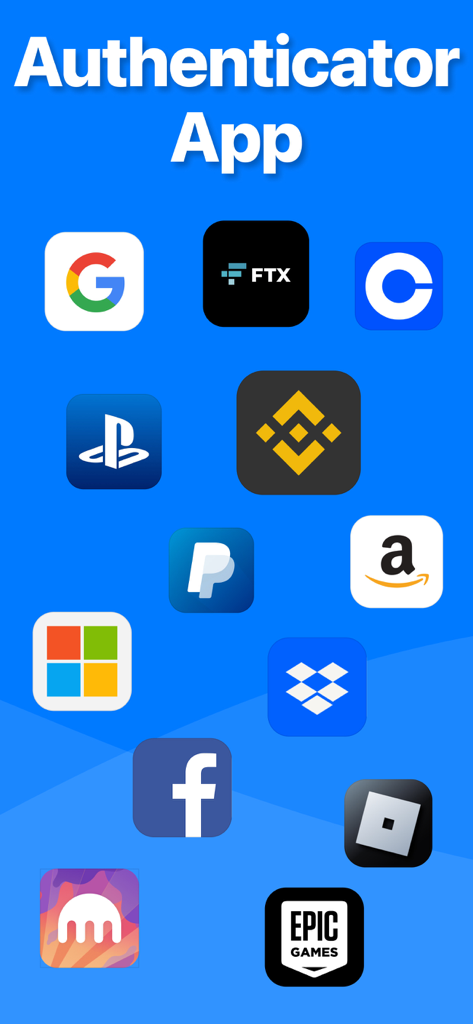
Google, Facebook, Amazon과 같은 지원되는 서비스 아이콘을 보여주는 Authenticator 앱

Google, Facebook, Amazon과 같은 지원되는 서비스 아이콘을 보여주는 Authenticator 앱

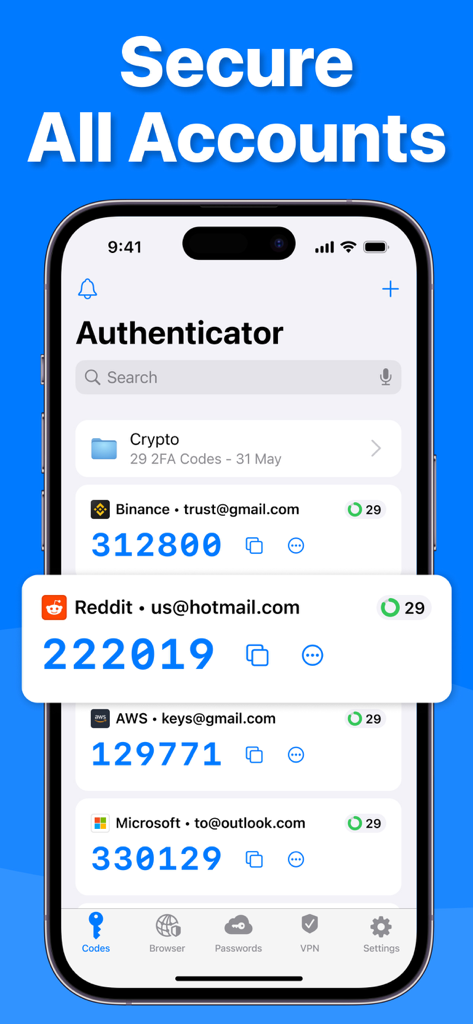
여러 계정에 대한 2단계 인증 코드를 표시하는 iPhone의 Authenticator 앱 인터페이스

여러 계정에 대한 2단계 인증 코드를 표시하는 iPhone의 Authenticator 앱 인터페이스

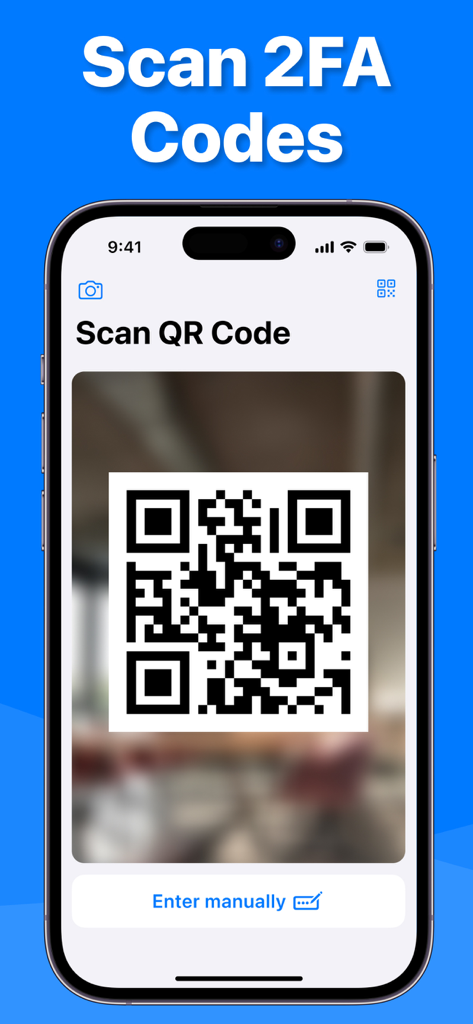
2단계 인증을 위한 QR 코드 스캔 중인 Authenticator 앱

2단계 인증을 위한 QR 코드 스캔 중인 Authenticator 앱

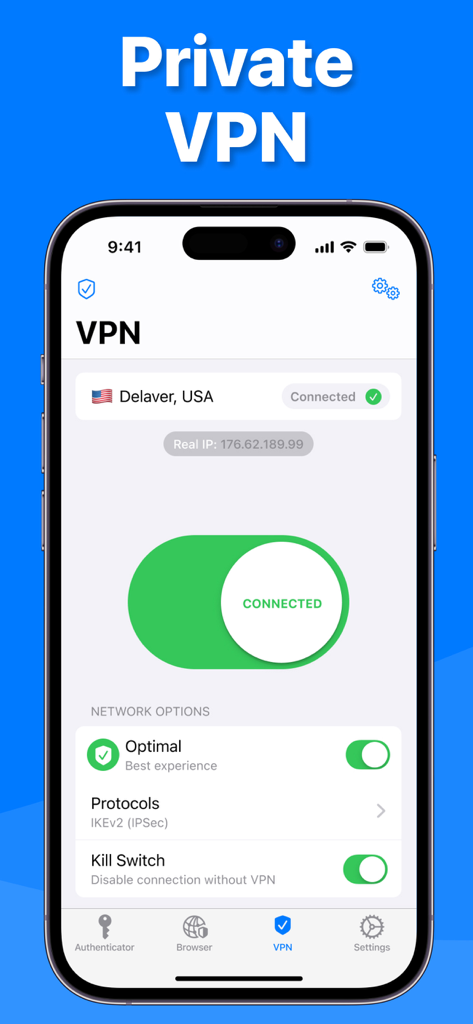
미국 서버에 대한 보안 연결을 보여주는 Authenticator 앱의 개인 VPN 인터페이스.

미국 서버에 대한 보안 연결을 보여주는 Authenticator 앱의 개인 VPN 인터페이스.

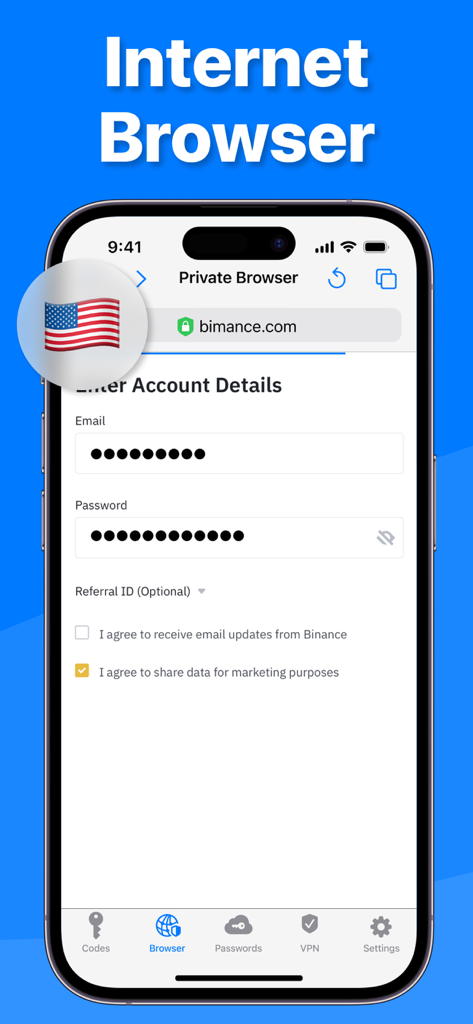
보안 로그인 화면을 보여주는 Authenticator 앱의 개인 인터넷 브라우저 기능 인터페이스.

보안 로그인 화면을 보여주는 Authenticator 앱의 개인 인터넷 브라우저 기능 인터페이스.

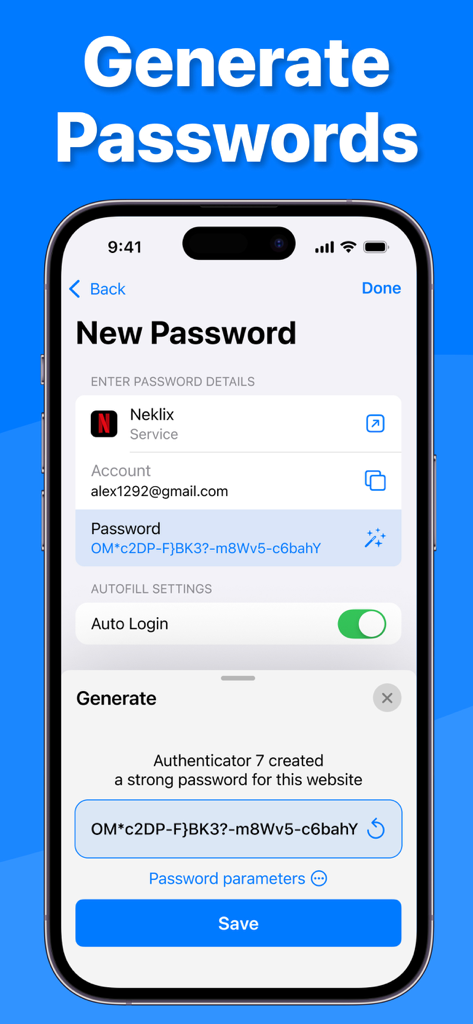
자동 로그인 및 계정 세부 정보로 보안 비밀번호 생성을 보여주는 Authenticator 7 앱 스크린샷

자동 로그인 및 계정 세부 정보로 보안 비밀번호 생성을 보여주는 Authenticator 7 앱 스크린샷

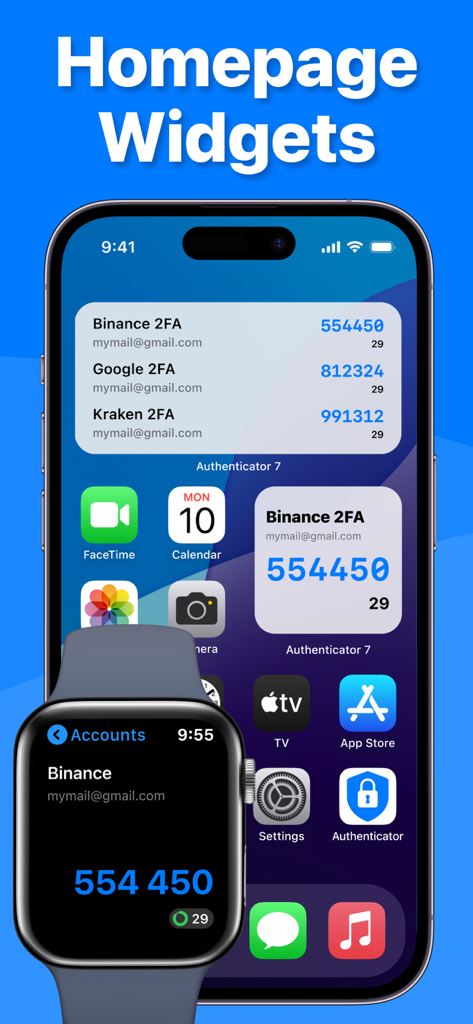
2단계 인증 코드를 보여주는 iPhone 및 Apple Watch의 Authenticator 앱 위젯

2단계 인증 코드를 보여주는 iPhone 및 Apple Watch의 Authenticator 앱 위젯

디지털 신원을 위한 타협 없는 보안

이 앱을 돋보이게 하는 도구, 9M+ 명의 사용자가 선택.

🔄

자동 클라우드 동기화 및 백업

계정에 대한 액세스를 잃지 마세요. 토큰과 비밀번호는 완벽하게 암호화되어 안전한 iCloud 백업을 통해 모든 Apple 생태계에서 동기화됩니다.

🛡️

능동적인 위협 방지

통합 비밀번호 유출 보고서, 높은 엔트로피 비밀번호 생성기, 공용 Wi-Fi에서 안전한 브라우징을 위한 내장 VPN으로 해커보다 앞서 나가세요.

원활한 전문가 워크플로우

Apple Watch를 통해 2FA 코드를 즉시 액세스하고 스마트 폴더와 사용자 지정 서비스 아이콘으로 방대한 계정 포트폴리오를 체계적으로 관리하세요.

전 세계 사용자들에게 사랑받는 앱

Trusted by 9M+ 명이 이 앱을 사랑합니다.

"

"드디어 Apple 생태계에 완벽하게 맞는 인증 앱이 나왔습니다. iPhone, Mac, Apple Watch 간의 동기화가 완벽합니다. 노트북에서 작업하는 동안 손목에서 바로 2FA 코드를 가져올 수 있다는 점은 제 워크플로우를 완전히 바꿔 놓았습니다. 제가 사용해본 앱 중에서 단연 가장 세련된 보안 앱입니다."

James Reed
"

"수십 개의 계정을 관리하는 비즈니스 소유자로서 2FA 코드로 인해 어려움을 겪고 있었습니다. Authenticator 7의 폴더와 사용자 지정 아이콘 덕분에 모든 것을 훨씬 쉽게 찾을 수 있었습니다. 또한 iCloud에 백업이 암호화되어 있다는 사실은 제게 완전한 안심을 줍니다. 단순한 인증 앱 그 이상입니다. 완전한 보안 스위트입니다."

Sarah Jenkins

앱 소개

에 대해 알아야 할 모든 것 Authenticator ·.

설명

Authenticator 7 - Store and generate secure 2FA (two-factor authentication) tokens for your online accounts on your device. The Authenticator 7 helps you protect your account from hackers by adding an additional layer of security. Secure & Private: All data stored in Authenticator is always encrypted, even when it's stored in iCloud, to ensure that you are the only one who can access your data. 2FA Secured Backup: Safe and secure encrypted iCloud backups for all your 2FA codes, passwords, and secret keys. You can easily restore access to your keys on a new device or use our app on multiple devices with automatic cross-device synchronization. Synchronization Across all Devices: With Authenticator, all your tokens will automatically synchronize across all Apple devices. Once configured with an online account, the application works efficiently on various mobile devices and allows you to log in from several devices at once. Import from other apps: You can export all your 2FA keys from any other external app and import them into our app in one tap. Just scan the QR code from the other 2FA app with our app or use CSV file import to import an unlimited amount of 2FA codes to our app. Export from our app: You can easily export all 2FA codes from our app in just a single tap. Export them as a CSV file or QR code. Watch Faces App: Get access to all your 2FA codes from your Apple Watch. Folders: Create multiple folders for your 2FA codes to categorize them in a convenient way. You can move codes with the drag-and-drop feature. Custom Icons: Add custom or system icons to any of your 2FA codes to better recognize them on the list with many codes. The application automatically recognizes the service icon (favicon). Password Manager: Store all your passwords in one secure storage. Get automatic password leaks protection and security reports for leaked passwords. Get a push if your password is leaked in some data leak. Password generator: Generate a strong password with multiple security settings and smart password creation tips. Set up the password length and use unique symbols and numbers. App PIN lock: Set up a 4-digit PIN to protect your app from other people and set up an auto-lock feature for the app to automatically lock the app with a PIN after exiting the app. Authorize with Face/Touch ID: Confirm your identity with the application using Face/Touch ID and generate one-time tokens required to log in to your online accounts. All Popular Services: Manually tested on 10,000+ most popular services. We support the most popular services including Google, Facebook, Twitter, Instagram, LinkedIn, Amazon, Microsoft, Dropbox, PayPal, eBay, Snapchat, Pinterest, Reddit, Yahoo, Shopify, Slack, Zoom, Airbnb, Uber and much more! Private browser: Fast and secure browser with no history, logs or cookies, allowing you to browse the web without leaving any traces. It also includes bookmarking and tabbed browsing for a convenient and personalized browsing experience. VPN: Secure and private internet connection by encrypting your online traffic and masking your IP address. With servers located in various countries, you can browse the internet anonymously and access restricted content from anywhere. Our VPN also blocks unwanted ads and malicious websites to protect you from cyber threats. Plus, our no-logs policy ensures that your online activity stays private. The VPN module is easy to use, with a simple one-tap connection and automatic server selection. Whether you're on public Wi-Fi or just want to keep your online activity private, our VPN module has got you covered. Privacy Policy: https://www.team2swift.com/privacy-authenticator/ Terms of Use: https://www.team2swift.com/terms-authenticator/ For any questions or requests, please use our customer support form at: https://www.team2swift.com/support/

최신 버전

1.7.32

크기

114.3 MB

출시일

2022년 2월 17일

탭 한 번으로 디지털 세계를 안전하게 보호하세요

올인원 2FA, 암호화된 비밀번호 관리자, 개인 VPN 스위트를 사용하는 9백만 명 이상의 전문가와 함께하세요.

다운로드: App Store다운로드: Google Play
FAQ

자주 묻는 질문

에 대해 알아야 할 모든 것 Authenticator ·

Authenticator ·은 무엇인가요?

Authenticator ·는 온라인 계정의 보안 2단계 인증(2FA) 토큰을 저장하고 생성하도록 설계된 앱입니다. 또한 비밀번호 관리자, 비공개 브라우저 및 VPN도 포함되어 있습니다.

Authenticator ·는 2FA 코드에 대한 iCloud 백업을 지원하나요?

네, Authenticator ·는 모든 2FA 코드, 비밀번호 및 보안 키에 대한 안전한 암호화 iCloud 백업을 제공합니다. 이를 통해 새 기기에서 쉽게 복원할 수 있습니다.

Authenticator ·는 여러 기기에서 2FA 토큰을 동기화할 수 있나요?

네, Authenticator ·는 모든 Apple 기기에서 모든 2FA 토큰을 자동으로 동기화합니다. 사용자는 여러 기기에서 동시에 로그인할 수 있습니다.

Authenticator ·로 2FA 키를 가져오려면 어떻게 해야 하나요?

사용자는 다른 2FA 앱의 QR 코드를 스캔하거나 Authenticator · 앱 내에서 CSV 파일 가져오기 옵션을 사용하여 2FA 키를 가져올 수 있습니다.

Authenticator ·는 비밀번호 관리자 기능을 제공하나요?

네, Authenticator ·에는 비밀번호 관리자가 포함되어 있습니다. 비밀번호를 안전하게 저장하고, 자동 유출 방지, 보안 보고서 및 유출된 비밀번호에 대한 푸시 알림을 제공합니다.

Authenticator ·에는 비공개 웹 브라우저가 포함되어 있나요?

네, Authenticator ·는 빠르고 안전한 비공개 브라우저를 제공합니다. 기록, 로그 또는 쿠키 없이 작동하며 북마크 및 탭 브라우징을 지원합니다.

Authenticator ·는 어떤 VPN 기능을 제공하나요?

Authenticator · VPN은 안전한 인터넷 연결을 제공하고, 트래픽을 암호화하며, IP 주소를 마스킹하고, 광고 및 악성 웹사이트를 차단하며, 로그 없음 정책을 따릅니다.

Authenticator ·는 강력한 비밀번호를 생성할 수 있나요?

네, Authenticator ·에는 비밀번호 생성기가 있습니다. 여러 보안 설정과 스마트 팁으로 강력한 비밀번호를 생성하며, 길이와 문자 유형을 사용자 정의할 수 있습니다.

Authenticator ·는 PIN 또는 생체 인식으로 앱을 보호하나요?

네, Authenticator ·는 4자리 PIN 잠금 및 자동 잠금 기능을 설정할 수 있습니다. 또한 일회용 토큰 생성을 위한 신원 확인을 위해 Face ID/Touch ID를 지원합니다.

Apple Watch에서 Authenticator · 2FA 코드에 액세스할 수 있나요?

네, Authenticator ·는 Watch Faces 앱을 제공합니다. 이를 통해 사용자는 Apple Watch에서 모든 2FA 코드에 직접 액세스할 수 있습니다.