Proton Pass - Password Manager

Proton Pass - Password Manager

다운로드: App Store다운로드: Google Play
Spark by MWM logo
로고: Proton Pass - Password Manager

Proton Pass: 스위스 수준의 개인 정보 보호로 디지털 신원 보호

완전한 디지털 주권을 위해 설계된 오픈 소스 종단 간 암호화 비밀번호 관리자입니다. 모든 기기에서 무제한 로그인을 관리하고, 2FA 코드를 생성하고, 이메일 별칭으로 받은편지함을 보호하세요. 모두 무료입니다.

개발사

Proton AG

카테고리

Productivity

다운로드

840K+

사용자 평점

4.8/5

총 평가 수

9K+

지원 언어

30

귀하의 개인 정보, 시각화

이 인터페이스를 사용하는 840K+ 명의 사용자.

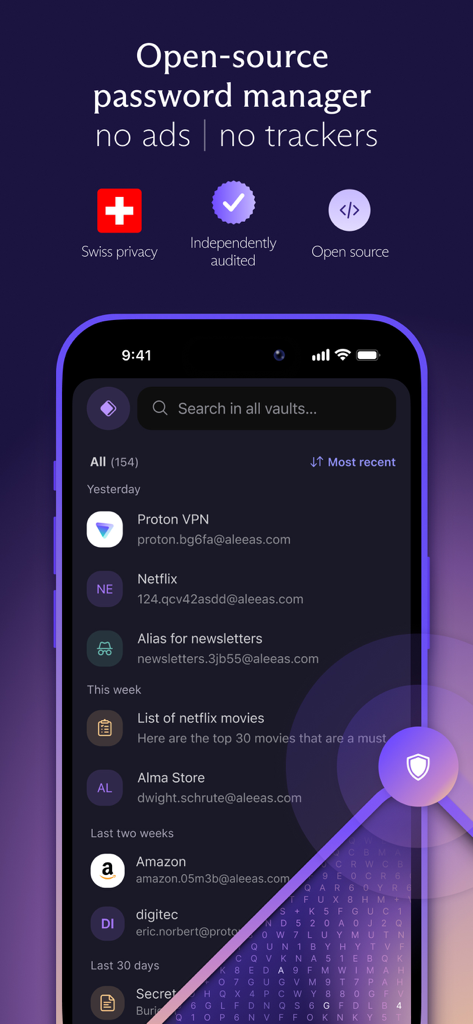
Proton Pass 앱 인터페이스는 스위스 개인 정보 보호 및 추적기 없는 오픈 소스 비밀번호 관리자를 보여줍니다.

Proton Pass 앱 인터페이스는 스위스 개인 정보 보호 및 추적기 없는 오픈 소스 비밀번호 관리자를 보여줍니다.

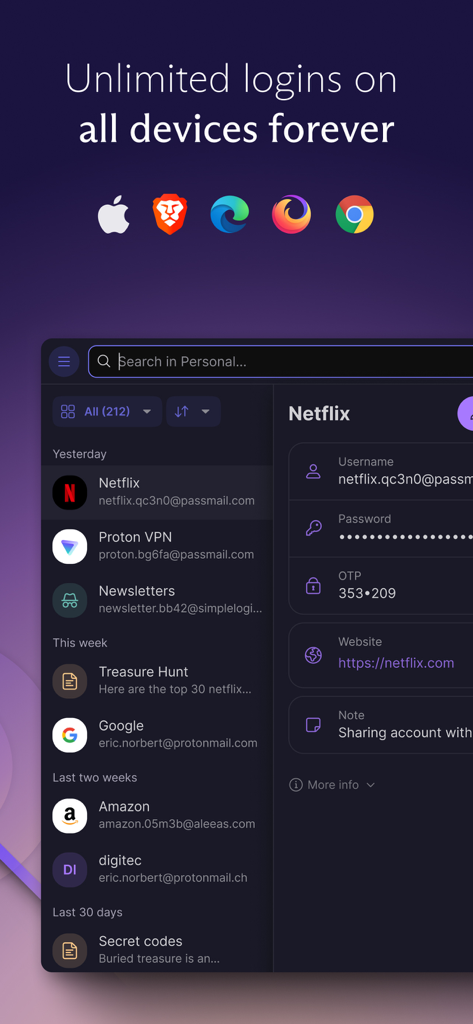
Proton Pass 앱 인터페이스 스크린샷은 Netflix 및 Google과 같은 저장된 로그인 목록을 보여주며 Apple, Brave, Edge, Firefox 및 Chrome을 포함한 모든 기기에서 무제한 로그인 기능을 강조합니다.

Proton Pass 앱 인터페이스 스크린샷은 Netflix 및 Google과 같은 저장된 로그인 목록을 보여주며 Apple, Brave, Edge, Firefox 및 Chrome을 포함한 모든 기기에서 무제한 로그인 기능을 강조합니다.

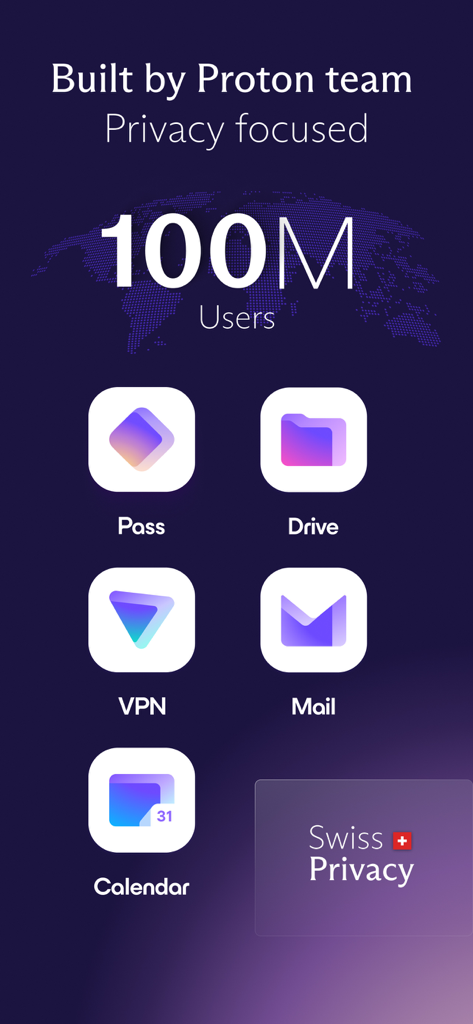
Proton Pass Drive VPN 및 Mail을 포함한 Proton 개인 정보 보호 앱 생태계는 1억 명의 사용자와 스위스 개인 정보 보호에 중점을 둡니다.

Proton Pass Drive VPN 및 Mail을 포함한 Proton 개인 정보 보호 앱 생태계는 1억 명의 사용자와 스위스 개인 정보 보호에 중점을 둡니다.

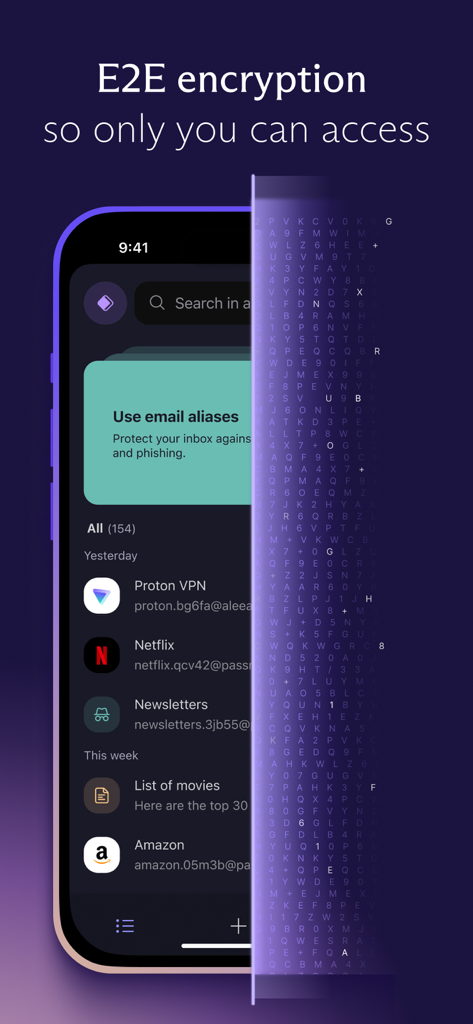
Proton Pass 앱 인터페이스를 보여주는 모바일 화면으로, 계정 로그인 및 이메일 별칭에 대한 종단 간 암호화의 시각적 표현입니다.

Proton Pass 앱 인터페이스를 보여주는 모바일 화면으로, 계정 로그인 및 이메일 별칭에 대한 종단 간 암호화의 시각적 표현입니다.

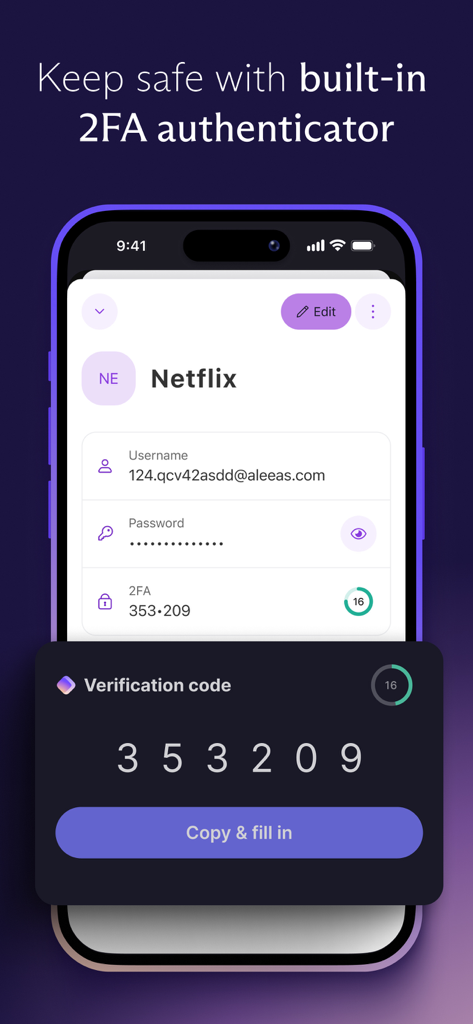
Netflix 계정에 대한 내장 2FA 인증기를 표시하는 Proton Pass 인터페이스

Netflix 계정에 대한 내장 2FA 인증기를 표시하는 Proton Pass 인터페이스

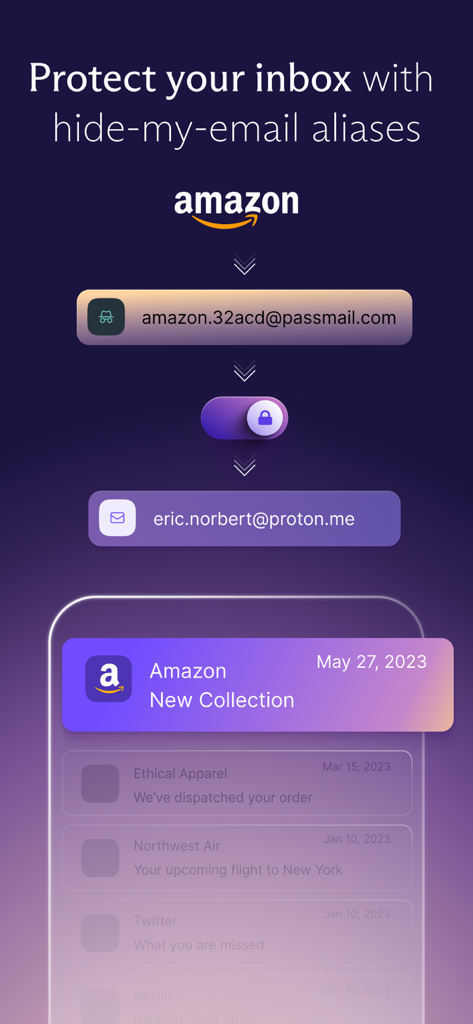
실제 받은편지함 주소를 보호하기 위한 Proton Pass 이메일 별칭 숨기기 기능

실제 받은편지함 주소를 보호하기 위한 Proton Pass 이메일 별칭 숨기기 기능

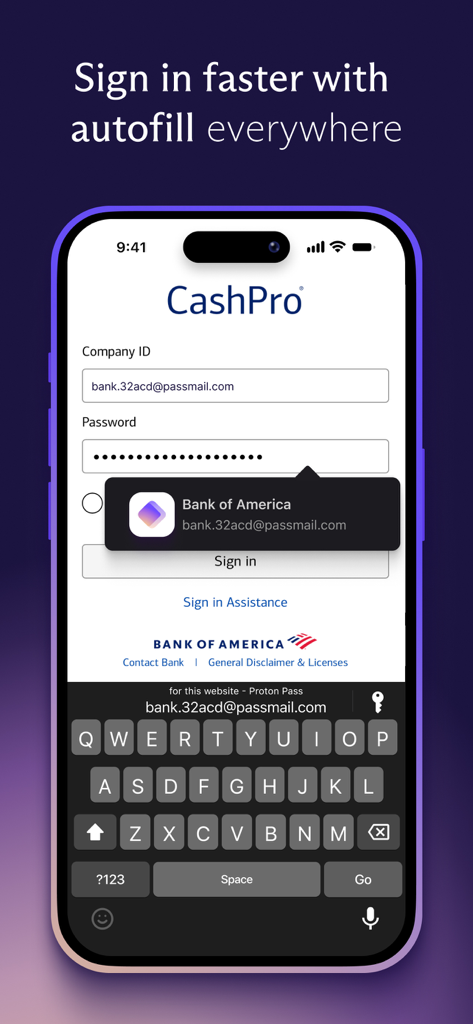
iPhone 모바일 앱 화면에서 로그인 자격 증명을 자동 완성하는 Proton Pass 비밀번호 관리자

iPhone 모바일 앱 화면에서 로그인 자격 증명을 자동 완성하는 Proton Pass 비밀번호 관리자

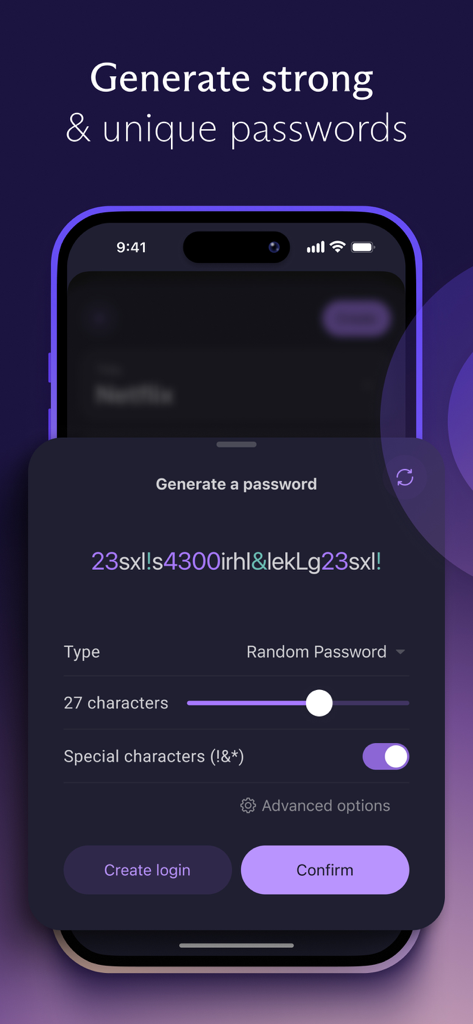
사용자 정의 가능한 길이 및 특수 문자를 사용하여 강력하고 고유한 비밀번호를 생성하기 위한 Proton Pass 모바일 앱 인터페이스

사용자 정의 가능한 길이 및 특수 문자를 사용하여 강력하고 고유한 비밀번호를 생성하기 위한 Proton Pass 모바일 앱 인터페이스

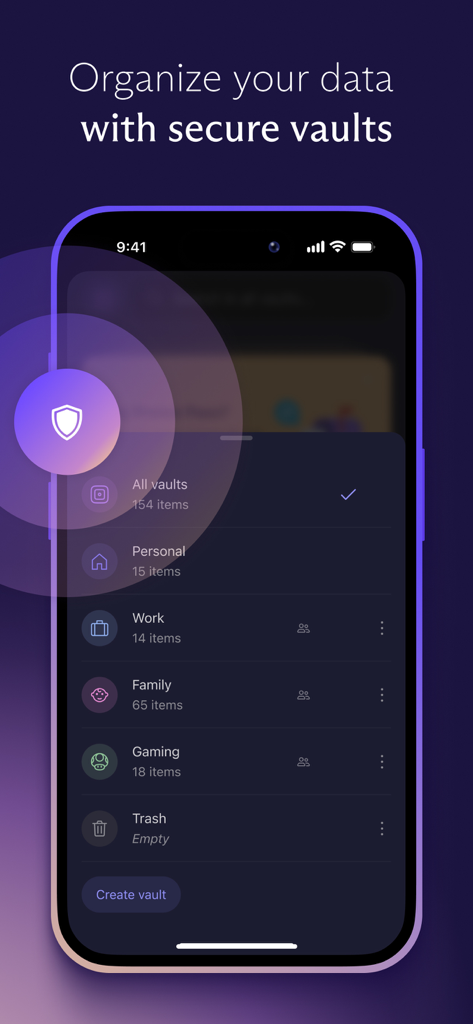
개인, 업무 및 가족 데이터를 위한 정리된 안전한 금고를 보여주는 Proton Pass 모바일 인터페이스

개인, 업무 및 가족 데이터를 위한 정리된 안전한 금고를 보여주는 Proton Pass 모바일 인터페이스

디지털 신원 되찾기

이 앱을 돋보이게 하는 도구, 840K+ 명의 사용자가 선택.

🛡️

스위스 수준의 개인 정보 보호

Proton조차 우회할 수 없는 오픈 소스 종단 간 암호화로 세계에서 가장 강력한 개인 정보 보호법에 따라 자격 증명을 보호하세요.

🎭

별칭을 통한 신원 보호

모든 새 계정에 대해 즉석에서 고유한 이메일 별칭을 만들어 해커와 마케팅 스팸으로부터 개인 받은편지함을 방어하세요.

통합 2FA 및 자동 완성

모든 기기에서 안전하게 로그인할 수 있는 내장 2FA 코드 생성 및 고급 자동 완성으로 디지털 마찰을 제거하세요.

전 세계 사용자들에게 사랑받는 앱

Trusted by 840K+ 명이 이 앱을 사랑합니다.

"

"소프트웨어 엔지니어로서 Proton Pass의 오픈 소스 특성과 스위스 관할권은 저에게 절대적으로 중요합니다. 통합 2FA 및 이메일 별칭 기능을 통해 기술 스택을 상당히 통합할 수 있었습니다. 제 디지털 신원을 관리하는 데 사용한 도구 중 가장 투명하고 안전한 도구입니다."

David S., 수석 개발자
"

"데이터 침해로 제 개인 이메일이 유출되고 스팸 메일이 쏟아지는 것에 지쳤습니다. '내 이메일 숨기기' 별칭 기능은 온라인 쇼핑에 혁신을 가져왔습니다. 또한 모든 기기에서 무제한 비밀번호를 무료로 동기화할 수 있다는 사실은 시장에서 최고의 가치를 제공합니다."

Elena M., 디지털 콘텐츠 프로듀서

앱 소개

에 대해 알아야 할 모든 것 Proton Pass - Password Manager.

설명

Get Proton Pass, the free password manager created by the team behind Proton Mail and Proton VPN. It’s open source, end-to-end encrypted, and protected by Swiss privacy laws. Secure your online identity with Proton Pass. Pass has no ads or data collection and is free forever on all your devices. Create and store unlimited passwords on unlimited devices, autofill logins, generate 2FA codes, create email aliases, and more. WITH PROTON PASS YOU CAN: • Sign in faster with Proton Pass autofill: You no longer need to copy and paste your username and password with our advanced autofill technology. • Store and auto-sync unlimited logins on unlimited devices: Create, store, and manage your credentials from anywhere with our browser extension and mobile apps. • Share any data stored in Proton Pass securely: Share passwords, usernames, credit cards and notes securely with trusted contacts. Your data stays end-to-end encrypted, and you can revoke access anytime. • Enhance your online security: Identify vulnerable accounts with Data Breach Monitoring and Password Health. • Access your data from anywhere, on any device, with seamless synchronization across all your platforms." • Protect your online identity: Whenever you sign up for a new online account, automatically create an alias to keep your actual email address protected. • Add security layers to your accounts: Protect your account with 2FA authentication and custom PIN protection. Activate Proton Sentinel for advanced security against hackers. PROTON PASS FEATURES INCLUDE: • Built in password generator: Generate unlimited secure passwords and safely store them for all your accounts. Avoid weak passwords and never worry about forgetting the complex passwords again. • Built in 2FA authenticator: Enhance your accounts security with 2FA codes, easily generated within the app for any website and autofill when you log in. • Secure Vaults: Organize & share login information, payment details and notes into secure vaults, which you can share with family, friends, or co-workers. • Email Aliases: With Hide-my-email feature, protect your identity by creating email aliases, preventing your personal email address from being disclosed or leaked. • Credit Card Support: Securely store your credit card details for quick access. • Pass Monitor: Identifies weak or reused passwords, inactive 2FA fields and sends immediate alerts on data leaks with dark web monitoring. • End-to-End Encryption: All your login data is protected with end-to-end encryption, ensuring that only you can access it. • Biometric Login Access: Add an extra layer of security to Proton Pass by using your fingerprint or face to unlock the app. • Spotlight Search: Easily find your information, with one click via iPhone Spotlight Search. • Bookmark items: Pin frequently needed items to the top of your Proton Pass app and browser extension to easily find them. • Bulk edition: Activate bulk edition to handle items in a hassle-free way. • Item history: Keep track of your item changes with item history, knowing when you last changed any login information. • Encrypted Notes: Safely store sensitive information within the app, accessible only to you. • Offline Access: Access your stored passwords and notes in Pass from anywhere, even when your device has no internet connection. • Open Source: Trust is built on transparency. Proton Pass is open source, allowing you to verify our security claims for yourself, like all Proton services. • Easily import passwords: Easily import passwords from any password manager or CSV file. • No Ads or Data Collection 
 For more information, visit: https://proton.me/pass Our open-source code base: https://github.com/protonpass/ios-pass Terms of service: https://proton.me/legal/terms Learn more about Proton: https://proton.me

최신 버전

1.17.11

크기

239.9 MB

출시일

2023년 6월 27일

디지털 주권 되찾기

스위스 수준의 오픈 소스 암호화를 신뢰하는 수백만 명의 개인 정보 보호 의식 있는 사용자와 함께하세요. 모든 기기에서 비밀번호와 신원을 무료로 보호하세요.

다운로드: App Store다운로드: Google Play
FAQ

자주 묻는 질문

에 대해 알아야 할 모든 것 Proton Pass - Password Manager
Proton Pass는 무엇인가요?

Proton Pass는 무료이며 오픈 소스인 종단 간 암호화된 비밀번호 관리자입니다. Proton 팀에서 개발했으며 스위스의 개인 정보 보호법에 의해 보호되어 무제한 비밀번호 등을 안전하게 저장할 수 있습니다.

Proton Pass는 무료인가요?

네, Proton Pass는 모든 기기에서 영원히 무료입니다. 광고나 데이터 수집 없이 무제한 비밀번호를 생성하고 저장할 수 있으며, 사용자 개인 정보 보호와 보안을 우선시합니다.

Proton Pass는 종단 간 암호화를 제공하나요?

네, Proton Pass는 모든 로그인 데이터에 대해 종단 간 암호화를 제공합니다. 이를 통해 저장된 정보에 귀하만이 접근할 수 있도록 하여 무단 액세스로부터 개인 정보를 보호합니다.

Proton Pass는 강력한 비밀번호를 생성할 수 있나요?

네, Proton Pass에는 내장된 비밀번호 생성기가 포함되어 있습니다. 이 기능을 사용하면 모든 온라인 계정에 대해 무제한의 안전하고 고유한 비밀번호를 생성하여 약한 자격 증명을 피하고 보안을 강화할 수 있습니다.

Proton Pass는 2단계 인증(2FA)을 지원하나요?

네, Proton Pass에는 내장된 2FA 인증기가 있습니다. 앱 내에서 직접 2FA 코드를 생성하고 로그인 시 자동으로 채워 다양한 웹사이트의 계정 보안을 강화할 수 있습니다.

Proton Pass는 내 이메일 주소를 어떻게 보호하나요?

Proton Pass는 "Hide-my-email" 기능을 제공하여 새 계정에 가입할 때 이메일 별칭을 생성할 수 있습니다. 이를 통해 실제 이메일 주소가 공개되거나 유출되는 것을 방지할 수 있습니다.

Proton Pass로 로그인을 자동 완성할 수 있나요?

네, Proton Pass는 고급 자동 완성 기술을 제공합니다. 이를 통해 모든 기기의 웹사이트 및 앱에서 사용자 이름과 비밀번호를 자동으로 채워 더 빠르게 로그인할 수 있습니다.

Proton Pass는 사용자 데이터를 수집하거나 광고를 표시하나요?

아니요, Proton Pass는 사용자 데이터를 수집하지 않으며 광고도 표시하지 않습니다. 이 서비스는 사용자 개인 정보 보호를 우선시하며 추적 메커니즘 없이 작동하여 개인 정보 보호에 중점을 둔 사명과 일치합니다.

Proton Pass 내에서 비밀번호를 정리할 수 있나요?

네, Proton Pass를 사용하면 로그인 정보, 결제 세부 정보 및 메모를 안전한 보관소에 정리할 수 있습니다. 개인용, 업무용 또는 가족용으로 별도의 보관소를 만들 수 있습니다.

Proton Pass는 오픈 소스인가요?

네, Proton Pass는 오픈 소스 비밀번호 관리자입니다. 오픈 소스라는 특성 덕분에 사용자와 보안 전문가가 보안 주장을 검증할 수 있으며 투명성을 통해 신뢰를 높입니다.