Darkroom: Photo & Video Editor

Darkroom: Photo & Video Editor

다운로드: App Store
Spark by MWM logo
로고: Darkroom: Photo & Video Editor
Darkroom: 모바일 크리에이터를 위한 수상 경력에 빛나는 프로 도구 모음

데스크톱 수준의 AI 도구와 원활한 iCloud 통합으로 ProRAW 사진 및 8K 동영상의 수준을 높이세요. 데스크톱의 번거로움 없이 전문가 수준의 편집을 경험하세요.

개발사

Bergen Co.

카테고리

Photo & Video

다운로드

9M+

사용자 평점

4.8/5

총 평가 수

43K+

지원 언어

16

데스크톱 성능, 모바일 흐름

이 인터페이스를 사용하는 9M+ 명의 사용자.

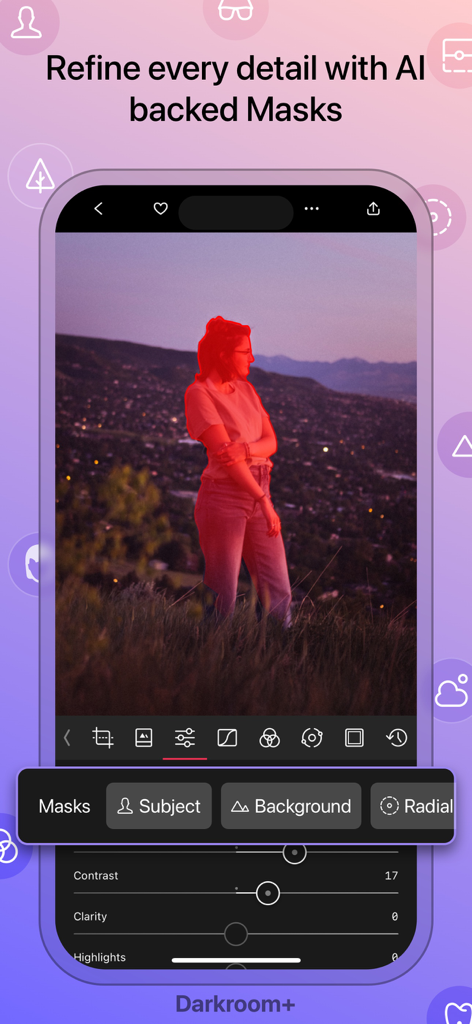
인물 사진에서 AI 객체 마스킹 기능을 보여주는 Darkroom 앱 인터페이스

인물 사진에서 AI 객체 마스킹 기능을 보여주는 Darkroom 앱 인터페이스

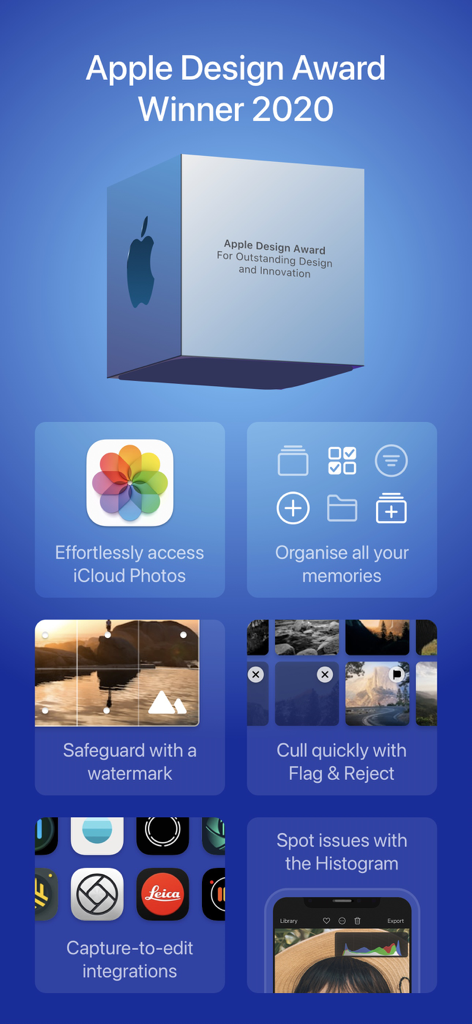
Darkroom 앱 프로모션 화면 - 2020 Apple Design Award 수상 내역, iCloud 통합, 워터마크, 사진 정리 등 전문가 편집 기능 표시

Darkroom 앱 프로모션 화면 - 2020 Apple Design Award 수상 내역, iCloud 통합, 워터마크, 사진 정리 등 전문가 편집 기능 표시

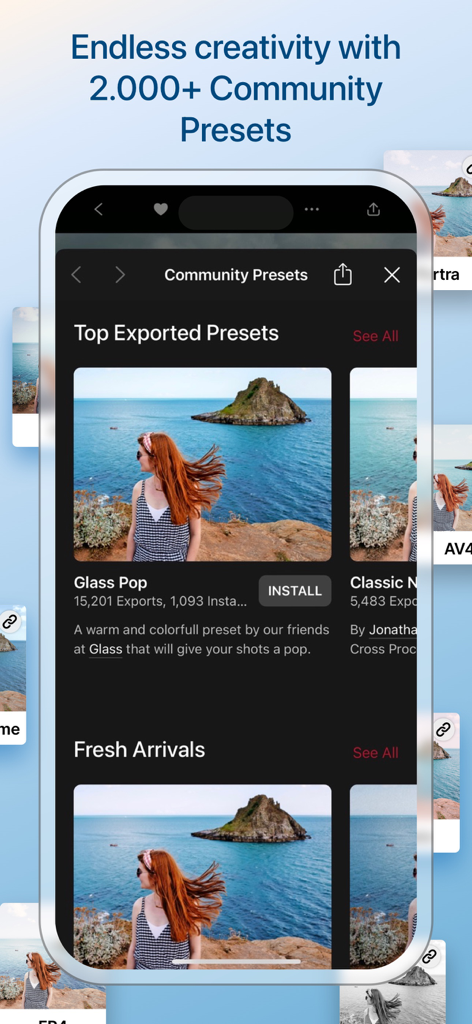
커뮤니티 프리셋 및 사진 필터 갤러리를 표시하는 Darkroom 앱 인터페이스

커뮤니티 프리셋 및 사진 필터 갤러리를 표시하는 Darkroom 앱 인터페이스

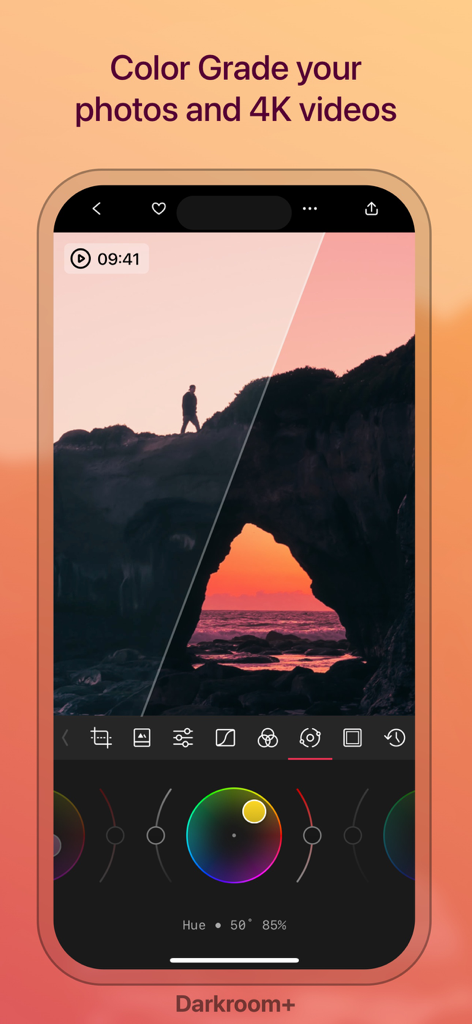
색상 휠을 보여주는 일몰 풍경의 Darkroom 앱 내 전문가 색 보정 인터페이스

색상 휠을 보여주는 일몰 풍경의 Darkroom 앱 내 전문가 색 보정 인터페이스

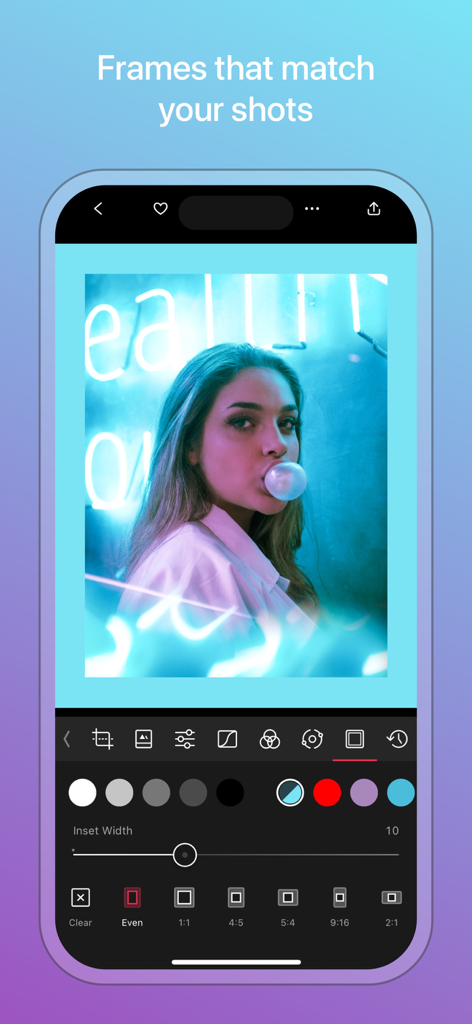
인물 사진에서 사진 프레임 및 테두리 사용자 정의 도구를 보여주는 Darkroom 앱 인터페이스

인물 사진에서 사진 프레임 및 테두리 사용자 정의 도구를 보여주는 Darkroom 앱 인터페이스

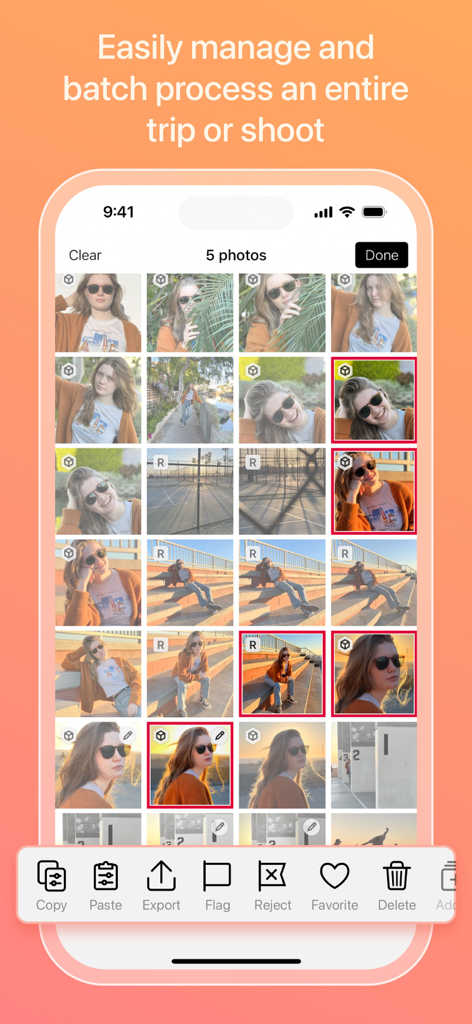
사진 일괄 처리를 위한 Darkroom 앱 인터페이스

사진 일괄 처리를 위한 Darkroom 앱 인터페이스

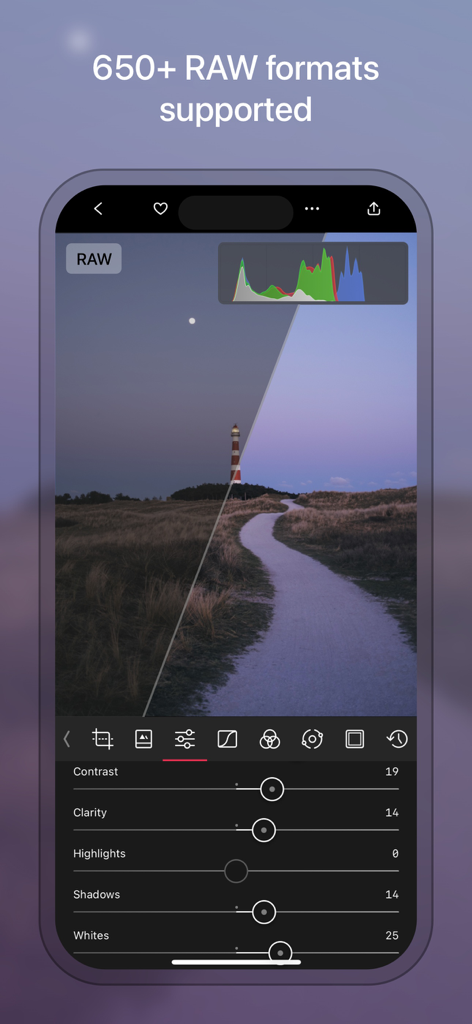
iPhone의 Darkroom 앱 내 전문가 RAW 사진 편집 인터페이스

iPhone의 Darkroom 앱 내 전문가 RAW 사진 편집 인터페이스

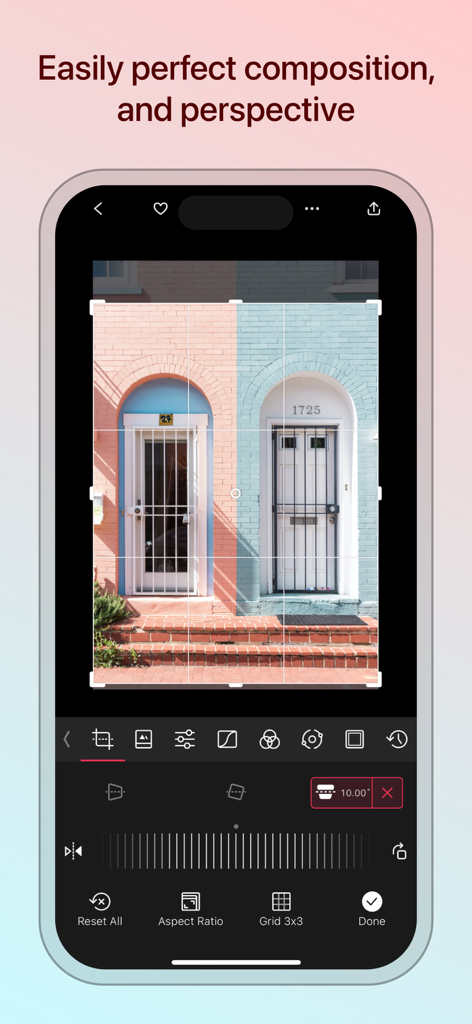
사진 원근 및 구도 조정 도구를 보여주는 Darkroom 앱 인터페이스

사진 원근 및 구도 조정 도구를 보여주는 Darkroom 앱 인터페이스

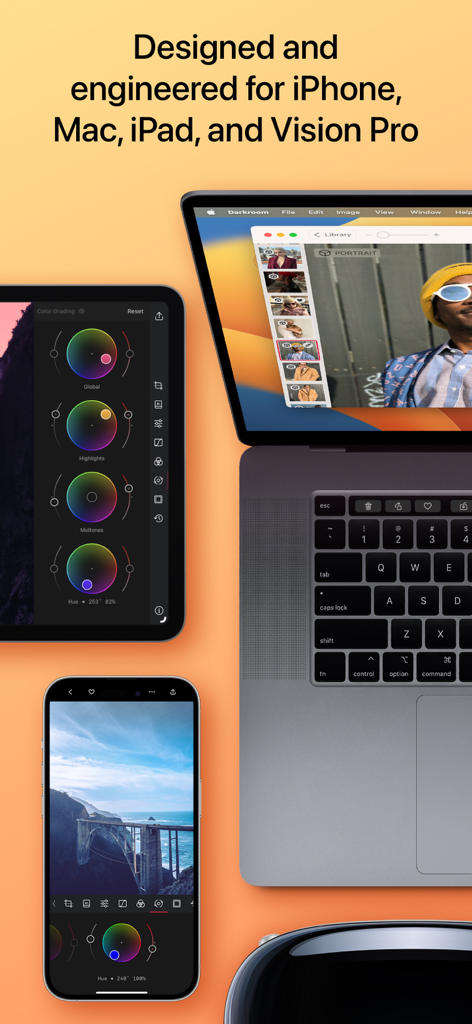
iPhone, Mac, iPad 및 Vision Pro 기기 전반의 Darkroom 편집기 인터페이스

iPhone, Mac, iPad 및 Vision Pro 기기 전반의 Darkroom 편집기 인터페이스

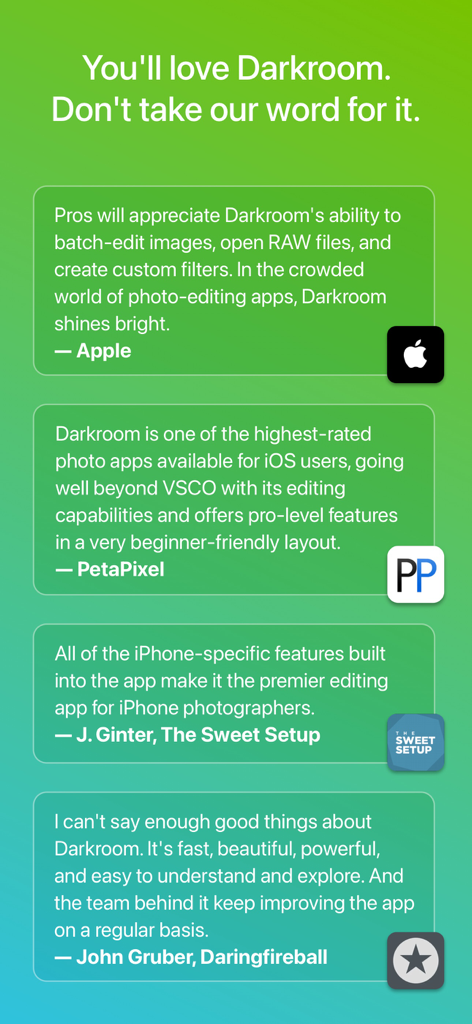
녹색 그라데이션 배경에 표시된 Apple, PetaPixel, The Sweet Setup의 Darkroom 앱 관련 전문가 추천사 및 리뷰 모음

녹색 그라데이션 배경에 표시된 Apple, PetaPixel, The Sweet Setup의 Darkroom 앱 관련 전문가 추천사 및 리뷰 모음

전문가용 도구, 당신의 워크플로우에 맞춰 최적화

이 앱을 돋보이게 하는 도구, 9M+ 명의 사용자가 선택.

제로 임포트 효율성

업로드할 필요가 없습니다. 업계 최고의 일괄 처리 기능으로 전체 iCloud 라이브러리에 즉시 액세스하고 수십 개의 RAW 사진에 한 번에 전문가 편집을 적용하세요.

🪄

AI 기반 정밀도

고급 객체 감지 기능을 활용하여 하늘, 피부, 배경을 자동으로 분리합니다. 모바일에 최적화된 크리에이터를 위해 설계된 AI 마스크로 편집을 세밀하게 제어하세요.

🎨

시네마 등급 색상

전문적인 8K 동영상 색 보정 및 ProRAW 지원으로 당신의 미학을 마스터하세요. 강력한 곡선 및 선택 색상 도구를 사용하여 모든 플랫폼에서 당신의 콘텐츠를 돋보이게 하세요.

전 세계 사용자들에게 사랑받는 앱

Trusted by 9M+ 명이 이 앱을 사랑합니다.

"

"Darkroom은 소셜 콘텐츠를 위한 데스크톱 워크플로우를 완전히 대체했습니다. 번거로운 임포트 과정 없이 라이브러리에서 바로 RAW 파일을 처리하는 방식은 효율성을 완전히 바꿔놓았습니다."

Elena Rossi, 콘텐츠 전략가
"

"AI 기반 심도 마스크와 8K 색 보정 기능은 정말 놀랍습니다. iPad와 Apple Pencil에서 이렇게 강력하면서도 직관적으로 사용할 수 있는 앱을 찾기는 드뭅니다."

Marcus Chen, 비주얼 아티스트

리뷰 분석

사용자 리뷰 인사이트.

감정 점수

30%
부정적

요약

User reviews for this mobile app are highly polarized, with many praising its powerful RAW editing capabilities, intuitive interface, and advanced features like masks and color grading for both photos and videos, especially for on-the-go workflow on iPad. However, a significant number of users express strong dissatisfaction with the subscription model, citing high costs, lack of free trial, and being forced to subscribe to export edited photos. Many reviews report persistent bugs and stability issues, including frequent app crashes, export problems (e.g., "double vision" after recent updates), and functionality breaking after updates (e.g., frames not working, app not functioning on OS 26.2, defects after editing).

주요 테마

Editing Capabilities(13)
Workflow & Interface(5)
Subscription Model(3)
RAW File Handling(3)
Bugs and Stability(1)
Updates Impact(1)
Customer Support(1)

앱 소개

에 대해 알아야 할 모든 것 Darkroom: Photo & Video Editor.

설명

Transform your iPhone and iPad into a sophisticated editing suite with Darkroom, the highly acclaimed photo and video editor designed to empower both amateur photographers and professional creators. With desktop-quality tools at your fingertips, Darkroom competes with industry giants such as Adobe Lightroom and Photoshop, delivering unparalleled editing experiences right on your mobile device. Award-Winning App Recognitions: Winner of the Apple Design Award in 2020 Apple’s Editor’s Choice since 2018 Best New App Winner in 2015 Why Choose Darkroom? Advanced AI-Powered Editing: Leverage cutting-edge AI tools for precise, depth-based edits and intelligent object detection. Enhance specific elements like skies, skin tones, and landscapes with unmatched accuracy. Versatile Editing Capabilities: From high-resolution video playback and professional 8K color grading to batch photo editing, Darkroom addresses all your creative needs with efficiency. Its comprehensive toolset includes support for RAW and ProRAW files, making it perfect for high-quality photo projects. Professional Tools for Every Creator: All-Inclusive Format Support: Whether managing RAW files or crafting the perfect JPEG, Darkroom provides powerful editing tools that ensure top-tier output for all photo formats. Tailored for iPhone Photographers: With iPhone-specific enhancements, Darkroom stands out as the premier editing tool for mobile photographers, offering intuitive interfaces and seamless integration with iOS features. Praise from Experts: "I can't say enough good things about Darkroom. It's fast, beautiful, powerful, and easy to understand and explore. And the team behind it keep improving the app on a regular basis." - John Gruber, Daringfireball "Darkroom is one of the best apps around, offering extensive support for RAW and ProRAW photos and capabilities to batch edit photos with ease." – The Verge "Its iPhone-specific features make Darkroom the leading editing app for iPhone photographers." – The Sweet Setup Seamless Organization and Sharing: Organize your photos and videos with Darkroom's advanced management tools. Create stunning collages, manage hashtags effortlessly, and share your creations with ease. Streamline your workflow and keep your collections meticulously organized, whether for personal enjoyment or professional display. Join Our Community and Enhance Your Creative Skills: Become a Darkroom member to access exclusive features and regular updates that keep your tools cutting-edge. Our community is a hub for sharing tips, inspiration, and creative techniques. Get Started with Darkroom Today: Download Darkroom and elevate your photo and video editing to professional levels. With ongoing enhancements and a focus on user-friendly design, Darkroom is dedicated to enriching your creative journey. Subscription and Membership Details: Manage your Darkroom+ membership in the iTunes & App Store settings. Remember, subscriptions automatically renew unless cancelled at least 24 hours before the end of the current period. Terms and Conditions: https://darkroom.co/legal/terms.html Privacy Policy: https://darkroom.co/legal/privacy-policy.html

최신 버전

7.0.17

크기

241.3 MB

출시일

2015년 2월 12일

당신의 기술을 프로 수준으로 끌어올리세요.

모바일에 최적화된 크리에이터를 위해 디자인된 수상 경력에 빛나는 도구 모음을 다운로드하세요. iPhone 및 iPad를 위한 간편화된 전문가급 기능.

다운로드: App Store
FAQ

자주 묻는 질문

에 대해 알아야 할 모든 것 Darkroom: Photo & Video Editor

Darkroom: Photo & Video Editor는 무엇인가요?

Darkroom은 iPhone, iPad, Mac 및 Vision Pro를 위한 수상 경력에 빛나는 사진 및 비디오 편집 애플리케이션입니다. 크리에이터를 위한 전문적인 도구, AI 기반 기능 및 포괄적인 형식 지원을 제공합니다.

Darkroom은 어떤 기기를 지원하나요?

Darkroom: Photo & Video Editor는 iPhone, iPad, Mac 및 Vision Pro용으로 설계 및 엔지니어링되었습니다. Apple의 모바일 및 데스크톱 플랫폼 전반에 걸쳐 정교한 편집 도구를 제공합니다.

Darkroom: Photo & Video Editor는 AI 기반 편집 기능을 제공하나요?

예, Darkroom은 고급 AI 기반 편집 도구를 제공합니다. 이러한 도구는 하늘 및 피부톤과 같은 특정 요소를 향상시키기 위해 정밀한 깊이 기반 편집 및 지능형 객체 감지를 제공합니다.

Darkroom: Photo & Video Editor는 RAW 및 ProRAW 파일을 편집할 수 있나요?

예, Darkroom은 RAW 및 ProRAW 파일에 대한 포괄적인 지원을 제공합니다. 650개 이상의 RAW 형식을 지원하여 전문 사진 프로젝트에 대한 고품질 편집을 보장합니다.

Darkroom: Photo & Video Editor는 비디오 편집을 지원하나요?

예, Darkroom은 강력한 비디오 편집 기능을 제공합니다. 여기에는 고해상도 비디오 재생, 전문적인 8K 색상 등급 지정 및 비디오 크리에이터를 위한 포괄적인 도구가 포함됩니다.

Darkroom+ 멤버십 구독은 어떻게 관리하나요?

Darkroom+ 멤버십은 iTunes 및 App Store 설정에서 직접 관리합니다. 구독은 현재 기간이 끝나기 최소 24시간 전에 취소하지 않으면 자동으로 갱신됩니다.

Darkroom: Photo & Video Editor는 커뮤니티 기능을 제공하나요?

예, Darkroom은 2,000개 이상의 커뮤니티 사전 설정을 제공합니다. 회원은 독점 기능, 정기 업데이트에 액세스하고 팁과 창의적인 기술을 공유할 수 있습니다.

Darkroom: Photo & Video Editor는 여러 사진을 일괄 처리할 수 있나요?

예, Darkroom을 사용하면 사용자가 전체 사진 컬렉션을 쉽게 관리하고 일괄 처리할 수 있습니다. 이를 통해 여러 이미지를 동시에 편집하는 데 효율성을 높일 수 있습니다.

Darkroom: Photo & Video Editor는 iCloud 사진과 통합되나요?

예, Darkroom은 iCloud 사진에 쉽게 액세스할 수 있습니다. 이를 통해 애플리케이션 내에서 사진 라이브러리를 원활하게 구성하고 편집할 수 있습니다.

Darkroom: Photo & Video Editor는 사진 구도를 완성하는 데 어떻게 도움이 되나요?

Darkroom은 구도와 원근감을 완성하는 도구를 제공합니다. 사용자는 자르기, 종횡비를 조정하고 격자 선을 사용하여 이미지 내에서 정확한 시각적 정렬을 할 수 있습니다.