Microsoft Whiteboard

Microsoft Whiteboard

다운로드: App Store다운로드: Google Play
Spark by MWM logo
로고: Microsoft Whiteboard

Microsoft Whiteboard: 원활한 실시간 협업을 위한 무한 캔버스

어디에서든 팀이 함께 아이디어를 구상하고, 디자인하고, 계획할 수 있도록 지원합니다. 지능형 잉크와 40개 이상의 사용자 지정 가능한 템플릿으로 스케치를 전문가 수준의 워크플로우로 변환하세요.

개발사

Microsoft Corporation

카테고리

Productivity

다운로드

4M+

사용자 평점

4.5/5

총 평가 수

51K+

지원 언어

60

업무 속 무한한 창의력

이 인터페이스를 사용하는 4M+ 명의 사용자.

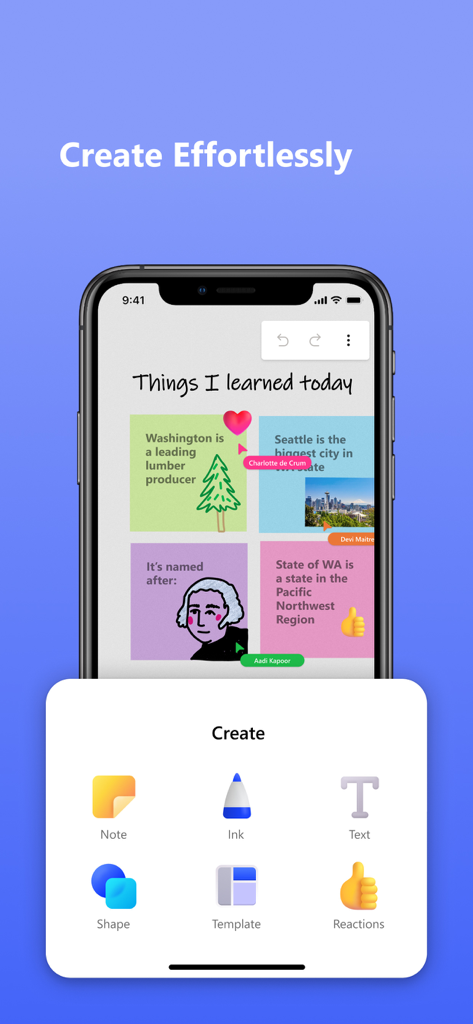
노트, 잉크, 텍스트 및 도형을 추가하는 생성 메뉴가 있는 Microsoft Whiteboard 앱이 표시된 스마트폰 화면.
노트, 잉크, 텍스트 및 도형을 추가하는 생성 메뉴가 있는 Microsoft Whiteboard 앱이 표시된 스마트폰 화면.

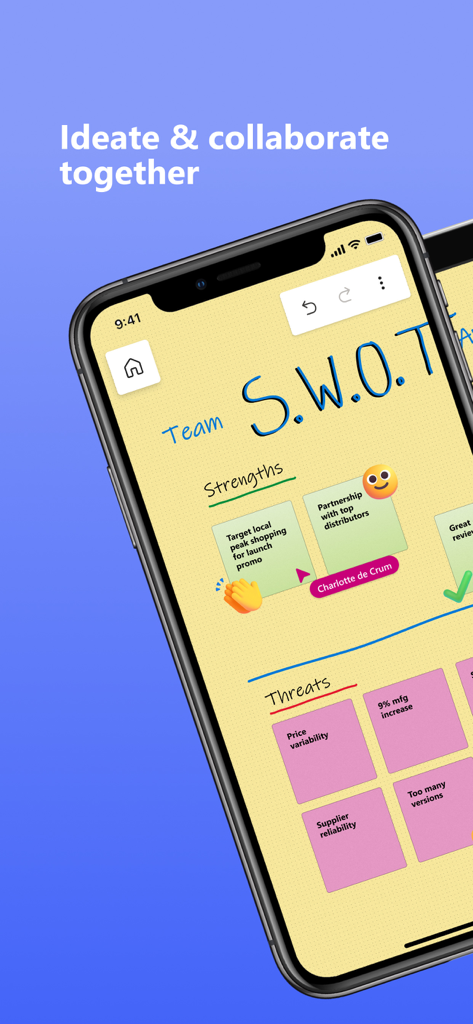
디지털 스티커 메모가 있는 Microsoft Whiteboard에서 협업 SWOT 분석을 표시하는 스마트폰 화면.

디지털 스티커 메모가 있는 Microsoft Whiteboard에서 협업 SWOT 분석을 표시하는 스마트폰 화면.

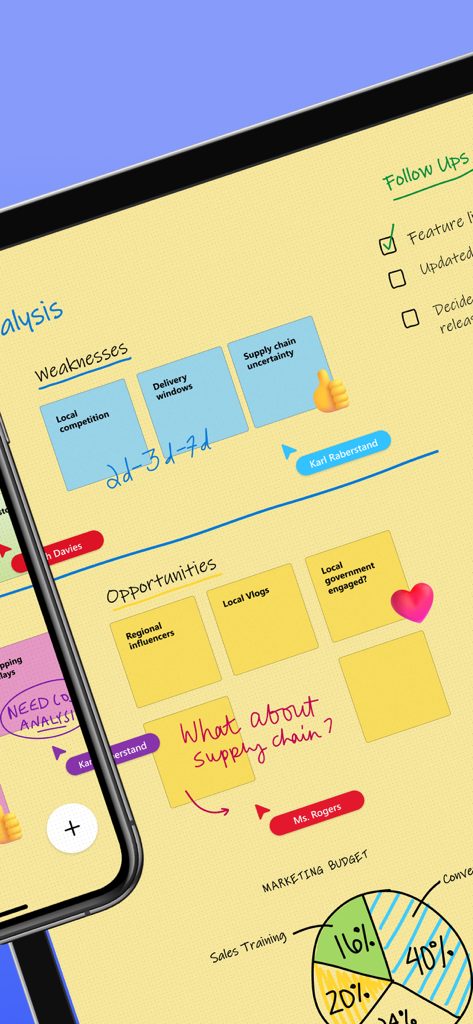
스티커 메모, 손글씨 텍스트 및 실시간 팀 커서가 있는 Microsoft Whiteboard의 협업 디지털 화이트보드 세션.

스티커 메모, 손글씨 텍스트 및 실시간 팀 커서가 있는 Microsoft Whiteboard의 협업 디지털 화이트보드 세션.

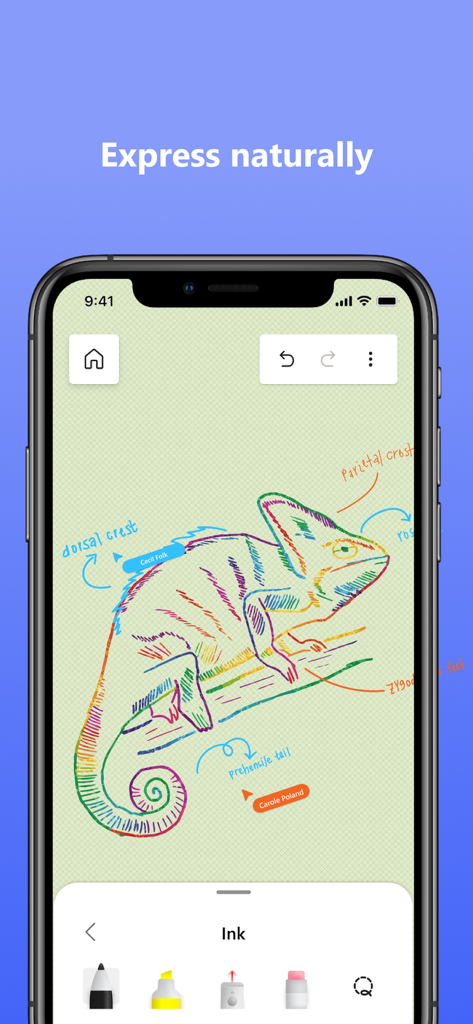
잉크 도구와 레이블이 표시된 Microsoft Whiteboard의 다채로운 카멜레온 그림.

잉크 도구와 레이블이 표시된 Microsoft Whiteboard의 다채로운 카멜레온 그림.

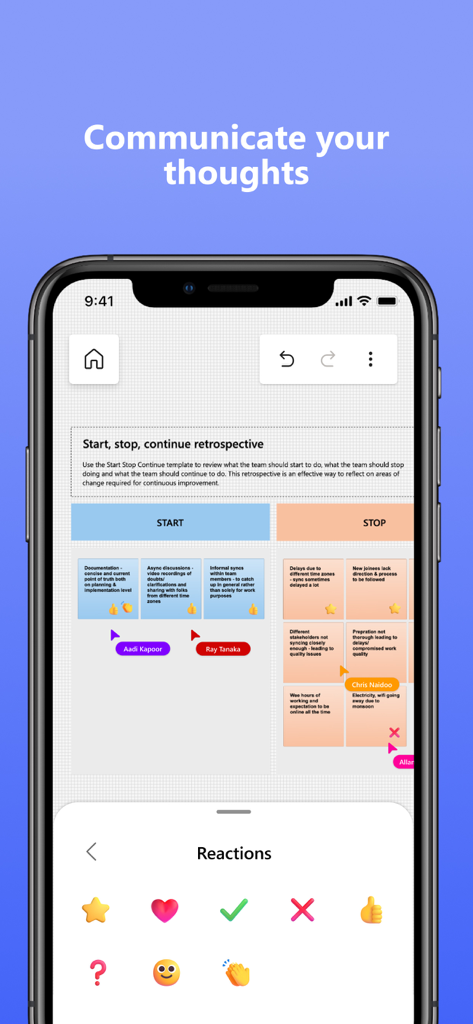
스티커 메모와 반응 선택 메뉴가 있는 협업 회고 보드를 보여주는 Microsoft Whiteboard 앱 인터페이스.

스티커 메모와 반응 선택 메뉴가 있는 협업 회고 보드를 보여주는 Microsoft Whiteboard 앱 인터페이스.

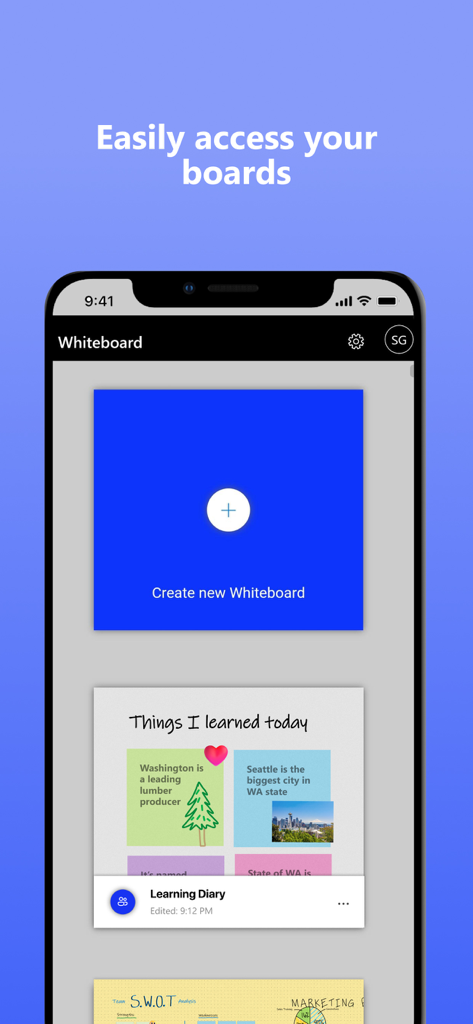
보드 갤러리와 새 화이트보드 만들기 버튼이 표시된 Microsoft Whiteboard의 모바일 인터페이스.

보드 갤러리와 새 화이트보드 만들기 버튼이 표시된 Microsoft Whiteboard의 모바일 인터페이스.

팀의 창의적 잠재력을 발휘하세요

이 앱을 돋보이게 하는 도구, 4M+ 명의 사용자가 선택.

🤝

실시간 공동 작업

원격 및 사무실 근무 간의 격차를 해소하세요. 동일한 보드에서 팀과 아이디어를 구상하고, 모든 커서와 편집 내용을 실시간으로 확인하세요.

🖊️

스마트 잉크 기술

잉크-도형 도구와 Apple 스크리블 지원을 통해 거친 스케치를 깔끔한 다이어그램으로 바꾸고, 손글씨를 즉시 텍스트로 변환하세요.

🚀

템플릿 기반 워크플로우

회고, 칸반 보드 및 전략적 브레인스토밍 세션을 위한 40개 이상의 사용자 지정 가능한 템플릿으로 빈 페이지 증후군을 없애세요.

전 세계 사용자들에게 사랑받는 앱

Trusted by 4M+ 명이 이 앱을 사랑합니다.

"

"Microsoft Whiteboard는 우리 하이브리드 팀의 브레인스토밍 방식을 완전히 바꿔 놓았습니다. 무한 캔버스와 실시간 협업 덕분에 마치 같은 방에 있는 것 같은 느낌이 듭니다. 특히 지저분한 스케치가 자동으로 깔끔한 도형으로 변환되어 프로젝트 워크플로우가 즉시 전문가처럼 보이게 하는 점이 정말 좋습니다."

사라 젠킨스, 선임 제품 디자이너
"

"STEM 학생으로서 이 앱은 복잡한 다이어그램과 그룹 스터디 세션에 필수적입니다. Apple Pencil 통합은 완벽하며, 수업 중 아이패드에서 집의 노트북으로 전환할 때 한 획도 놓치지 않고 작업할 수 있다는 점이 제가 필요했던 워크플로우입니다."

마커스 쏜, 대학생

앱 소개

에 대해 알아야 할 모든 것 Microsoft Whiteboard.

설명

Update : The App performance has been significantly improved & there are also a ton of other features which have been added. Check out the “What’s new” section for more details!! Microsoft Whiteboard provides a freeform intelligent canvas where individuals & teams alike can ideate, create, and collaborate visually via the cloud. Designed for touch, type & pen, it lets you write or draw as smoothly as you would with ink, you can even type in text, add sticky notes or notes grid to express your ideas & use reactions to visually communicate your thoughts. It enhances teamwork by allowing all team members to edit the canvas in real time, no matter where they are. Get started quickly by inserting a pre-built template or draw your own flowchart using our expansive shapes library. No matter what your use case, we have the right set of tools for you and all your work stays safe in the cloud, ready to be picked back up from another location or device. -- Create freely, work naturally – Microsoft Whiteboard provides an infinite canvas where imagination has room to grow: draw, type, add a sticky note or a notes grid, move them around – it’s all possible. The touch-first, pen-first interface frees your ideas from the keyboard, and the intelligent inking technology transforms your doodles into great-looking shapes and lines that can be copied, pasted and combined with other objects. Moreover, you can also, ink on your sticky notes & text boxes and magically see the ink get converted to text using Apple Scribble functionality (on iPads with Apple Pencil). --Collaborate in real time, wherever you are— Microsoft Whiteboard brings every member of a team together working from their own devices across the globe. On the Whiteboard canvas, you can also see what your teammates are doing in real time and start collaborating on the same area. It’s about getting everyone on the same page – or board. --Save automatically, resume seamlessly – Forget having to take photos of your whiteboards, or marking them with “Do Not Erase.” With Microsoft Whiteboard, your brainstorming sessions are saved automatically to the Microsoft cloud, so you can pick up where you left off, whenever – and wherever – inspiration strikes next. What’s new: • Improved App Performance & Reduction in crashes which has been a strong customer ask. • Modern look and feel: 1. Streamlined user experience - an unobtrusive app UI maximizes your canvas space. 2. Creation gallery - a highly discoverable, simple way of finding and using objects and features in the application. • Interactive content features: 3. 40+ customizable templates – get started quickly and collaborate, brainstorm, and ideate with brand new templates. 4. Shapes & Lines - Choose from an expansive library of shapes & lines to visually collaborate & ideate with your team members 5. Reactions - provide lightweight, contextual feedback with a set of fun reactions. • Inking features: 6. Apple Scribble – Ink on text boxes & sticky notes and see your ink strokes magically convert to text (on iPads with Apple pencil) 7. Ink arrows – smoothly draw single and double-sided arrows using ink to better facilitate diagramming. Dichiarazione di accessibilità: https://www.microsoft.com/it-it/accessibility/declarations

최신 버전

25.11204.0.9201

크기

32.1 MB

출시일

2018년 9월 25일

시각적 사고를 강화하세요

4백만 명 이상의 전문가와 학생들과 함께하세요. 오늘 Microsoft Whiteboard를 다운로드하여 Microsoft 365 생태계 전반에서 아이디어를 브레인스토밍하고, 협업하고, 동기화하세요.

다운로드: App Store다운로드: Google Play
FAQ

자주 묻는 질문

에 대해 알아야 할 모든 것 Microsoft Whiteboard

Microsoft Whiteboard란 무엇인가요?

Microsoft Whiteboard는 클라우드를 통해 아이디어를 구상하고, 만들고, 시각적으로 협업할 수 있는 개인 및 팀을 위한 자유 형식의 지능형 캔버스입니다. 다양한 상호 작용을 위해 터치, 타이핑, 펜 입력을 지원합니다.

Microsoft Whiteboard에서 다른 사람과 협업할 수 있나요?

네, Microsoft Whiteboard는 실시간 협업을 지원합니다. 모든 팀원은 어떤 장치에서든 동시에 캔버스를 편집할 수 있으며, 동료가 무엇을 하고 있는지 볼 수 있어 즉각적인 협력을 촉진합니다.

Microsoft Whiteboard는 제 작업을 자동으로 저장하나요?

네, Microsoft Whiteboard는 모든 브레인스토밍 세션과 작업을 Microsoft 클라우드에 직접 자동으로 저장합니다. 이를 통해 어떤 위치나 장치에서든 원활하게 작업을 재개할 수 있습니다.

Microsoft Whiteboard는 어떤 입력 방식을 지원하나요?

Microsoft Whiteboard는 터치, 타이핑, 펜 입력을 지원합니다. 사용자는 글을 쓰고, 잉크로 그리거나, 텍스트를 입력하거나, 스티커 메모나 그리드를 추가할 수 있습니다. 인터페이스는 키보드 제한에서 아이디어를 자유롭게 합니다.

Microsoft Whiteboard에서 템플릿을 사용할 수 있나요?

네, Microsoft Whiteboard는 협업, 브레인스토밍, 아이디어 구상을 위한 빠른 시작을 위해 40개 이상의 사용자 지정 가능한 템플릿을 제공합니다. 확장 가능한 도형 라이브러리는 순서도 그리기도 지원합니다.

Microsoft Whiteboard에서 잉크를 텍스트로 변환할 수 있나요?

네, Microsoft Whiteboard는 Apple Pencil이 있는 iPad에서 Apple Scribble 기능을 제공합니다. 사용자는 텍스트 상자와 스티커 메모에 잉크를 쓰고, 잉크는 마법처럼 텍스트로 변환됩니다.

사용자는 Microsoft Whiteboard에서 어떻게 시각적으로 소통할 수 있나요?

사용자는 스티커 메모, 노트 그리드를 추가하고 반응을 사용하여 Microsoft Whiteboard에서 시각적으로 소통합니다. 확장 가능한 도형 라이브러리와 잉크 화살표는 상세한 시각적 표현과 다이어그램 작성을 용이하게 합니다.

Microsoft Whiteboard에 최근 어떤 개선 사항이 있었나요?

Microsoft Whiteboard는 앱 성능을 개선하고 충돌을 줄였으며 현대적인 모습을 특징으로 합니다. 간소화된 UI, 생성 갤러리, 향상된 대화형 콘텐츠 및 잉크 기능을 포함합니다.