Remote Mouse & Keyboard

Remote Mouse & Keyboard

다운로드: App Store
Spark by MWM logo
로고: Remote Mouse & Keyboard
Remote Mouse & Keyboard: 이제 iPhone이 전문가용 Mac 컨트롤러가 됩니다

기기를 매끄러운 제스처 지원 트랙패드 및 키보드로 변환하세요. Apple 생태계를 위해 독점적으로 설계되어 프레젠테이션, 홈 엔터테인먼트 및 깔끔한 생산성을 위한 완벽한 무선 자유를 제공합니다.

개발사

horhe dor

카테고리

Productivity

다운로드

44K+

사용자 평점

4.5/5

총 평가 수

100

지원 언어

11

손안의 제어

이 인터페이스를 사용하는 44K+ 명의 사용자.

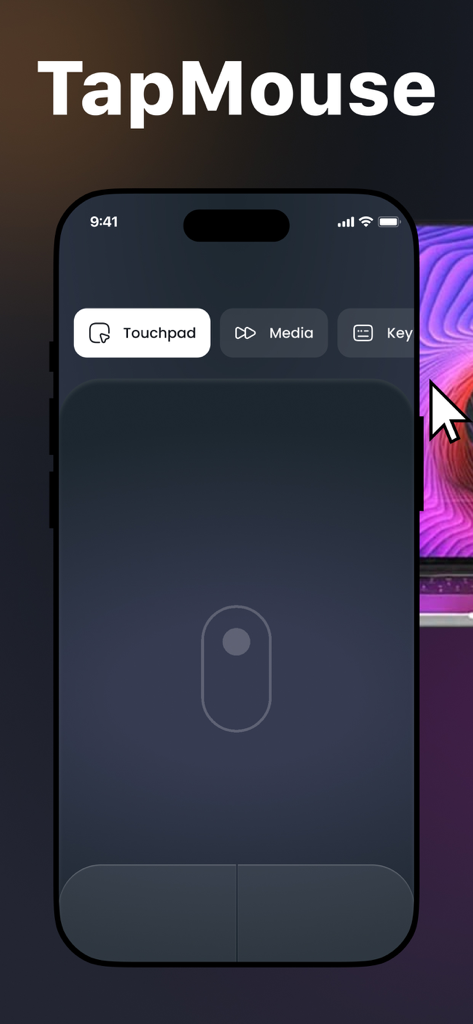
가상 트랙패드 인터페이스가 있는 TapMouse 앱을 보여주는 iPhone 화면 (원격 제어용)

가상 트랙패드 인터페이스가 있는 TapMouse 앱을 보여주는 iPhone 화면 (원격 제어용)

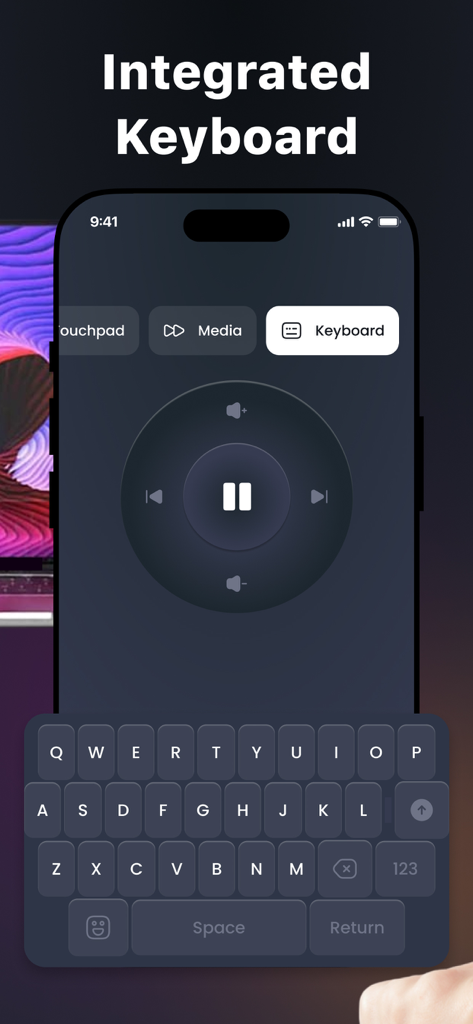
원격 컴퓨터 탐색을 위한 통합 키보드 및 미디어 제어 휠을 보여주는 스마트폰 앱 화면

원격 컴퓨터 탐색을 위한 통합 키보드 및 미디어 제어 휠을 보여주는 스마트폰 앱 화면

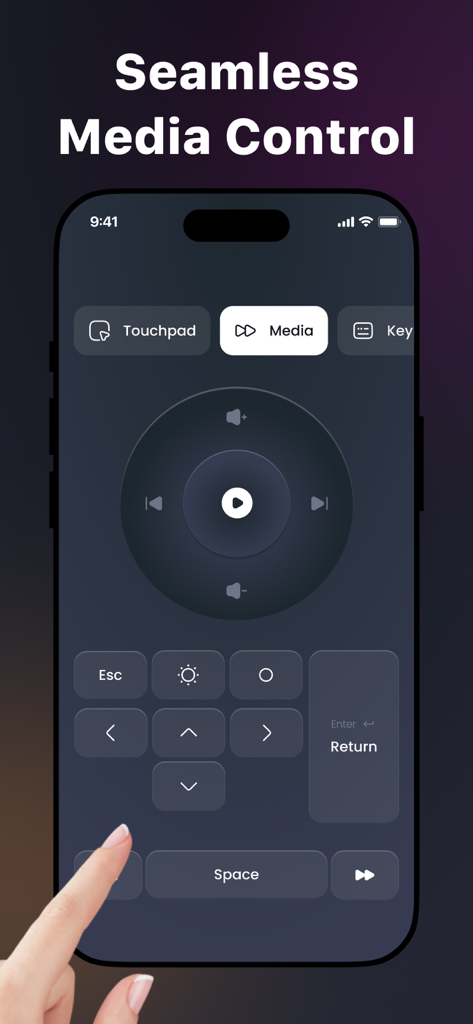
iPhone에서 원활한 미디어 제어 기능을 보여주는 Remote Mouse and Keyboard 앱 인터페이스

iPhone에서 원활한 미디어 제어 기능을 보여주는 Remote Mouse and Keyboard 앱 인터페이스

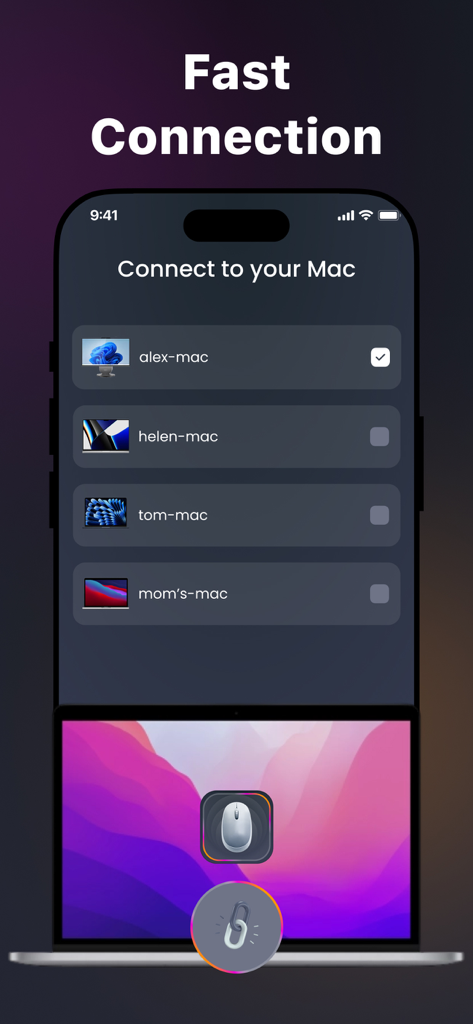
연결 가능한 Mac 컴퓨터 목록과 함께 빠른 연결 메뉴를 보여주는 iPhone 화면 (무선 마우스로 연결)

연결 가능한 Mac 컴퓨터 목록과 함께 빠른 연결 메뉴를 보여주는 iPhone 화면 (무선 마우스로 연결)

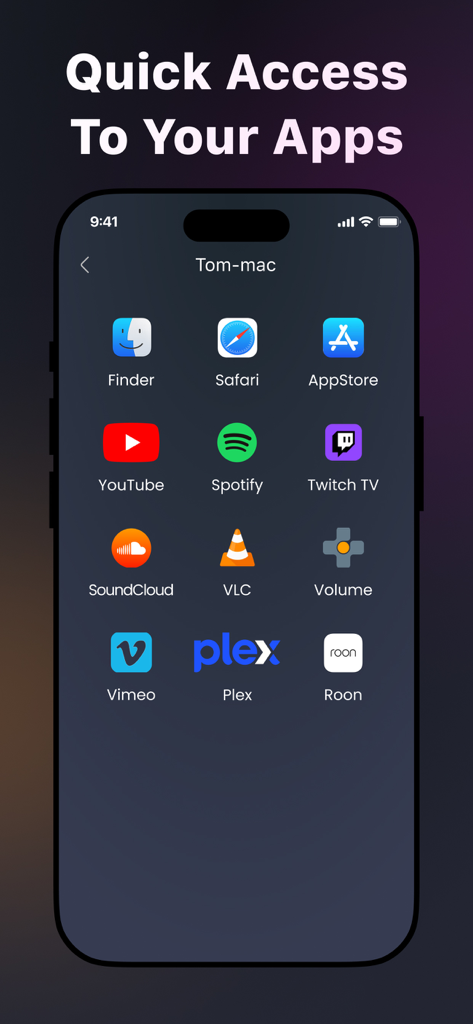
Safari, YouTube, Spotify와 같은 Mac 앱에 대한 빠른 액세스 바로가기를 보여주는 iPhone 화면

Safari, YouTube, Spotify와 같은 Mac 앱에 대한 빠른 액세스 바로가기를 보여주는 iPhone 화면

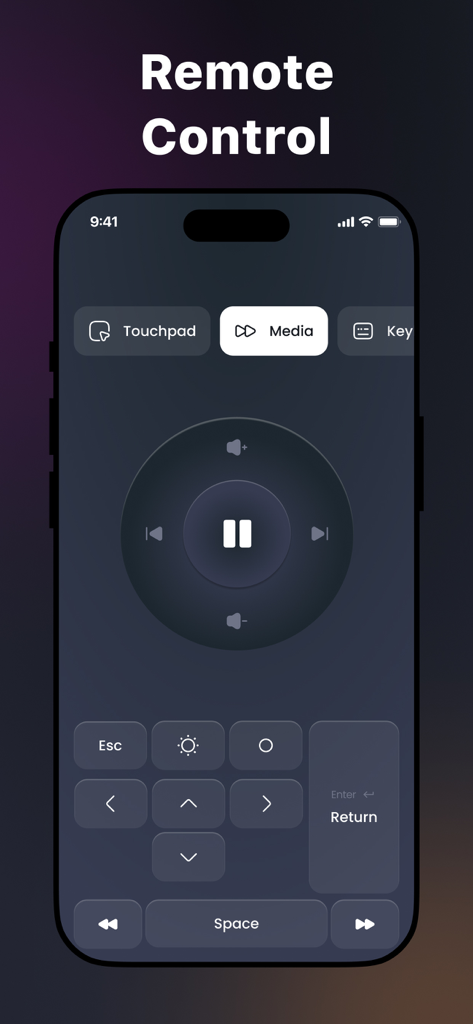
재생/일시 중지 및 볼륨 버튼이 있는 미디어 리모컨 인터페이스를 보여주는 iPhone 화면

재생/일시 중지 및 볼륨 버튼이 있는 미디어 리모컨 인터페이스를 보여주는 iPhone 화면

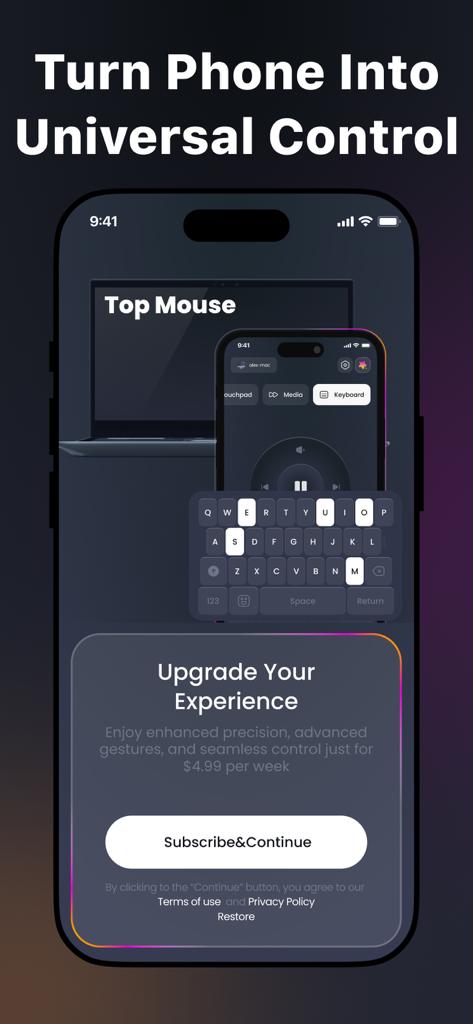
키보드 및 미디어 플레이어 옵션이 있는 범용 리모컨 인터페이스를 보여주는 스마트폰 앱 화면

키보드 및 미디어 플레이어 옵션이 있는 범용 리모컨 인터페이스를 보여주는 스마트폰 앱 화면

iPhone으로 Mac을 마스터하세요

이 앱을 돋보이게 하는 도구, 44K+ 명의 사용자가 선택.

즉각적인 무선 설정

몇 초 안에 연결하세요. 케이블이나 복잡한 설정 없이 필요할 때마다 Mac을 위한 매끄러운 제어를 제공합니다.

👆

정밀 멀티터치

완벽한 제스처 지원으로 부드럽고 지연 없는 탐색을 즐기세요. 물리적 트랙패드와 동일한 반응성으로 스와이프, 스크롤, 탭하세요.

🛋️

궁극의 소파 리모컨

방 건너편에서 미디어를 제어하고 입력하세요. 홈 시어터, 프레젠테이션 또는 작업 중에 편안하게 휴식을 취하는 데 완벽합니다.

전 세계 사용자들에게 사랑받는 앱

Trusted by 44K+ 명이 이 앱을 사랑합니다.

"

"자주 프레젠테이션을 하는 디지털 마케팅 관리자로서 이 앱은 게임 체인저입니다. 더 이상 별도의 클릭커를 휴대할 필요가 없습니다. iPhone이 모든 슬라이드와 커서 이동을 완벽하게 처리합니다. 설정은 몇 초밖에 걸리지 않았고, 터치패드 반응성은 실제로 물리적인 Magic Trackpad만큼이나 부드럽습니다."

Marcus Chen
"

"Mac을 미디어 센터로 사용하고 있는데 이 앱은 완벽한 '소파 리모컨'입니다. 책상 없이도 방 건너편에서 모든 것을 제어할 수 있습니다. 매우 직관적이며 Apple 생태계에 완벽하게 통합되며 놀랍게도 영화 마라톤 중에도 휴대폰 배터리가 소모되지 않습니다."

Sarah Jenkins

앱 소개

에 대해 알아야 할 모든 것 Remote Mouse & Keyboard.

설명

Turn your smartphone or tablet into a wireless mouse with our app! Whether you're delivering a presentation, controlling your Mac from across the room, or just want a more convenient way to interact with your device, our app is here to help! Main Features: 1. Quick and Easy Setup Connect your iPhone or iPad to your Mac in just a few seconds — no technical setup required. 2. Touchpad Controls Enjoy smooth and responsive touchpad functionality with gesture support. Swipe, scroll, and tap effortlessly! 3. Seamless Apple Ecosystem Integration Designed exclusively for macOS and iOS/iPadOS, ensuring stable performance and full compatibility across your Apple devices. 4. Customizable Sensitivity Adjust cursor speed and responsiveness to suit your personal preference and ensure comfortable use. 5. Built-in Keyboard Access Use the on-screen keyboard to type directly on your computer without needing to switch between devices. 6. Optimized for Battery Life Engineered to consume minimal power, allowing for extended use without draining your battery. Why Choose Our App? Intuitive design for smooth and easy navigation Regular updates that enhance functionality and stability Dedicated support team ready to assist with any questions or issues Take full control of your computer in a new and convenient way. Download our app today and discover the freedom of wireless control! A subscription is required to unlock all available features. You can manage or cancel your subscription anytime through your device settings. Privacy Policy: https://doc-hosting.flycricket.io/tapmouse-app-wireless-mouse-privacy-policy/efb33a0a-47a2-49a3-8070-0d2edea513a5/privacy Terms of Use: https://doc-hosting.flycricket.io/tapmouse-app-wireless-mouse-terms-of-use/5155156c-4a50-44c0-a594-441ceaa5ed3c/terms

최신 버전

1.0.1

크기

21.9 MB

출시일

2025년 9월 1일

어디서든 Mac을 제어하세요

궁극의 무선 자유를 경험한 44,000명 이상의 사용자와 함께하세요. 몇 초 만에 iPhone을 강력하고 반응성 좋은 트랙패드 및 키보드로 바꾸세요.

다운로드: App Store