Camo Camera

Camo Camera

다운로드: App Store
Spark by MWM logo
로고: Camo Camera

Camo Camera: 이미 가지고 있는 렌즈로 전문가처럼 보이세요

시네마틱 보케, 수동 조정, 자동 프레이밍으로 화상 통화, 스트리밍 및 녹화를 향상시키세요. 칙칙한 노트북 웹캠에 만족하지 않는 고성능 전문가들을 위한 Apple Design Award 수상 솔루션입니다.

다운로드: App Store

개발사

Reincubate Ltd

카테고리

Utilities

다운로드

1M+

사용자 평점

4.6/5

총 평가 수

13K+

지원 언어

13

전문가 미리보기

이 인터페이스를 사용하는 1M+ 명의 사용자.

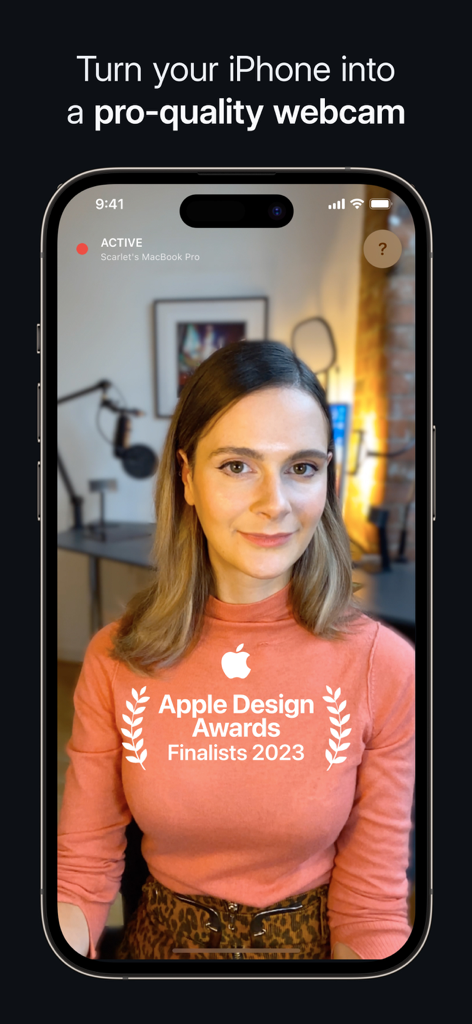
Camo Camera 앱 인터페이스가 iPhone을 전문가 수준의 웹캠으로 전환하고 Apple Design Award 파이널리스트 배지가 표시됨

Camo Camera 앱 인터페이스가 iPhone을 전문가 수준의 웹캠으로 전환하고 Apple Design Award 파이널리스트 배지가 표시됨

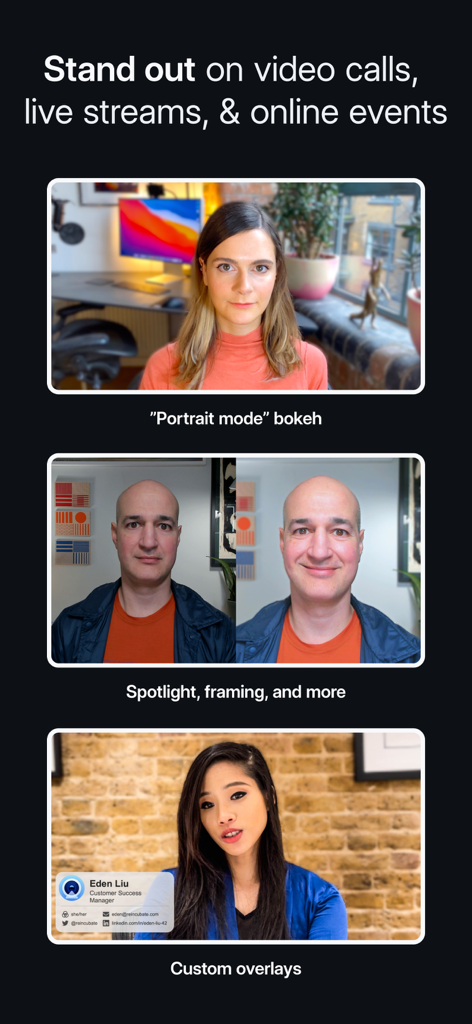
Camo 카메라 기능 쇼케이스: 인물 모드 보케, 스포트라이트 프레이밍 조정, 영상 통화를 위한 사용자 지정 전문가 오버레이 포함

Camo 카메라 기능 쇼케이스: 인물 모드 보케, 스포트라이트 프레이밍 조정, 영상 통화를 위한 사용자 지정 전문가 오버레이 포함

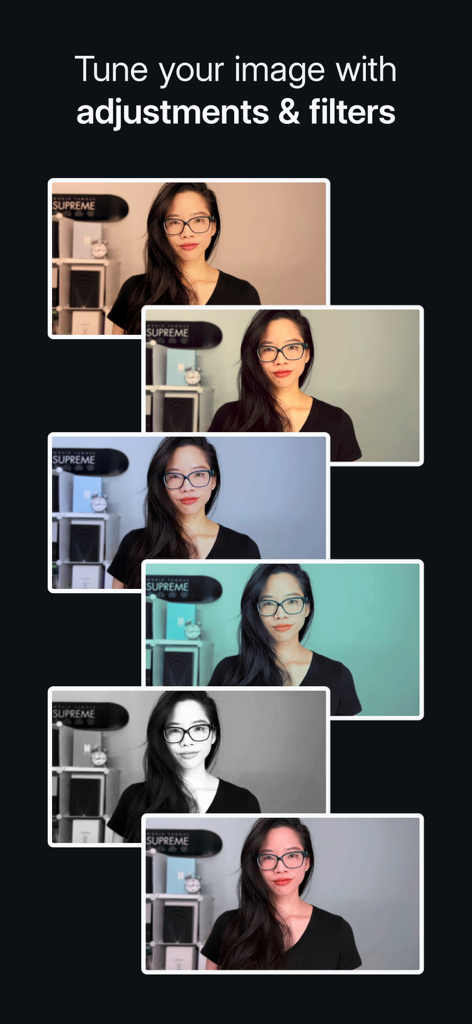
Camo Camera의 다양한 필터와 이미지 조정을 보여주는 일련의 영상 프레임

Camo Camera의 다양한 필터와 이미지 조정을 보여주는 일련의 영상 프레임

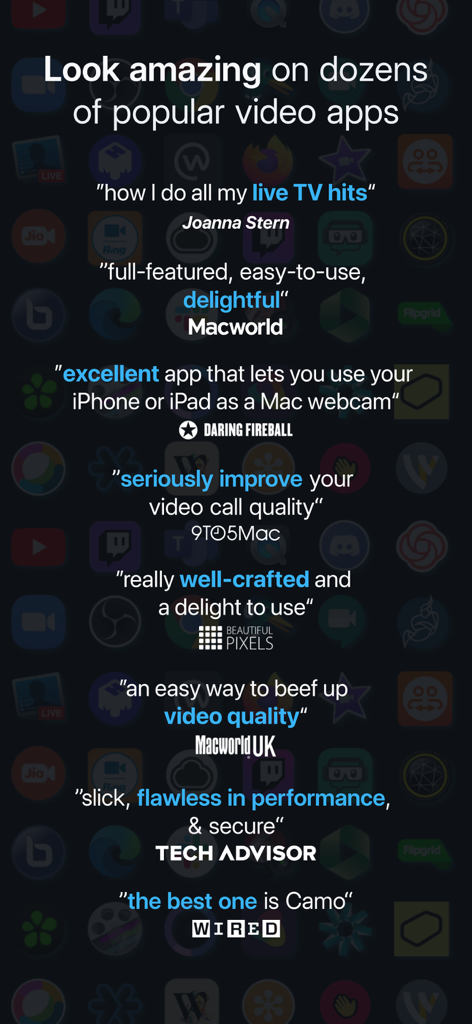
Wired 및 Macworld를 포함한 주요 기술 간행물의 Camo Camera 앱에 대한 긍정적인 리뷰 및 추천사 모음.

Wired 및 Macworld를 포함한 주요 기술 간행물의 Camo Camera 앱에 대한 긍정적인 리뷰 및 추천사 모음.

전문적인 이미지를 즉시 업그레이드하세요

이 앱을 돋보이게 하는 도구, 1M+ 명의 사용자가 선택.

🎭

시네마틱 인물 모드 & 스포트라이트

어떤 조명에서도 최고의 모습을 보여주세요. 배경을 쉽게 흐리게 하고 얼굴을 밝혀 회의에서 돋보이는 세련되고 고급스러운 모습을 연출하세요.

🎯

지능형 자동 프레이밍

움직여도 전문가처럼 중앙에 유지하세요. 스마트 프레이밍은 발표하거나 움직일 때 완벽하게 당신을 화면 안에 잡아주어 항상 당신에게 집중되도록 합니다.

🎛️

전문가 수준의 이미지 제어

영상을 완전히 제어하세요. 노출, 수동 초점, 그리고 시네마틱 LUT를 적용하여 Zoom, Teams 및 40개 이상의 다른 앱에서 당신의 개인 브랜드를 일치시키세요.

전 세계 사용자들에게 사랑받는 앱

Trusted by 1M+ 명이 이 앱을 사랑합니다.

"

"Camo는 제 iPhone을 전문가 수준의 스튜디오로 바꿔주었습니다. 이제 이사회 회의 중에 '기술적 수치심'을 느끼지 않습니다. 무선 설정이 매우 간편하고, 인물 모드 보케 효과가 너무 깔끔해서 수천 달러짜리 DSLR을 사용하는 것처럼 보입니다."

Alex M., 마케팅 이사
"

"신진 크리에이터로서 Camo를 찾기 전까지 1,000달러짜리 미러리스 카메라를 구매할 뻔했습니다. 수동 제어와 LUT 지원을 통해 제 모습을 완벽하게 다듬을 수 있었습니다. 자동 프레이밍은 스튜디오에서 돌아다닐 때도 저를 중앙에 잡아줍니다."

Jordan T., 콘텐츠 크리에이터

앱 소개

에 대해 알아야 할 모든 것 Camo Camera.

설명

The Apple Design Awards Finalist 2023 app, Camo, uses the incredible cameras in your iPhone to produce pro-quality video, whether you’re meeting, streaming, or recording. Joanna Stern, The Wall St. Journal – “how I do all my live TV hits” MacWorld US – “full-featured, easy-to-use, and delightful” 9to5Mac – “an easy way to seriously improve your video call quality” WIRED – “there are a number of apps which let you use your iOS device’s camera as your webcam, but the best one is Camo” MacWorld UK – “an easy way to beef up the video quality on your calls” With over 10 million users helped over the last decade, Reincubate is one of the UK’s most-loved software companies. — EASY TO USE / PLUG AND PLAY / Wi-Fi — No extra hardware needed, just connect your device to your Mac or PC. Choose between connecting wirelessly, for the most flexible experience, or opt for a trusty USB connection. With Wi-Fi connectivity, get set up for a call in seconds – no more looking around for a spare cable or a free port. — POWERFUL ADJUSTMENTS & FILTERS — Camo Studio gives you full control of your video, letting you adjust lenses, exposure, colours, contrast, and more; and it lets you zoom, crop, and focus your image precisely how you want it. Apply cinematic styling and color grading to your video with 18 bespoke filters, including support for custom Cube, 3DL, and LUT files. — STAND OUT WITH SPOTLIGHT & PORTRAIT — Use Spotlight to compensate for less-than-ideal lighting conditions, such as backlit or under-lit environments, by brightening yourself against your background. Portrait creates a sophisticated bokeh effect that cleanly separates you from the background and gives you full control over the depth of focus. — VIRTUAL GREEN SCREEN AND PRIVACY — Use Replace, Camo’s virtual green screen, to cleanly swap any image into your background. Or activate Privacy to cloak your surroundings with a pleasing diffused image effect. Both offer industry-leading performance, enabling video that foregrounds clarity without sacrificing appearance. — FIND FREEDOM WITH AUTO FRAMING — Camo’s auto-framing functionality keeps you at the center of the action, whether you’re shuffling around at your desk or presenting at a whiteboard. With a range of zoom options, you’ll remain firmly centered and proportioned on screen. — COMPATIBLE WITH OVER 40 APPS — Camo works perfectly with Zoom, Google Meet, Microsoft Teams, Safari, FaceTime, QuickTime, Chrome, OBS Studio, Streamlabs, Skype, Twitch, Panopto, ScreenFlow, Final Cut Pro X, and dozens of other video recording and streaming products. — SECURITY AND PRIVACY FIRST — Camo doesn’t know what you’re using it for, and doesn’t capture or transmit your video feed. It simply routes it from your iPhone to your computer. Your data is your business, not ours. — NOT ONLY BUT ALSO! — - Super low latency, high speed video with a range of resolutions - Powerful presets to save and quickly switch to your favourite adjustments and settings - Native support for iPadOS as well as your iPhone, and beautiful Dark Mode support throughout - Camo offloads all processing to your iOS device, keeping your computer cool and fast - Crop your video without losing quality with dynamic-resolution Smart Zoom - Automatic image stabilisation minimises bumps and vibrations - Virtually rotate your video without touching your device - Switch between video from multiple iOS devices and lenses in real-time - No ads in the app, not ever — WE’RE HERE TO HELP — We’re fanatical about supporting users, and we’d love to help you make the most of Camo. Reach out to us any time: support@reincubate.com Camo Studio supports macOS 10.13 or later & Windows 10 or later. — LEARN MORE — About us: https://reincubate.com/camo/ How to make the most of Camo: https://reincubate.com/support/how-to/look-best-webcam-video/ FAQ: https://reincubate.com/support/camo/camo-faq/

최신 버전

2.3.3

크기

73.4 MB

출시일

2020년 7월 16일

지금까지 사용한 최고의 웹캠이 주머니 속에 있습니다

전문가 수준의 영상으로 업그레이드한 1000만 명의 전문가들과 함께하세요. 추가 하드웨어 없이, 지저분한 책상 없이—그냥 당신, 모든 통화에서 최고의 모습을 보여줍니다.

다운로드: App Store
FAQ

자주 묻는 질문

에 대해 알아야 할 모든 것 Camo Camera

Camo Camera는 무엇인가요?

Camo Camera는 Apple Design Awards Finalist 2023 앱입니다. iPhone을 전문가 수준의 웹캠으로 변환하여 Mac 또는 PC에서 회의, 스트리밍 또는 녹화에 전문가 수준의 비디오를 사용할 수 있습니다.

Camo Camera는 컴퓨터에 어떻게 연결되나요?

Camo Camera는 무선 Wi-Fi 연결 또는 기존 USB 케이블을 사용하여 Mac 또는 PC에 연결됩니다. 두 옵션 모두 유연성과 쉬운 설정을 제공합니다.

Camo Camera로 비디오 설정을 조정할 수 있나요?

예, Camo Studio는 비디오에 대한 포괄적인 제어를 제공합니다. 사용자는 렌즈, 노출, 색상, 대비, 줌, 자르기 및 초점을 정밀하게 조정하여 원하는 이미지 품질을 얻을 수 있습니다.

Camo Camera에는 비디오용 필터가 있나요?

예, Camo Camera에는 영화적 스타일링 및 색상 보정을 위한 18가지 맞춤형 필터가 포함되어 있습니다. 또한 확장된 창의적 옵션을 위해 사용자 지정 Cube, 3DL 및 LUT 파일을 지원합니다.

Camo Camera의 Spotlight 기능은 무엇인가요?

Spotlight는 조명이 좋지 않은 환경을 보완하는 Camo Camera 기능입니다. 사용자 배경을 밝게 하여 역광 또는 조명이 부족한 환경에서 돋보이게 합니다.

Camo Camera는 배경 효과를 제공하나요?

예, Camo Camera는 배경을 교체하는 가상 그린 스크린인 'Replace'와 주변을 흐리게 하는 확산 이미지 효과를 만드는 'Privacy'를 제공합니다. 두 기능 모두 전경의 선명도를 효과적으로 유지합니다.

Camo Camera는 인기 있는 화상 통화 앱과 호환되나요?

예, Camo Camera는 40개 이상의 앱과 원활하게 통합됩니다. 여기에는 Zoom, Google Meet, Microsoft Teams, Safari, FaceTime 및 OBS Studio와 같은 인기 있는 플랫폼이 포함됩니다.

Camo Camera는 사용자 개인 정보를 존중하나요?

예, Camo Camera는 개인 정보 보호 및 보안을 우선시합니다. 비디오 피드를 캡처하거나 전송하지 않고 iPhone에서 컴퓨터로 직접 라우팅합니다.

Camo Camera는 iPad 기기와 함께 작동하나요?

예, Camo Camera는 iPadOS에 대한 네이티브 지원을 제공하여 iPad 사용자가 기기의 카메라를 활용할 수 있습니다. 또한 애플리케이션 전체에 아름다운 다크 모드 기능이 있습니다.

Camo Studio의 시스템 요구 사항은 무엇인가요?

Camo Studio를 사용하려면 macOS 10.13 이상 또는 Windows 10 이상이 필요합니다. 이것이 최소 운영 체제 요구 사항입니다.

Camo Camera에 자동 프레이밍 기능이 있나요?

예, Camo Camera에는 자동 프레이밍 기능이 있습니다. 이 기능은 사용자가 통화 또는 프레젠테이션 중에 움직이더라도 화면 중앙에 적절한 비율로 유지되도록 합니다.

Camo Camera는 컴퓨터 성능에 영향을 미치나요?

아니요, Camo Camera는 모든 비디오 처리를 iOS 기기로 오프로드합니다. 이 설계는 컴퓨터를 시원하고 빠르게 유지하여 사용 중 성능을 보존합니다.