Screen Mirroring | Cast to TV

Screen Mirroring | Cast to TV

다운로드: App Store
Spark by MWM logo
로고: Screen Mirroring | Cast to TV

화면 미러링 | TV로 전송: iPhone 콘텐츠를 위한 올인원 홈 엔터테인먼트 허브

iPhone을 모든 스마트 TV 또는 스트리밍 장치에 무선으로 연결하세요. 단 한 번의 탭으로 끊김 없는 미러링, 웹 비디오 캐스팅, 고화질 라이브 TV를 즐기세요.

개발사

Ozuna Limited

카테고리

Utilities

다운로드

4M+

사용자 평점

4.6/5

총 평가 수

24K+

지원 언어

9

엔터테인먼트, 업그레이드

이 인터페이스를 사용하는 4M+ 명의 사용자.

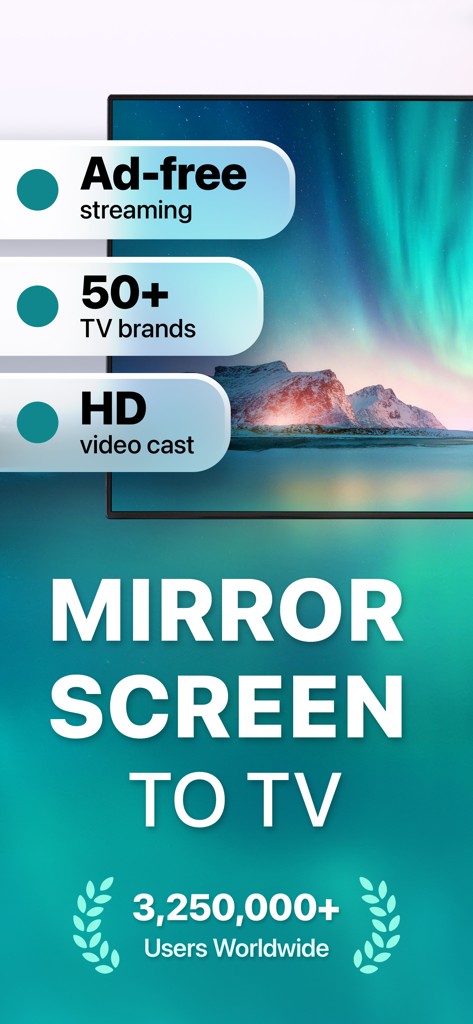
50개 이상의 TV 브랜드와의 호환성 및 HD 비디오 캐스팅을 강조하는 Screen Mirroring 앱의 프로모션 화면

50개 이상의 TV 브랜드와의 호환성 및 HD 비디오 캐스팅을 강조하는 Screen Mirroring 앱의 프로모션 화면

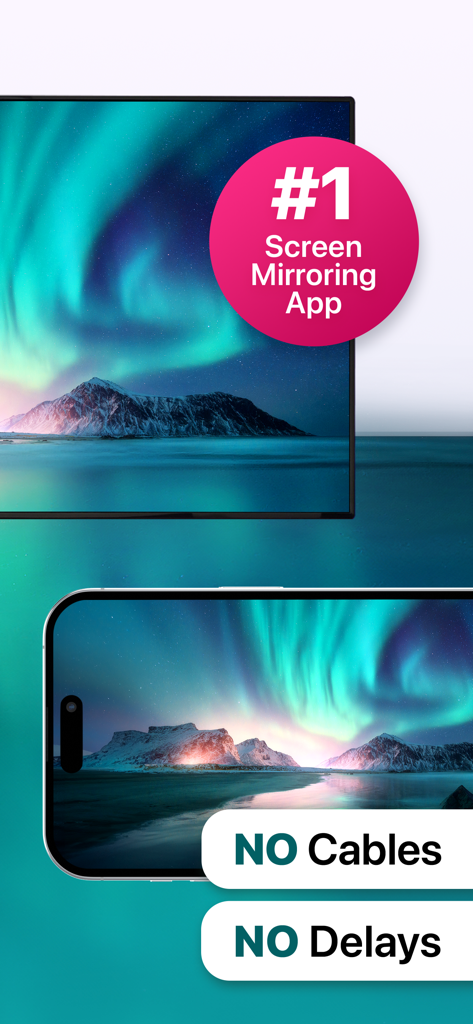
케이블이나 지연 없이 TV 화면으로 북극광 풍경을 미러링하는 iPhone

케이블이나 지연 없이 TV 화면으로 북극광 풍경을 미러링하는 iPhone

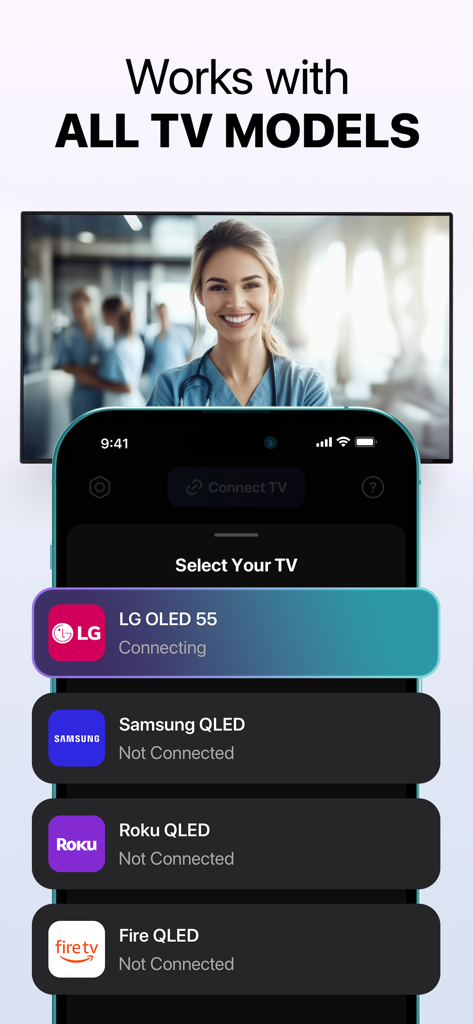
LG Samsung Roku 및 Fire TV 브랜드에 대한 연결 옵션을 보여주는 iPhone 화면.

LG Samsung Roku 및 Fire TV 브랜드에 대한 연결 옵션을 보여주는 iPhone 화면.

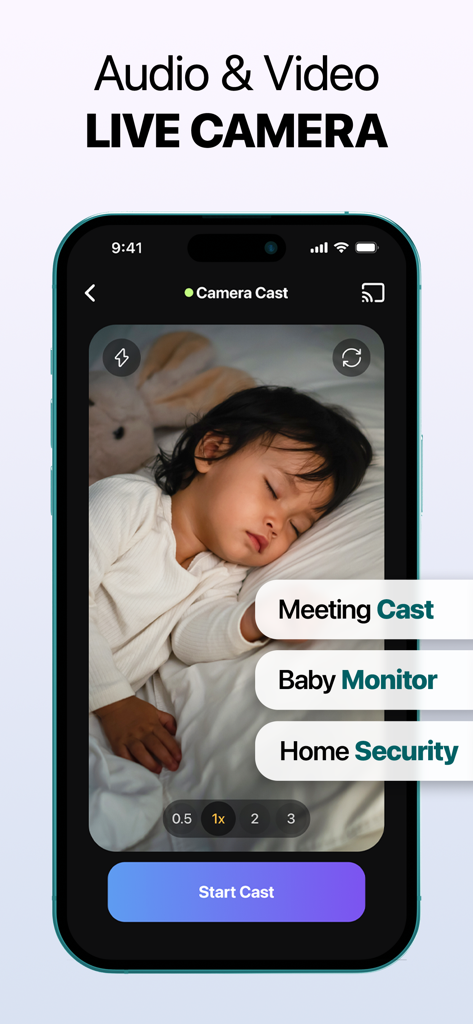
잠자는 아기의 라이브 카메라 피드를 보여주는 iPhone 화면으로, 회의 캐스트 및 가정 보안에 대한 레이블이 표시됨.

잠자는 아기의 라이브 카메라 피드를 보여주는 iPhone 화면으로, 회의 캐스트 및 가정 보안에 대한 레이블이 표시됨.

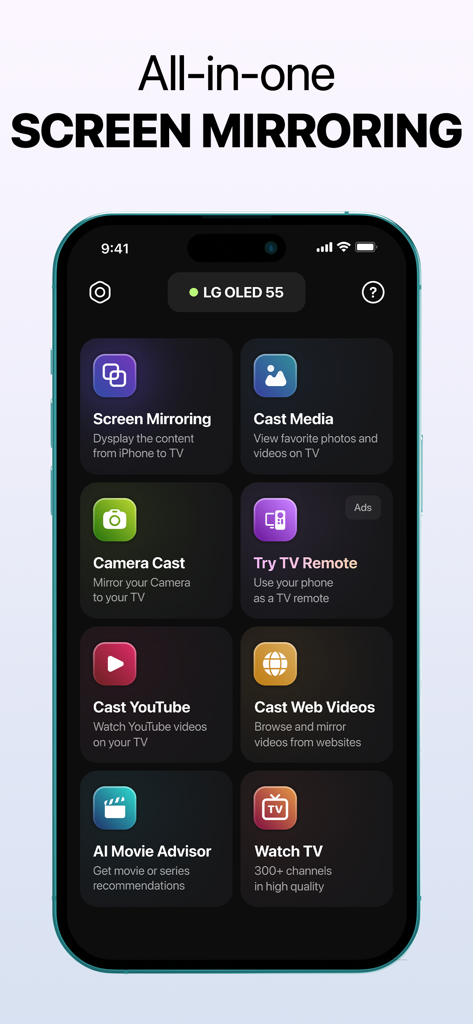
다양한 캐스팅 및 미러링 옵션을 보여주는 iPhone의 모든 화면 미러링 앱 인터페이스

다양한 캐스팅 및 미러링 옵션을 보여주는 iPhone의 모든 화면 미러링 앱 인터페이스

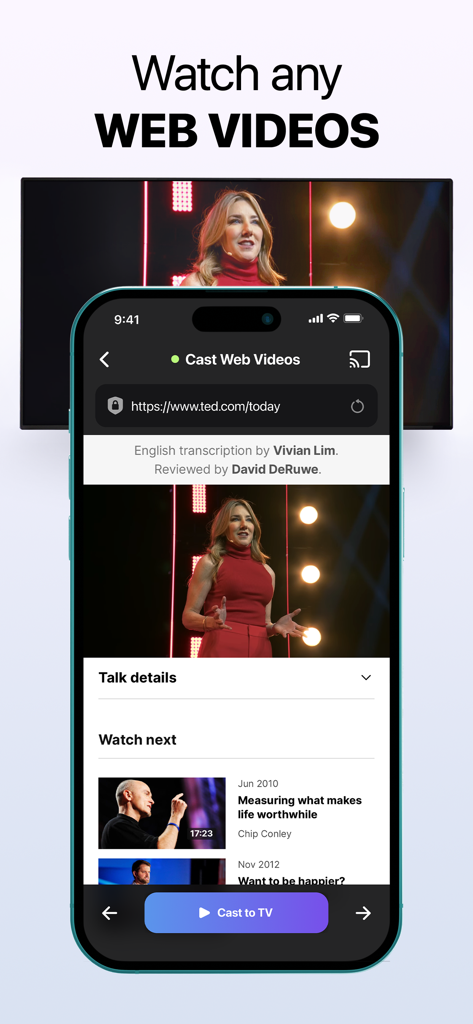
모바일 브라우저에서 TV로 웹 비디오를 전송하는 것을 보여주는 iPhone 앱 인터페이스

모바일 브라우저에서 TV로 웹 비디오를 전송하는 것을 보여주는 iPhone 앱 인터페이스

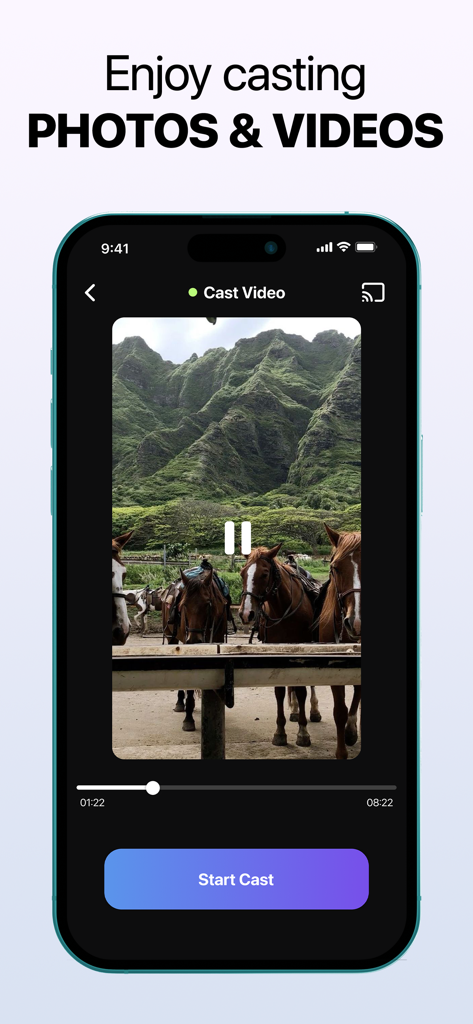
녹색 산 앞에 있는 말 비디오와 시작 캐스트 버튼이 있는 비디오 캐스트 기능을 보여주는 iPhone 인터페이스

녹색 산 앞에 있는 말 비디오와 시작 캐스트 버튼이 있는 비디오 캐스트 기능을 보여주는 iPhone 인터페이스

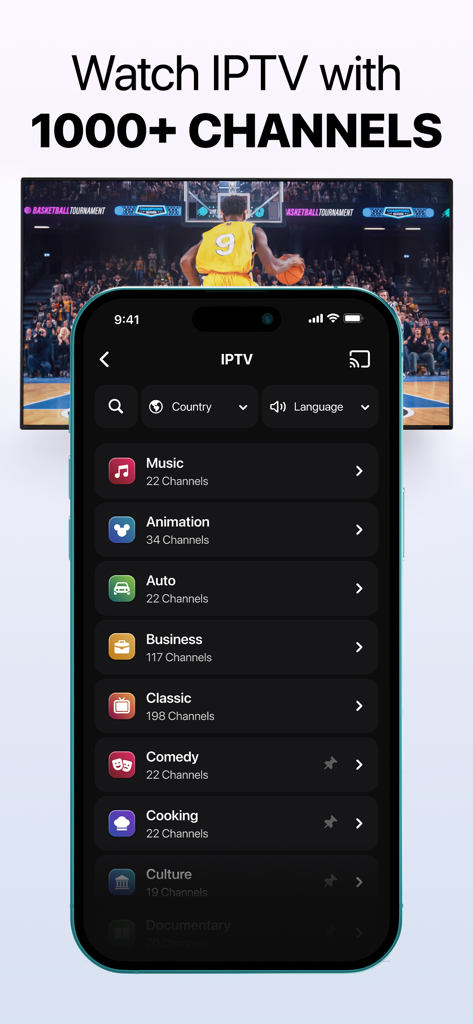
화면 미러링 앱이 IPTV 채널 카테고리와 TV로 전송되는 농구 게임을 보여줌

화면 미러링 앱이 IPTV 채널 카테고리와 TV로 전송되는 농구 게임을 보여줌

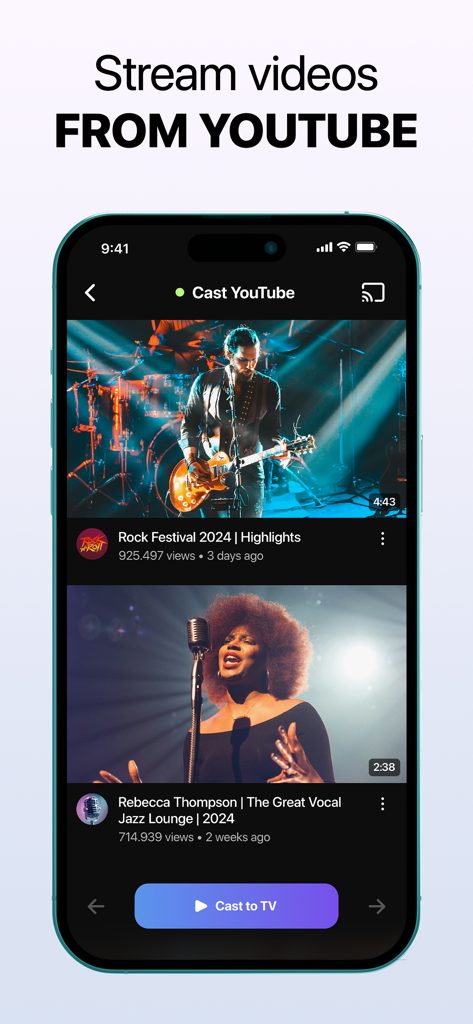
스마트 TV로 YouTube 동영상을 전송하는 iPhone 앱의 인터페이스

스마트 TV로 YouTube 동영상을 전송하는 iPhone 앱의 인터페이스

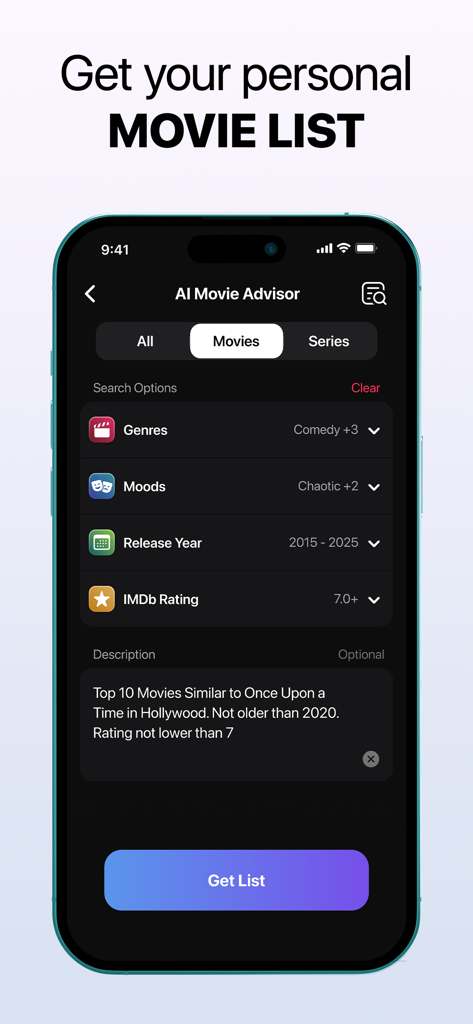
개인화된 영화 검색 및 추천 옵션을 보여주는 AI 영화 추천 화면

개인화된 영화 검색 및 추천 옵션을 보여주는 AI 영화 추천 화면

집안의 모든 화면을 위한 하나의 앱

이 앱을 돋보이게 하는 도구, 4M+ 명의 사용자가 선택.

📺

범용 호환성

Apple TV가 없어도 괜찮습니다. 한 번의 탭으로 Roku, Samsung, LG, Fire TV, Vizio, Chromecast로 원활하게 전송하여 iPhone과 홈 하드웨어 간의 간격을 연결합니다.

🌐

무제한 웹 및 IPTV 캐스팅

작은 화면에서 벗어나세요. 웹 비디오, YouTube 또는 라이브 IPTV 채널을 TV로 직접 스트리밍하세요. AI 영화 추천을 사용하여 좋아하는 다음 프로그램을 즉시 찾아보세요.

📸

가족 공유 및 라이브 카메라

친구들을 위해 사진 갤러리를 즉시 보여주거나 iPhone을 라이브 카메라로 변환하세요. 가족 순간을 공유하거나 스마트 베이비캠으로 집을 모니터링하는 데 완벽합니다.

전 세계 사용자들에게 사랑받는 앱

Trusted by 4M+ 명이 이 앱을 사랑합니다.

"

"드디어 제 iPhone과 Roku가 잘 작동하도록 해주는 앱입니다! 하이킹 사진을 대형 화면에 보여주는 것을 좋아하고, 라이브 카메라 기능은 제가 다른 방에 있을 때 빠른 애완동물 모니터로 훌륭하게 작동합니다. 설정이 매우 쉽습니다."

Jessica Reynolds
"

"웹 캐스팅은 스포츠의 판도를 바꿉니다. 브라우저에서 TV로 지연 없이 게임을 직접 스트리밍할 수 있습니다. 게다가 AI 영화 추천 덕분에 어젯밤에 30분 동안 스크롤하는 시간을 절약했습니다. 코드를 끊는 사람이라면 다운로드할 가치가 있습니다."

Michael Chen

리뷰 분석

사용자 리뷰 인사이트.

감정 점수

19%
부정적

요약

The app receives overwhelmingly negative feedback from users. Many report that the application simply "doesn't work" or exhibits significant performance issues such as video delays, glitches, and audio problems across various devices. A major concern is the prevalence of billing issues, with numerous complaints about unauthorized charges, unexpected deductions for paid services despite expectations of free trials, and claims of the app being a "scam." Users also express considerable frustration over the difficulty in cancelling subscriptions, often citing an inability to find cancellation options or receive refunds. While a few users praised the app for its ad-free experience, ease of use, reliable HD streaming, and broad device compatibility, these positive comments are significantly overshadowed by widespread negative experiences related to functionality and predatory billing practices.

주요 테마

General Satisfaction(6)
Ease of Use(2)
Mirroring Quality(1)
Compatibility(1)
Ad Experience(1)

앱 소개

에 대해 알아야 할 모든 것 Screen Mirroring | Cast to TV.

설명

Revolutionize Your Entertainment with Screen Mirroring | Cast to TV Stay connected and stream effortlessly with Screen Mirroring | Cast to TV. The app lets you mirror your screen or cast your phone to devices like Roku, LG, Chromecast, Fire TV, Samsung Smart TVs, and more. Compatible with iPhone mirroring, AirPlay, Miracast, and Smart View, it delivers seamless streaming and sharp, high-definition quality across all platforms. How to Connect iPhone to TV: 1. Open the app and tap the Connect TV button on the home screen. 2. When prompted, tap Allow in the local network access request window. 3. Ensure both your phone and smart TV are connected to the same Wi-Fi network and VPN services are disabled. 4. Wait for your smart TV to appear in the list of devices. 5. Select your TV and wait for the connection to establish. 6. If additional steps are required on your TV, follow the on-screen instructions on your phone (e.g., confirm the connection on the TV using Yes or Allow). Powerful Features for Every Need - Full Screen Mirroring Mirror your entire screen for gaming, presentations, or enhanced browsing on a larger display with seamless functionality. - Cast Web Videos and Cast YouTube Stream videos from YouTube or the web effortlessly using our new web video cast and web casting tools. Enjoy high-quality playback straight on your TV! - Photo and Video Casting Showcase your photo gallery and favorite videos on the big screen with photo mirroring, perfect for reliving memories with loved ones and having a cinema-like experience at home. - IPTV Stream a variety of channels through live television. With the best online TV streaming, finding live TV streaming options is as simple as ever. Get access to IPTV! - Universal Compatibility Supports a wide range of smart TVs and streaming devices, including Samsung, Roku, LG, Chromecast, Fire TV, and Vizio, for ultimate flexibility. - User-Friendly Setup Featuring an intuitive interface with quick-connect options, you can immediately connect to your TV—no complex configurations needed! - High-Quality Performance Lag-free streaming and crystal-clear visuals ensure you enjoy an unparalleled experience, whether you're casting YouTube on TV or using other features. - AI Movie Advisor Get a personalized list of movies and series tailored to your taste. Finding the perfect movies to watch has never been easier! - Live Camera Perfect for turning your device into a video nanny, streaming live presentations, capturing family gatherings, or sharing lessons and sessions in real-time. *This app provides access to third-party IPTV streams, which are not controlled or modified by the developer. Content availability may vary, and the developer is not responsible for the nature, accuracy, or legality of streamed content. Viewer discretion is advised. Why Choose Screen Mirroring | Cast to TV? This app blends simplicity with cutting-edge streaming, perfect for sharing photos, binge-watching, or presentations. With versatile tools like a web/video caster and reliable cross-platform compatibility, it ensures seamless streaming for any modern home setup. Elevate Your Streaming Experience Unlock the full potential of your devices with Screen Mirroring | Cast to TV. Whether you're using AirPlay, Miracast, Smart View, DLNA, Chromecast, or exploring web video casting features, this app simplifies how you connect and stream. Take control of your entertainment with an app that delivers on every promise, from casting YouTube on TV to mirroring your entire device. Subscription Information Subscriptions are billed to your iTunes Account upon purchase confirmation. Auto-renewal ensures uninterrupted service unless disabled at least 24 hours before the current billing cycle ends. Manage your subscriptions in your Account Settings. Privacy Policy: https://screen-casting.app/pp.html Terms of Use: https://screen-casting.app/tou.html Support available at support@screen-casting.app

최신 버전

1.34

크기

211.0 MB

출시일

2024년 10월 11일

iPhone 콘텐츠를 대형 화면으로 경험할 준비가 되셨나요?

4백만 명 이상의 사용자가 홈 엔터테인먼트를 간소화했습니다. 지금 다운로드하여 모든 스마트 TV에 즉각적이고 끊김 없는 캐스팅을 즐기고 좋아하는 비디오, 사진, IPTV를 몇 초 안에 스트리밍하세요.

다운로드: App Store
FAQ

자주 묻는 질문

에 대해 알아야 할 모든 것 Screen Mirroring | Cast to TV

iPhone을 Screen Mirroring | Cast to TV로 TV에 연결하는 방법은 무엇인가요?

이 앱을 사용하려면 iPhone과 스마트 TV가 동일한 Wi-Fi 네트워크에 연결되어 있어야 하며 VPN은 비활성화해야 합니다. 앱을 열고 'TV 연결'을 탭한 다음 로컬 네트워크 액세스를 허용하고 목록에서 TV를 선택한 후 연결을 확인합니다.

Screen Mirroring | Cast to TV는 어떤 기기를 지원하나요?

Screen Mirroring | Cast to TV는 Roku, LG, Chromecast, Fire TV, Samsung Smart TV 및 Vizio를 지원합니다. iPhone 미러링, AirPlay, Miracast, Smart View 및 DLNA와 호환됩니다.

Screen Mirroring | Cast to TV는 전체 화면 미러링을 제공하나요?

네, Screen Mirroring | Cast to TV는 게임, 프레젠테이션 또는 향상된 브라우징을 위한 전체 화면 미러링을 제공합니다. 더 큰 디스플레이에서 원활한 기능을 제공합니다.

Screen Mirroring | Cast to TV로 웹 동영상 및 YouTube를 캐스팅할 수 있나요?

네, Screen Mirroring | Cast to TV를 사용하면 YouTube 및 웹에서 동영상을 스트리밍할 수 있습니다. 웹 동영상 캐스트 및 웹 캐스팅 도구를 사용하여 TV에서 고품질 재생을 제공합니다.

Screen Mirroring | Cast to TV는 광고가 없나요?

네, Screen Mirroring | Cast to TV는 광고 없는 스트리밍을 제공합니다. 이 기능은 방해 없는 시청 경험을 위해 강조 표시됩니다.

Screen Mirroring | Cast to TV에 AI 영화 어드바이저가 포함되어 있나요?

네, Screen Mirroring | Cast to TV에는 AI 영화 어드바이저가 포함되어 있습니다. 이 기능은 귀하의 취향에 맞는 맞춤형 영화 및 시리즈 목록을 제공합니다.

Screen Mirroring | Cast to TV로 라이브 TV 채널을 시청할 수 있나요?

네, Screen Mirroring | Cast to TV는 IPTV 스트림에 대한 액세스를 제공합니다. 사용자는 1000개 이상의 채널을 통해 다양한 채널을 라이브 TV로 스트리밍할 수 있습니다.

전 세계적으로 Screen Mirroring | Cast to TV를 사용하는 사용자는 몇 명인가요?

전 세계적으로 1000만 명 이상의 사용자가 Screen Mirroring | Cast to TV를 사용하고 있습니다. 이는 광범위한 채택과 인기를 나타냅니다.

Screen Mirroring | Cast to TV의 구독은 어떻게 작동하나요?

Screen Mirroring | Cast to TV의 구독은 구매 시 iTunes 계정으로 청구됩니다. 자동 갱신은 결제 주기 종료 24시간 전에 비활성화하지 않는 한 계속되며 계정 설정에서 관리할 수 있습니다.

Screen Mirroring | Cast to TV는 라이브 카메라 스트리밍을 지원하나요?

네, Screen Mirroring | Cast to TV는 라이브 카메라 기능을 제공합니다. 사용자는 장치를 비디오 베이비 모니터로 사용하거나 프레젠테이션을 스트리밍하거나 이벤트를 실시간으로 공유할 수 있습니다.

Screen Mirroring | Cast to TV는 iPhone과 호환되나요?

네, Screen Mirroring | Cast to TV는 iPhone과 호환됩니다. 앱 설명에는 iPhone 미러링이 명시되어 있으며 iPhone을 TV에 연결하는 방법에 대한 지침이 제공됩니다.