Teleprompter for Video

Teleprompter for Video

다운로드: App Store다운로드: Google Play
Spark by MWM logo
로고: Teleprompter for Video

Teleprompter for Video: 완벽한 콘텐츠 녹화와 청중과의 소통

디지털 우선 전문가를 위한 올인원 스튜디오. AI 시선 처리 개선, 자동 자막, LinkedIn, TikTok, YouTube에 최적화된 스튜디오 품질의 편집으로 완벽한 대본을 전달하세요.

개발사

Norton Five Ltd

카테고리

Photo & Video

다운로드

4M+

사용자 평점

4.9/5

총 평가 수

74K+

지원 언어

7

스튜디오 엿보기

이 인터페이스를 사용하는 4M+ 명의 사용자.

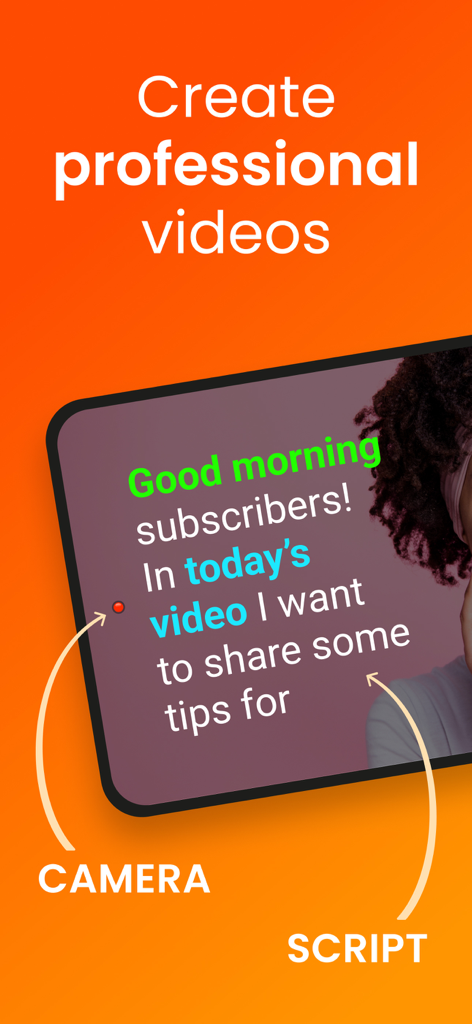
전문 영상 녹화를 위해 카메라 렌즈 옆에 텔레프롬프터 대본이 표시된 iPhone 화면

전문 영상 녹화를 위해 카메라 렌즈 옆에 텔레프롬프터 대본이 표시된 iPhone 화면

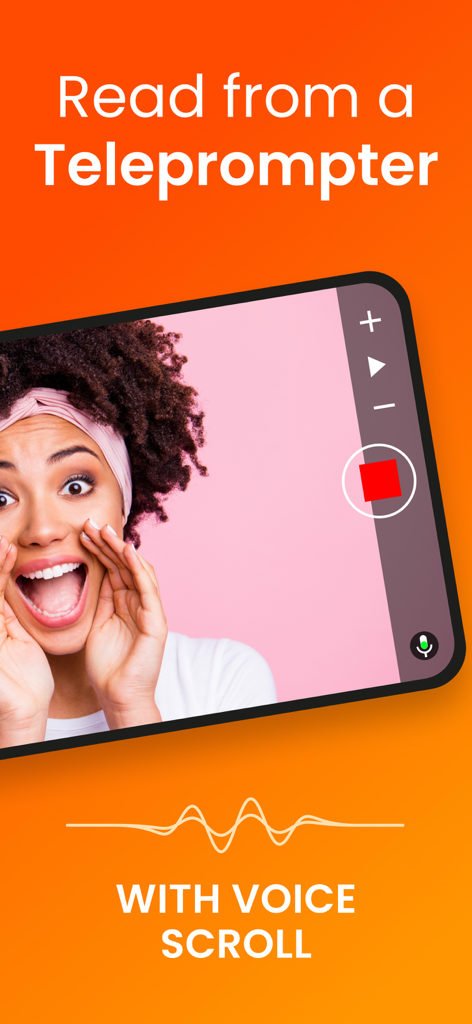
영상 녹화를 위한 음성 스크롤 기능이 있는 Teleprompter for Video 앱 인터페이스가 표시된 스마트폰
영상 녹화를 위한 음성 스크롤 기능이 있는 Teleprompter for Video 앱 인터페이스가 표시된 스마트폰

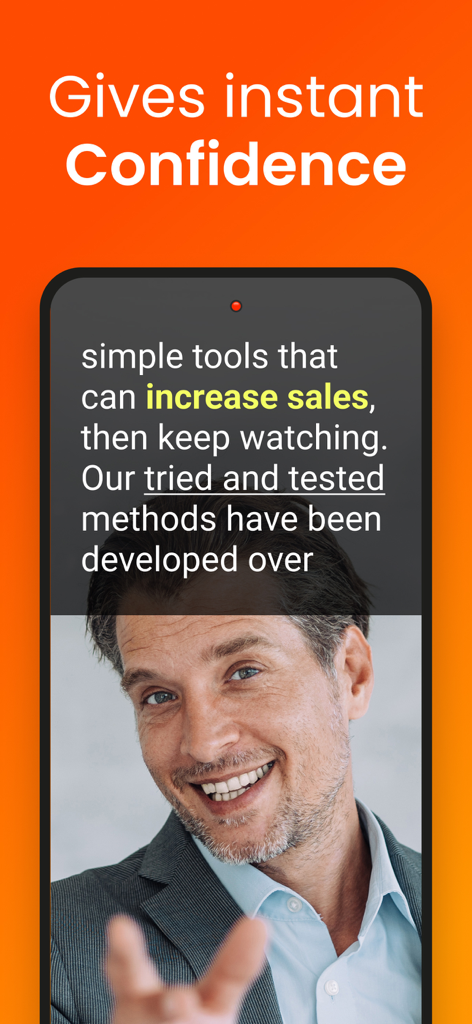
Teleprompter for Video 앱의 스크롤 대본 오버레이를 사용하여 영상을 녹화하는 전문적인 남성의 모습이 담긴 스마트폰

Teleprompter for Video 앱의 스크롤 대본 오버레이를 사용하여 영상을 녹화하는 전문적인 남성의 모습이 담긴 스마트폰

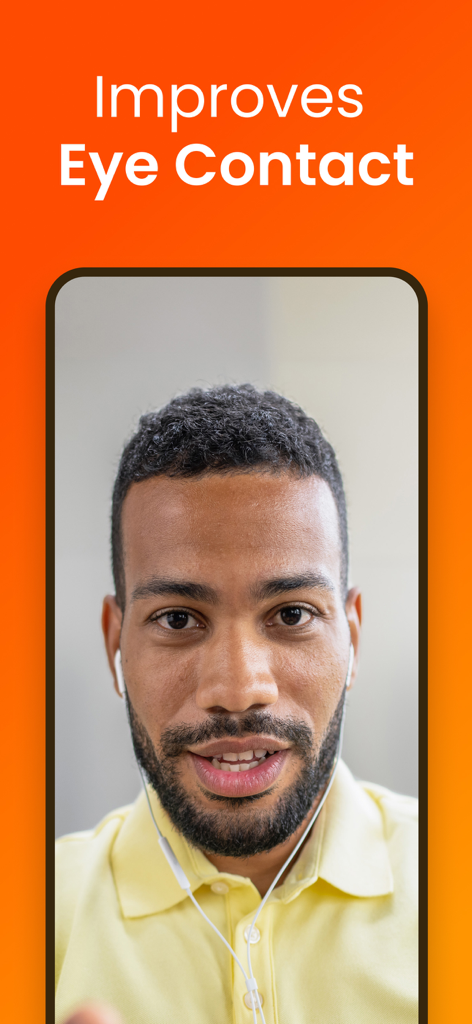
Teleprompter for Video 앱에서 시선 처리 개선 기능을 시연하는 남성

Teleprompter for Video 앱에서 시선 처리 개선 기능을 시연하는 남성

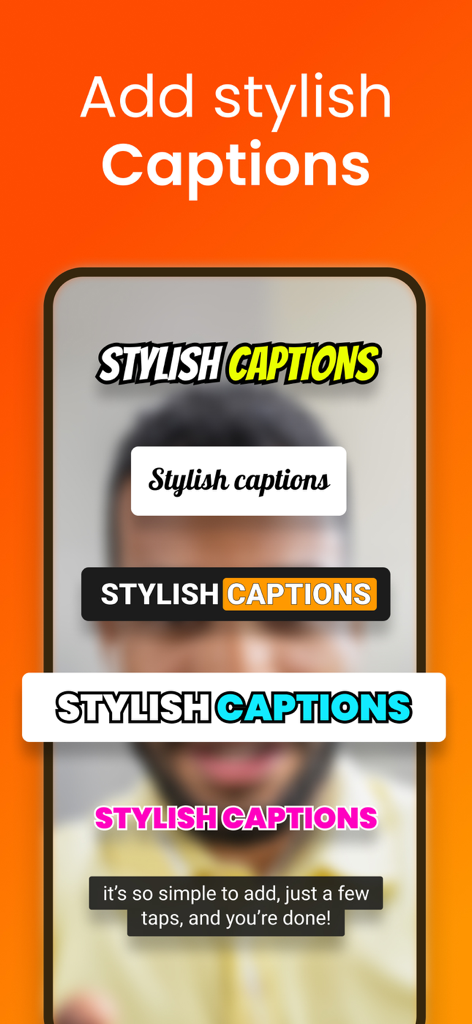
Teleprompter for Video 앱에서 영상 편집 시 사용할 수 있는 다양한 자막 스타일 예시

Teleprompter for Video 앱에서 영상 편집 시 사용할 수 있는 다양한 자막 스타일 예시

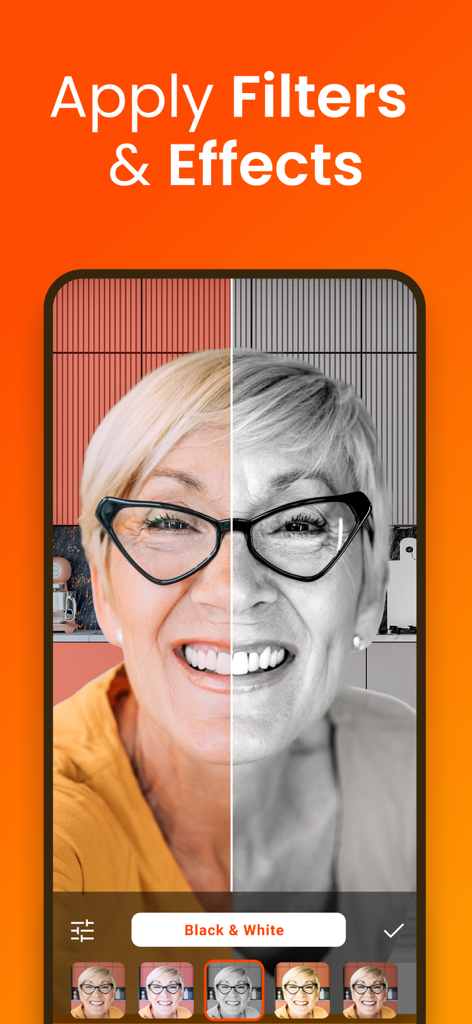
앱에서 영상 녹화에 적용된 흑백 필터의 분할 화면 시연

앱에서 영상 녹화에 적용된 흑백 필터의 분할 화면 시연

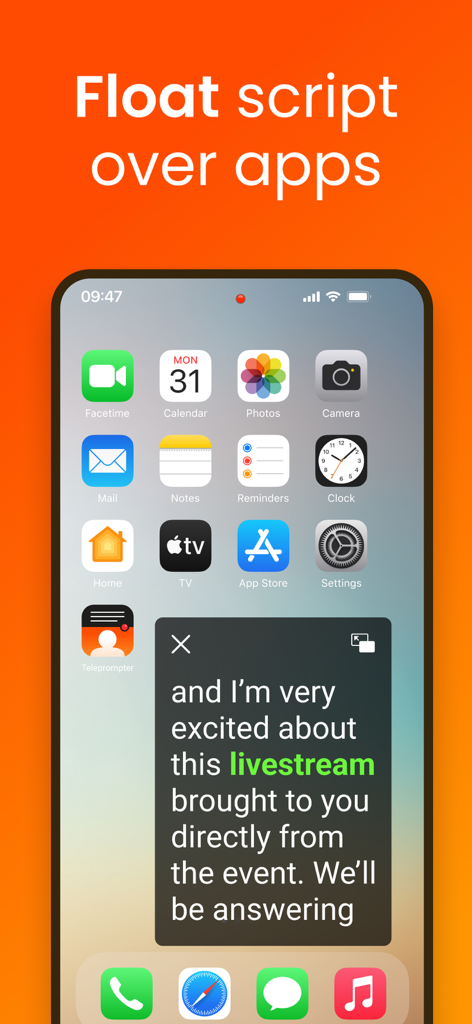
라이브 스트리밍을 위해 다른 앱 위에 플로팅 대본 창을 표시하는 Teleprompter for Video 앱

라이브 스트리밍을 위해 다른 앱 위에 플로팅 대본 창을 표시하는 Teleprompter for Video 앱

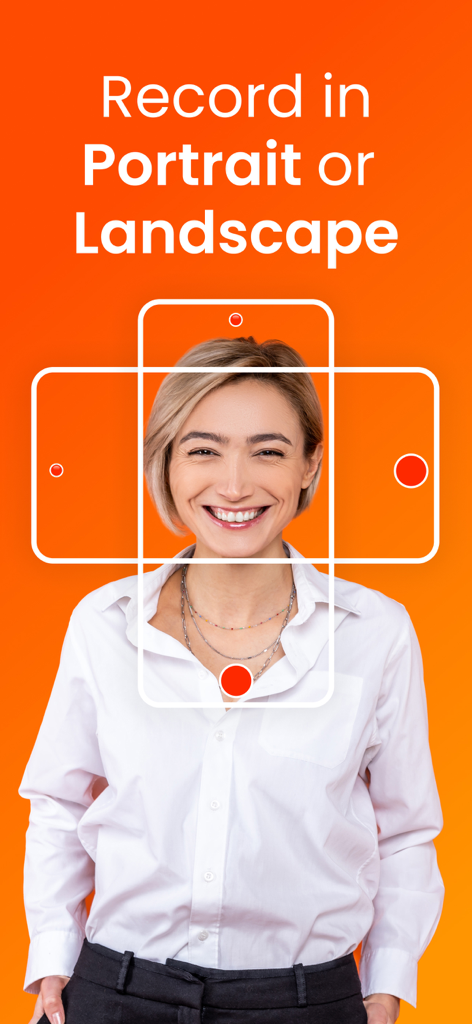
주황색 배경 위에서 세로 및 가로 녹화 모드를 나타내는 그래픽 프레임 안에서 웃고 있는 여성

주황색 배경 위에서 세로 및 가로 녹화 모드를 나타내는 그래픽 프레임 안에서 웃고 있는 여성

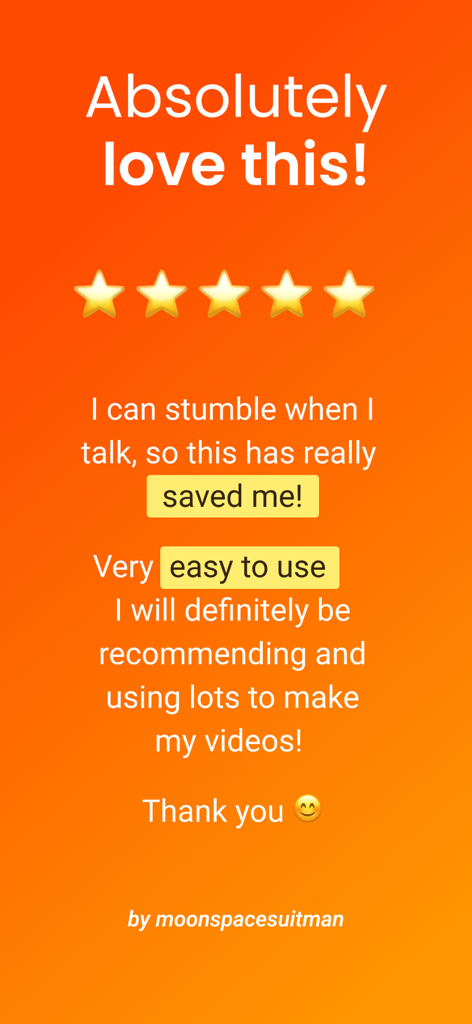
사용 편의성과 영상 제작자에게 주는 유용성을 강조하는 Teleprompter for Video 앱의 별점 5점 사용자 리뷰

사용 편의성과 영상 제작자에게 주는 유용성을 강조하는 Teleprompter for Video 앱의 별점 5점 사용자 리뷰

간편해진 전문 영상 제작

이 앱을 돋보이게 하는 도구, 4M+ 명의 사용자가 선택.

👁️

청중과 자연스럽게 소통하세요

카메라 렌즈 바로 옆에서 대본을 읽어 완벽한 시선 처리를 유지하세요. 모든 촬영에서 자신감 있고 권위 있는 모습을 보여줄 수 있습니다.

🎙️

스마트 음성 인식 스크롤링

AI가 당신의 목소리를 듣습니다. 말하는 속도에 맞춰 텍스트가 자동으로 스크롤되고 멈추어, 자연스러운 대화식 전달이 가능합니다.

🚀

몇 분 만에 게시 준비 완료

자동 자막, 즉각적인 소셜 미디어 크기 조정, 전문적인 브랜딩 툴을 통해 편집 시간을 단축하고 콘텐츠를 더 빠르게 게시하세요.

전 세계 사용자들에게 사랑받는 앱

Trusted by 4M+ 명이 이 앱을 사랑합니다.

"

"이 앱은 제 부동산 시장 업데이트 업무의 판도를 바꿔 놓았습니다. 대본이 렌즈 바로 옆에서 완벽하게 스크롤되어 고객과 자연스러운 시선 처리를 유지할 수 있습니다. 녹화 시간이 절반으로 줄었고, 자동 자막은 제 LinkedIn 피드에서 믿을 수 없을 정도로 전문적으로 보입니다."

사라 젠킨스(Sarah Jenkins), 시니어 공인중개사
"

"1인 콘텐츠 크리에이터로서 예전에는 후반 작업에 몇 시간을 보냈습니다. 이제는 AI 대본 작성기를 사용해 요점을 초안으로 잡고, 음성 지원 스크롤링이 나머지를 처리합니다. 시선 처리 개선 기능은 정말 마법 같아요. 주머니 속에 전문 스튜디오가 있는 것 같습니다."

마커스 첸(Marcus Chen), 마케팅 컨설턴트

앱 소개

에 대해 알아야 할 모든 것 Teleprompter for Video.

설명

Teleprompter for Video makes it easy to create professional-looking videos on your iPhone or iPad. Simply read from the prompter while recording video. It's perfect for anyone wanting to record a vlog, practise a speech or give a business communication. The app helps actors film self-tape casting auditions, religious leaders give sermons, job seekers create video resumes and much more. Used by over 1 million people worldwide! Here's how it works... You read from a script while filming yourself in high definition. The prompter script (or autocue) scrolls next to the camera lens, helping you make eye contact with your audience. They won't know you're reading from a script! After recording, you can edit your video - add your logo, resize for social media, replace background using a green screen, add text and automatically caption the video using the timings from your recording (or export a .srt file for uploading captions on social media). You can even add a background music track using our royalty-free audio. The 'floating' mode allows you to overlay the script on top of other apps, such as the native camera app. It's perfect for live streaming on social media. Here's a summary of all the wonderful features: RECORD PRO VIDEOS WITHOUT EXPENSIVE EQUIPMENT * Record videos using the front and rear-facing cameras. * Record your video in landscape or portrait. * Choose your camera resolution (720p, 1080p, 4K) and frame rate (24, 25 PAL, 30, 60) based on what your device supports. * Add beautiful filters to your videos in real-time including Portrait mode (newer devices only). * Record sound using in-built and external microphones. * Long tap to set AE/AF Lock and manually adjust the exposure. * Pinch the screen to zoom. * Display a 3x3 grid to help you position yourself. A SIMPLE-TO-USE TELEPROMPTER FOR VIDEO * Use voice-assisted scrolling to sound more natural when presenting using a teleprompter. The script scrolls as you speak! * Set a countdown to get into position and a countdown to automatically end recording when the teleprompter script reaches the end. * Control the teleprompter app with a Bluetooth remote control, wireless keyboard, foot pedal or Apple Watch. Using a remote control you can start and stop the video recording as well as control the scrolling script (start / pause / resume / adjust speed). * Mirror the script for use in a teleprompter pro rig device. * Adjust the font size, scrolling speed and many other settings. EASILY MANAGE SCRIPTS ON MULTIPLE DEVICES * Import your scripts from Dropbox, Google Drive, OneDrive or iCloud in .doc, .docx, .txt, .rtf, .pdf formats. * Share teleprompter scripts across different iOS devices. * Format your scripts in Rich Text to make them easier to read. * Write and edit scripts using AI EDIT VIDEOS AFTER RECORDING * All videos are saved in the app for editing later. * Automatically add captions / subtitles to your videos or export a .srt file to import your captions into YouTube, Facebook or other video platforms. * Resize videos to landscape, portrait or square for uploading to social media. * Add an image or logo to your videos (in-app purchase required). * Add text to your video. * Change the video background after recording using the smart green screen / chroma key filter. * Add background music to your videos. Choose from your library or our selection of royalty-free tracks. * Use AI to enhance your eye contact PRO PURCHASE AVAILABLE * Teleprompter for Video is free for scripts of up to 750 characters. That's around 1 minute of video with no watermarks. * There are also purchases available for advanced editing features. Terms of use: https://www.apple.com/legal/internet-services/itunes/dev/stdeula/

최신 버전

9.2.1

크기

150.8 MB

출시일

2016년 10월 12일

자신감 있게 말하는 100만 명의 전문가와 함께하세요

대본 외우기는 그만하고 청중의 마음을 사로잡으세요. 단 몇 분 만에 영상을 녹화, 편집하고 자막을 달 수 있는 1위 텔레프롬프터 앱을 다운로드하세요. 주머니 속의 스튜디오에서 모든 것이 가능합니다.

다운로드: App Store다운로드: Google Play
FAQ

자주 묻는 질문

에 대해 알아야 할 모든 것 Teleprompter for Video

Teleprompter for Video란 무엇인가요?

Teleprompter for Video는 스크롤되는 스크립트를 읽으면서 iPhone 또는 iPad에서 전문적인 동영상을 녹화할 수 있게 해주는 앱으로, 시청자와 눈을 맞추는 것을 쉽게 만듭니다.

Teleprompter for Video를 라이브 스트리밍에 사용할 수 있나요?

네, Teleprompter for Video는 '플로팅' 모드를 제공합니다. 이 모드는 스크립트를 다른 앱 위에 오버레이하여 사용자가 소셜 미디어 플랫폼에서 라이브 스트리밍을 하는 동안 프롬프터를 읽을 수 있게 합니다.

Teleprompter for Video는 동영상 편집 기능을 제공하나요?

네, Teleprompter for Video는 녹화 후 동영상 편집 기능을 포함하고 있습니다. 여기에는 로고 추가, 소셜 미디어용 크기 조정, 그린 스크린 효과, 텍스트, 자동 자막 및 배경 음악 추가가 포함됩니다.

Teleprompter for Video는 무료인가요?

네, Teleprompter for Video는 워터마크 없이 최대 750자(약 1분 분량의 동영상)까지 무료로 사용할 수 있습니다. 추가 고급 편집 기능에는 인앱 구매가 필요합니다.

Teleprompter for Video를 제어할 수 있는 외부 기기는 무엇인가요?

Teleprompter for Video는 외부 기기를 사용하여 제어할 수 있습니다. 지원되는 입력 방식에는 블루투스 리모컨, 무선 키보드, 풋 페달 또는 Apple Watch가 있으며, 녹화 및 스크립트 스크롤을 모두 관리할 수 있습니다.

Teleprompter for Video는 어떤 파일 형식의 스크립트를 가져올 수 있나요?

Teleprompter for Video는 Dropbox, Google Drive, OneDrive 또는 iCloud와 같은 클라우드 서비스에서 스크립트를 가져옵니다. .doc, .docx, .txt, .rtf 및 .pdf를 포함한 다양한 파일 형식을 지원합니다.

Teleprompter for Video로 동영상 배경을 변경할 수 있나요?

네, Teleprompter for Video를 사용하면 녹화 후 동영상 배경을 변경할 수 있습니다. 이를 위해 스마트 그린 스크린 또는 크로마 키 필터 기능을 사용하여 동영상 제작을 향상시킵니다.

Teleprompter for Video는 세로 또는 가로 방향 녹화를 지원하나요?

네, Teleprompter for Video는 가로 및 세로 방향 모두에서 동영상을 녹화하는 것을 지원합니다. 이를 통해 사용자는 다양한 플랫폼 및 시청 환경에 적합한 콘텐츠를 유연하게 제작할 수 있습니다.