Teleprompter.com

Teleprompter.com

다운로드: App Store다운로드: Google Play
Spark by MWM logo
로고: Teleprompter.com

Teleprompter.com: 원테이크 전문성으로 카메라를 마스터하세요

크리에이터와 리더를 위한 최고의 영상 도구로 브랜드를 강화하세요. AI 음성 스크롤로 자연스럽게 스크립트를 전달하고, 고품질로 녹화하며, 언제 어디서든 어떤 기기에서든 완벽한 시선 처리를 유지하세요.

개발사

Teleprompter LLC

카테고리

Productivity

다운로드

2M+

사용자 평점

4.8/5

총 평가 수

74K+

지원 언어

28

완벽함의 비전

이 인터페이스를 사용하는 2M+ 명의 사용자.

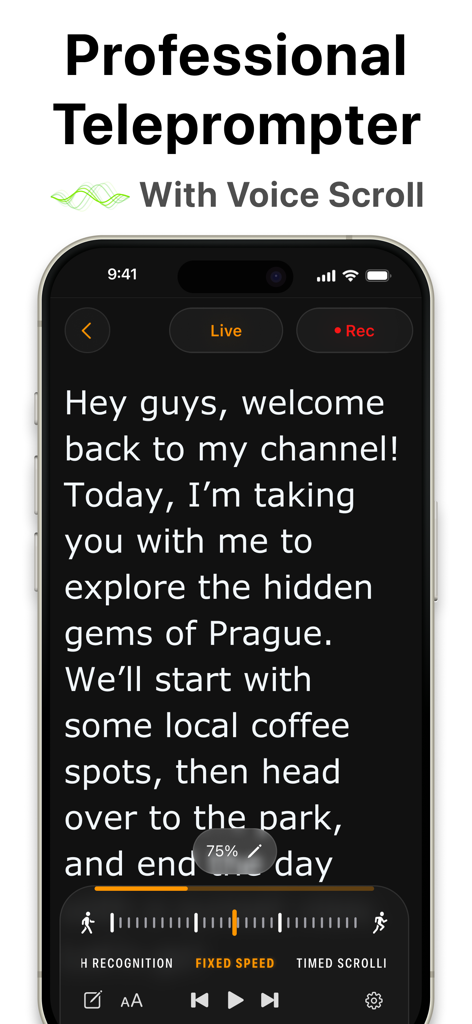
스크립트와 음성 스크롤 기능이 있는 Teleprompter 앱 인터페이스를 표시하는 iPhone

스크립트와 음성 스크롤 기능이 있는 Teleprompter 앱 인터페이스를 표시하는 iPhone

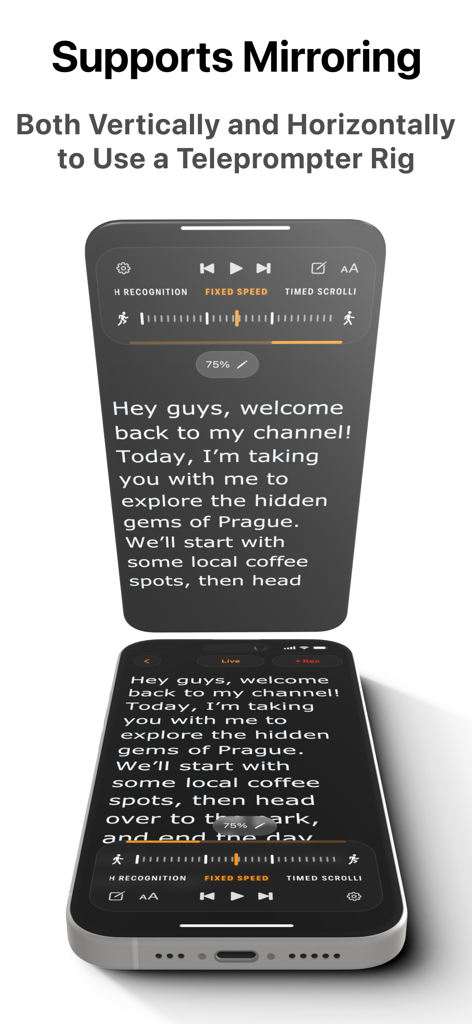
하드웨어 장비를 위한 세로 및 가로 미러링 기능이 있는 전문가용 텔레프롬프터 앱

하드웨어 장비를 위한 세로 및 가로 미러링 기능이 있는 전문가용 텔레프롬프터 앱

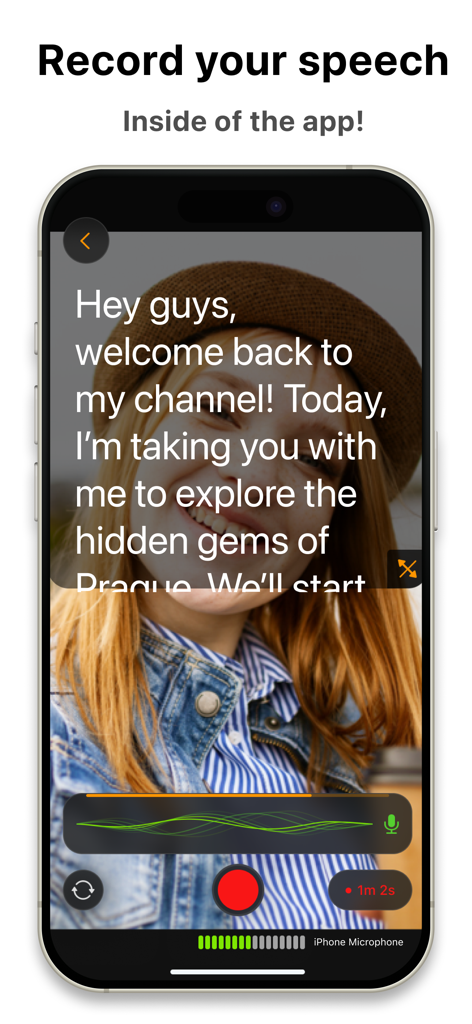
스크립트 오버레이가 있는 Teleprompter.com 앱 녹화 인터페이스를 표시하는 iPhone

스크립트 오버레이가 있는 Teleprompter.com 앱 녹화 인터페이스를 표시하는 iPhone

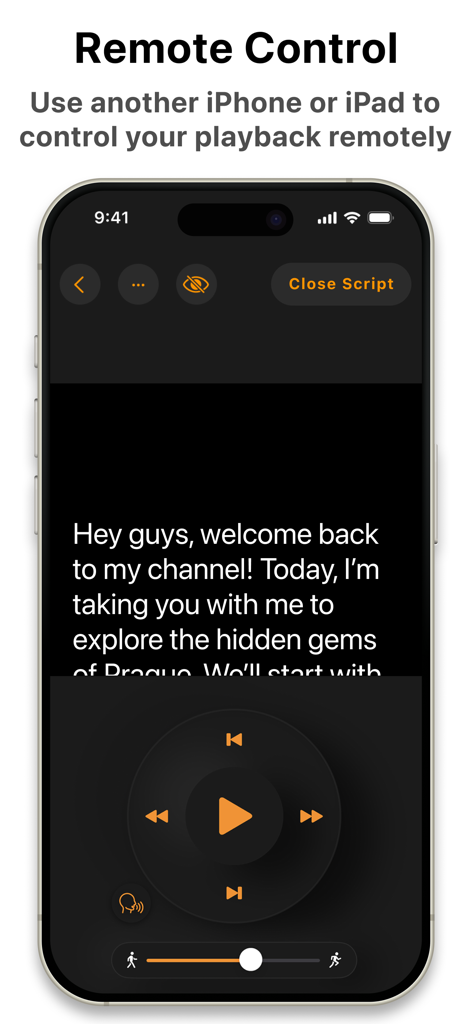
스크립트 재생 버튼이 있는 Teleprompter 앱의 원격 제어 인터페이스를 보여주는 스마트폰 화면

스크립트 재생 버튼이 있는 Teleprompter 앱의 원격 제어 인터페이스를 보여주는 스마트폰 화면

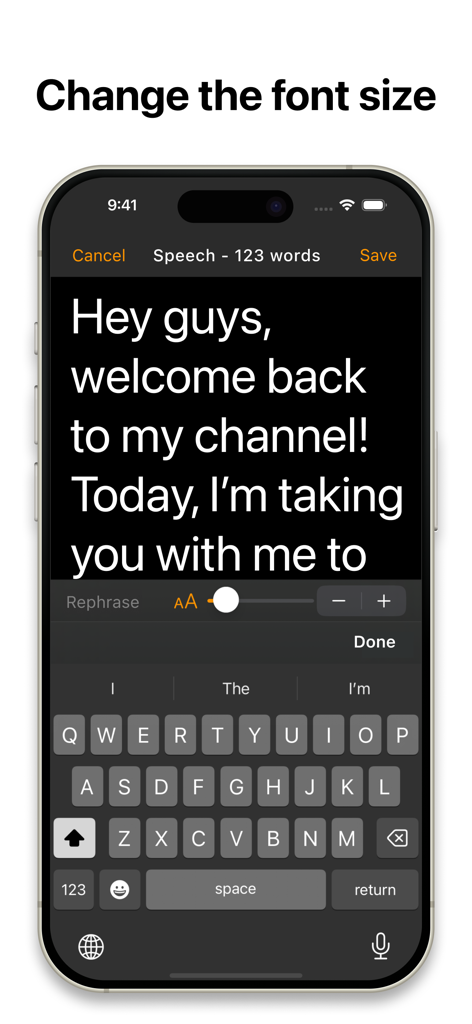
iPhone에서 글꼴 크기 슬라이더 컨트롤이 있는 스크립트 편집기를 보여주는 Teleprompter 앱 인터페이스

iPhone에서 글꼴 크기 슬라이더 컨트롤이 있는 스크립트 편집기를 보여주는 Teleprompter 앱 인터페이스

자신감을 가지고 카메라를 제어하세요

이 앱을 돋보이게 하는 도구, 2M+ 명의 사용자가 선택.

🎙️

AI 기반 음성 추적

수동 속도 조절의 스트레스를 없애세요. 지능형 스크롤이 자연스러운 음성을 따라가므로 한 순간도 놓치거나 시선을 잃지 않습니다.

다중 기기 원격 제어

Apple Watch, 블루투스 리모컨 또는 다른 기기에서 스크립트를 원활하게 관리하세요. 카메라 장비를 건드리지 않고 렌즈에 집중하세요.

프로 수준의 스튜디오 효과

배경을 즉시 교체하고, 오디오를 향상시키며, 고화질로 녹화하세요. 녹화를 누를 때마다 원테이크의 완벽함과 전문적인 브랜딩을 달성하세요.

전 세계 사용자들에게 사랑받는 앱

Trusted by 2M+ 명이 이 앱을 사랑합니다.

"

"마케팅 이사로서 제 일정은 매우 바쁘고 내부 업데이트를 몇 시간씩 다시 녹화할 여유가 없습니다. Teleprompter.com은 제 경영진의 존재감을 완전히 바꿔놓았습니다. 음성 추적 스크롤은 순수한 마법과 같습니다. 제가 강조를 위해 잠시 멈추는 것을 기다려주어 마치 스크립트를 읽는 것이 아니라 완전히 자연스럽게 말하는 것처럼 보이게 합니다. 저는 공식적으로 '원테이크 전문가'가 되었고 매주 몇 시간씩 제작 시간을 절약했습니다."

Sarah Jenkins, 기업 커뮤니케이션 책임자
"

"난독증 때문에 항상 스크립트를 읽는 데 어려움을 겪었지만, 이 앱에 Open Dyslexic 폰트와 사용자 정의 가능한 여백이 포함되면서 모든 것이 바뀌었습니다. 이제 렌즈를 바라보면서 제가 말하는 것에 자신감을 가질 수 있습니다. Mac과 iPad에서 스크립트를 동기화한 다음 Apple Watch로 제어할 수 있다는 점은 홈 오피스에서 전문적인 스튜디오 환경을 제공합니다."

Jordan Miller, E-러닝 콘텐츠 제작자

앱 소개

에 대해 알아야 할 모든 것 Teleprompter.com.

설명

More than 5 million downloads and counting—Teleprompter.com is your go-to teleprompting app designed to make professional videos effortless for content creators, public speakers, educators, and businesses. Teleprompt Like a Pro Teleprompter.com helps you easily read and deliver scripts without missing a beat. Compatible with iPhone, iPad, and Mac, it offers smooth script scrolling, easy video recording, and flawless live streaming, all from one intuitive app. Key Features: Script Management Made Easy - Write and edit scripts directly within the app - Import TXT, Word, and PDF scripts from your favorite cloud services - Store unlimited scripts securely within the app - Automatically generate subtitles from your scripts Advanced Teleprompting Controls - Automatic scrolling that seamlessly follows your voice - Adjustable scrolling speed for manual control - Timed scrolling for precise delivery - Rephrase tricky lines instantly with AI-powered assistance - Customize fonts, including accessible fonts like Lexend and Open Dyslexic - Resize text to keep your eyes focused on the camera - Vertical and horizontal mirroring options - Countdown timer before scrolling starts - Remaining script time indicator to clearly track how much time is left - Progress bar to visually monitor script completion Record and Edit Your Videos - Record high-quality videos directly in the app - Seamlessly switch between front and rear cameras during recordings - Pause and resume recordings without hassle - Trim your footage easily - Add personalized intros and outros for professional finishing touches Boost Your Visual Appeal - Replace backgrounds with custom images or videos - Portrait mode to blur backgrounds elegantly, keeping the focus on you - Adjustable resizing options for perfect framing - Professional-grade audio quality is achievable with the clean audio feature, which eliminates background noise. Live Streaming Made Easy - Perfect for live broadcasts—stay on-point every time Remote Control - Use another device with the Teleprompter.com app to control playback and see the screen from the remote remotely - Works online and offline as well - Edit your scripts from the remote and do not touch the device in the teleprompter rig - Additional remote options: Apple Watch, Bluetooth keyboards, presentation remotes, game controllers, MIDI controllers, and foot pedals Enhanced Accessibility & Integration - Optimized support for right-to-left languages (Hebrew, Arabic, and more) - Connect to DockKit-supported gimbals for stable, professional-grade videos - External USB microphone support on compatible devices for exceptional audio quality - Customize margins to suit any teleprompter setup perfectly Easy Sign-In & Customization - Quick sign-in across devices (including Sign in with Apple and Google) - Customizable app icons and quick launch from your lock screen with iOS 18 - Enhanced macOS performance with an intuitive, user-friendly interface Stay Connected with Your Audience Consistently create engaging content like: - Short videos for social updates - Tutorials and explainer content - Testimonials and interviews - Internal company messages - Product pitches and announcements - E-learning content and coaching materials - Teasers and trailers linked to your website Teleprompter.com Pro Subscription Unlock all premium features with our monthly subscription for just $19.99/month after a 7-day free trial. Easily manage your subscription through your iTunes account. Note: Any unused portion of a free trial period will be forfeited when you purchase the subscription. Privacy Policy: https://www.teleprompter.com/privacy-policy Terms of Use: https://www.teleprompter.com/end-user-licence-agreement Got feedback? We'd love to hear from you: support@teleprompter.com Transform your video presentations effortlessly—download Teleprompter.com now and deliver every line perfectly!

최신 버전

9.0.12

크기

77.9 MB

출시일

2018년 8월 23일

원테이크 전문가가 될 준비가 되셨나요?

수백만 명의 전문가들이 몇 시간 대신 몇 분 만에 영향력 있는 영상을 제작합니다. 지금 Teleprompter.com을 다운로드하고 7일 무료 체험을 시작하세요.

다운로드: App Store다운로드: Google Play
FAQ

자주 묻는 질문

에 대해 알아야 할 모든 것 Teleprompter.com

Teleprompter.com 앱은 어떤 기기를 지원하나요?

Teleprompter.com 앱은 iPhone, iPad 및 Mac 기기를 지원합니다. 이들 Apple 플랫폼 전반에 걸쳐 원활한 텔레프롬프팅을 위해 설계되었습니다.

Teleprompter.com Pro 구독의 비용은 얼마인가요?

Teleprompter.com Pro 구독은 월 $19.99입니다. 모든 프리미엄 기능을 잠금 해제할 수 있는 7일 무료 체험 기간이 포함됩니다.

사용자는 Teleprompter.com 앱으로 스크립트를 가져올 수 있나요?

네, 사용자는 좋아하는 클라우드 서비스에서 직접 TXT, Word 및 PDF 스크립트를 Teleprompter.com 앱으로 가져와 쉽게 관리할 수 있습니다.

Teleprompter.com은 텔레프롬프터 리그를 위한 화면 미러링을 지원하나요?

네, Teleprompter.com은 수직 및 수평 미러링 옵션 모두를 지원합니다. 이 기능을 통해 사용자는 앱을 텔레프롬프터 리그와 통합할 수 있습니다.

Teleprompter.com은 앱 내에서 직접 동영상을 녹화할 수 있나요?

네, Teleprompter.com을 사용하면 앱 내에서 직접 고품질 동영상을 녹화할 수 있습니다. 또한 녹화 중에 전면 및 후면 카메라 전환도 지원합니다.

Teleprompter.com 앱과 함께 원격 제어는 어떻게 작동하나요?

사용자는 앱이 설치된 다른 기기, Apple Watch, Bluetooth 키보드, 프레젠테이션 리모컨, 게임 컨트롤러 또는 풋 페달을 사용하여 Teleprompter.com 재생을 원격으로 제어할 수 있습니다.

Teleprompter.com은 음성 활성화 스크립트 스크롤을 제공하나요?

네, Teleprompter.com은 사용자의 음성에 따라 원활하게 작동하는 자동 스크롤 기능을 제공합니다. 이를 통해 수동 조정 없이 자연스러운 전달이 가능합니다.

Teleprompter.com은 동영상 배경을 변경하거나 흐리게 할 수 있나요?

네, Teleprompter.com은 배경을 사용자 정의 이미지나 동영상으로 바꿀 수 있습니다. 또한 초점을 발표자에게 맞추기 위해 배경을 흐리게 하는 세로 모드를 제공합니다.

Teleprompter.com은 스크립트에 대한 AI 지원을 제공하나요?

네, Teleprompter.com은 까다로운 문장을 즉시 바꾸는 AI 기반 지원 기능을 제공합니다. 이를 통해 사용자는 콘텐츠를 원활하게 전달할 수 있습니다.

Teleprompter.com은 Pro 기능에 대한 무료 체험을 제공하나요?

네, Teleprompter.com은 Pro 구독에 대해 7일 무료 체험을 제공합니다. 이를 통해 사용자는 구독 전에 모든 프리미엄 기능을 잠금 해제하고 경험할 수 있습니다.