Commerzbank photoTAN

Commerzbank photoTAN

Download on App Store
Spark by MWM logo
Logo of Commerzbank photoTAN

Commerzbank photoTAN: Secure and Seamless Transaction Approvals from Anywhere

Experience the ultimate security for your Commerzbank banking. Approve transactions in seconds with one-click push notifications and digital-first activation, tailored for your international lifestyle.

Download on App Store

Publisher

Commerzbank AG

Category

Finance

Downloads

3M+

User Rating

4.7/5

Total Ratings

242K+

Locales

15

Seamless Security at a Glance

Discover the interface used by 3M+ users.
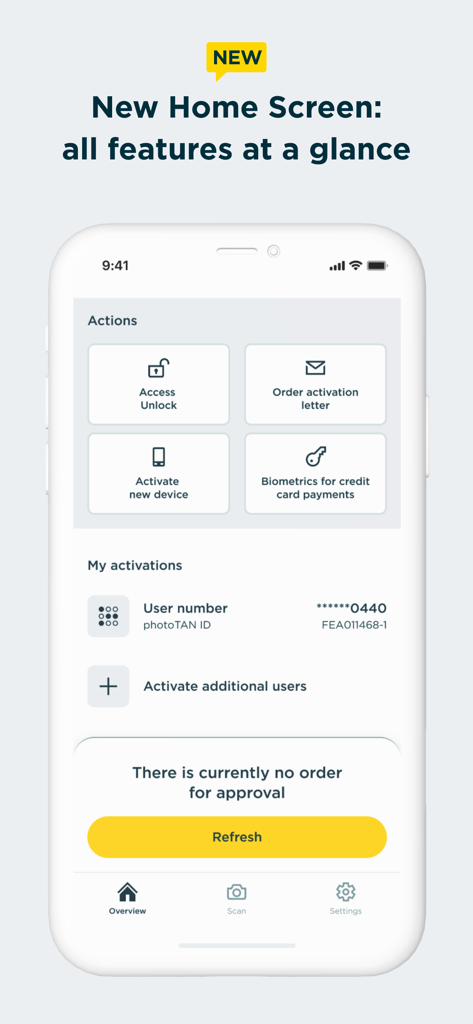
The home screen of the Commerzbank photoTAN app displaying action shortcuts and account activation status

The home screen of the Commerzbank photoTAN app displaying action shortcuts and account activation status

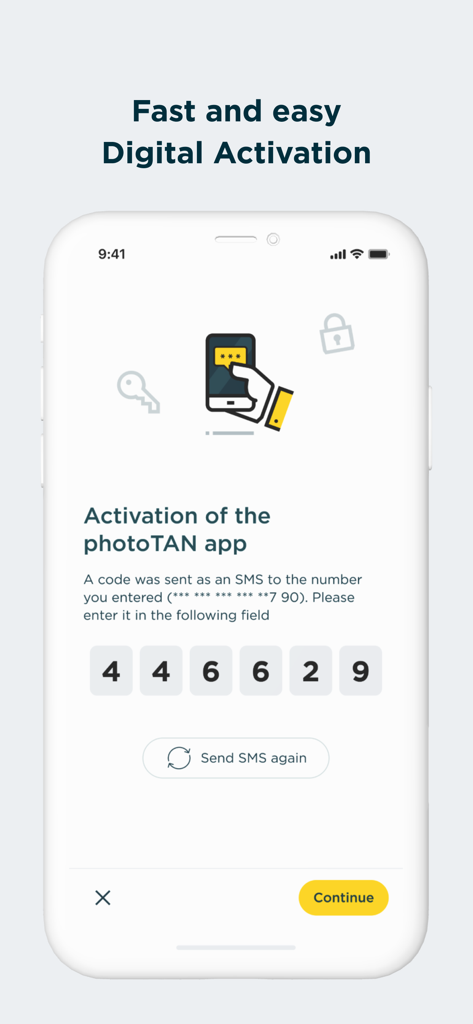
Commerzbank photoTAN app digital activation screen showing a six digit SMS code entry field

Commerzbank photoTAN app digital activation screen showing a six digit SMS code entry field

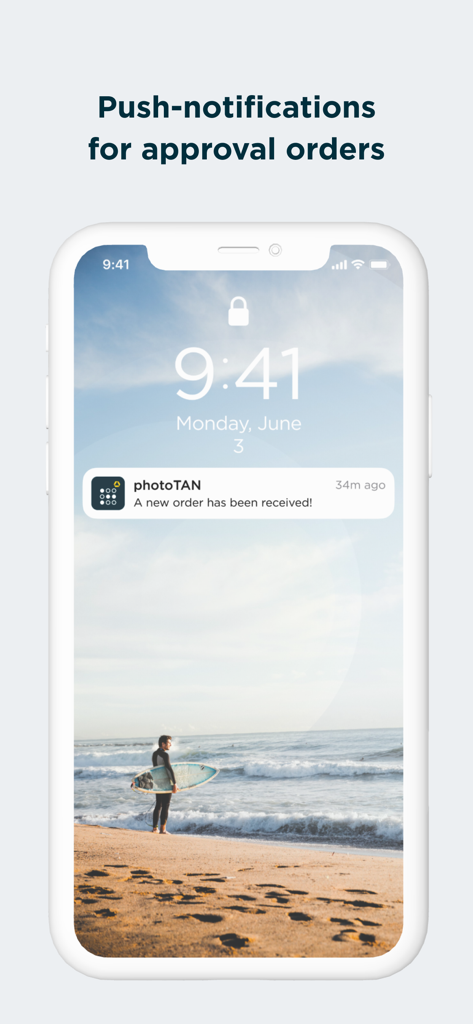
Commerzbank photoTAN push notification for order approval

Commerzbank photoTAN push notification for order approval

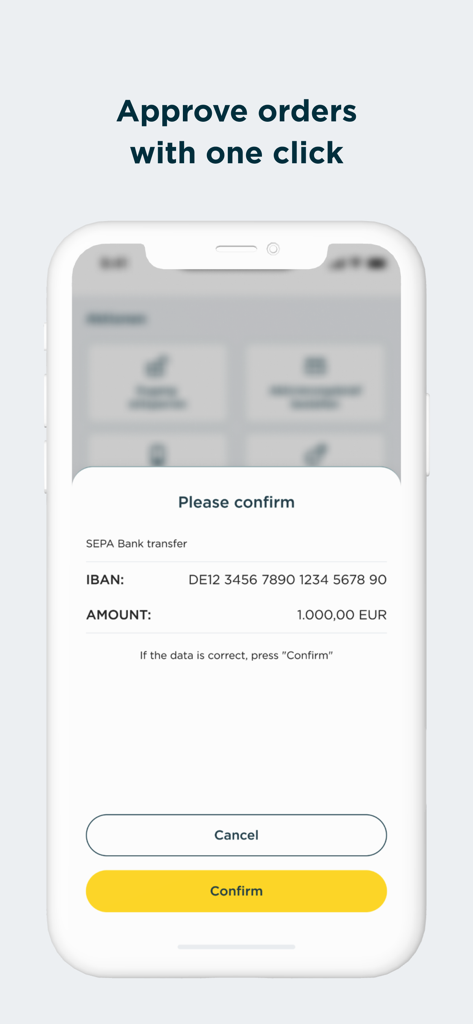
Mobile screen of Commerzbank photoTAN app showing a SEPA bank transfer confirmation request for 1000 Euros with a yellow confirm button.

Mobile screen of Commerzbank photoTAN app showing a SEPA bank transfer confirmation request for 1000 Euros with a yellow confirm button.

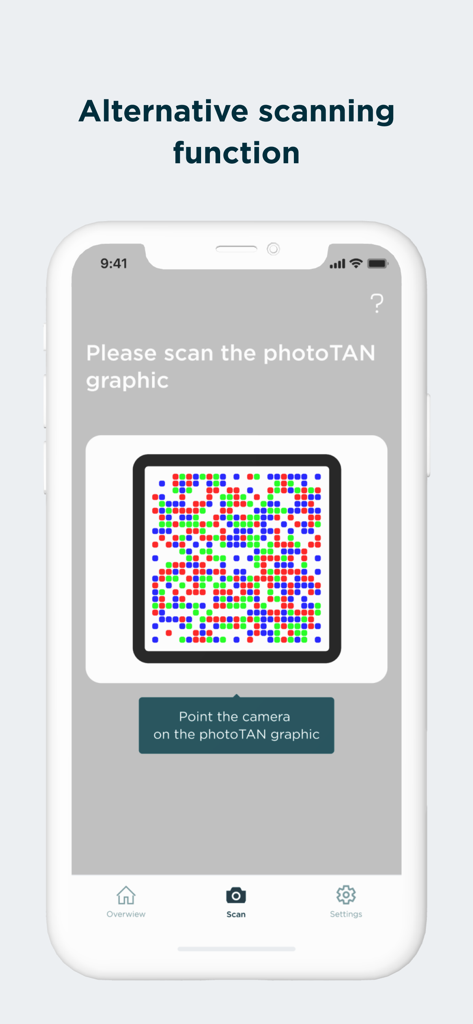
Screen of Commerzbank photoTAN app displaying the alternative scanning function for security graphics

Screen of Commerzbank photoTAN app displaying the alternative scanning function for security graphics

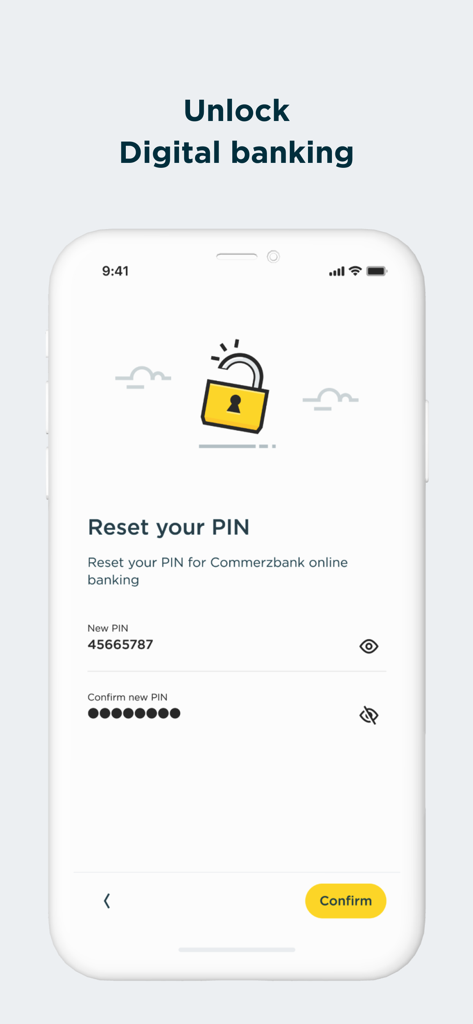
Commerzbank photoTAN app screen to reset PIN for digital banking

Commerzbank photoTAN app screen to reset PIN for digital banking

Uncompromising Security, Effortless Access

The tools that make this app stand out, trusted by 3M+ users.

One-Tap Push Approvals

Experience seamless banking with photoTAN-Push. Approve transfers instantly via secure notifications without the need for manual code entry.

🛡️

Elite Security Standards

Leverage Germany's most innovative security technology. Benefit from real-time hardware checks and advanced encryption to protect your transatlantic assets.

🌍

Global Digital Activation

Skip the international mail. Use VideoIdent for rapid digital activation within hours, and authenticate transactions even when your device is offline.

Loved by users worldwide

Trusted by 3M+ people who love this app.

"

"Managing my German bank account from the US used to be a hassle with physical TAN generators. The new digital activation via VideoIdent saved me weeks of waiting for international mail. Now, I can approve transfers with a single tap on my iPhone. It is fast, secure, and perfect for expats."

Lukas M.
"

"I travel frequently for business and often have limited data. The offline scan function is a lifesaver, allowing me to authorize transactions even when I am not connected. I really appreciate the rigorous security checks; it gives me total peace of mind knowing my financial data is protected by the best tech."

Sarah J.

Review Analysis

Insights from user reviews.

Sentiment Score

27%
Negative

Summary

Users widely report critical functionality issues with the app, particularly regarding camera scanning and activation on newer iOS devices like the iPhone 15 Pro Max and iPhone 16 Pro. Many encounter a persistent camera focus problem, preventing them from scanning activation graphics or photoTANs, leading to frequent error codes such as E-L-020 and E-X-001. A major frustration is the recurring need to reinstall and reactivate the app, often after iOS updates (e.g., iOS 26.0.1, 18.7, 18.3.1), which sometimes requires a new, and often expired, physical activation letter. This unreliability significantly hampers online banking access and results in a highly frustrating user experience, compounded by inadequate customer support.

Common Themes

Bugs & Reliability(20)
Activation Process(17)
Camera Functionality(15)
iOS Compatibility(10)
Reinstallation Frequency(10)
Online Banking Access(8)
Customer Support(5)

About the app

Everything you need to know about Commerzbank photoTAN.

Description

Commerzbank's new photoTAN app. Receive push message, check order, approve - with the new photoTAN push function, you can approve orders quickly and securely with just one click. With the photoTAN scan function, you still have the option of scanning a photoTAN graphic to generate a TAN. It is now possible to fully legitimize yourself from the comfort of your own home with the VideoIdent app. With our new feature, the digital first activation, you can after the legitimation with VideoIdent in the next 3 hours easily and quickly activate the photoTAN app with a code that you receive by SMS. This means you no longer have to wait for the activation graphic The photoTAN app is our most innovative security method. The app offers the highest possible security through a modern and convenient TAN procedure - for all customers who use Commerzbank's online and / or mobile banking. ####################### Hard-/software checks of your device: At runtime, we check known, security-relevant attack vectors (e.g. rooted/jailbreak, malicious apps, etc.) To do this, we need your consent. If you do not agree to do such a security checks, we kindly ask you not to install our photoTAN app and instead to use our reading device to use the online banking offer on the Internet (https://www.commerzbank.de/). You can also revoke your consent at any time for the future by uninstalling our photoTAN app from your device. ####################### What do I need the photoTAN app for? The photoTAN app is one of our security factors. The photoTAN is an important part of every login and transaction in your online and mobile banking. It is used to verify the order data you have entered and to generate the transaction number (TAN). How does photoTAN-Push work? The push function of our new photoTAN app is particularly convenient. As soon as a new order is available for you to approve, we send you a notification to your smartphone when you use photoTAN-Push. When you then open the photoTAN app, the order to be approved is displayed directly for you to check. If the data displayed is correct, you release the order with just one click. How does photoTAN scan work? After placing an order in Online Banking, a mosaic-like colorful graphic appears on the monitor. You scan this with the photoTAN app. A TAN is displayed immediately. To check, you then see the essential details of your order again in the app. If everything is correct, simply enter the TAN on the computer and the order is confirmed. By the way: With our mobile banking, you can make transfers even faster and easier than on your computer. To do this, use the free Commerzbank banking app! The advantages of the new photoTAN app at a glance: • Security: Commerzbank's most innovative TAN procedure. • Uncomplicated: You receive a notification on your smartphone when a new order is ready for approval. • Fast: You can approve orders with just one click. • Free of charge: The use of photoTAN is free of charge for you. • Mobile banking: Quick order approvals via the banking app using the App2App function. • Offline usability: If your smartphone is offline, you can continue to approve orders easily with the scan function. For more information on the new photoTAN process, visit http://www.commerzbanking.de/phototan.

Latest Version

15.1.0

Size

61.5 MB

First Released

Nov 23, 2012

Secure Your Banking in a Single Click

Download the photoTAN app today and join over 3 million users who trust Germany's most innovative security procedure for their global transactions.

Download on App Store
FAQ

Frequently Asked Questions

Everything you need to know about Commerzbank photoTAN

What is the Commerzbank photoTAN app used for?

The Commerzbank photoTAN app is a security method for online and mobile banking. It generates transaction numbers (TANs) to verify order data and secure logins and transactions, using either push notifications or graphic scanning.

How does the photoTAN push function work in the Commerzbank app?

The photoTAN push function sends a notification for new orders. Users open the app, review the order, and approve it with a single click. This provides quick and secure transaction approval within the Commerzbank app.

Can I activate the Commerzbank photoTAN app digitally?

Yes, users can fully legitimize themselves with the VideoIdent app. After legitimation, a code is received via SMS for quick digital activation of the photoTAN app within three hours, eliminating the wait for activation graphics.

Is the Commerzbank photoTAN app free to use?

Yes, the use of the Commerzbank photoTAN app is free of charge for all users. It is explicitly listed as one of the key advantages of the app's services.

What security checks does the Commerzbank photoTAN app perform?

The Commerzbank photoTAN app performs runtime security checks for known attack vectors like rooted/jailbreak devices and malicious apps. Users must consent to these checks for app installation and usage.

Can I use the Commerzbank photoTAN app offline?

Yes, the Commerzbank photoTAN app supports offline usability. If your smartphone is offline, you can continue to approve orders easily using the scan function.

How does the photoTAN scan function work in the Commerzbank app?

After placing an order online, a mosaic-like graphic appears. Users scan this with the photoTAN app to generate a TAN. The app displays order details for verification before entering the TAN.

Can I reset my PIN for Commerzbank online banking through the photoTAN app?

Yes, the Commerzbank photoTAN app includes a feature to reset your PIN for Commerzbank online banking. This functionality is accessible directly through the app's interface.

Does the Commerzbank photoTAN app support biometrics for credit card payments?

Yes, the Commerzbank photoTAN app supports biometrics for credit card payments. This feature is listed among the actions available on the new home screen for user convenience and security.