Mobilní klíč eGovernmentu

Mobilní klíč eGovernmentu

Download on App Store
Spark by MWM logo
Logo of Mobilní klíč eGovernmentu
Mobilní klíč eGovernmentu: Your Fast, Secure, and Password-Free Digital Identity

Access Czech government services and Data Boxes instantly with FaceID or a simple QR scan. Manage your legal tasks securely from anywhere in the world, eliminating the need for complex passwords and physical bureaucracy.

Publisher

MINISTERSTVO VNITRA

Category

Utilities

Downloads

659K+

User Rating

4.7/5

Total Ratings

26K+

Locales

1

Security at Your Fingertips

Discover the interface used by 659K+ users.
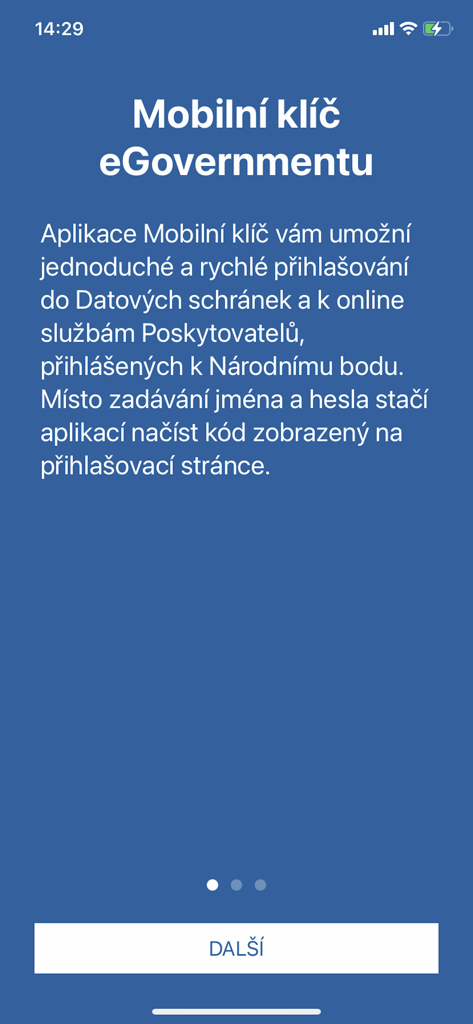
Welcome screen of the Mobilni klic eGovernmentu mobile app explaining QR code authentication for secure government login.

Welcome screen of the Mobilni klic eGovernmentu mobile app explaining QR code authentication for secure government login.

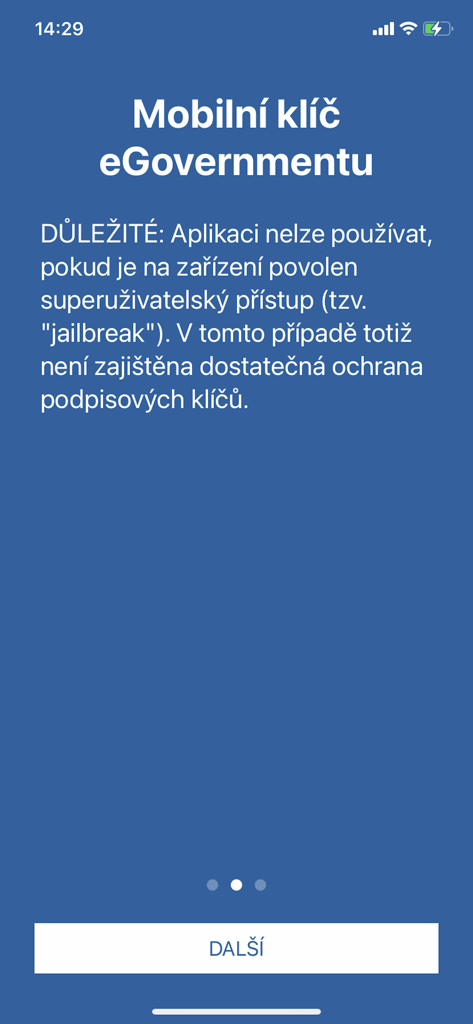
Security warning screen in the Mobilní klíč eGovernmentu app regarding jailbroken devices.

Security warning screen in the Mobilní klíč eGovernmentu app regarding jailbroken devices.

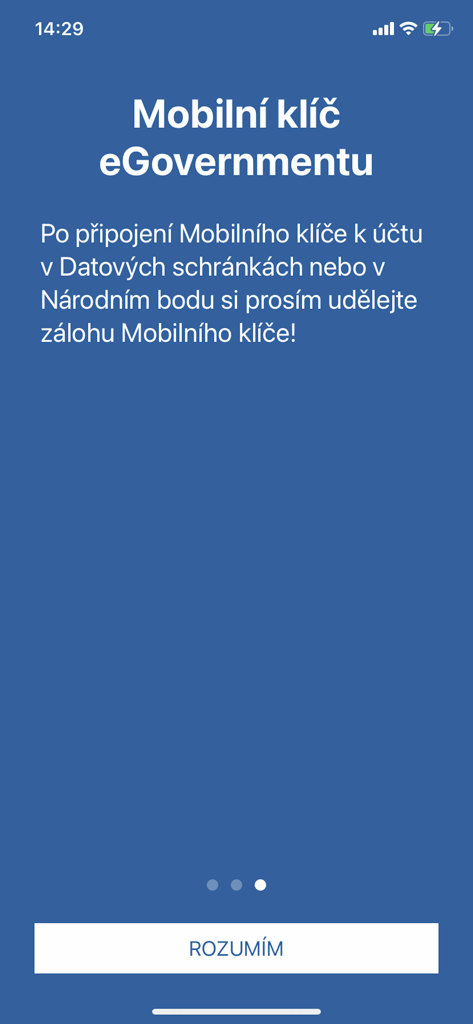
The onboarding screen of the Czech eGovernment Mobile Key app with instructions for creating a backup

The onboarding screen of the Czech eGovernment Mobile Key app with instructions for creating a backup

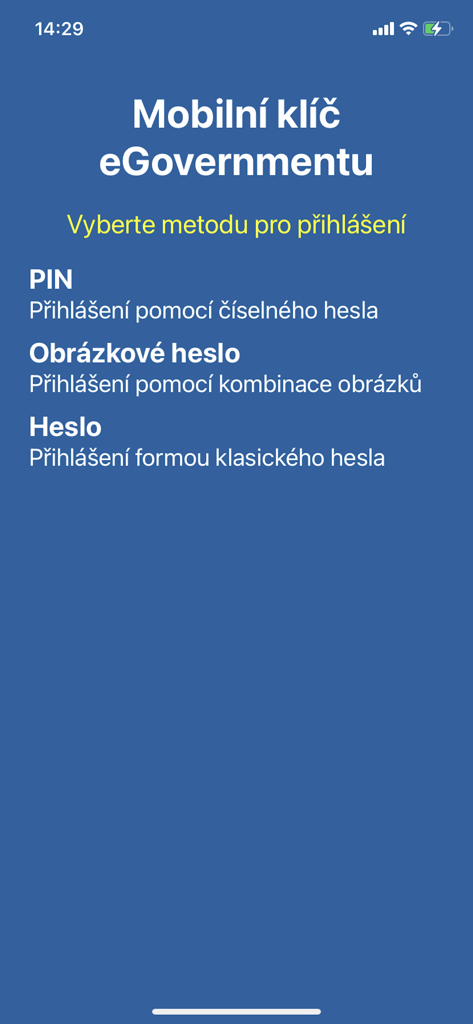
Login selection screen for the Mobilni klic eGovernmentu app showing PIN and password options

Login selection screen for the Mobilni klic eGovernmentu app showing PIN and password options

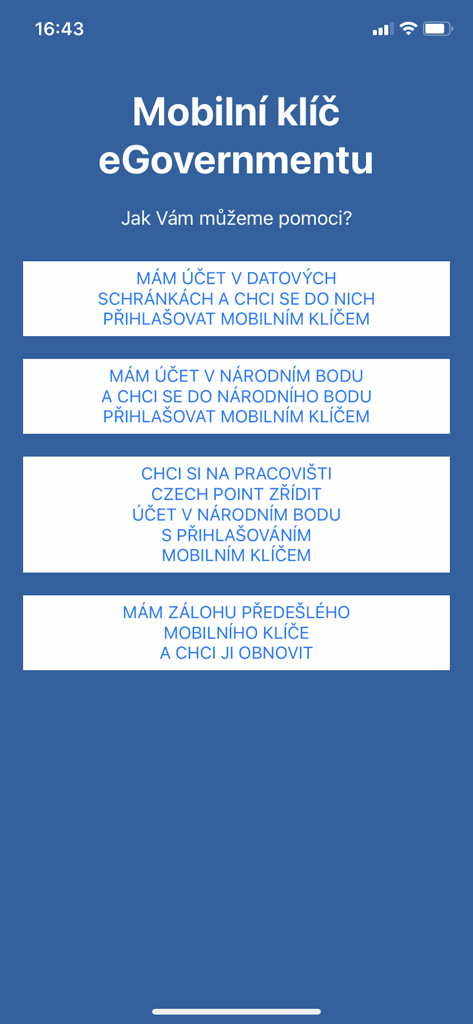
Welcome screen of the Czech eGovernment mobile key app showing various account setup and login options.

Welcome screen of the Czech eGovernment mobile key app showing various account setup and login options.

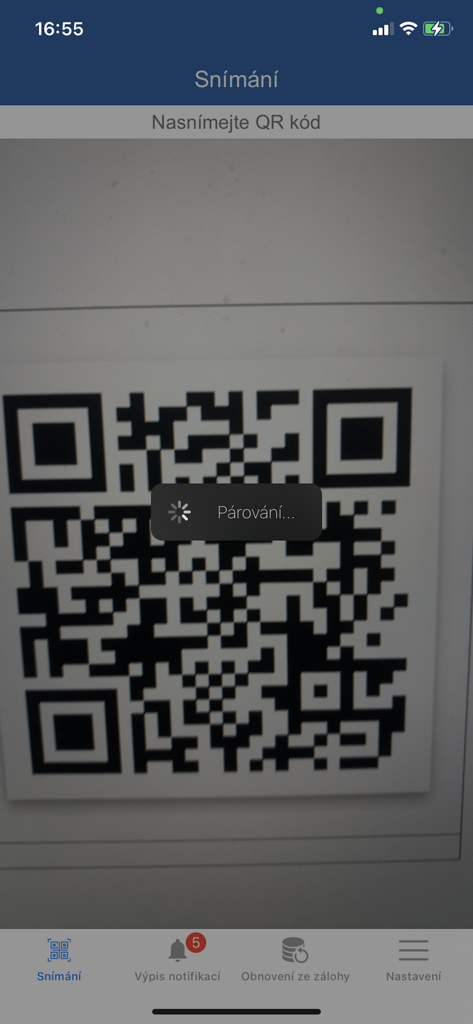
Mobilni klic eGovernmentu app scanning a QR code for secure login pairing

Mobilni klic eGovernmentu app scanning a QR code for secure login pairing

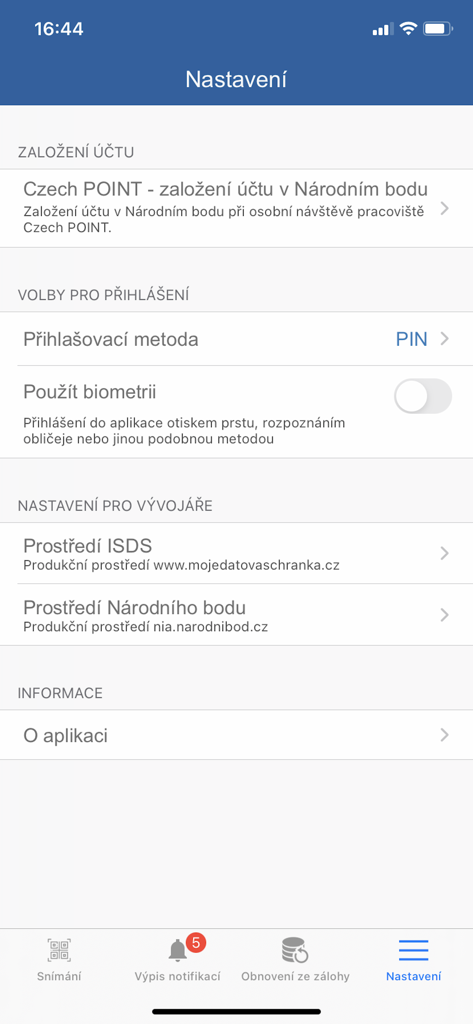
Settings screen of the Mobilní klíč eGovernmentu app featuring biometric login and account security options.

Settings screen of the Mobilní klíč eGovernmentu app featuring biometric login and account security options.

Effortless Digital Identity

The tools that make this app stand out, trusted by 659K+ users.

Instant Biometric Login

Ditch the complex passwords. Use FaceID or TouchID to securely sign in via a simple QR code scan in seconds.

🌍

Global Administrative Freedom

Access all your Data Boxes and government services from anywhere in the world, eliminating the need for physical mail or local visits.

🔔

Real-Time Message Alerts

Stay informed with instant push notifications for new messages in your Data Box, ensuring you never miss a critical legal deadline.

Loved by users worldwide

Trusted by 659K+ people who love this app.

"

"Managing my Czech administrative duties from Los Angeles has never been easier. The Mobilní klíč app completely removes the friction of complex passwords—FaceID and a quick QR scan are all I need. It's fast, secure, and incredibly reliable."

Marek D.
"

"The perfect tool for anyone living abroad. I no longer have to worry about missing important legal notifications from my Data Box. The setup was intuitive, and the biometric login feels just as premium as my favorite fintech apps."

Lucie K.

Review Analysis

Insights from user reviews.

Sentiment Score

22%
Negative

Summary

The mobile app receives overwhelmingly negative feedback from users, who frequently report critical issues such as the app failing to launch, displaying a black screen, or being generally dysfunctional, particularly on newer iPhone models (iPhone 14, 16) running iOS 18 or 18.4. Common complaints also highlight problems with QR code scanning, excessive and repetitive notifications, and a non-intuitive user experience. Despite these widespread issues, a minority of users appreciate the convenience of seamless login via Face ID and the integration with various state digital services.

Common Themes

Seamless Authentication(7)
Operational Functionality(6)
Government Service Integration(3)
App Design(2)
Useful Notifications(1)
Reinstallation as Troubleshooting(1)

About the app

Everything you need to know about Mobilní klíč eGovernmentu.

Description

Aplikace Mobilní klíč eGovernmentu pro mobilní platformu iOS umožňuje jednoduché a rychlé přihlášení do Datových schránek i řady dalších webových aplikací veřejné správy bez nutnosti zadávat složité jméno a heslo. Pro použití v datových schránkách si do mobilního telefonu nebo tabletu nainstalujte aplikaci Mobilní klíč a v Datových schránkách ji připojte ke svému uživatelskému účtu (Nastavení - Možnosti přihlášení - Přihlášení Mobilním klíčem). Pro přihlášení do Datových schránek pak stačí se přihlásit do Mobilního klíče otiskem prstu (nebo PINem, heslem či obrázkovým heslem - podle vlastní volby) a sejmout QR kód na přihlašovací stránce. Jeden Mobilní klíč si můžete připojit k více datovým schránkám. Po přihlášení Mobilním klíčem vám pak Datové schránky nabídnou výběr ze všech dostupných uživatelských účtů. Do Mobilního klíče mohou být také doručována upozornění na nové zprávy ve vaší datové schránce. Pro přihlašování přes Národní bod se nabízí více možností. Poté co si aplikaci nainstalujete na mobilní telefon, můžete si buď do Národního bodu přenést svou identitu z datové schránky nebo si spárovat aplikaci Mobilní klíč se svým stávajícím účtem v Národním bodě za použití jiného elektronického prostředku pro přihlášení nebo si můžete na kontaktním místě veřejné správy (Czech POINT) založit nový účet v Národním bodě. Mobilní klíč vyžaduje ke svému běhu iOS verze 11 či vyšší a zapnutý zámek obrazovky (nesmí být možné odemknout zařízení prostým odsunutím obrazovky, musí být nastaven odemykací obrazec, PIN nebo heslo). Pokud má vaše zařízení Touch ID nebo Face ID a iOS alespoň 11, je možné se do Mobilního klíče přihlásit otiskem prstu (Touch ID) nebo načtením obličeje (Face ID). Pro přihlášení do Datových schránek je potřeba, aby měl telefon či tablet přístup na internet - je jedno, zda přes mobilní data nebo pomocí Wi-Fi. Aplikace Mobilní klíč zajišťuje pouze bezpečné přihlášení bez nutnosti zadávat přihlašovací údaje. Samotný přístup do datové schránky (čtení zpráv) probíhá i nadále ve webovém prohlížeči - aplikace nic jiného než přihlášení (a doručení notifikací) nezajišťuje. FAQ: naleznete, zde: https://info.mojedatovaschranka.cz/info/cs/help/15.2.text.html#15_2 a zde: https://info.identitaobcana.cz/mep/ Podmínky používání Mobilního klíče eGovernmentu pro prokazování totožnosti prostřednictvím Národního bodu jsou uvedeny na následujícím odkazu: https://info.identitaobcana.cz/Download/PodminkyPouzivaniMEG.pdf. Aplikace používá ikony z Icons8.com

Latest Version

0.27.11

Size

14.9 MB

First Released

Jul 27, 2019

Unlock Secure Access to Czech eGovernment

Join over 650,000 users who have simplified their legal affairs. Ditch complex passwords and access your Data Box with biometrics—securely and instantly from your iPhone, wherever you are in the world.

Download on App Store
FAQ

Frequently Asked Questions

Everything you need to know about Mobilní klíč eGovernmentu

What is Mobilní klíč eGovernmentu?

Mobilní klíč eGovernmentu is an iOS app providing simple, quick login to Data Mailboxes and other public administration services. It replaces complex usernames and passwords with secure authentication.

How do I log in using the Mobilní klíč eGovernmentu app?

Users log in to Mobilní klíč eGovernmentu by authenticating with their chosen method (PIN, biometric, password) and then scanning a QR code displayed on the target login page.

Does Mobilní klíč eGovernmentu support biometric login methods?

Yes, Mobilní klíč eGovernmentu supports biometric login, including Touch ID and Face ID on compatible iOS 11+ devices. Users can also select PIN, password, or picture password.

Can I use Mobilní klíč eGovernmentu on a jailbroken device?

No, Mobilní klíč eGovernmentu does not function on jailbroken devices. Superuser access prevents sufficient protection of signature keys, compromising the security required for government services.

Does Mobilní klíč eGovernmentu require an internet connection?

Yes, Mobilní klíč eGovernmentu requires an internet connection (mobile data or Wi-Fi) for logging into Data Mailboxes. This ensures secure and successful communication during the authentication process.

Can I connect Mobilní klíč eGovernmentu to multiple Data Mailboxes?

Yes, you can connect one Mobilní klíč eGovernmentu app to multiple Data Mailboxes. After authentication, the Data Mailboxes system offers a selection of all linked user accounts.

Does Mobilní klíč eGovernmentu allow me to read messages in Data Mailboxes?

No, Mobilní klíč eGovernmentu exclusively manages secure login and delivers notifications. Accessing and reading messages within your Data Mailbox always occurs directly through a web browser.

What are the minimum operating system requirements for Mobilní klíč eGovernmentu?

Mobilní klíč eGovernmentu requires iOS version 11 or higher. The device must also have an enabled screen lock, such as a pattern, PIN, or password, for security.

Is it necessary to back up my Mobilní klíč eGovernmentu?

Yes, it is important to back up your Mobilní klíč eGovernmentu after connecting it to your Data Mailbox or National Point account. This safeguard allows for potential restoration and maintains security.

How can I set up a National Point account with Mobilní klíč eGovernmentu?

You can transfer identity from a data mailbox, pair the app with an existing National Point account, or create a new account at a Czech POINT workplace using Mobilní klíč eGovernmentu.