UBS Access – secure login

UBS Access – secure login

Download on App Store
Spark by MWM logo
Logo of UBS Access – secure login
UBS Access – Secure, Seamless Login for Your International Accounts

Experience institutional-grade security at your fingertips. Log in to Digital Banking, approve payments, and receive real-time security alerts with just a scan or biometric touch.

Publisher

UBS AG

Category

Finance

Downloads

1M+

User Rating

4.7/5

Total Ratings

80K+

Locales

7

Security Made Visible

Discover the interface used by 1M+ users.
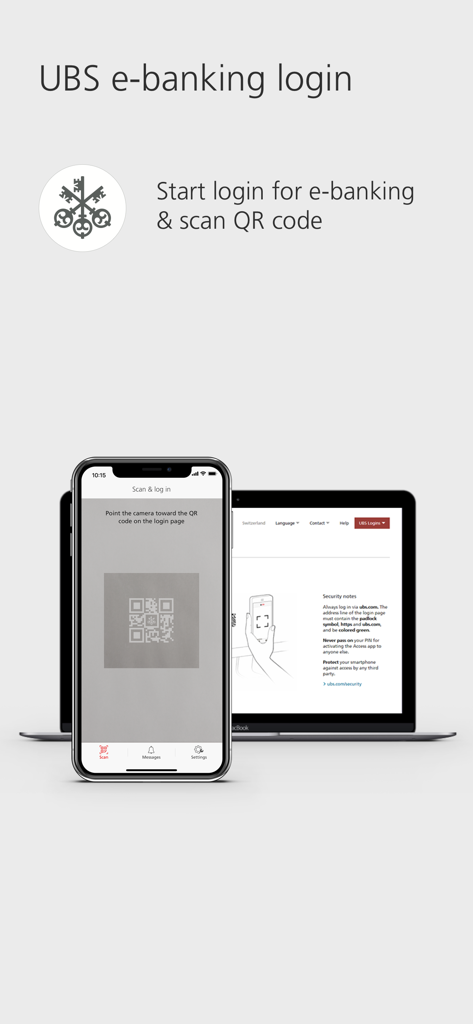
A smartphone scanning a QR code on a laptop screen to securely log into UBS e-banking

A smartphone scanning a QR code on a laptop screen to securely log into UBS e-banking

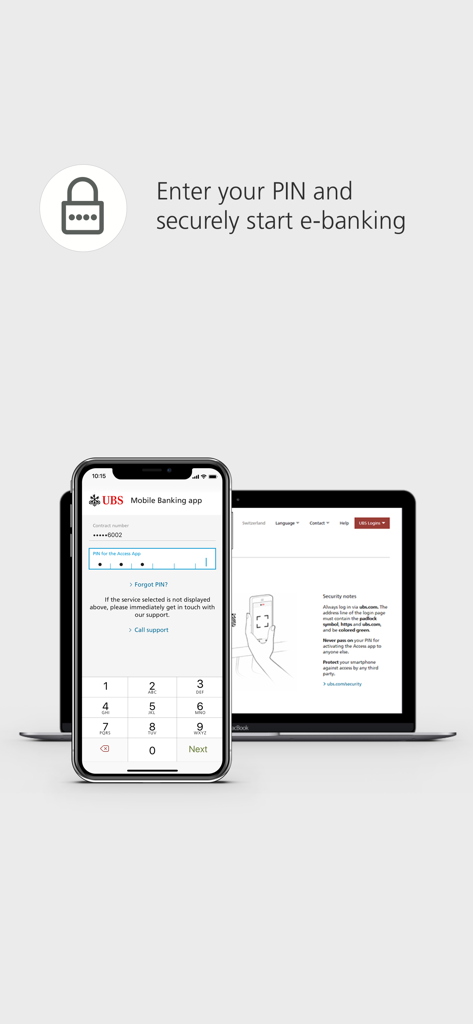
A smartphone displaying a PIN entry screen for UBS Access alongside a laptop showing the e-banking login portal

A smartphone displaying a PIN entry screen for UBS Access alongside a laptop showing the e-banking login portal

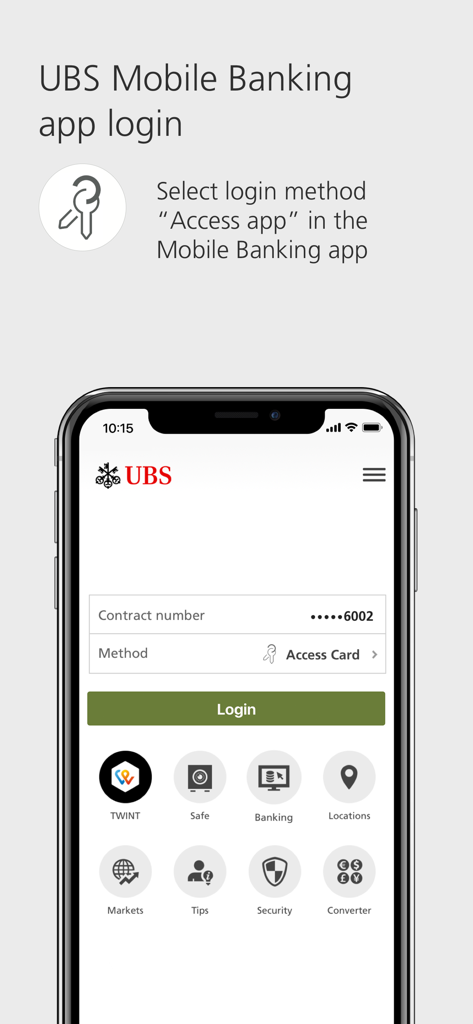
UBS Mobile Banking login screen displaying instructions to choose Access app as the login method

UBS Mobile Banking login screen displaying instructions to choose Access app as the login method

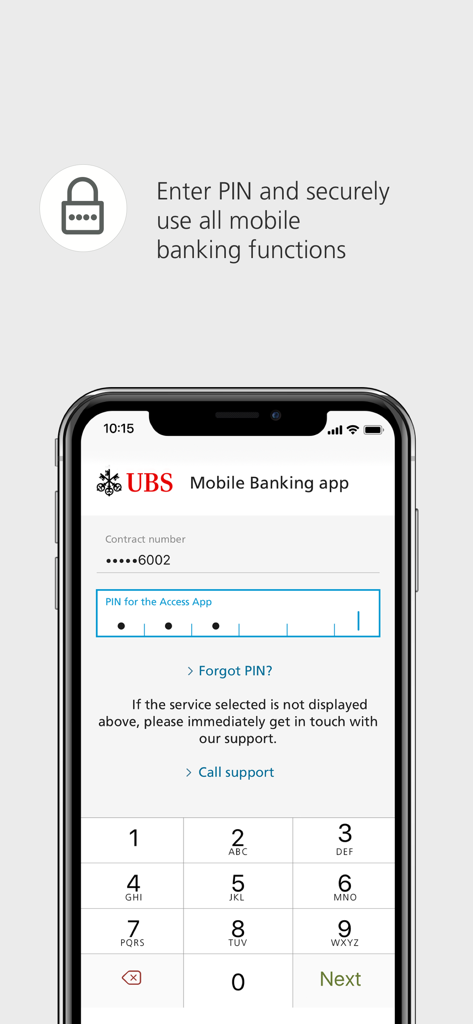
UBS Access app login screen for entering a secure PIN to access mobile banking

UBS Access app login screen for entering a secure PIN to access mobile banking

Uncompromising Security for Global Wealth

The tools that make this app stand out, trusted by 1M+ users.

👤

Instant Biometric Entry

Access your E-Banking and Mobile Banking securely using FaceID or TouchID for a friction-free experience without compromising safety.

🛡️

Total Transaction Oversight

Confirm new payees and authorize high-value online purchases directly from your smartphone with bank-grade multi-factor authentication.

🔔

Proactive Fraud Protection

Receive immediate alerts for security-critical changes, ensuring you are the first to know and the only one in control of your financial profile.

Loved by users worldwide

Trusted by 1M+ people who love this app.

"

"As an executive frequently traveling between Zurich and New York, I need my banking to be both ironclad and efficient. The QR code login and FaceID integration make accessing my accounts seamless, while the instant notifications for payee approvals provide the peace of mind I require for high-value transactions."

Marc-André L., Senior Managing Director
"

"Finally, a security app that doesn't rely on unreliable international SMS codes. The UBS Access App is my go-to for secure authentication; the push notifications are instantaneous, and the interface is professional and intuitive. It is the gold standard for managing international assets securely."

Elena S., Tech Founder & Global Citizen

About the app

Everything you need to know about UBS Access – secure login.

Description

With the UBS Access App you can log in to E-Eanking and the Mobile Banking App easily and securely. The UBS Access App also allows you to confirm new payees and online purchases made using credit or prepaid card, and it informs you about security-related events. 1. Log in easily to Digital Banking - E-Banking: Open the login page, scan the QR code with the Access App, enter your PIN or use biometrics and you’ll be immediately and securely logged in to E-Banking. - Mobile Banking: Launch the Mobile Banking App and select “Access App” as the login method. Afterwards, you can easily and securely log in using a PIN or biometrics. 2. Approve online payments securely - When you make online payments by credit or prepaid card, you will receive a push notification and can simply confirm the payment. - The highest standards in security reduce the risk of fraud. 3. Confirm new payees - Unblock the Access App with a PIN or using biometrics, check payees and approve payments. 4. Receive security messages - Receive information concerning security-related events such as changes to your security settings or contact details. Using the UBS Access App is this secure: - A PIN of your choice protects the Access App – even if you lose your smartphone. - The Access App always checks the security of your smartphone before you log in to Digital Banking. - The security code for the login is calculated automatically and transferred directly to UBS. Data transmission is protected by multi-level security. - The Access App is always up-to-date and offers optimum protection. - Set up biometrics to log in more easily and to confirm new payees. UBS Switzerland AG and other non-US affiliated companies of UBS Group AG only make the use of the UBS Access App (“App”) available to existing clients of UBS Switzerland AG and of other non-US affiliated companies of UBS Group AG. Other persons are not permitted to use the App. The App is not intended for US persons nor persons domiciled in Australia. The provision of the App for download in the Apple App Store does not constitute a solicitation, offer or recommendation to enter into any transaction, nor is it to be understood as a solicitation or offer to establish a client relationship between the person who downloads the App and UBS Switzerland AG or other non-US affiliated companies of UBS Group AG. Requirements: Banking relationship at UBS Switzerland AG, UBS Europe SE (Germany, Italy) or UBS AG (Hong Kong, Singapore) with Digital Banking contract: For activation, you will need a mobile number stored in Digital Banking for security messages. Enter this mobile number in the profile of your Mobile Banking App: Tap on your name and go to "Phone". You can also do this in E-Banking via your profile: In "My contact details" click on the pencil symbol and then "Phone numbers". Please enter your phone number without the initial 0 and modify the country code if you do not have a Swiss mobile number. Banking relationship at UBS Europe SE (UK, France, Monaco or Luxembourg): For activation, you will need a saved mobile number. Please contact your client advisor to set this up. Banking relationship at UBS Europe SE (Jersey) with a "Digital Banking" contract: For activation, you will need an Access Card with card reader or an Access Card Display. The range of functions may differ depending on the country. We hope you will enjoy using the UBS Access App. We look forward to receiving your feedback and your rating in the Apple App Store.

Latest Version

7.12

Size

52.3 MB

First Released

Dec 11, 2018

Secure Your Global Assets with Peace of Mind

Experience the gold standard of digital security. Download the UBS Access App to manage logins and approve high-value transactions with effortless biometric precision.

Download on App Store
FAQ

Frequently Asked Questions

Everything you need to know about UBS Access – secure login

How do I log in to UBS E-Banking using the UBS Access App?

To log in to UBS E-Banking, open the login page, scan the QR code with the UBS Access App, and then enter your PIN or use biometrics. This ensures a secure login.

Does the UBS Access App support biometric authentication?

Yes, the UBS Access App supports biometric authentication for both E-Banking and Mobile Banking logins. Users can also set up biometrics to confirm new payees for enhanced security and ease.

What security measures does the UBS Access App provide?

The UBS Access App protects with a chosen PIN, checks smartphone security, automatically calculates login codes, and uses multi-level data transmission security. It always offers optimum protection.

How does the UBS Access App approve online card payments?

When making online payments with a credit or prepaid card, the UBS Access App sends a push notification. Users simply confirm the payment within the app, ensuring secure transactions with high security standards.

Who can use the UBS Access App?

The UBS Access App is for existing clients of UBS Switzerland AG and other non-US affiliated UBS Group AG companies. It is not for US persons or those domiciled in Australia.

What are the activation requirements for the UBS Access App?

Activation requires a banking relationship with specific UBS entities and a mobile number stored in Digital Banking for security messages. Requirements, such as an Access Card, vary by region.