AR Draw: Sketching & Painting

AR Draw: Sketching & Painting

Download on App Store
Spark by MWM logo
Logo of AR Draw: Sketching & Painting
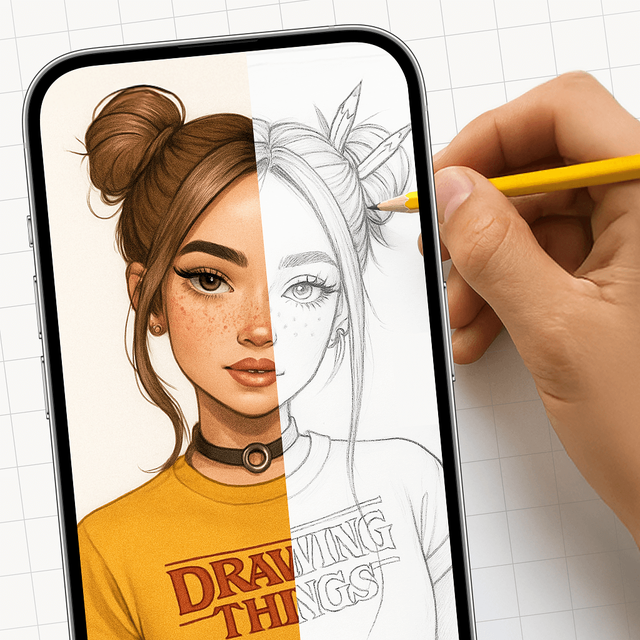
AR Draw: Sketching & Painting: Create Pro-Level Art with AR Magic

Turn your iPhone into a virtual projector. Trace anything with precision, master your favorite sketches, and record viral process videos for social media.

Download on App Store

Publisher

EIGEN SOFTWARE LIMITED

Category

Entertainment

Downloads

214K+

User Rating

4.6/5

Total Ratings

1K+

Locales

1

From Screen to Paper

Discover the interface used by 214K+ users.
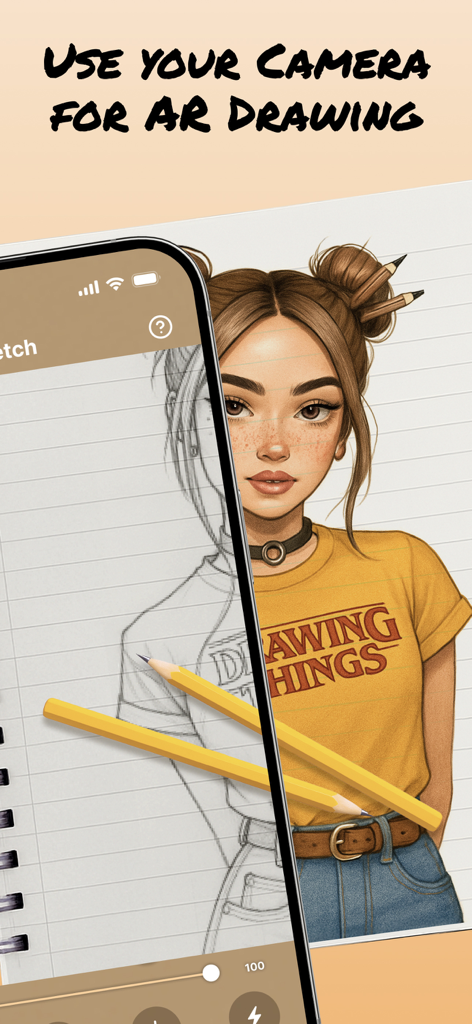
An iPhone using augmented reality to project a portrait sketch onto paper for tracing and drawing.

An iPhone using augmented reality to project a portrait sketch onto paper for tracing and drawing.

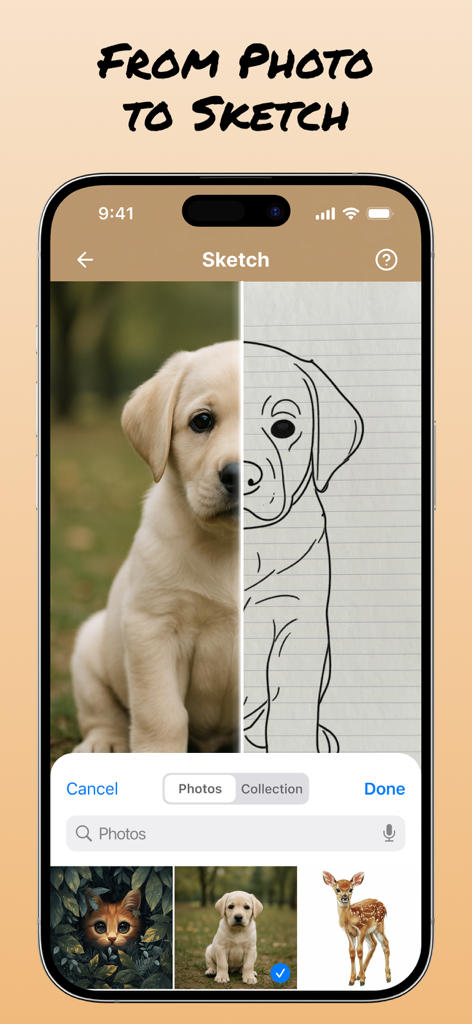
A split screen interface in the AR Draw app showing a real puppy photo alongside its line art sketch for tracing.

A split screen interface in the AR Draw app showing a real puppy photo alongside its line art sketch for tracing.

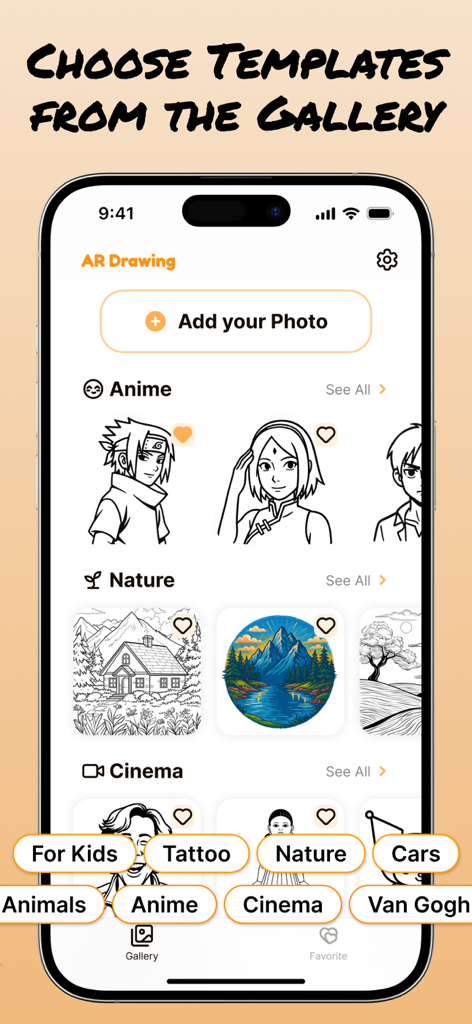
A mobile app interface displaying a gallery of drawing templates categorized by themes like Anime Nature and Cinema

A mobile app interface displaying a gallery of drawing templates categorized by themes like Anime Nature and Cinema

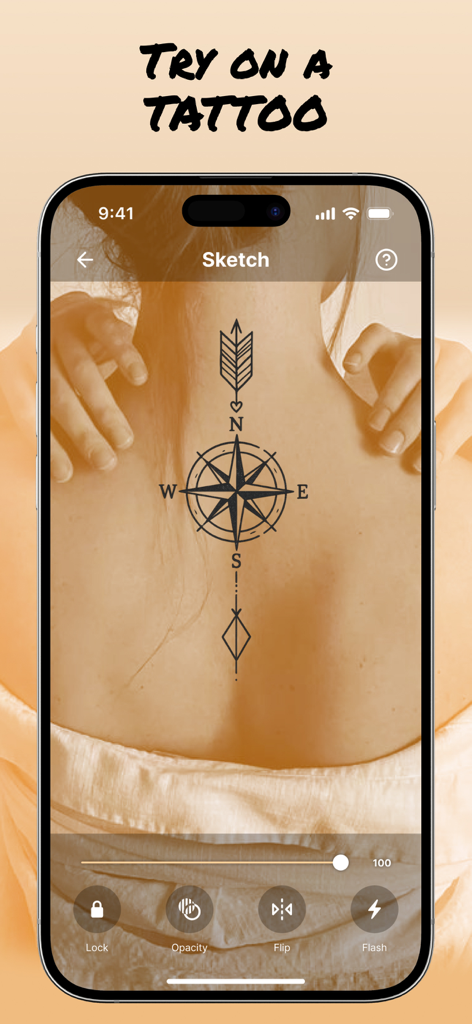
AR Draw app showing a virtual compass tattoo preview on a person's back

AR Draw app showing a virtual compass tattoo preview on a person's back

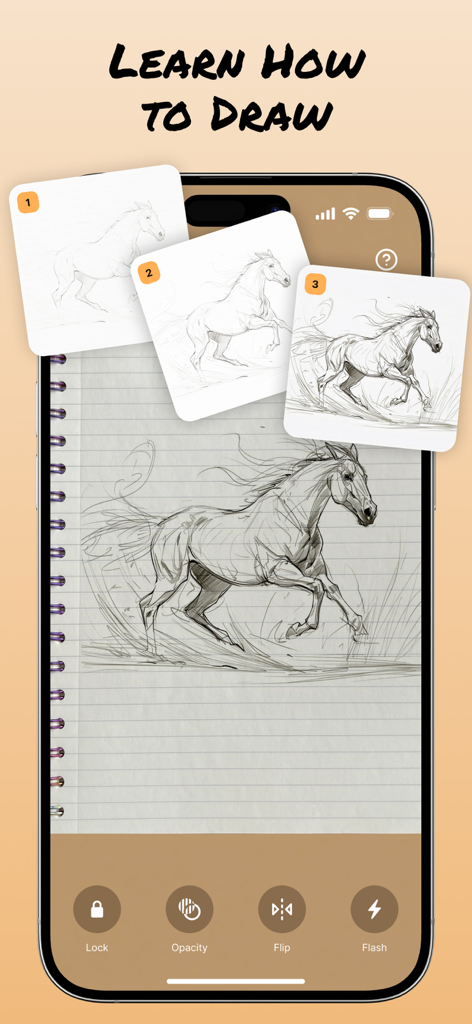
AR Drawing app interface showing a step by step horse sketch tutorial onto a notebook

AR Drawing app interface showing a step by step horse sketch tutorial onto a notebook

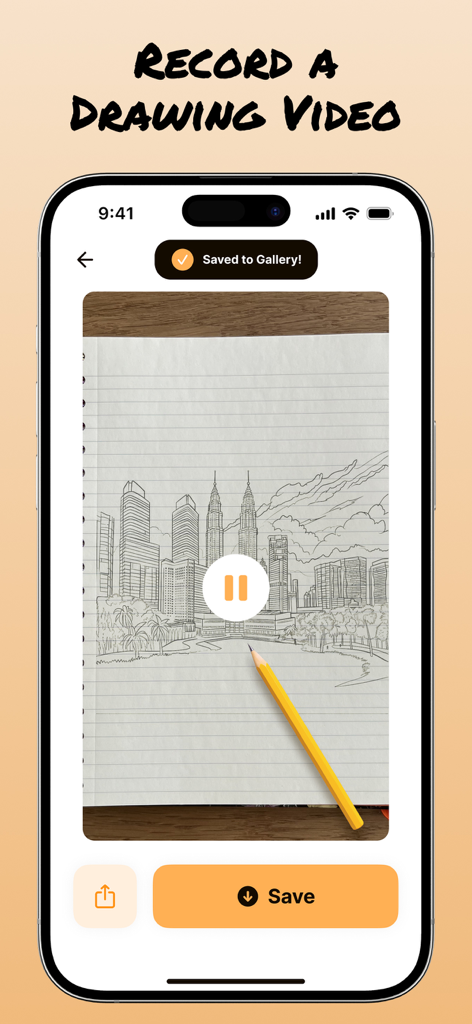
Smartphone screen showing a city skyline sketch being recorded in the AR Draw app with a saved to gallery notification

Smartphone screen showing a city skyline sketch being recorded in the AR Draw app with a saved to gallery notification

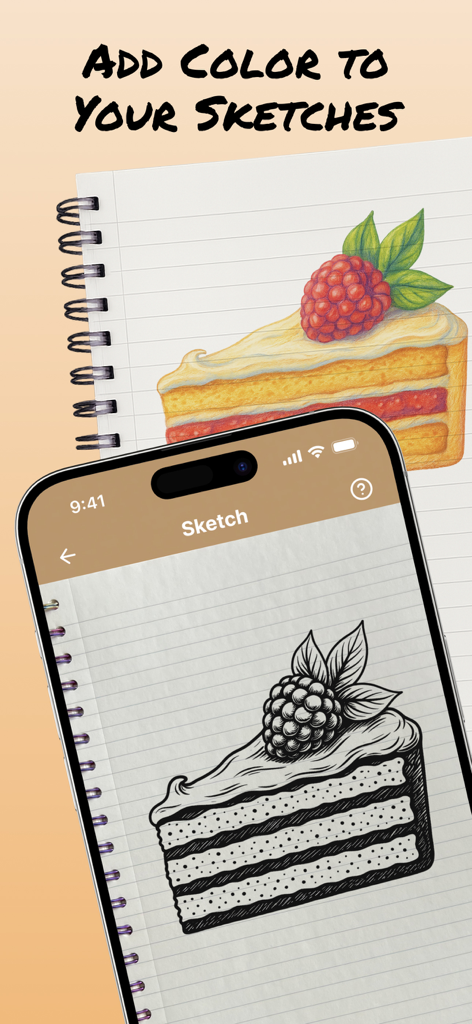
A phone displaying a black and white sketch of a cake slice next to a colored version in a notebook

A phone displaying a black and white sketch of a cake slice next to a colored version in a notebook

Master the Art of Drawing—No Experience Required

The tools that make this app stand out, trusted by 214K+ users.

🪄

Instant AR Tracing

Say goodbye to 'bad proportions.' Project any image onto your paper and trace with pixel-perfect precision using your phone camera.

🤳

Create Viral Content

Record your entire drawing process automatically. Share your creative flow on TikTok and Instagram with one tap to show off your skills.

🎨

Infinite Inspiration

Explore a massive library of templates—from aesthetic anime characters to trendy DIY patterns for your bullet journal and room decor.

Loved by users worldwide

Trusted by 214K+ people who love this app.

"

"I've always wanted to draw my favorite anime characters but the proportions were always so off. This app is a total game-changer! I love that I can record the whole process as a timelapse—it looks so cool on my Reels. It's like having a professional projector right in my pocket."

Avery M.
"

"As someone who isn't naturally artistic, this app gave me the confidence to finally start a bullet journal. I use it to trace headers and intricate illustrations with ease. It is so relaxing to just follow the lines and see a perfect sketch appear on my paper. Truly a must-have for DIY lovers!"

Sarah J.

About the app

Everything you need to know about AR Draw: Sketching & Painting.

Description

Bring Your Imagination to Life with AR Draw: Sketching & Painting! Our art AR Drawing app turns your iPhone into a virtual projector that helps you simply draw with precision. Here’s exactly how the process works: 1. Select an Image Start by choosing an sketch from the app’s built-in gallery — like a cartoon character, animal, flower. 2. Position Your Paper Place a blank sheet of paper on a flat surface (like a desk or table) in a well-lit environment. Make sure your phone can see the entire sheet. 3. Activate AR Mode Open the image in AR mode. Your phone will use its camera to detect the paper and overlay the image directly on top of it through the screen. 4. Adjust the View Move your phone until the image is perfectly aligned with the paper. You can resize or rotate the image using your fingers to make sure it fits exactly the way you want. 5. Start Tracing the sketch Now, simply look at your phone screen while keeping your pencil on the paper. The image appears “on the paper” in your screen view, allowing you to trace the lines precisely. It feels like you’re copying a transparent image that’s floating above your paper — but with total control! 6. Finish & Save Once your outline is done, you can finish the drawing with your own style — add colors, shading, or extra details. If you want, you can record a video of your drawing process, as well as take a photo of your finished work and save or share it directly from the app. Why It’s So Effective Traditional tracing requires light tables or printed guides. With AR Drawing, you trace using your eyes and hands guided by real-time AR projection — no special tools, no printing, no setup. Just your iphone, a pencil, and paper. Discover a fun new way to sketch and paint using Augmented Reality. Whether you’re a beginner or a pro, simply AR Draw App helps you trace anything with precision and ease. Our app also lets you record your drawing process. Share the video with friends and show off your skills! Subscription Information: Unlock the full experience of AR Draw: Sketching & Painting with a subscription. - Payment will be charged to your iTunes account at confirmation of purchase. - Subscriptions automatically renew unless canceled at least 24 hours before the end of the current period. - Renewal charges will apply within 24 hours prior to the end of the current period, indicating the cost of the renewal. - Manage or cancel subscriptions in your account settings after purchase. - Free trial periods will be canceled when your subscription is activated. - If your subscription is not canceled before the end of the free trial period, your subscription will be activated for the selected period and your account will be charged automatically. Terms and Conditions: https://seapptic.com/terms.html Privacy Policy: https://seapptic.com/privacy.html

Latest Version

1.8

Size

145.7 MB

First Released

Jun 27, 2025

Ready to Create Your Next Masterpiece?

Join over 214,000 creators today. Download AR Draw to turn your sketches into professional art and share your creative process with the world—no experience required.

Download on App Store
FAQ

Frequently Asked Questions

Everything you need to know about AR Draw: Sketching & Painting

What is AR Draw: Sketching & Painting?

AR Draw: Sketching & Painting transforms your iPhone into a virtual projector. It helps you draw with precision by overlaying images onto paper through your phone's camera in AR mode.

How does the AR Draw App help users draw?

The AR Draw App overlays a chosen image onto your paper via your phone's screen. Users trace the projected lines while looking at their phone, guiding their pencil on the physical paper with precision.

Can I record my drawing process with AR Draw: Sketching & Painting?

Yes, the AR Draw: Sketching & Painting app allows users to record a video of their drawing process. Users can save or share these videos directly from the app.

Does AR Draw: Sketching & Painting offer drawing templates?

Yes, AR Draw: Sketching & Painting offers a built-in gallery with various sketch templates. Users select images like cartoon characters, animals, or flowers to trace.

How do subscriptions work for AR Draw: Sketching & Painting?

Subscriptions for AR Draw: Sketching & Painting automatically renew and charge to your iTunes account. You must cancel at least 24 hours before the current period ends to avoid renewal charges.

Can I convert photos to sketches in AR Draw: Sketching & Painting?

Yes, the AR Draw: Sketching & Painting app features functionality to convert photos into sketches. This allows users to trace their own images.

Does AR Draw: Sketching & Painting include step-by-step drawing lessons?

Yes, AR Draw: Sketching & Painting includes a 'Learn to Draw Step by Step' feature. This provides guided instructions for users to follow while sketching.

Can users customize the overlaid image in AR Draw: Sketching & Painting?

Yes, users adjust the view by resizing or rotating the image with their fingers for alignment. The app also features opacity, flip, and flash controls for further customization.