AR Drawing Sketch App: ArtEasy

AR Drawing Sketch App: ArtEasy

Download on App Store
Spark by MWM logo
Logo of AR Drawing Sketch App: ArtEasy

AR Drawing Sketch App: ArtEasy: Trace, Sketch, and Master Art with AR & AI

Transform any surface into a canvas. Project and trace anything—from viral anime to custom AI-generated designs—and start drawing like a pro today.

Publisher

SMDA GROUP SP Z O O SP KOMANDYTOWA

Category

Graphics & Design

Downloads

1M+

User Rating

4.6/5

Total Ratings

24K+

Locales

21

See Your Creativity in Action

Discover the interface used by 1M+ users.
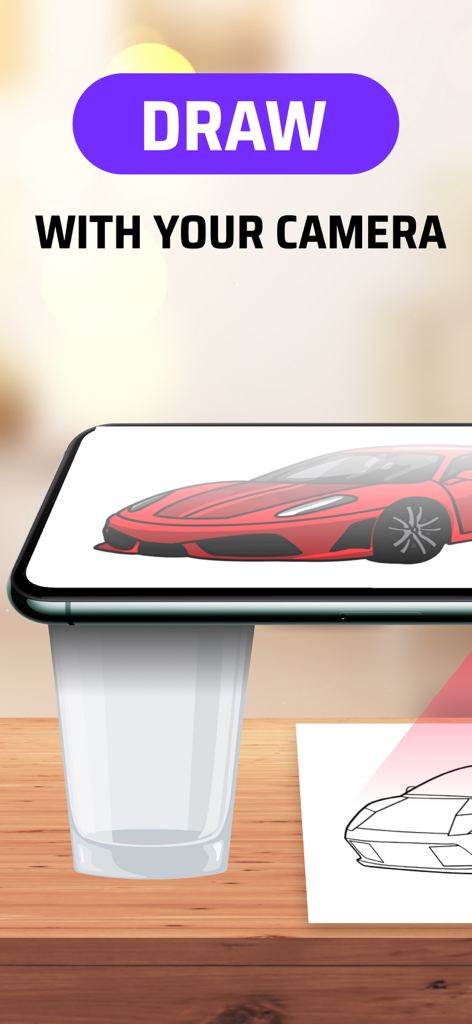
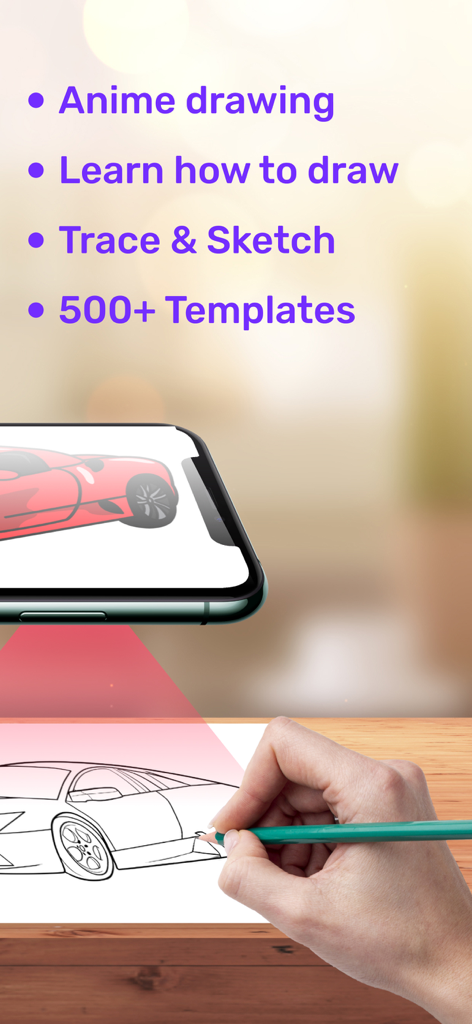
Smartphone camera projecting a car image onto paper for AR tracing

Smartphone camera projecting a car image onto paper for AR tracing

A hand tracing a car sketch on paper using the AR Drawing ArtEasy app on a smartphone

A hand tracing a car sketch on paper using the AR Drawing ArtEasy app on a smartphone

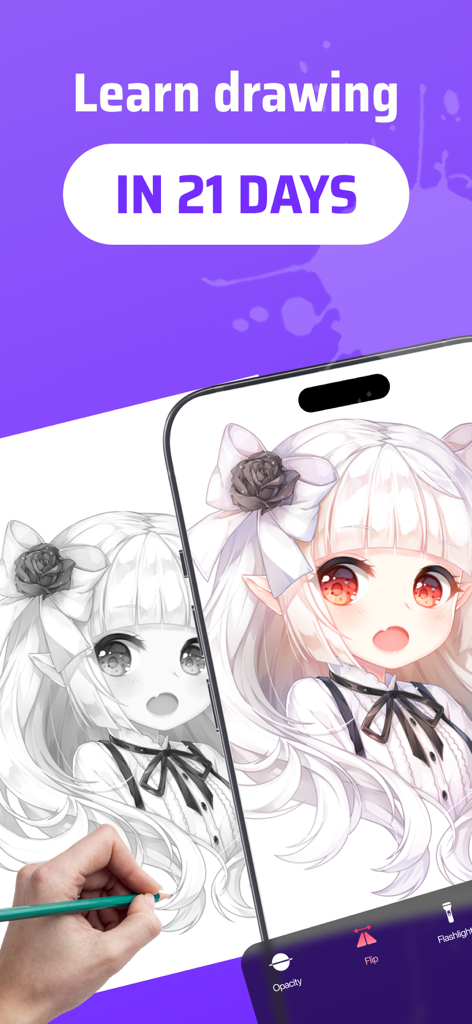
Hand tracing an anime girl from a smartphone screen to paper using an AR drawing app

Hand tracing an anime girl from a smartphone screen to paper using an AR drawing app

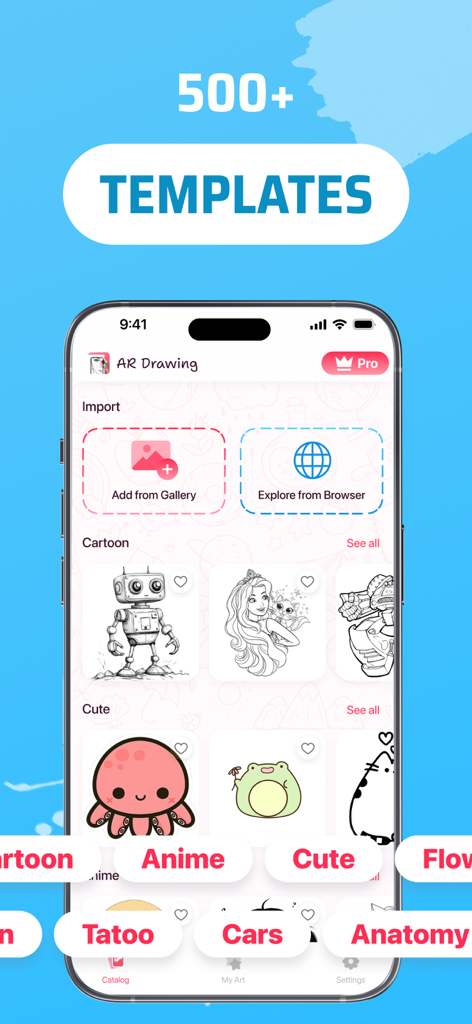
AR Drawing Sketch App ArtEasy interface showing a library of over five hundred drawing templates for tracing

AR Drawing Sketch App ArtEasy interface showing a library of over five hundred drawing templates for tracing

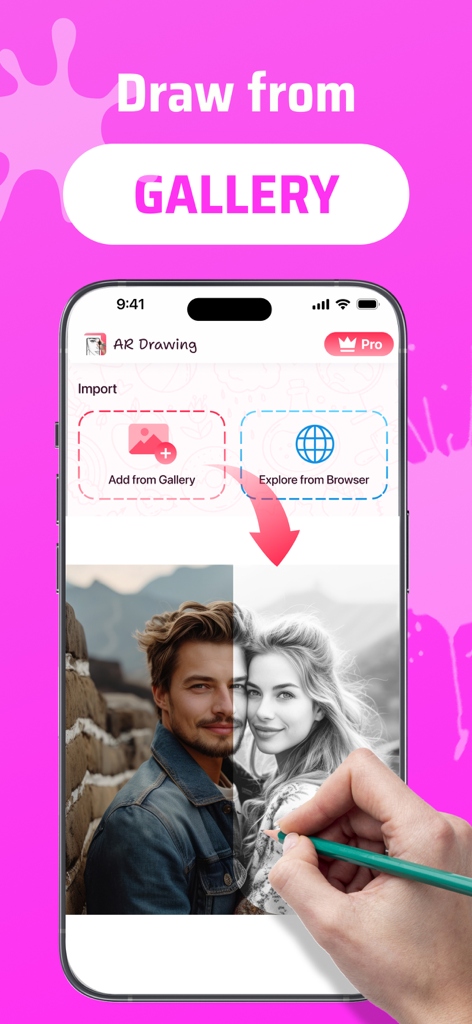
Interface of AR Drawing app showing the option to import and trace photos from the phone gallery

Interface of AR Drawing app showing the option to import and trace photos from the phone gallery

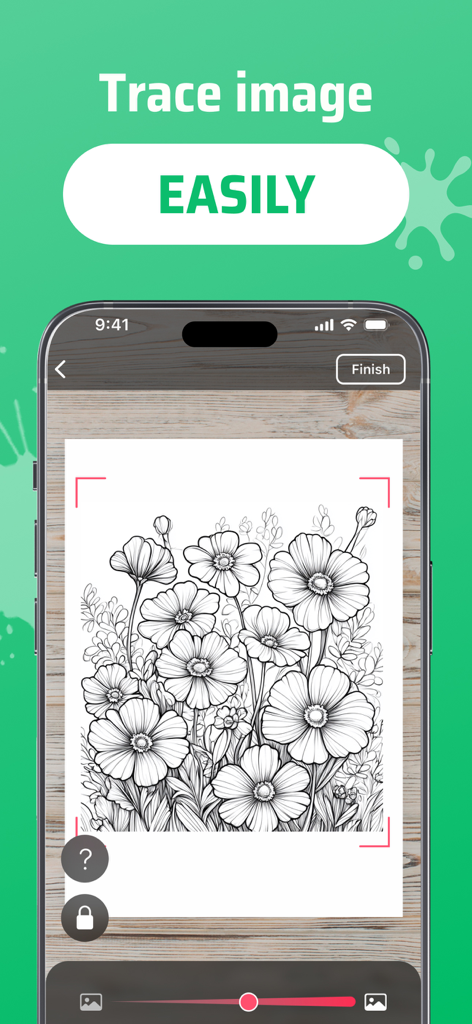
Smartphone screen displaying a floral design for AR tracing on paper

Smartphone screen displaying a floral design for AR tracing on paper

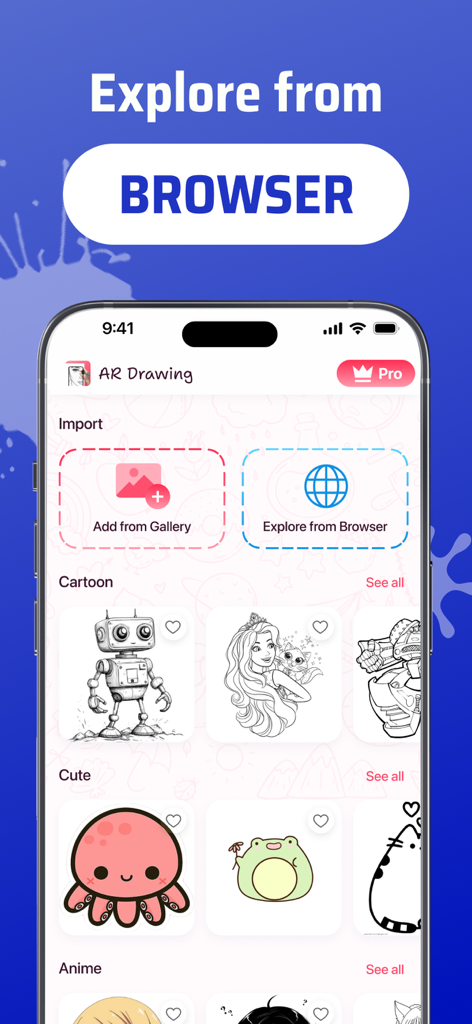
AR Drawing ArtEasy app interface showing browser image import and sketch categories for cartoons and cute animals.

AR Drawing ArtEasy app interface showing browser image import and sketch categories for cartoons and cute animals.

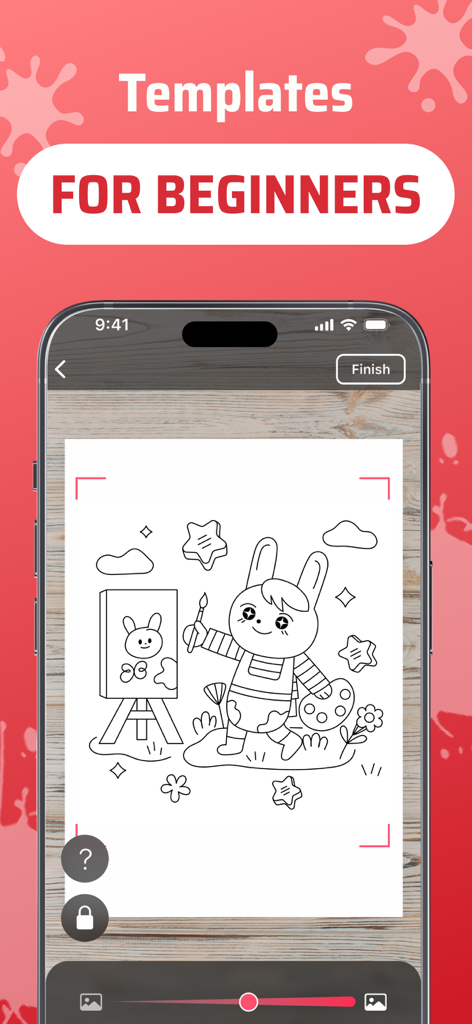
AR Drawing app interface showing easy templates for beginners featuring a cute cartoon bunny

AR Drawing app interface showing easy templates for beginners featuring a cute cartoon bunny

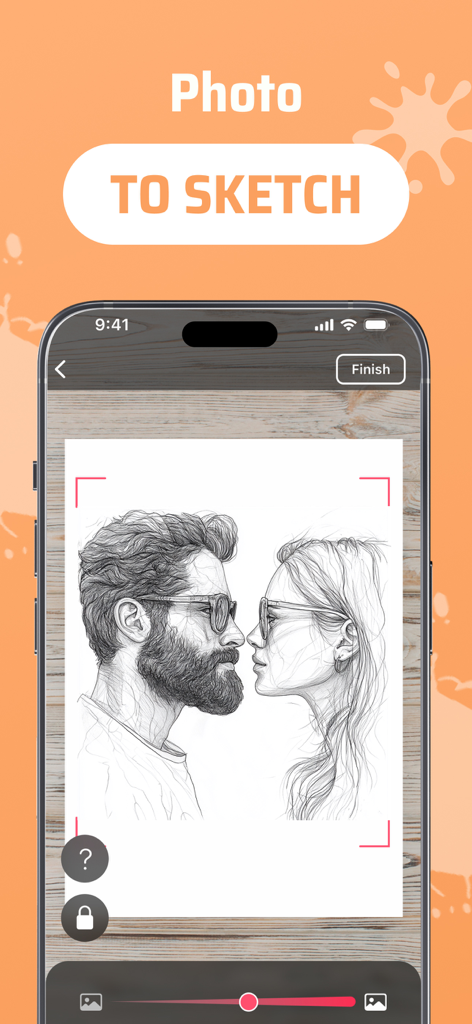
AR Drawing app interface showing a portrait of a couple converted into a sketch for tracing

AR Drawing app interface showing a portrait of a couple converted into a sketch for tracing

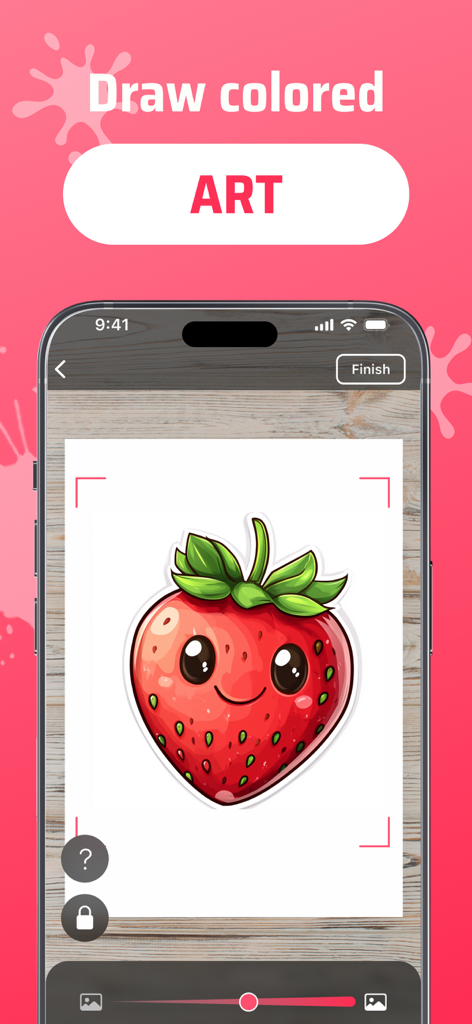
Smartphone displaying the ArtEasy app with a colored strawberry AR template projected onto paper for drawing

Smartphone displaying the ArtEasy app with a colored strawberry AR template projected onto paper for drawing

Master the Art of Drawing with AR & AI

The tools that make this app stand out, trusted by 1M+ users.

AR Precision Tracing

Project any image onto paper, walls, or even fabric. Use your camera as a guide to trace perfect proportions every single time.

🪄

Infinite AI Generator

Can't find the right reference? Type any prompt and let our AI create a custom sketch template tailored to your unique vision.

🚀

Fandom-Ready Library

Access thousands of trending categories like Anime, Tattoos, and Manga, or follow step-by-step lessons to level up your skills.

Loved by users worldwide

Trusted by 1M+ people who love this app.

"

"I've always wanted to draw my favorite anime characters but felt intimidated by a blank page. ArtEasy is a total game-changer! I used the AI generator to create a custom design and traced it using the AR projection. My sketches look professional now, and my TikTok followers keep asking how I improved so fast!"

Chloe R.
"

"I never thought I had a creative bone in my body, but this app proved me wrong. The step-by-step lessons are incredibly intuitive, and I even used the wall projection feature to paint a mural in my daughter's room. It's the perfect way to de-stress after work while actually learning a new skill."

Marcus D.

About the app

Everything you need to know about AR Drawing Sketch App: ArtEasy.

Description

Discover new dimensions of creativity with ArtEasy! Learn how to draw step by step with built-in lessons — from basic shapes to advanced sketches. The lesson library is constantly expanding, making ArtEasy a growing learning platform for artists of all levels. ArtEasy is a mobile app that lets you draw using augmented reality technology (AR drawing). Project images onto any surface through your smartphone camera and trace them to create bright and original drawings. The AR Drawing app is perfect for both beginners and experienced artists — everyone can unlock their creative potential here. Download AR Drawing app "ArtEasy" and start making unique pictures today — using augmented reality and your imagination using your phone. What the app offers: – Convenient projection of images onto any surface: paper, wall, table, etc. – Add your own images from the gallery or browser — draw whatever you like. – Generate custom templates using AI — just type your request and get a unique sketch created instantly. – Built-in image search: enter a query in the search window, browse the results in your browser, and instantly import any sketch or picture into the app. – “My Templates” section, where all your added images are saved. – Large catalog of ready-made sketches, constantly updated with new collections. – Drawing lessons to help you learn and improve step by step. – Simple and user-friendly interface — suitable for all skill levels. – “Favorites” tab to save your preferred templates for quick access. Template categories include: – Anime – Cartoons – Anatomy (eyes, lips, hands, etc.) – Animals – Cars – Tattoos – Simple drawings for kids – People – Nature – Food, and more. Who ArtEasy is for: – Those who want to learn to draw from scratch. – Artists aiming to improve their skills. – Everyone who wants to create and enjoy the process. Download the AR drawing app "ArtEasy" now and learn how to draw like never before! Unlock new creative possibilities and take your skills to the next level with augmented reality. Subscription information: – Payment will be charged to your Apple ID account upon confirmation of purchase. – Subscription automatically renews unless auto-renew is turned off at least 24 hours before the end of the current period. – Your account will be charged for renewal within 24 hours prior to the end of the current period, with the cost of renewal specified. – You can manage subscriptions and turn off auto-renewal after purchase by going to your Apple ID account settings. – Subscriptions can be canceled at any time in your Apple ID settings. All prices include applicable local sales taxes. – Any unused portion of a free trial period, if offered, will be forfeited when you purchase a subscription. – After the 3-day free trial period, if offered, the subscription will automatically renew at the applicable rate unless canceled before the trial ends. Privacy Policy: https://arteasy.app/privacy-policy Terms of Use: https://arteasy.app/terms-of-service

Latest Version

1.13.4

Size

267.0 MB

First Released

Nov 7, 2024

Ready to Sketch Your First Masterpiece?

Join over 1 million creators using AR and AI to bridge the gap between imagination and paper. Download ArtEasy now to turn your phone into a professional tracing tool and start drawing like a pro today.

Download on App Store
FAQ

Frequently Asked Questions

Everything you need to know about AR Drawing Sketch App: ArtEasy

What is ArtEasy?

ArtEasy is a mobile app for drawing using augmented reality (AR) technology. It projects images through your smartphone camera, enabling users to trace them onto any surface.

How does the AR drawing feature work in ArtEasy?

The ArtEasy app projects images onto any physical surface using your smartphone camera. This allows users to trace the projected image directly onto paper or other materials to create drawings.

Is ArtEasy suitable for beginners?

Yes, ArtEasy is suitable for beginners. It includes built-in, step-by-step drawing lessons and provides simple, beginner-friendly templates to help users learn and improve their skills.

Does ArtEasy provide drawing lessons?

Yes, ArtEasy offers built-in drawing lessons that guide users through a step-by-step learning process. These lessons cover various skills, from basic shapes to more advanced sketching techniques.

How many drawing templates are available in ArtEasy?

ArtEasy provides a large and constantly updated catalog with over 500 ready-made drawing templates. These templates cover a wide range of categories for users to explore.

Can I import my own pictures into ArtEasy for tracing?

Yes, ArtEasy allows users to import their own images. You can add pictures directly from your device's photo gallery or browse and import images from the internet.

What categories of templates does ArtEasy offer?

ArtEasy offers diverse template categories including Anime, Cartoons, Anatomy, Animals, Cars, Tattoos, Simple drawings for kids, People, Nature, and Food. New collections are frequently updated.

Does ArtEasy use AI to create custom drawing templates?

Yes, ArtEasy features an AI-powered tool to generate custom templates. Users input their request, and the app instantly provides a unique sketch based on that input.

Is a subscription required for the ArtEasy app?

Yes, the ArtEasy app requires a subscription for full access. Payment is charged to your Apple ID account upon purchase confirmation. Auto-renewal information is provided.

How do I cancel my ArtEasy subscription?

You can cancel your ArtEasy subscription at any time. Manage your subscription and turn off auto-renewal through your Apple ID account settings after purchase.

Does ArtEasy offer a free trial period?

Yes, ArtEasy may offer a 3-day free trial period. If a free trial is utilized, the subscription will automatically renew at the standard rate unless canceled before the trial ends.

Can I convert my photos into sketches with ArtEasy?

Yes, ArtEasy features a "Photo to Sketch" function. This allows users to transform their personal photos into traceable sketch outlines directly within the application.