Da Vinci Eye: AR Trace & Draw

Da Vinci Eye: AR Trace & Draw

Download on App StoreDownload on Google Play
Spark by MWM logo
Logo of Da Vinci Eye: AR Trace & Draw

Da Vinci Eye: AR Trace & Draw – Master Any Canvas with AR Precision

Join millions of artists, bakers, and creators using the world’s #1 digital Camera Lucida. Perfect your proportions, learn to draw from any photo, and record viral time-lapses with the power of Augmented Reality.

Publisher

Da Vinci Eye LLC

Category

Graphics & Design

Downloads

2M+

User Rating

4.6/5

Total Ratings

13K+

Locales

4

From Screen to Canvas

Discover the interface used by 2M+ users.
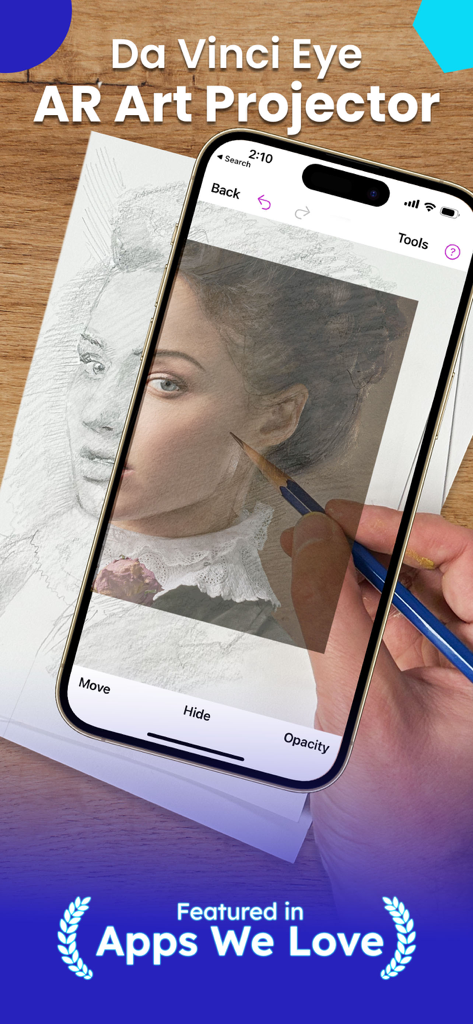
A person using the Da Vinci Eye AR app on a smartphone to project and trace a portrait onto paper with a pencil.

A person using the Da Vinci Eye AR app on a smartphone to project and trace a portrait onto paper with a pencil.

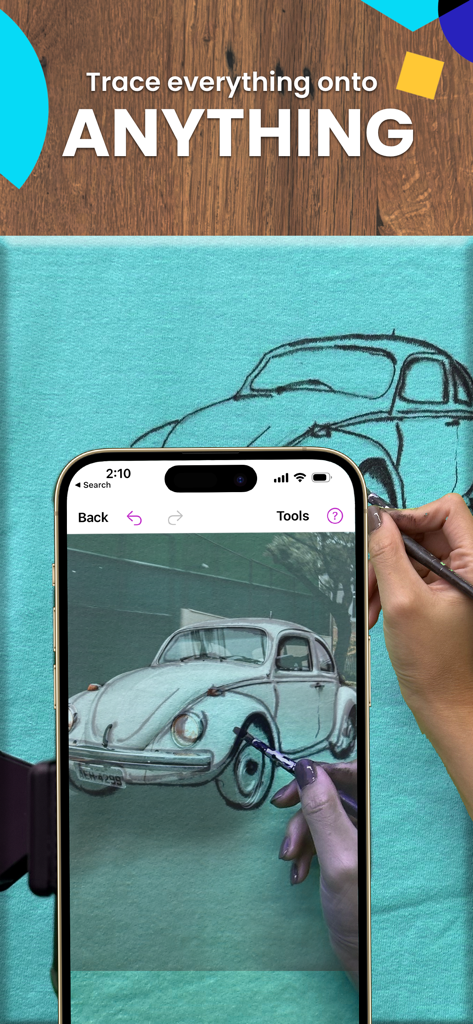
Tracing a vintage car onto a fabric canvas using the Da Vinci Eye AR drawing app

Tracing a vintage car onto a fabric canvas using the Da Vinci Eye AR drawing app

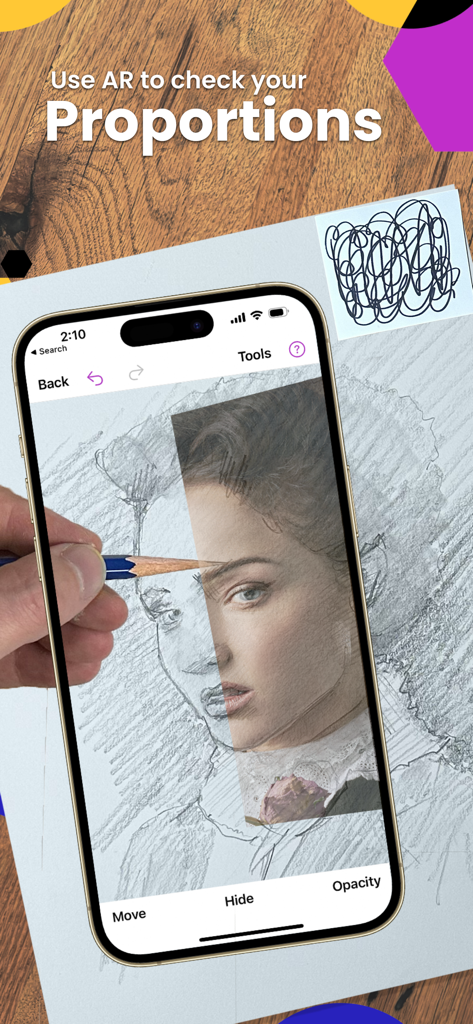
A person using the Da Vinci Eye AR app to check proportions while drawing a portrait on paper with a pencil.

A person using the Da Vinci Eye AR app to check proportions while drawing a portrait on paper with a pencil.

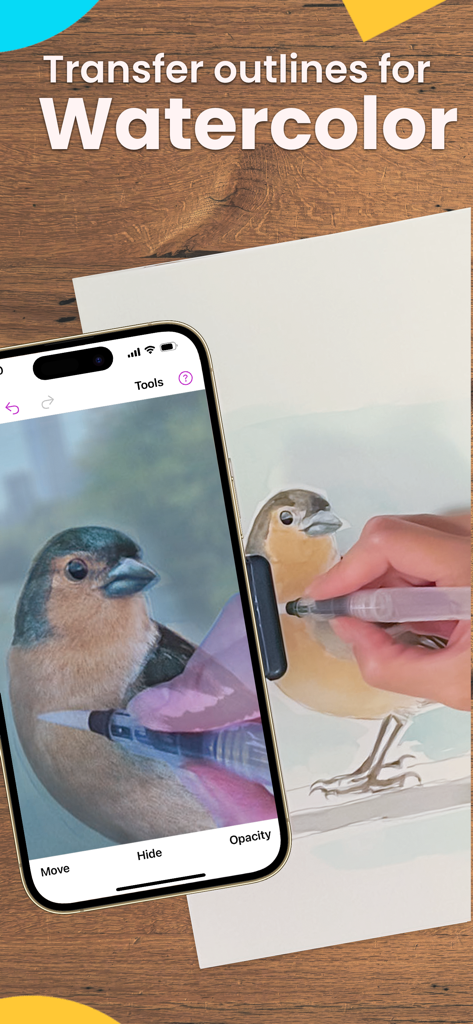
A person using an AR app to trace a bird for watercolor painting

A person using an AR app to trace a bird for watercolor painting

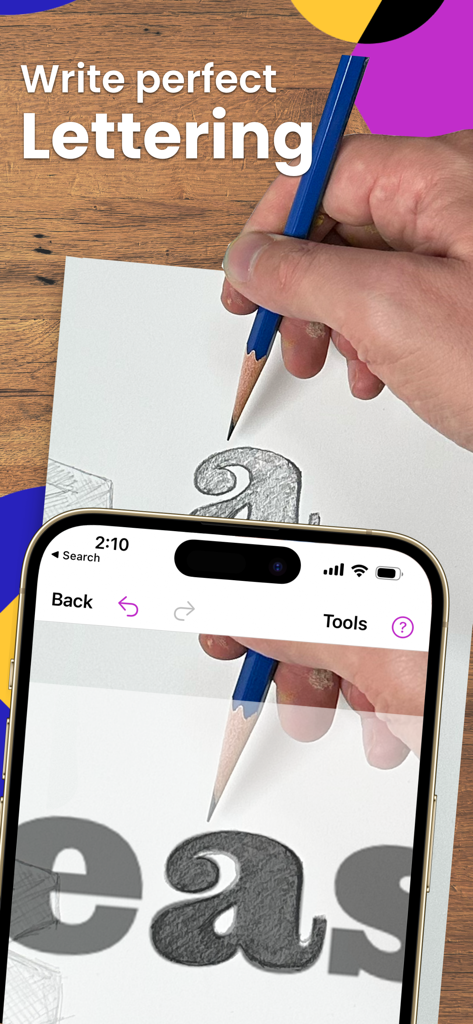
A person using the Da Vinci Eye AR app to trace perfect lettering onto paper with a pencil.

A person using the Da Vinci Eye AR app to trace perfect lettering onto paper with a pencil.

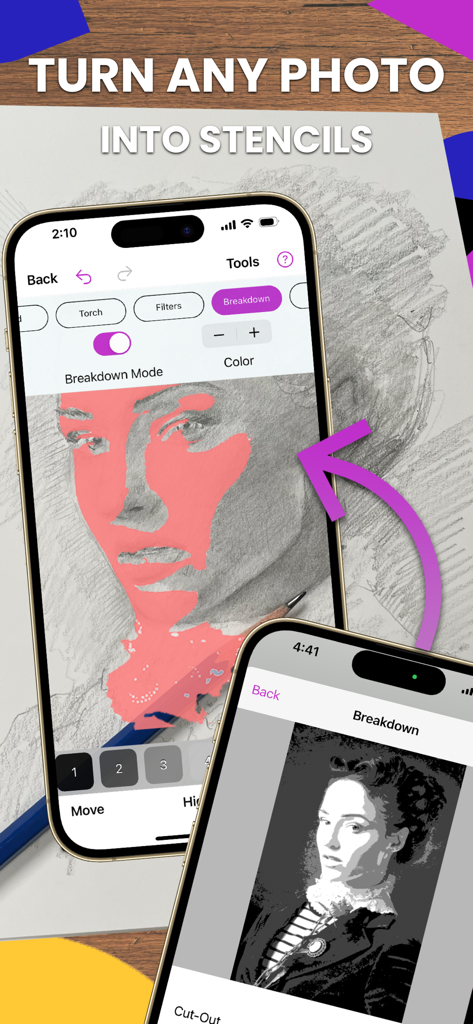
iPhone screen showing the Da Vinci Eye app's breakdown mode turning a photo into a stencil for drawing

iPhone screen showing the Da Vinci Eye app's breakdown mode turning a photo into a stencil for drawing

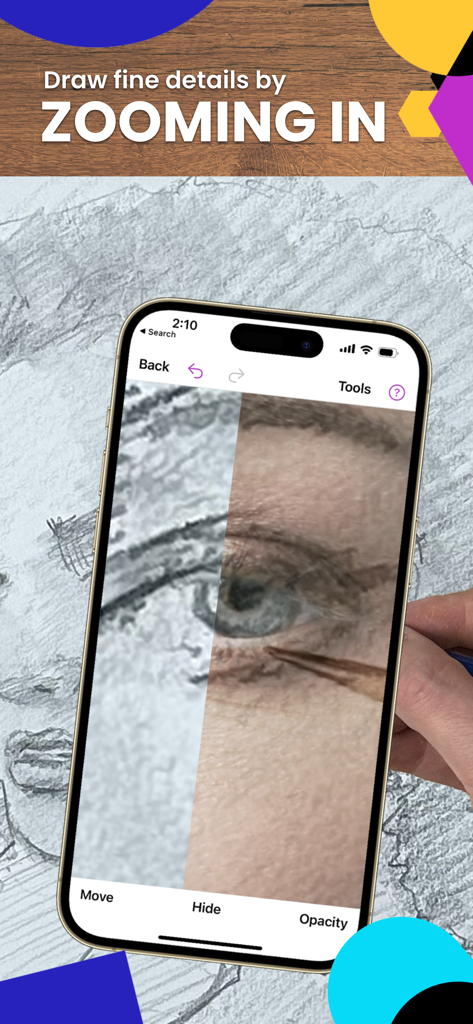
Zooming in on a drawing eye using Da Vinci Eye AR trace app

Zooming in on a drawing eye using Da Vinci Eye AR trace app

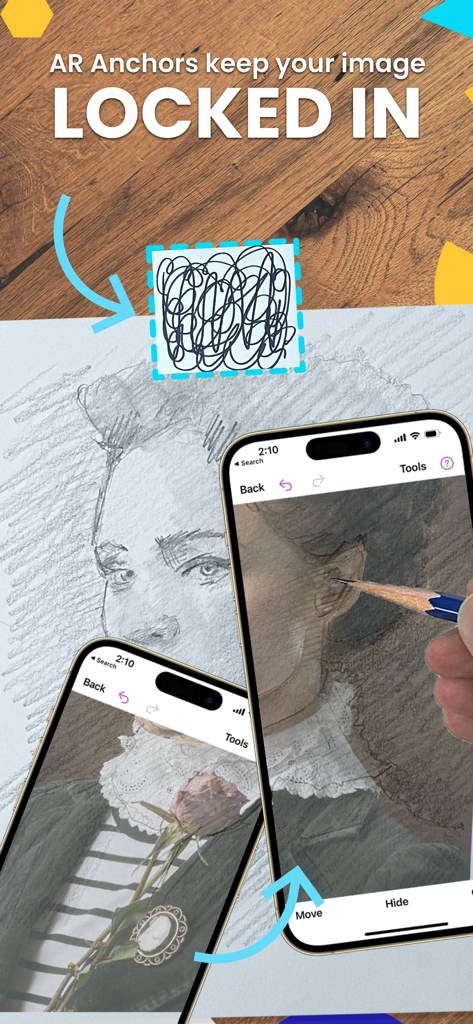
iPhone screen showing AR anchors locking a virtual portrait over a physical drawing surface for precise tracing

iPhone screen showing AR anchors locking a virtual portrait over a physical drawing surface for precise tracing

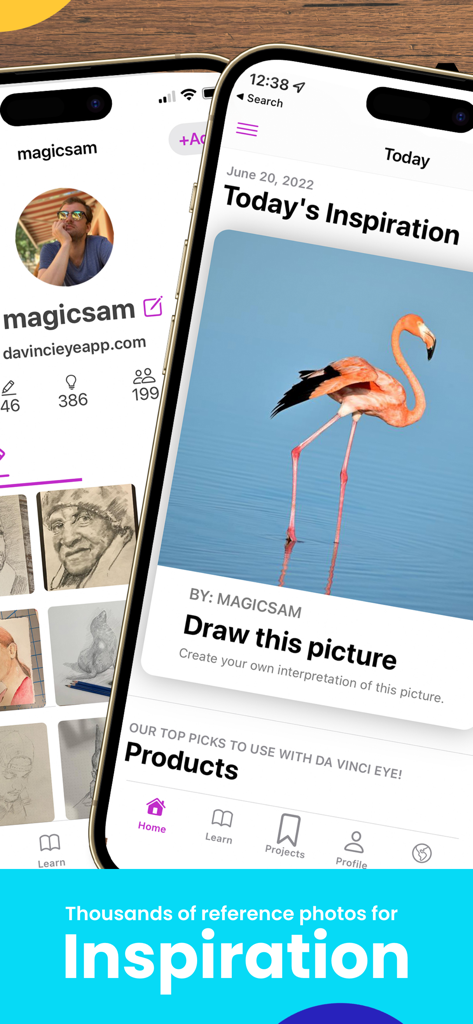
Da Vinci Eye app interface showing a flamingo reference photo for drawing inspiration

Da Vinci Eye app interface showing a flamingo reference photo for drawing inspiration

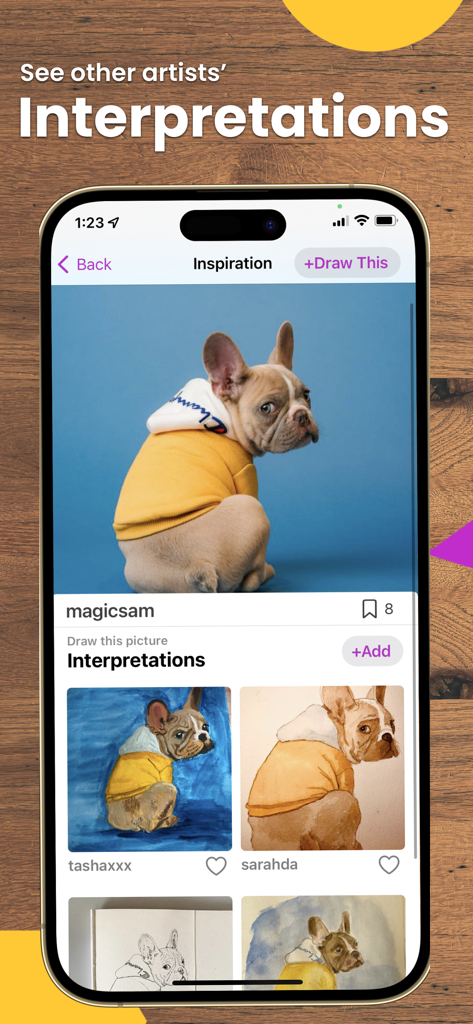
A screen from the Da Vinci Eye app displaying a photo of a dog and various user-submitted drawing interpretations.

A screen from the Da Vinci Eye app displaying a photo of a dog and various user-submitted drawing interpretations.

Master Every Stroke with AR Precision

The tools that make this app stand out, trusted by 2M+ users.

📐

Flawless Proportions Instantly

Use AR to project any photo directly onto your canvas. Stop worrying about misaligned features and start drawing with 100% accuracy on any surface.

📹

Built-In Content Creation

Capture stunning time-lapse videos of your drawing process automatically. Perfect for sharing your talent on TikTok and Instagram to grow your artistic brand.

🎨

Advanced Shading Breakdown

Deconstruct complex images into color value layers. Learn exactly where to place highlights and shadows to achieve hyper-realistic results every time.

Loved by users worldwide

Trusted by 2M+ people who love this app.

"

"As a custom cookie baker, Da Vinci Eye has completely transformed my workflow. I can project complex logos and intricate designs directly onto my treats with perfect precision. It saves me hours of freehand work and has helped me scale my small business. If you are a professional creator, you need this app!"

Sarah M., Professional Baker
"

"I've always wanted to draw realistic portraits but struggled with proportions. This app made it so easy to learn while actually creating something I'm proud of. The built-in time-lapse feature is a huge plus for my social media—my followers love seeing the drawing come to life! It's not just an app; it's a personal art tutor."

Jax R., Content Creator & Artist

About the app

Everything you need to know about Da Vinci Eye: AR Trace & Draw.

Description

As seen on Shark Tank and featured in Apple's Apps We Love, Watercolor Artist Magazine, Handmade Seller Magazine, LifeHacker, MakeUseOf, Fast Company (Innovation Award winner), Apple News and more! Da Vinci Eye is used by millions of creatives from painters to bakers to make incredible artwork. The app is not just for tracing, it offers a wide range of drawing tools, lessons, daily drawing prompts, and a supportive community to share your artwork! IMPORTANT!: Please read how this app works below and the device requirements for AR Mode BEFORE purchasing. HIGHLIGHTS • Create incredible artwork from your own photos • Make hyper-realistic drawings with our strobe feature • Record time-lapse videos of your drawings • Separate images into layers by color value, then view those areas on your canvas • Easily learn the fundamentals of drawing • Breakdown any image into step-by-step instructions • Video tutorials • Use filters to make drawing even easier • Zoom in to capture micro details in your drawings • Connect with our community to share your artwork • Insanely fast customer support! PERFECT FOR ANY ARTIST • Bakers • Cartoonists • Tattoo Artists • Illustrators • Fiverr Designers • Hobbyists • Makeup artists • Nail Technicians • Animators No matter what skill level you’re at — Da Vinci Eye is here for you! OVERVIEW How many times have you been drawing a portrait for hours only to realize that the nose or the eye is in the wrong place? You can use Da Vinci Eye to layout artwork before you begin or even check your work as you progress. Having a hard time seeing where lights or darks go? Breakdown images into layers by color value. Then virtually project those layers on top of your image. You can see exactly where to place the darkest darks, mid-tones, and highlights. CAN'T THINK OF WHAT TO DRAW? Check out our inspiration section for user uploaded reference photos. If you have a great pic, you can even upload your own content for other artists to draw. LEARNING HOW TO DRAW? We have lessons using our unique patent-pending learning method. You can also turn ANY photo into a step by step shading drawing lesson. HOW DOES IT WORK? Based on a tool that has been used by artists for centuries, this app is a digital version of a Camera Lucida. You suspend your iPhone or iPad above or in front of your canvas with a stand, tall glass, or other objects easily found around your house. When you look through your phone, you will see both the image and the canvas simultaneously. It's similar in functionality to an art projector or light box, but with the ability to do so much more. You can draw on any surface, zoom in to draw micro details in your drawing, and you don't have to draw in the dark. WILL THIS HELP ME LEARN HOW TO DRAW? Using Da Vinci Eye, you will be training your eye to recognize proportions and draw with shading while training your hand to translate precise lines and strokes on paper. You’ll learn faster and more efficiently using our proven techniques compared to any other app. AR MODE REQUIREMENTS To use AR mode, you must have an A10x or A11 processor and above. We recommend using: – iPhone 8 and newer (iPhone 7 and below will not work) – iPad Mini 5th Generation and newer – iPad Air 2019 and newer – iPad Pro 3rd Gen (Any pro made after 2018) and newer AR & CLASSIC MODE AR mode anchors your image to an object in the real world. This lets you move your canvas or phone, and the drawing and projected image will stay aligned. Classic mode is like a normal art projector, where if you move your phone or canvas, the drawing will no longer be aligned. AR mode is especially useful for drawing or painting on an easel. However, in most cases, Classic mode will achieve the same result. TAKE YOUR DRAWING TO THE NEXT LEVEL Download Da Vinci Eye today! No one ever regretted sharpening their drawing skills. Terms of Use Link: http://davincieyeapp.com/terms-of-service/

Latest Version

4.6.2

Size

193.5 MB

First Released

Jun 16, 2016

Ready to Create Your Best Artwork?

Join over 2 million artists, bakers, and creators. Download Da Vinci Eye today and turn your device into a professional-grade studio to master proportions and detail on any surface.

Download on App StoreDownload on Google Play
FAQ

Frequently Asked Questions

Everything you need to know about Da Vinci Eye: AR Trace & Draw

What is the Da Vinci Eye app?

Da Vinci Eye is an AR art projector app that helps artists trace and draw by overlaying images onto their canvas. It functions as a digital Camera Lucida, offering drawing tools, lessons, and community features.

How does the Da Vinci Eye app work?

The Da Vinci Eye app works by suspending your device above or in front of your canvas. It overlays an image onto the canvas, allowing you to see both simultaneously for tracing, drawing, and checking proportions.

Can Da Vinci Eye help me learn how to draw?

Yes, Da Vinci Eye helps users learn to draw by training the eye to recognize proportions and encouraging shading. The app provides lessons, converts photos into step-by-step drawing instructions, and offers proven techniques for efficient learning.

What are the device requirements for Da Vinci Eye's AR Mode?

To use Da Vinci Eye's AR Mode, your device requires an A10x or A11 processor or newer. This includes iPhone 8 and newer, iPad Mini 5th Generation and newer, iPad Air 2019 and newer, and iPad Pro 3rd Gen (2018 models) and newer.

What is the difference between AR Mode and Classic Mode in Da Vinci Eye?

AR mode in Da Vinci Eye anchors the projected image to a real-world object, maintaining alignment even if the canvas or phone moves. Classic mode is like a normal projector; movement disrupts alignment. AR mode is ideal for easels.

Can I use Da Vinci Eye to draw fine details?

Yes, the Da Vinci Eye app allows users to zoom in on images to capture and draw micro details accurately. This feature enhances precision for intricate artwork.

Does Da Vinci Eye offer drawing inspiration or prompts?

Yes, Da Vinci Eye features an inspiration section with user-uploaded reference photos and daily drawing prompts. Users can also upload their own content for others to draw.

Can Da Vinci Eye separate images by color value for drawing?

Yes, Da Vinci Eye can separate images into layers based on color value. This feature helps artists identify and virtually project areas for darks, mid-tones, and highlights onto their canvas.

Who is the Da Vinci Eye app designed for?

The Da Vinci Eye app is designed for a wide range of creatives, including painters, bakers, cartoonists, tattoo artists, illustrators, makeup artists, and animators. It supports all skill levels.

Does Da Vinci Eye offer video tutorials?

Yes, Da Vinci Eye provides video tutorials to assist users. These tutorials help explain the app's features and guide artists through various drawing processes.