AWS Console

AWS Console

Download on App Store
Spark by MWM logo
Logo of AWS Console

AWS Console: Secure Cloud Management in the Palm of Your Hand

Monitor resource health, manage costs, and respond to incidents instantly with real-time push notifications and biometric security—designed for the modern on-call engineer.

Download on App Store

Publisher

AMZN Mobile LLC

Category

Business

Downloads

559K+

User Rating

4.7/5

Total Ratings

7K+

Locales

1

Infrastructure at your Fingertips

Discover the interface used by 559K+ users.
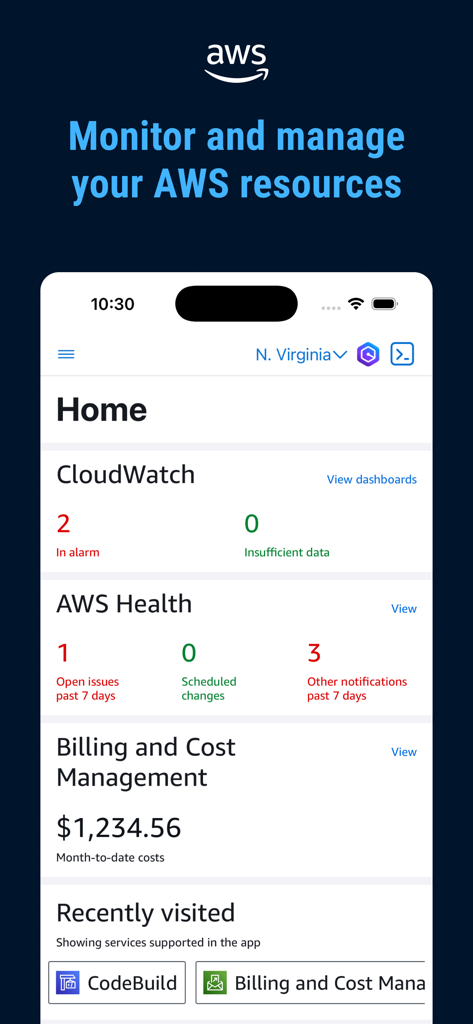
AWS Console mobile app dashboard display with CloudWatch and billing status

AWS Console mobile app dashboard display with CloudWatch and billing status

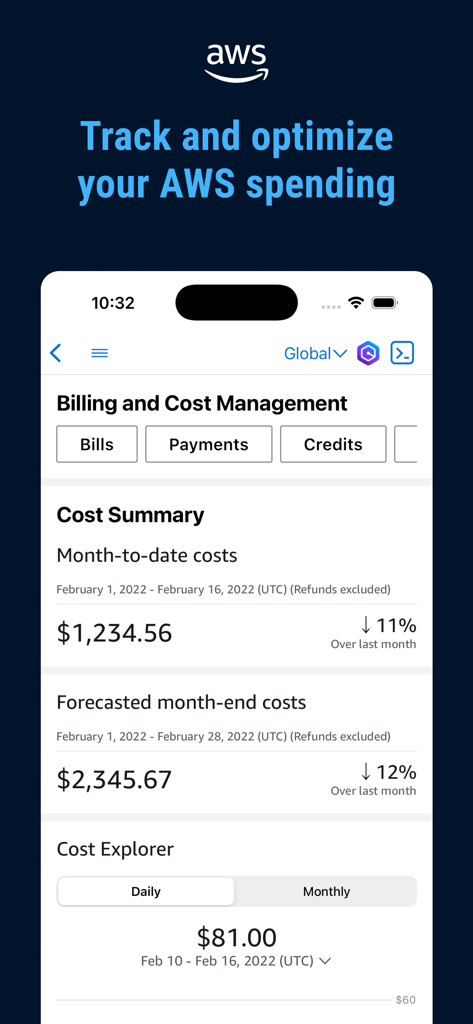
AWS Console mobile app dashboard for billing and cost management showing spending summaries and forecasts

AWS Console mobile app dashboard for billing and cost management showing spending summaries and forecasts

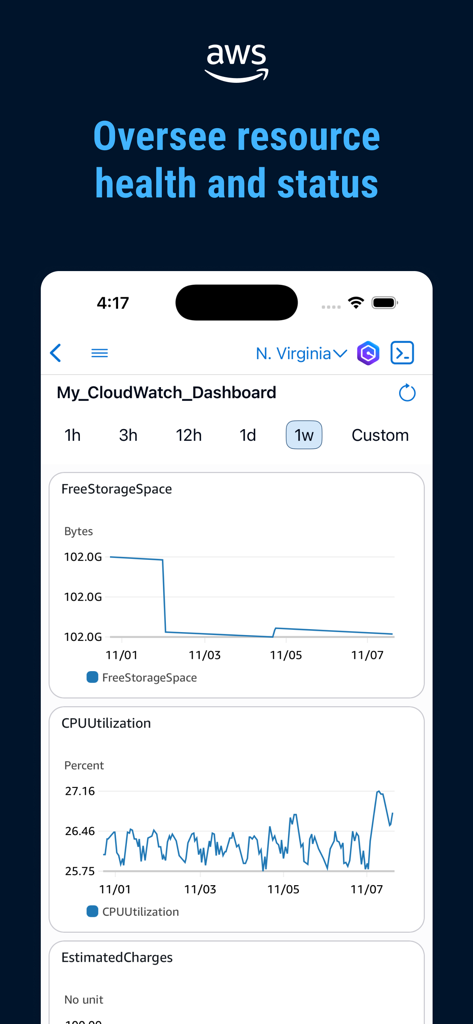
AWS Console mobile app displaying CloudWatch dashboard with CPU and storage metrics

AWS Console mobile app displaying CloudWatch dashboard with CPU and storage metrics

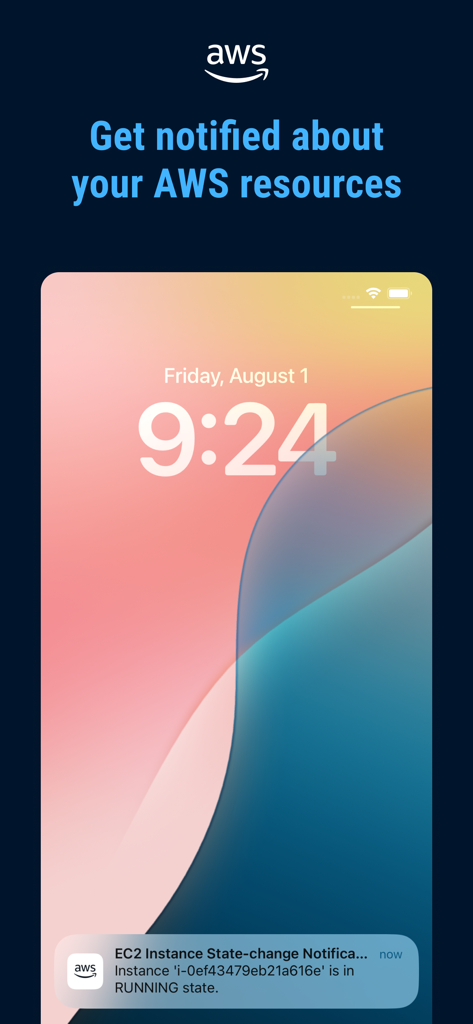
iPhone lock screen showing a push notification from the AWS Console app for an EC2 instance state change

iPhone lock screen showing a push notification from the AWS Console app for an EC2 instance state change

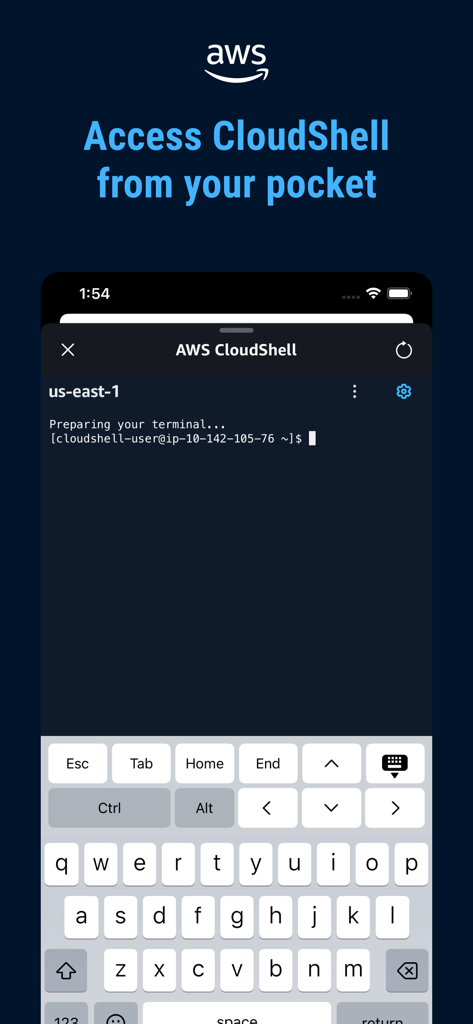
AWS Console Mobile App displaying CloudShell terminal interface on a smartphone with a keyboard for remote command-line access

AWS Console Mobile App displaying CloudShell terminal interface on a smartphone with a keyboard for remote command-line access

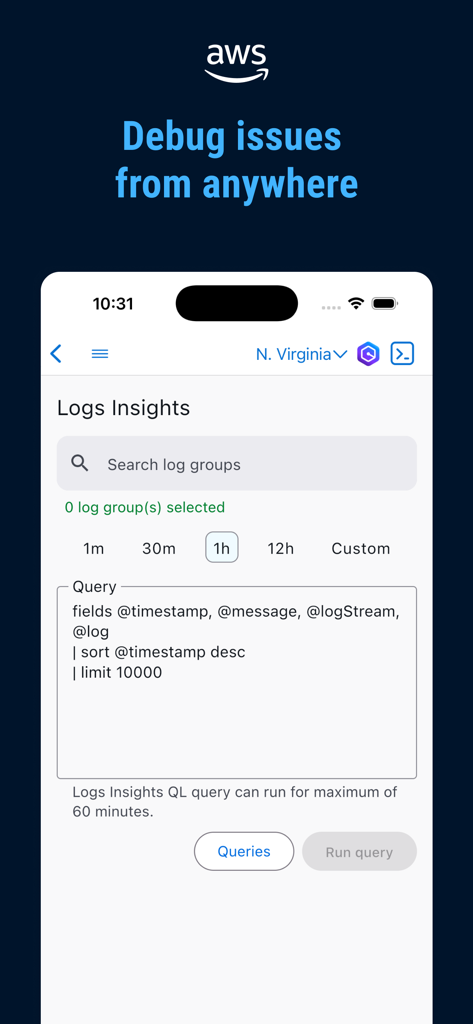
AWS Console mobile app interface showing the Logs Insights query editor for debugging cloud issues on the go

AWS Console mobile app interface showing the Logs Insights query editor for debugging cloud issues on the go

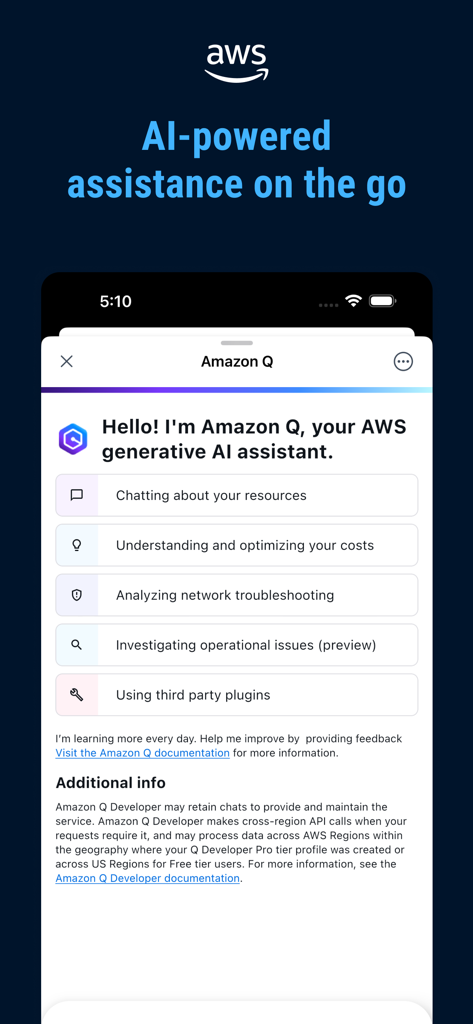
AWS Console Mobile App interface for Amazon Q generative AI assistant

AWS Console Mobile App interface for Amazon Q generative AI assistant

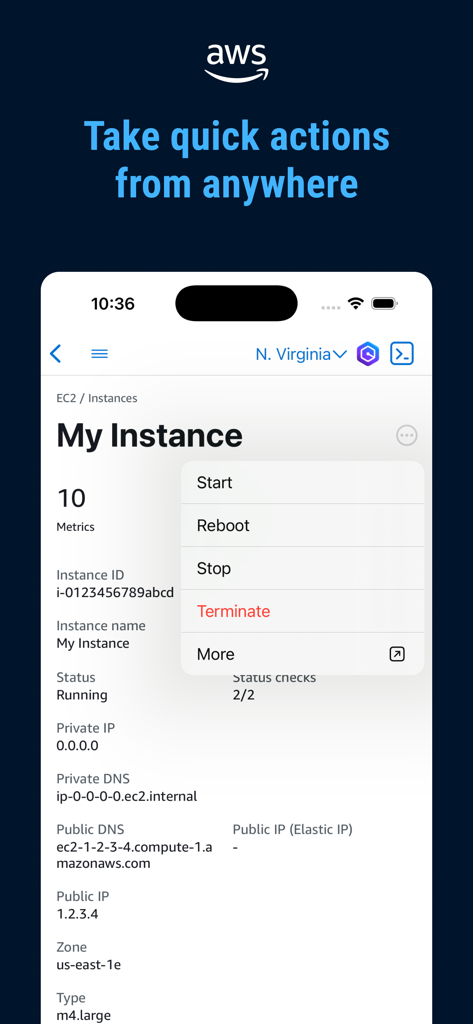
AWS Console mobile app interface showing a quick action menu for managing an EC2 instance with options like reboot and stop

AWS Console mobile app interface showing a quick action menu for managing an EC2 instance with options like reboot and stop

Your Infrastructure, Always Within Reach

The tools that make this app stand out, trusted by 559K+ users.

🚨

Real-Time Incident Response

Get instant push notifications for CloudWatch alarms and AWS Health events, allowing you to diagnose and resolve issues before they escalate.

🔐

Secure Biometric Access

Leverage FaceID or TouchID for frictionless, secure entry into multiple AWS accounts without the hassle of manual 2FA on the move.

💻

Mobile CloudShell & Insights

Run CLI commands directly from your phone to adjust resources or monitor billing metrics to ensure you stay within budget during scaling events.

Loved by users worldwide

Trusted by 559K+ people who love this app.

"

"The AWS Console app is a lifesaver for my on-call rotations. I was at a restaurant when a CloudWatch alarm triggered, and I was able to diagnose the issue and restart my EC2 instances using FaceID in seconds. It provides total peace of mind without needing to carry my laptop everywhere."

Alex Rivera, Senior DevOps Engineer
"

"As a CTO, keeping an eye on our global infrastructure and burn rate is critical. This app's billing dashboard and AWS Health views are incredibly intuitive. Being able to jump into CloudShell for quick CLI commands on my iPhone is a game changer for my mobile productivity."

Sarah Chen, Chief Technology Officer

About the app

Everything you need to know about AWS Console.

Description

The AWS Console Mobile Application, provided by Amazon Web Services, lets you view and manage a select set of resources and receive push notifications to stay informed and connected with your AWS resources while on-the-go. The Console Mobile Application allows you to configure and receive push notifications for AWS services, monitor resources through a dedicated dashboard, and view configuration details, metrics, and alarms for select AWS services. The Dashboard provides permitted users with an overview of the account status, with real-time data on Amazon CloudWatch, AWS Health Dashboard, AWS Billing and Cost Management, and Recently Visited Services. You can view ongoing issues and follow through to the relevant CloudWatch alarm screen for a detailed view with graphs and configuration options. In addition,you can check on the status of specific AWS services, view detailed resource screens, and perform select actions. The Console Mobile Application requires an existing AWS account. Upon initial setup, the Console Mobile Application lets you stay signed in to multiple identities at once. Login process leverages biometric authentication (on supported devices), making access to AWS resources simple and quick. The Console Mobile Application supports Amazon API Gateway, AWS Artifact, AWS Backup, AWS Health Dashboard, AWS Organizations, Billing and Cost Management, AWS CloudFormation, AWS CloudShell, AWS CloudTrail, Amazon CloudWatch, CodeBuild, Code Commit, Code Deploy, Code Pipeline, Cognito, Control Tower, Amazon DynamoDB, AWS Elastic Beanstalk, Amazon Elastic Compute Cloud (Amazon EC2), EMR, Amazon Elastic Container Service (Amazon ECS), Elastic Kubernetes Service, AWS Identity and Access Management, IAM Identity Center, IoT Core, AWS Lambda, Amazon Relational Database Service (Amazon RDS), Amazon Route 53, Amazon Simple Storage Service (Amazon S3), Secrets Manager, Security Hub, Amazon Simple Queue Service(SQS), Step Functions, Systems Manager, Amazon Virtual Private Cloud (Amazon VPC). The Console Mobile Application supports US East (N. Virginia), US East (Ohio), US West (N. California), US West (Oregon), Africa (Cape Town), Asia Pacific (Hong Kong), Asia Pacific (Hyderabad), Asia Pacific (Jakarta), Asia Pacific (Melbourne), Asia Pacific (Mumbai), Asia Pacific (Osaka), Asia Pacific (Seoul), Asia Pacific (Singapore), Asia Pacific (Sydney), Asia Pacific (Tokyo), Canada (Central), Europe (Frankfurt), Europe (Ireland), Europe (London), Europe (Milan), Europe (Paris), Europe (Spain), Europe (Stockholm), Europe (Zurich), Middle East (Bahrain), Middle East (UAE), and South America (São Paulo). We regularly release updates with new features. Tell us what features you need and how you would use them with the Feedback link in the Console Mobile Application's menu. We're listening!

Latest Version

3.14.2

Size

151.0 MB

First Released

Feb 26, 2013

Master Your Cloud From Anywhere

Stay connected to your infrastructure and respond to incidents in seconds. Download the AWS Console Mobile App and take the power of the cloud with you, wherever you go.

Download on App Store
FAQ

Frequently Asked Questions

Everything you need to know about AWS Console

What is the AWS Console Mobile Application?

The AWS Console Mobile Application, provided by Amazon Web Services, allows users to view and manage select AWS resources. It delivers push notifications, monitors resources via a dedicated dashboard, and displays metrics and alarms.

What key features does the AWS Console Mobile Application offer?

The AWS Console Mobile Application offers resource monitoring, push notifications, real-time data from CloudWatch and AWS Health, and billing management. Users also view detailed resource screens and perform select actions.

Does the AWS Console Mobile Application provide push notifications?

Yes, the AWS Console Mobile Application provides push notifications for AWS services. It allows users to configure and receive alerts to stay informed about their AWS resources.

Can I monitor my AWS spending with the Console Mobile Application?

Yes, the AWS Console Mobile Application monitors AWS spending. The Dashboard includes real-time data from AWS Billing and Cost Management, allowing users to track month-to-date and forecasted costs.

What AWS services are supported by the Console Mobile Application?

The Console Mobile Application supports many AWS services including Amazon EC2, Amazon S3, AWS Lambda, Amazon CloudWatch, and AWS Billing and Cost Management. It also includes AWS CloudShell and Amazon Q.

Does the AWS Console Mobile Application require an existing AWS account?

Yes, the Console Mobile Application requires an existing AWS account for initial setup and usage. Users can stay signed in to multiple identities simultaneously after setup.

Can I use biometric authentication with the AWS Console Mobile Application?

Yes, the Console Mobile Application leverages biometric authentication on supported devices. This provides simple and quick access to AWS resources for enhanced security and convenience.

Can I access AWS CloudShell using the AWS Console Mobile Application?

Yes, the Console Mobile Application allows users to access AWS CloudShell directly. This enables management and debugging of AWS resources from a mobile device, offering terminal access on the go.

How does the AWS Console Mobile Application help with debugging?

The AWS Console Mobile Application helps with debugging by allowing users to access Logs Insights. This enables running queries to analyze log groups and troubleshoot issues directly from the app.

Does the AWS Console app offer AI-powered assistance?

Yes, the AWS Console app offers AI-powered assistance through Amazon Q. This generative AI assistant helps users with resource discussions, cost optimization, and troubleshooting investigations.

Which AWS regions does the Console Mobile Application support?

The Console Mobile Application supports numerous AWS regions globally, including US East (N. Virginia), Europe (Ireland), Asia Pacific (Tokyo), and South America (São Paulo) among many others.

Can I perform actions on AWS resources through the Console Mobile Application?

Yes, the Console Mobile Application allows users to perform select actions on AWS resources. Examples include starting, stopping, rebooting, or terminating EC2 instances directly from the app.