
Power Automate




The essential low-code tool for the modern professional. Effortlessly trigger workflows, grant approvals, and sync your favorite Microsoft 365 apps from the palm of your hand.
Publisher
Category
BusinessDownloads
905K+User Rating
Total Ratings
5K+Locales
37Discover the interface used by 905K+ users.
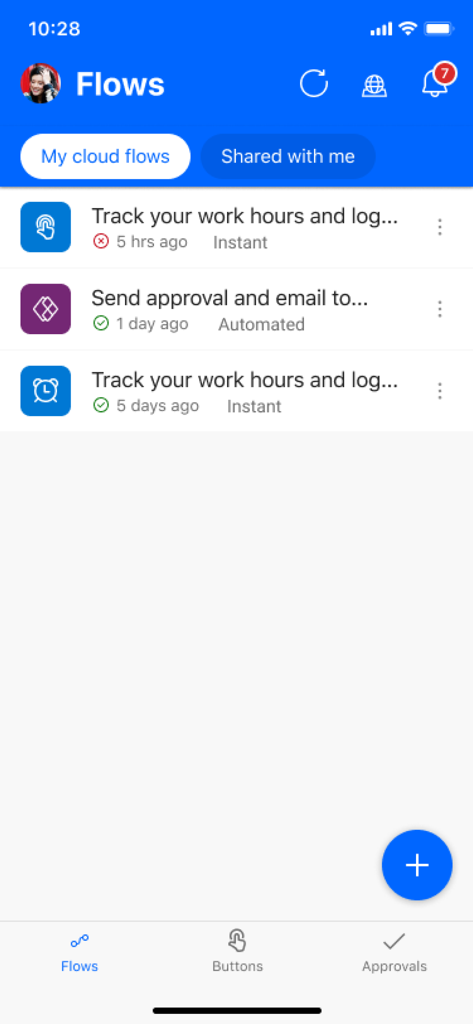
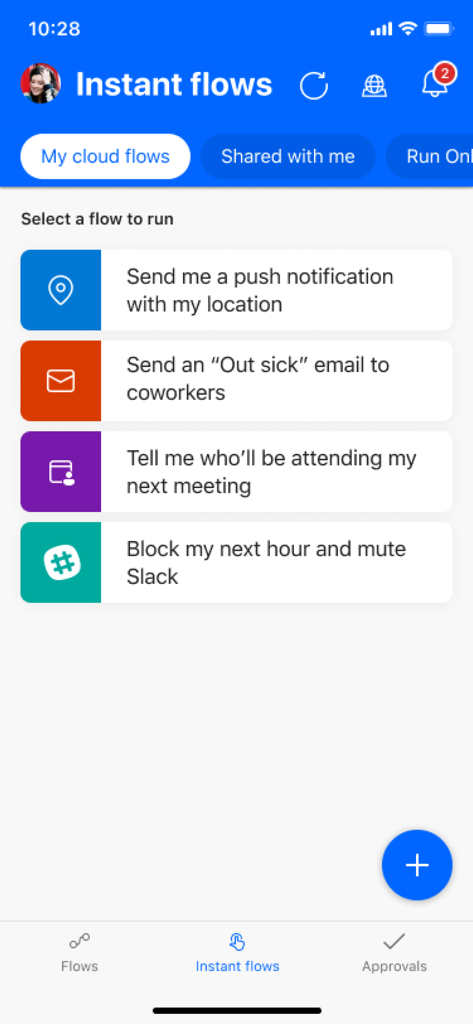
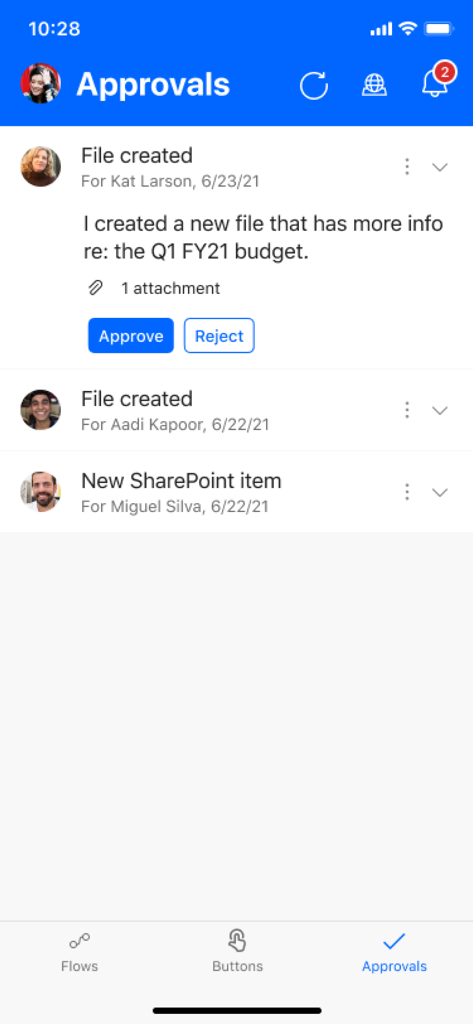
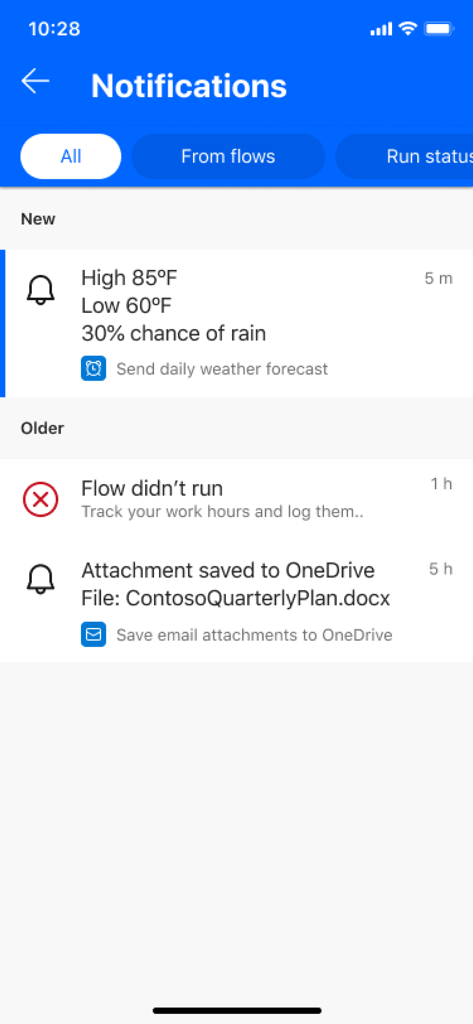
The tools that make this app stand out, trusted by 905K+ users.
Review and approve requests for expenses, leave, or contracts instantly from your phone to keep your team moving.
Launch complex multi-step automation sequences directly from your home screen with a single tap.
Replace email clutter with smart push notifications for high-priority leads, VIP messages, or system updates.
Trusted by 905K+ people who love this app.
"The mobile approvals feature is a total game-changer for my workflow. I can keep projects moving directly from my phone while heading to meetings, ensuring my team never hits a bottleneck just because I am away from my desk."
"Integrating our CRM with Power Automate has saved me hours of manual data entry. Getting instant push notifications for high-priority leads means I can react faster than ever before and stay ahead of the competition."
Everything you need to know about Power Automate.
Description
Latest Version
3.0.977
Size
48.6 MB
First Released
Jun 20, 2016
Join over 900,000 professionals who use Power Automate to eliminate busy work. Download now to start automating your tasks and granting approvals right from your pocket.
Everything you need to know about Power Automate
Microsoft Power Automate is a mobile workflow automation service designed to boost team productivity. It enables users to automate tasks, connect various applications, and streamline business processes directly from their mobile device.
The Power Automate mobile app allows users to trigger and create flows on the go, monitor flow activity, view run details, and grant approvals. It also supports sending and receiving push notifications.
Yes, Power Automate sends and receives push notifications directly to your mobile device. Users can also get notifications for emails from specific contacts or updates to work items.
Users manage approvals directly through the Power Automate mobile app. The dedicated "Approvals" section allows reviewing pending requests and taking immediate action by tapping "Approve" or "Reject".
Power Automate integrates with hundreds of applications and services. These include popular platforms like OneDrive, Office 365, Outlook, Microsoft Teams, JIRA, Google Drive, Azure, and Dropbox.
Yes, the Power Automate mobile app allows users to create and edit automation flows directly on their mobile device. This provides full flexibility for managing workflows on the go.
Power Automate instant flows include sending location-based push notifications, emailing coworkers about being sick, identifying meeting attendees, or blocking calendar time and muting Slack automatically.
The Power Automate app enables users to monitor all flow activity and view detailed run information directly from their mobile device. This provides comprehensive oversight of automated tasks.
Apps with similar features and user experience

Toast, Inc.

Microsoft Corporation

Tabby Technology LTD

TEC-IT Datenverarbeitung GmbH

salesforce.com

Microsoft Corporation

MISA JSC

AMZN Mobile LLC

Webstock Information Systems Co., Ltd.
