Scan-IT to Office

Scan-IT to Office

Download on App Store
Spark by MWM logo
Logo of Scan-IT to Office

Scan-IT to Office: Real-Time Mobile Data Collection for Your Spreadsheets and Apps

Transform your smartphone into a professional-grade scanner. Instantly capture barcodes, NFC tags, and images directly into Excel, Google Sheets, or any PC/Mac application with end-to-end encryption.

Publisher

TEC-IT Datenverarbeitung GmbH

Category

Business

Downloads

171K+

User Rating

4.8/5

Total Ratings

6K+

Locales

7

Precision in Action

Discover the interface used by 171K+ users.
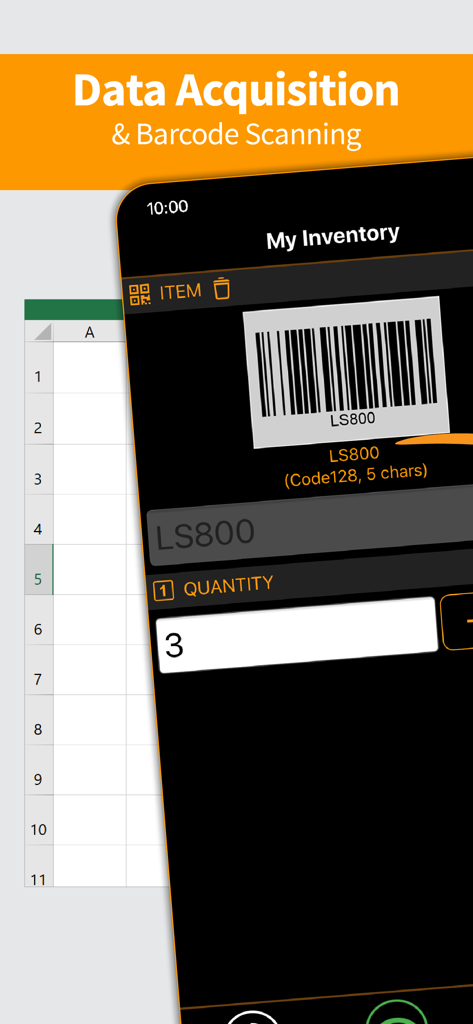
Mobile app interface demonstrating barcode scanning and inventory data entry for seamless office integration

Mobile app interface demonstrating barcode scanning and inventory data entry for seamless office integration

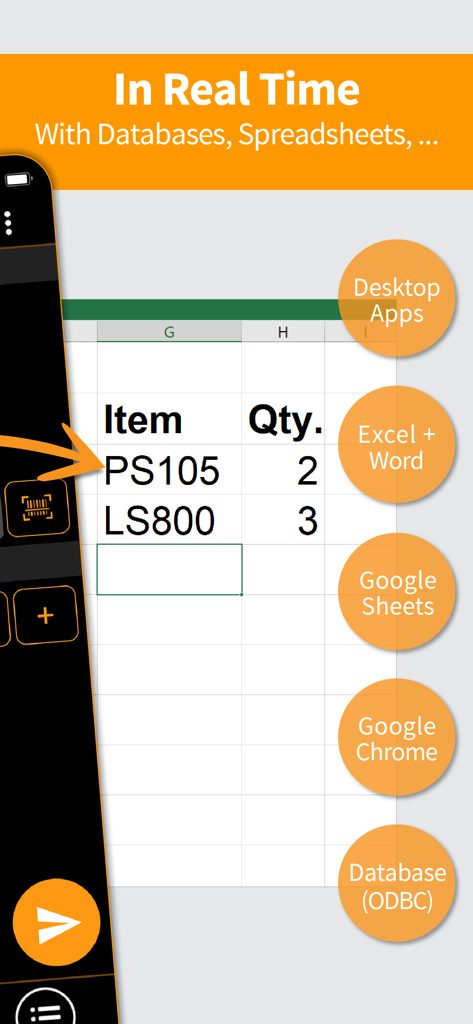
Scan-IT to Office app demonstrating real-time barcode data transfer from a mobile phone to a spreadsheet and database

Scan-IT to Office app demonstrating real-time barcode data transfer from a mobile phone to a spreadsheet and database

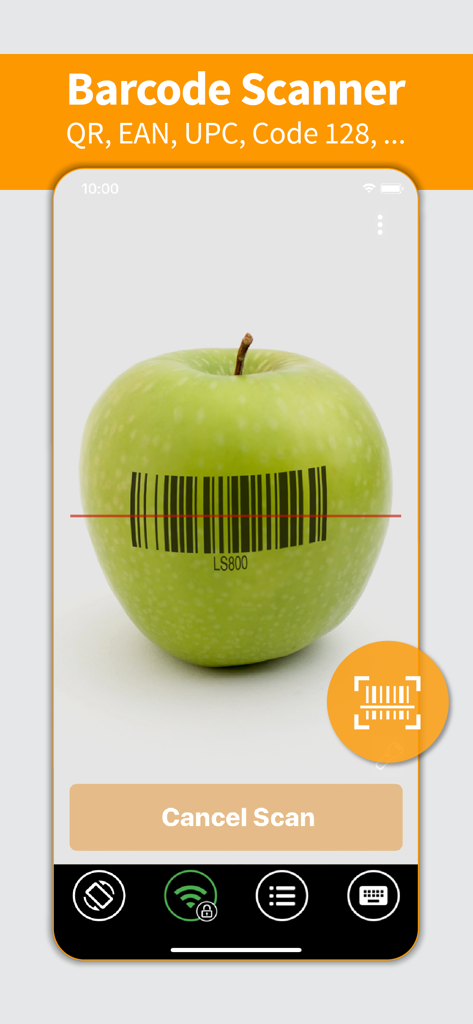
Scan-IT to Office mobile app interface showing a barcode being scanned on a green apple

Scan-IT to Office mobile app interface showing a barcode being scanned on a green apple

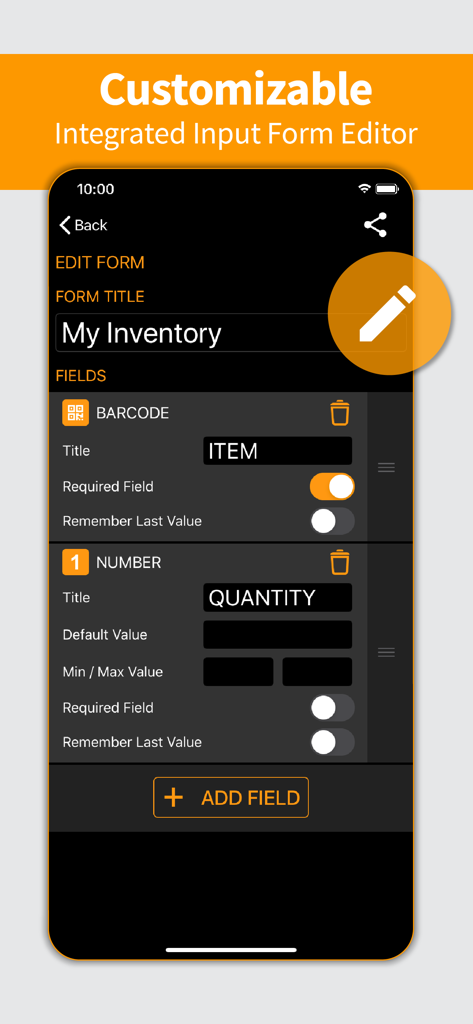
Mobile interface of the Scan-IT to Office app showing the customizable input form editor for inventory tracking.

Mobile interface of the Scan-IT to Office app showing the customizable input form editor for inventory tracking.

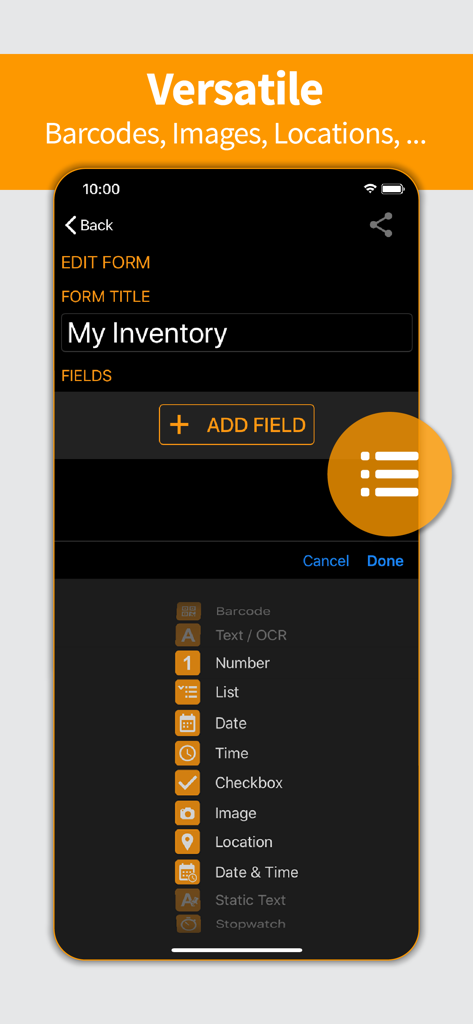
Interface of the Scan-IT to Office app showing a custom inventory form builder with field options for barcodes, images, and location data.

Interface of the Scan-IT to Office app showing a custom inventory form builder with field options for barcodes, images, and location data.

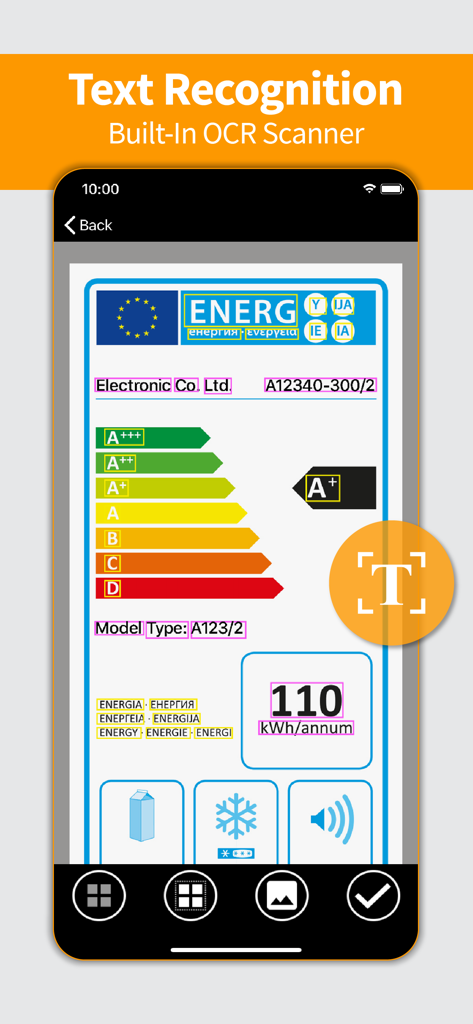
Scan-IT to Office app interface demonstrating the built-in OCR scanner for text recognition on a label

Scan-IT to Office app interface demonstrating the built-in OCR scanner for text recognition on a label

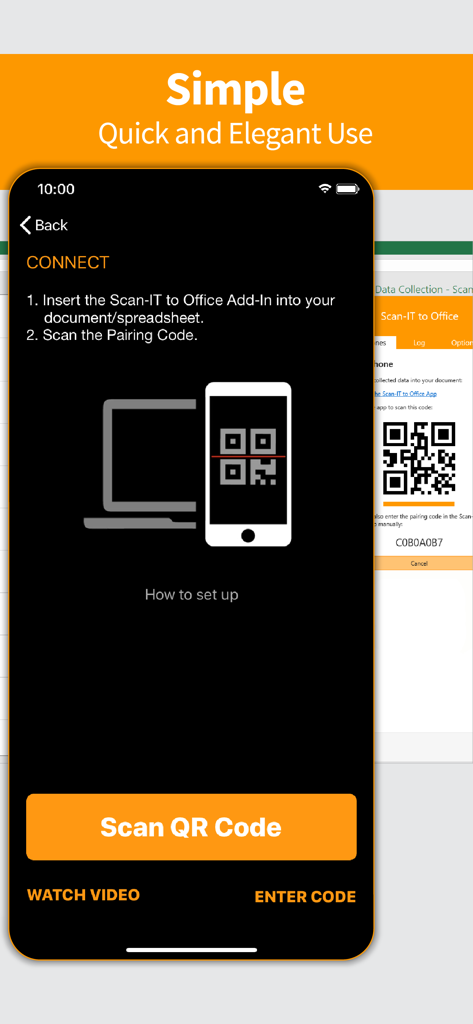
Scan-IT to Office mobile app pairing screen showing instructions to connect to a desktop application via QR code

Scan-IT to Office mobile app pairing screen showing instructions to connect to a desktop application via QR code

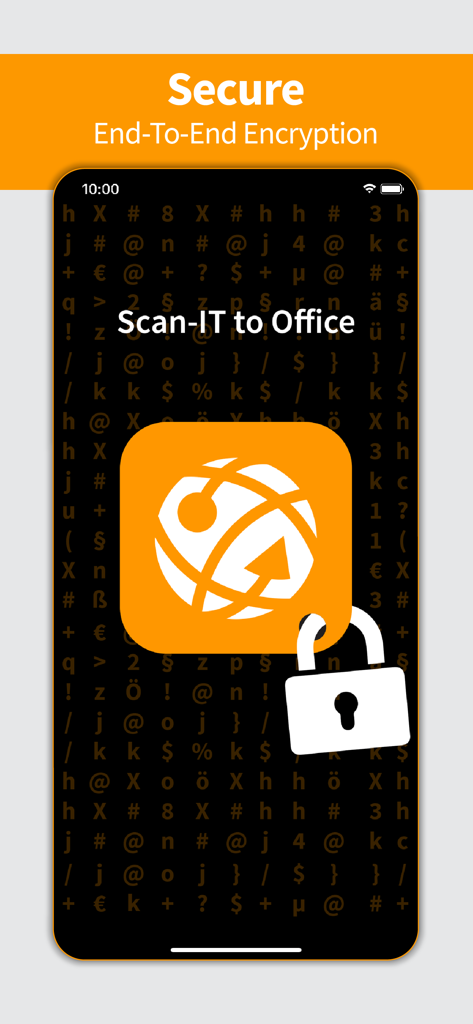
Scan-IT to Office mobile app interface highlighting secure end to end encryption for data collection

Scan-IT to Office mobile app interface highlighting secure end to end encryption for data collection

Streamline Your Data Collection

The tools that make this app stand out, trusted by 171K+ users.

Real-Time Desktop Sync

Data flows directly from your mobile device to Excel, Word, or Google Sheets without cables, emails, or manual exports.

📦

All-in-One Data Capture

Capture more than barcodes. Collect NFC tags, high-quality images, timestamps, and GPS coordinates in one streamlined workflow.

🛠️

Customizable Workflows

Design smart input forms tailored to your specific business needs—no coding skills or expensive proprietary hardware required.

Loved by users worldwide

Trusted by 171K+ people who love this app.

"

"Scan-IT to Office completely transformed our inventory workflow. We replaced our expensive, bulky scanners with our existing iPads, and the data lands in our Excel sheets instantly. No more manual entry errors or messy CSV exports—it just works seamlessly across our entire warehouse."

James Henderson, Logistics Manager
"

"The ability to create custom forms is exactly what our field team needed. We capture barcodes, photos, and GPS locations, and they appear in our Google Sheets in real-time. The end-to-end encryption gives us the peace of mind we need for our corporate data security."

Elena Rodriguez, Operations Director

About the app

Everything you need to know about Scan-IT to Office.

Description

Scan-IT to Office is the efficient solution for mobile data acquisition with real-time connectivity to arbitrary PC or Mac applications and databases accessible via ODBC - with enhanced support for Microsoft Excel, Microsoft Word, Google Sheets and Google Chrome. Captured data like barcodes, NFC tags, texts, numbers, locations or images is transferred via cloud services immediately to targets on your desktop computer. This works regardless of your location, even across different offices, facilities or countries. VERSATILE Data is captured into clearly structured input forms on the smartphone or tablet. Users can select from predefined standard forms or create their own input forms if required. EASY TO USE Scan-IT to Office is ready to use in just a few steps: This data acquisition app is paired with the corresponding target by scanning a QR code. Now the data transfer works on its own: captured bar-codes, pictures, manual inputs, timestamps or location data are automatically sent to their destination. FEATURES • Mobile data collection app for smartphones and tablets • Captures barcodes, NFC tags, images, timestamps, texts, location data and numbers • Real-time data transfer to any PC or Mac application • Store data in any database accessible via ODBC • Insert data directly into Word, Excel, Google Sheets or Google Chrome • Custom and predefined data acquisition forms • End-to-end encryption guarantees maximum privacy & security • Works worldwide, independent of time and place • For single and multi-user scenarios FREE DEMO The app is available as free trial, a paid subscription unlocks all functions. Without a subscription, the app replaces collected data at random intervals with a demo text and/or a notification is displayed. IMPORTANT NOTICE To use this app, you need to install the additionally required Scan-IT to Office software (available for free) on your desktop computer: Scan-IT to Office Tools enable arbitrary PC or Mac applications and ODBC-databases to receive data collected with the app. Download the tools using this link: https://www.tec-it.com/stodownload Scan-IT to Office Add-Ins are dedicated Add-Ins for Microsoft Word, Microsoft Excel, Google Sheets and Google Chrome, which provide optimized and seamless data acquisition functionality. Install the desired Add-In directly in the host application or from the respective store: • Microsoft Word / Microsoft Excel: https://appsource.microsoft.com/product/office/wa104381026 • Google Sheets: https://chrome.google.com/webstore/detail/scan-it-to-office/oeggkbdldochacapfbnbmhghcfinaehh • Google Chrome: https://chrome.google.com/webstore/detail/scan-it-to-office/ijemakhbbjajapbmdonhjmfkkcpliafp FREE SUPPORT In case of questions, please contact us at support@tec-it.com (E-Mail), TECITSupport (Skype) or visit https://www.tec-it.com/sto. SUBSCRIPTION POLICY • Monthly, quarterly or yearly subscriptions are available • When buying a subscription, payment will be charged to your iTunes Account at confirmation of purchase. • Subscription automatically renews unless auto-renew is turned off at least 24-hours before the end of the current period. • Account will be charged for renewal within 24-hours prior to the end of the current period, and identify the cost of the renewal. • You may also manage your subscriptions via App Store. • Auto-renewal of a subscription may be turned off by going to your Account Settings in the App Store after purchase. Terms of use and privacy: https://www.tec-it.com/download/PDF/TEC-IT_AGB_EN.pdf

Latest Version

5.5.3

Size

67.3 MB

First Released

Jul 20, 2017

Stop Typing, Start Scanning

Join 171K+ professionals who bridge the gap between the field and the office. Capture barcodes, NFC tags, and locations directly into Excel, Google Sheets, or your database in real-time. Start your free trial today.

Download on App Store