BIGVU Teleprompter Captions AI

BIGVU Teleprompter Captions AI

Download on App StoreDownload on Google Play
Spark by MWM logo
Logo of BIGVU Teleprompter Captions AI

BIGVU Teleprompter Captions AI: Record Professional Videos with Authority

The all-in-one video studio for experts. Speak naturally with an AI-powered teleprompter, maintain perfect eye contact, and add automatic captions to engage your audience instantly.

Publisher

BIGVU INC

Category

Photo & Video

Downloads

4M+

User Rating

4.8/5

Total Ratings

100K+

Locales

16

A Studio in Your Pocket

Discover the interface used by 4M+ users.

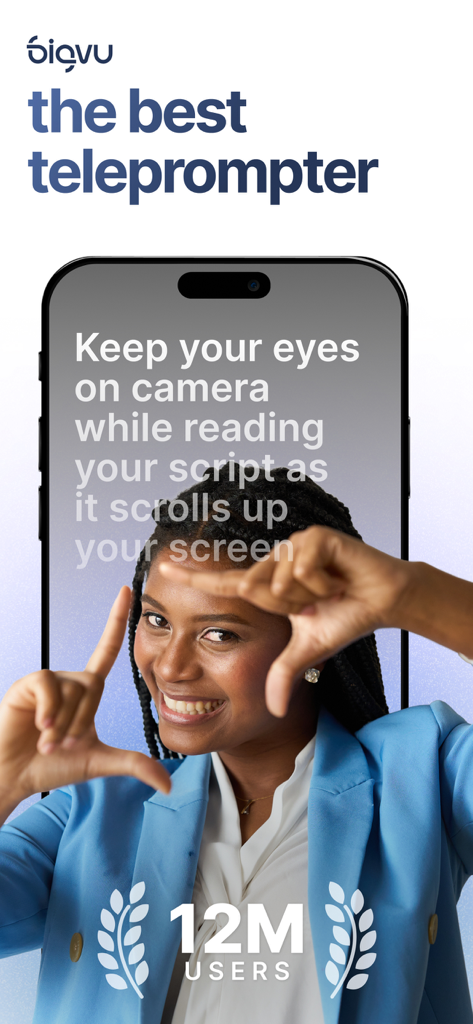
A professional woman recording a video using the BIGVU teleprompter app on a smartphone

A professional woman recording a video using the BIGVU teleprompter app on a smartphone

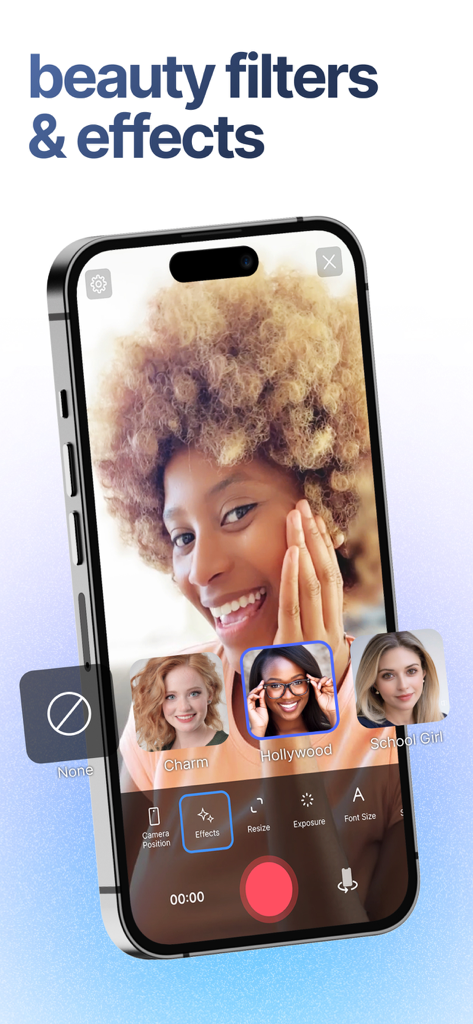
A smartphone showing the BIGVU app interface with beauty filters and effects selected during a video recording session

A smartphone showing the BIGVU app interface with beauty filters and effects selected during a video recording session

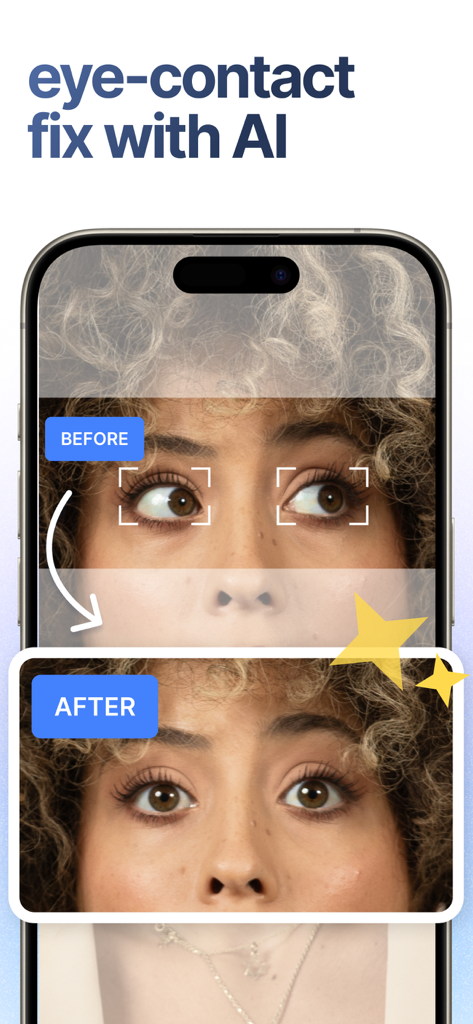
Before and after comparison of AI eye contact fix in BIGVU app

Before and after comparison of AI eye contact fix in BIGVU app

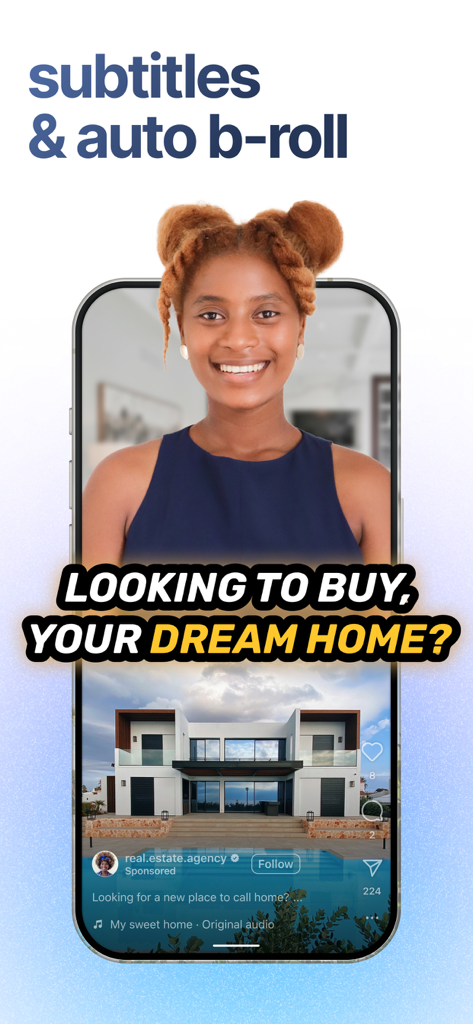
BIGVU app interface showing automated subtitles and B-roll visuals for a real estate marketing video.

BIGVU app interface showing automated subtitles and B-roll visuals for a real estate marketing video.

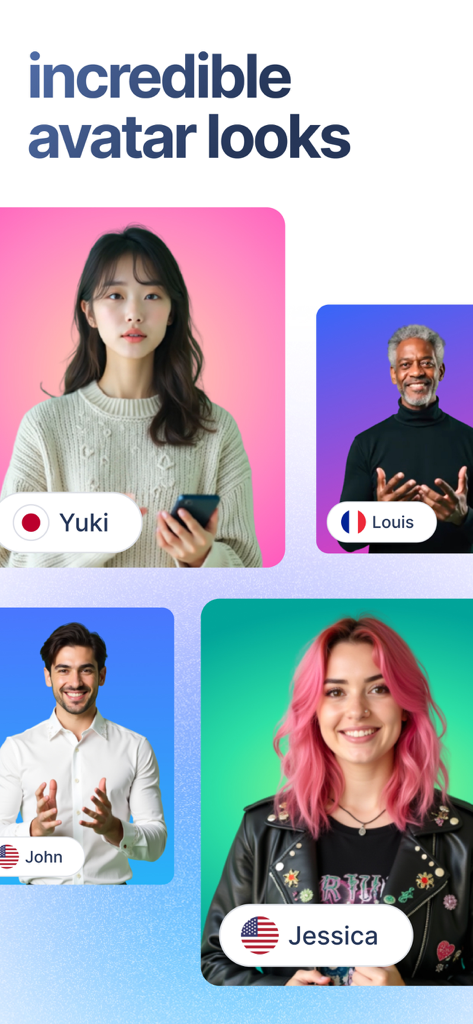
A showcase of diverse professional AI avatars representing different global personas for video creation

A showcase of diverse professional AI avatars representing different global personas for video creation

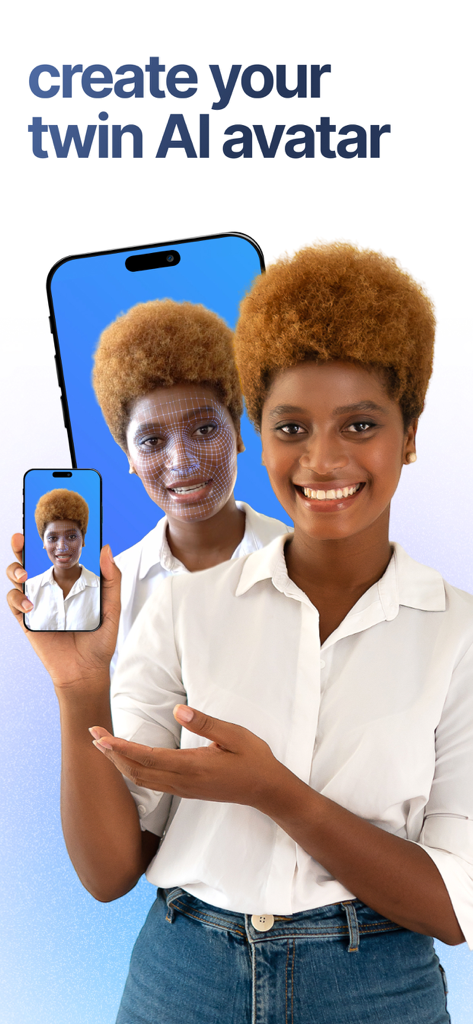
Woman using BIGVU app to create a twin AI avatar for video content

Woman using BIGVU app to create a twin AI avatar for video content

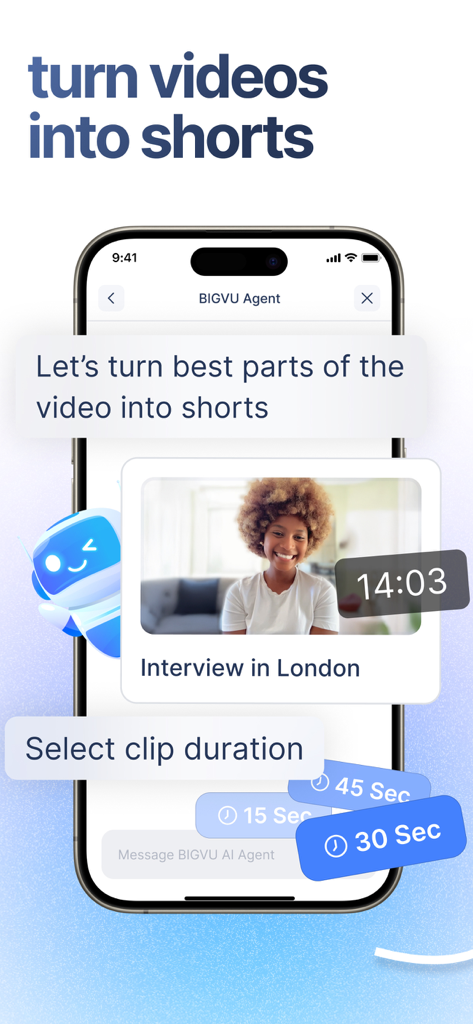
Mobile app interface showing BIGVU AI agent turning a long video into short clips with duration options

Mobile app interface showing BIGVU AI agent turning a long video into short clips with duration options

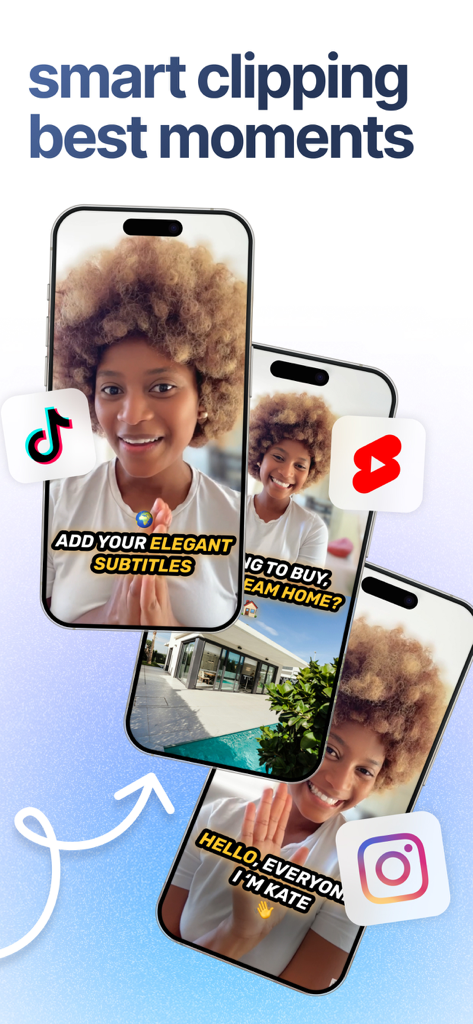
BIGVU app showing smart clipping for social media videos on TikTok Instagram and YouTube Shorts

BIGVU app showing smart clipping for social media videos on TikTok Instagram and YouTube Shorts

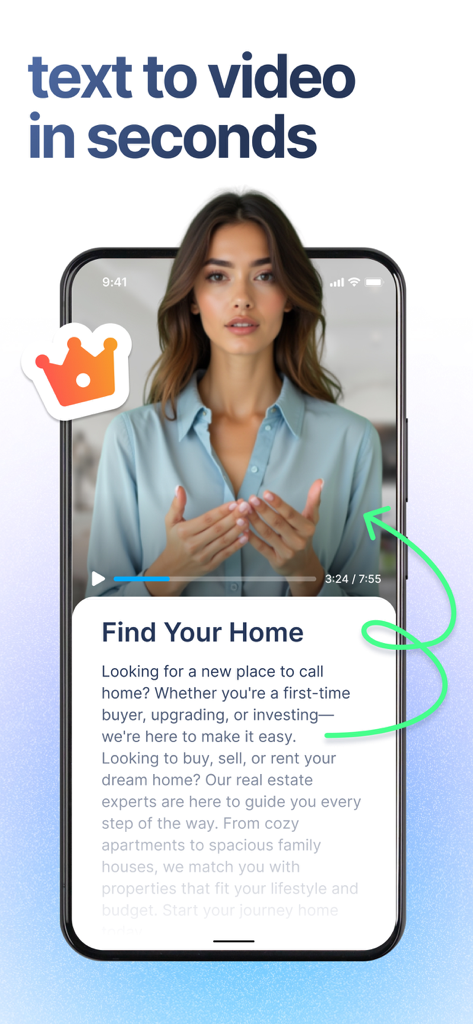
BIGVU app interface showing a real estate video script being converted into a professional video presentation

BIGVU app interface showing a real estate video script being converted into a professional video presentation

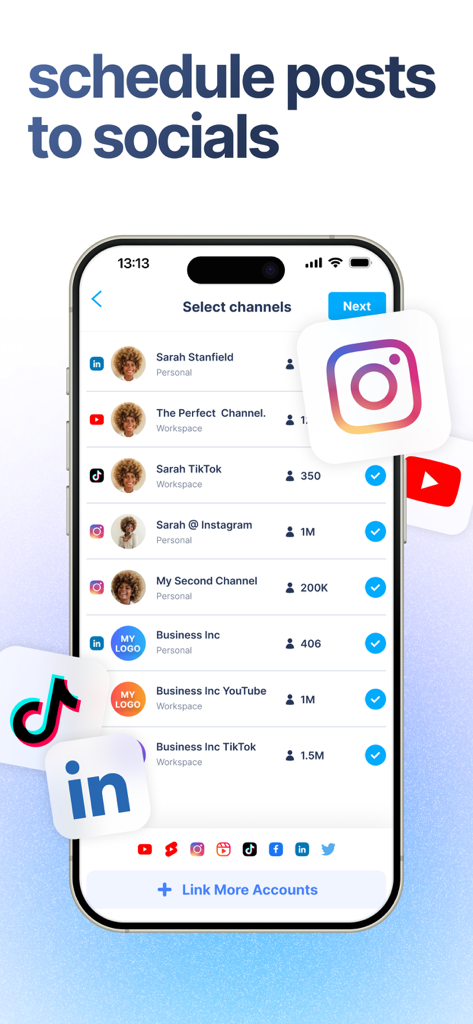
Mobile interface showing social media channel selection for scheduling video posts on LinkedIn Instagram TikTok and YouTube

Mobile interface showing social media channel selection for scheduling video posts on LinkedIn Instagram TikTok and YouTube

Command the Camera with Authority

The tools that make this app stand out, trusted by 4M+ users.

👁️

Perfect Eye Contact Every Time

Read your script directly from the screen while our AI Eye Contact fix ensures you're always looking your audience in the eye, building instant trust.

💬

Captivate the Silent Scroller

Automatically generate stylish, accurate captions and add your professional brand logo so your message hits home even when the sound is off.

Your Entire Studio in One Tap

Go from raw take to polished production with AI-powered scriptwriting, background removal, and one-click sharing to LinkedIn, Instagram, and YouTube.

Loved by users worldwide

Trusted by 4M+ people who love this app.

"

"As a busy real estate agent, I don't have hours to spend editing videos. BIGVU has been a total game-changer for my market updates. The teleprompter keeps me on track, and the auto-captions are incredibly accurate. I can record, brand, and post a professional-looking video to LinkedIn and Instagram in under ten minutes. It’s like having a full production team in my pocket!"

Sarah Jenkins, Real Estate Broker
"

"I used to struggle with looking natural on camera while trying to remember my script. The AI eye contact feature in BIGVU is absolutely mind-blowing—it makes me look like I’m speaking directly to my students even when I’m reading from the prompter. This app has completely removed the stress from my course creation and helped me build much stronger authority with my audience."

Marcus Chen, Executive Coach

About the app

Everything you need to know about BIGVU Teleprompter Captions AI.

Description

More than 12 million users create videos with a professional look with the BIGVU teleprompter app for iPhone and iPad. BIGVU is the fastest and easiest way to create authentic and captivating videos for social media, education, corporate communication, or content marketing. BIGVU is a TV studio pro in your pocket. It’s a teleprompter pro app to help you remember your lines while recording your video, and a video composition tool to edit subtitles and spice up your presentation with automatic captions, elegant themes with your brand logo and colors, and visuals to make your video much more than just a talking head. BIGVU transforms photos, video shots, and tweets into stunning video sequences that will captivate your audience. If you recorded with a green screen, replace it with an image or video loop in one tap. BIGVU is your DIY Video Editor for your talking videos. - Super-easy teleprompter - read text while scrolling in your screen & record video at the same time - Teleprompter pro features: AI eye contact fix, change text scrolling speed on the prompter, set the exposure manually to optimize lighting, monitor audio while recording video - Interviews - switch between front-facing and rear cameras - Capture multiple takes & choose the best. - Vertical or portrait recording. - Optimize for social stories. Crop your video to square format, vertical, or landscape. - Add automatic captions- apply themes with elegant subtitles and your logo & colors. - If you recorded with a green screen background, replace the green background with any image or video loop using BIGVU chroma-key smart algorithm. - Add commercial-free music beds to add emotion to your narration - Post in one click to YouTube, Facebook, Instagram, and Twitter. - Export to your phone camera roll- upload your story to the BIGVU Cloud, BIGVU is accessible from the WEB, or on iOS and other Mobile devices. Add automatic subtitles and open BIGVU Composer, an online video maker to edit captions, add photos, videos, and visuals. It’s the fastest and easier way to combine your presentation with photos, videos, captions, and commercial-free music beds. Connect with your audience - Keep a constant flow of production of new videos to stay connected with your audience : - News - Post first video on social media.- Celebrations - Share success in an emotional video - Explainer Videos - Short informative videos. - Testimonials – Curate tweets into video sequences. - Celebrations – Share success in an emotional video.- Industry Reports – Target specific subjects resonating with your audience.- Announcements – Post first on social media. - E-learning & Coaching, Sales Pitches - Video teasers – Link your website to attract visitors. The App is free and Premium features require a subscription.The BIGVU subscription will automatically renew at the end of each term and your credit card will be charged through your iTunes account within 24-hours before the end of the current period. You can turn off auto-renew at any time from your iTunes account settings but refunds will not be provided for any unused portion of the term. Turning off the auto-renew subscription should be made at least 24-hours before the end of the current period. Terms of service: https://www.bigvu.tv/terms Privacy policy: https://bigvu.tv/privacy-policy

Latest Version

2.60.2

Size

477.9 MB

First Released

Jun 18, 2016

Ready to Sound as Professional as You Are?

Join over 12 million experts who use BIGVU to script, record, and brand videos in minutes. Download your all-in-one pocket studio today and stop letting the camera hold you back.

Download on App StoreDownload on Google Play
FAQ

Frequently Asked Questions

Everything you need to know about BIGVU Teleprompter Captions AI

What is BIGVU Teleprompter Captions AI?

BIGVU Teleprompter Captions AI is a video creation app for iPhone and iPad. It functions as a teleprompter, video editor, and content creation tool, enabling users to produce professional videos with captions, branding, and visuals for various platforms.

Does BIGVU Teleprompter Captions AI include an AI eye-contact fix?

Yes, BIGVU Teleprompter Captions AI includes an AI eye-contact fix feature. This allows users to maintain direct eye contact with the camera while reading their script, enhancing video authenticity.

Can BIGVU Teleprompter Captions AI replace green screen backgrounds?

Yes, BIGVU Teleprompter Captions AI can replace green screen backgrounds. Users can substitute a recorded green background with any image or video loop using the app's chroma-key smart algorithm.

What social media platforms does BIGVU Teleprompter Captions AI support for direct posting?

BIGVU Teleprompter Captions AI supports direct posting to YouTube, Facebook, Instagram, and Twitter. Users can also export videos to their phone's camera roll for other platforms.

Is the BIGVU Teleprompter Captions AI app free to use?

Yes, the BIGVU Teleprompter Captions AI app is free to download and use with basic features. Premium features, however, require a subscription for access.

How does the BIGVU Teleprompter Captions AI subscription renew?

The BIGVU Teleprompter Captions AI subscription automatically renews at the end of each term. Your credit card is charged through your iTunes account within 24 hours before the current period ends.

Can I cancel my BIGVU Teleprompter Captions AI subscription's auto-renewal?

Yes, you can turn off auto-renew for your BIGVU Teleprompter Captions AI subscription at any time from your iTunes account settings. This must be done at least 24 hours before the current period ends.

Does BIGVU Teleprompter Captions AI offer beauty filters for videos?

Yes, BIGVU Teleprompter Captions AI offers beauty filters and effects for videos. Options such as "Charm," "Hollywood," and "School Girl" are available to enhance the visual presentation of your recordings.

Can users create AI avatars with BIGVU Teleprompter Captions AI?

Yes, BIGVU Teleprompter Captions AI allows users to create AI avatars. The app features options for "incredible avatar looks" and provides the capability to "create your twin AI avatar."

How does BIGVU Teleprompter Captions AI help create video shorts?

BIGVU Teleprompter Captions AI helps create video shorts by enabling users to convert parts of existing videos into short clips. An AI agent assists in selecting clip durations of 15, 30, or 45 seconds.

What video orientations does BIGVU Teleprompter Captions AI support?

BIGVU Teleprompter Captions AI supports vertical, portrait, and landscape video orientations. It also offers the functionality to crop videos to a square format, optimizing content for various social stories.

Can I add automatic captions to my videos using BIGVU Teleprompter Captions AI?

Yes, BIGVU Teleprompter Captions AI adds automatic captions to videos. Users can also apply themes with elegant subtitles and incorporate their brand logo and colors for a personalized touch.