Vmake: AI Talking Video Editor

Vmake: AI Talking Video Editor

Download on App StoreDownload on Google Play
Spark by MWM logo
Logo of Vmake: AI Talking Video Editor

Vmake: Your AI-Powered Professional Video Studio

Turn your ideas into high-converting talking videos in minutes. From AI teleprompters to auto-subtitles, get the professional production value your brand deserves right on your phone.

Publisher

Starii Tech Pty Ltd

Category

Photo & Video

Downloads

967K+

User Rating

4.8/5

Total Ratings

6K+

Locales

3

Your AI Studio Revealed

Discover the interface used by 967K+ users.

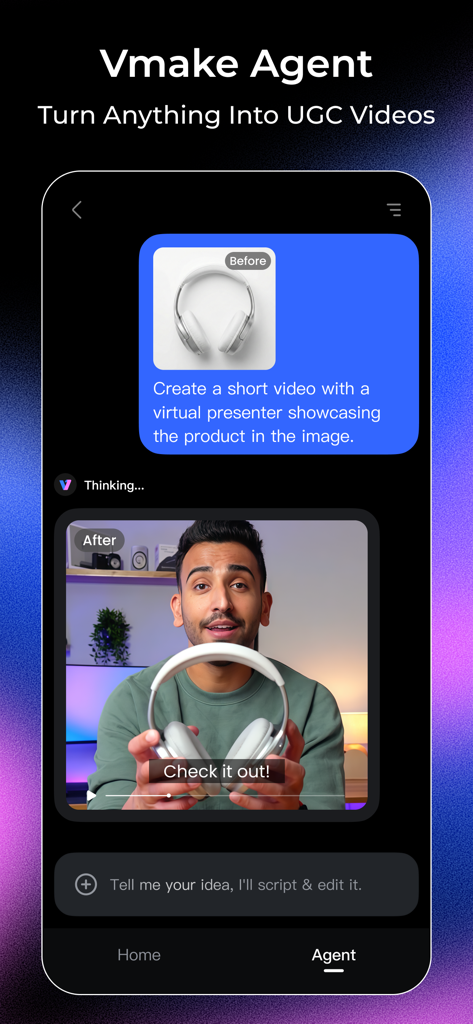
Vmake app interface showing the AI Video Agent feature transforming a product photo of headphones into a professional video with a virtual presenter.

Vmake app interface showing the AI Video Agent feature transforming a product photo of headphones into a professional video with a virtual presenter.

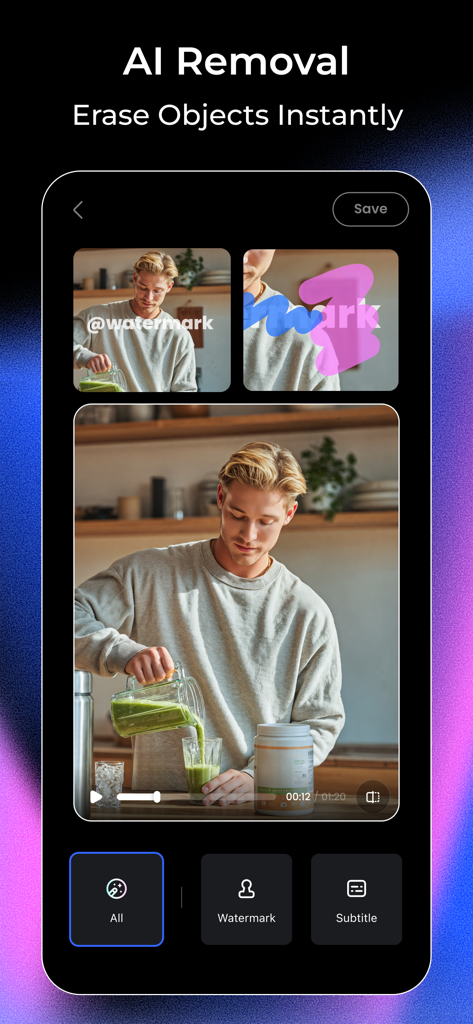
Interface of Vmake app showing the AI removal tool erasing a watermark from a video clip of a man making a smoothie

Interface of Vmake app showing the AI removal tool erasing a watermark from a video clip of a man making a smoothie

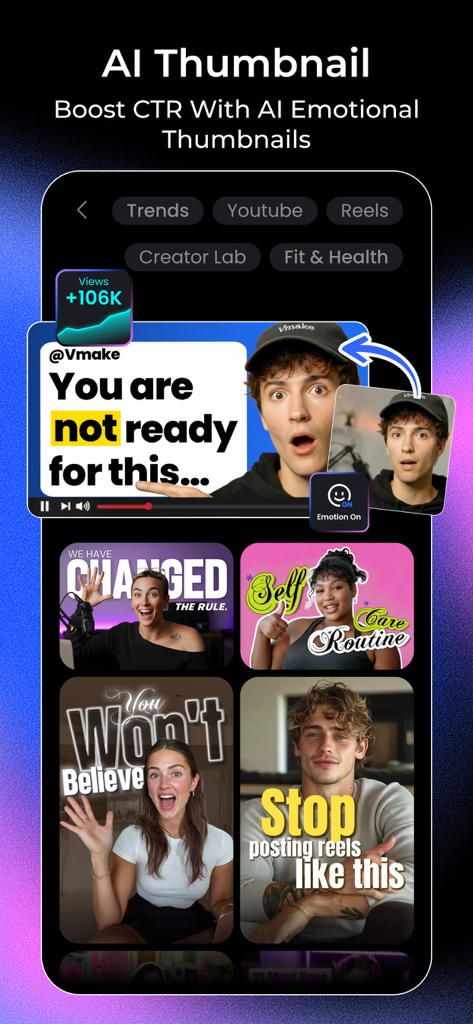
Vmake app screen showing AI generated video thumbnails with emotional expressions to boost engagement

Vmake app screen showing AI generated video thumbnails with emotional expressions to boost engagement

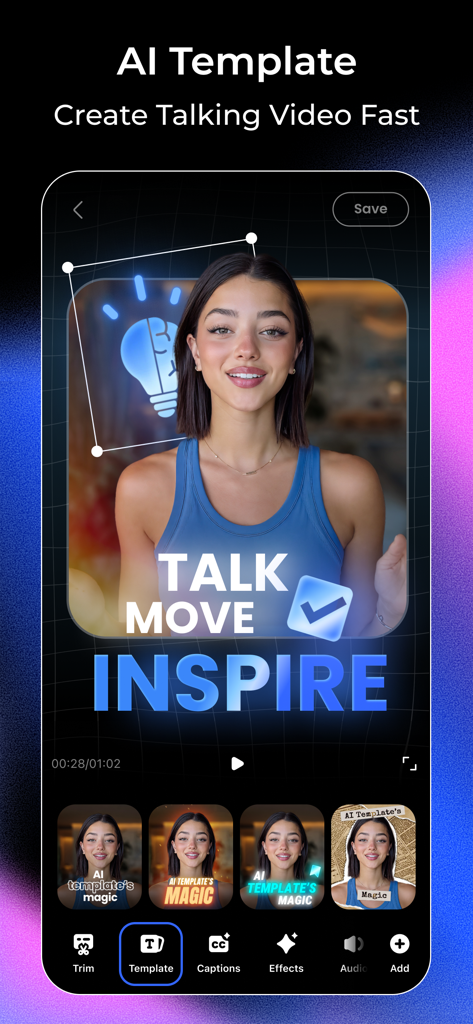
Interface of Vmake AI Talking Video Editor showing various AI templates for quick content creation

Interface of Vmake AI Talking Video Editor showing various AI templates for quick content creation

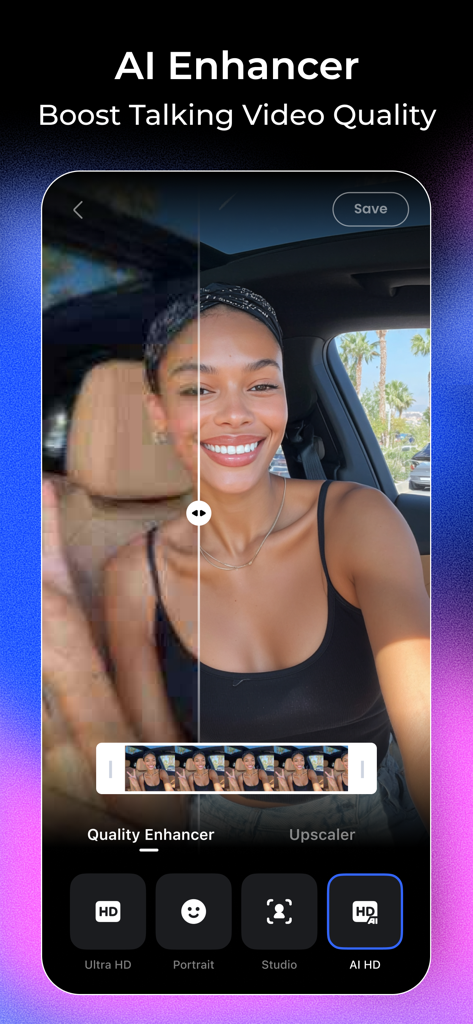
A before and after comparison showing the AI Enhancer feature in the Vmake app improving a video's resolution and clarity.

A before and after comparison showing the AI Enhancer feature in the Vmake app improving a video's resolution and clarity.

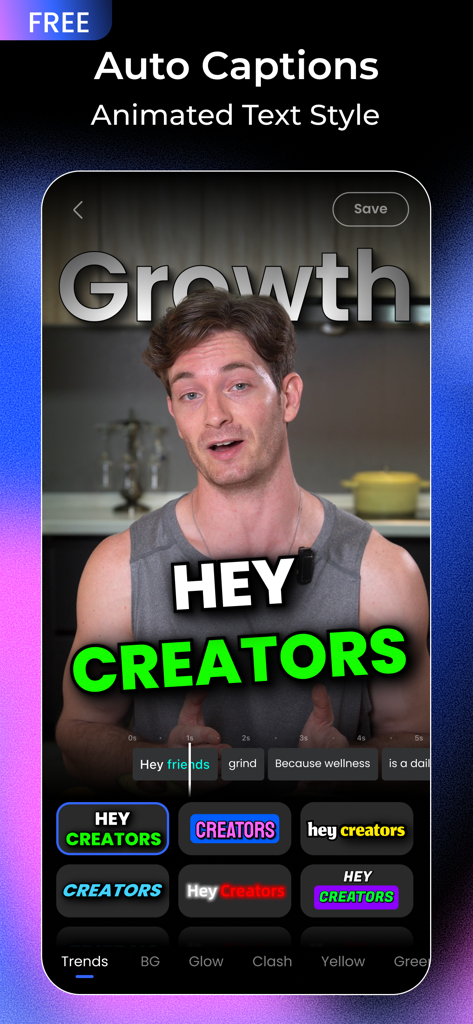
Vmake app interface displaying auto captions and animated text styles on a video.

Vmake app interface displaying auto captions and animated text styles on a video.

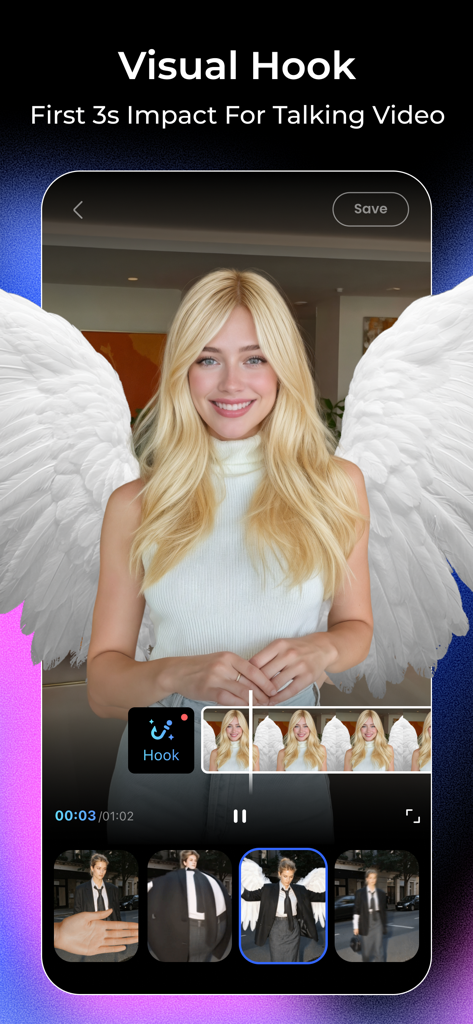
A mobile screen showing the Vmake app Visual Hook feature with a woman wearing AI-generated angel wings for a talking video.

A mobile screen showing the Vmake app Visual Hook feature with a woman wearing AI-generated angel wings for a talking video.

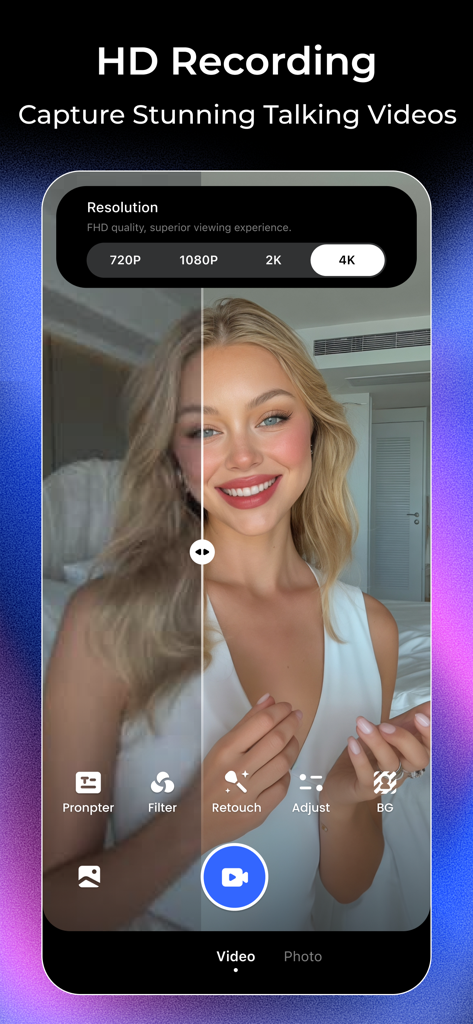
Interface of Vmake app showing HD recording options with a 4K resolution selection and a split-screen video preview of a woman using beauty filters.

Interface of Vmake app showing HD recording options with a 4K resolution selection and a split-screen video preview of a woman using beauty filters.

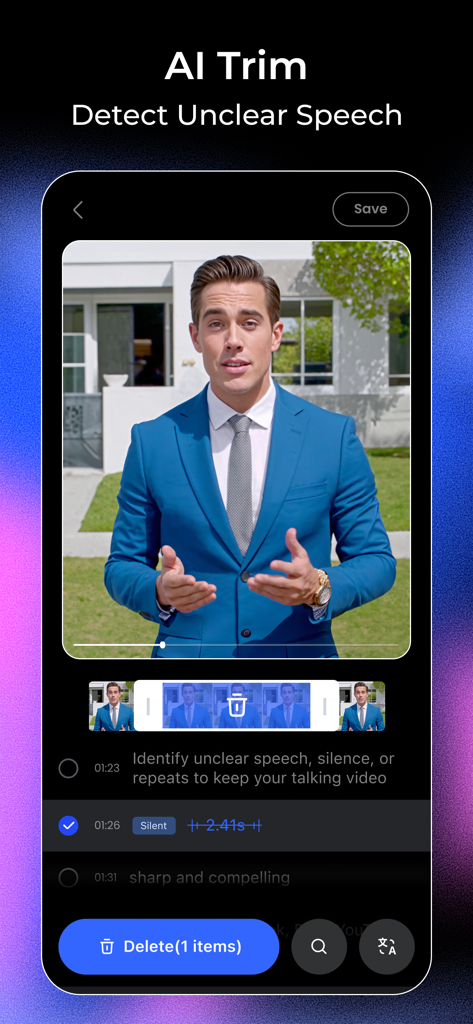
Vmake app interface showing the AI Trim feature detecting and removing silence from a professional talking head video.

Vmake app interface showing the AI Trim feature detecting and removing silence from a professional talking head video.

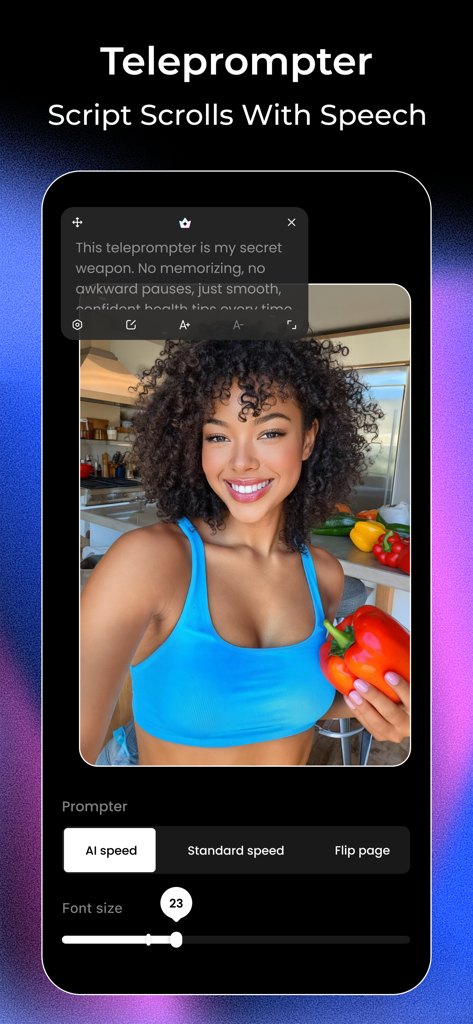
Vmake app interface showing the AI teleprompter feature with a scrolling script over a video recording of a female creator.

Vmake app interface showing the AI teleprompter feature with a scrolling script over a video recording of a female creator.

Everything You Need to Dominate Social Media

The tools that make this app stand out, trusted by 967K+ users.

🎤

Smart AI Teleprompter

Deliver your message with confidence using a voice-synced teleprompter that ensures you never miss a line while recording on your favorite camera app.

🤖

Instant AI Video Agent

Turn any link, photo, or idea into high-converting UGC videos instantly—perfect for small businesses and e-commerce sellers looking to scale.

Pro Captions & Hooks

Maximize engagement with auto-generated dynamic subtitles and viral-ready hooks that stop the scroll and keep your audience glued to the screen.

Loved by users worldwide

Trusted by 967K+ people who love this app.

"

"As a busy real estate agent, I used to struggle with recording professional videos. The AI Teleprompter and Enhancer have completely transformed my workflow. I can now produce studio-quality house tours right from my phone, saving me thousands on production costs every month."

Marcus J.
"

"Vmake is the ultimate tool for my e-commerce business. The AI Video Agent helps me create high-converting UGC videos in seconds just by using my product links. The AI Hook feature has significantly boosted my TikTok engagement and sales."

Elena S.

About the app

Everything you need to know about Vmake: AI Talking Video Editor.

Description

YOUR AI-POWERED TALKING VIDEO STUDIO Utilizes the power of AI to enable users around the world to create studio-quality talking videos on their phones with minimal effort. Whether you’re a fitness coach, beauty expert, real estate agent—or a creator in any other field—Vmake helps you produce professional talking videos that resonate with your audience. The result: faster workflows and more professional-looking videos that enhance the impact of industry-specific content. ESSENTIAL FEATURES - Create Talking Videos**: Utilize a comprehensive video editing tool that features advanced subtitle editing capabilities, customizable templates, and dynamic intros to make your spoken videos more vivid and captivating. - AI Video Agent: Vmake Agent turns any photo, link, or idea into high-converting UGC videos—instantly. Built for small businesses, it helps you create videos that sell without the time, cost, or complexity. Just drop in your assets and let Vmake Agent handle the rest—so you can spend less, create more, and sell smarter. - AI Remover: Effortlessly erase unwanted objects, people, or watermarks from your videos, including the trending Sora watermark. - AI Thumbnail: Instantly create eye-catching, high-quality video thumbnails powered by the Nano Banana model, compatible with YouTube, Reels, and TikTok. - AI Enhancer: Enhance video and image quality, and upscale low-resolution videos. - AI Hook: Boost social media engagement by letting AI create compelling verbal and visual hooks that make every talking video stand out. - HD Camera: The camera supports rich beauty filters, giving you the best video shooting experience. - Lip Sync: Upload photos or videos, or choose an avatar to bring your new story to life. - Teleprompter: The voice-synced AI Teleprompter ensures you never forget your lines during recording, compatible with any camera app, floating above the screen. - Video to Text: Extract spoken words from videos and convert them into text for easy content repurposing. Supports video link parsing or uploading local videos. Simplifies the process of creating high-quality talking videos, making it accessible and easy for anyone with a smartphone. CONTACT US: https://vmake.ai/ TikTok: @vmake.ai YouTube: @Vmake_ai X: @VmakeAI LinkedIn: @Vmake.AI Instagram: @vmake.ai support@vmake.ai Terms of Use: https://h5.starii.com/vmake-h5/agreements/terms-of-user.html Privacy Policy: https://h5.starii.com/vmake-h5/agreements/privacy-policy.html

Latest Version

3.0.0

Size

281.8 MB

First Released

Mar 21, 2024

Ready to Launch Your Professional AI Video Studio?

Join over 1 million creators and solopreneurs scaling their brands with effortless, high-converting talking videos. Put the power of a production team in your pocket and start creating today.

Download on App StoreDownload on Google Play
FAQ

Frequently Asked Questions

Everything you need to know about Vmake: AI Talking Video Editor

What is Vmake: AI Talking Video Editor?

Vmake is an AI-powered talking video studio that enables users to create studio-quality talking videos on their phones with minimal effort. It simplifies professional video production.

How does Vmake's AI Video Agent work?

Vmake Agent transforms any photo, link, or idea into high-converting User-Generated Content (UGC) videos instantly. It automates video creation for small businesses, reducing time and cost.

Can Vmake remove watermarks from videos?

Yes, Vmake's AI Remover feature effortlessly erases unwanted objects, people, or watermarks from videos, including the trending Sora watermark. It also removes other objects.

Does Vmake create thumbnails for social media platforms?

Yes, Vmake's AI Thumbnail feature instantly creates eye-catching, high-quality video thumbnails using the Nano Banana model, compatible with YouTube, Reels, and TikTok.

Can Vmake improve video quality?

Yes, Vmake's AI Enhancer feature enhances video and image quality. It also upscales low-resolution videos to higher definitions, boosting the overall visual appeal.

Does Vmake include a teleprompter?

Yes, Vmake features a voice-synced AI Teleprompter. It ensures users do not forget lines during recording and floats above any camera app screen.

Can Vmake convert spoken words from videos to text?

Yes, Vmake's Video to Text feature extracts spoken words from videos and converts them into text for easy content repurposing. It supports video link parsing and local video uploads.

What video resolutions does Vmake support for recording?

Vmake supports HD recording in multiple resolutions including 720P, 1080P, 2K, and 4K. This ensures FHD quality and a superior viewing experience.

How does Vmake help boost social media engagement?

Vmake boosts social media engagement with its AI Hook feature. This creates compelling verbal and visual hooks that make every talking video stand out, specifically targeting the first 3 seconds of impact.

Can Vmake automatically remove silent parts from videos?

Yes, Vmake's AI Trim feature detects unclear speech, silence, or repeats in talking videos. It allows users to easily keep their content sharp and compelling.

Are Vmake's auto captions free?

Yes, Vmake provides Auto Captions with Animated Text Style as a free feature. Users can apply various styles to their video captions without cost.