Blur Background Photo Effect

Blur Background Photo Effect

Download on App Store
Spark by MWM logo
Logo of Blur Background Photo Effect
Blur Background Photo Effect: Professional Bokeh & Instant Privacy

Create stunning SLR-style backgrounds and stylish mosaic effects with a simple touch. The must-have tool for creators to protect their privacy and perfect their aesthetic.

Publisher

Shiho Sadamizu

Category

Photo & Video

Downloads

6M+

User Rating

4.7/5

Total Ratings

258K+

Locales

10

Aesthetics in Every Trace

Discover the interface used by 6M+ users.
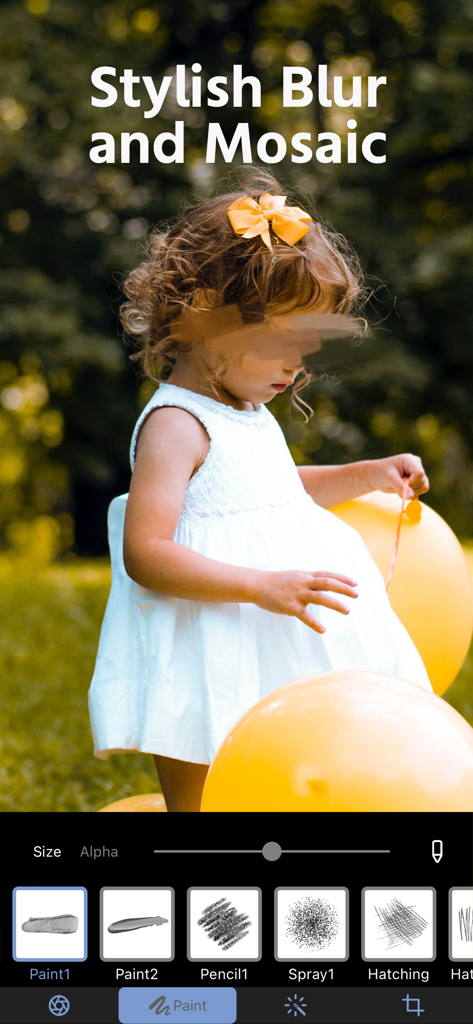
A mobile photo editing screen showing a childs face blurred for privacy using stylish brush tools

A mobile photo editing screen showing a childs face blurred for privacy using stylish brush tools

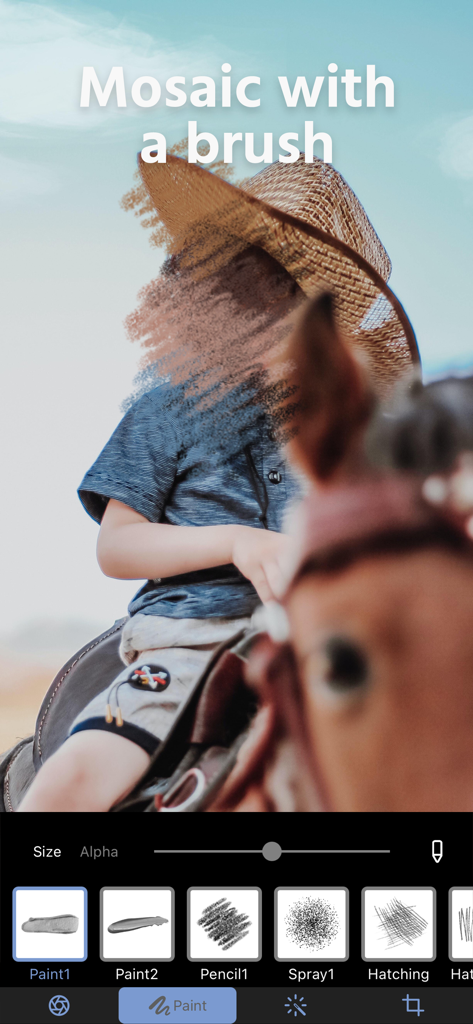
Photo editing interface showing a brush tool applying a mosaic effect to a childs face for privacy

Photo editing interface showing a brush tool applying a mosaic effect to a childs face for privacy

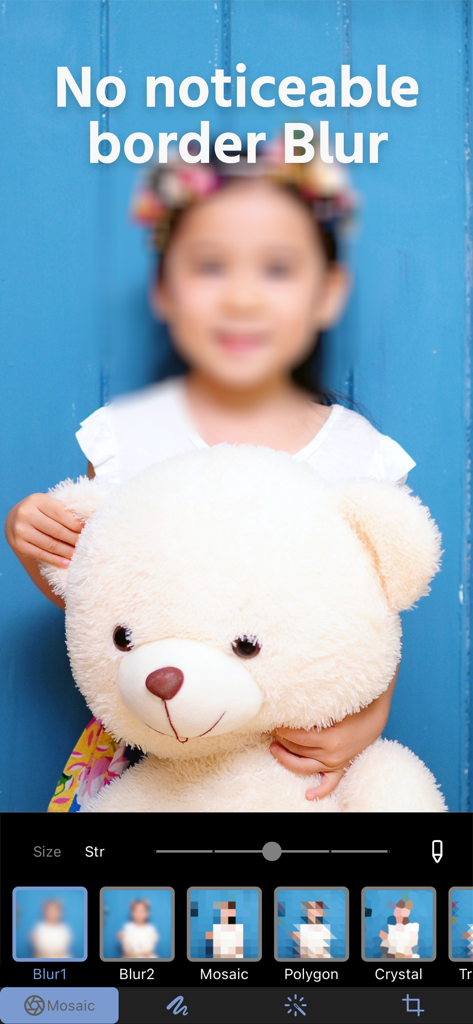
A photo of a girl holding a teddy bear with a soft blur effect applied to her face and background using the Mosaic plus app editing tools

A photo of a girl holding a teddy bear with a soft blur effect applied to her face and background using the Mosaic plus app editing tools

Mosaic plus app interface showing artistic paint filters used to blur faces for privacy

Mosaic plus app interface showing artistic paint filters used to blur faces for privacy

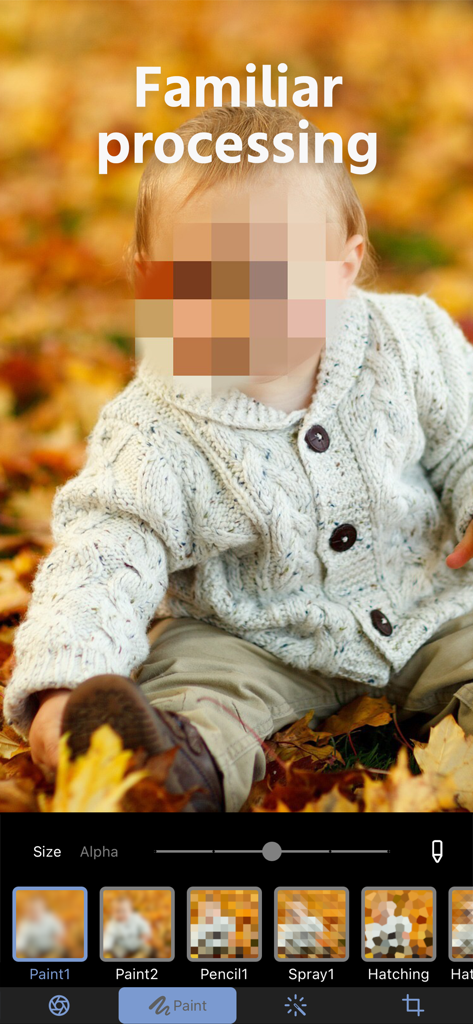
Pixelated mosaic blur effect on a child's face for privacy protection in the photo editor

Pixelated mosaic blur effect on a child's face for privacy protection in the photo editor

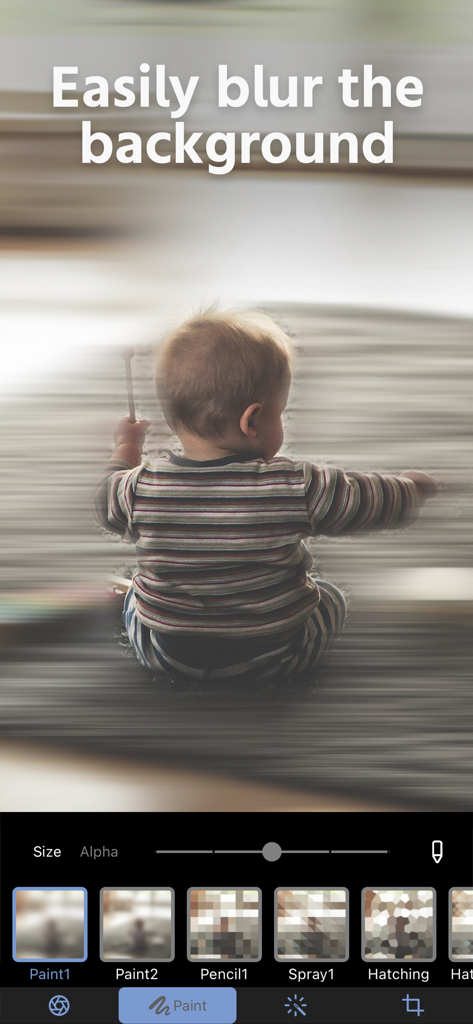
App interface for blurring backgrounds featuring a baby photo and editing tools

App interface for blurring backgrounds featuring a baby photo and editing tools

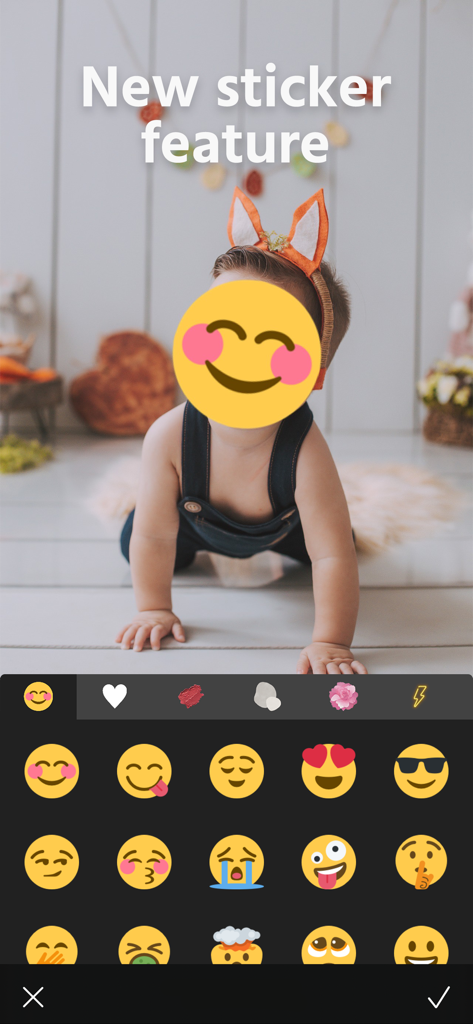
Photo editing app interface showing a child face covered by a smiling emoji sticker for privacy

Photo editing app interface showing a child face covered by a smiling emoji sticker for privacy

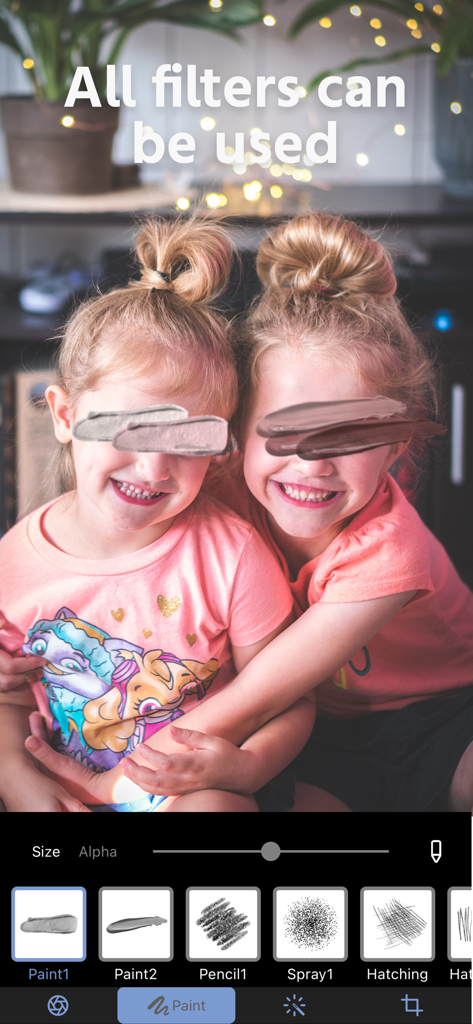
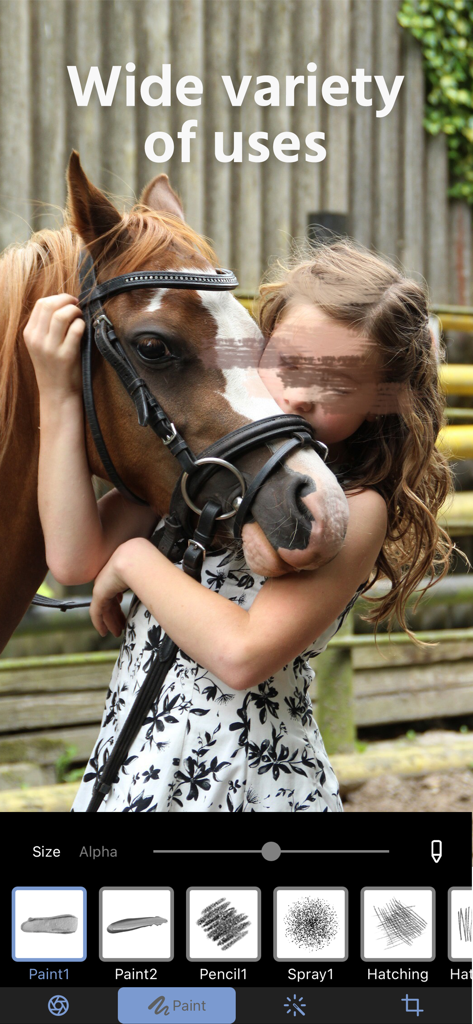
Interface of the Mosaic plus app showing a girl and a horse with a creative paint blur over her eyes for privacy

Interface of the Mosaic plus app showing a girl and a horse with a creative paint blur over her eyes for privacy

Transform Your Feed with Professional Blur Effects

The tools that make this app stand out, trusted by 6M+ users.

Pro-Grade Bokeh Style

Achieve that high-end SLR camera look instantly to make your subject pop and give your social media grid a professional, aesthetic edge.

🔒

Privacy Made Stylish

Securely mask sensitive info, license plates, or faces using a wide variety of modern and retro mosaic patterns that don't ruin your photo's vibe.

👆

Precision Touch Editing

Forget complex software. Simply trace with your finger to apply blurs or layers exactly where you want them for flawless, natural-looking results.

Loved by users worldwide

Trusted by 6M+ people who love this app.

"

"Mosaic+ is a game-changer for my feed! I can turn a messy room or a crowded cafe into a professional-looking portrait in seconds. The 'retro' blur is my absolute favorite for that vintage vibe."

Chloe R., Lifestyle Blogger
"

"Perfect for protecting my family's privacy. I love that I can just trace over license plates or faces to keep them safe while keeping the photo looking clean. It's so much more stylish than standard editing tools."

David S., Tech-Savvy Parent

About the app

Everything you need to know about Blur Background Photo Effect.

Description

Features of Mosaic+ You can easily process your photos with the popular blur!  Just by tracing with your finger, you can make your photo more attractive. A wide variety of mosaics and blurs!  There are many types of mosaic and blur.  You can use this app for everything from modern blurring to retro blurring, and you can even apply layers of mosaic. It also supports cropping!  You can cut the processed photo or image to any size you want. We recommend Mosaic+ to anyone who People who want to add a stylish blur to their face. People who often upload photos to SNS. People who want to protect their privacy People who want to blur the background to look like an SLR camera To those who like Mosaic + If you like Mosaic +, please let us know about it on social networking sites! We will do our best to update it with new features! How to contact us Start the app > Settings button > Contact us If you have any questions, please feel free to contact us. >Terms of use https://www.stellaxia.com/userpolicy >Privacy policy https://www.stellaxia.com/privacypolicy Twemoji Copyright 2020 Twitter, Inc and other contributors Code licensed under the MIT License: http://opensource.org/licenses/MIT Graphics licensed under CC-BY 4.0: https://creativecommons.org/licenses/by/4.0/

Latest Version

2.4.17

Size

60.6 MB

First Released

Aug 17, 2021

Join 6 Million Creators Elevating Their Aesthetic

Get professional SLR-style blurs and stylish privacy protection in seconds. Start creating thumb-stopping content for your feed today.

Download on App Store
FAQ

Frequently Asked Questions

Everything you need to know about Blur Background Photo Effect

What is Blur Background Photo Effect?

Blur Background Photo Effect, also known as Mosaic+, allows users to easily process photos by tracing to add various blurs and mosaics. It also includes cropping functionality.

How can I blur photos using Blur Background Photo Effect?

Yes, Blur Background Photo Effect enables blurring photos by simply tracing with your finger. This applies popular blur effects to your images.

Does Blur Background Photo Effect offer different types of blur and mosaic effects?

Yes, Blur Background Photo Effect provides a wide variety of mosaic and blur types. These include options for modern blurring, retro blurring, and layering mosaics.

Can I crop images within the Blur Background Photo Effect app?

Yes, Blur Background Photo Effect supports cropping. Users can cut processed photos or images to any desired size after applying effects.

Is Blur Background Photo Effect suitable for protecting privacy in photos?

Yes, Blur Background Photo Effect is recommended for protecting privacy. Users can add stylish blur to faces or blur backgrounds, which helps obscure identifiable information.

Where can I find the privacy policy for Blur Background Photo Effect?

The privacy policy for Blur Background Photo Effect is available at 'https://www.stellaxia.com/privacypolicy'. This link is provided within the app's description.

Can Blur Background Photo Effect make backgrounds look like an SLR camera?

Yes, Blur Background Photo Effect allows users to blur the background of photos to achieve an effect similar to those taken with an SLR camera.

Does Blur Background Photo Effect include a sticker feature?

Yes, Blur Background Photo Effect features a new sticker functionality. This allows users to add various stickers to their processed images.

How do I contact support for the Blur Background Photo Effect app?

Users can contact support for Blur Background Photo Effect by navigating to 'Start the app > Settings button > Contact us'. This provides a direct channel for questions.