Blur Video - AI Blur Maker

Blur Video - AI Blur Maker

Download on App Store
Spark by MWM logo
Logo of Blur Video - AI Blur Maker

Blur Video - AI Blur Maker: Professional Privacy for Your Social Content

Automatically blur faces, license plates, and sensitive objects with intelligent AI tracking. Create safe, high-quality 4K videos for TikTok and Instagram in just one tap.

Download on App Store

Publisher

Sohel Ibna Saad

Category

Photo & Video

Downloads

742K+

User Rating

4.6/5

Total Ratings

11K+

Locales

16

Privacy in Motion

Discover the interface used by 742K+ users.
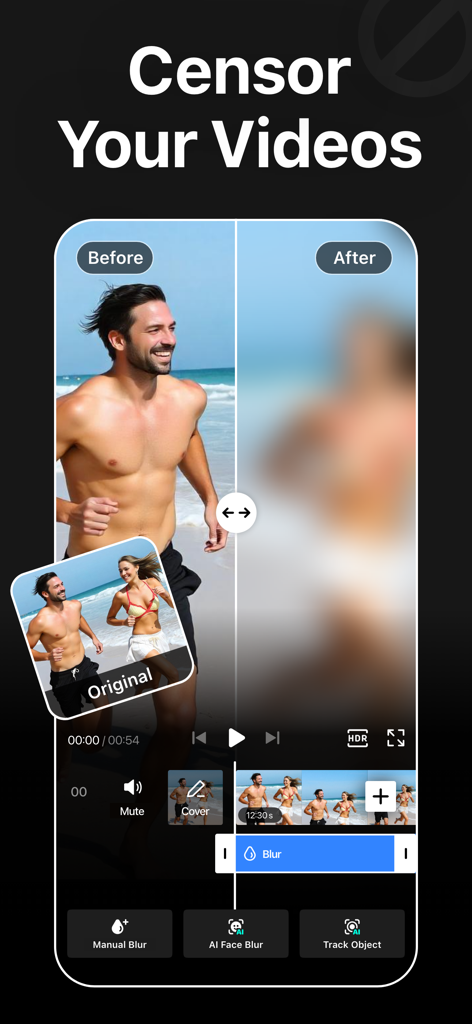
A side by side comparison of a video before and after applying an AI blur effect to a person

A side by side comparison of a video before and after applying an AI blur effect to a person

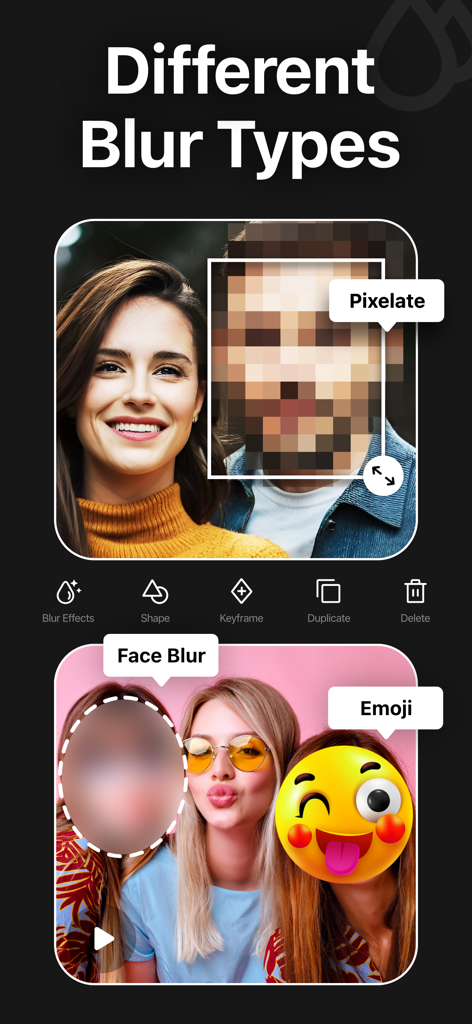
A showcase of various blur effects like pixelate, face blur, and emoji in a video editing app.

A showcase of various blur effects like pixelate, face blur, and emoji in a video editing app.

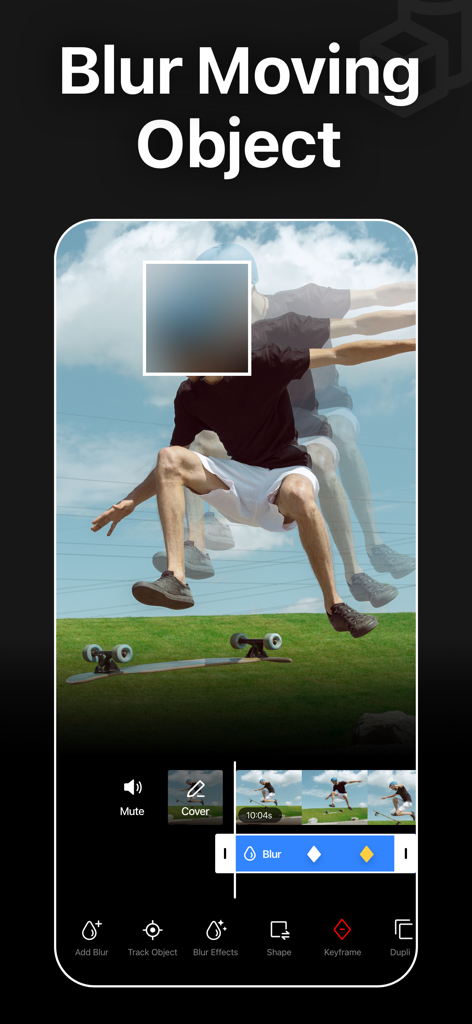
Mobile app interface displaying AI tracking and blurring of a moving person in a video.

Mobile app interface displaying AI tracking and blurring of a moving person in a video.

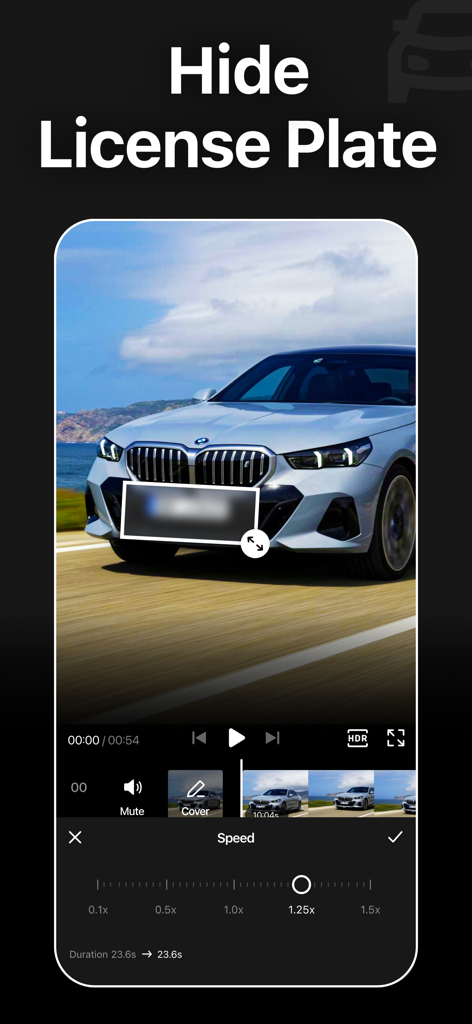
Blur Video app interface showing a blurred license plate on a car with video editing tools

Blur Video app interface showing a blurred license plate on a car with video editing tools

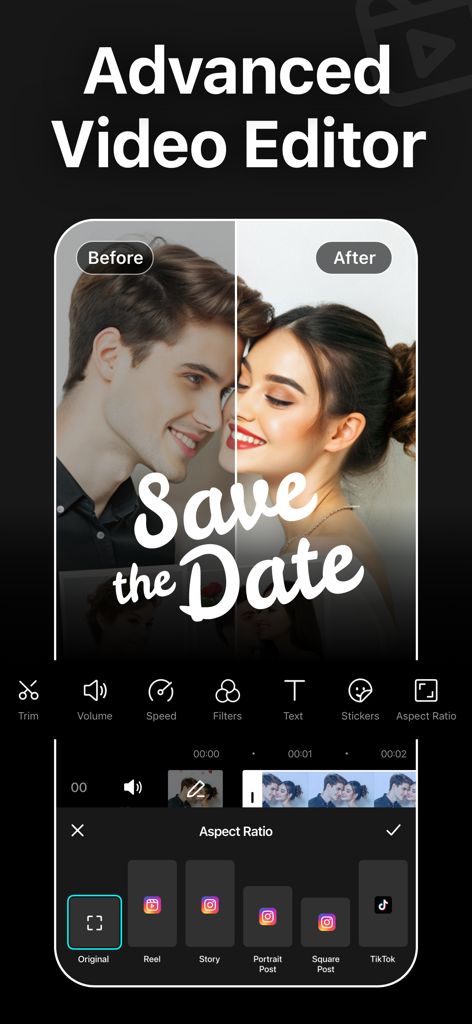
Advanced video editor interface displaying aspect ratio presets for social media platforms like TikTok and Instagram

Advanced video editor interface displaying aspect ratio presets for social media platforms like TikTok and Instagram

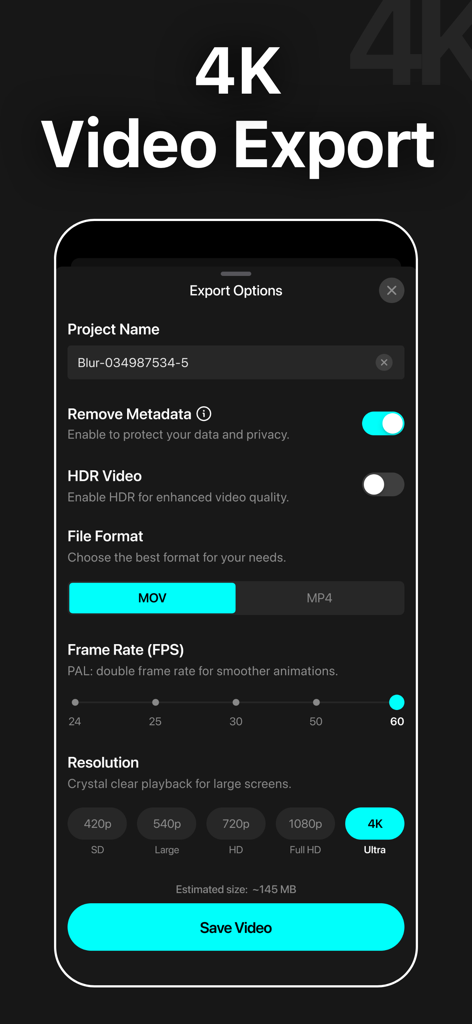
Screenshot of video export options in the Blur Video app showing 4K resolution and metadata removal privacy settings

Screenshot of video export options in the Blur Video app showing 4K resolution and metadata removal privacy settings

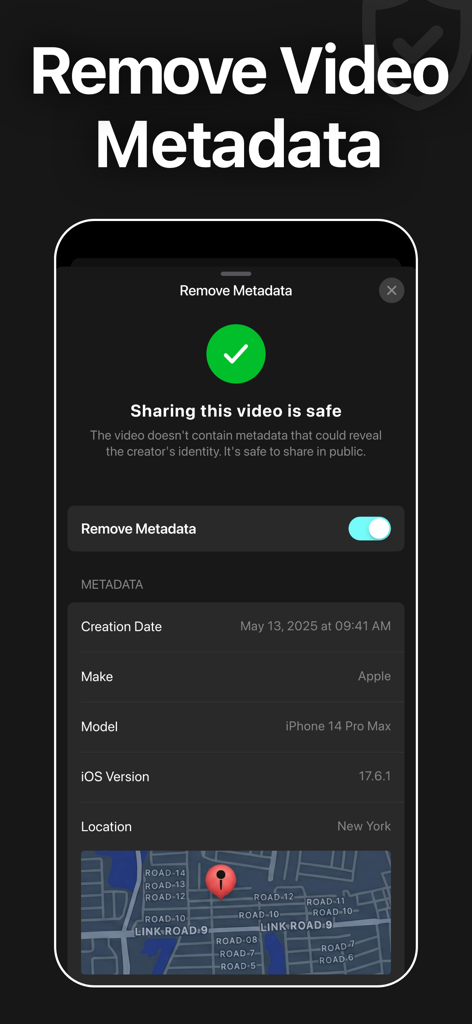
Interface of the Blur Video app showing the feature to remove video metadata and location info for safe sharing

Interface of the Blur Video app showing the feature to remove video metadata and location info for safe sharing

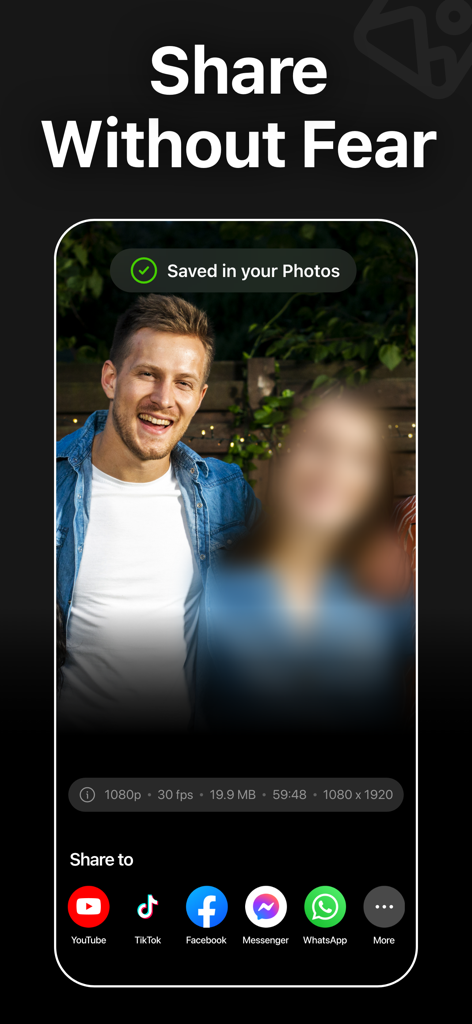
Interface of the Blur Video app showing a blurred face in a video and options to share on social media platforms like TikTok and YouTube.

Interface of the Blur Video app showing a blurred face in a video and options to share on social media platforms like TikTok and YouTube.

Professional Privacy, Powered by AI

The tools that make this app stand out, trusted by 742K+ users.

🤖

One-Tap AI Face Blur

Instantly detect and obscure faces across your entire video. Perfect for parents and vloggers who want to protect privacy without the manual effort.

🎯

Smart Motion Tracking

Follow moving cars, license plates, or logos automatically. Our advanced AI keeps your blur locked on target even in high-action scenes.

🛡️

Secure 4K HDR Export

Maintain your high-quality visuals while stripping away sensitive location metadata. Pro-level protection that looks as good as it feels.

Loved by users worldwide

Trusted by 742K+ people who love this app.

"

"As a full-time travel vlogger, I often film in busy public spots where I need to respect people's privacy. The AI object tracking in Blur Video is incredibly accurate and saves me hours of manual keyframing. It's the only app I trust to maintain 4K quality while keeping my content professional and ethical."

Alex Rivera, Content Creator
"

"I wanted a way to share videos of my kids with family online without exposing their faces to the whole world. This app is a lifesaver! The AI Face Blur is magic—it finds and hides their faces instantly. It's simple, fast, and gives me the privacy my family needs in today's digital age."

Sarah Jenkins, Parenting Blogger

About the app

Everything you need to know about Blur Video - AI Blur Maker.

Description

Blur Video is one of the best free video blurring apps for iPhone to quickly hide persons, faces, texts, logos, objects, and license plates in videos like a pro. This powerful video blur app can pixelate unwanted objects or obscure any parts of a video. You can also apply various filters, add stickers, add texts, and draw to enhance your videos. Key Features of Blur Video Background: - Gaussian and Pixelate blur effects - Blur faces in videos quickly and intelligently - Detect and track moving objects using AI - Rectangle and oval blur shapes - Use color, emoji, or photos to censor - Change the intensity of the blur - Use video keyframes to blur moving objects manually - Apply multiple stickers over your video - Add custom texts over video - Export videos in 480p, 540p, 720p, 1080p and Ultra HD - 4K resolution - Save in MP4 or MOV video format - HDR export for enhanced video quality - Remove metadata to protect data and privacy - Share videos to Instagram, TikTok, Facebook, YouTube, and other apps Robust Video Blurring Blur Video app simplifies the whole blurring process. Censor faces or track objects in your videos with advanced artificial intelligence. Getting blurry faces or censored videos has never been this simple. AI Face Blur Automatically blur faces in your videos using intelligent AI detection. The app instantly identifies faces and keeps them accurately tracked throughout the entire clip, ensuring consistent, seamless blurring without any manual effort or setup. Blur Multiple Moving Objects Blur multiple objects in your videos with ease. Use AI-powered tracking to automatically follow moving elements, or take full control with manual keyframe tracking. Simply place keyframes where you want to hide content and fine-tune the position as the video plays for precise, professional results. How to blur faces in a video using the Blur Video app? With this app, you can get censored faces in videos without any hassle. Just follow the steps below to know how to blur faces in videos easily. - Open the app - Select a video from Photos - Tap the AI Face Blur button, and the app instantly detects and automatically blurs all faces in your video - Select the blur for more control - Choose the blur shape: rectangular or oval - Change the blur effects to Gaussian or Pixelate - Adjust the intensity of your blur with the slider - After getting the desired output, tap on the Export button to save the video Auto-Renewable Subscription Terms: Subscribe to get unrestricted access to all the features outlined above. • Subscription Length: Weekly, Yearly • Subscription with a free trial period will automatically renew to a paid subscription unless it is canceled at least 24 hours before the end of the trial period. • Payment will be charged to iTunes Account at confirmation of purchase. • Your Apple ID account will be charged for renewal within 24 hours before the end of the trial period. • Manage and cancel your subscriptions by going to your account settings on the App Store. • Any unused portion of a free trial period, if offered, will be forfeited when the user purchases a subscription to that publication, where applicable. • By signing up for this subscription, you agree to our Terms of Use and Privacy Policy. Terms of Use: https://pixeltouch.net/blurvideo/legal/terms.html Privacy Policy: https://pixeltouch.net/blurvideo/legal/privacy.html

Latest Version

2.0.0

Size

167.0 MB

First Released

Sep 12, 2021

Share Your Story, Protect Their Privacy

Join over 742,000 creators using AI-powered blurring to secure their videos. Get professional 4K results in seconds and post to TikTok or Instagram with total peace of mind.

Download on App Store
FAQ

Frequently Asked Questions

Everything you need to know about Blur Video - AI Blur Maker

What is the Blur Video - AI Blur Maker app?

Blur Video is a free video blurring app for iPhone. It hides persons, faces, texts, logos, objects, and license plates in videos using AI-powered blurring and provides additional video editing tools.

Does Blur Video - AI Blur Maker automatically blur faces?

Yes, Blur Video - AI Blur Maker automatically blurs faces in videos using intelligent AI detection. The app identifies and tracks faces throughout the clip for consistent and seamless blurring.

Can Blur Video blur multiple moving objects?

Yes, Blur Video blurs multiple moving objects in videos. It uses AI-powered tracking to automatically follow moving elements or allows full control with manual keyframe tracking for precise results.

What video export resolutions does Blur Video support?

Blur Video supports video export resolutions including 480p, 540p, 720p, 1080p, and Ultra HD - 4K resolution. It also offers HDR export for enhanced video quality.

Does Blur Video - AI Blur Maker remove video metadata?

Yes, Blur Video - AI Blur Maker removes metadata to protect user data and privacy. Users can enable this feature during the video export process for secure sharing.

How does the Blur Video app subscription work?

The Blur Video app offers auto-renewable subscriptions (weekly, yearly) for unrestricted access to all features. Subscriptions with a free trial automatically renew to paid unless canceled at least 24 hours prior.

What blur effects are available in Blur Video - AI Blur Maker?

Blur Video offers Gaussian and Pixelate blur effects. Users can also adjust the intensity of the blur and choose between rectangular or oval blur shapes.

Does Blur Video include other editing features besides blurring?

Yes, Blur Video includes additional editing features beyond blurring. Users can apply various filters, add multiple stickers, add custom texts, and draw to enhance their videos.

What video file formats does Blur Video support for export?

Blur Video supports exporting videos in either MP4 or MOV file formats. Users can select their preferred format during the video export options.

Is it safe to share videos after using Blur Video - AI Blur Maker?

Yes, it is safe to share videos after using Blur Video - AI Blur Maker. The app removes metadata to protect privacy, ensuring that shared content is secure.