Blur-Video



Protect your identity and secure your content by blurring faces, logos, and backgrounds in seconds. The essential tool for creators and parents to share safely on TikTok, Reels, and YouTube.
Publisher
Category
Photo & VideoDownloads
1M+User Rating
Total Ratings
22K+Locales
15Discover the interface used by 1M+ users.
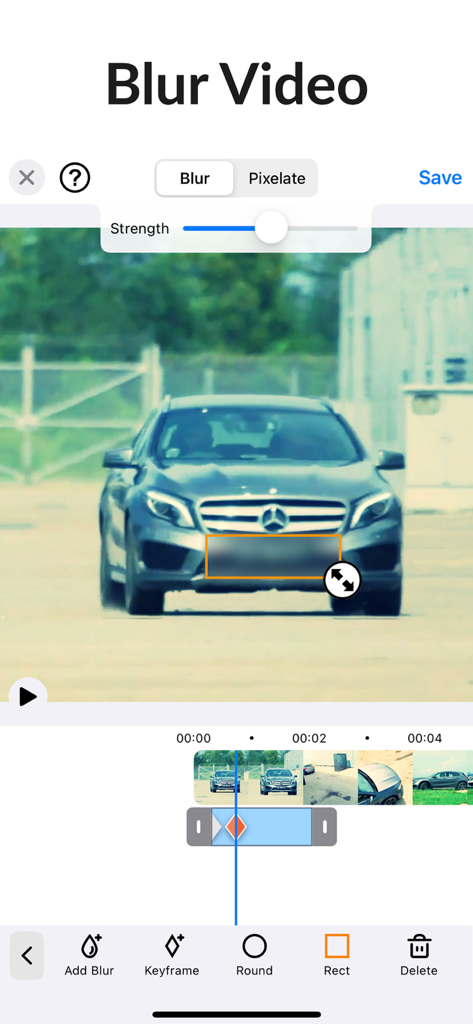
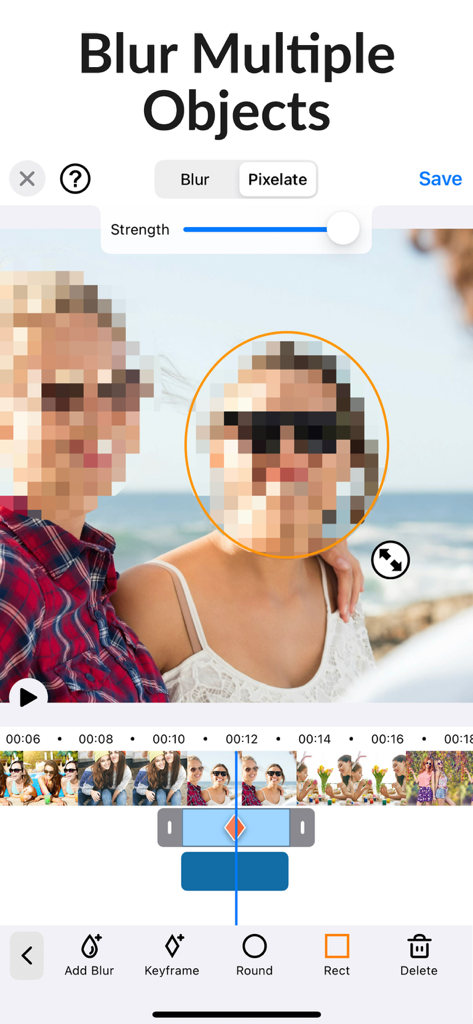
The tools that make this app stand out, trusted by 1M+ users.
Save hours of tedious editing. Our smart tracking follows moving faces and objects automatically, so you stay protected without the manual effort.
Blur faces, logos, and sensitive background details all at once. Use custom shapes and adjustable intensity to keep your private life truly private.
Export high-resolution videos perfectly formatted for TikTok, Instagram, and YouTube. Professional-grade privacy meets creator-level speed.
Trusted by 1M+ people who love this app.
"The auto-tracking is a total game-changer for my street vlogs. It used to take me forever to mask faces manually, but now I can blur background bystanders in seconds. It makes my YouTube Shorts look so much more professional."
"I use this for every single one of my 'Day in the Life' videos. It's the only app that lets me easily blur my children's faces and sensitive house details with just a few taps. Essential for any parent who wants to stay safe on social media."
Everything you need to know about Blur-Video.
Description
Latest Version
2.8.0
Size
33.9 MB
First Released
May 7, 2021
Join over 1 million creators who trust our AI-powered auto-tracking to blur faces, logos, and sensitive details. Download Blur-Video today and share your content with confidence.
Everything you need to know about Blur-Video
The Blur-Video app improves privacy by blurring faces, logos, or objects in video backgrounds. It applies blur effects for platforms like YouTube and TikTok, addressing video editing needs for pixelating unwanted areas.
Yes, Blur-Video includes an auto tracking feature designed to efficiently blur objects in your videos. This functionality significantly speeds up the blurring process for moving elements.
Yes, Blur-Video allows users to define and blur multiple areas simultaneously within a single video. Users can apply either ellipse or rectangle shapes to these distinct blur regions.
Blur-Video supports both ellipse (round) and rectangle shapes for blurring or pixelating objects. Users can adjust these shapes with an offset feature by using touch input.
A Blur-Video PRO subscription grants unlimited access to pro features. These include unlocking all object tracking and feathering functionalities, as well as removing all advertisements from the app.
Payment for Blur-Video PRO is charged to your iTunes Account upon purchase confirmation. Subscriptions automatically renew unless auto-renewal is turned off at least 24 hours before the current period ends.
Yes, users manage their Blur-Video PRO subscriptions. Auto-renewal can be disabled by going to the user's Account Settings after the purchase is complete.
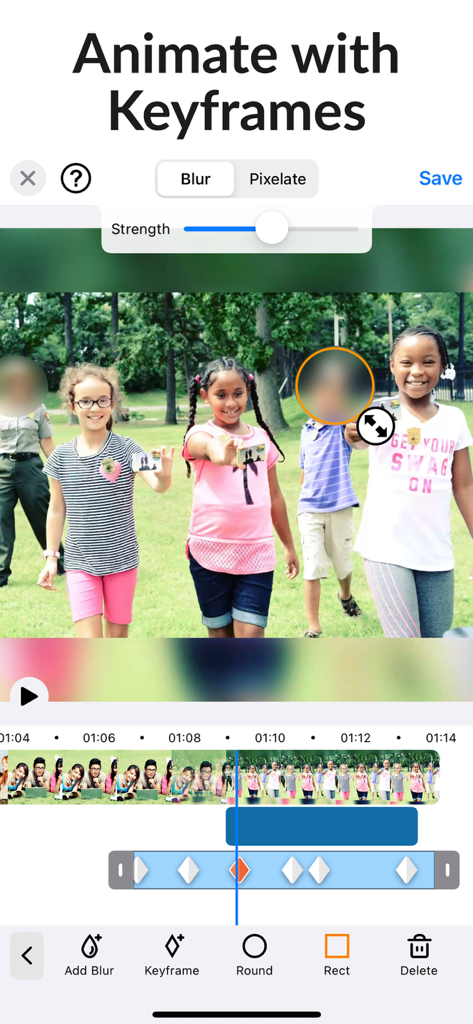
Yes, Blur-Video supports animating blur effects using keyframes. This feature provides precise control over the blur's movement and duration throughout the video timeline.
Users adjust the intensity of blur or pixelation in Blur-Video using a dedicated strength slider. This control allows for fine-tuning the visual effect according to specific requirements.
The Privacy Policy for Blur-Video is available online. You can access it directly at http://cushwayapps.com/app-privacy/blurvideo/privacy.html for comprehensive information regarding data handling.
You can contact Blur-Video support for bugs, suggestions, or new feature requests by sending an email. Direct your inquiries to support@honkhonkpunch.com for assistance.
Apps with similar features and user experience