
CooDisk



Securely manage, transfer, and backup your photos, videos, and documents without monthly cloud fees. Your files, your control, anytime and anywhere.
Publisher
Category
UtilitiesDownloads
781K+User Rating
Total Ratings
500Locales
11Discover the interface used by 781K+ users.
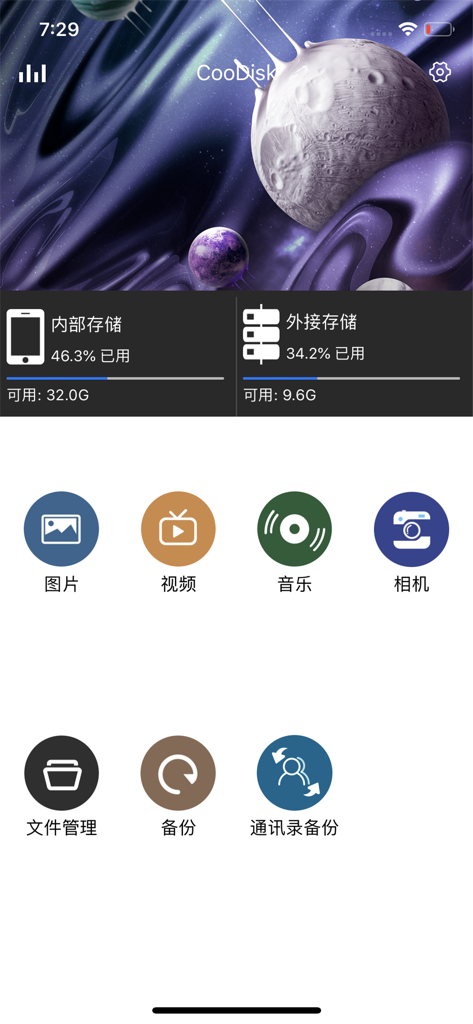

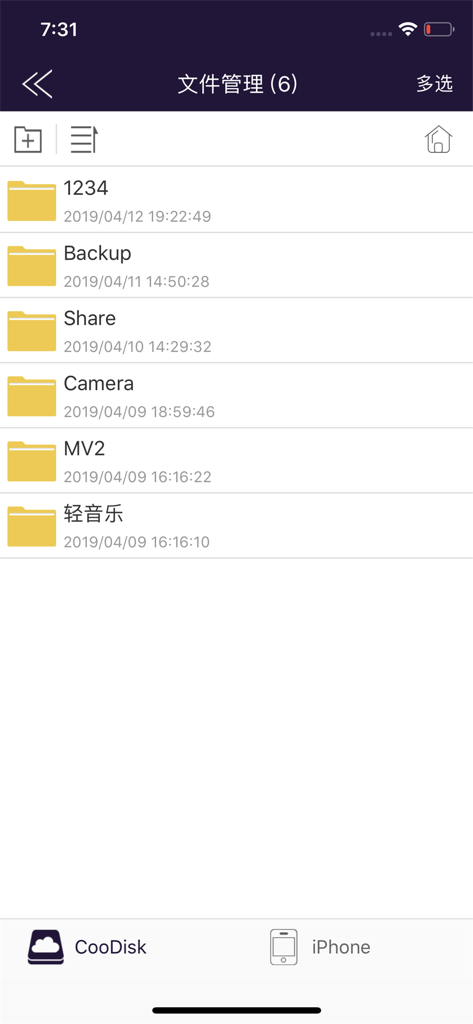
The tools that make this app stand out, trusted by 781K+ users.
Quickly move high-resolution photos and 4K videos to your external drive to free up space for new memories without deleting a thing.
View and organize everything from PDFs and spreadsheets to Word docs and Keynote presentations with a familiar, desktop-grade file manager.
Stream your favorite music and movies directly from your hardware—perfect for long flights, commutes, or areas without a data connection.
Trusted by 781K+ people who love this app.
"CooDisk is a lifesaver for my family trips! I was constantly getting the 'storage full' alert on my iPhone, but now I can easily offload thousands of photos and videos to my external drive in minutes. The thumbnail view makes it so simple to find exactly what I'm looking for, and my kids love that we can play movies directly from the app during long flights."
"As a consultant, I'm always moving between my laptop and my iPad. CooDisk gives me the file management power I actually need on iOS. Being able to copy, rename, and organize my PDFs and Keynote presentations offline is a huge plus. It is the most reliable way I have found to bridge the gap between my devices without worrying about cloud syncing or monthly fees."
Everything you need to know about CooDisk.
Description
Latest Version
1.0.82
Size
122.3 MB
First Released
Mar 1, 2019
Escape the 'Storage Full' trap and expensive monthly cloud fees. Download CooDisk to manage, back up, and enjoy your media offline, exactly how you want it.
Everything you need to know about CooDisk
CooDisk displays thumbnails for video, photo, and music files. It supports viewing and managing these media types directly within the application.
Yes, CooDisk supports viewing multiple document formats. These include .keynote, .numbers, .page, .xls/.xlsx, .doc/docx, .pdf, .txt, and .ppt/.pptx files.
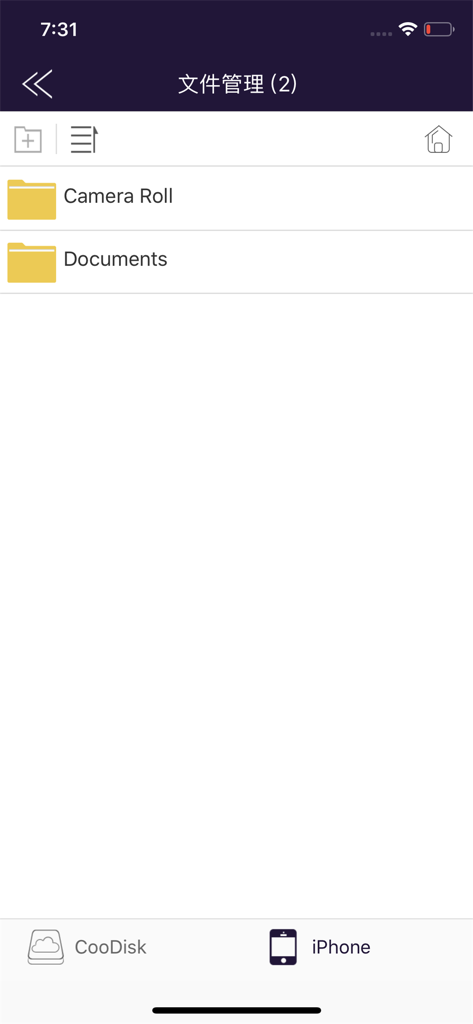
CooDisk supports various file management operations. Users can copy, cut, delete, create, and rename files. It also facilitates data transmission between local and iStorage.
Yes, CooDisk includes a slideshow mode for photos. This feature allows users to view their image collections as a continuous presentation directly within the app.
CooDisk provides music playback features including support for music artwork display, repeat mode settings, and timeline drag operations for navigation.
Yes, CooDisk manages both internal and external storage. The app displays available space and usage percentages for both '内部存储' (Internal Storage) and '外接存储' (External Storage).
Yes, CooDisk supports sharing operations for photos, music, and documents. This allows users to easily share their media and files directly from the app.
Yes, CooDisk provides encryption options. It includes 'App加密' (App Encryption) and '磁盘文件夹加密' (Disk Folder Encryption) to secure data within the application.
CooDisk supports both list and thumbnail view modes. Users can switch between these options to organize and browse their files according to preference.
Apps with similar features and user experience

Maktar Inc.

SanDisk Corporation

SanDisk Corporation

Shenzhen Dianzhui Culture Technology Co., Ltd.

ShenZhen 0101 Technology Co.,Ltd

Shenzhen Dianzhui Culture Technology Co., Ltd.

ALL BOND TECHNOLOGY CO., LTD

金铃 梁

伟才 韦