SanDisk Memory Zone

SanDisk Memory Zone

Download on App Store
Spark by MWM logo
Logo of SanDisk Memory Zone

SanDisk Memory Zone: Take Full Control of Your Mobile Storage

Free up space instantly, back up your memories automatically, and secure your files with encryption—all without the need for a monthly cloud subscription.

Publisher

SanDisk Corporation

Category

Productivity

Downloads

2M+

User Rating

4.4/5

Total Ratings

50K+

Locales

18

Your Command Center

Discover the interface used by 2M+ users.
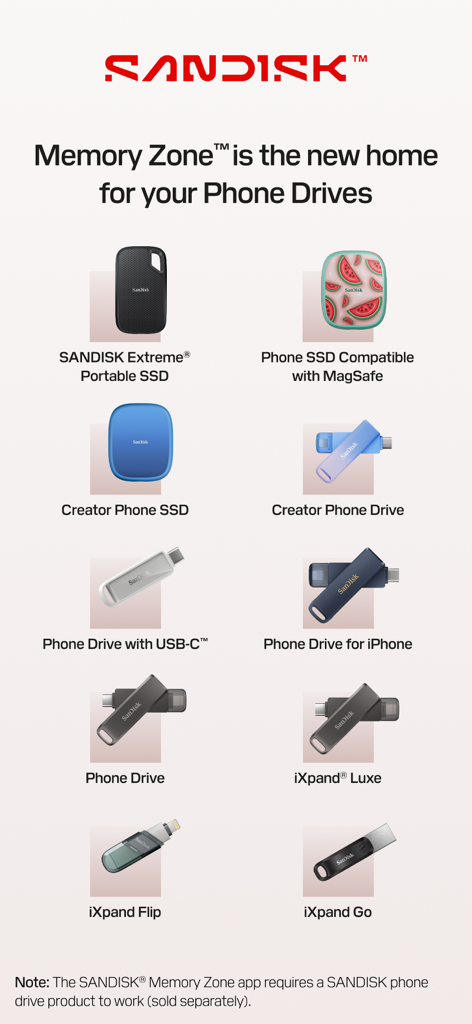
A list of SanDisk portable SSDs and phone drives compatible with the Memory Zone app

A list of SanDisk portable SSDs and phone drives compatible with the Memory Zone app

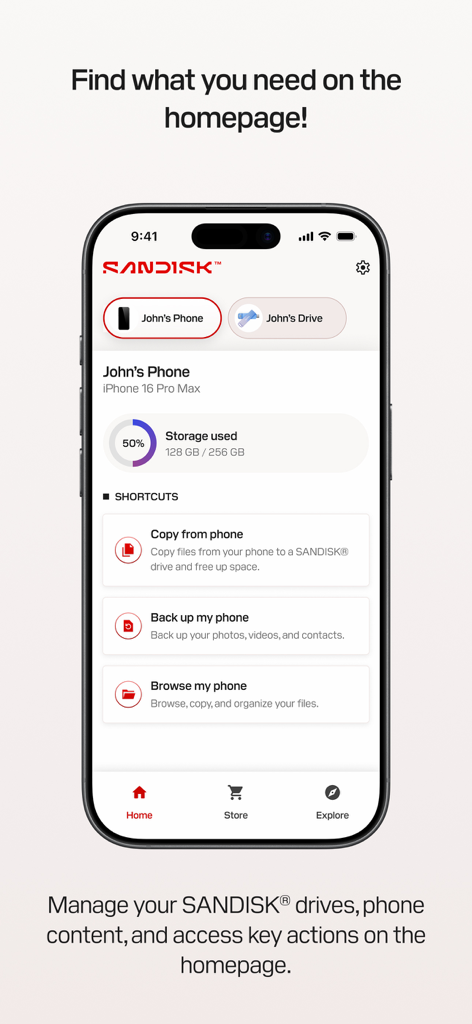
The home screen of the SanDisk Memory Zone app on an iPhone displaying storage usage and quick action shortcuts for backup and file management.

The home screen of the SanDisk Memory Zone app on an iPhone displaying storage usage and quick action shortcuts for backup and file management.

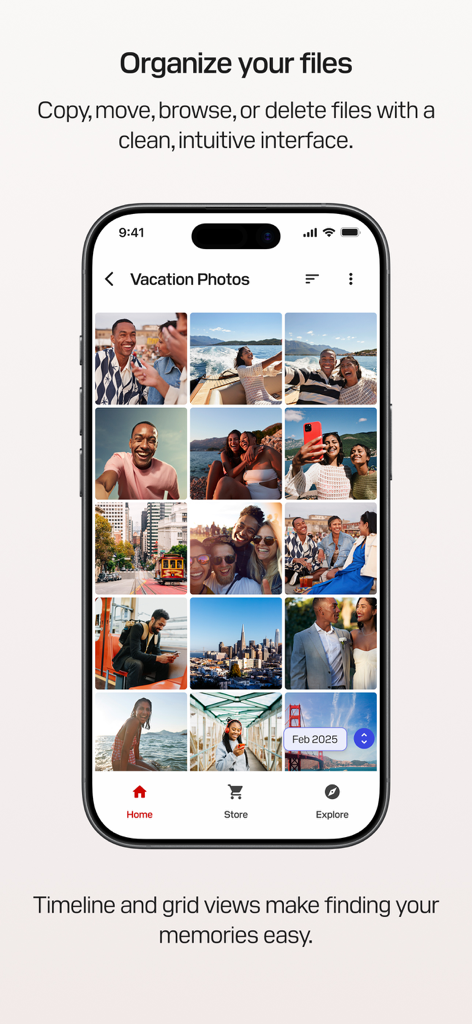
SanDisk Memory Zone app interface showing organized vacation photos in a grid view

SanDisk Memory Zone app interface showing organized vacation photos in a grid view

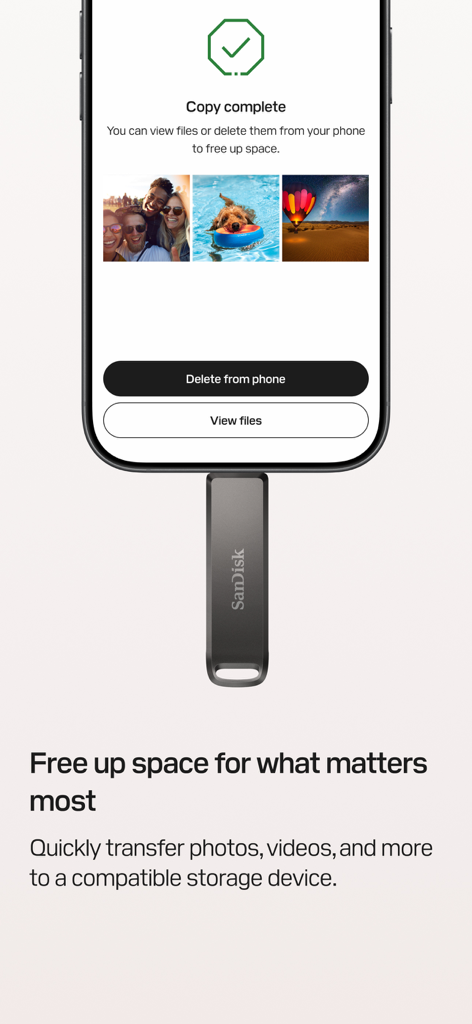
SanDisk Memory Zone app interface showing a copy complete screen after transferring photos to a physical drive

SanDisk Memory Zone app interface showing a copy complete screen after transferring photos to a physical drive

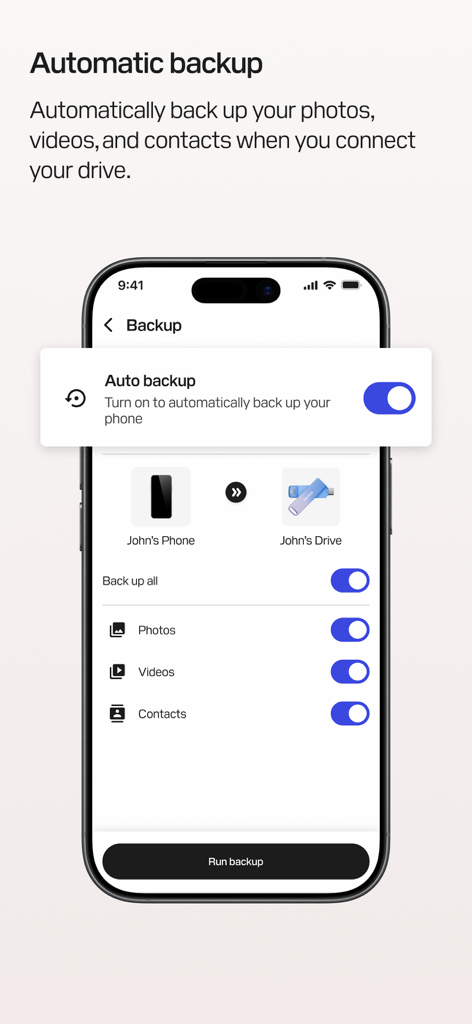
SanDisk Memory Zone app showing automatic backup settings for photos videos and contacts on an iPhone

SanDisk Memory Zone app showing automatic backup settings for photos videos and contacts on an iPhone

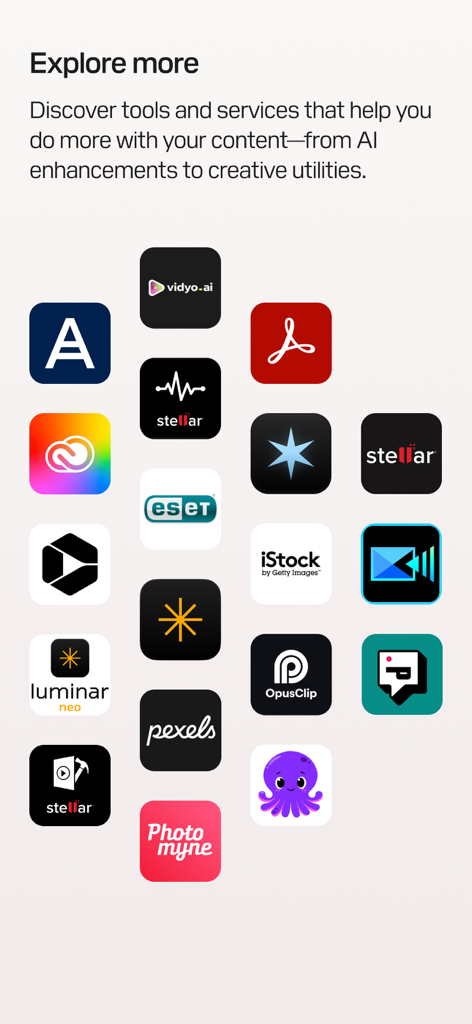
A screen from the SanDisk Memory Zone app showing a grid of third-party app icons for creative tools and AI enhancements under the heading Explore more

A screen from the SanDisk Memory Zone app showing a grid of third-party app icons for creative tools and AI enhancements under the heading Explore more

Take Total Control of Your Digital Space

The tools that make this app stand out, trusted by 2M+ users.

📂

Instantly Free Up Phone Space

Move large 4K videos and high-res photos to your drive in seconds. Stop worrying about 'Storage Full' alerts during your most important moments.

🔄

Smart Automatic Backups

Set it and forget it. Your photos, videos, and contacts are automatically saved every time you connect your SanDisk device, keeping your memories safe.

🔒

Secure Your Private Content

Keep sensitive files safe with password-protected encryption. Enjoy the peace of mind that comes with physical, offline storage you can actually touch.

Loved by users worldwide

Trusted by 2M+ people who love this app.

"

"As a travel vlogger, my iPhone storage is constantly maxed out with 4K footage. SanDisk Memory Zone is a lifesaver. I can offload gigabytes of video to my drive in minutes without needing Wi-Fi, making it so much easier to edit on my laptop while I'm still on the road."

Jordan R.
"

"I was tired of paying for extra cloud storage every month just to keep my family photos safe. This app makes it incredibly simple to set up an automatic backup to my physical drive. Knowing my kids' childhood memories are encrypted and in my own hands gives me real peace of mind."

Sarah L.

About the app

Everything you need to know about SanDisk Memory Zone.

Description

SANDISK® Memory Zone™ is a powerful, easy-to-use app that helps you back up, manage, and protect your digital content.¹ Whether you're freeing up space, organizing files, or helping safeguard your memories with password protection, the SANDISK® Memory Zone™ app gives you complete control over your photos, videos, contacts, and more. This app replaces the legacy iXpand® Drive app for iOS. Please use this app for all future use with supported storage devices. When used with a compatible SANDISK® Phone Drive, the SANDISK® Memory Zone™ app makes it easy to back up,² transfer, and manage your photos, videos, and contacts between your iPhone and your computer. What is a SANDISK® Phone Drive? A SANDISK® Phone Drive is a USB drive designed to conveniently share your files on your iPhone and your computer while on-the-go — whether you’re connected online or offline. Simply connect the drive to your iPhone to quickly free up space on your device, or use it to transfer photos, videos, and other files to your Mac or PC devices. To learn more about all products compatible with SANDISK® Memory Zone™ app, go to our support page: https://support-en.sandisk.com/app/answers/detailweb/a_id/52065 Key Features Organize Your Files Browse, move, copy, or delete files with a clean, intuitive interface that puts you in control of your content. Media Timeline & Grid Views Navigate your photos and videos in a timeline or immersive grid layout to quickly find and relive your memories. Free Up Space Quickly transfer files from your iPhone to a compatible storage device so you can make room for what matters most. Automatic Backup Set it once and your photos, videos, and contacts will automatically back up² when your device is connected. Help secure Your Files Add an extra layer of protection with encryption and password-secured storage for your most important content. Storage Insights Easily view available, used, and total space on your connected device—no more guessing. Explore More Discover tools and services that help you do more with your content—from AI enhancements to creative utilities. Support: Please visit Sandisk support at: https://shop.sandisk.com/support Third-Party Notices: https://downloads.sandisk.com/downloads/temp/sandisk-memory-zone-ios.txt Company Info http://www.sandisk.com Legal 1. iOS 15 or higher required for SANDISK® Memory Zone™ app. SANDISK® drives not included with SANDISK® Memory Zone™ app. 2. SANDISK® Memory Zone™ app required. Available for download from the App Store. iOS 15 or higher required. Set up automatic backup within app settings. Terms and conditions apply. For more information on Sandisk’s Vulnerability Disclosure Policy, please visit: https://shop.sandisk.com/support/product-security/vulnerability-disclosure-policy SANDISK, the SANDISK logo, and Memory Zone are registered trademarks or trademarks of Sandisk Corporation or its affiliates in the US and/or other countries. All other marks are the property of their respective owners. Product specifications subject to change without notice. Pictures shown may vary from actual products. © 2025 Sandisk Corporation or its affiliates. All rights reserved.

Latest Version

2.3.1

Size

111.8 MB

First Released

Aug 12, 2024

Take Full Control of Your Mobile Storage Today

Join over 2 million users who protect their memories without monthly cloud fees. Download the essential companion for your SanDisk® Phone Drive and never see a 'Storage Full' alert again.

Download on App Store
FAQ

Frequently Asked Questions

Everything you need to know about SanDisk Memory Zone

What is the SanDisk Memory Zone app used for?

The SanDisk Memory Zone app helps users back up, manage, and protect digital content on iOS devices. It allows freeing up space, organizing files, and safeguarding memories with password protection.

Is an external SanDisk drive required to use the SanDisk Memory Zone app?

Yes, the SanDisk Memory Zone app requires a compatible SanDisk phone drive product to work. These drives are not included with the app and are sold separately.

How can I free up space on my iPhone using the SanDisk Memory Zone app?

The SanDisk Memory Zone app enables quick transfer of photos, videos, and other files from your iPhone to a compatible SanDisk storage device. This action frees up space on your phone.

Does the SanDisk Memory Zone app support automatic backups?

Yes, the SanDisk Memory Zone app supports automatic backups. Users can set it once to automatically back up photos, videos, and contacts when their compatible SanDisk device is connected.

How does SanDisk Memory Zone secure my digital files?

The SanDisk Memory Zone app secures digital files through encryption and password-secured storage. This feature provides an extra layer of protection for important content.

What iOS version is required for the SanDisk Memory Zone app?

The SanDisk Memory Zone app requires iOS 15 or higher to function. This ensures compatibility with the necessary operating system features.

Can I browse and organize files within the SanDisk Memory Zone app?

Yes, the SanDisk Memory Zone app allows users to browse, move, copy, and delete files. It features a clean interface with media timeline and grid views for easy content organization.