
Dreamehome




Take total control of your cleaning robot with advanced mapping, custom schedules, and remote access. Reclaim your time and enjoy a spotless home effortlessly.
Publisher
Category
UtilitiesDownloads
5M+User Rating
Total Ratings
164K+Locales
32Discover the interface used by 5M+ users.
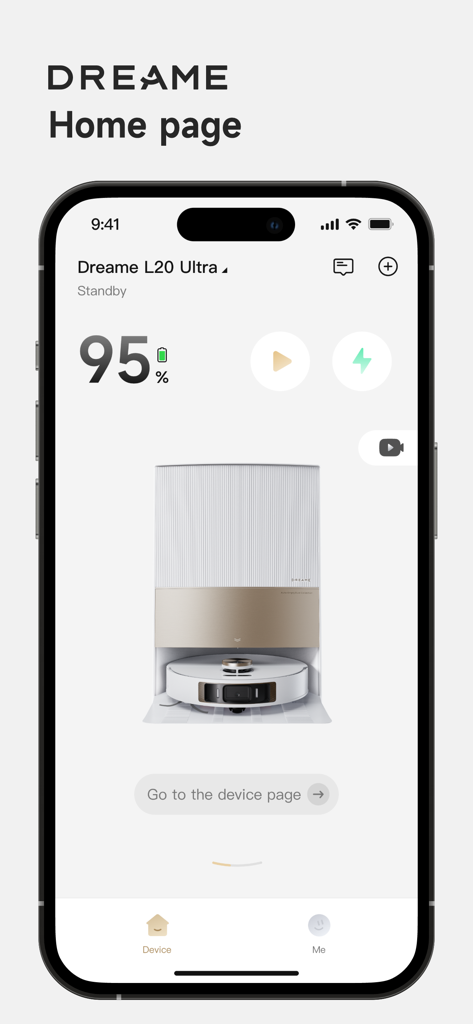
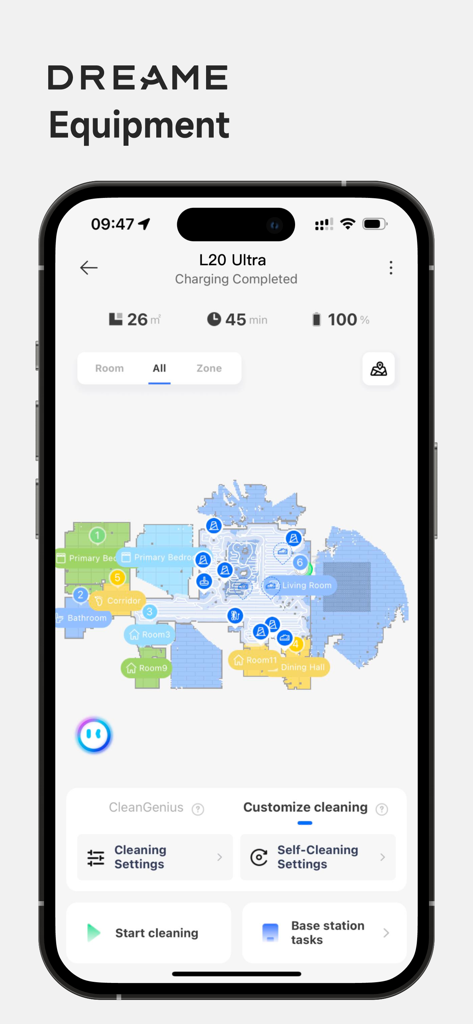
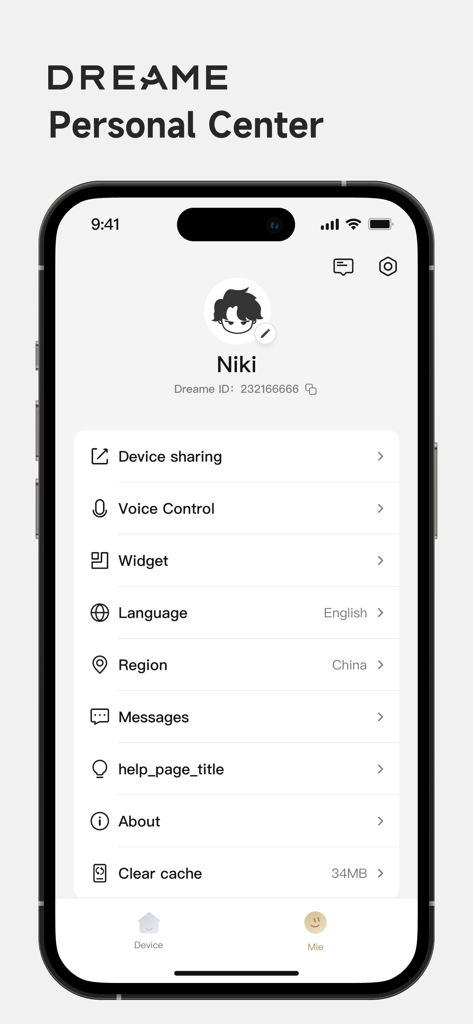
The tools that make this app stand out, trusted by 5M+ users.
Visualize your home with a digital twin. Set specific cleaning areas or draw boundaries around pet bowls and play zones for a worry-free, customized clean.
Automate your daily routine by choosing specific times and rooms for your robot to clean, ensuring you always return to a pristine home without lifting a finger.
Start a cleaning session from your Apple Watch while at the gym, or use Alexa and Google Assistant to manage your home eco-system from anywhere in the world.
Trusted by 5M+ people who love this app.
"Managing a household with two toddlers and a golden retriever used to be a full-time job. With Dreamehome, I've reclaimed hours of my week. The precision of the No-Go Zones ensures the robot never disturbs the kids' playroom, and the mapping is incredibly accurate. It's the most reliable smart home app I've ever used."
"As a tech enthusiast, I love the level of control this app provides. Being able to trigger a quick clean of the kitchen from my Apple Watch while I'm at the gym is a game-changer. The OTA updates keep adding value, and the Alexa integration is seamless. It’s a must-have for anyone building a truly automated home."
Everything you need to know about Dreamehome.
Description
Latest Version
2.4.10
Size
262.9 MB
First Released
Oct 21, 2021
Download the Dreamehome app now to automate your cleaning, manage your maps, and experience a spotless home without lifting a finger.
Everything you need to know about Dreamehome
The Dreamehome App manages Dreame Bot cleaning robots. It allows users to access advanced functions for home floor cleaning, including setting preferred cleaning zones and times.
Yes, the Dreamehome App offers remote control features. Users can operate the robot, locate it on a map, adjust parameters, and check the cleaning schedule from any location.
Yes, the Dreamehome App supports voice control. After completing the setup, your Dreame robot can integrate with Amazon Alexa and Google Assistant for voice commands.
The Dreamehome App helps by allowing users to create a house map to define specific rooms or areas for cleaning tasks. It also features a "Cleaning by special area" function.
Yes, the Dreamehome App includes a "No-Go Zone" feature. Users can mark areas on the map with a simple frame to prevent the Dreame Bot from entering or cleaning them.
Yes, the Dreamehome App provides a "Device Sharing" function. This feature allows multiple family members to control one Dreame robot through their respective app accounts.
The Dreamehome App manages robot software updates via Firmware OTA (Over The Air) technology. This ensures the robot always has the latest software version with new functions.
Yes, the Dreamehome App allows users to set cleaning schedules. You can specify the cleaning day, time, and particular zones for the Dreame robot to operate automatically.
The Dreamehome App displays the robot's working status, error messages, task messages, and usage data for accessories. It also shows battery level and cleaning duration.
Apps with similar features and user experience

Beijing Rockrobo Technology Co., Ltd.

Tineco Appliances Co,.Ltd.

YEEDI TECHNOLOGY LIMITED

Ecovacs Robotics Inc.

iRobot Corporation

iRobot Corporation

SHARKNINJA OPERATING LLC
Versuni Netherlands B.V

GloryskyX Studio LLC
