Philips HomeRun Robot App

Philips HomeRun Robot App

Download on App Store
Spark by MWM logo
Logo of Philips HomeRun Robot App
Philips HomeRun Robot App: Master Your Home and Garden Effortlessly

Take total control of your robot vacuum, mop, and mower from anywhere. Set custom cleaning schedules, map your space with precision, and reclaim your time for a perfectly maintained home and lawn.

Publisher

Versuni Netherlands B.V

Category

Lifestyle

Downloads

262K+

User Rating

4.7/5

Total Ratings

17K+

Locales

32

Control at Sight

Discover the interface used by 262K+ users.
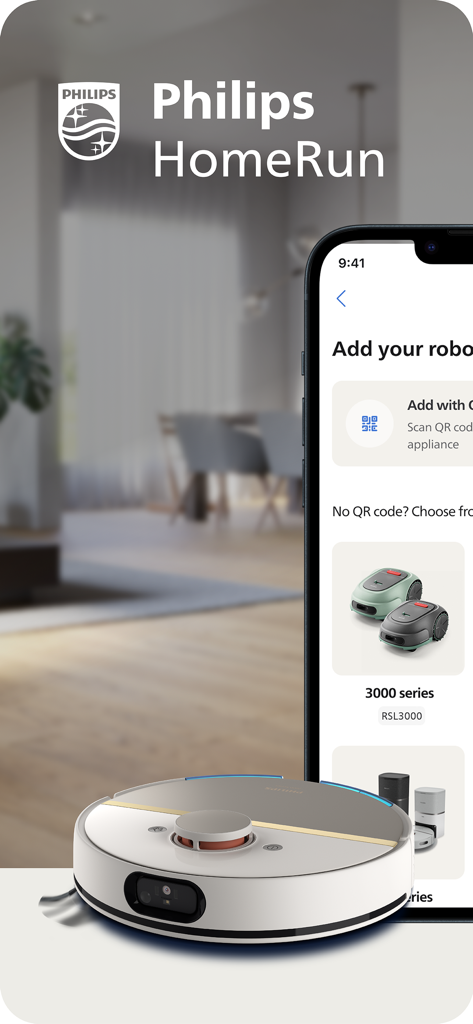
Philips HomeRun app showing robot vacuum and mower setup options

Philips HomeRun app showing robot vacuum and mower setup options

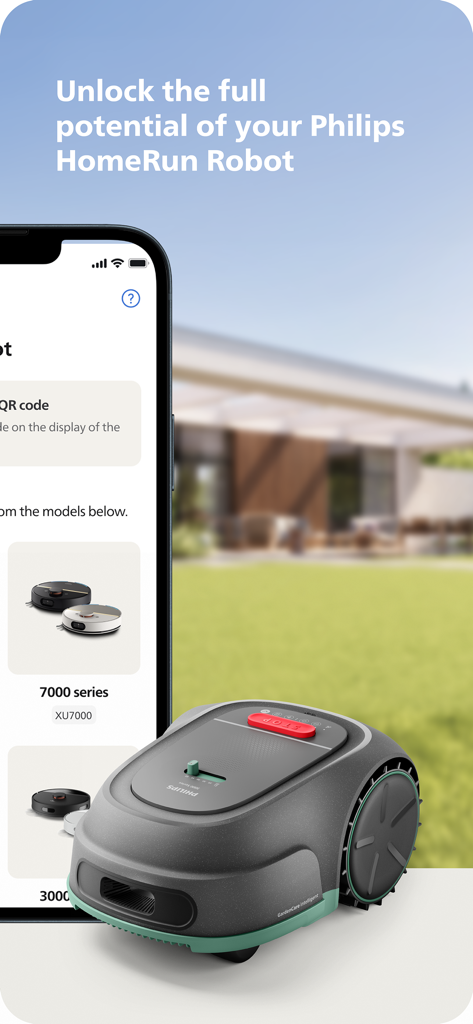
Smartphone displaying the Philips HomeRun Robot app next to a robot lawn mower on a green lawn.

Smartphone displaying the Philips HomeRun Robot app next to a robot lawn mower on a green lawn.

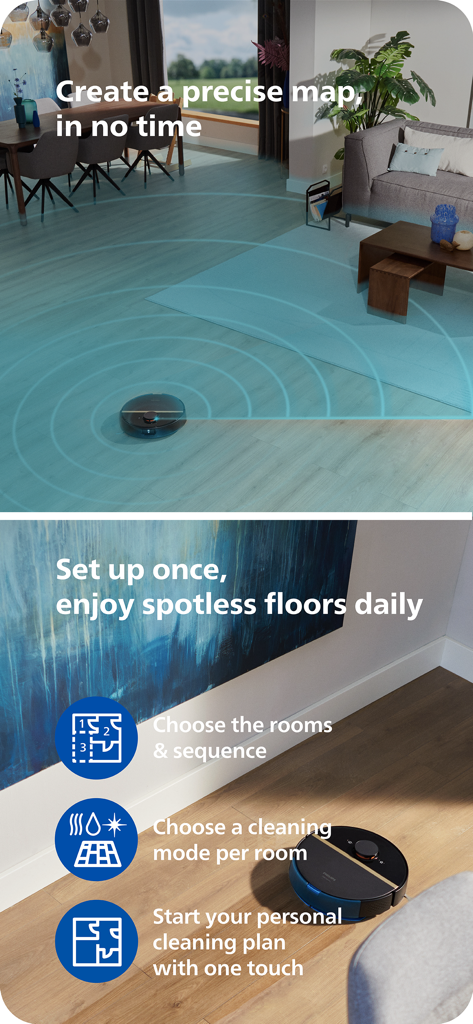
Philips HomeRun robot vacuum mapping a living room and cleaning a wooden floor with app feature highlights

Philips HomeRun robot vacuum mapping a living room and cleaning a wooden floor with app feature highlights

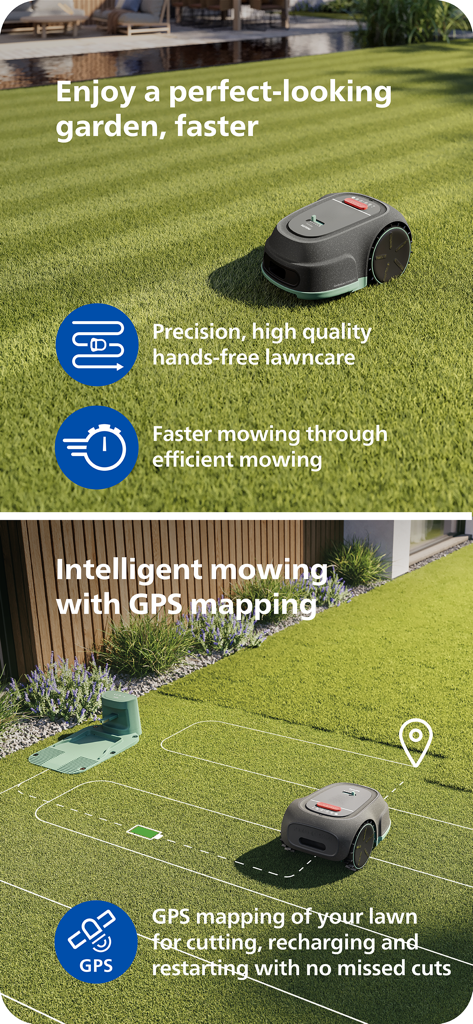
Philips HomeRun robot mower using GPS mapping for intelligent and efficient lawn care.

Philips HomeRun robot mower using GPS mapping for intelligent and efficient lawn care.

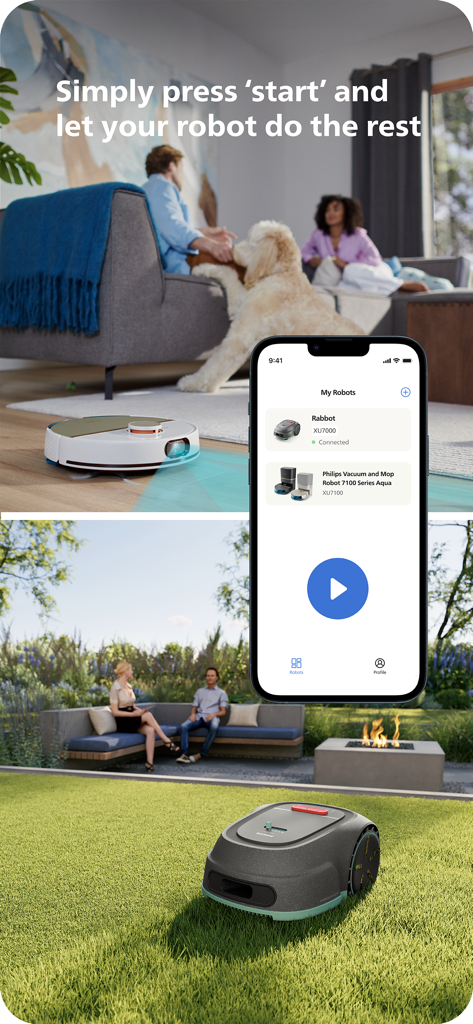
Philips HomeRun app interface showing remote control for robot vacuum and lawn mower

Philips HomeRun app interface showing remote control for robot vacuum and lawn mower

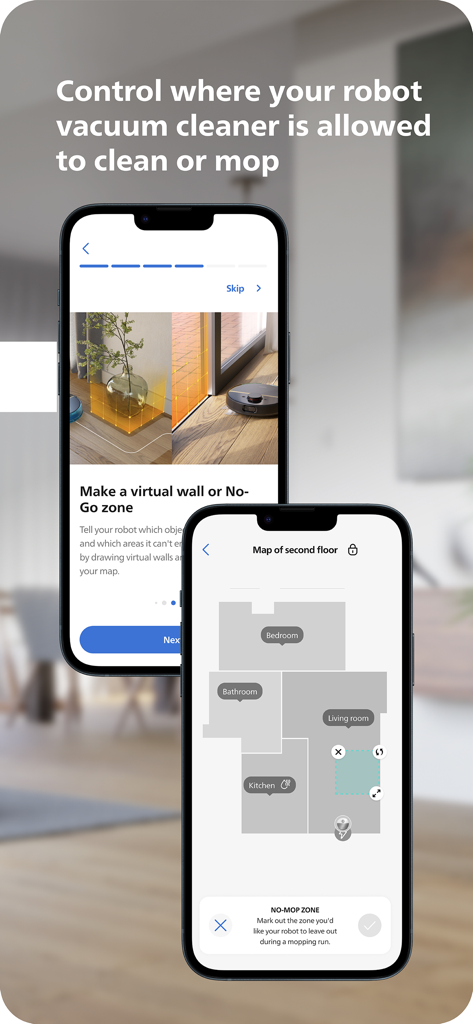
Philips HomeRun Robot App interface showing floor mapping and virtual no-go zones for cleaning and mopping

Philips HomeRun Robot App interface showing floor mapping and virtual no-go zones for cleaning and mopping

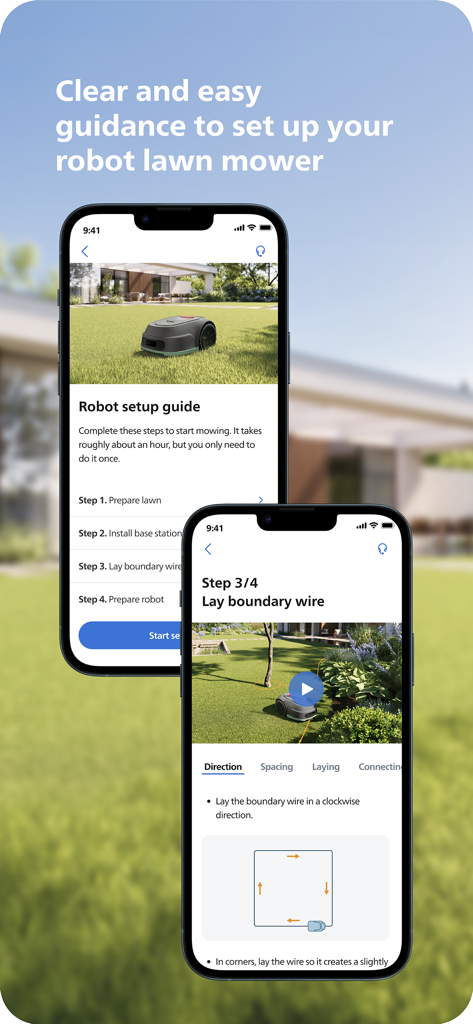
Smartphone screens displaying a step by step setup guide for a robot lawn mower on the Philips HomeRun app

Smartphone screens displaying a step by step setup guide for a robot lawn mower on the Philips HomeRun app

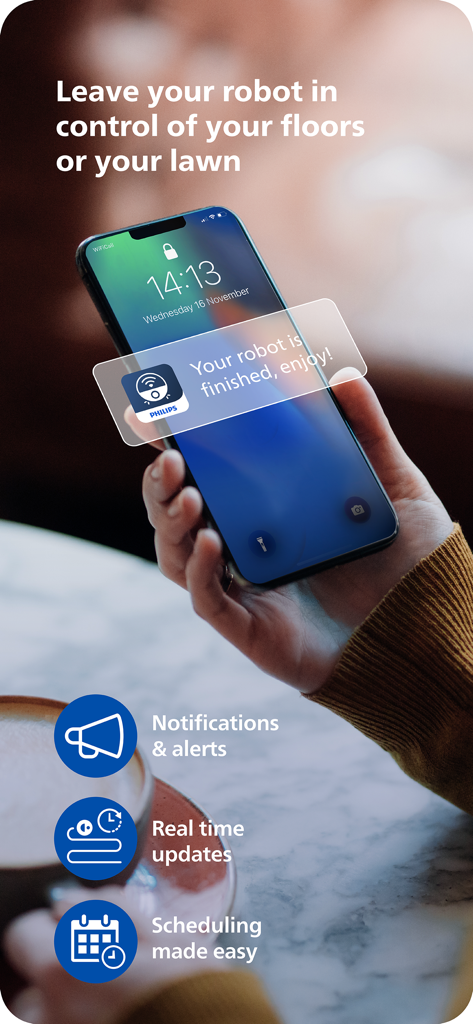
A person holding a smartphone displaying a Philips HomeRun app notification saying your robot is finished enjoy.

A person holding a smartphone displaying a Philips HomeRun app notification saying your robot is finished enjoy.

Smart Automation for Modern Living

The tools that make this app stand out, trusted by 262K+ users.

🏠

Unified Home & Garden Control

The only app you need to manage indoor vacuuming and outdoor mowing simultaneously, ensuring a guest-ready home at all times.

🗺️

Intelligent Zone Mapping

Define custom cleaning modes for different rooms and set precise boundaries for your mower to protect your delicate flower beds and rugs.

📅

Remote Care & Automation

Start, pause, or schedule your robots from anywhere. Receive live progress updates and maintenance alerts directly to your smartphone.

Loved by users worldwide

Trusted by 262K+ people who love this app.

"

"Managing a full-time job and a large garden used to be a weekend-killer. Now, I schedule the mower from my office and come home to a perfectly manicured lawn. The mapping is incredibly precise—it never misses a spot or hits my flower beds."

Mark Stevens
"

"With two golden retrievers, the 'Intensive Mode' is a lifesaver for my kitchen floors. I love that I can set no-go zones for the dogs' water bowls directly in the app. It is the most intuitive smart home tool I own."

Sarah Jenkins

About the app

Everything you need to know about Philips HomeRun Robot App.

Description

Unlock the full potential of your Philips HomeRun robot. Tell it exactly how and when to clean each room and mow your lawn. Then, relax. With the Philips HomeRun Robot app you can: ● Start, pause or stop cleaning and mowing remotely ● Make a precise map of your home to clean each room in no time ● Control where your robot cleans and mows ● Choose a cleaning mode per room and mowing mode per lawn ● Set up once, enjoy spotless floors and lawns daily ● Custom clean and mow for specific situations ● Receive progress updates on each clean and mow ● Keep your data secure Start, pause or stop your robot remotely Come home to clean floors and a perfect-looking garden every day by using your Philips HomeRun vacuum, mop, and lawn mowing robot in combination with the app. Set it up once—to clean each room and mow your lawn just the way you like it—touch ‘Start’, anytime, anywhere, and let your robot do the rest. On its first run, your robot will map your floor plan and garden. Now you have an interactive map of your home that you can use to tell your robot how and when to clean each room or to monitor how your lawn is mowed. The robot vacuum cleaner can store up to five maps. Control where your robot vacuum cleaner cleans Only want your robot to clean the kitchen, bathroom, living room? With the app, you can tell your robot which rooms you want cleaned, and in what order. If there are areas or things you’d like it to avoid—like precious items or a rug in an area you want to mop—you can tell it where not to go, or not to mop, as well. Choose a cleaning mode for each room and mowing mode for each lawn Give each room unique attention with one of the cleaning modes and mowing modes for your lawn. Use Dry mode to vacuum the bedroom and Wet & Dry mode to vacuum and mop hard floors. Put your robot on Quiet mode if, say, you have a meeting, or give the kitchen an extra thorough clean by using Intensive mode. Choose a mowing mode for your lawn to get the perfect looking garden. Set up once. Enjoy spotless floors and lawns every day Once you’ve created a cleaning and mowing plan, clean floors and perfectly mowed lawns are always a tap away. Tap ‘Start’ when you want your robot to begin - every day if you like, and at a time that suits your schedule. Custom clean for specific situations Had friends over and need an extra thorough clean? Or maybe the dog left paw prints in your hallway. Again. Schedule a custom clean and mow that targets specific rooms, areas. Get step-by-step guidance to setup easily From connecting to Wi-Fi to the first clean and mow, we’ll guide you through every step of getting started. You’ll find easy-to-follow instructions and how-to-videos as well. Always have support at your fingertips Have extra questions about the HomeRun app and robot? You’ll find a user manual in the app, answers to FAQs and easy access to Customer Care if need be. Receive progress updates As your robot cleans and mows, you’ll receive in-app updates. See where your robot currently is in your home and what the robot mowing progress is in your garden. Check on its battery levels and, most importantly, get notified as soon as the cleaning run or mowing is done Maintain high performance Get the best performance from your robot by replacing parts on time. Our app lets you know when it’s time to replace parts like filters, mops, and blades, and makes it easy to order them. Keep your data secure Philips adheres to a strict privacy policy. We recommend creating an account to ensure you can save your preferences. If you prefer, you can use the app as a guest. WiFi Philips HomeRun robot vacuum cleaners have dual band Wi-Fi so they are easy to connect to your home Wi-Fi, whether it's to 2.4 or 5.0GHz. Robot lawn mowers only connect to your 2.4GHz home Wi-Fi. Need help? Visit www.Philips.com to find answers to our most frequently asked questions, or get in touch with our Consumer Care team.

Latest Version

1.4.3

Size

168.9 MB

First Released

Jan 17, 2024

Master Your Home and Garden from Anywhere

Experience the ultimate convenience of a digital butler. Download the Philips HomeRun app to automate your cleaning and mowing, and get back to the lifestyle you deserve.

Download on App Store
FAQ

Frequently Asked Questions

Everything you need to know about Philips HomeRun Robot App

What is the primary function of the Philips HomeRun Robot App?

The Philips HomeRun Robot App allows you to fully control your Philips HomeRun robot, enabling precise scheduling and execution of cleaning for rooms and mowing for lawns.

Can I control my Philips HomeRun robot remotely using the app?

Yes, the Philips HomeRun Robot App enables you to remotely start, pause, or stop your Philips HomeRun robot's cleaning and mowing operations from anywhere.

How does the Philips HomeRun Robot App create maps?

On its first run, your Philips HomeRun robot creates an interactive map of your home and garden, which you can use within the app to manage cleaning and mowing tasks.

How many maps can the Philips HomeRun robot vacuum cleaner store?

The Philips HomeRun robot vacuum cleaner can store up to five different interactive maps of your floor plan within the Philips HomeRun Robot App for customized cleaning.

Can I set no-go zones with the Philips HomeRun Robot App?

Yes, the Philips HomeRun Robot App allows you to define virtual walls or "no-go" zones to prevent your robot from cleaning or mopping specific areas or valuable items.

What cleaning modes does the Philips HomeRun Robot App offer?

The Philips HomeRun Robot App offers Dry, Wet & Dry, Quiet, and Intensive cleaning modes. You can select a suitable mode for each room and specific mowing modes for your lawn.

Does the Philips HomeRun Robot App provide setup guidance?

Yes, the Philips HomeRun Robot App provides clear, step-by-step guidance for easy setup, including Wi-Fi connection and first-time operation, often with how-to videos.

Does the Philips HomeRun Robot App use GPS for mowing?

Yes, the Philips HomeRun Robot App supports intelligent lawn mowing using GPS mapping. This ensures precise cuts, efficient recharging, and continuous coverage without missed spots.

How does the Philips HomeRun Robot App secure user data?

Philips adheres to a strict privacy policy to ensure user data security within the HomeRun Robot App. Users can also opt to use the app as a guest.

What Wi-Fi frequencies do Philips HomeRun robots connect to?

Philips HomeRun robot vacuum cleaners connect to dual-band Wi-Fi (2.4 or 5.0GHz). Robot lawn mowers connect exclusively to 2.4GHz home Wi-Fi via the Philips HomeRun Robot App.