Roborock

Roborock

Download on App Store
Spark by MWM logo
Logo of Roborock

Roborock: Precision control for a smarter, cleaner home

Orchestrate your home with the ultimate smart companion. From custom cleaning routines to real-time mapping, manage your Roborock devices anytime, anywhere, and reclaim your most precious commodity: time.

Download on App Store

Publisher

Beijing Rockrobo Technology Co., Ltd.

Category

Lifestyle

Downloads

13M+

User Rating

4.8/5

Total Ratings

690K+

Locales

29

Precision at Your Fingertips

Discover the interface used by 13M+ users.
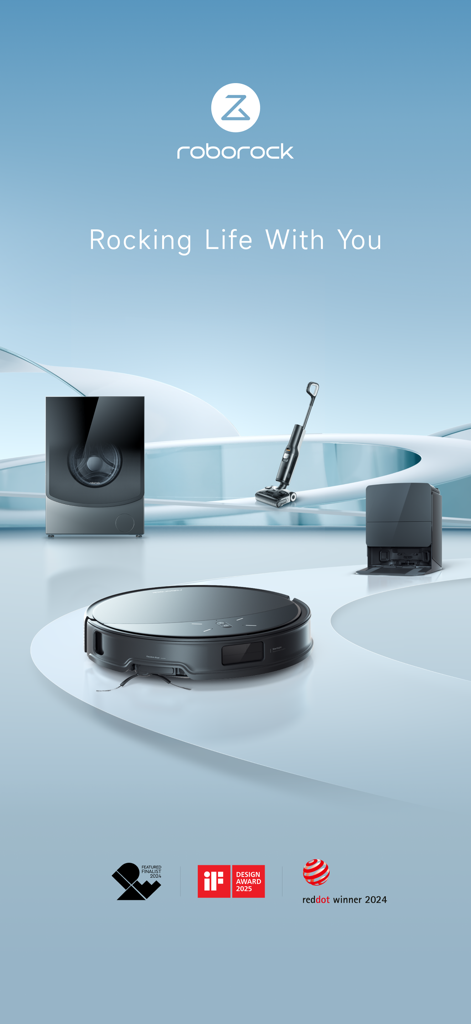
Premium Roborock smart appliances including a robotic vacuum cleaner and washer dryer shown with industry design awards.

Premium Roborock smart appliances including a robotic vacuum cleaner and washer dryer shown with industry design awards.

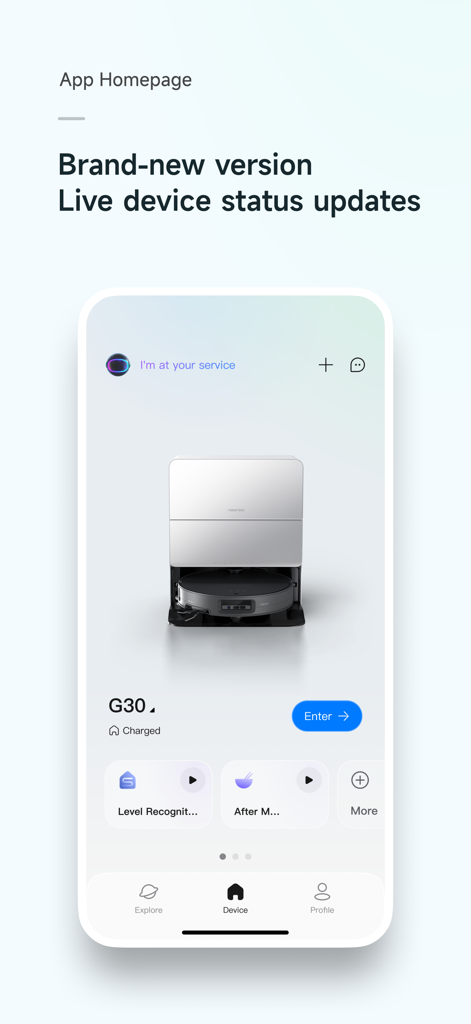
Roborock app homepage displaying live device status and a robot vacuum cleaner model G30

Roborock app homepage displaying live device status and a robot vacuum cleaner model G30

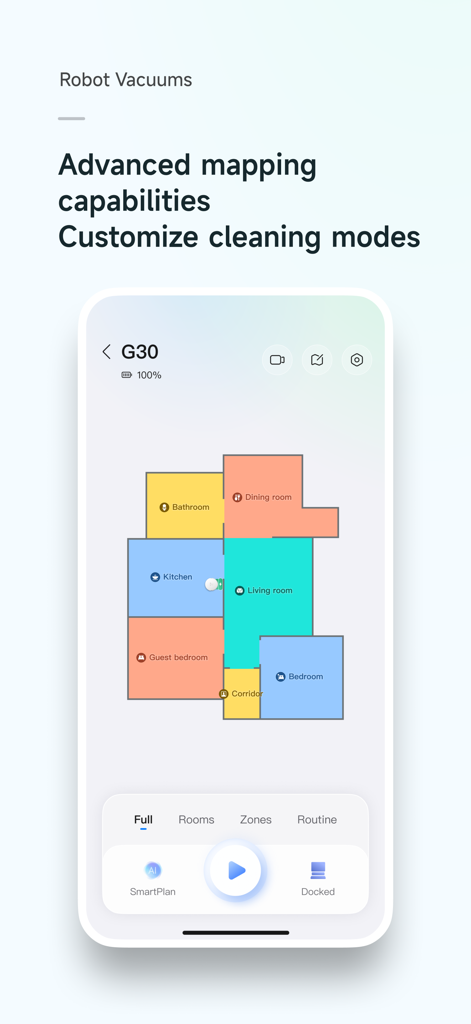
A smartphone screen showing the Roborock app floor plan map with color-coded rooms for a robotic vacuum cleaner.

A smartphone screen showing the Roborock app floor plan map with color-coded rooms for a robotic vacuum cleaner.

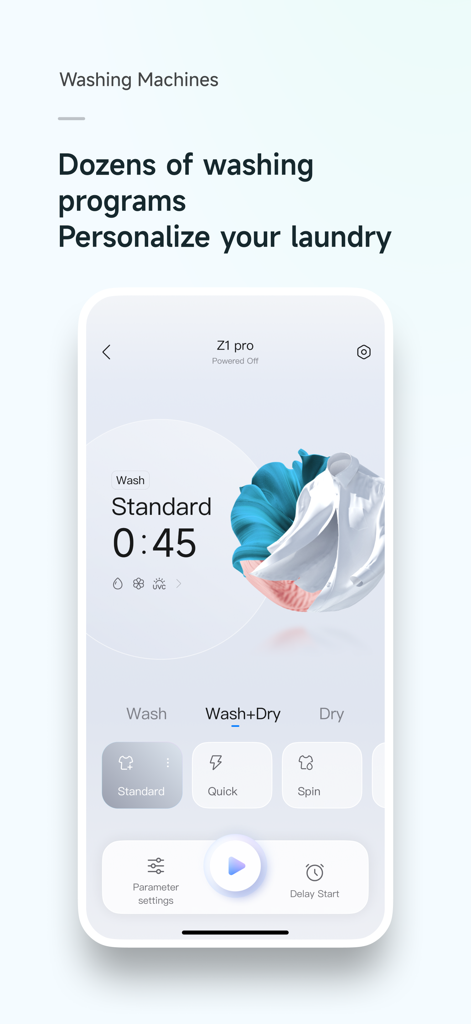
Roborock app interface showing personalized washing and drying programs for smart laundry appliances

Roborock app interface showing personalized washing and drying programs for smart laundry appliances

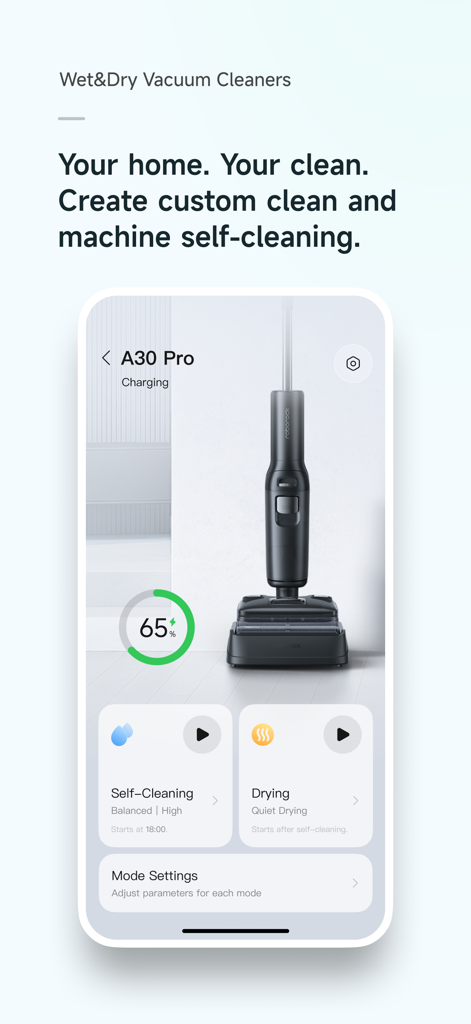
Roborock app interface for wet and dry vacuum cleaners showing self-cleaning and drying controls for the A30 Pro model

Roborock app interface for wet and dry vacuum cleaners showing self-cleaning and drying controls for the A30 Pro model

Effortless Control for a Spotless Home

The tools that make this app stand out, trusted by 13M+ users.

🗺️

Precision Mapping & Control

Define invisible boundaries and no-go zones on a detailed 3D map. Tell your robot exactly where to clean—and where to stay away.

Customized Cleaning Routines

Create 'one-tap' schedules that fit your lifestyle. Automate deep cleans while you're at work or quick sweeps after family meals.

🐾

Real-Time Remote Monitoring

Check on your home and pets from anywhere. Use live video viewing and path tracking to ensure your sanctuary is always being cared for.

Loved by users worldwide

Trusted by 13M+ people who love this app.

"

"The level of control is incredible. I have set up specific No-Go Zones around my pets' water bowls and scheduled routines for the kitchen right after dinner. Being able to check the real-time cleaning map and even use the remote camera to check on my dog while I am at the office is a total game changer for my daily peace of mind."

Sarah Miller
"

"This is easily the most polished smart home app I own. The mapping accuracy is pinpoint, allowing me to customize suction power and water flow room-by-room. I especially love the washer-dryer integration; being able to monitor the cycle and start a drying program from my phone saves me so much time during the weekend rush."

David Richardson

About the app

Everything you need to know about Roborock.

Description

Roborock App is a dedicated application designed to control Roborock’s smart hardware devices. It supports network-enabled products in Roborock’s robotic vacuum cleaners, wet and dry vacuum cleaners, and molecular sieve-based washer dryers. You can remotely control smart devices and check their status and cleaning progress through this app anytime, anywhere. Easily unlock more advanced features through the Roborock app. 【Roborock Robotic Vacuum Cleaner】 · Check the cleaning map and path anywhere and anytime you want, and control the cleaning progress in real-time. · Choose from various personalized cleaning methods, including room cleaning, zone cleaning, scheduled cleaning, and spot cleaning routines. · Set up frequently used cleaning tasks as routines for one-tap starts. · Choose multiple cleaning preferences, including Vacuum, Mop, Vac & Mop, SmartPlan (applicable to certain models only), and Customize mode. · Set up a personalized cleaning plan by adjusting suction power, water flow, cleaning frequency, and route (applicable to certain models only). · Enables you to edit a map based on your home and set names for thresholds, carpets, floor types, furniture, and rooms. · Set up invisible walls and no-go zones and your robot will not cross or enter them during cleaning. · Enjoy a variety of fun features, including remote viewing, obstacle photos, pet snapshots, cruise mode, pet search, and custom tones (applicable to select models only). 【Roborock Wet and Dry Vacuum Cleaner】 · Adjust water flow, suction power, roller speed, and detergent level (applicable to select models only) based on the floor and dirt level. · Smart scheduled self-cleaning and drying: automatically initiates self-cleaning and drying based on historical operation records. 【Roborock Washer Dryer】 · Check the washing progress and operating status anywhere and anytime you want. · Choose from over 20 smart washing and drying programs to meet the professional needs of various fabrics and clothing, ensuring optimal washing performance. · Set one program as the App Program for quick access on the control panel. 【Permissions】 To provide certain services, you need to enable the relevant permissions on your mobile device. We will only need the relevant permissions and access your personal information (if relevant) when you use the relevant functions. For the optional permissions, you can refuse or withdraw these permissions at any time, for which you may not be able to use the corresponding services, but this will not affect other functions of the App. The current permissions that the app may need are as follows: · Location (Optional) Accesses location information to connect to WiFi, find nearby devices ready for connection, and retrieve details about the current WiFi connection. · Camera (Optional) Enables the camera to scan QR codes for easier WiFi connection. · Photos (Optional) Allows access to photos for uploading profile pictures and attaching images when providing feedback. If your device supports features like downloading obstacle images, taking screenshots, or recording during remote viewing, photos and videos can be stored. · Microphone (Optional) Used for sound transmission on devices that support remote viewing. · WLAN (Optional) Facilitates connection to WiFi networks emitted by smart devices for communication and connectivity. · Bluetooth (Optional) Enables connection to Bluetooth signals from smart devices for communication and device connecting. · Notifications (Optional) Allows the app to send you device and system notifications. · Local Network (Optional) When connecting devices on the iOS local network, grants access to the local network to connect to WiFi networks emitted by smart devices. · Siri & Search (Optional) When opening Siri on iOS, interacts with Siri to control the starting and moving of devices based on the Routines set up in the mobile device.

Latest Version

4.56.08

Size

199.9 MB

First Released

Jun 18, 2019

Put Your Home on Autopilot

Join over 13 million users who have reclaimed their time. Download the top-rated Roborock app to unlock precision mapping, custom routines, and total control of your environment from anywhere.

Download on App Store
FAQ

Frequently Asked Questions

Everything you need to know about Roborock

What is the Roborock app used for?

The Roborock app controls Roborock's smart hardware devices, including robotic vacuum cleaners, wet and dry vacuum cleaners, and molecular sieve-based washer dryers. It enables remote management and status checks for network-enabled products.

Can I remotely control my Roborock devices with the app?

Yes, the Roborock app allows users to remotely control their smart devices. It also enables checking their status and cleaning progress anytime, anywhere.

What advanced cleaning features does the Roborock app offer for robot vacuums?

The Roborock app unlocks advanced features for robot vacuums, including real-time map and path checking, personalized cleaning methods like room and zone cleaning, and custom cleaning plans for suction power and water flow.

How can I personalize cleaning plans using the Roborock app?

Users can personalize cleaning plans for robotic vacuums by adjusting suction power, water flow, cleaning frequency, and route. The app also allows setting up invisible walls and no-go zones.

Does the Roborock app provide mapping capabilities for robot vacuums?

Yes, the Roborock app provides advanced mapping capabilities for robot vacuums. Users can view and edit maps, naming thresholds, carpets, floor types, furniture, and rooms within their home.

What features does the Roborock app have for wet and dry vacuum cleaners?

For wet and dry vacuum cleaners, the Roborock app allows adjustment of water flow, suction power, roller speed, and detergent level. It also supports smart scheduled self-cleaning and drying based on operation records.

Can I manage washing programs for my Roborock washer dryer with the app?

Yes, the Roborock app allows users to manage washer dryers. It offers over 20 smart washing and drying programs to meet various fabric needs and allows setting one program for quick access.

Are app permissions like Location and Camera mandatory for the Roborock app?

No, permissions like Location and Camera are optional for the Roborock app. Users can refuse or withdraw these, though it may limit corresponding services, it will not affect other app functions.

How does the Roborock app use optional permissions like Bluetooth or WLAN?

The Roborock app uses optional Bluetooth and WLAN permissions to connect to smart devices. WLAN facilitates connection to WiFi networks emitted by devices, while Bluetooth enables communication and device connectivity.

Does the Roborock app support integration with Siri?

Yes, the Roborock app supports Siri & Search integration on iOS devices. Users can interact with Siri to control device starting and movement, based on Routines set up in the mobile device.