FE File Explorer Pro

FE File Explorer Pro

Download on App Store
Spark by MWM logo
Logo of FE File Explorer Pro

FE File Explorer Pro: The Professional Command Center for All Your Files

Seamlessly access, stream, and manage files across your PC, Mac, NAS, and cloud storage. Take full control of your digital workspace with professional-grade protocols and advanced iPad multitasking.

Publisher

Skyjos Co., Ltd.

Category

Utilities

Downloads

603K+

User Rating

4.7/5

Total Ratings

43K+

Locales

14

The Command Center

Discover the interface used by 603K+ users.
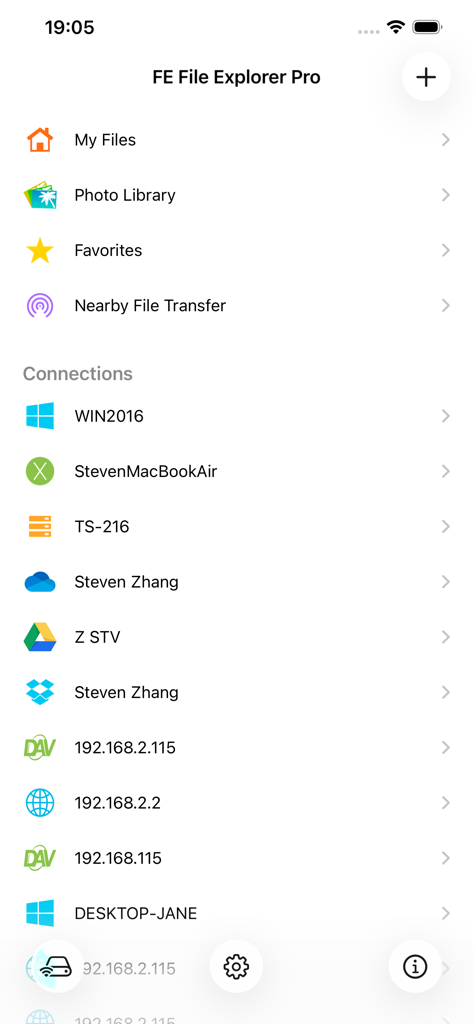
Dashboard of FE File Explorer Pro listing connections to Windows PC, Mac, NAS, and cloud storage providers.

Dashboard of FE File Explorer Pro listing connections to Windows PC, Mac, NAS, and cloud storage providers.

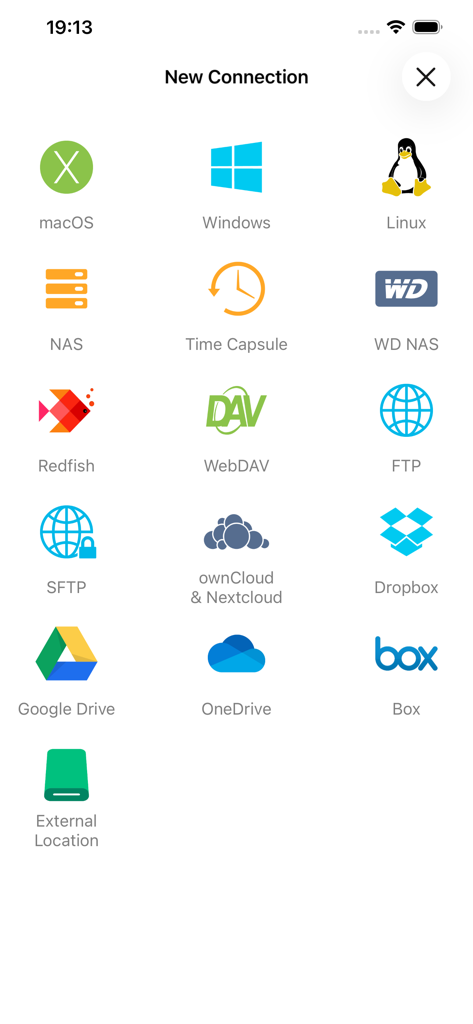
New connection screen in FE File Explorer Pro showing support for macOS, Windows, Linux, NAS, and various cloud storage services.

New connection screen in FE File Explorer Pro showing support for macOS, Windows, Linux, NAS, and various cloud storage services.

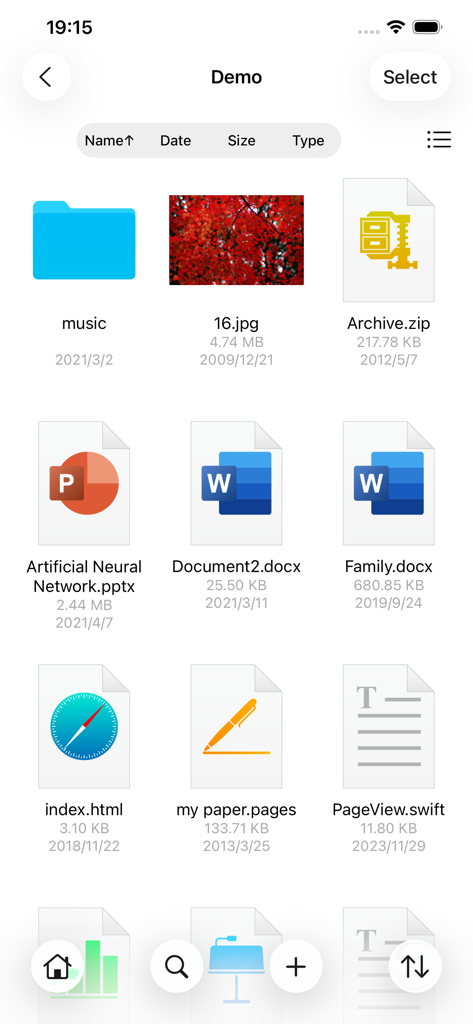
FE File Explorer Pro interface showing a grid of various file types including documents, images, and archives.

FE File Explorer Pro interface showing a grid of various file types including documents, images, and archives.

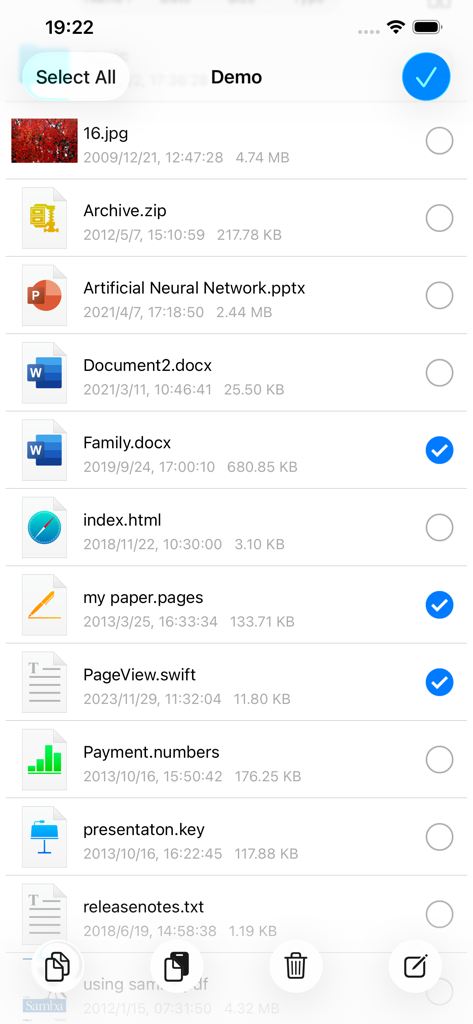
FE File Explorer Pro interface showing multiple files selected for bulk actions

FE File Explorer Pro interface showing multiple files selected for bulk actions

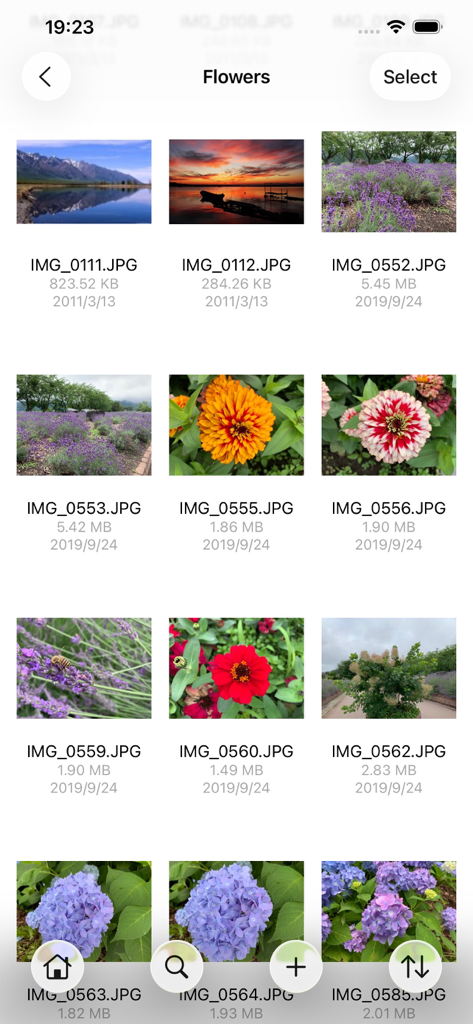
FE File Explorer Pro interface displaying a grid of photos within a folder named Flowers

FE File Explorer Pro interface displaying a grid of photos within a folder named Flowers

PDF viewer interface in FE File Explorer Pro app displaying a document about the solar system

PDF viewer interface in FE File Explorer Pro app displaying a document about the solar system

Integrated music player in FE File Explorer Pro showing audio playback controls and album art for a file streamed from a network drive.

Integrated music player in FE File Explorer Pro showing audio playback controls and album art for a file streamed from a network drive.

In-app video player streaming a movie from a network server with playback controls.

In-app video player streaming a movie from a network server with playback controls.

Master Your Digital Workspace

The tools that make this app stand out, trusted by 603K+ users.

🌐

Unified Network Access

Connect instantly to macOS, Windows, Linux, and NAS via SMB, FTP, or SFTP. Your entire network infrastructure is now at your fingertips.

🎬

Direct Media Streaming

Stream 4K movies and high-fidelity music directly from your servers to your device. Enjoy your library without consuming local storage.

Pro-Grade Workflow

Move files with drag-and-drop ease between different clouds and servers. Use multi-window support on iPad for a true desktop experience.

Loved by users worldwide

Trusted by 603K+ people who love this app.

"

"FE File Explorer Pro is the Swiss Army knife of file management. I can manage my home NAS, office SFTP, and multiple cloud accounts all from one interface. The SMB support is flawlessly fast, making it easy to troubleshoot server files right from my iPad. It is the professional tool Apple's native Files app should have been."

David S., IT Administrator
"

"This app is essential for my mobile workflow. I can stream 4K footage directly from my Mac to my iPad without using up local storage, and moving files between Dropbox and my client's FTP is a breeze with drag-and-drop. It has completely transformed how I use my iPad Pro on location."

Elena R., Freelance Videographer

About the app

Everything you need to know about FE File Explorer Pro.

Description

FE File Explorer Pro is a file manager app on your iPhone and iPad. It can access not only local files, but also files on your computer, NAS and cloud storages. Transfer files among those locations. Stream movies and music to your iPhone/iPad. Directly view and manage documents, photos, files on your computer and cloud without downloading to your iPhone/iPad. FEATURES: * Access network shares on macOS, Windows, Linux, Time Capsule, NAS via SMB/CIFS protocol. * Access WebDAV Server, FTP Server and SFTP Server * Access cloud storages: Google Drive, Dropbox, OneDrive, Box. * Automatically discover comptuers, NAS and servers when you setup new connections. * View, copy, move, rename and delete your files right on iPhone/iPad. * Stream movies and musics from network shares and cloud storages to iPhone/iPad. * AirPlay photos, musics and movies on Apple TV. * Sort and search files * Archive and unarchive files * Dark Mode * Multiple windows on iPad * Integrated with iOS Files app * Distribute configurations via MDM (Mobile Device Management). * Built-in FTP Server and HTTP Server * File Transfer: Copy files among servers, cloud storages, iPhone and iPad. Transfer files by drag and drop. Nearby file transfer: Directly transfer files between two nearby iOS devices without Wi-Fi or LTE connection. ===== CONTACT US ===== Email: support@skyjos.com Twitter: @SkyjosApps Facebook: @SkyjosApp

Latest Version

11.5.3

Size

83.0 MB

First Released

Feb 28, 2012

Ready to Master Your Digital Workflow?

Join over 600,000 power users and professional creatives who rely on FE File Explorer Pro for seamless, high-speed access to NAS, servers, and cloud storage.

Download on App Store
FAQ

Frequently Asked Questions

Everything you need to know about FE File Explorer Pro

What is FE File Explorer Pro and what are its main features?

FE File Explorer Pro is a file manager app for iPhone and iPad. It accesses local files, computer files, NAS, and cloud storages. It transfers files, streams media, and manages documents without downloading.

Does FE File Explorer Pro access cloud storage services?

Yes, FE File Explorer Pro supports major cloud storages including Google Drive, Dropbox, OneDrive, and Box. Users can access, view, and manage their cloud files directly through the app.

Can I stream movies and music using FE File Explorer Pro?

Yes, FE File Explorer Pro enables streaming of movies and music from network shares and cloud storages directly to iPhone/iPad. It also supports AirPlay for photos, music, and movies.

Does FE File Explorer Pro support connecting to network shares and servers?

Yes, FE File Explorer Pro accesses network shares on macOS, Windows, Linux, Time Capsule, and NAS via SMB/CIFS protocol. It also connects to WebDAV, FTP, and SFTP servers.

How does FE File Explorer Pro handle file transfers?

FE File Explorer Pro facilitates file transfer by copying files among servers, cloud storages, iPhone, and iPad. It supports drag and drop, and nearby file transfer between iOS devices without Wi-Fi or LTE.

Can I manage files on my iOS device with FE File Explorer Pro?

Yes, FE File Explorer Pro allows users to view, copy, move, rename, and delete files directly on their iPhone or iPad. It also integrates with the iOS Files app for enhanced management.

Does FE File Explorer Pro have a Dark Mode option?

Yes, FE File Explorer Pro includes a Dark Mode feature. This provides an alternative visual theme for user comfort, especially in low-light environments.