Fing - Network Scanner

Fing - Network Scanner

Download on App Store
Spark by MWM logo
Logo of Fing - Network Scanner

Fing - Network Scanner: Take Full Control of Your Home Network and Security

Instantly see every device on your Wi-Fi, detect intruders, find hidden cameras, and troubleshoot buffering with the world’s #1 network scanner.

Publisher

Fing Limited

Category

Productivity

Downloads

14M+

User Rating

4.6/5

Total Ratings

504K+

Locales

16

Your Network at a Glance

Discover the interface used by 14M+ users.
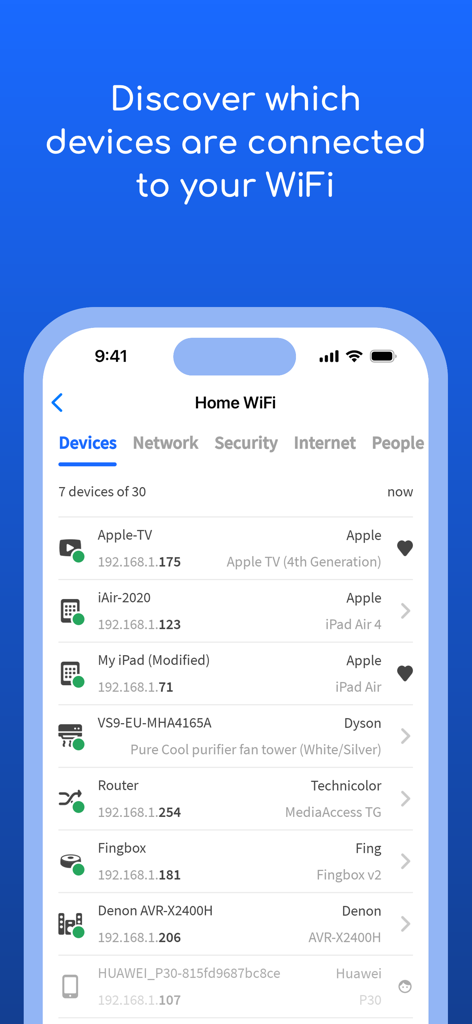
Fing app screen showing a list of connected devices on a home Wi-Fi network with IP addresses and device types

Fing app screen showing a list of connected devices on a home Wi-Fi network with IP addresses and device types

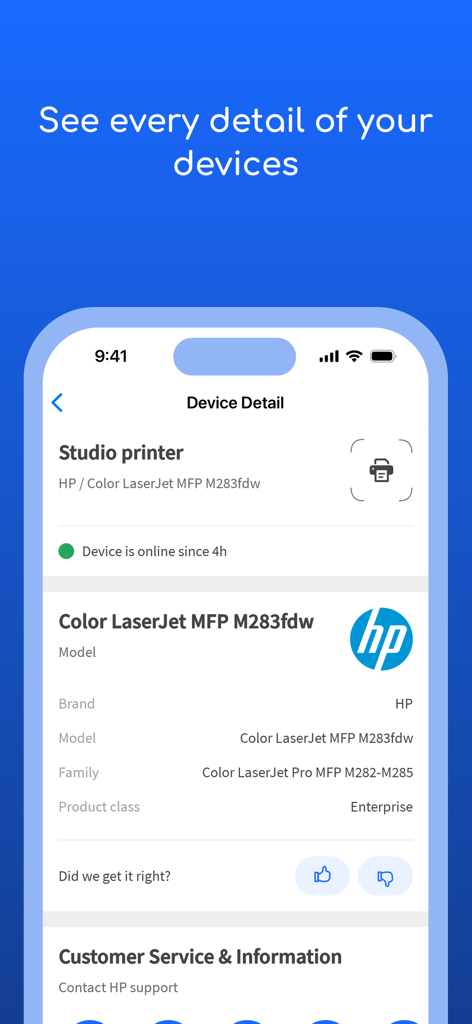
Detailed view of a connected HP printer within the Fing app interface

Detailed view of a connected HP printer within the Fing app interface

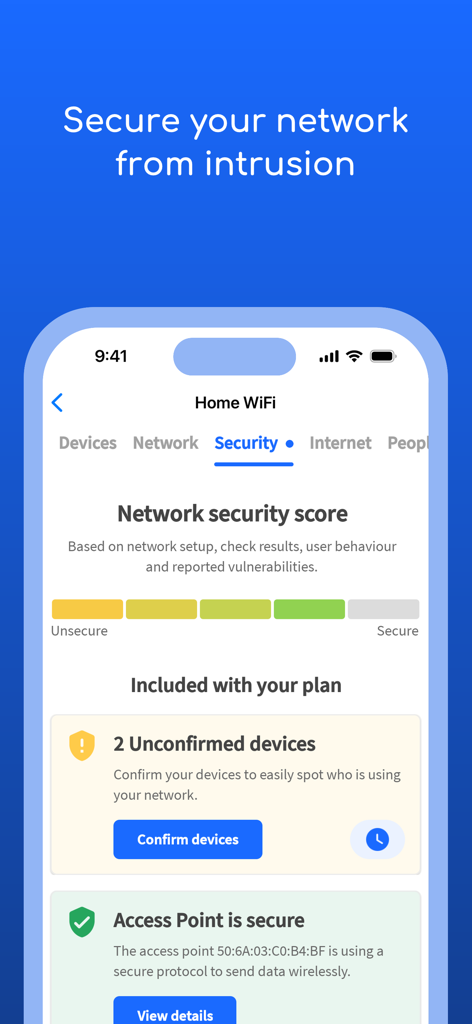
Screenshot of Fing app displaying network security score and unconfirmed device alerts

Screenshot of Fing app displaying network security score and unconfirmed device alerts

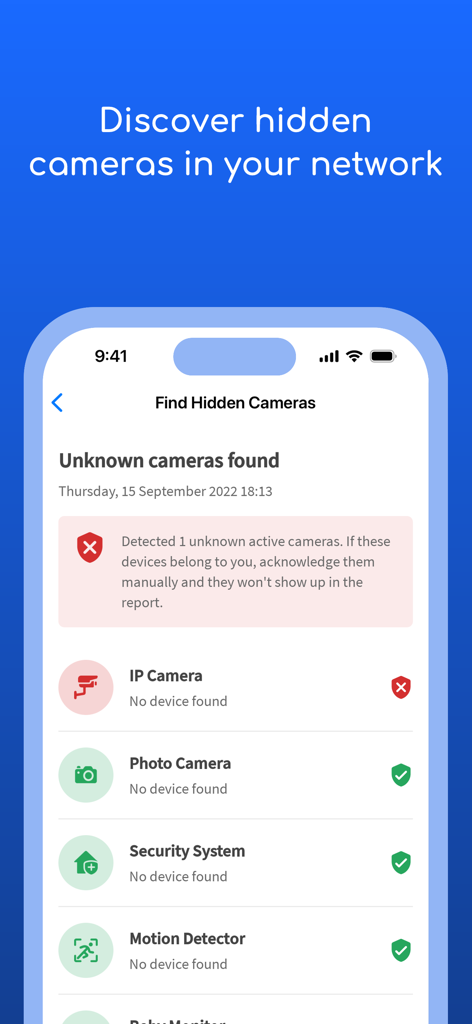
A screenshot of the Fing app showing the hidden camera detection feature on a mobile network

A screenshot of the Fing app showing the hidden camera detection feature on a mobile network

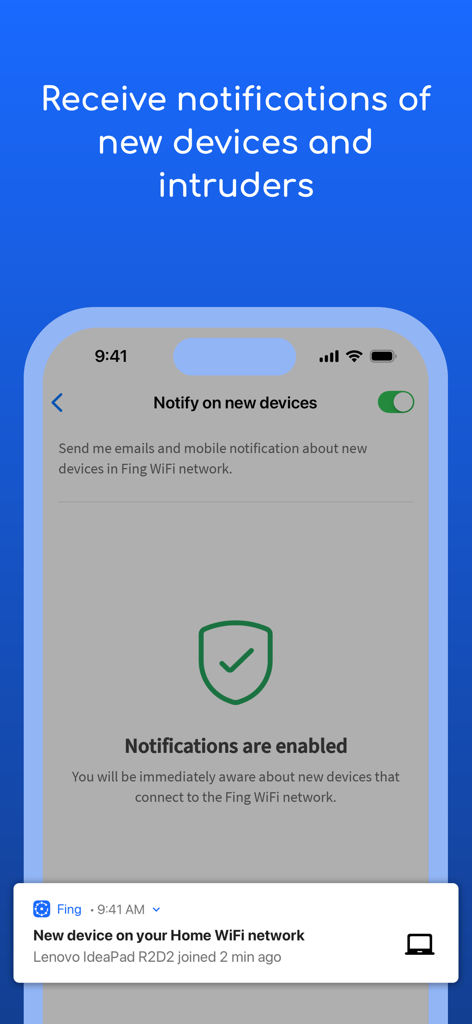
Screenshot showing the Fing app feature for receiving real-time alerts when new devices or intruders join a WiFi network

Screenshot showing the Fing app feature for receiving real-time alerts when new devices or intruders join a WiFi network

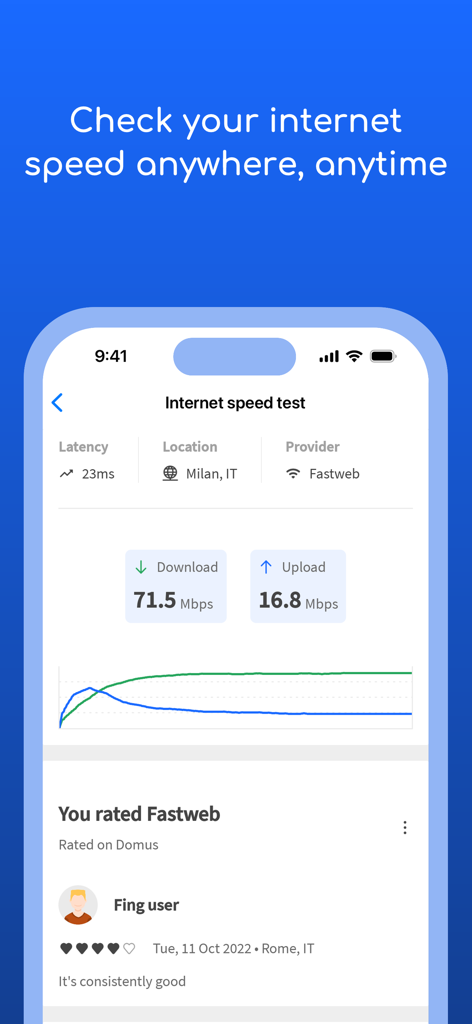
Fing app interface showing internet speed test results with download and upload speeds

Fing app interface showing internet speed test results with download and upload speeds

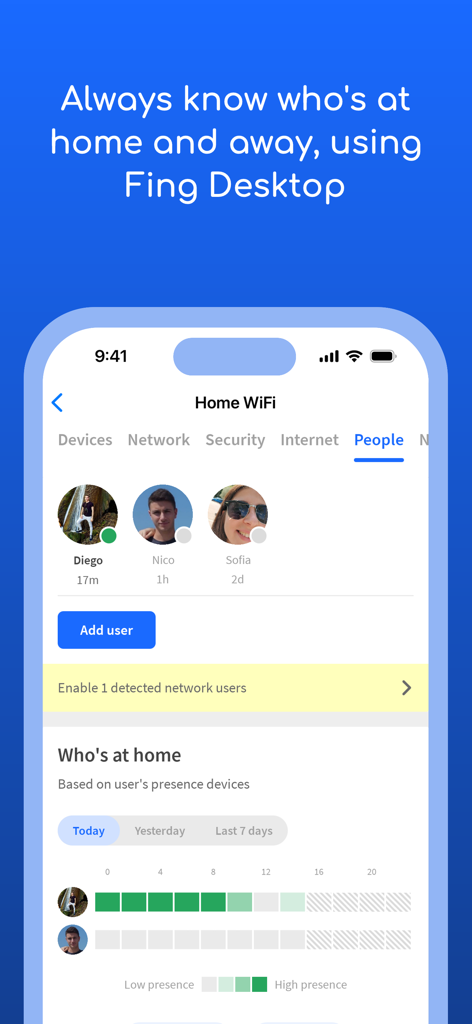
Fing app interface showing digital presence tracking for people connected to a home WiFi network

Fing app interface showing digital presence tracking for people connected to a home WiFi network

Take Total Control of Your Digital Home

The tools that make this app stand out, trusted by 14M+ users.

🛡️

Instantly Spot Intruders

Identify every device on your Wi-Fi and get immediate alerts the moment an unknown guest or neighbor tries to piggyback on your connection.

Eliminate Buffering Forever

Run automated speed tests and latency analysis to hold your ISP accountable and ensure your home office or gaming setup is running at peak performance.

👁️

Secure Your Privacy Anywhere

Detect hidden cameras in short-term rentals and use Digital Presence to monitor when your kids or guests arrive home in real-time.

Loved by users worldwide

Trusted by 14M+ people who love this app.

"

"Fing is an absolute essential for my home office setup. As a remote developer, I need to know exactly why my connection is lagging or if a neighbor is piggybacking on my signal. The device recognition is incredibly accurate, and the speed tests keep my ISP honest. I finally feel in control of my own network security."

Marcus R., Software Engineer
"

"I never check into an Airbnb without running a Fing scan first. The peace of mind I get from knowing there are no hidden cameras on the network is worth every penny. It has also saved me so many headaches by troubleshooting hotel Wi-Fi before I start an important meeting. Truly a lifesaver for frequent travelers!"

Sarah D., Digital Nomad

About the app

Everything you need to know about Fing - Network Scanner.

Description

Fing has helped millions of users worldwide to understand: • Who's on my WiFi • Is someone stealing my WiFi and broadband? • Have I been hacked? Is my network secure? • Are there hidden cameras in the B&B I'm staying in? • Why has Netflix started buffering? • Is my internet provider giving me the speed I pay for? Fing is the #1 Network Scanner: discovers all the devices connected to your WiFi and identifies them, with our patented technology used by router manufacturers and antivirus companies worldwide. With Fing App’s free tools and utilities help you: • Scan networks with Fing’s Wi-Fi & LAN network scanner and discover all devices connected to any network • Get the most accurate device recognition of IP address, MAC address, device name, model, vendor, and manufacturer • Run WiFi and Cellular internet speed tests, download speed and upload speed analysis, and latency • Browse internet outages in your area, ISP ratings, reviews, and speed statistics • Advanced device analysis of NetBIOS, UPnP, SNMP, and Bonjour names, properties and device types • Includes port scanning, device ping, traceroute, and DNS lookup • Receive network security and device alerts to your phone and email Add Fingbox to unlock advanced network protection and smart home troubleshooting features: • Know who’s home while you’re not there with Digital Presence • See devices near your home with Digital Fence • Block intruders and unknown devices automatically before they join your network • Set parental control features to schedule screen time and pause internet access • Analyze bandwidth usage by device • Find Wi-Fi sweet spots • Automate network speed tests and get reports for benchmarking ISP performance • Secure your home network with opened port detection and network vulnerability analysis You can find all the details about the terms of use for in-app purchases and Fing account usage at https://www.fing.com/fing-terms-of-service.

Latest Version

12.11.5

Size

229.8 MB

First Released

Apr 19, 2011

Take Full Control of Your Digital Home

Join millions of users who trust Fing to secure their Wi-Fi, detect intruders, and ensure they get the internet speeds they pay for.

Download on App Store
FAQ

Frequently Asked Questions

Everything you need to know about Fing - Network Scanner

What is Fing - Network Scanner's primary function?

Fing - Network Scanner identifies all devices connected to your WiFi network. It offers accurate recognition of IP and MAC addresses, device names, models, and manufacturers using patented technology.

Can Fing detect if someone is stealing my WiFi?

Yes, Fing scans your WiFi and LAN networks to discover all connected devices. It alerts you to unknown devices or potential intruders, helping you secure your network against unauthorized access.

Does Fing offer internet speed testing?

Yes, Fing provides WiFi and Cellular internet speed tests. It analyzes download speed, upload speed, and latency, allowing you to check if your internet provider delivers the promised performance.

How does Fing help secure my home network?

Fing enhances security by detecting all connected devices, identifying intruders, and sending security alerts. With Fingbox, it also offers advanced features like blocking unknown devices and vulnerability analysis.

Can Fing discover hidden cameras on my network?

Yes, Fing can discover hidden cameras within your network. It identifies various device types, including IP cameras, photo cameras, security systems, motion detectors, and baby monitors.

What are the benefits of adding Fingbox to Fing?

Adding Fingbox unlocks advanced features for Fing, including Digital Presence, Digital Fence, automatic intruder blocking, parental controls, bandwidth usage analysis, and automated network speed test reports.

Where can I find the terms of service for Fing?

The terms of use for in-app purchases and Fing account usage are available on the official Fing website. Access the full details at https://www.fing.com/fing-terms-of-service.

Does Fing notify me about new devices connecting to my WiFi?

Yes, Fing sends network security and device alerts to your phone and email. This feature immediately notifies you when new devices connect to your Fing WiFi network.

What device details does Fing provide?

Fing provides accurate device recognition including IP address, MAC address, device name, model, vendor, and manufacturer. Advanced analysis for NetBIOS, UPnP, SNMP, and Bonjour names is also included.