Network Analyzer: net tools

Network Analyzer: net tools

Download on App Store
Spark by MWM logo
Logo of Network Analyzer: net tools

Network Analyzer: Professional Diagnostics and LAN Scanning

Take total control of your network. From discovering every connected device to troubleshooting latency with advanced ping and traceroute tools, get the professional-grade insights you need to solve connectivity issues fast.

Publisher

Jiri Techet

Category

Utilities

Downloads

2M+

User Rating

4.6/5

Total Ratings

8K+

Locales

1

Precision at a Glance

Discover the interface used by 2M+ users.
Network Analyzer app displaying a list of connected devices and IP addresses on a local network scan

Network Analyzer app displaying a list of connected devices and IP addresses on a local network scan

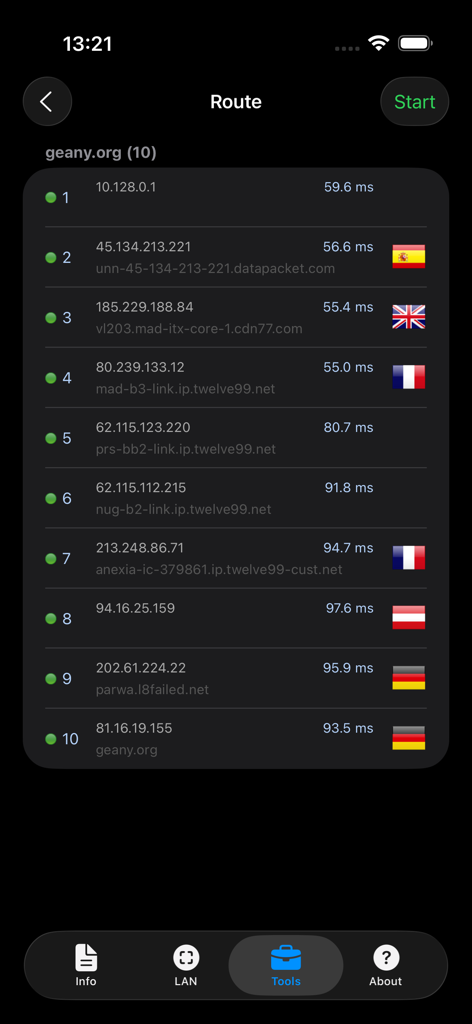
Traceroute diagnostic results showing network hops and response times for a website in the Network Analyzer app

Traceroute diagnostic results showing network hops and response times for a website in the Network Analyzer app

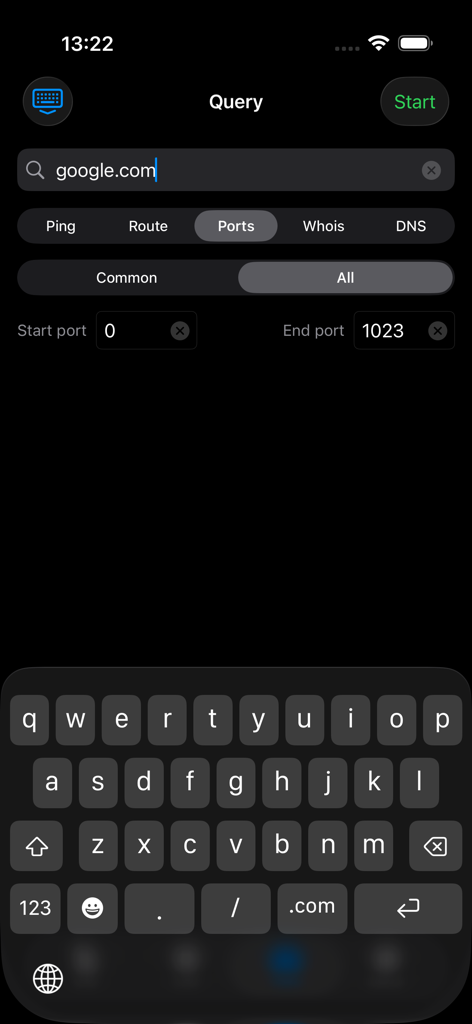
Port scanner tool in Network Analyzer app showing a query for google.com

Port scanner tool in Network Analyzer app showing a query for google.com

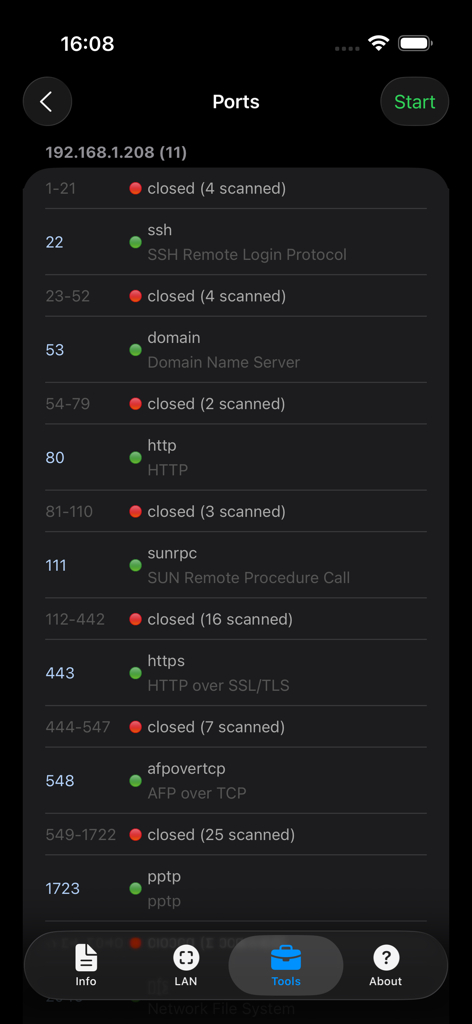
Interface of the Network Analyzer port scanner showing a list of open and closed ports on a local network device

Interface of the Network Analyzer port scanner showing a list of open and closed ports on a local network device

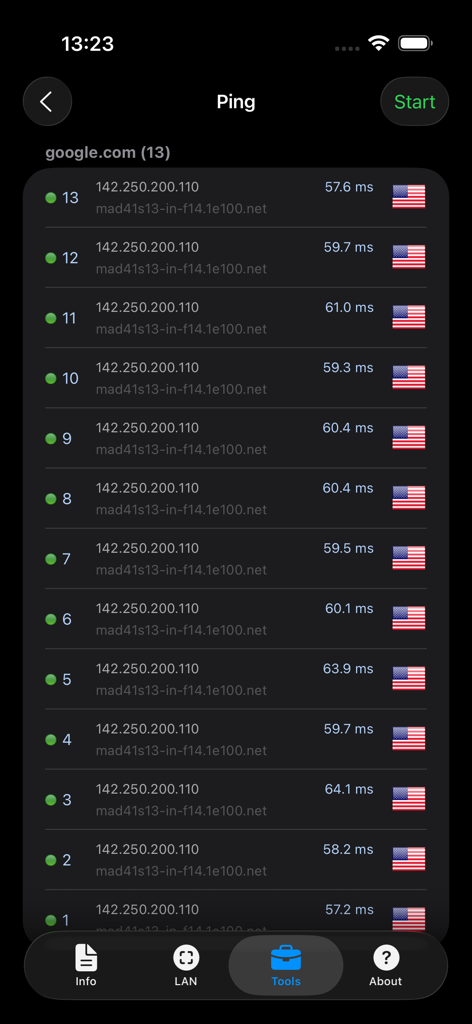
Screenshot of the Ping tool in the Network Analyzer app showing response times for google.com

Screenshot of the Ping tool in the Network Analyzer app showing response times for google.com

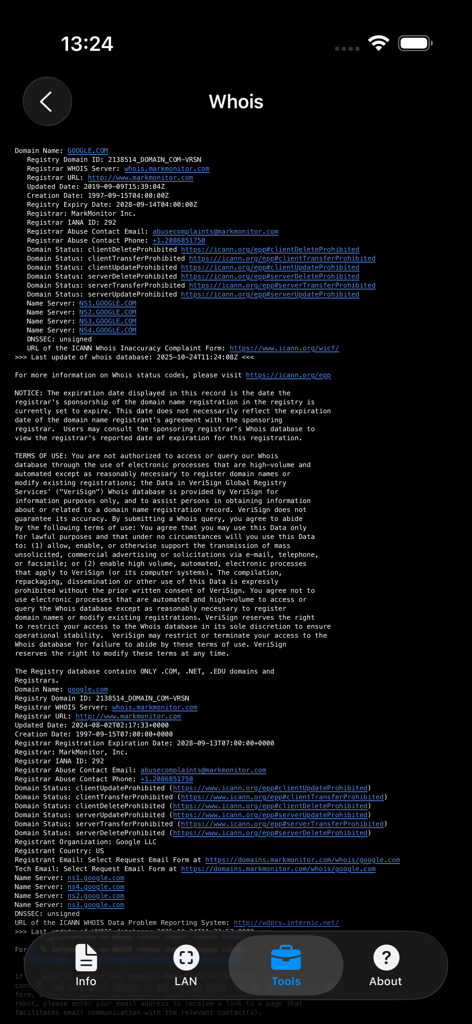
Detailed WHOIS domain registration information displayed in the Network Analyzer app

Detailed WHOIS domain registration information displayed in the Network Analyzer app

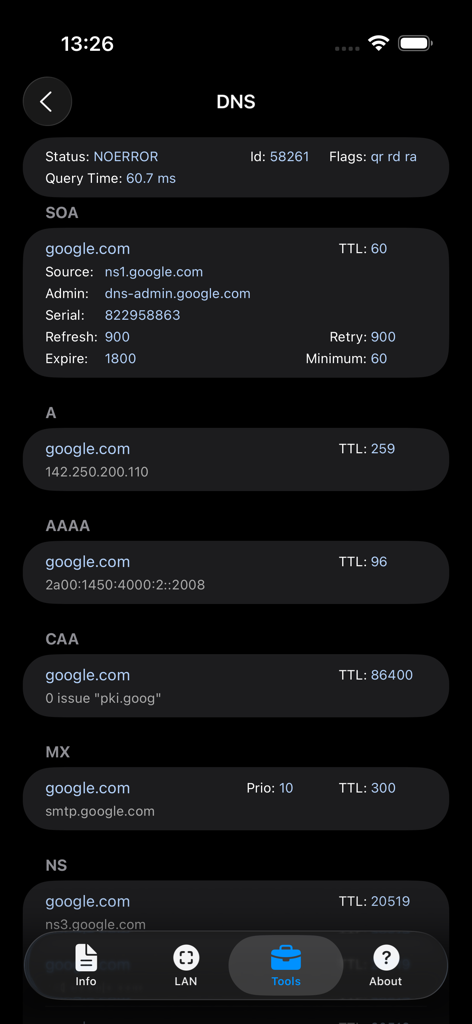
DNS lookup results for google.com in the Network Analyzer app showing various network records

DNS lookup results for google.com in the Network Analyzer app showing various network records

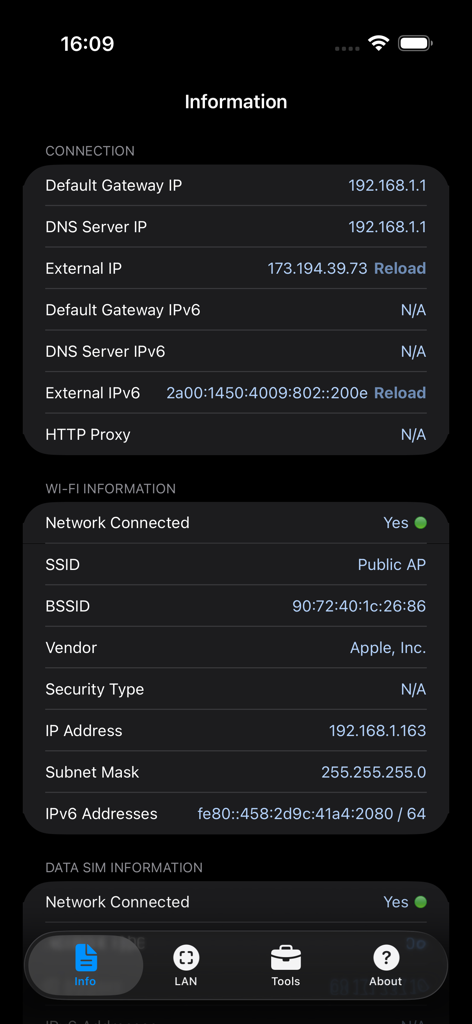
Screenshot of the network connection and Wi-Fi information screen showing IP addresses and gateway data

Screenshot of the network connection and Wi-Fi information screen showing IP addresses and gateway data

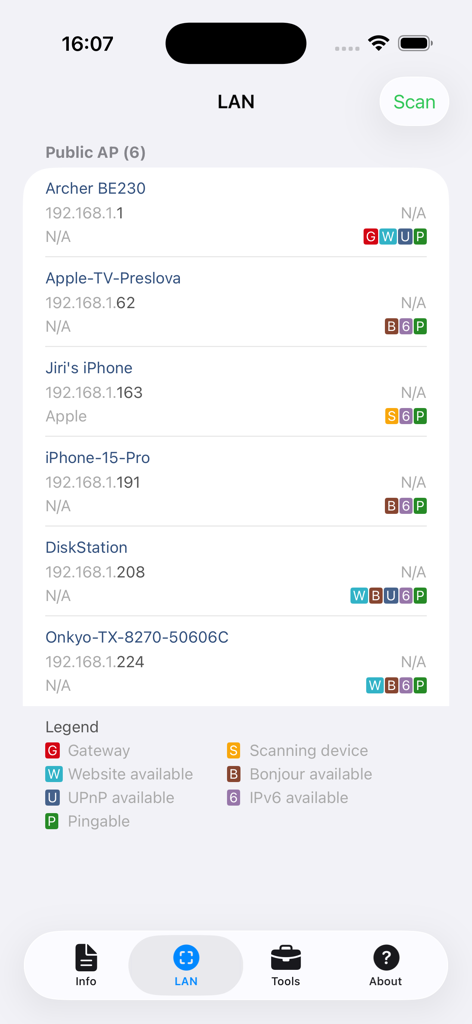
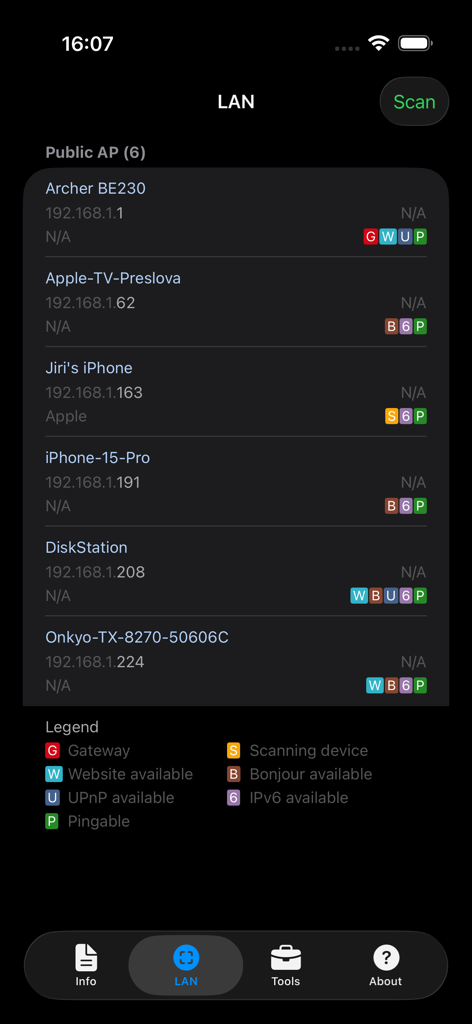
Network Analyzer app interface showing a list of devices discovered on a local area network scan

Network Analyzer app interface showing a list of devices discovered on a local area network scan

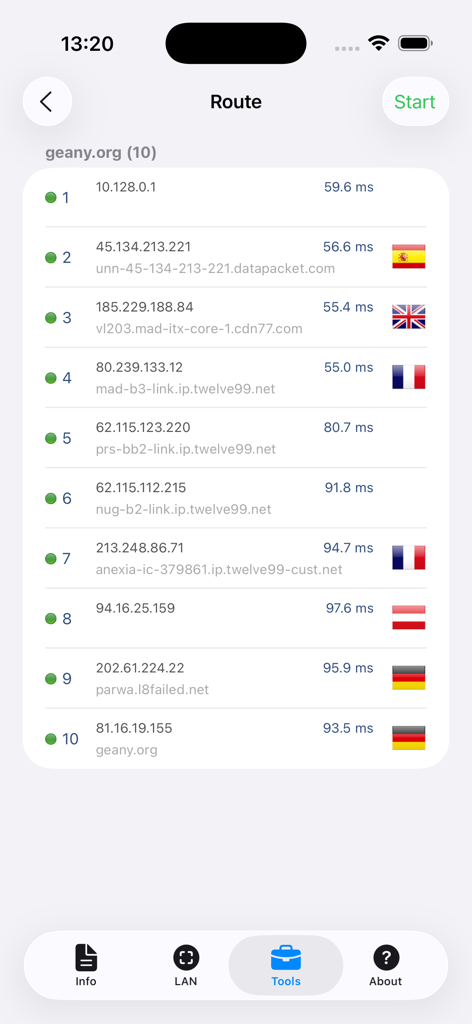
A network traceroute display showing IP addresses, hostnames, and latency for ten network hops in the app.

A network traceroute display showing IP addresses, hostnames, and latency for ten network hops in the app.

Take Full Control of Your Connection

The tools that make this app stand out, trusted by 2M+ users.

🔍

Complete LAN Visibility

Instantly scan your Wi-Fi to identify all connected devices, detect intruders, and manage your smart home inventory with detailed IP and NetBIOS data.

Identify Performance Bottlenecks

Pinpoint connection failures and lag with professional-grade Ping and Traceroute tools, supporting both IPv4 and IPv6 protocols.

🛡️

Security & Advanced Lookups

Audit your network for vulnerabilities with the integrated Port Scanner and verify domain data using advanced WHOIS and DNS lookup tools.

Loved by users worldwide

Trusted by 2M+ people who love this app.

"

"As an IT professional, this is the first app I install on every new iPhone. It provides professional-grade diagnostics like traceroute and port scanning in a mobile interface that is actually usable. It has saved me countless hours of troubleshooting when I am away from my workstation."

Marcus T., IT Systems Administrator
"

"Managing a smart home with over 40 connected devices used to be a headache, but this app makes it simple. I can easily see which gadgets are hogging the bandwidth and test my ping for online gaming. It is the most reliable and comprehensive network utility I have found on the App Store."

Sarah J., Tech Enthusiast

About the app

Everything you need to know about Network Analyzer: net tools.

Description

Network Analyzer is a lite version of Network Analyzer Pro - an advanced tool for network diagnostics, LAN scanning and problem detection. Network Analyzer can help you diagnose various problems in your wifi network setup, Internet connectivity, and also detect various issues on remote servers thanks to the wide range of tools it provides. It is equipped with a fast wifi device discovery tool, including all the LAN device's addresses and names. Further, Network Analyzer contains standard diagnostic tools such as ping, traceroute, port scanner, DNS lookup, and whois. Finally, it displays various useful information related to your wifi/cell connection. WIFI LAN SCANNER • Detection of all connected network devices • IP addresses of all discovered devices • NetBIOS, mDNS (Bonjour​), LLMNR, and DNS name where available • Pingability test of discovered devices • IPv6 availability and discovered IPv6 addresses PING & TRACEROUTE • Round trip delay including IP address and hostname for every network node • Support of both for IPv4 and IPv6 • Country detection of the analyzed server PORT SCANNER • Scanning the most common ports or user-specified port ranges • Detection of closed, firewalled, and open ports • Description of the known open port services WHOIS • Whois of domains, IP addresses and AS numbers DNS LOOKUP • Functionality similar to nslookup or dig • Support of A, AAAA, CAA, CNAME, HINFO, MX, NS, PTR, SOA, SPF, SRV, SSHFP, TXT records NETWORK INFORMATION • Default gateway, external IP (v4 and v6), DNS server • Wifi network information such as SSID, BSSID, IP address (v4 and v6), and subnet mask • Cell network information such as IP address, technology, etc. MORE • Full support of IPv6 • Light/dark theme • Detailed help • Regular updates

Latest Version

9.0.1

Size

12.6 MB

First Released

Sep 19, 2012

Take Full Control of Your Network Infrastructure

Stop guessing and start diagnosing. Join over 2 million pros and enthusiasts who trust our diagnostic toolkit to resolve bottlenecks, secure connections, and optimize performance in seconds.

Download on App Store
FAQ

Frequently Asked Questions

Everything you need to know about Network Analyzer: net tools

What is Network Analyzer: net tools?

Network Analyzer: net tools is an advanced tool designed for network diagnostics, LAN scanning, and problem detection. It helps diagnose issues with Wi-Fi network setup, Internet connectivity, and remote servers.

Can Network Analyzer detect devices on my Wi-Fi network?

Yes, Network Analyzer can detect all connected network devices on your Wi-Fi LAN. It identifies their IP addresses, NetBIOS, mDNS (Bonjour), LLMNR, and DNS names.

What diagnostic tools does Network Analyzer: net tools include?

Network Analyzer: net tools includes standard diagnostic tools such as ping, traceroute, port scanner, DNS lookup, and whois. It also provides a fast Wi-Fi device discovery tool.

Does Network Analyzer support IPv6?

Yes, Network Analyzer fully supports IPv6 for various functionalities including device detection, ping, and traceroute. It identifies discovered IPv6 addresses.

How does the port scanner in Network Analyzer work?

The port scanner in Network Analyzer scans common or user-specified port ranges. It detects closed, firewalled, and open ports, and provides descriptions of known open port services.

Can Network Analyzer perform a DNS lookup?

Yes, Network Analyzer performs DNS lookups with functionality similar to nslookup or dig. It supports various record types including A, AAAA, CNAME, MX, and NS records.

What kind of network information does Network Analyzer display?

Network Analyzer displays network information such as default gateway, external IP (v4 and v6), DNS server, Wi-Fi SSID, BSSID, IP address, subnet mask, and cell network details.

Does Network Analyzer show detailed traceroute information?

Yes, Network Analyzer's traceroute feature displays the round trip delay, IP address, hostname, and country detection for every network node along the route.